Paybox wallet management

In order to manage the balance of a file via Paybox, outside the Orchestra back office, the management of Paybox wallets has been implemented to create a Paybox wallet at the time of booking and transmit via MCTO the technical information to use this wallet.
Functional and graphical improvements of the Administration

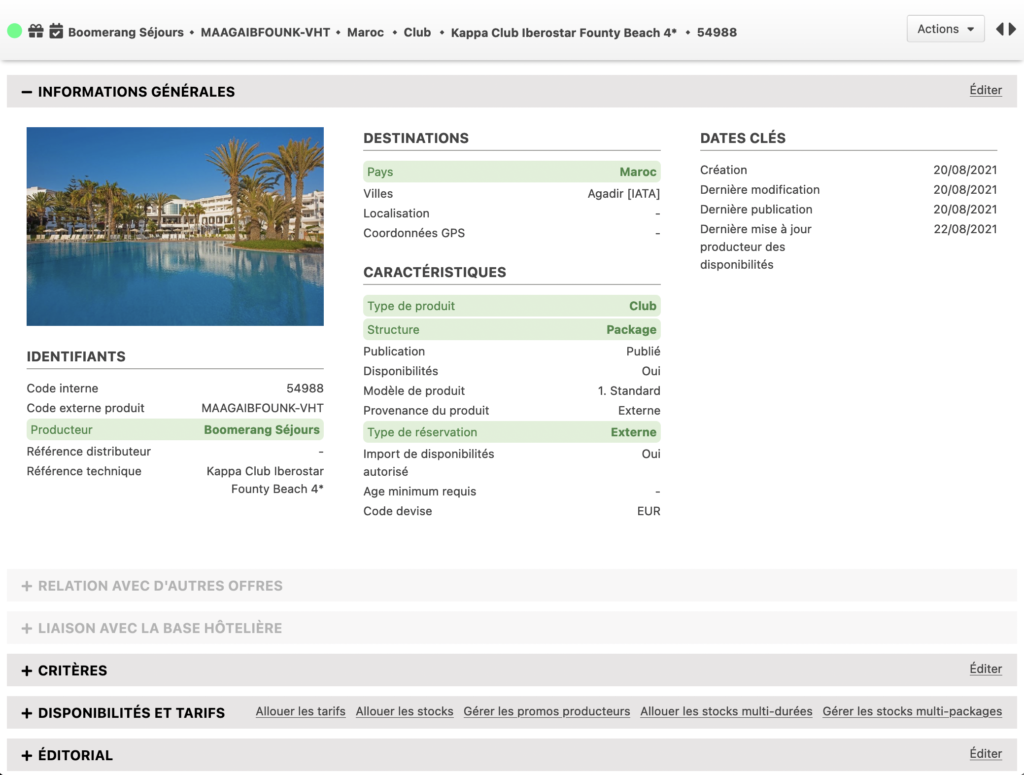
Various graphical and functional improvements have been made to the Administration tool (including the product sheet)

Here is the list :

  • Add the product name to the tab title.
  • Added hover detail to the general header buttons.
  • Rename the Configuration button to Advanced Configuration
  • Adding hotel keywords
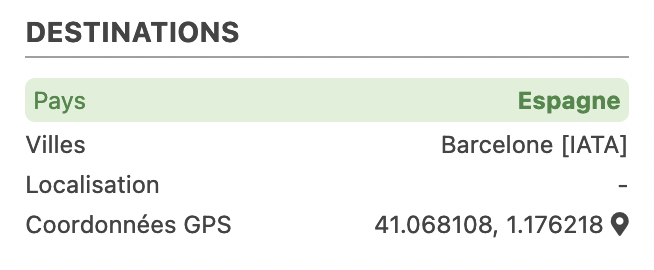
  • Addition of the geolocation of the linked hotel(s) if the product does not have one. If you have a geolocation, a pictogram opens the Google Maps page:
  • Only for packages/activities: transformation of the following popup into full pages (from the product tab, via full redirection and from the search result, via a tab opening) :
    – Manage the configuration
    – Manage the editorial
    – Allocate rates
    – Consult the expert opinions
    – Consult the general public’s opinions
  • Changed the popup allowing to duplicate a product in full page: When duplicating a product, the user is now redirected to the new product if he/she simply saves. If he/she chooses to edit the editorial, he/she will be redirected to the “Manage editorial” page of the new product. The button allowing to switch to the management of the pre-package has been removed (it is accessible in the header after redirection).
  • Added editing buttons on the different sections of the product page.
  • In the sections “Link with the hotel base” and “Link with other offers”, a button (icon on the right) has been added to access them.
  • Added all the actions to the action bar, in this bar we now have the possibility to return to the product file.
  • If the product is in the trash can, the label “trash can” is displayed on the left of the action button and the button “Restore product” allows you to remove the product from trash can.
  • Product popups are designed to be open centered.
  • Added navigation buttons between the different products of the search.
  • Addition of important fields in the general information of the product sheet (producer, country, type and structure of the product, type of reservation).