Application of costs
and reductions to sub-elements
of pre-packages and dynamic packages

It is now possible to apply costs or reductions to certain sub-elements that make up a pre-package or a dynamic package.

When configuring a cost or a reduction, if the “Package” or “Dynamic package” sales process is selected, a new section is displayed allowing you to specify the package elements.

This section lets you then choose whether to apply the costs or reductions to the hotel, flight or train portion.
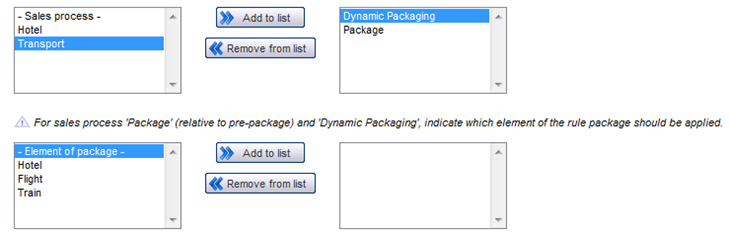
Choice of the element that the rule must impact (for the pre-package and dynamic package)

Commission for hotels
according to date and multiple entry

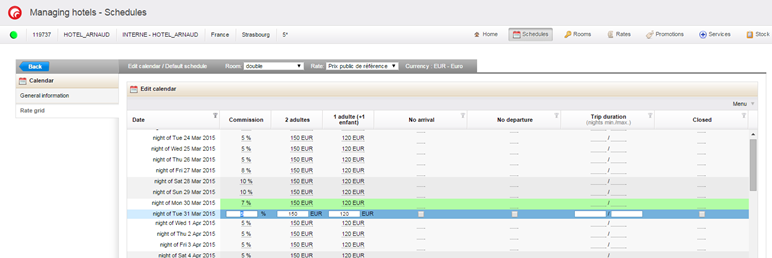
In the hotel section of the administration system, it is now possible to enter commission according to date for hotel rooms.

There is a new column in the hotel pricing grid which lets you enter the value of the commission as a percentage. It is also possible to carry out massive input of commission by clicking on the menu button then on “Edit all elements”.

Entering commission according to date into a hotel schedule
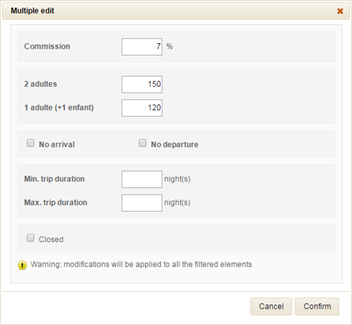
Massive input of commission into a hotel schedule

Commission on hotel services

You can now specify a commission for a hotel service (meals and additional bed), and indicate whether or not this commission is included in the price entered. This commission can also be defined according to a service period.

For additional beds :

If the commission is not specified in the service, the commission rate for the room in question will be used (if a commission is specified at this level).

More generally, commission can be specified at several levels, from the least precise to the most precise :

  • Commission according to supplier
  • Commission according to schedule
  • Commission according to date (for rooms and services such as additional bed)
  • Commission according to service (meals and additional bed)
  • Commission according to period of service
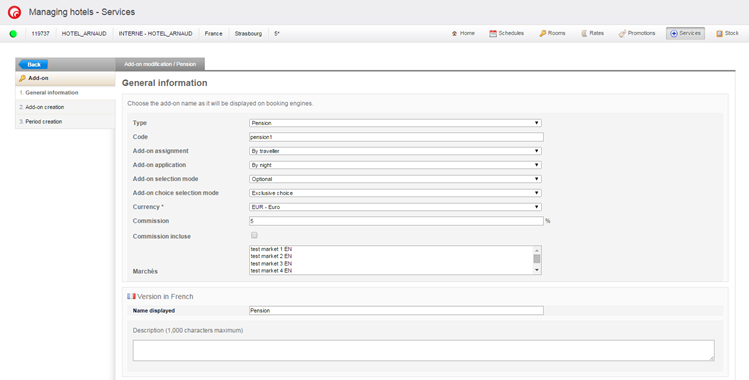
Entering commission for a hotel service
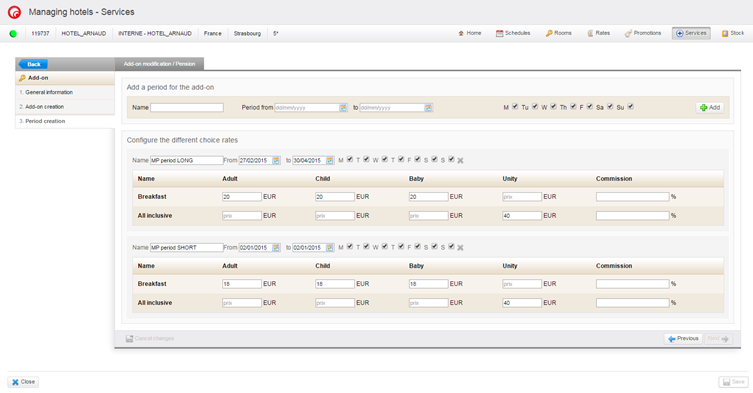
Entering commission for meal periods
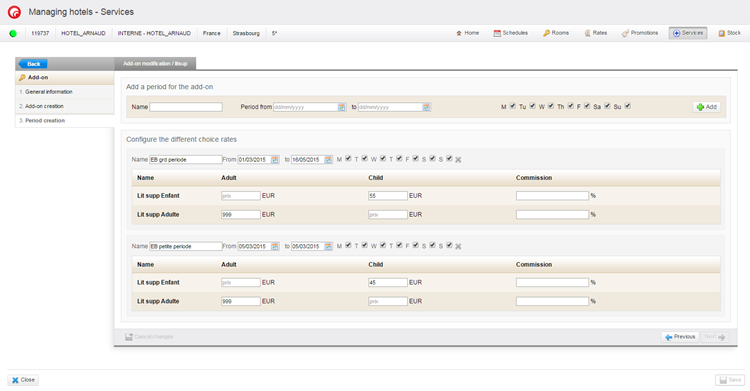
Entering commission for additional bed periods

Algorithm for calculating
the best cost for services

Since commissions can apply to several levels, and periods of services may overlap, an algorithm has been introduced to obtain the best rate for services at a given date in most cases.

Eligibility/Applicability
of promotions on services

In order to manage application of promotions more accurately, two new notions have been added to the Promotions > Services section :

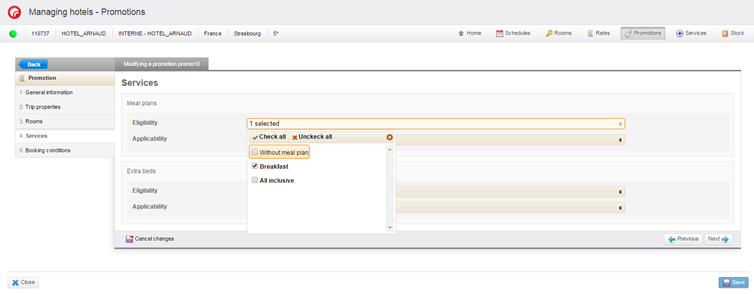
  • Eligibility : This notion lets you offer or not offer the promotional price according to the rooms + selected services combination at the time of reservation.
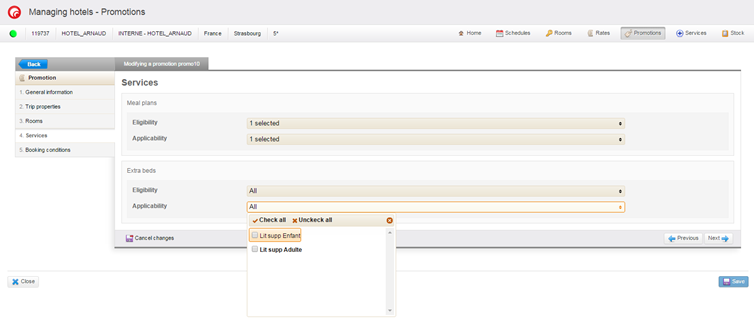
  • Applicability : the promotion will apply or not apply to the service portion (if nothing is selected, it will apply only to the price of the room). This notion lets you determine whether the prices of services will be subject to the promotions at the time of reservation.
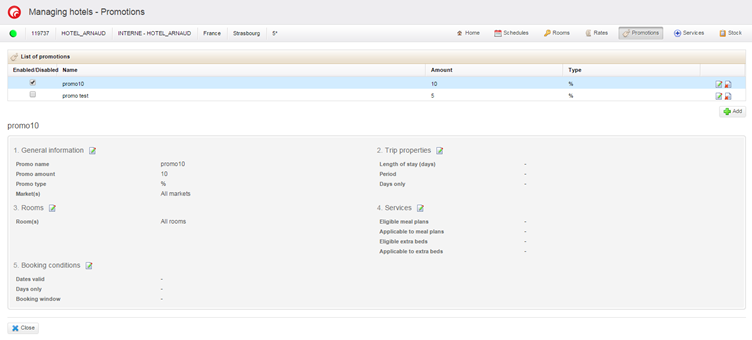
Recap of promotions, and in particular the section concerning services
Selection of eligibility of meals in the hotel promotions
Selection of applicability of additional beds in the hotel promotions

Addition of comments
when files are edited

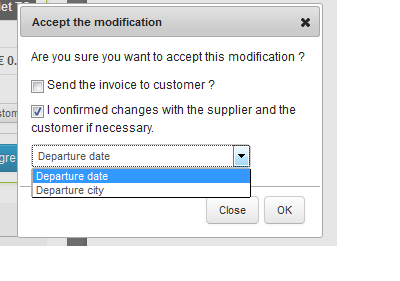
It is now possible to add comments when performing the following actions on files :

  • Cancellation
  • Editing
  • Adjustment
  • Regulation

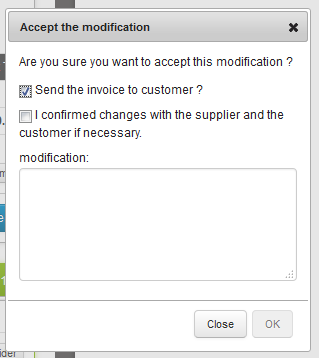
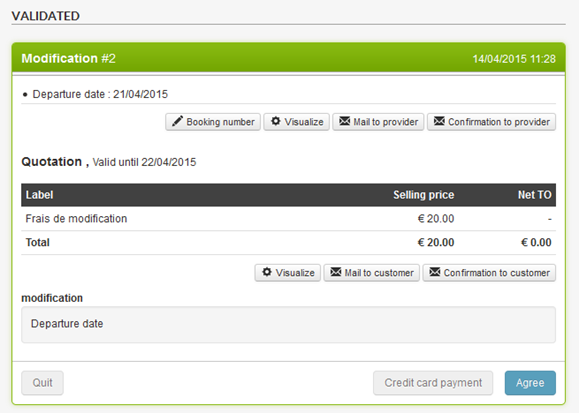
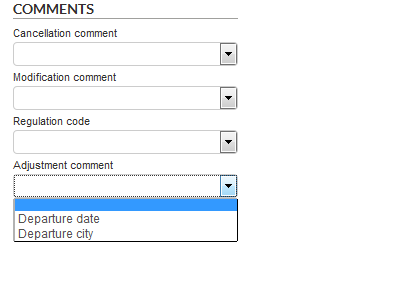
These comments may be selected from a predefined list (select box) or may be entered in free form. It is also possible to carry out file searches from the list of predefined comments, and export this data in the detailed export.

Entering a comment when editing a file
Displaying the comment in the editing block
New file search fields by comment

Adyen payment system

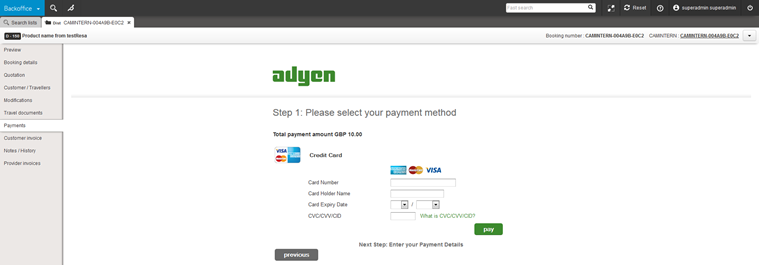
The Adyen payment system is now available in the Back Office.

The “Payment” section of a file thus lets you perform transactions via this new payment method.

The transaction is performed in server-server mode if the card is the one used for the reservation, and in 3-tier mode if the card is a new one.

Adyen payment form in the “Payment” tab of a file

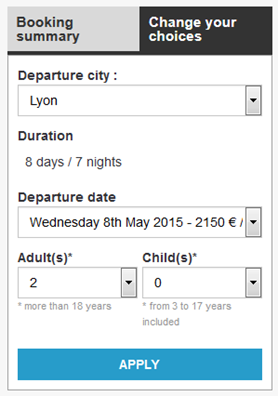
Editing dates/durations/cities/passengers
in the new reservation process

The quote page now lets you edit the selected dates, durations, departure cities and passengers without the need to return to the catalogue product data sheet. This form is available via a new tab which is on a trip summary block.

“Edit your selections” tab in the sidebar in the new reservation process

Change in the SIPS/ATOS
payment system

It is now possible to deactivate certain payment cards in the SIPS/ATOS payment block. To do this, a list of cards to be deactivated may be sent from the catalogue.

Optimising management
of stocks of internal products

Management of stocks (not shared) of internal products has been optimised to allow improved management in the event of high load.

Optimising
the reservation “workflow”

The reservation “workflow” has been adjusted to minimise wait time before the confirmation page is displayed.

The confirmation page is now displayed as soon as the reservation is made by the producer.

The following steps (creation of the Orchestra file, sending of the confirmation email, other post-reservation processes) are now processed as background tasks. For web users this means that the confirmation page is displayed more quickly.

New producers

The production of VVF Villages is now certified on Orchestra and is available from version 12.3 onwards.

Optimising Costa production

The cruise specialist is now able to send specific rates linked to special sales operations, according to distributor. This requires a specific configuration for this producer.

Managing the notion of “early booking”
on producer rates

Producers can now send the notion of “early booking” rates in the price/availability cache sent to Orchestra.

This notion will thus enter the catalogue services and may be used for example to display the relevant icons.