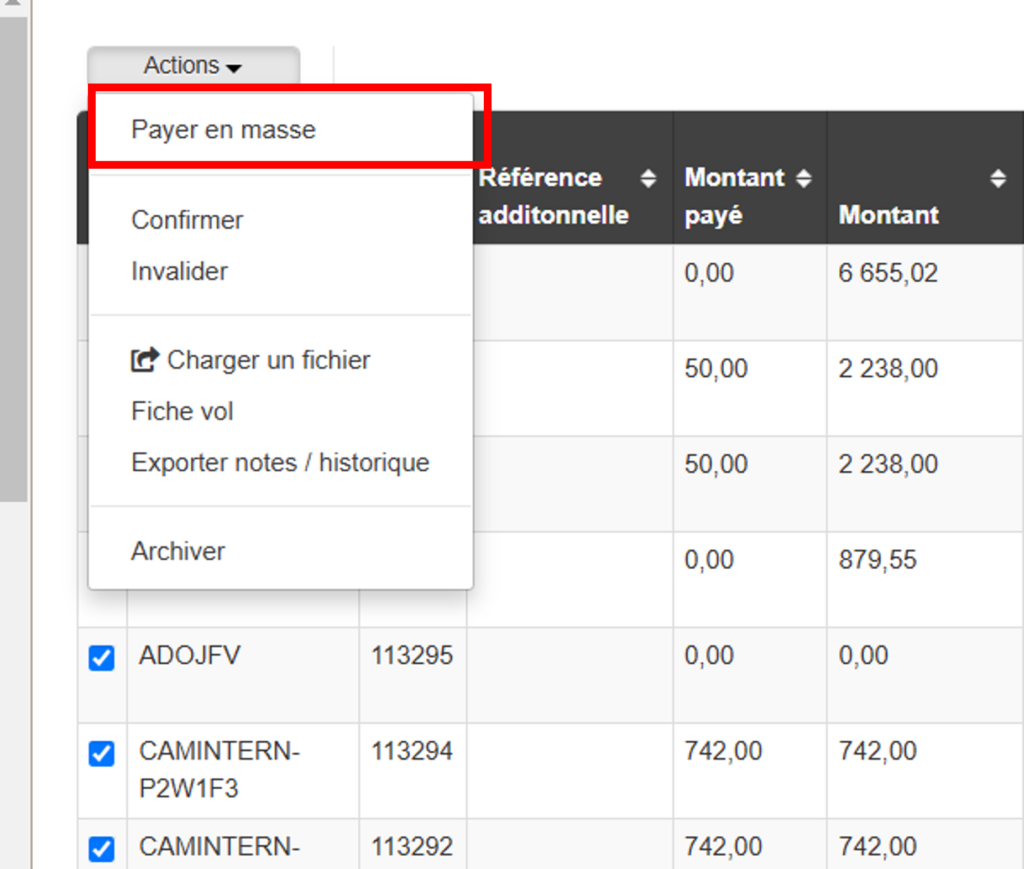
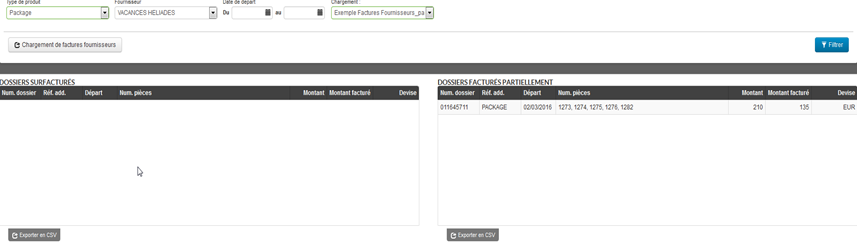
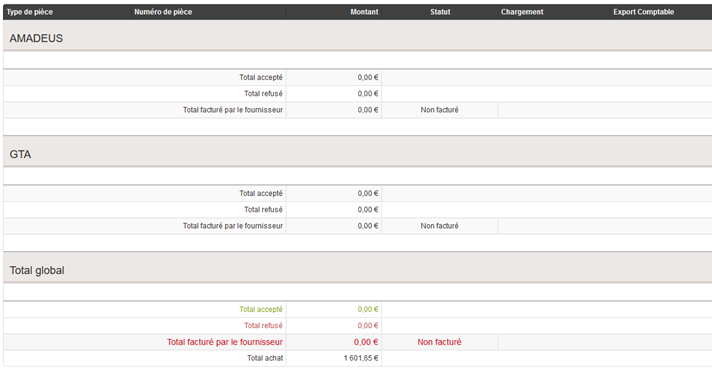
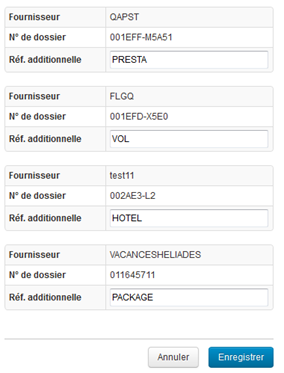
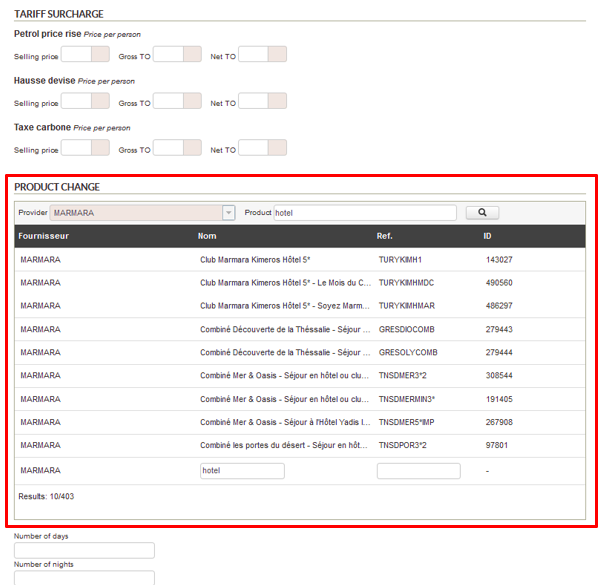
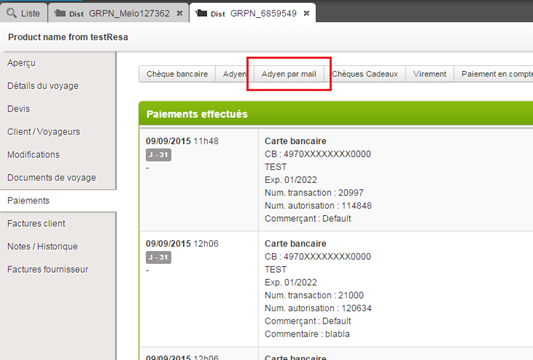
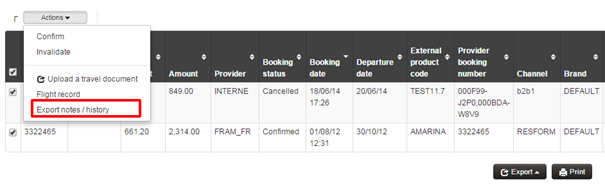
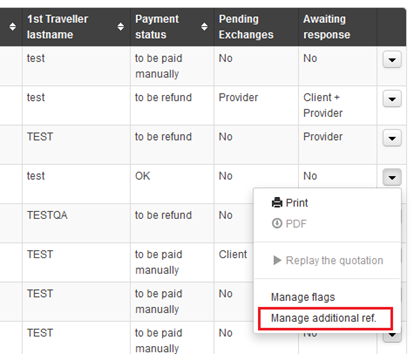
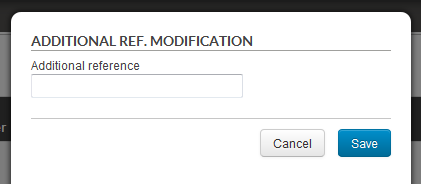
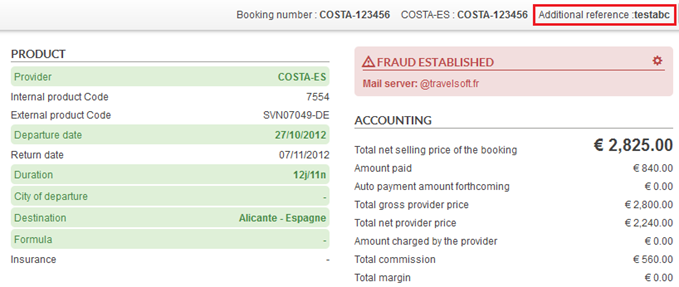
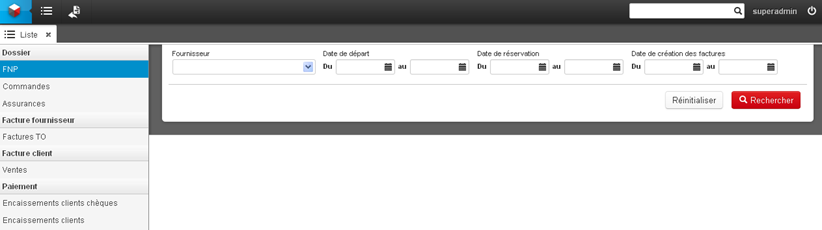
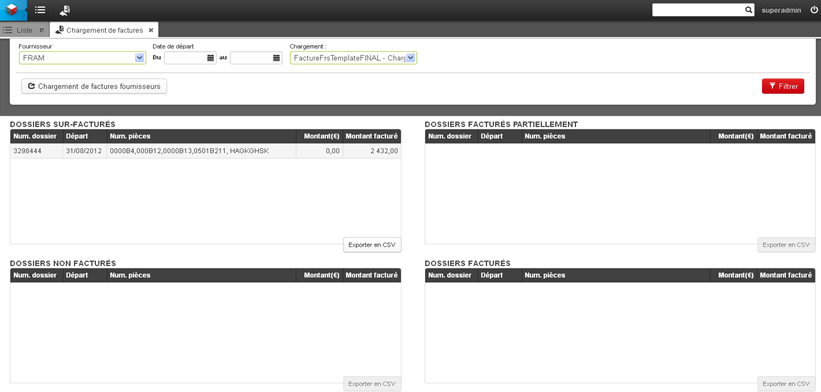
Bulk Payment Based on Invoice Numbers
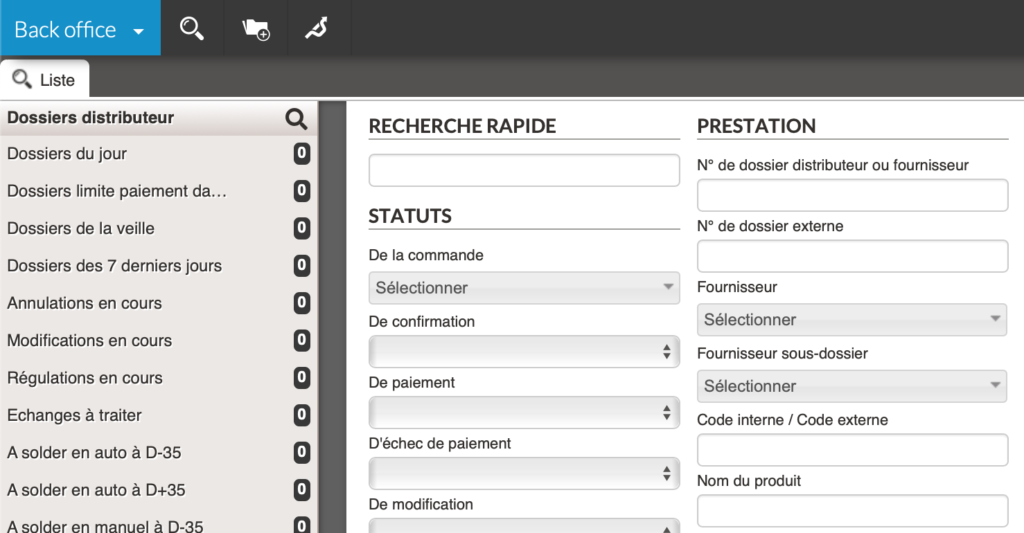
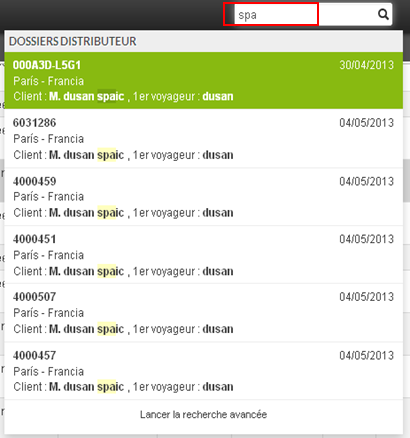
In the Orchestra back office, an agent can now search by invoice date and view the number of the most recent invoice issued for a case in the results table.
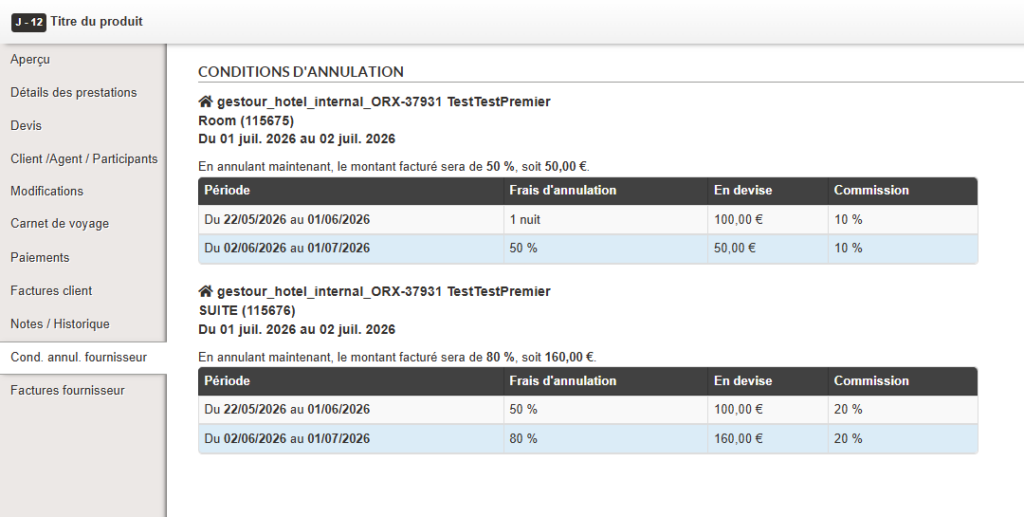
In the back office, a new tab, “Supplier Cancellation Conditions” (“Cond. annul. fournisseur”), has been added to the left-hand menu of a file. This tab will now allow the visualization of cancellation conditions (in % and in currency). Initially, only those for internal hotels will be displayed, but in the future, it will also be possible to view those for activities/car rentals if connectivity allows.
The direct benefit is an improvement in agent productivity thanks to pre-filled and accurate information during cancellations.

On the transport back office, a cancellation received from a flight connectivity will now only cancel the concerned transport. The file therefore remains confirmed and must be updated with a regularization. An email is sent to ensure the proper propagation of information in addition to the file status with a regularization in progress.
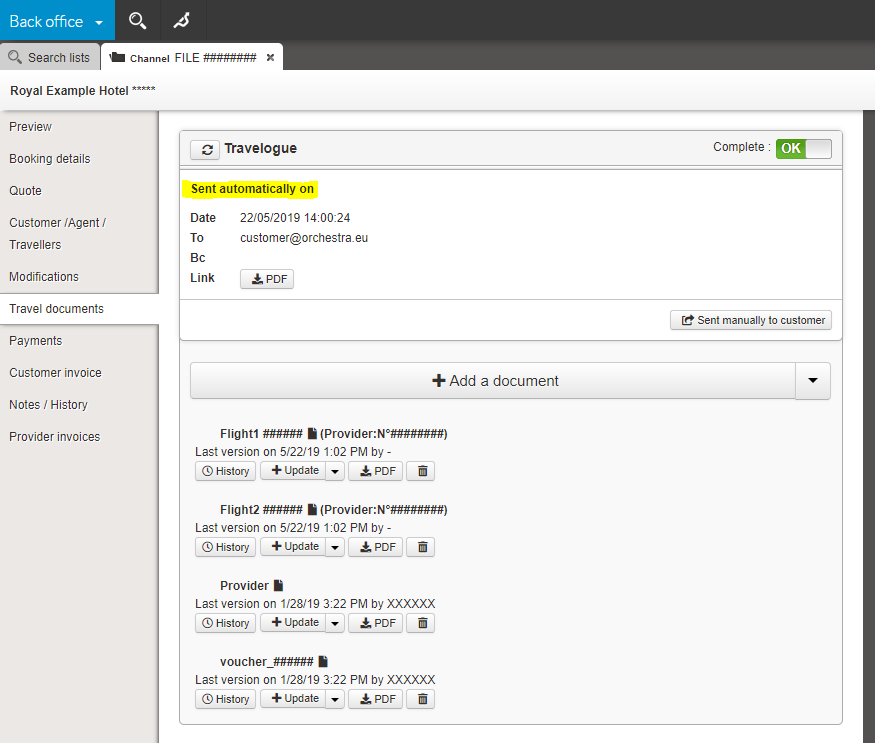
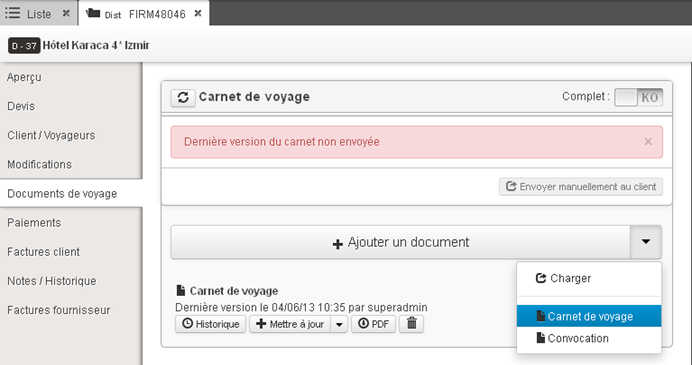
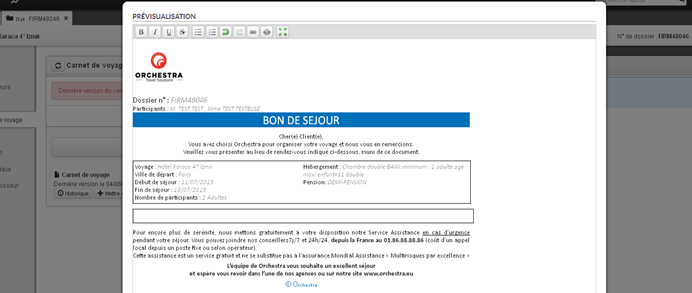
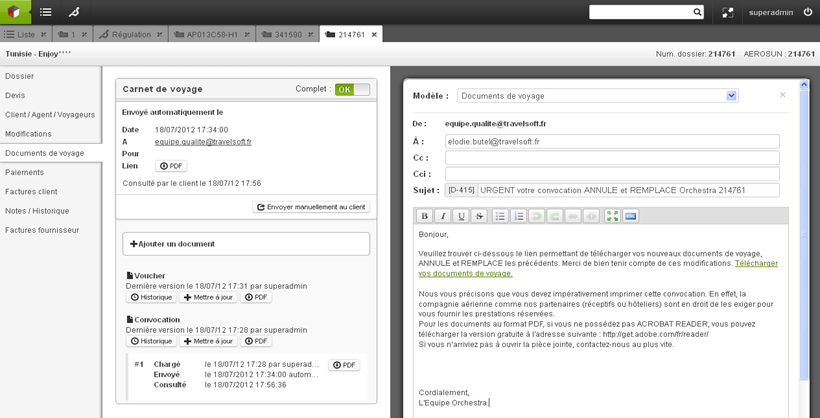
Implementation of automatic sending of the email associated with the travel document, with a restricted triggering mode depending on specific cases of file modification. This evolution also includes updating the email template and sending the message in the target language
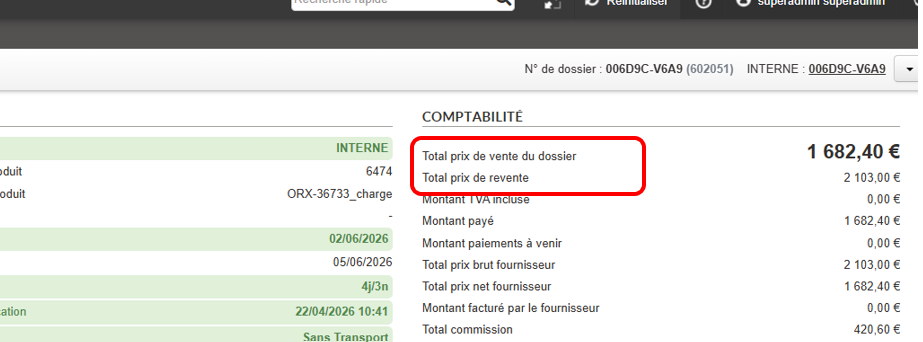
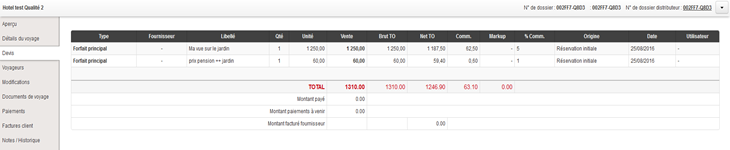
In the back office, a new net total of agency commission has been added to the file overview. It is possible to define this new net total as the main amount of the file. This is then used in the payment section to calculate the balance and update the payment status.

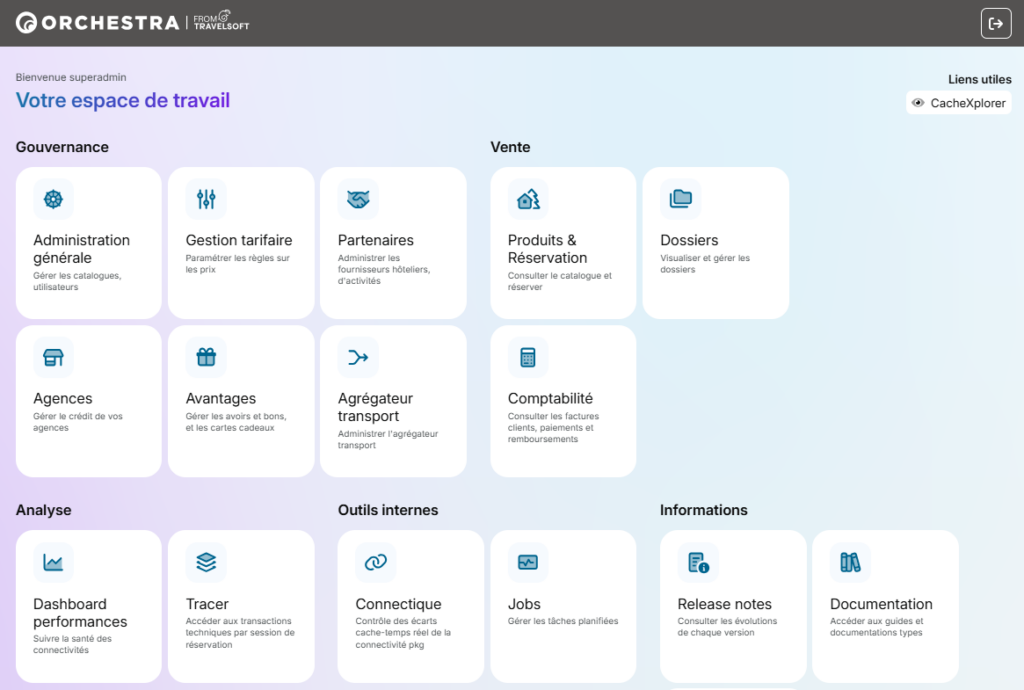
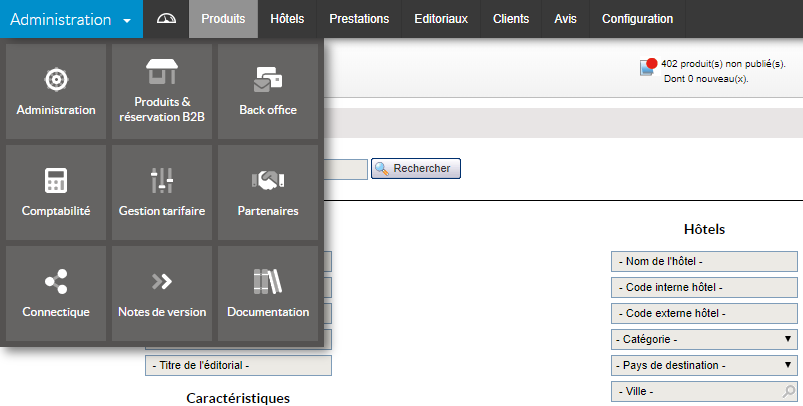
The Orchestra platform’s homepage has been completely redesigned to organize modules into thematic sections and add a description for each. It is now also possible to configure a useful links section at the top right. The objective is to modernize the interface and improve the user’s search experience.
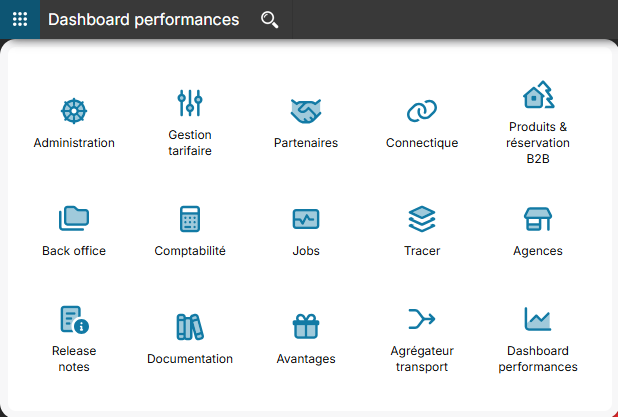
This update also changes how you navigate between modules. Now, to open a module in a new tab, simply use your browser’s standard functions, such as holding “Ctrl” while clicking, or clicking with the mouse wheel.


In the Back Office Orchestra, you can now view the subtype of rate lines for transfers booked under a file when exporting. This update improves the clarity of the file. Add-on types
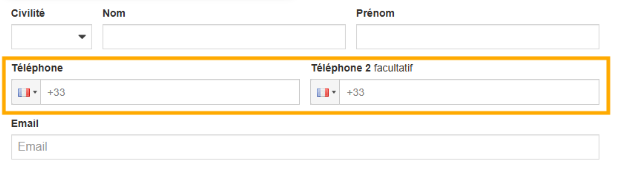
The “Phone Number” field in the booking process and back-office has been revamped for a smoother and more intuitive experience. Previously, formatting and persistence issues could complicate data entry; thanks to new technical management, this field now ensures consistent formatting and reliable data retention. This improvement guarantees simplified input for customers and better management for agents.


For payments made via PayPal, the Back Office now displays the Capture ID in addition to the authorization and transaction numbers. This enhancement improves payment tracking and reconciliation.
The integration of agency fees into the capping system is now automated. Amounts entered by agencies during booking automatically generate a reversal line in the Capping module, eliminating previous manual entries. This evolution improves the reliability of accounting tracking and optimizes the processing of agency sales and refunds.
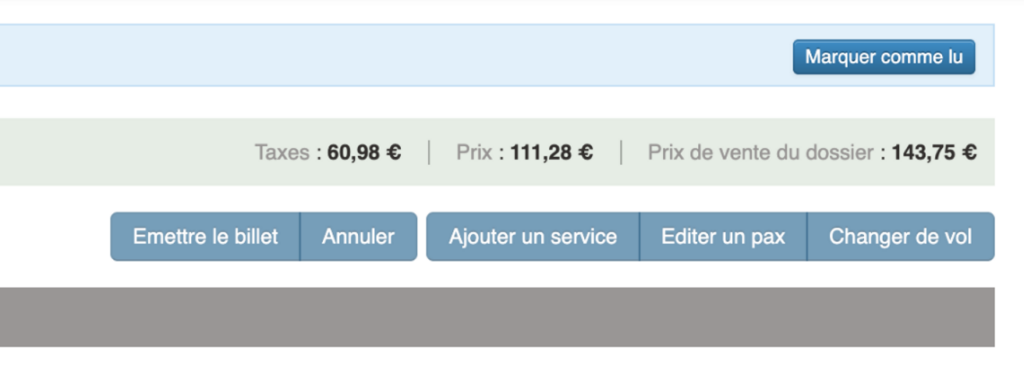
The display of the total transport section of a file in the back office has been improved to clearly include service fees. An additional information line now shows the total amount to be paid (including all services), preventing misinterpretation by agents. This enhancement ensures greater pricing transparency when managing files.

To optimize indirect sales monitoring and improve producer responsiveness, we have implemented automatic email notifications for each validated booking. It is possible to define for which producers this email should be activated.
For more detailed file management, Orchestra allows you to differentiate between MS (young woman) and MSTR. (young man) and the titles MRS and MR. in reservations and in the Back Office. This update, which can be activated on request, improves the accuracy of your passenger data and your compliance with the specific requirements of certain markets.
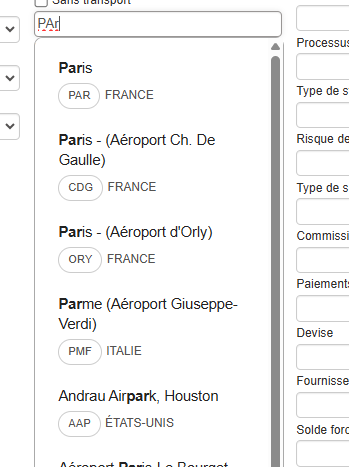
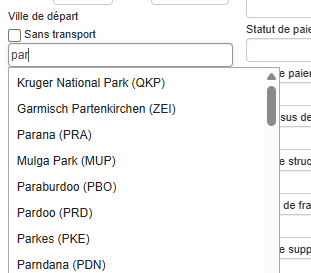
A graphic redesign has been carried out for the autocomplete feature for origin and destination cities/airports on the booking module and Back Office. This improves the fluidity and display of this tool.
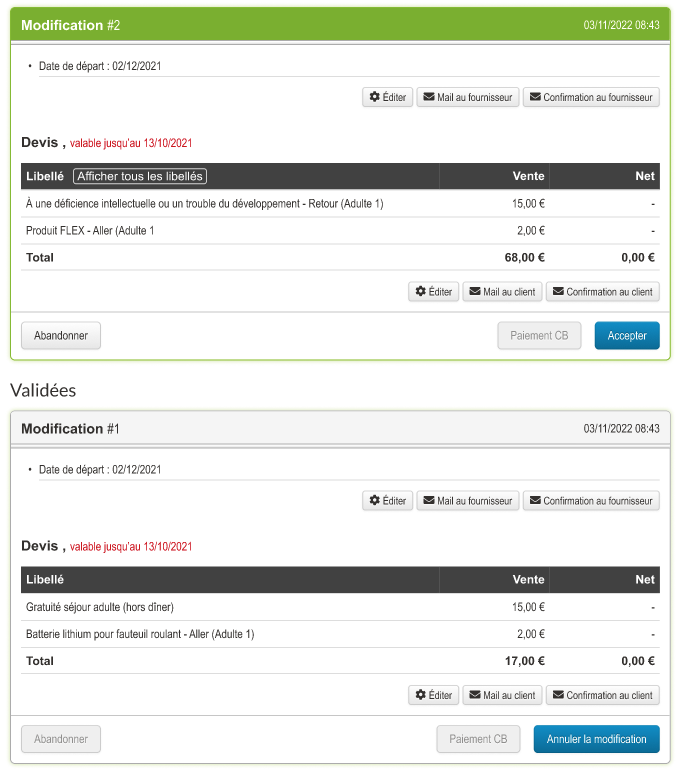
Here is the new version:

Here is the former version:

The agency’s currency and country are now displayed in the capping interface. This information is configured in the administration tool. This means you no longer have to search in two places and improves readability in the Capping module.
Orchestra has improved the management of flight changes (such as schedule changes or cancellations) from airlines. Once notifications are received from airlines, they are displayed in the âChangesâ tab and in the Back Office search lists. Users can now identify, prioritize, and process these changes more quickly, ensuring more efficient and reliable management of your customers’ flight records.
If a Back Office file contains many identical price lines, it is now possible to factor them for optimized display.
Agents require access to client recontact consents. Orchestra integrates this information in back-office. Searching concerned quotes becomes possible.
This evolution respects Always Sell requirements. Agents easily identify authorized prospects.
Consumption-based billing presented unnecessary complexity. Orchestra simplifies the process for cancelled files. One invoice remains: cancellation fees or insurance.
Absence of fare lines eliminates billing completely. This evolution lightens cancellation administrative management.

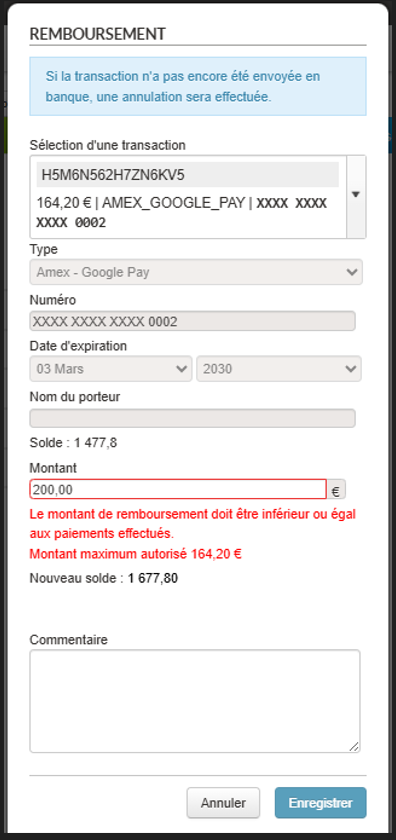
In the payment section of a back office file, the refund process has been strengthened to offer a clearer, more reliable, and unambiguous user experience. It is no longer possible to enter an amount greater than the actually refundable amount, right from the refund request form. This improvement allows:

Export to restaurant management system improves. Sends are more frequent and modifications correctly managed. Previous API version presented significant limitations.
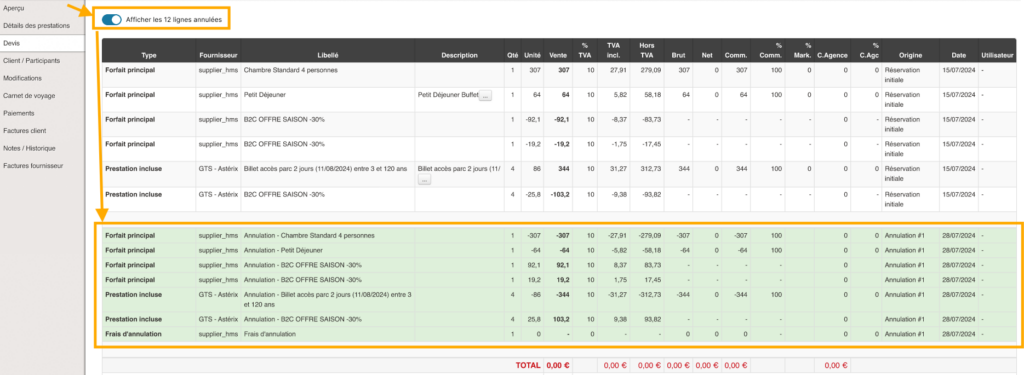
Back-office quote tab lightens by default. Cancelled lines are masked to improve readability. A “Show all” button remains available if needed.

To improve navigation in files containing numerous fare lines, Orchestra integrates an optimized display system. Excess lines are hidden by default, with a “Show more” button providing access to complete information.

Orchestra now enables cancellation of fare adjustment type modifications from the back-office. This action automatically triggers cancellation of fare lines associated with the relevant modification.

Manual export of customer invoices from the Accounting module has been enhanced. New columns have been added to facilitate data analysis: Return date, Invoice amount excl. tax, Agency commission incl. tax, Agency commission excl. tax, Net commission incl. tax, Net commission excl. tax.
This information is now available directly in CSV files exported from invoice search.
It is now possible to directly download the Tracer session from a file in the Back Office. A Single Sign-On (SSO) has also been added, allowing seamless access to the Tracer module with the session automatically prefilled for easier log consultation.
The CSV export dedicated to price line items has been enriched with 15 additional configurable columns. These include details such as booking channel, room types, quantities, VAT-inclusive/exclusive amounts, and agency commissions.
The VAT-exclusive amount is now visible in quotes within the Back Office. This amount is automatically calculated and included in price lines when a file is modified, adjusted, or corrected.
Information on the amount exclusive of VAT is now visible in the file estimate from the Back-Office. This amount is automatically calculated and entered in the price lines added following a file modification, regularization or estimate adjustment.
A hybrid booking mode has been introduced, allowing users to place an option on a pre-packaged product for a fee, without requiring an immediate reservation from the producer’s side.
The travel documents automation function has been enhanced to enable more detailed management.
It is now possible to automatically set in the back office the transition of a travel journal to âcompleteâ status according to the type of service and/or producer, thanks to an exclusion configuration. The âcompleteâ status will then be applied as soon as a document is present for each source whose type, producer or both notions are not excluded.
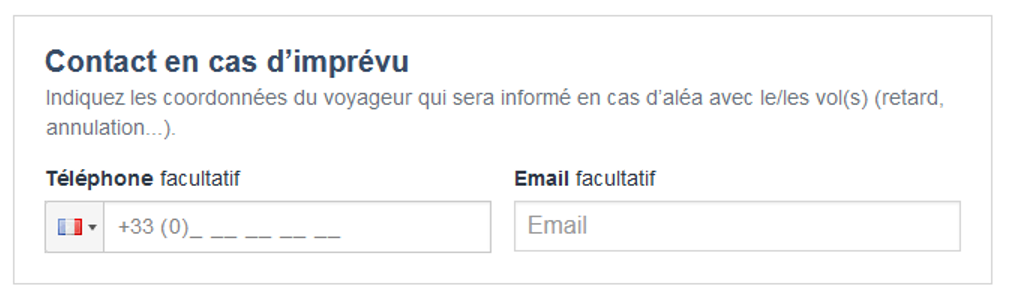
The emergency contact function has been improved. In the booking process, it is now possible to ask the end customer only for their telephone number, instead of their telephone number and email address. This reduces the time required to enter data in the booking process.
Note: the agency’s email address can be entered by default as an emergency contact email address if required.
The option of entering and sending contact details in the event of unforeseen circumstances is now available for all Jetstar airline flights and for all products from producer Maeva.com / La France du Nord au Sud.

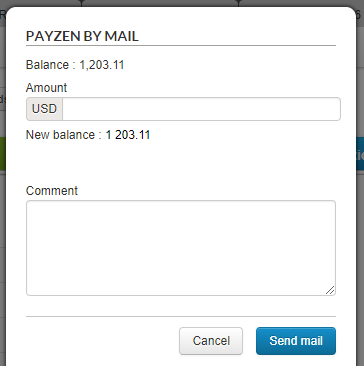
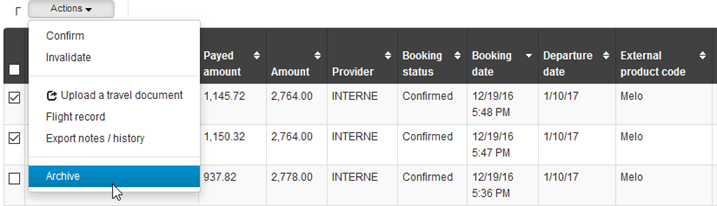
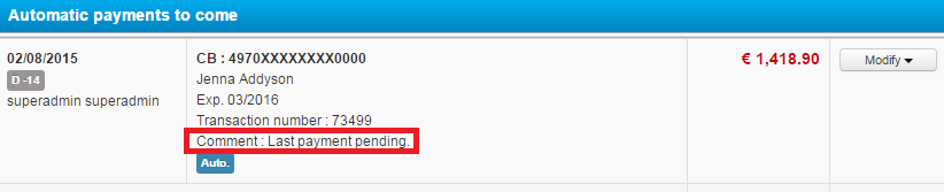
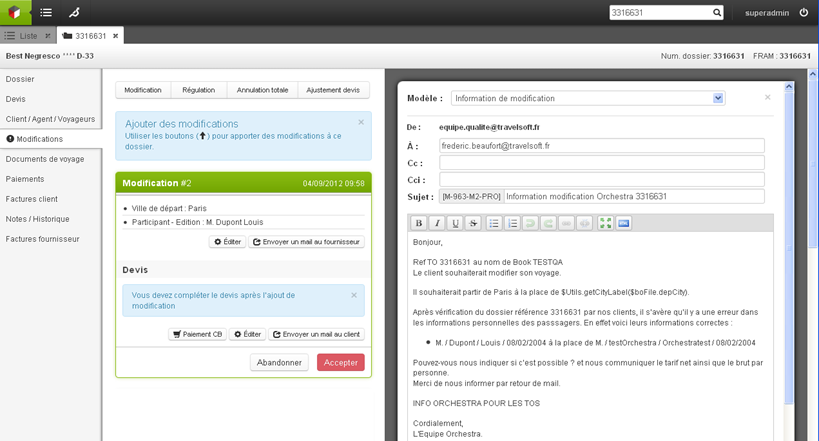
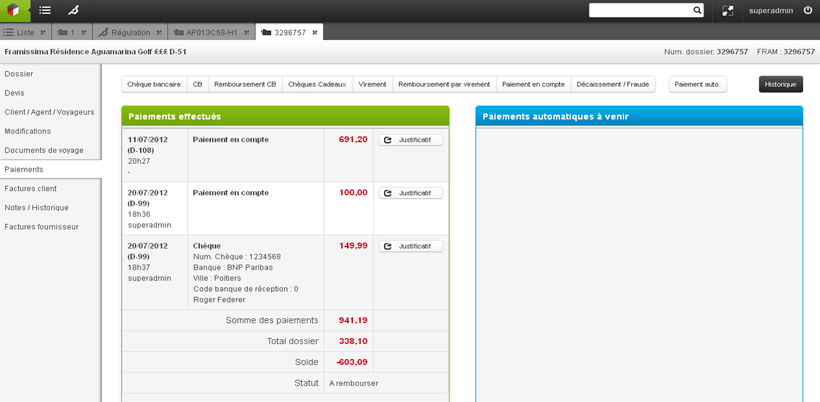
In the context of indirect reservations managed in the Orchestra platform, a producer will generally receive payment from the distributor for several bookings. It is now possible in the back office to mass soldering these bookings by adding a mass payment (only available for payments by bank transfer or cheque).

It will now be possible to filter, for each product, the related services that the producer wishes to offer in the booking process of the distributor. For example: not to purpose the âdonationâ type of service.
This evolution completes the retargeting email mechanism developed in 22.8, and enables distributors to be autonomous in ROI tracking of this mechanism.
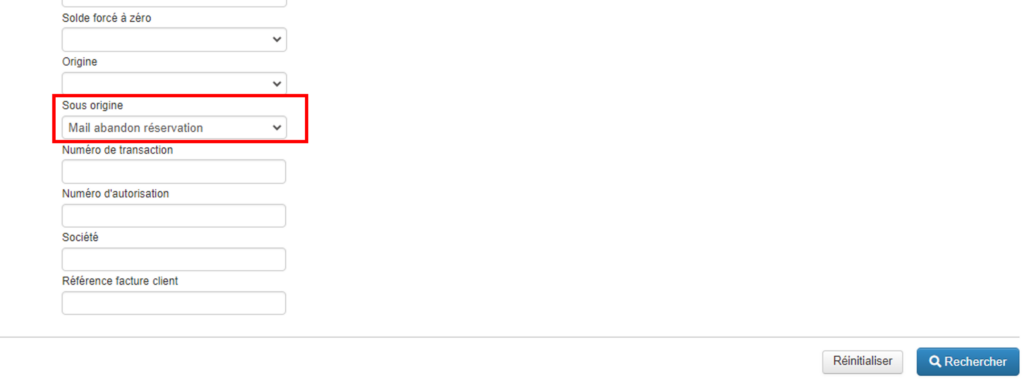
It is now possible to search in the back office for a booking reserved by a customer following a click on this email. A âSub-originâ field returning the value âmail abandon reservationâ has been created in the back office search engine.
This value is also present in manual back office exports.

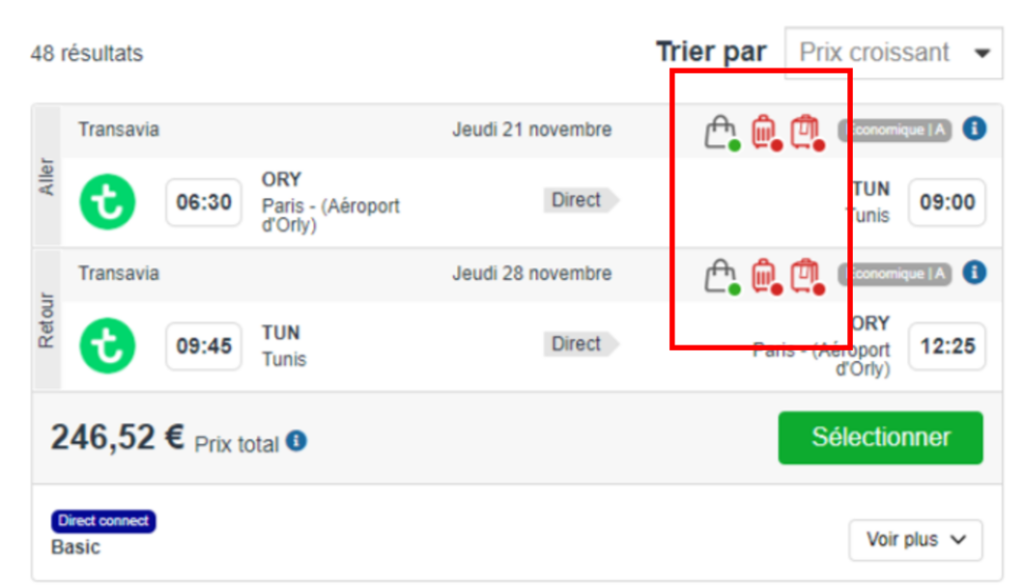
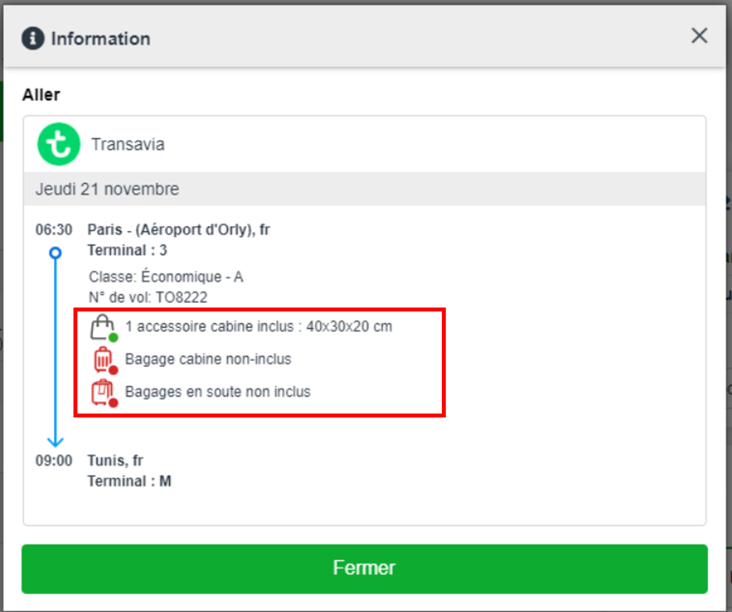
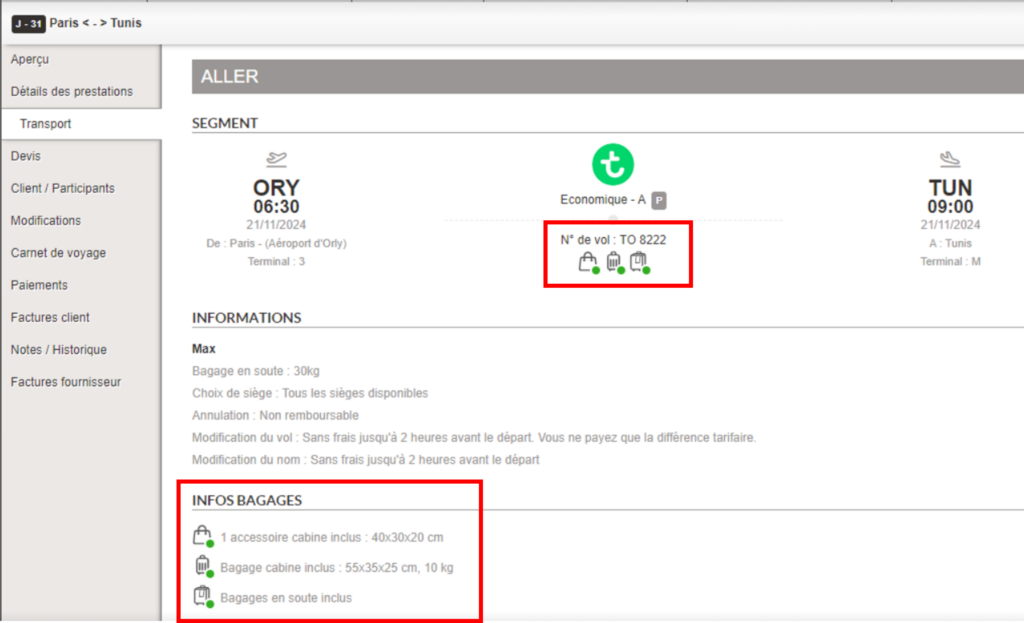
In the booking process, it is now easier to see whether or not cabin baggage is included in the transport being booked, as well as details of the size and weight of this cabin baggage. Pictograms have been added to make the information easier to read, and clicking on the âiâ opens a tooltip showing the size/weight of the baggage included.


In the back office, information concerning cabin baggage and its detailed size and weight will be visible in the transport section of the booking. This will enable the travel agent to easily answer any questions the customer may have on this subject.

In a B2B context, when a travel agency books a flight, it can issue the tickets directly at the time of booking, or do so later from the Orchestra back office.
To simplify the two-step booking process, a link has been added to the confirmation page of the sales process, enabling agencies to access the corresponding file in the back office directly.
This feature can be activated via a configuration for all booking processes (Package, Transport-only, Hotel-only, Dynamic Package).
The post-issuance ticket modification feature is now available for Pegasus Airlines flights, from the Orchestra back office.
We have implemented an evolution to harmonize the management of rounding of booking prices in the booking process and the back office.
Whereas in the past, the price of a booking could include more than two decimal places in the back office, particularly in the case of a booking in a foreign currency, this evolution eliminates potential price discrepancies in exports and invoices, both on the total price and on the price paid.
By default, rounding is set at the centime level, i.e. two decimal places after the decimal point.
We have strengthened the security of our applications, and in particular:
The automatic travel document retrieval mechanism has been improved to allow more refined management in cases where several emails contain similar booking references.
We have also added a report email in the event of a âtoo many files foundâ error, listing the bookings in question.
Booking synchronization between the Travel Compositor and Orchestra platforms has been improved.
Bookings are now automatically updated in the Orchestra Back office in the event of creation, modification or cancellation of a booking on the Travel Compositor platform.
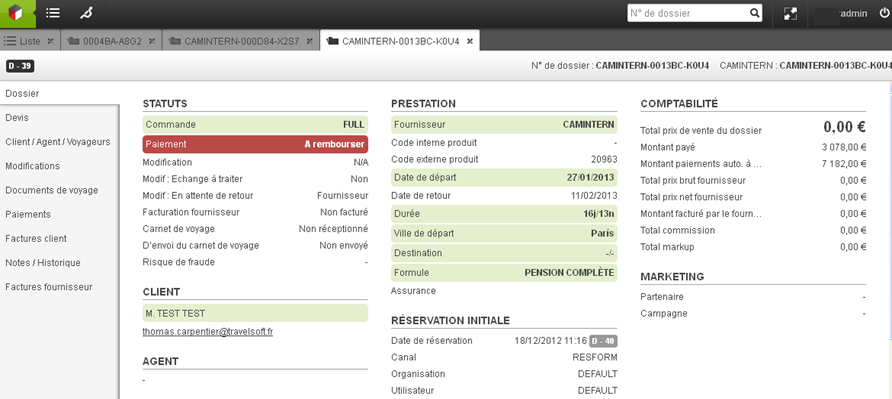
Information on the type of product booked (package, tour, hotelâŠ) is now available on the âBooking overviewâ page in the Back Office.
It is also possible to search for bookings by this criterion using the Back Office search engine.
It is now possible to define that the travel documents are sent to the customer x days before the departure date. This only applies to complete travel books.
This feature must be activated via a configuration in the Back Office.
We have improved the notification mechanism for booking updates to filter out irrelevant changes. This makes it possible to notify customers only of important changes to bookings (e.g. cancellations, changes of time or reservation status).
This feature can be activated and configured via the configuration file in the Back Office.
As part of the sale of pre-packages including ViaXeo accommodation and Tots flights, the ViaXeo booking reference is now sent to Tots at the time of booking.
This makes it easier to manage bookings containing services from these two ViaXoft group connectivities.
It is now possible to set customer booking characterization labels in “read-only” mode. A new “readOnly” attribute has been added to the label declaration in the Back office configuration.
By default, labels can be read-only or write-only.
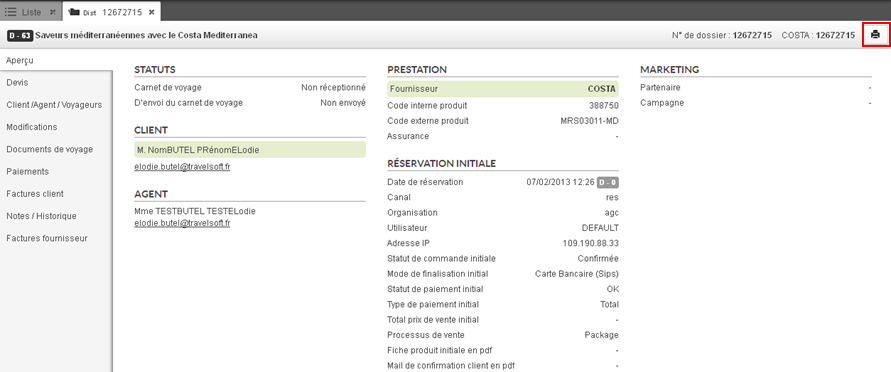
In the back office, we have made functional and graphic improvements to the actions an agent can perform on a customer booking.
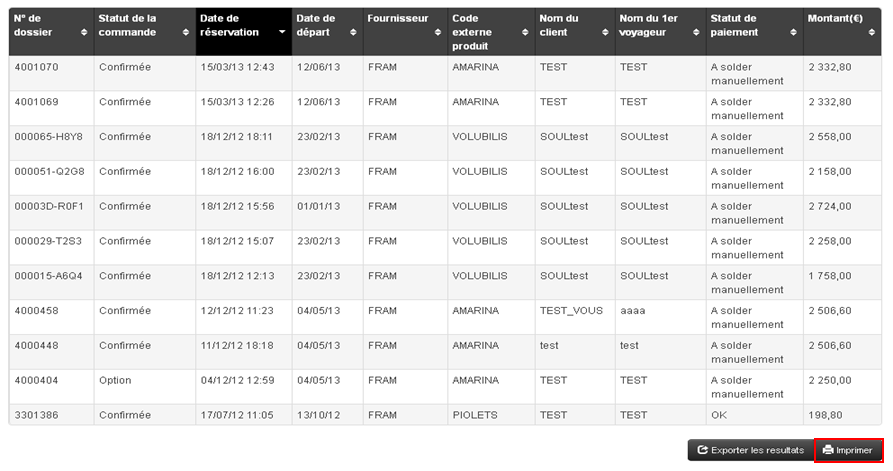
It is now possible to print a preview of the booking with the distributor’s logo, print the entire booking, and parameterize the information displayed in the PDF document sent to the customer.
Following the implementation of pay-as-you-go billing functionality in a previous version, we have added the ability to set quick-search lists to bookings without invoices whose start date has passed.
It is now also possible to activate the search for bookings with or without invoices from the back office search engine.
This feature is deactivated by default.
The “Always sell” feature has been enhanced, making it possible to go beyond payment errors and product unavailability to confirm bookings and avoid losing virtually guaranteed sales.
It is now possible to exclude bookings by type and error code (abandonment, payment) in the back office search lists, in order to prioritize the bookings to be managed by agencies and enable them to concentrate on higher value-added bookings.
In the back office, we have made a change to the email templates used to automatically send travel documents to customers.
In particular, it is now possible to use an email template with the subject “Cancels and replaces”, to inform customers when changes have been made to their booking, after they have already received an initial automatic email including their travel book.
Following the evolution enabling partial cancellation of a booking in connectivity, the incremental reservation functionality has been added to the back office.
This functionality is accessible from the “Modification” section of the booking for users with the associated right. By launching the “Reservation of a new service” from a booking, the user is redirected to the B2B where he/she can make a reservation which will then be added to the initial booking.
Incremental booking is available for all services that do not include transport: hotels, activities, packages without transport.
This feature can be activated via a configuration in the back office.
We have enhanced the detailed export of bookings in the back office, by adding a new column “Initial quotation number”.
Information on the initial quotation number now appears in the detailed export in the back office.
This information can be useful for business intelligence purposes based on detailed exports.
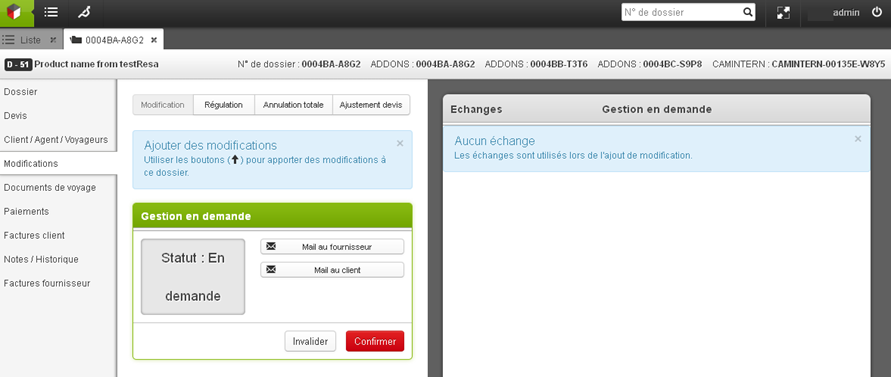
Partial cancellation of a booking in connectivity is now possible from the back office.
Certain elements of the booking or sub-booking can now be cancelled while keeping the main booking.
We have added 3D Secure v2 to secure online payments made with the payment provider Worldpay, partner of Travelsoft Pay.
Payment from the back office and payment by email with Travelsoft Pay have also been implemented in this evolution.
In the back office, an improvement has been made to enable better visualization of the details of a booking, particularly for pre-package bookings which contain numerous services.
We have added a filter criterion based on the status of the bookings, taking into account a potential modification or cancellation undergoing on the booking, for the automatic mailing of travel documents.
This evolution was made retroactively to version 21.4.
In the back office, we have added a feature to automate the cancellation of activities for the source GTS of the PMS Infor HMS.
In the back office, details about the agency or agentâs ownership of a booking can now be modified manually in the booking overview:

This enables any potential errors in partner information to be resolved.
This feature is only available to authorized users.
We have added a configuration in the transport back office to show or hide the agency fees in the pop-ins of after-sale functions (issue, modify, cancel).
By default, these fields are now hidden.
From now on, the booking confirmation e-mail of the agency can be saved in PDF in the overview of the booking in the back office.
This feature is useful for agencies willing to rapidly access the booking confirmation in the back office.
It can be activated through a configuration of the booking process.
This evolution enables a more detailed management of travel documents, in particular:
This evolution has been made in the context of pre-packaged sales containing an âIn demandâ accommodation and a low-cost flight, for which the ticket is issued automatically and cannot be cancelled.
In the past, an issue could occur when the accommodation was eventually not validated by the hotel manager. In this case, the agency ended up with a confirmed and non-refundable flight.
To avoid this issue, a mechanism for managing these particular bookings and quotations has been implemented in the platform. The booking of an âIn demandâ pre-package now generates of a quotation type of booking in the back office, enabling the agency to finalize the order manually and securely.
This mechanism can be activated via a configuration, and therefore can be managed specifically per booking channel.
To improve performance analysis capabilities, the origin of the bookings (in B2B or B2C) is now available in the back office.
As a reminder, a B2B booking is a booking created for a sale generated in a travel agency or a call center, whereas a B2C booking is a booking originated autonomously by a final customer on an e-commerce website.
It is now possible to add the brand during the manual creation of a booking.
A new selection field appears in the pop-in, allowing the choice of a brand in the drop-down list.
To improve sales analysis capabilities, files are now typed “B2C” or “B2B” in the Backoffice.
In some cases, the invoice may have to be generated on consumption of the customer’s stay, rather than when the sale is made (in the case of a distributor/producer, in particular the owner of the hotels or accommodation it distributes).
It is now possible to set up a process of this type which, for example, waits for (technical) confirmation of consumption of the stay before generating the invoice, with the option of sending it automatically by email.
Une rĂ©cupĂ©ration automatiques des documents de voyage a Ă©tĂ© implĂ©mentĂ© Ă partir des emails envoyĂ©s par les fournisseurs qui sont par la suite insĂ©rĂ© dans le backoffice. C’est un processus souvent chronophage qui peut dĂ©sormais ĂȘtre automatisĂ©. Via cette Ă©volution, il sera possible de rĂ©duire la charge de travail et les erreurs de saisie.
Le processus récupÚre de maniÚre automatique les documents de voyage envoyés par les fournisseurs et les insére dans le Backoffice, dans le dossier correspondant. Le processus se déroule comme suit :
A search field has been added to the advanced search in the backoffice to search for files based on their payment date. This field is available by default.
An export according to a predefined format in configuration is also possible in order to use this export as a cash register closing for example.
It is now possible to set up exports to send information from the backoffice files to an external system (on an sFTP server).
The exports are automatically triggered at regular intervals to keep an external database up to date. The format used is the internal “BOFile” format.
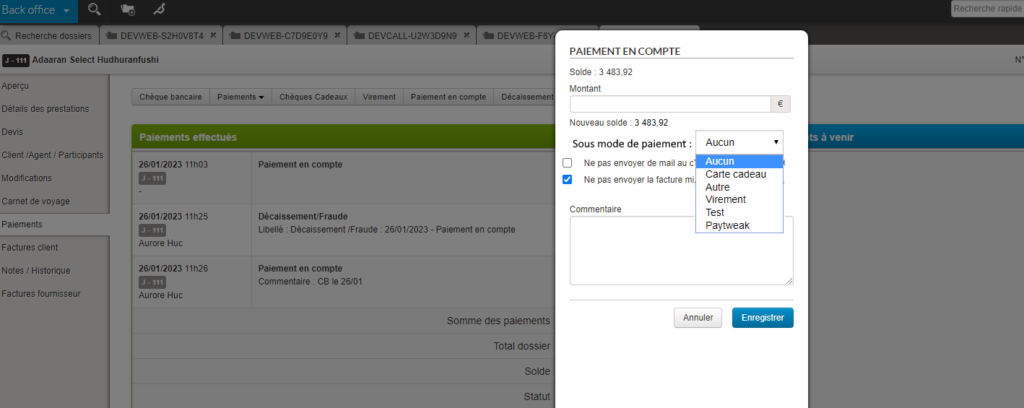
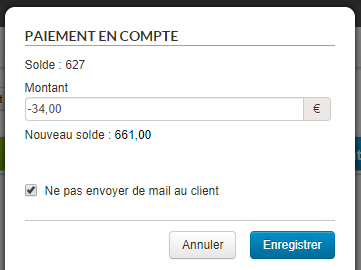
It is now possible to define in the backoffice “On account” payment types in order to indicate the payment method linked to the entered payments.

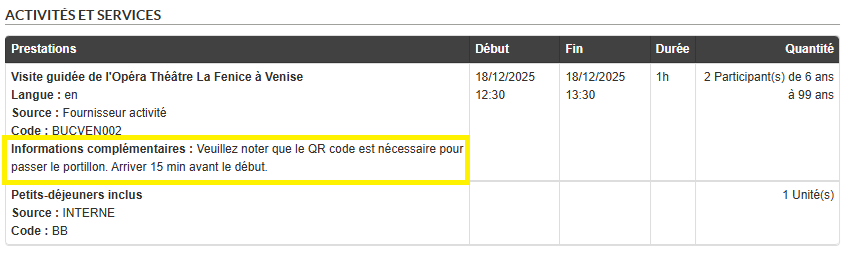
The evolution of the sales of activities and services makes it important to be able to sell the activities requiring a fine management of the age groups.
This means being able to import them into the database, send them to the reservation process, display them and be able to select and reserve them. Once the reservation is made, it is necessary to be able to consult in the back office the reservation with the age groups in question. It is therefore an important work that has been done and that has impacts at many levels and in many modules of the platform, from import to back office.
In the price grid, prices can be entered by age group by duplicating as many groups as possible with their prices.
In this import, it is possible to specify the low and high limit of ALL the brackets (minimum and maximum age of the bracket).
The management of quantity constraints by band also follows this new operation.
The information of the slices and the prices per slice are connected via the catalog services. This is so that a website can use them.
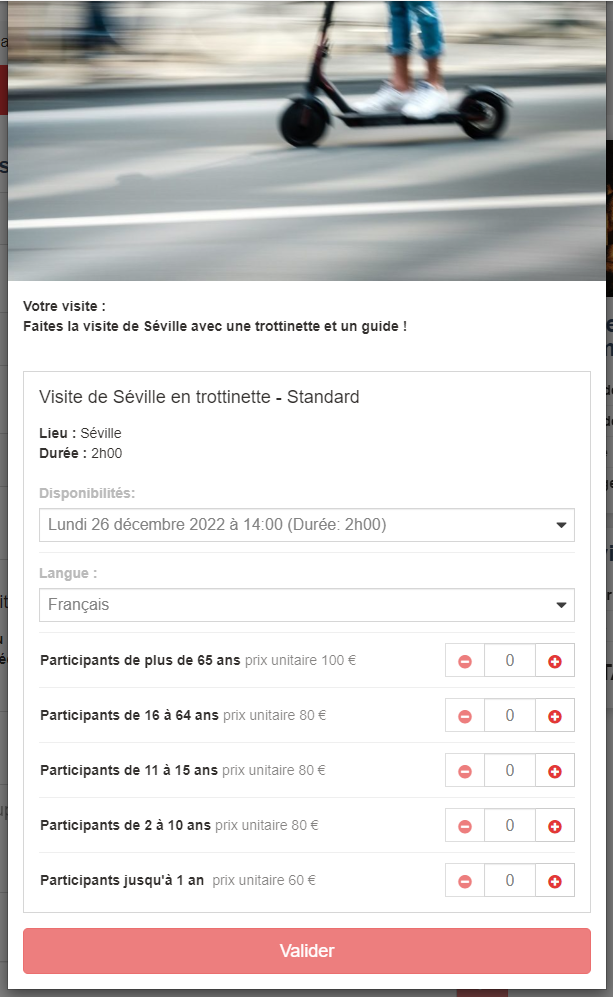
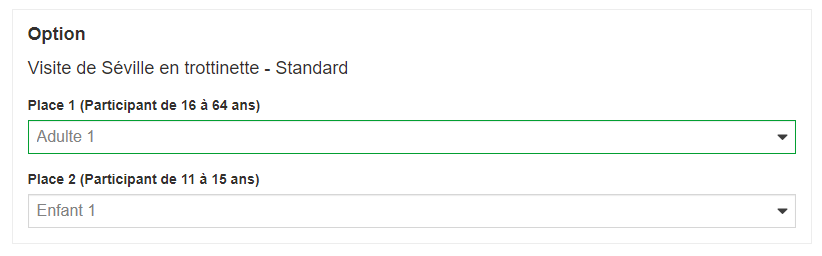
On the booking process, it is now proposed a selection menu by age group and not a selection by passenger one by one according to the booking form.
Here is the appearance of the selection of a service with the following age groups:

Depending on the participants requested in the catalog, some choices will not be displayed.
The senior age group is always proposed if it exists because adults can be concerned (in fact, all the groups can concern an adult whose age is not known).
The automatic assignment between the reservation process and the connection takes into account these brackets.

The navigation steps in the booking process are enriched in the statistics to take into account the information on the booking mode: firm, option, quote creation.
Also, the navigation steps of the booking process and Backoffice in the statistics now track the files (quotes here) created by the KO booking or KO payment mechanism.
The text of the default refund email sent from the backoffice has been improved to be clearer:
Hello,
We are pleased to confirm your refund for a total amount of 73.5 EUR.
Sincerely,
The XXX team
This email is automatically generated please do not reply.
Optimization of activities from the ESF partner to improve the display in the booking process and in the back office.

Within the framework of the receptive platform, we wish to exploit the data of a file stored in the BO in order to display them to a customer whose reservation was carried out on the receptive platform.
By a synchronization, we recover the file in our Back-Office database and the editorial information on the reserved products.
The PDF document will be generated automatically and will be available for the travel agent in the Back-Office interface. He will be able to retrieve it and send it by email to the customer for example.
The final PDF will be composed of 3 sections:
Regarding the availability in the BO, there will be a difference between a quote and a book:
For a quote
For a book
It is now possible to disable payment capabilities in the backoffice in order to separate “air fulfillment” payment actions from payment actions on files in general.
It is now possible to take into account the new rights of the connected user when searching for folders by Subfolder Provider. For a user with the right BO Control Producer:
It is now possible to store editorial data (rich text and images) on a folder saved in the back-office
This function allows you to store a product sheet attached to a folder or additional editorial information specific to the folder.
It is now possible to search for folders and add favorite searches by type of changes in order to obtain and result only in changes of a certain type.
Here are the details of the available searches by change type:
When a file is not in payment status “to be refunded” or “refund to be expected”, the “refunds” button can be disabled via a configuration.

In the back-office search engine, new fields have been added to allow searching by customer phone number and by payment authorization number.
The payment methods available when managing the back office file can now be configured according to the Agency/Producer pair concerned.
This development is necessary in the case of payment arrangements between the producer and the distributor vary according to the agency.
Within the framework of a transport file in direct connectivity, an action by the travel agent may be necessary to issue the ticket and thus definitively validate the file.
An email notification can now be sent to the agency which will list all the files concerned by an upcoming expiration (whose deadline can be configured).
At the time of booking and possible modification of a transport file, the information necessary for the customer to take his/her flight is recorded in a travel document set up according to the distributor’s choices.
Favorite search folder lists now take into account all current changes, adjustments or cancellations, not just the last created action.
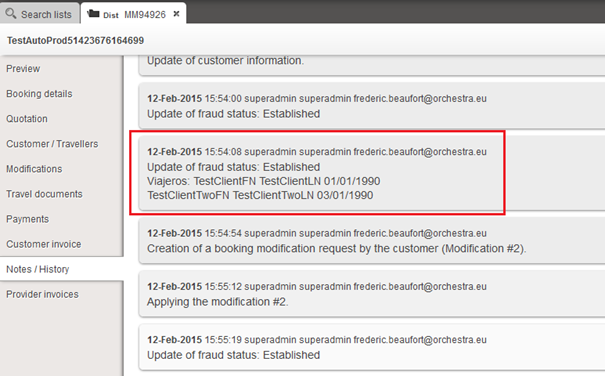
For follow-up purposes, the name of the user who sent a manual email from the Back-office is saved in the “Notes / History” tab of the relevant folder.
Already available for “classic” payments, the information of the payment subtype name used for a payment on account has been added to the payment summary page of the file in the Back office.
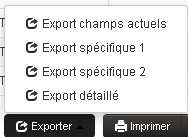
Exports available from the results list of a folder search on the back office are now customizable via a configuration.
Thus, these exports can be adapted to specific needs by defining the format of the exported file, the information present, the order of the columns.
In this evolution, the draft emails sent to customers and suppliers were saved for modifications, cancellations, payments and invoices. Very regularly in the course of drafting, a draft of the body content, addressees and subject of the e-mail is saved.
It allows the agent in the back office to close the email writing page to go, for example, to look for information on a product or a file in the back office, then to get back writing the email, at the point where it had stopped.
For a long time, tariff management rules did not need to be applied in post-booking (in the back office). These post-booking changes were governed by different processes.
Today, particularly within the framework of its direct connectivity functionalities with airlines and increasingly equipped with merchant functionalities requiring the possibility of applying rules defined in the tariff management module.
The Orchestra capping tool allows you to limit an agency’s account expenses within a tree structure.
The tree structure thus makes it possible to delegate part of the parent agency’s authorization to a subsidiary agency and thus control the commitments of each of the agencies in order to secure expenditure.
This tool now also allows you to set up agency fees when a file is modified in the back office. In the same way, this setting applies to the entire subsidiary tree structure where it is applied, unless it is overloaded with a new value.
In this version, the transport Back office gains in functionality with new essential uses for selling transport with direct connectivity to airlines. In particular, with ticket issuing, the application of agency fees to modify the visibility of different fare lines for users, advanced rights management, a first step for adding ancillary services, and the management of virtual cards (for the payment of low-cost airlines).
Following the development of the new flight search results page, the same functionalities as the other search engines have been implemented, namely:
For several versions, Orchestra teams have been working on very important evolutions of the Back office in order to allow end-to-end management of transports (especially transportation with direct connectivity with the companies) from this interface.
These evolutions allow, among others, to:
… and all of these for the entire transport and companies sources in direct connectivity.
In some cases, especially in the case of low-cost bookings, the PNR is not a relevant information, this is the e-ticket number which is required. This information can now be displayed in the Back office or sent via MCTO.
It is possible to configure the internal product currency in the mid office. In the case of an indirect booking, when exporting this product to another Orchestra customer, prices are converted from this currency into euros (according to the exchange rate of the day). This distributor will thus be able to sell in euros a product initially built in another currency.
The folders created include the currencies and the necessary information in each of the producer’s and distributor’s systems.
New use cases of direct connectivity to the AirFrance, Pegasus, British Airways and Nouvel Air airlines have been added, particularly on the possibilities of acting on files and tickets in the back office, after the booking process.
In the “Trip details” section in the Back office, in the transport section at the flight level, the code displayed was the city code. For more precision in the case of Metropolitain Areas, from now on the airport code will be displayed.

In order to improve teams’ reactivity dealing with files from the Back Office, it has been added the possibility to set up an alert at the reception of a new email in the Travel Documents section (as it already existed in other sections).
Via configuration, these files can now be displayed in a list of files “to be processed” that the teams in charge can unstack as a priority for an increase in these teams’ reactivity and thus customer satisfaction.
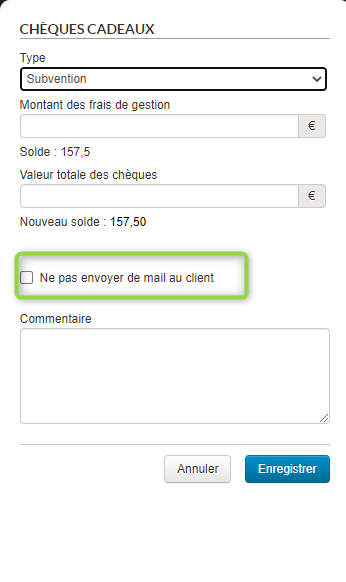
In the Back Office, as well as in the case of an account payment, when making a gift voucher payment of grant type, it is now possible to not notify the customer by email by unchecking the checkbox.
The payment will thus be applied to the file without the client, whose email is registered in the file, receives any notification by email.

In order to enable rich interactions with customer interfaces or external systems, the travel diary can now be accessed from the Bac office Web Service.
This new feature allows, for instance, to make a customer’s travel diary available from his/her personal account on the distributor’s website.
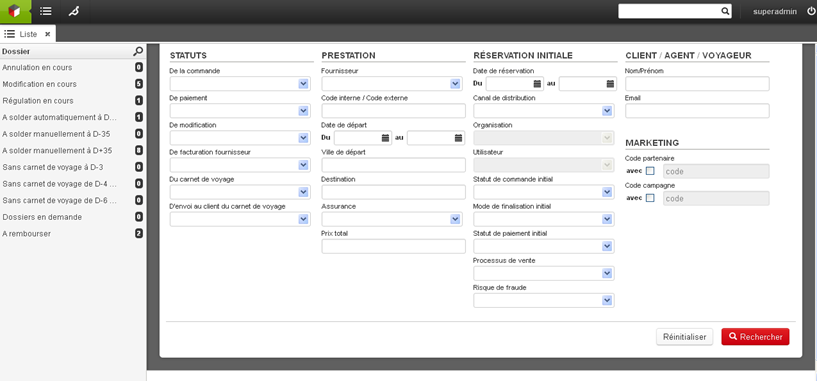
In the Orchestra back-office, the search engine allows access to files which meet these criteria.
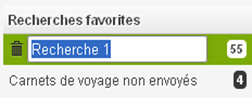
These searches can be saved as favourites, thus allowing the results of these searches to be accessed with a single click. You are free to manage these favourite searches based on your preferences.

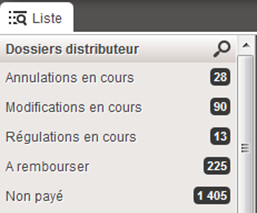
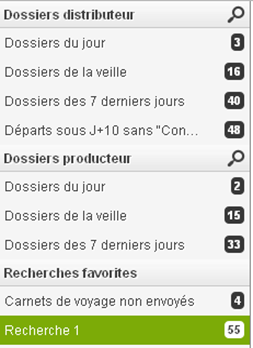
Certain business processes require specific attention to files with a specific status. In this case, searches can be defined (in collaboration with your project manager and through configuration), with these searches then appearing above your favourite lists, in the left-hand column of the interface.
New search criteria are now available for these lists as of version 17.2:
All of these amounts may also be negative (a negative amount remaining to be paid may occur in certain cases).
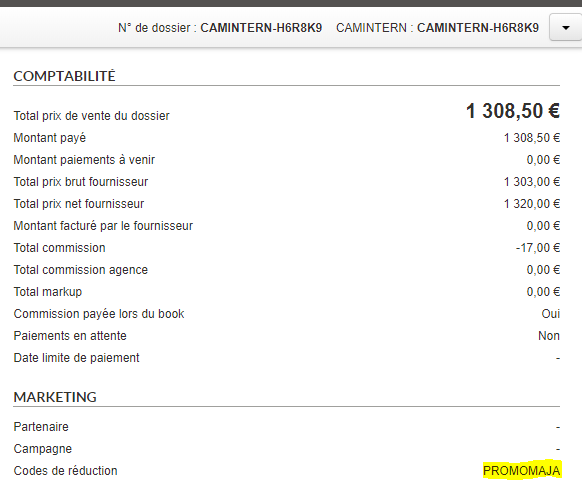
The discount codes used in the booking process are saved and displayed in the preview of the back office records.

The fact that a discount code has been used and specifically which code is also available in the booking exports.
Significant improvements have been made to the graphics of the Administration interfaces.
The aim of these improvements is to make Orchestra more pleasant to use for current users, giving them a more modern interface while still being familiar and intuitive.

These developments are also intended to bring Orchestra into line with the standards of use for applications accessible via a web browser to make it as easy and as natural as possible for new users to adopt the platform.

A new menu with clearer titles helps users navigate between parts of the platform and the different tabs.

In the Back Office there is a function that automatically links incoming emails to the bookings concerned using a recognised code in the email from customers and providers, and thus simplifies the processing.
However, it sometimes happens that customers delete this code which will identify which booking the email concerns. These emails were then lost.
It is now possible to configure a generic address per distributor that groups all of these orphan emails together in order to reallocate them to the right booking and not lose the information they may contain.
It is now possible to automatically send an email to the customer for a payment on account by default via the configuration.
Depending on use, it must be possible to activate or deactivate this function by default.

In an indirect booking, the distributor’s back-office used to receive all price lines including the yield potential entered by the producer.
Now, the price and yield policies for indirect bookings are solely a matter for the producer and the distributor receives in its back-office only the overall price of the package and its options without details on the price lines, which are grouped.
When sending emails from the back office, the Cc and Bcc recipients are now recorded in sent emails for information and traceability purposes.
We have also added a configuration-enabled function used to send and receive attachments from the back office.

A new âattachâ button now appears in the email utility. Clicking this button opens a pop-up window used to select the attachments. It is possible to select several attachments.
Incoming emails with attachments can be identified by the âpaper clipâ icon, and attachments are available for displaying and downloading beneath the message.

If unauthorised attachments are included in the email, a notification message will be displayed.

It is possible to configure the allowable size and type of attachments.
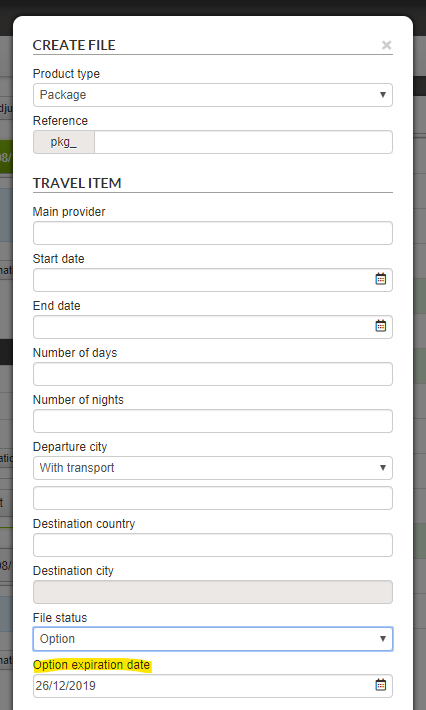
When creating a manual booking file, a new field appears for the âOptionâ file status where users can enter a validity end date (future dates only).

In all the exports generated from the BO search engine results, the amounts were formatted with spaces as separators for groups of thousands. As such, ââŹ10000.00â was displayed as ââŹ10 000.00â.
These separators have now been removed for greater ease of processing and to make the exports more readily exploitable via MS Excel, for example.
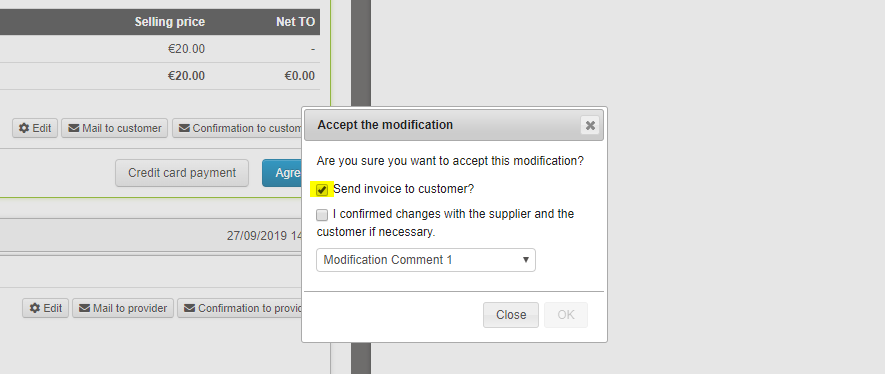
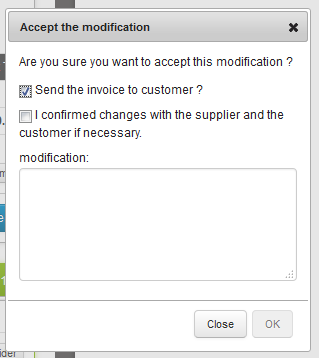
When making changes to records, the checkbox to send the new invoice to the customer was checked by default. For some actions on the records, sending is not necessary. It is now possible to configure whether the box is checked by default or not, separately for editing or adjusting quotes, cancellation or regulation.

To introduce new features to platform users, we have developed a tutorial feature to guide users through the interface, showing them interesting new features.

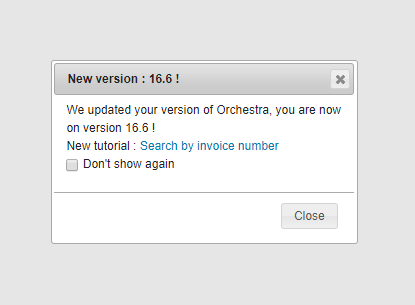
At present in the Back Office, once a new version of the platform has been released to the customer environment, users are alerted via a pop-in that a new version has been rolled out, and that new tutorials are available.
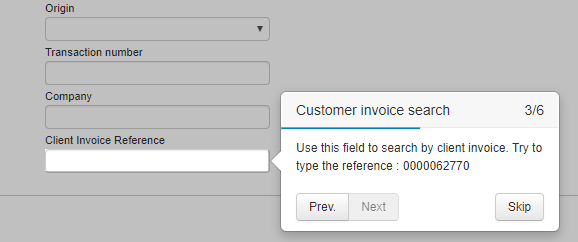
In 16.6, a tutorial is already available. It introduces the feature for searching by customer invoice number, and walks users step by step through to the search field, gives them an invoice number to search for and shows them where to find the result.

You can also find these tutorials in the help section accessible via the menu bar.
We have added new configurable back-office record export fields :
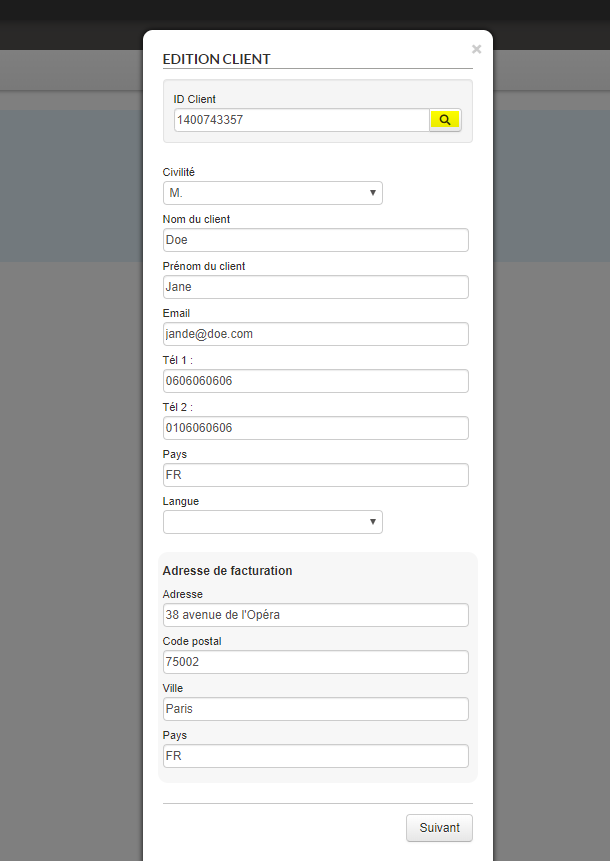
Upon creating a customer or adding a customer to a manual record, it is now possible to connect an API that makes customer information available from its customer ID. The form is filled automatically, saving the agent considerable time.

This enhancement complements messages and information about luggage when booking flights using the Amadeus GDS. In cases where the airline does not provide connectivity options for booking luggage, a message is displayed inviting the traveller to visit the companyâs website or the airport to add luggage to their air ticket.
Messages may be of this type:
In order to facilitate the transition from one payment system to another, including records in the process of being finalised, it is now possible to use multiple PSPs from the Back Office.

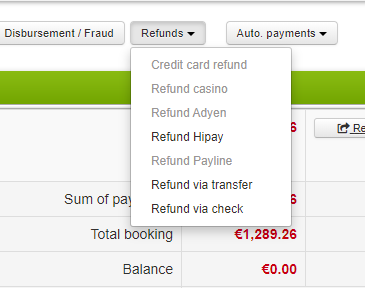
For example, a deposit for a record can be taken from one payment system, and the balance from another. This enhancement also handles issues with refunds. In this way, if a payment has been made with a specific PSP, the refund is offered via this PSP, with the others greyed out because they are unavailable for this record.

As part of the inter-agency agreement implementation process, it can be important to set maximum turnovers per agency.
A non-IATA agency which cannot issue/book tickets must use a referring IATA agency for such transactions, requiring a payment guarantee mechanism (and therefore checks): non-IATA agencies must not be able to make limitless numbers of bookings, and must thus be limited to a threshold number.
It must be possible to change an agencyâs threshold at any time, manually, via a parent âadministratorâ agency.
A responsibility tree could, for example, be defined on 3 levels:
Transactions on Business Volume
For each reservation made by an agency, the agencyâs consumption is decreased by the value of the transaction.
This is the Total Business Volume (transport, accommodation, fees, insurance, etc.).
For each payment by the non-IATA agency to a (parent) IATA agency, its consumption is decreased by the same amount because, as the payment has been made, it is therefore possible to âre-creditâ the account of the non-IATA agency. Because the payment system is not connected to this mechanism, the decrease/increase is performed manually by the parent agency(ies) by modifying the consumed turnover using an administration interface.
A non-specified turnover threshold means no limit to turnover.
Email alerts are set up as background tasks (jobs) when an agency reaches a percentage of the threshold. This percentage is a configuration which is common to all agencies.
For example, it is possible to generate an alert once the agency has reached 90% of its threshold.
Senders, subjects and content are not configurable and are in English only. The recipient will be the agency that reaches the % of the threshold; the parent agency and the main contact for the account are copied into the alert.
1/ A remote service is also created to collect the threshold information for an agency.
2/ A service is created to update the agency consumption during a booking.
A new interface has been created to view all this information on a per-agency basis.
It is possible for each agency at a level N to view consumption for the agencies it manages (level N-1, N-2). An agency cannot change its own ceiling.
Only agencies with a threshold appear in this interface.
Agency ceilings are changed on an agency-by-agency basis (no bulk changes).
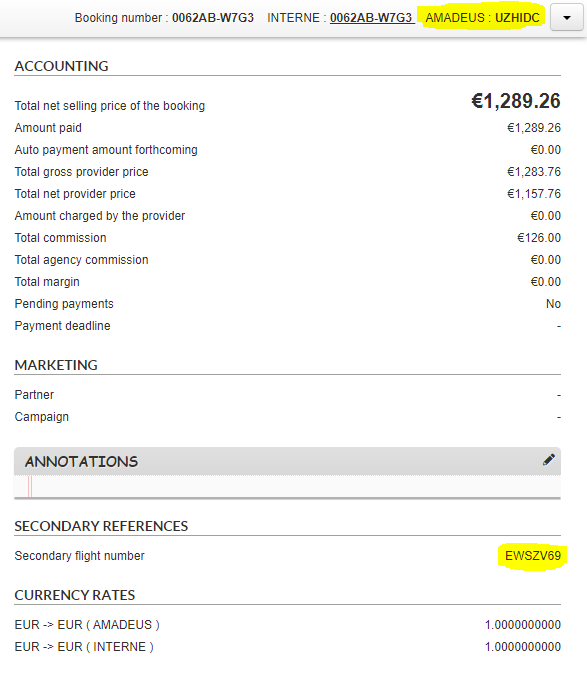
In the Back Office, the PNR was displayed alongside the flight source in the top bar of the record. Now, for low-cost flights via Amadeus, the e-ticket number is also displayed under the name âSecondary flight numberâ in the record overview tab. In cases where a return is operated by two separate low-cost airlines, both numbers are displayed. These numbers can be used for purposes such as checking into low-cost companiesâ sites.

You now have the option of activating a function to automatically send all travel documents to your customer once a travel document exists for each Pre-Package source. At that point, the file can be automatically marked as âCompleteâ, and no longer requires manual confirmation.

The Oney multiple payment system is now available via the Payline and Payzen PSPs in the reservation process.
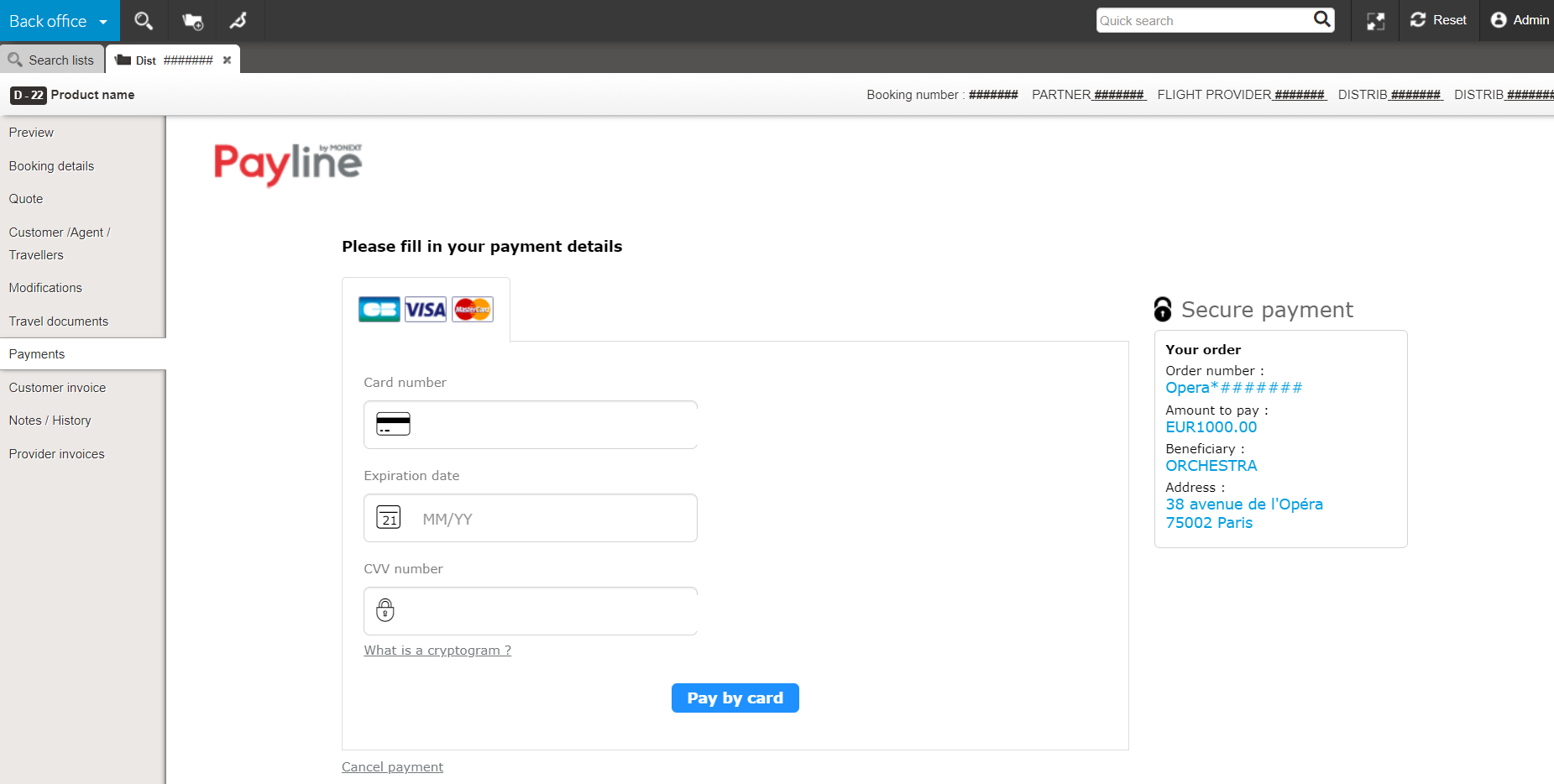
It is even possible to perform all payment transactions with Payline in the Back Office:

Information from agencies is now available in new parts of Back Office files in order to simplify operations for producers or distributors with centralised file tracking.
We have improved the legibility of invoices and, in particular, titles which could be rendered in similar shades in some browsers. They are now more readable, with better contrast.


When creating a manual record, the travel agent has the option of choosing the recordâs creation date. We have now added a second (technical and non-modifiable) creation date for the record which allows the effective creation date of the record to be stored in the database.
The back-office âBooking detailsâ tab now shows the provider of secondary package sources (e.g. services or transfers).
Detailed display of a service for the back office:

Optimised performance when displaying lists.
Optimised performance of fast searches.
Added field for searching for a distributor booking by customer invoice number.
Automatic sending of travel documents :
Added the option to apply processes to booking information before saving to the Orchestra back office or an external back office.
Added a feature to manually remove âAwaiting TO responseâ and âAwaiting customer responseâ statuses.
Optimised loading times for lists and favourite searches in the List tab.
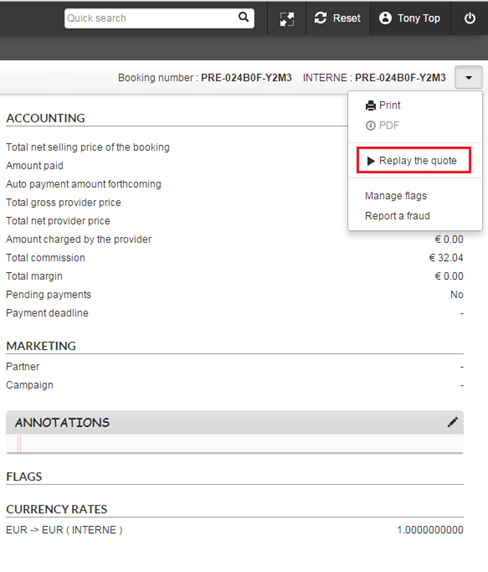
Just like Package and Hotel quotes, you can now replay flight-only and dynamic package quotes for your customers from the back office. As for your customers, they can continue their bookings from their quote confirmation email.
Neither your customers nor you will have to restart the entire process of searching and entering information from scratch. Youâll be redirected to the last step needed to make the booking based on the data saved on the quote. Any duplicate data entry or unnecessary clicking can now be avoided, helping you minimise the amount of time needed to convert a quote into a finalised booking.

Several booking printing formats can be added (e.g. pro forma invoice, quote without agency commission, etc.).
Possibility of sending an email to the customer automatically to notify them of the next payment due date. This email is sent a few days before payment is made and is also stored in the Back-Office file.
The icon library used in the pro module has been updated (B2B solution, back-office, tariff management).
âTotal initial selling priceâ information has been added to backâoffice exports.
Possibility of retrieving travel documents in the Back-Office with authentication.
Taking into account of activity suppliers and transfers when entering manual files, especially in the âQuotationâ section.
Why ? So that the distributors are able to group together the files booked on all their sales channels in their Orchestra Back-Office. This is of great interest for distributors that are also providers. This helps to simplify file management and, therefore, agentsâ productivity.
Where ? The files from the different distribution channels are centralised in the distributor/providerâs Back-Office.
How ? An automatic file synchronisation mechanism has been created. This allows the files from other channels to be retrieved so that they can be viewed in the Orchestra Back-Office.
This synchronisation works for :
In partnership with Gestour, this synchronisation mechanism has been implemented between the Gestour Back-Office and the Orchestra Back-Office. It can also be adapted for other Back-Office systems.
When entering text in a manual folder, in the âquotesâ section, it is now possible to define a maximum quantity (10, by default).
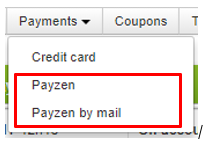
Two new payment methods will now be available in the back office :

These new payment methods are available in the ‘pay by card’ drop down menu.

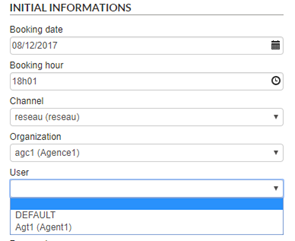
User labels are now also displayed in brackets on the reservation channel lists when a file is created.

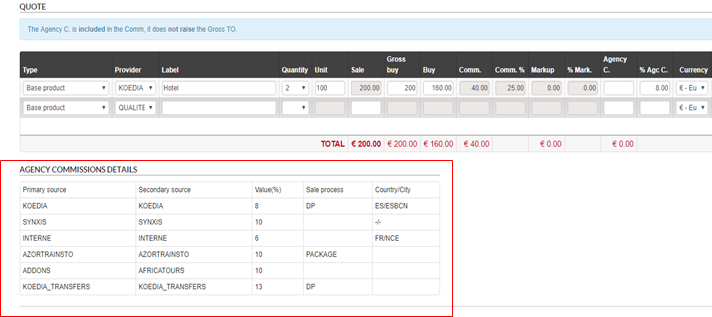
A summary table of agency commissions is now available on the quote page for files created manually. Only applicable agency commissions within the fileâs booking channel will be shown.

Information on agency commissions helps agents understand all the commissions that should be applied manually to each part of the trip.
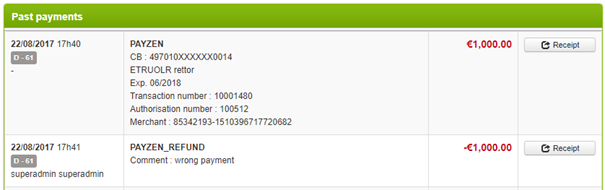
Reimbursement of Payzen payments is now available directly from the back office.

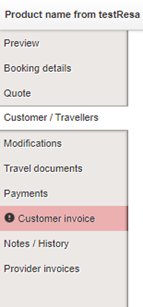
Back-office users are now notified when a customer answers a distributor email sent from back office in the âcustomer invoiceâ and âtravel documentsâ section, in the same way seen currently seen in the fileâs âmodifyâ section. Email exchanges following the dispatch of a customer invoice also appear in the âexchangesâ section of the âcustomer invoiceâ section.
The tab is highlighted in red inside the file to notify the user.

These notifications are available in the âtravel documentsâ and âcustomer invoiceâ tabs.
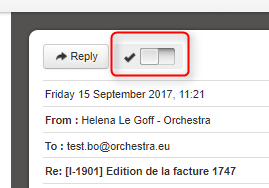
The user must then confirm they have read the email to delete the notification.

In addition, previous searches are available by default in the back office, in the same way as modifications :


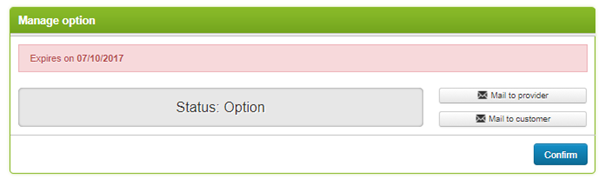
It is now possible to confirm or cancel a file with the status âoptionâ in the âmodifyâ section of a file. Confirmation and cancellation generate an email and update the status of the file. The confirmation and cancellation of an option can be performed while connected in certain cases, depending on the source associated with the Package file.

The agency commission is currently added to the sale price. It is now possible to calculate the agency commission based on the gross price in the back office.
To do this, simply enter either the value of the commission or the percentage of the commission relative to the gross price.

Payment attempts were previously automatically made every day during a defined period. A new configuration now allows users to choose either this method or to run attempts at specific intervals (every X days).
This new behaviour can be configured by the Orchestra teams in the back office configuration file.
It is now possible to search for and export folders by modification date.


Access to this feature is to be defined in the user permissions.
The net prices can now be entered in the supplierâs currency by specifying the associated currency on each price line.

It is now possible to enter the net price, the commission as a percentage and the markup as a percentage to obtain the selling price, whereas previously the commission was deduced from the gross price – net price formula.
Entry can be in the following order :


This new input method can be configured from the back-office module.
Below is a list of the improvements made :
1 / Permanent action bar
The ergonomic design of the engine results has been improved with the addition of a permanent action bar.
This bar, containing the number of results and the various actions applicable in mass to the files, is now permanently visible at the top of the page when the results are being scrolled.

2/ New client-orientated view
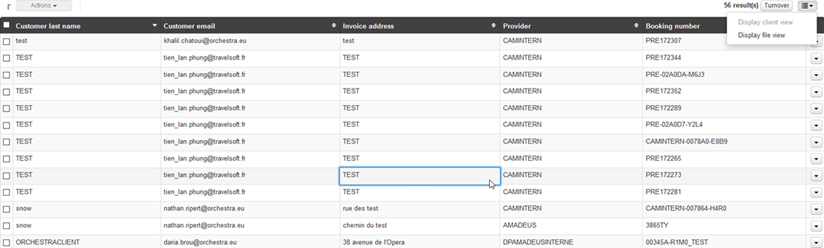
In addition to the classic display mode, the file search results list can now be displayed in a “client-orientated” view.
A new button to the right of the action bar lets you switch the search list display from file view to client view as required.


3/ Detailed export enrichment
Both the postal code of the billing address and the client’s IP have been added to the Back-Office’s export of detailed files.
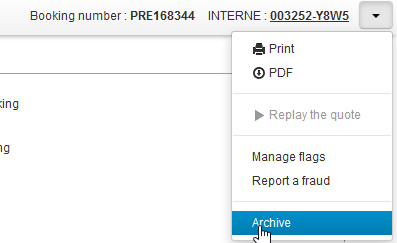
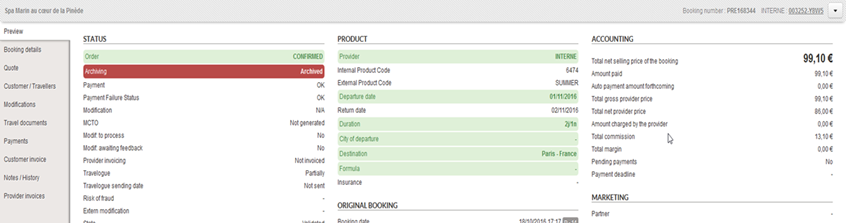
A new status now marks Back-Office files as “Archived”. By default, these archived files will no longer appear in search lists or in searches performed by the search engine.
However, a new field in the search engine can search for archived files, non-archived files or all files.
The option to archive a folder can be activated via a general configuration and via user permissions. It is then possible to both archive and dearchive files. Mass archiving is also possible using the search results action bar.
With proper configuration, it is also possible to automate archiving according to certain criteria, for example all files lapsed for more than a year can be archived.


Three new services have been added to the existing Back Office Web Services :
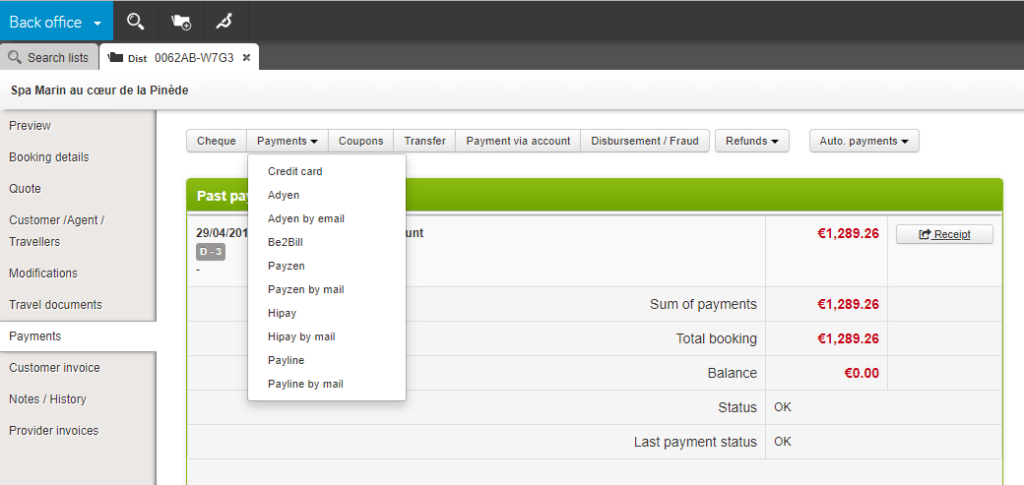
It is now possible to activate several payment methods in the âPaymentsâ tab of the files. Users can therefore choose the most suitable payment method from the list.
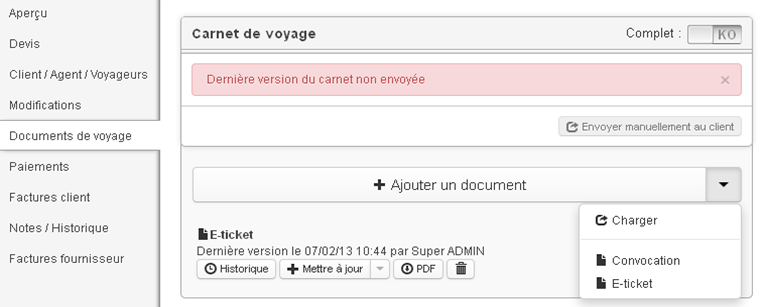
It is now possible to automatically generate and store travel documents from compatible sources (Amadeus e-ticket, Koedia voucher, etc.).
The documents retrieved can then be viewed in the âTravel documentsâ tab of the Back-Office files.

A configuration now allows the activation of invoices to be managed in greater detail. It is now possible to independently activate :
It is now possible to indicate the type of payment to account (transfer, cash, gift card, etc.) when entering a payment to an account in the Back-Office.
A new âCompanyâ parameter can now be sent during the booking.
This field is intended to be saved in the Back-Office files in order to distinguish between files which may come from different white labels. Agents will then, for example, be able to apply a different VAT rate based on this parameter.
Detailed exports of Back Office files can now handle the Excel XLSX format, which means that you can export a much larger number of rate lines in a single file.
âProviderâ type files can now be created for internal hotels.
Like provider files from other sources, these are associated with the distributor file for the corresponding booking.


A new search field is available in the Back Office search engine that allows you to search for bookings by supplier in the sub-files they contain.

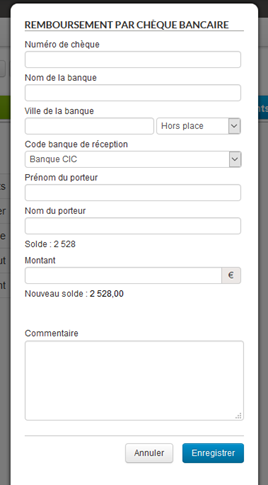
It is now possible to issue refunds by cheque in the section Payments > Back office refunds.

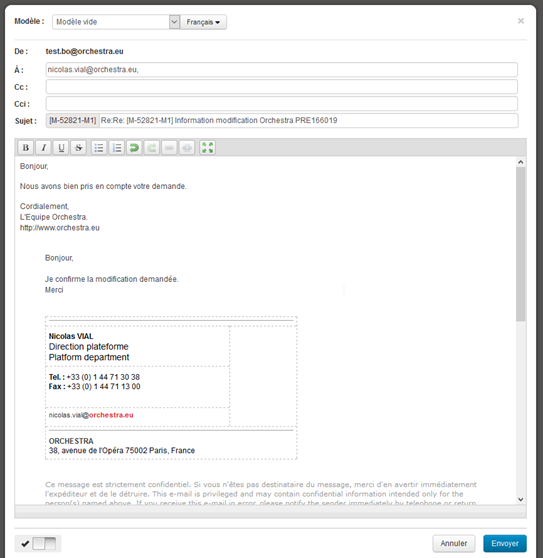
The email exchange management interface has been improved. When the user answers an email, the history of exchanges is displayed in the editing window.

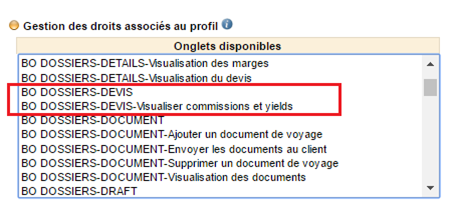
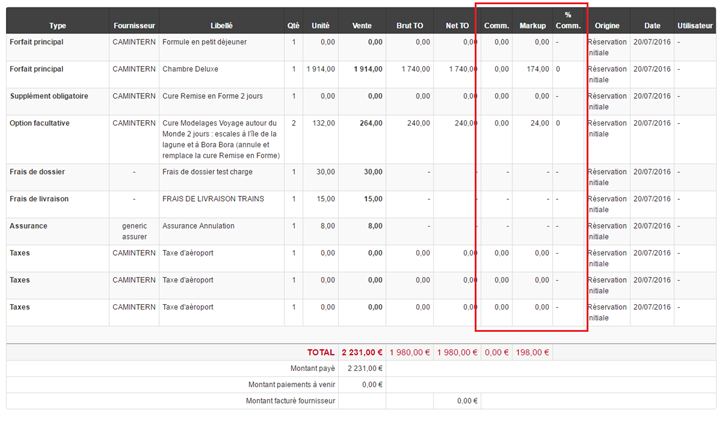
A new back office right has been added to the administration interface in order to show the commissions and yields columns in the âQuoteâ section of the back office.


For each price element in the export, the detailed export now includes two new columns that specify :

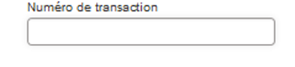
It is now possible to search by bank card payment transaction number. The corresponding field has been added to the back office search engine.

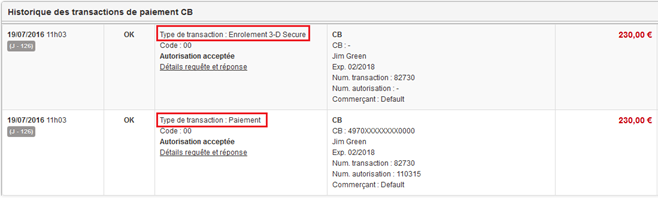
The entry “transaction type” has been added to the file payment history information. This is used to differentiate between operations involving authorisation, capture, 3D Secure, reimbursement and cancellation.
For example, when bookings have been made via a payment using 3DS verification, two very similar transactions are logged in the Back Office. The transaction type entry now makes it possible to differentiate between them.

New Back Office web services are now available. They are used to confirm file requests, or equally to invalidate them.
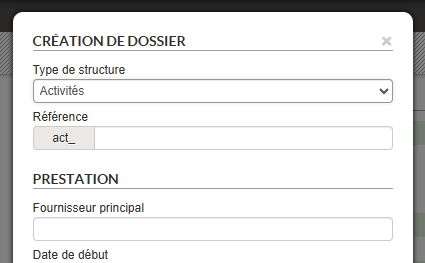
This function consists of manually creating files in Back-Office, with a view to managing orders from different booking systems in one single tool.
Different forms allow a file to be completed in stages, while ensuring consistency between different data.
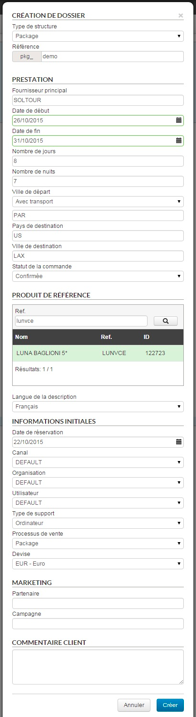
1/ Creation popin
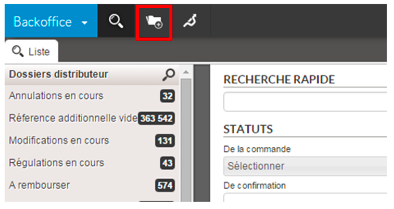
A new button in the main taskbar begins manual file creation.

The data entered in this popin defines the structure of the file. Once confirmed, this data cannot be modified.
The “product reference” field only concerns package and pre-package type files. If the search returns no result, a product name and reference may be entered.

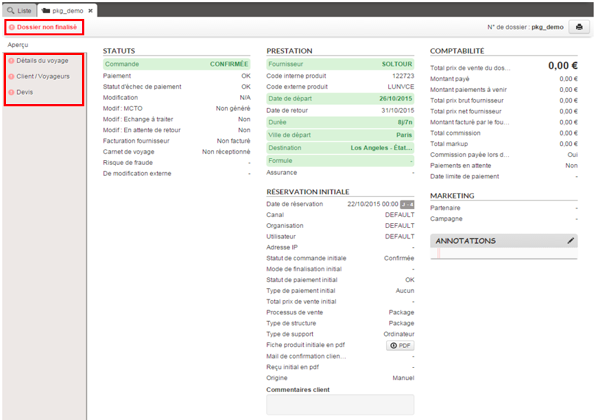
When the popin has been confirmed, the file preview page is displayed with a minimum of information. The “unfinished file” status appears at the top left of the preview page. The navigation bar on the right shows an icon (exclamation marks) indicating that the various sections have not yet been completed.

2/ “Trip details” section
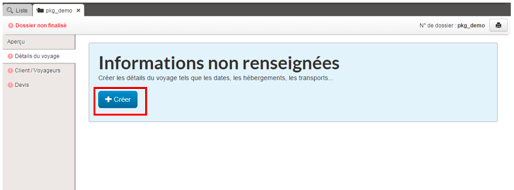
Once the first form has been validated, the remaining sections of the file can be filled in. In the “trip details” section, a “Create” button lets you continue the editing process by entering the details of each travel service.


3/ “Customer/traveller” section
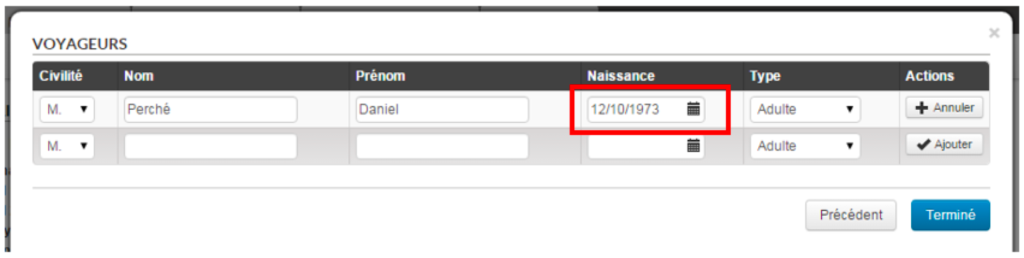
The “Customer/Traveller” section is for entering information regarding the customer and travellers. Note that a date of birth is required if the latter are children.


4/ “Quote” section
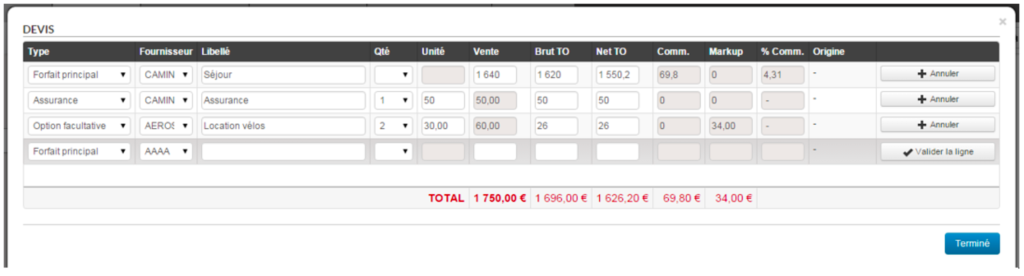
Finally the “Quote” section is for entering information regarding the file’s tariff lines.

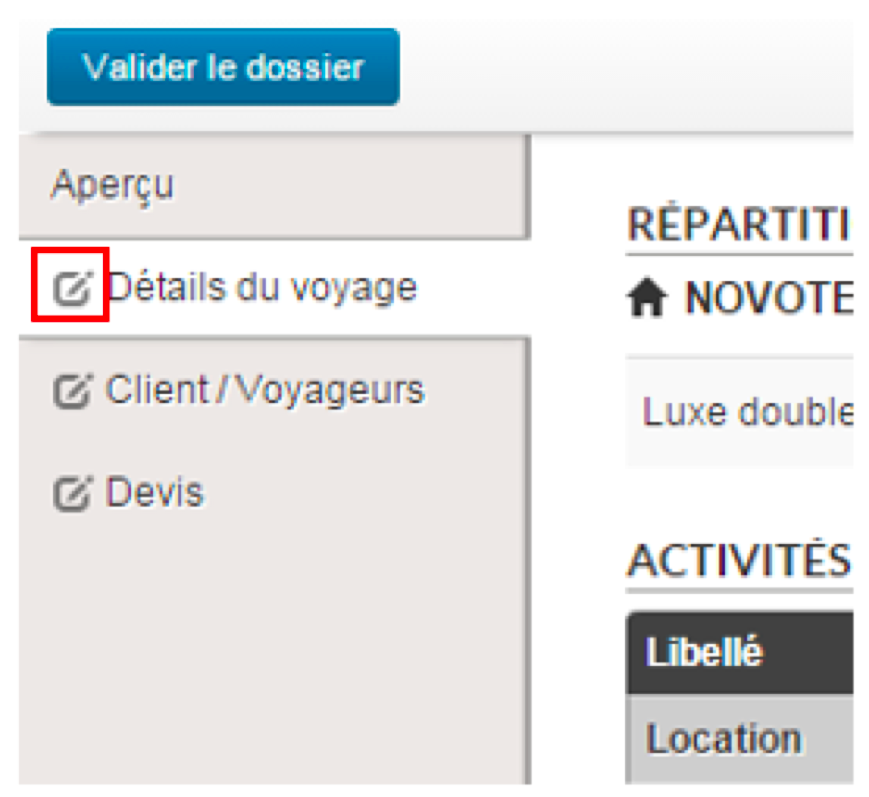
5/ Re-editing of information
Once the information has been successfully entered, each of the sections may be re-edited if changes are required. To do so, simply click on the icon to the left of the text in each section.

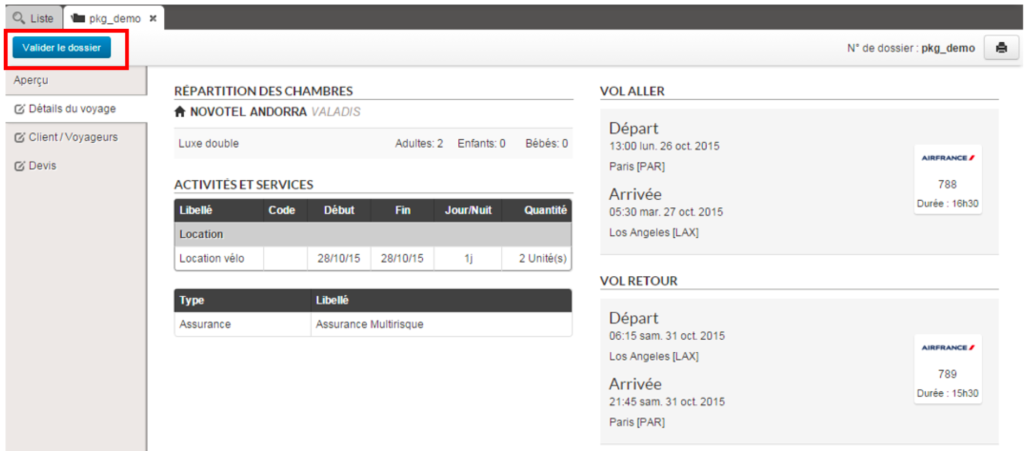
6/ Confirming the file
Once all the information has been entered in the file, the “non-finalised file” status is replaced by a “Confirm the file” button.This button changes the status of a file from “Draft” to “Confirmed”.

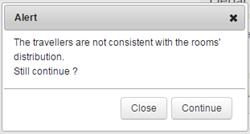
When the number, types of travellers and room allocation do not match exactly, a warning message appears in order to validate the consistency of the file.

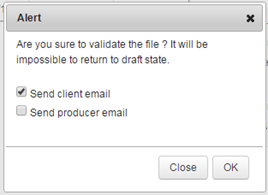
A final message gives final confirmation of the file. This popin can also send an email to the customer and/or provider. Note that a confirmed file cannot revert to draft status. The file will go to “Confirmed” mode and will appear as a typical file.


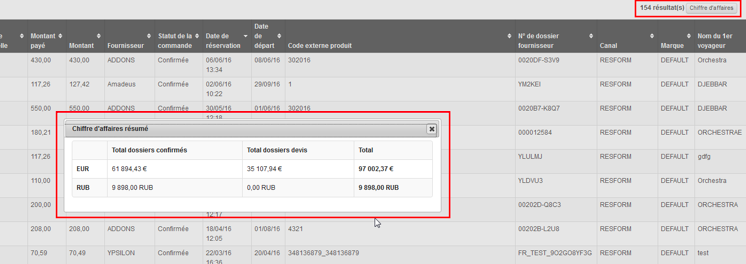
The Back-Office results lists are now preceded by the number of search results and by a button which displays the corresponding total amounts (revenue).
Clicking on the “revenue” button will display a table showing, for each configured currency, the total amount for each file category (confirmed, quote, option, on request) as well as the total amount of all types of files combined.

The Back Office Web Services can now be used to search for a customer’s exact email address.
This can be useful, for example, to call up a history of the reservations made by a customer using his customer account.
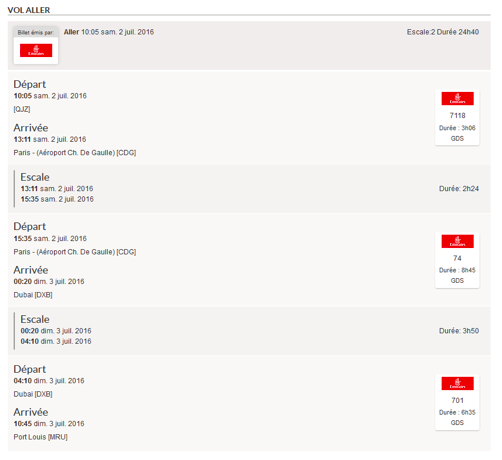
Information relating to the type of flight (low cost, GDS, allotted) has been added to the “Trip details” section.

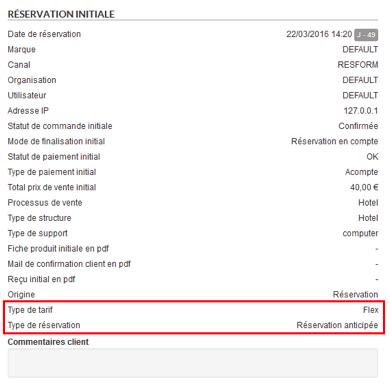
Also, information relating to the “reservation type” (standard or advance) and “tariff type” (standard or flexible) has been added to the preview.

It is now possible to save “hotel vouchers” (“Voucher” type documents generated by the booking process) as travel documents attached to a file. These will then appear in the corresponding section and can be managed like the other travel documents of the file.
Payments made with vouchers and those made through subsidies no longer appear in the form of a single payment in the Back-Office.
These two types of payments are now considered as sub-categories of gift certificates, and therefore appear on two separate lines.

It is now possible to search for files specifying several Channel/Organisation/User triplets.

The Ogone payment system has been integrated into the Back Office. Payments are made in âserver/serverâ mode and by bank card only. Here, it is possible to :

Until now, only the main file in a multi-source file allowed for supplier invoices to be loaded.
You can now load invoices for each of the suppliers involved in a multi-supplier file.
This change leads to several functional modifications in the âAccountingâ module. In general, all forms can now filter on the type of service that youâre searching for.

The list of suppliers is automatically updated according to the type.
1/ Uploading invoices
In the same way, the invoice upload pop-in window allows you to choose the type of service and supplier for which you wish to upload the invoice.
The results of invoice uploads is now displayed by supplier since the invoice status is no longer applicable to the whole multi-supplier file but applies to each supplier (billed/over-billed/not billed/partially billed).

2/ Search lists
As for the main file, there are now lists that allow you to search for sub-files of a particular status. You can now define a list that shows all of the sub-files with the âunpaidâ status, for example.

3/ “Supplier invoices” section
The âSupplier invoicesâ section has been changed slightly to display the invoices uploaded for each of the main fileâs suppliers (in the case of a pre-package, for example). Mono-supplier files are unchanged.

4/ Additional references
The notion of additional references has been modified to correctly manage multi-supplier files: you can now define an additional reference per supplier file.

The Back Officeâs search forms now display the number of files that match the selected search criteria before confirming the search.
Also, once the search has been confirmed, the page will automatically be placed at the first files found.
In the same way as for payments, you can now send the customer their invoice after a refund.
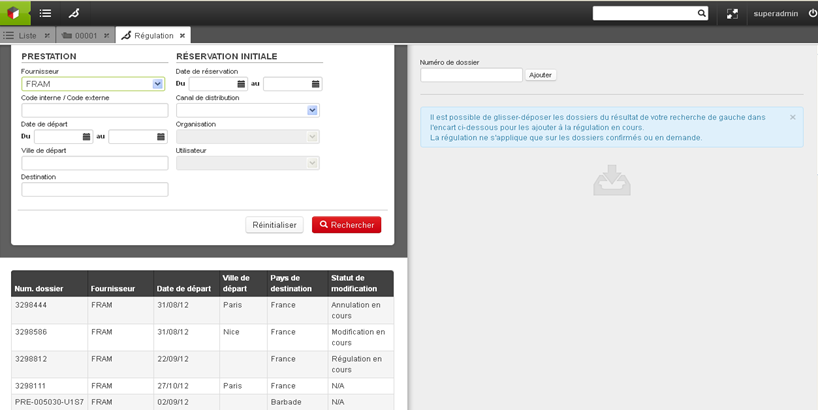
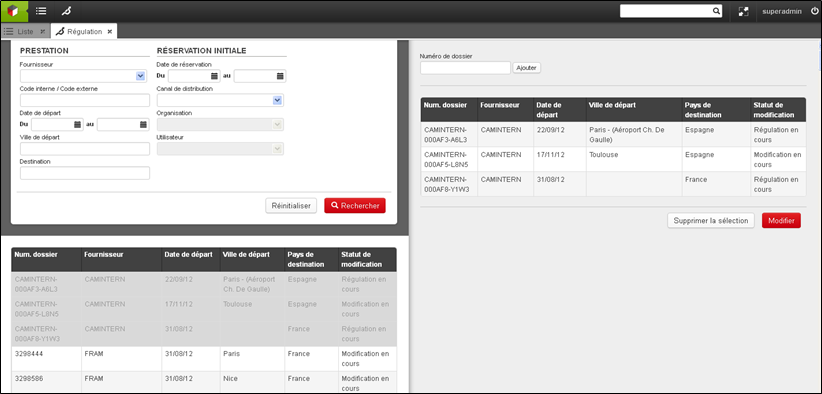
The âRegulationâ section in the Back Office now allows you to bulk modify references for packages associated with files. For this, select the files that came from the same reservation process and the same supplier, then click on âModifyâ.

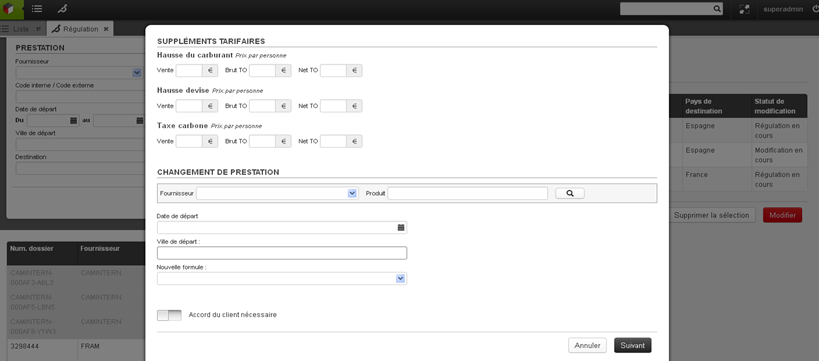
A new field then allows you to select an alternative package. This change will apply to all of the files selected in the previous step.

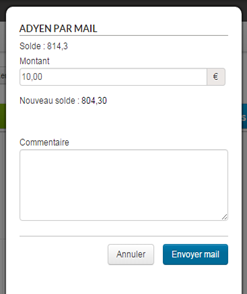
A way to pay via email, compatible with the Adyen payment system, has been integrated into the Back-Office. This may be extended to other payment systems in the future.
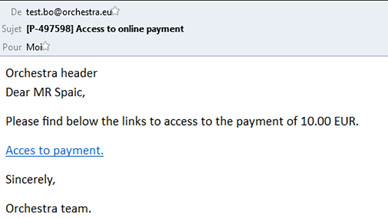
This functionality allows the agent to send an email containing a direct link to a secure payment page. This email can also be sent automatically when an automatic payment has failed.


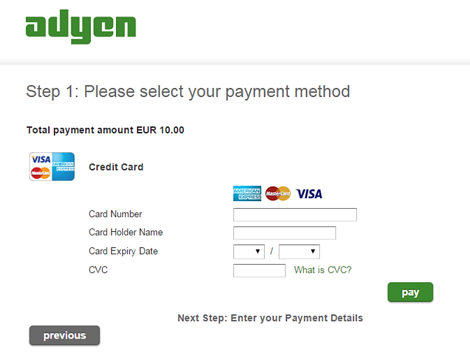
The client then receives an email to enter their bank details directly on the payment page, independently and securely, without having to share them with the agent.
The payment link is valid for a limited period. You can modify the time limit before it expires.


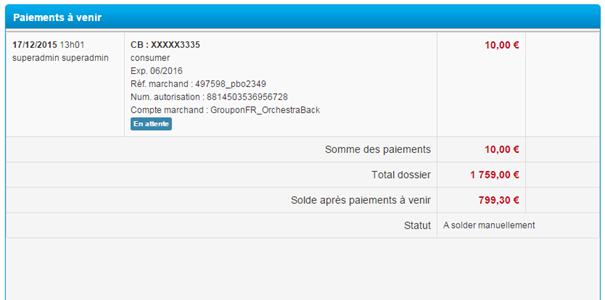
After payment confirmation, it will appear in the list of upcoming payments until it is completely confirmed by Adyen.

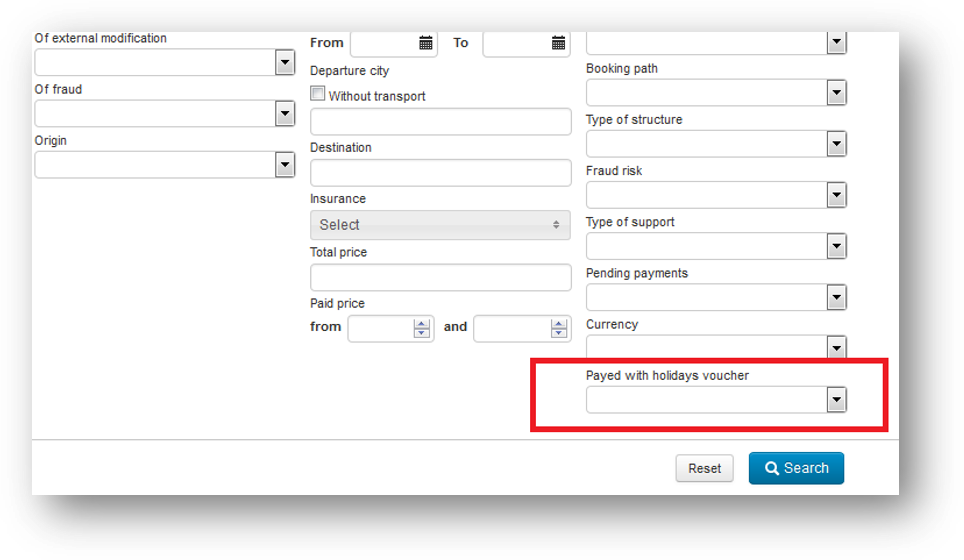
A new ‘Paid with holiday cheques’ search criterion was added to the back office search engine. This makes it possible to find all the files for which payment was made (at least partially) in holiday cheques.

The notion of back office tags can now be used to automatically assign default tags to files when booking.
These labels can be configured to define which tags should be associated with which channel. These tags will be visible in the back office search engine to find the matching files and in the file’s detailed notes.


Displaying flights in the âtravel detailsâ section now includes information on layovers, their length, terminals involved, etc.

Back Office file searches were optimised, in particular for searches returning a large number of files.
New methods are now available in Back Office Web Services :
This web service returns the complete files (client/pro invoices, tariff lines, payments, etc.) for customers whose email addresses are given as a parameter.
This web service returns the partial files corresponding to the search criteria given as a parameter (the result list is limited thanks to the “numberOfFiles” parameter).
In the same manner as âgetBookingFilesPerAgencyâ, this web service returns partial files except in this case it is possible to input multiple statuses and the fields “beginIndex” and “endIndex” allow for management of result pagination.
This web service returns the complete files corresponding to the identifier given in the parameter.
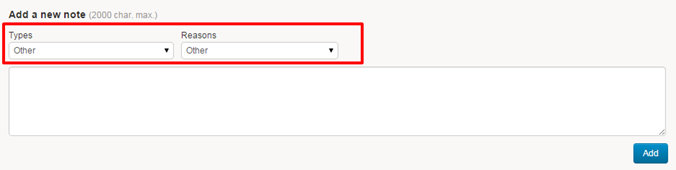
The user can now assign a type and a reason to a note. The values of these select-boxes are configurable.

A filter system has also been added to be able to filter by :

Moreover, it is now possible to export the complete history (CSV) of one or more folders from the action list. This export will contain one line per folder and per note, and will consist of the following columns :

Just as for package quotes, hotel booking quotes can now be retrieved in Back Office for finalisation purposes.

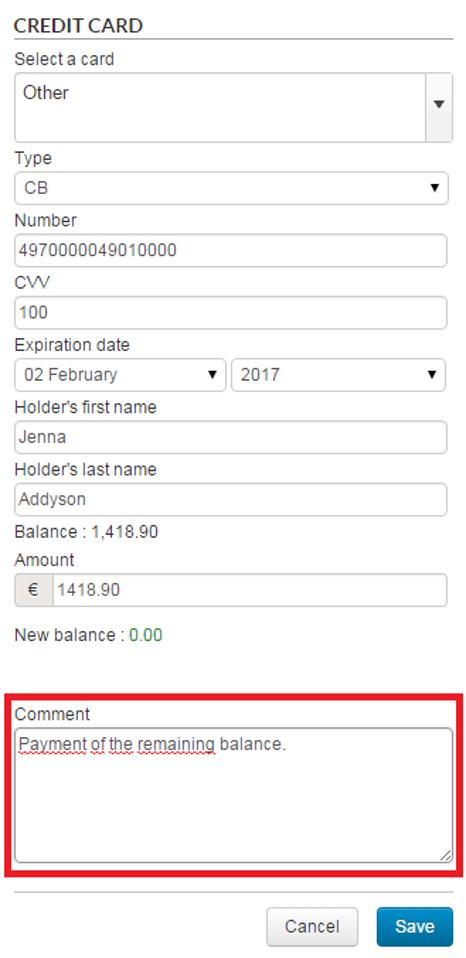
It is now possible to add a comment for any type of payment or reimbursement created in the Back Office.
For this purpose, a new âCommentsâ section has been added at the bottom of the payment creation/modification pop-in.

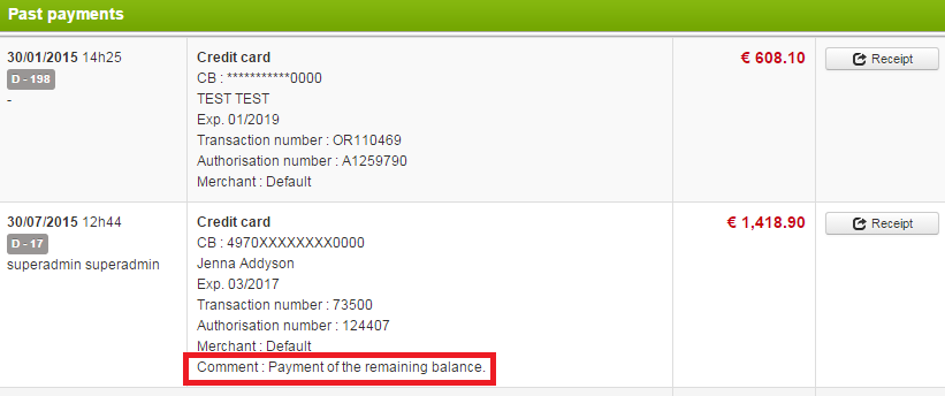
This comment will then be visible in the payments made table :

Automatic payments also have the option of these comments. These comments can be modified when editing an automatic payment.

Quotations made via the hotel sale process can now be reprocessed in the back office so that the travel agents can finalise the booking.
When “reprocessing”, the details page is directly displayed and prefilled with the data entered during the quotation. This allows the booking to be quickly confirmed.

A new type of pricing line has been added so that supplier credit memos can be entered.
This type allows you to enter negative amounts in the gross and net fields (field concerning the producer) and a zero value in the sales price (to not affect the customer’s bill).

A commission percentage can now be defined for discount fees and booking fees. The values of these percentages can be configured.
When a regulation is created on several files and does not require validation from the customer, it is now possible to directly transfer the amount to an existing automatic payment.
If no automatic payment has been defined, the status of the file will stay as “to pay manually”.
Multi-currency management was completed by the addition of currencies in the estimate, payment, estimate adjustment and invoice sections.
The notion of currency was also added to the accounting module, with the possibility of uploading supplier invoices in their own currency.
It is now possible to send emails in the customer’s language.
For automatic emails (emails which are not sent by choosing a “template” in the interface), the customer’s language is selected automatically. For emails sent manually, the language is selected via a select-box.

The Adyen payment system is now available in the Back Office.
The “Payment” section of a file thus lets you perform transactions via this new payment method.
The transaction is performed in server-server mode if the card is the one used for the reservation, and in 3-tier mode if the card is a new one.

It is now possible to add comments when performing the following actions on files :
These comments may be selected from a predefined list (select box) or may be entered in free form. It is also possible to carry out file searches from the list of predefined comments, and export this data in the detailed export.


It is now possible to sort file search results by their “age”, in other words, the length of time since the time/date that the file change was made and the search time/date.
Sorting takes into account all the types of file changes (customer change, supplier regulation, distributor quote adjustment, total cancellation). If several changes have been made to a file, sorting will be based on the most recent change.
This new function allows you to send a reminder email to the producer associated with a file when it is missing travel documents and the departure date is drawing near.
You can configure the date for when the reminder should be sent.
Reimbursements made through the Back Office are now limited by a certain amount, by default :
It is possible for certain users to configure special rights to go above this limit.

Passport information entered in the contact details page during the booking process is now displayed in the Back Office, in the “Customers/Travellers” section. This information is also included in the producer email.

When there is an automatic payment by debit card and a card error occurs (or the payment limit is reached) you can now send an email to the customer.
The email you send is saved in Back Office in the section, Payments > History, and can be downloaded in PDF format.

When there is an automatic payment by debit card and a payment limit error occurs, it is now possible to disable the automatic payment attempts for a lesser amount.
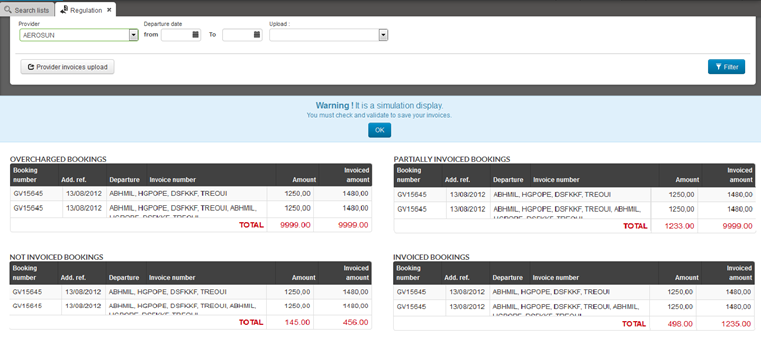
The Orchestra compatibility module now offers a function that allows you to simulate supplier invoicing.
In simulation mode, loading supplier invoices will not immediately affect the corresponding files. This means you can download invoices in an iterative manner in order to correct invoice elements, then make all the files appear in the “Invoiced files” table before applying the changes.

For internal products, the producer can now define their own file number in addition to the file number generated by Orchestra.
The producer is given access to the distributor’s Back Office so that they can enter their own file reference. It is possible to perform a quick search or an advanced search using this new field. This reference will also be available in exported files, as well as emails sent to suppliers.


Currently, the “Proof” button in the payment file section sends a proof of payment by email to the customer. A copy of this email can now be sent to the associated agency.
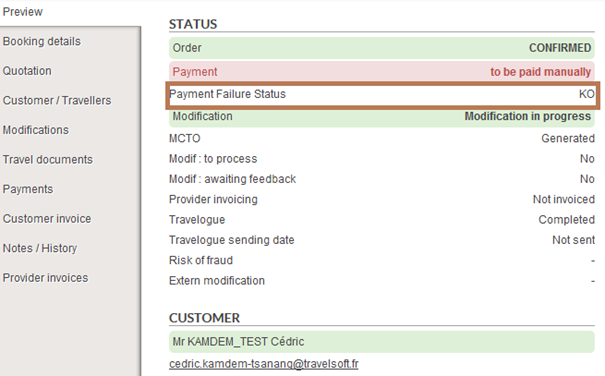
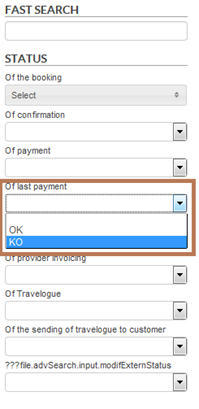
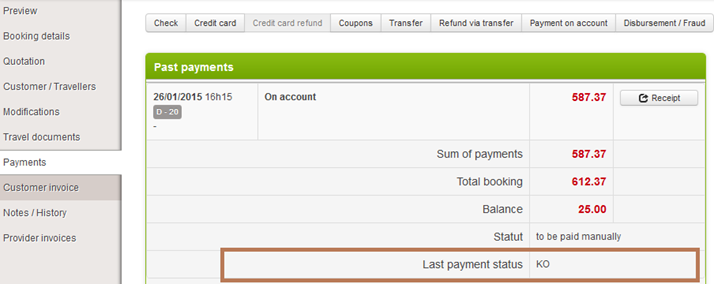
A new payment status has been added. It indicates if the last payment in Back Office was successful. This status helps distinguish “normal” payment failures (payment status = to pay manually) from payment failures generated by an error.

A search field for this status has also been added to help you to find these files.

This status is also visible in the “Payment” tab of the file.

This criteria can be used in search lists in the left-hand side bar. For example, you can identify payment failure issues in the files.

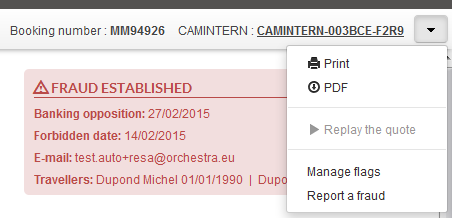
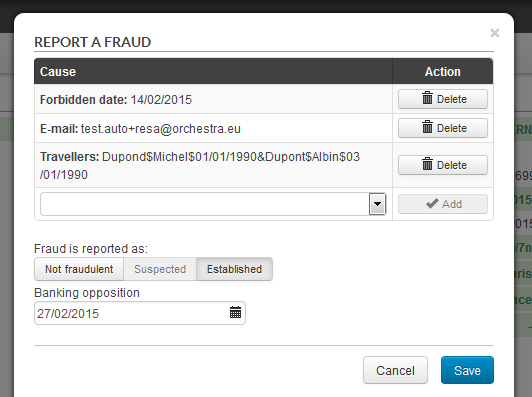
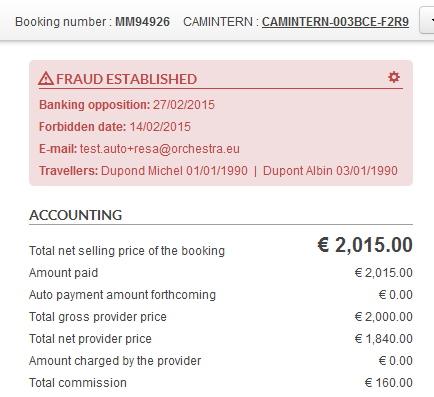
Up until now, fraud management was restricted to a risk level for each case in the form of three risk levels (low, average and high). Changes have been made to manage fraud in a more precise manner.
A new fraud risk status has been added. This status includes three values :
In addition, it is possible to specify the type of fraud :
It is possible to manage the fraud status in Back Office. For example, a file with fraud “suspected” status, can be changed to “confirmed” fraud after being analysed. The available actions for a file can be restricted based on this fraud status. For example, if a file has a “confirmed” fraud status, you can forbid that changes be made to it.


Les liens de recherche rapide prĂ©sents Ă gauche dans le Back-Office peuvent dĂ©sormais ĂȘtre dĂ©finis par utilisateur. Ceci permet de dĂ©finir des listes de recherches personnalisĂ©es par niveau de responsabilitĂ© dâagent dans un call-center par exemple.


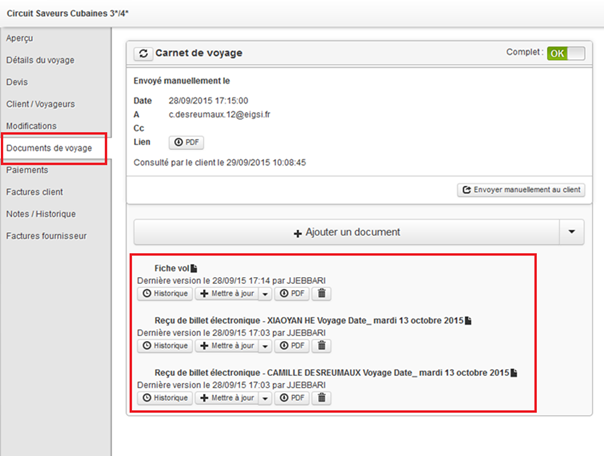
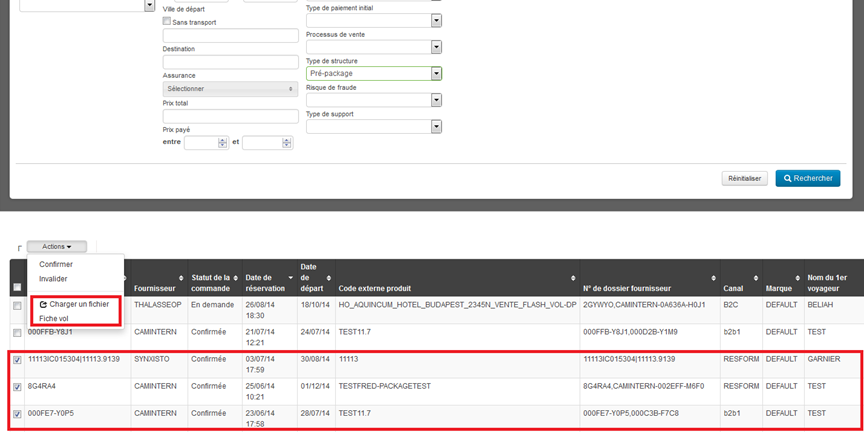
Il est dĂ©sormais possible de charger des documents de voyage sur de multiples dossiers Ă la fois. Pour cela le bouton « Actions » prĂ©sent sur les pages de retour moteur sâenrichit dâun lien permettant le chargement de documents de voyage.
Ceci permet par exemple de sĂ©lectionner tous les dossiers ayant la mĂȘme date de dĂ©part, mĂȘme destination, puis dây adjoindre un document de voyage commun Ă tous ces dossiers. Un cas pratique concerne notamment le chargement dâune fiche vol sur tous les dossiers correspondant Ă un axe donnĂ©.

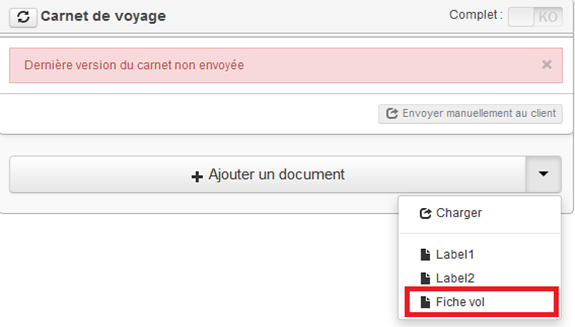
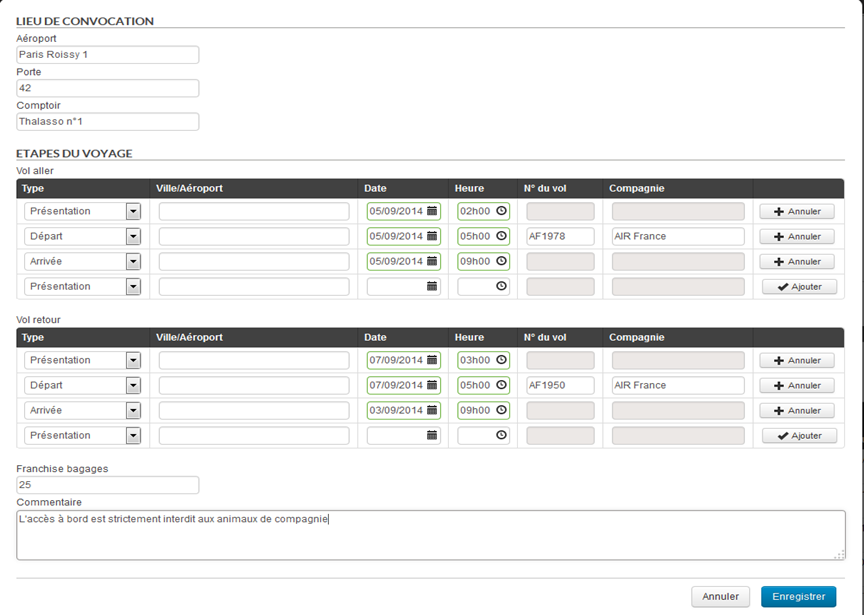
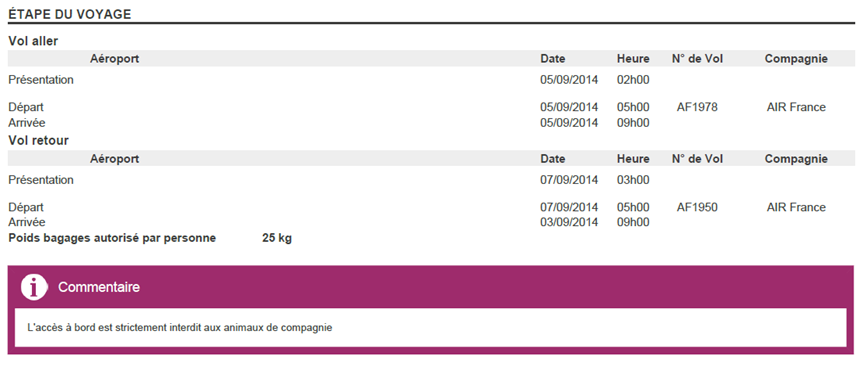
Il est dĂ©sormais possible de gĂ©nĂ©rer un document de voyage de type « fiche de vol » Ă partir d’un formulaire permettant de renseigner les Ă©tapes du voyage.
Dans la section « Documents de voyage », un nouveau modĂšle de document peut ĂȘtre configurĂ©. Une fois ce modĂšle sĂ©lectionnĂ©, il suffit de renseigner les champs du formulaire puis de l’enregistrer. Le fichier gĂ©nĂ©rĂ© est alors enregistrĂ© dans le Back-Office comme nâimporte quel document de voyage. Un clic sur le bouton « pdf » permet d’avoir un aperçu du fichier ou de le tĂ©lĂ©charger.


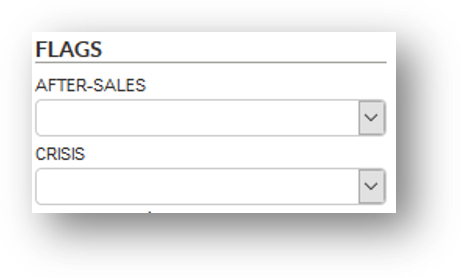
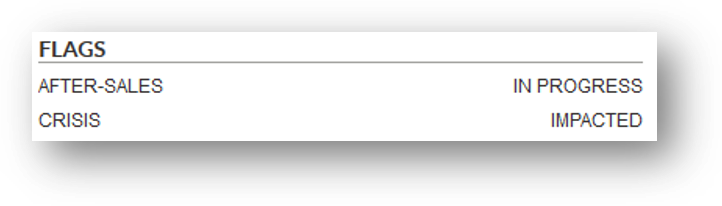
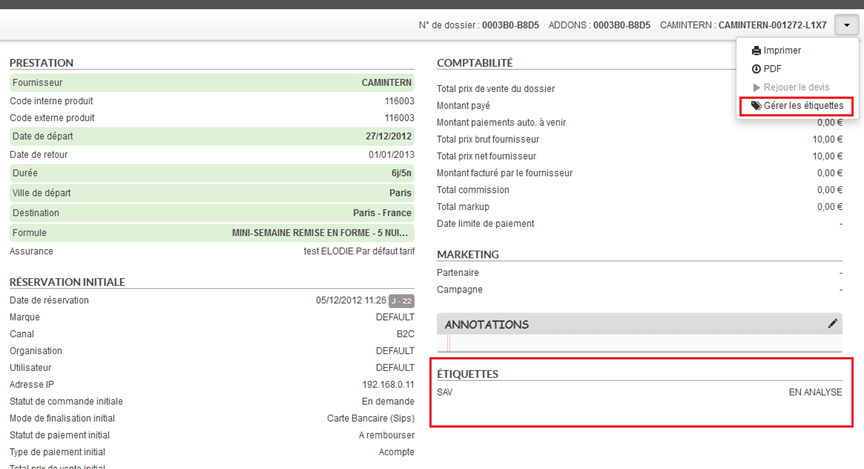
Il est dĂ©sormais possible d’ajouter des Ă©tiquettes Ă un dossier client. Ces Ă©tiquettes permettent de caractĂ©riser un dossier afin de les retrouver plus facilement.
Ils sont dĂ©finis par le client (configuration Ă effectuer avec votre chef de projet) afin qu’ils correspondent aux besoins specifiques. Il est par exemple possible de dĂ©finir des valeurs permettant dâĂ©tiqueter les dossiers liĂ©s Ă une crise naturelle (lâĂ©ruption dâun volcan par exemple), ou alors Ă des statuts de SAV client.

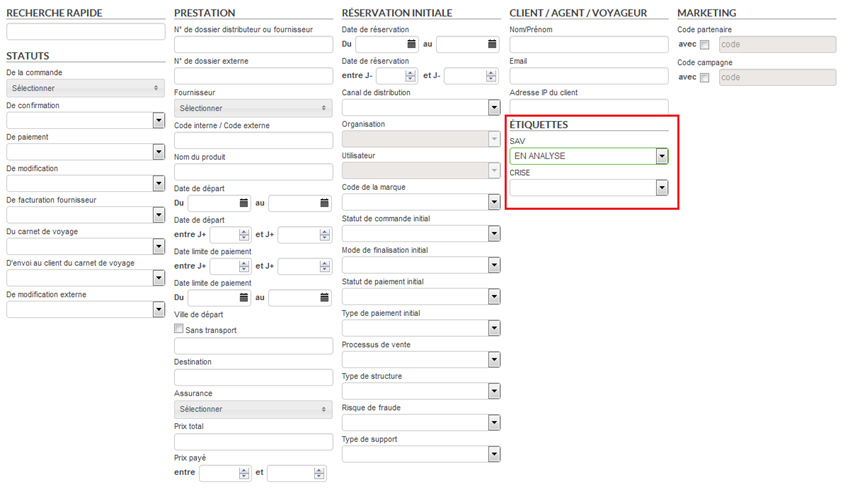
Le moteur de recherche avancĂ©e de dossiers comporte les champs de recherche correspondant Ă ces Ă©tiquettes afin de pouvoir retrouver facilement les dossiers en question. Il est Ă©galement possible de crĂ©er des listes de recherche prĂ©dĂ©finies sâappuyant sur ces Ă©tiquettes.

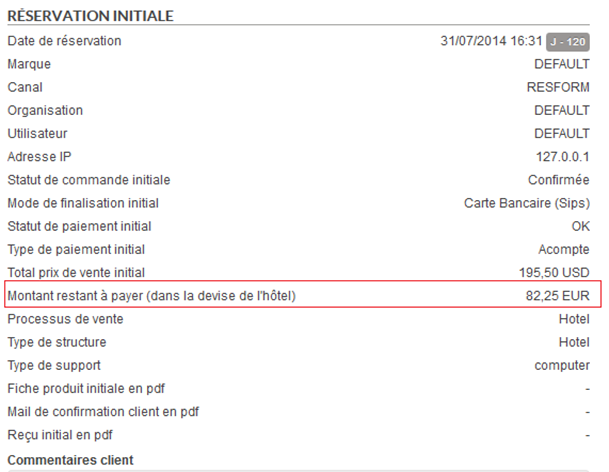
1/ Affichage dans le processus de réservation
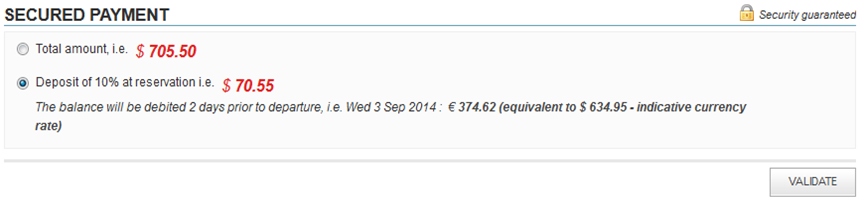
Il est maintenant possible dâafficher dans les processus de rĂ©servation le montant de lâhĂŽtel restant Ă payer Ă la fois dans la devise du processus de rĂ©servation et dans la devise de lâhĂŽtel.
Cette devise de l’hĂŽtel est celle qui a Ă©tĂ© renseignĂ©e dans le planning de lâhĂŽtel interne dans lâoutil dâadministration. Cette affichage est activable par configuration et nĂ©cessite au prĂ©alable dâactiver la fonctionnalitĂ© de paiement partiel.
Une fois cela effectuĂ©, on peut voir que, sur la page de paiement, le montant restant Ă payer est exprimĂ© dans la devise du tunnel de rĂ©servation mais aussi dans la devise de l’hĂŽtel.

2/ Gestion dans le Back-Office
Les dossiers visibles sur le Back-Office peuvent désormais afficher le montant restant à payer et la devise dans laquelle ce montant est exprimé.

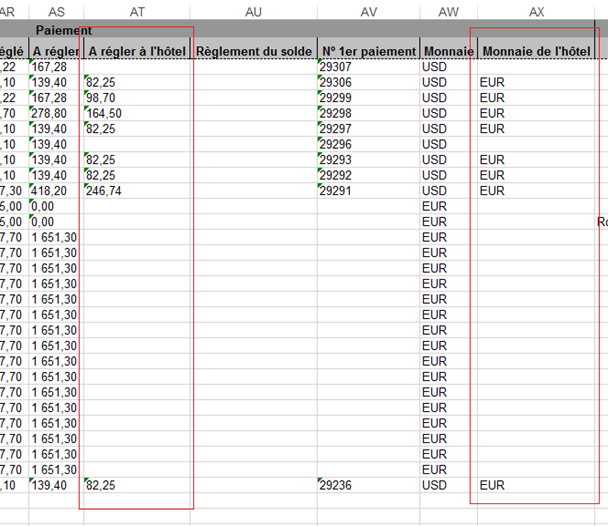
Ces nouvelles donnĂ©es sont Ă©galement exportĂ©es dans des nouvelles colonnes « A rĂ©gler Ă lâhĂŽtel » et « Monnaie de lâhĂŽtel ».

Comme vu prĂ©cĂ©demment sur la solution B2B, les onglets dĂ©passant la taille de lâĂ©cran sont maintenant accessibles via un systĂšme de menu dĂ©roulant Ă droite de la barre des onglets.
Comme sur la solution B2B, un bouton “RĂ©initialiser” fait son apparition afin de remettre la session de l’utilisateur dans son Ă©tat initial (fermeture de tous les onglets, rĂ©initialisation des recherches).
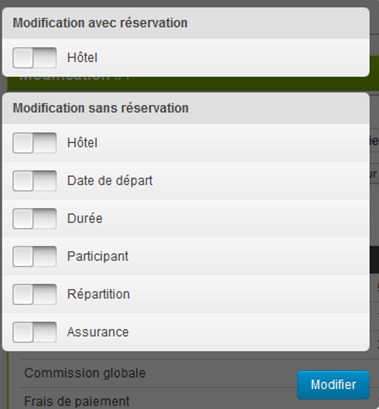
Il est dĂ©sormais possible de modifier une rĂ©servation dâhĂŽtel externe depuis le Back-Office en relançant le processus de rĂ©servation directement depuis le Back-Office.
Cette opĂ©ration provoque une annulation de lâancien dossier et la crĂ©ation dâun nouveau dossier chez le producteur de façon transparente pour lâutilisateur. Il reste possible dâeffectuer des modifications sans relancer le processus de rĂ©servation pour les hĂŽtels internes et externes, sans impact sur les stocks.

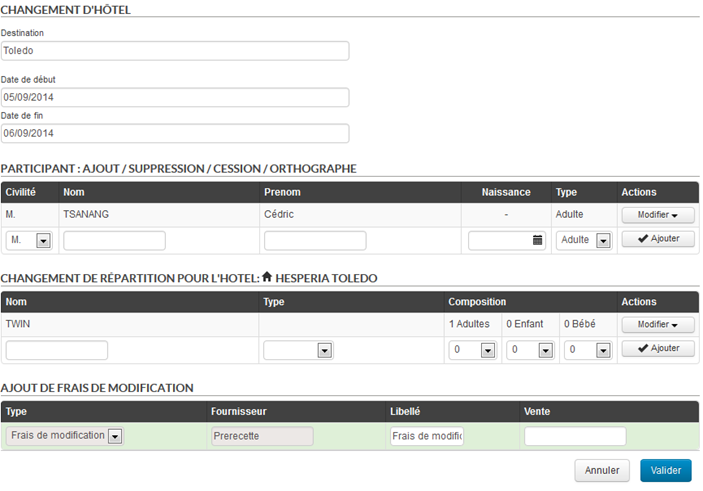
Lorsqu’on sĂ©lectionne la modification avec relance du processus de rĂ©servation, un formulaire permet Ă lâagent de :

La validation permettra de lancer un nouveau processus de rĂ©servation dâhĂŽtel avec les nouveaux paramĂštres renseignĂ©s. Les implications sur le dossier sont les suivantes:
Les diffĂ©rentes devises sont Ă©galement gĂ©rĂ©es dans lâoutil de Back Office.

Dans les listes de dossiers, une nouvelle colonne indique la devise dans laquelle le dossier a Ă©tĂ© rĂ©servĂ©. Dans le dĂ©tail du dossier et les exports, lâensemble des prix seront affichĂ©s dans cette mĂȘme devise.
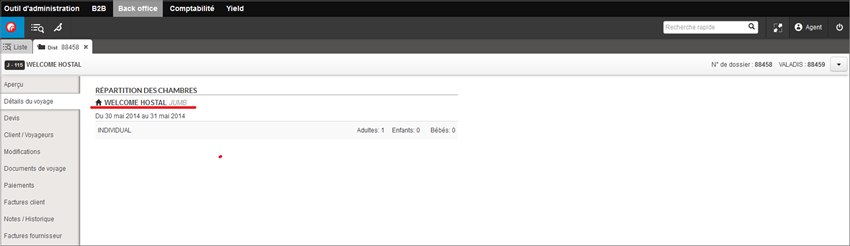
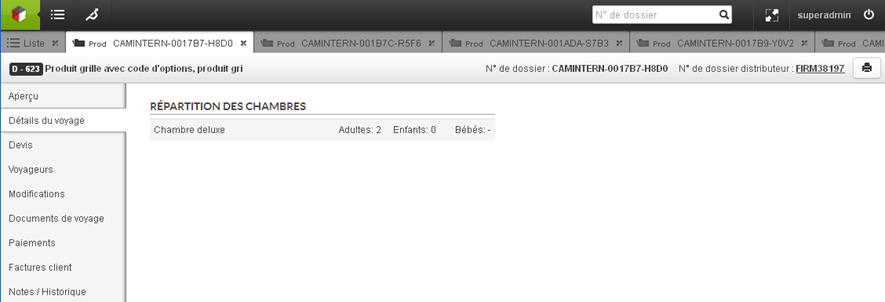
Le fournisseur de l’hĂŽtel est dĂ©sormais visualisable dans le Back-Office, ainsi que les dates d’entrĂ©e et de sortie de l’hĂŽtel.
Ces informations sont disponibles dans l’onglet « DĂ©tails du voyage ».Â

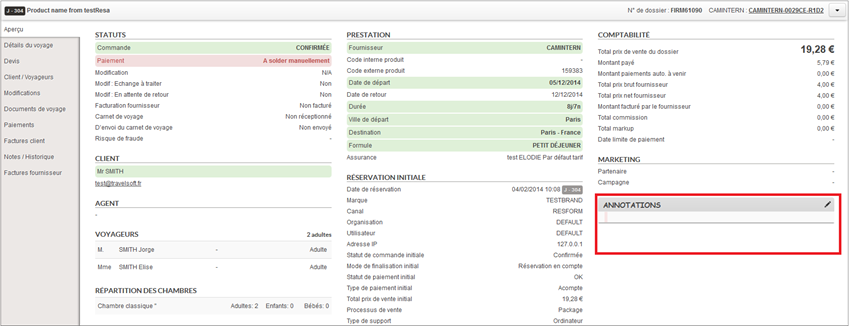
Il est dĂ©sormais possible d’ajouter des commentaires sur les dossiers distributeurs et producteurs dans le Back-Office.
Le commentaire utilisateur peut ĂȘtre ajoutĂ© depuis la page aperçu d’un dossier. De nouveaux droits permettent dâautoriser ou non la saisie de commentaire. Lors de l’ouverture de la fenĂȘtre d’Ă©dition du commentaire, la date et les informations de l’utilisateur qui est sur le point d’Ă©diter le commentaire sont automatiquement ajoutĂ©es sur une nouvelle ligne.

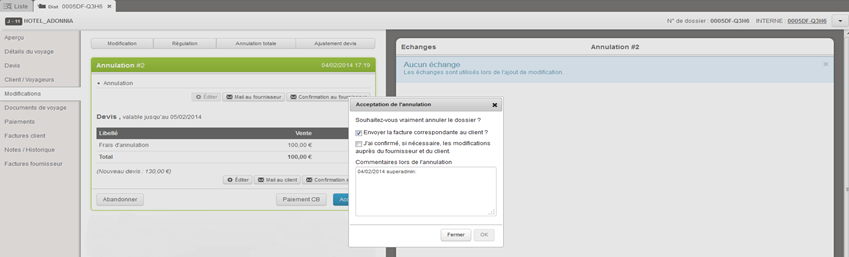
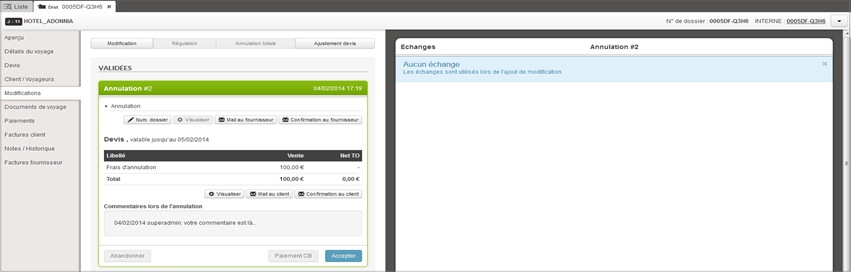
Le commentaire d’annulation peut ĂȘtre ajoutĂ© au moment de la confirmation de l’annulation d’un dossier. Lors de l’export dĂ©taillĂ© d’un dossier, les deux nouveaux commentaires seront prĂ©sents dans les colonnes « Commentaires et remarques ». Lors de l’impression d’un dossier, seul le commentaire utilisateur sera imprimĂ©.


Il est dĂ©sormais possible d’accĂ©der au voucher de la rĂ©servation d’un hĂŽtel en format PDF, dans l’aperçu du dossier. Il est gĂ©nĂ©rĂ© par la rĂ©sa lors de la confirmation et stockĂ© de la mĂȘme maniĂšre que la fiche descriptive du produit.

La rĂ©cupĂ©ration des informations relatives aux conditions d’annulation a Ă©galement Ă©voluĂ©e : lorsqu’on clique sur le bouton “Annulation totale”, les conditions d’annulation vont ĂȘtre rĂ©cupĂ©rĂ©es dans cet ordre :
Si aucune de ces rĂ©cupĂ©rations automatiques nâaboutit, lâagent pourra toujours saisir manuellement ces informations.
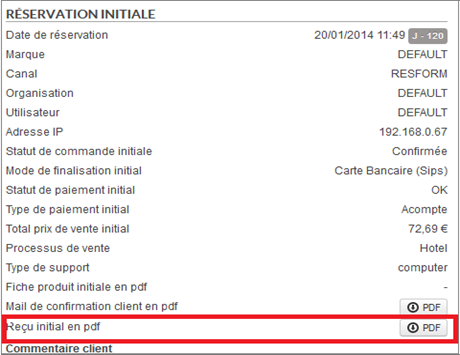
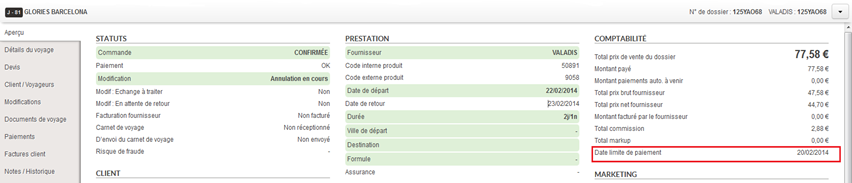
Il est dĂ©sormais possible d’enregistrer la date limite de paiement lors de la rĂ©servation d’un hĂŽtel. Il sâagit de la date la plus proche dâaujourdâhui entre :
Cette date limite de paiement est affichĂ©e dans l’aperçu du dossier.

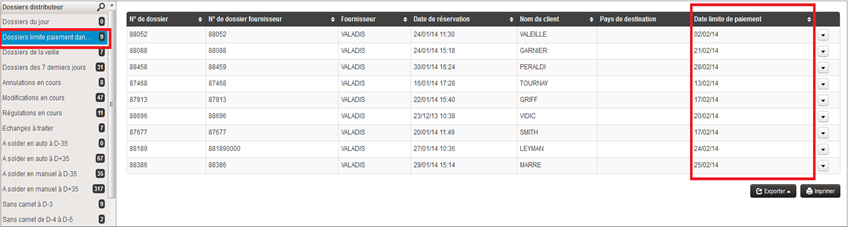
Une recherche par dĂ©faut des dossiers dont la date limite de paiement est entre le jour J (aujourd’hui) et le jour J + 7 peut par exemple ĂȘtre ajoutĂ©e dans la barre de gauche.

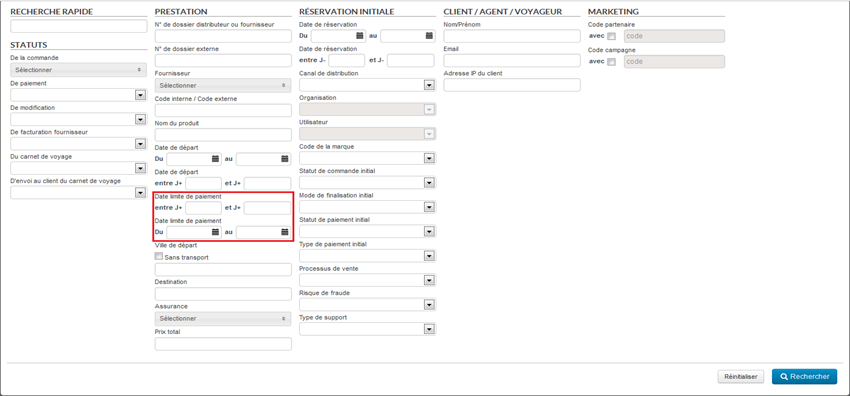
Le moteur de recherches avancĂ©es hĂ©rite Ă©galement dâun nouveau champ afin de rechercher les dossiers par date limite de paiement.

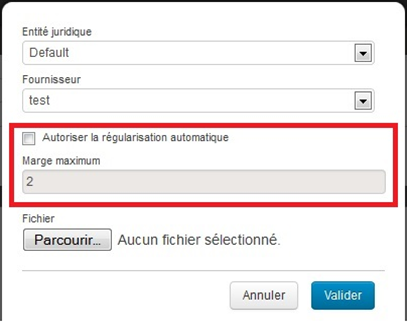
Il est dĂ©sormais possible de configurer une rĂ©gularisation des factures fournisseurs dans lâonglet ComptabilitĂ©. Celle-ci peut se faire :
Régularisation automatique :
Dans lâonglet ComptabilitĂ©, lors du chargement dâune facture, il est maintenant possible de dĂ©cider d’un delta de rĂ©gularisation. Si l’Ă©cart facture/montant fournisseur est infĂ©rieur Ă ce delta, une ligne tarifaire fictive correspondant Ă la diffĂ©rence sera ajoutĂ©e au dossier pour le comptabiliser comme facturĂ©. Cet ajout est fait via une modification automatiquement validĂ©e, ce qui signifie que l’on peut le voir dans l’historique du dossier ainsi que dans la partie âModificationsâ.

Régularisation manuelle :
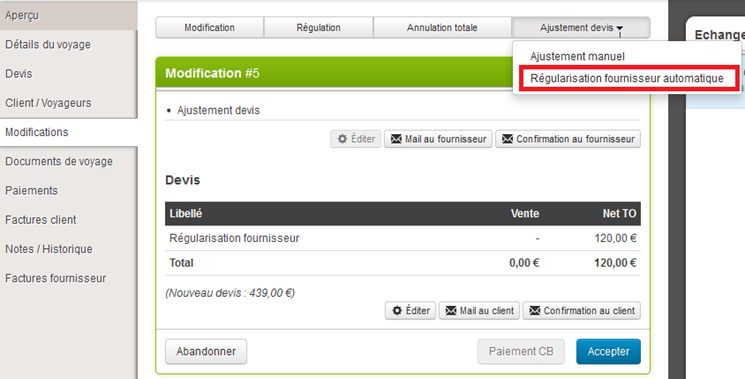
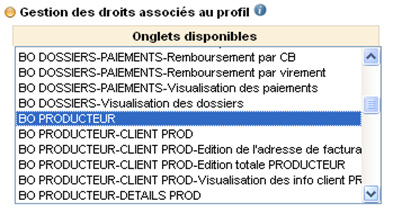
Un nouveau droit « RĂ©gularisation d’un dossier » a Ă©tĂ© ajoutĂ© dans la gestion des droits du profil. Les utilisateurs qui possĂšdent ce droit voient dans la partie âModificationsâ d’un dossier un bouton de rĂ©gularisation automatique. Ce bouton va crĂ©er une modification avec la diffĂ©rence entre le montant facturĂ© et le montant total fournisseur. L’utilisateur peut ensuite dĂ©cider ou non de la valider.

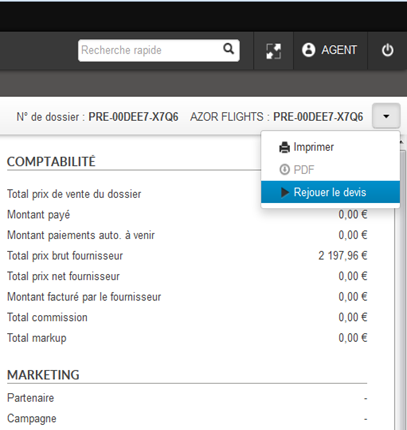
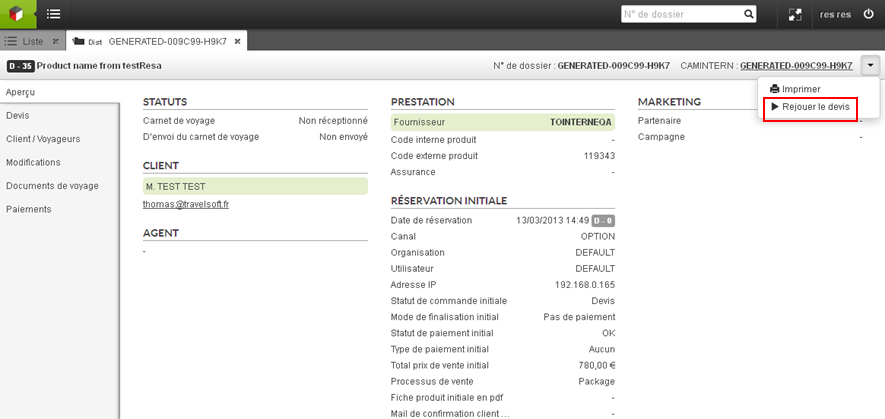
De la mĂȘme maniĂšre que pour les produits Packages le rejeu de devis est maintenant disponible sur la page d’un dossier pour les produits Vols, HĂŽtels et Vols + HĂŽtels.

Certaines parties du Back-Office peuvent ĂȘtre dĂ©sactivĂ©es selon les besoins. Voici la liste :
Le nouveau champ âSolde du dossierâ est dĂ©sactivĂ© par dĂ©faut. Il est possible de lâafficher dans la partie Devis ainsi que dans la colonne ComptabilitĂ© de Aperçu. Ils correspondent Ă la diffĂ©rence (total – montant payĂ©).
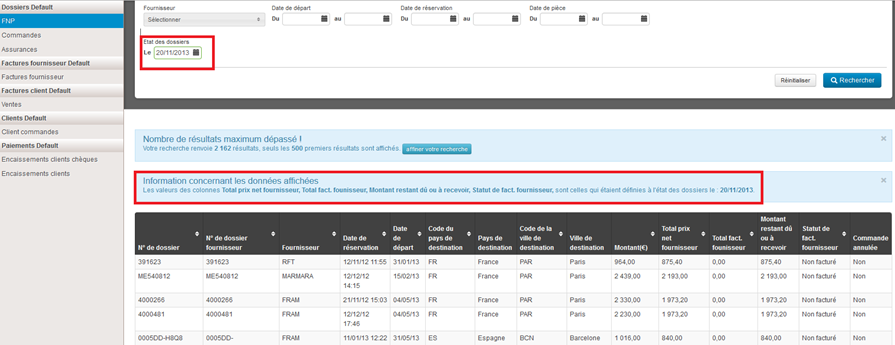
Les statuts de facturation peuvent dĂ©sormais ĂȘtre recalculĂ©s Ă une date donnĂ©e antĂ©rieure Ă la date actuelle. L’Ă©tat des dossiers est alors calculĂ© par rapport aux factures et Ă©lĂ©ments de devis prĂ©sents Ă la date de recalcul donnĂ©e dans l’onglet FNP. Ceci permet par exemple dâavoir une vue « comptable » des dossiers pour une semaine/mois prĂ©cĂ©dent.

Comme pour le nouveau B2B il est dĂ©sormais possible d’utiliser le module en espagnol en choisissant la langue âEspagnolâ lors de la connexion.
Un lien SSO vers lâoutil dâadministration apparaĂźt dans la barre de liens du Back-Office. Cette barre de liens permet de naviguer entre les diffĂ©rents outils de la plate-forme.

Il est Ă©galement possible, via une configuration, de masquer cette premiĂšre barre de liens et de se servir du logo en haut Ă gauche pour changer dâoutil.
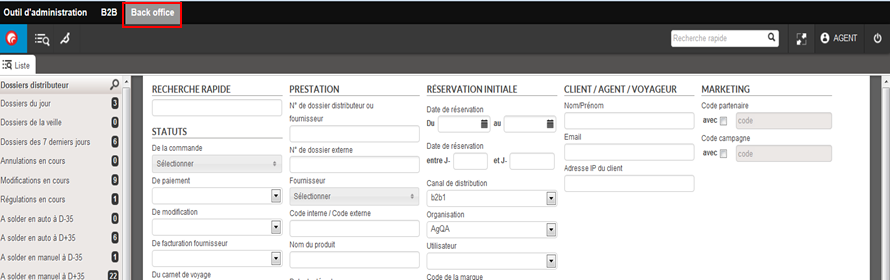
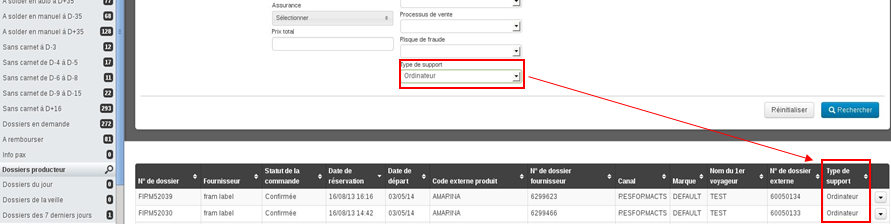
La nouvelle notion « type de support » est également enregistrée dans le module de gestion de dossiers. Cette information apparaßt dans le moteur de recherche des dossiers et dans ses résultats.

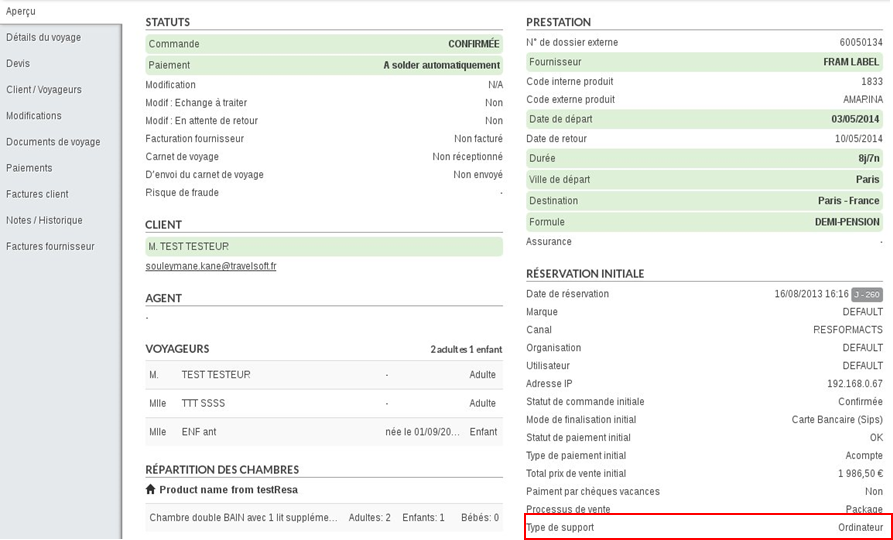
Elle est aussi affichée dans le détail du dossier et est présente dans les exports.

Suite aux actions menĂ©es sur les dossiers en demande, le paiement peut dĂ©sormais ĂȘtre gĂ©rĂ© automatiquement.
A la validation dâune rĂ©servation en demande, la transaction de paiement est automatiquement validĂ©e dans le systĂšme de SIPS ATOS.
Si la réservation est considérée comme « full »
(annulée), la transaction de paiement est automatiquement annulée.
Dans l’onglet “Paiements”, le bouton “Remboursement CB” effectue une annulation de tout ou partie d’une ou plusieurs transactions bancaires lorsque la transaction est en statut “A envoyer en banque”.
Dans le cas oĂč la transaction est en statut “EnvoyĂ©e en banque”, le bouton effectue un remboursement comme prĂ©cĂ©demment.
Il est dĂ©sormais possible de rejouer un devis depuis le module de gestion des dossiers Ă partir dâun canal donnĂ© uniquement.
Par exemple, il est possible de ne pouvoir rejouer les devis quâĂ partir du canal B2B.
Il est désormais possible de définir plusieurs exports de résultat de recherche spécifiques en plus des exports existant par défaut (« Export champs actuels » et « Export détaillé »).

Il est désormais possible de lancer des recherches en sélectionnant plusieurs fournisseurs à la fois dans les moteurs de recherche.

De mĂȘme, il est possible de lancer des recherches sur plusieurs statuts de dossier et/ou plusieurs assurances Ă la fois.

Il est également possible de lancer une recherche de dossiers sur la date de réservation et/ ou la date de départ relativement à la date du jour (de la recherche).


De plus, le champ de recherche « Nom du produit » du moteur de recherche permet de rechercher les dossiers contenant un mot dans le nom du produit rĂ©servĂ© quâil soit en majuscules ou en minuscules.
Lors de la gĂ©nĂ©ration de documents de voyage Ă partir dâun modĂšle, il est dĂ©sormais possible de prĂ©visualiser le document créé avant son enregistrement et son envoi au client. Le mode de prĂ©visualisation permet Ă©galement de modifier manuellement le document si nĂ©cessaire.


Lâimpression de dossiers et le rejeu de devis sont des actions disponibles directement depuis les listes de dossiers.

Il est dĂ©sormais possible dâutiliser la recherche rapide pour rechercher des dossiers liĂ©s Ă un client donnĂ©.

Il est dĂ©sormais possible dâutiliser la notion de marque pour dĂ©finir des listes de rĂ©sultats et des exports comptables spĂ©cifiques. Cette notion permet Ă©galement de faire des imports de factures fournisseurs par entitĂ© ainsi que lâutilisation de diffĂ©rents comptes SIPS ATOS pour le paiement.
La personnalisation des modÚles de mails, de factures et de documents de voyage est également rendue possible par cette fonctionnalité.

Il est dĂ©sormais possible de faire un export dĂ©taillĂ© du contenu de plusieurs dossiers correspondant Ă une recherche en plus de lâexport des informations du rĂ©sultat de recherche.

Des droits additionnels ont été ajoutés dans la gestion des droits afin de permettre un contrÎle sur ce que peuvent voir les utilisateurs :

Les dossiers producteurs sont dĂ©sormais accessibles dans lâoutil de gestion de dossiers. Ils permettent dâavoir une vision « producteur » des dossiers rĂ©servĂ©s sur des produits internes : packages, vols, hĂŽtels.

Il est possible de paramétrer des listes de recherche spécifiques à ce type de dossiers.
Un nouveau droit « BO PRODUCTEUR » permet de donner accĂšs Ă ce type de dossiers dans lâoutil dâadministration.

Pour ce type de dossier, le dĂ©tail des prestations vols, pensions, type et catĂ©gories dâhĂ©bergements rĂ©servĂ©s est enregistrĂ©. Le dĂ©tail sâaffiche dans un onglet additionnel du dossier.

Sur ces dossiers, il est possible de faire des modifications ou des annulations.
En cas dâannulation sur des produits internes (packages, vols ou prestations), les stocks sont automatiquement rĂ©-incrĂ©mentĂ©s sur les produits concernĂ©s au niveau de la gestion des stocks internes dans lâoutil dâadministration.
Il est Ă©galement possible de configurer la gĂ©nĂ©ration automatique dâun fichier MCTO en cas de modification, annulation, rĂ©gulation sur les dossiers producteurs.
Lorsque le mode de finalisation « demande de devis » est disponible dans le tunnel de rĂ©servation, les devis correspondants sont dĂ©sormais enregistrĂ©s dans lâoutil de gestion des dossiers. Il est ainsi possible de les rejouer pour obtenir une rĂ©servation ferme.


Le rejeu de devis implique lâouverture du tunnel de rĂ©servation avec les informations du devis initiale enregistrĂ©es pour une finalisation rapide de la rĂ©servation et la crĂ©ation dâun dossier ferme.
Il est dĂ©sormais possible dâenregistrer des recherches favorites par utilisateur.
Une fonction de sauvegarde est ajoutée en dessous du résultat de recherche qui permet de sauvegarder la recherche effectuée.

Par dĂ©faut la recherche est enregistrĂ©e Ă gauche de lâĂ©cran dans les recherches favorites avec un titre de type « Recherche 1 ». Ce titre est modifiable au double-clic.


Il est dĂ©sormais possible de mettre en place un export par fournisseur des dossiers portant sur des offres arrivĂ©es Ă la date de rĂ©trocession.Â
Il est possible de dĂ©finir la frĂ©quence de lâexport ainsi que le ftp de destination pour le dĂ©pĂŽt des fichiers exportĂ©s.
Il est dĂ©sormais possible de rĂ©cupĂ©rer dynamiquement Ă la gĂ©nĂ©ration des documents de voyages des informations concernant les prestations rĂ©servĂ©es. Les informations qui peuvent ĂȘtre utilisĂ©es sont les suivantes :
Ces Ă©lĂ©ments peuvent ĂȘtre ajoutĂ©s au modĂšle de document de voyages pour ĂȘtre rĂ©cupĂ©rĂ©s au moment de la crĂ©ation pour chaque client.
Il est dĂ©sormais possible dâimprimer les informations contenues dans lâaperçu et le dĂ©tail des prestations dâun dossier.

Il est Ă©galement possible dâimprimer la liste de rĂ©sultat de dossiers.

Il est dĂ©sormais possible de gĂ©rer les dossiers en demande dans lâoutil de gestion des dossiers.
Dans la partie « Modifications », il est notamment possible de contacter le client et/ou le fournisseur et de confirmer ou dâinvalider le dossier en fonction de la rĂ©ponse du fournisseur et du client. Il est Ă©galement possible de dĂ©finir des modĂšles de mail spĂ©cifique pour la gestion du « En demande ».
Lors de la confirmation du dossier, la facture client est envoyée automatiquement.
Si le dossier est « Full » (invalidĂ©), un message spĂ©cifique peut ĂȘtre envoyĂ© automatiquement au client et toutes les lignes tarifaires du devis sont annulĂ©es.
Un droit utilisateur spĂ©cifique a Ă©tĂ© ajoutĂ© pour la gestion du « En demande » dans lâoutil dâadministration afin de pouvoir autoriser ces actions Ă certains agents uniquement.
Les dossiers « En demande » ne sont pas exportés vers les outils de comptabilité.


Lorsqu’un producteur possĂšde 2 marques ou plusieurs noms (par exemple, Lagrange et Lagrange-Coprod), il est dĂ©sormais possible de regrouper l’ensemble des dossiers sous une seule marque.
Il est désormais possible de définir des modÚles de documents de voyage pour une génération automatique à partir des informations contenues dans les dossiers.

Lors dâune modification de participant, une validation de la date de naissance des voyageurs en fonction du type (adulte/enfant/bĂ©bĂ©) est dĂ©sormais effectuĂ©e.
Lors dâune modification de rĂ©partition, une validation de la composition des chambres en fonction du nombre de voyageurs est Ă©galement effectuĂ©e.
Les cookies sont désormais utilisés pour sauvegarder les onglets ouverts et la derniÚre recherche pendant 7 jours sur un poste, par utilisateur.
Lors de la modification ou rĂ©gulation de prestation sur un dossier, il est possible de lancer la recherche sur un produit prĂ©cis. MĂȘme si le produit nâexiste pas dans la base Orchestra, il est possible de lâassocier au dossier manuellement.
Un outil de gestion back-office est dĂ©sormais disponible sur la plateforme Orchestra en complĂ©ment des autres modules. Lâoutil permet notamment dâeffectuer les actions dĂ©crites ci-dessous.
De maniĂšre gĂ©nĂ©rale, une gestion des droits utilisateurs permet de gĂ©rer lâaccĂšs aux diffĂ©rentes fonctions (par exemple : remboursement, rĂ©gulation massives, etc.).
Pour plus dâinformations, nâhĂ©sitez pas contacter votre Chef de projets.
1/ Recherche sur les dossiers clients
Dans lâespace « Liste », il est possible de rechercher les dossiers clients en fonction des diffĂ©rents critĂšres dâun dossier :

Cet espace permet Ă©galement dâaccĂ©der Ă des raccourcis paramĂ©trables permettant aux agents de voir rapidement les dossiers Ă traiter :

2/ Consultation des dossiers clients
Il est possible de consulter tout le dĂ©tail dâun dossier en double-cliquant sur lâun dâeux dans le rĂ©sultat de recherche :

Un dossier se compose des différentes rubriques suivantes :

3/ Gestion des prix de vente / prix d’achat
La rubrique « Devis » permet de visualiser les lignes tarifaires de la réservation initiale ainsi que toutes les lignes tarifaires ajoutées aprÚs la réservation lors de modifications, régulations ou ajustements tarifaires :

4/ Gestion des modifications et annulation de dossier
Dans la rubrique « Modifications », il est possible dâenregistrer et valider les demandes de modification client avec suivi dâun processus de validation (envoi de mail au client et au fournisseur) :

5/ Gestion des régulations fournisseurs
Il est possible de gérer les régulations demandées par les fournisseurs dossier par dossier (en procédant comme pour les demandes de modification client) ou plus massivement en faisant une recherche sur les dossiers souhaités ou en indiquant une liste de numéros de dossiers.


6/ Gestion des documents de voyage
Il est possible de charger plusieurs documents de voyage. Lâagent peut indiquer si le carnet de voyage est complet et ainsi dĂ©clencher lâenvoi manuel ou automatique du carnet au client par mail. Il est possible de mettre Ă jour les documents, dans ce cas un historique des diffĂ©rentes versions est enregistrĂ© et une nouvelle version du carnet est envoyĂ©e au client.

7/ Gestion des soldes automatiques, des remboursements et des paiements manuels
Dans la rubrique « Paiements » est enregistrĂ© le rĂ©capitulatif des paiements effectuĂ©s et des paiements automatiques Ă venir. Il est possible dâajouter manuellement des paiements de diffĂ©rents types (ChĂšques cadeaux, virement, CBâŠ) et dâeffectuer des remboursements.

8/ Gestion des factures clients / factures fournisseurs (réconciliation)
Dans la rubrique « Factures client » sont enregistrĂ©es lâensemble des factures et avoirs envoyĂ©s au client.

Dans la rubrique « Factures Fournisseurs » sont affichées les factures fournisseurs enregistrées sur un dossier donné avec le statut de facturation (facturé partiellement, surfacturé, facturé ou non facturé).

9/ Espace dédié pour la comptabilité et la réconciliation de factures fournisseurs
Dans lâespace « Comptabilité », il est possible de configurer des listes de recherche de dossier spĂ©cifiques :

Il est Ă©galement possible de procĂ©der Ă lâenregistrement et la rĂ©conciliation de factures fournisseurs :

10 / Exports vers la comptabilité
Toutes informations concernant un dossier et notamment les informations de facturation clients et fournisseurs sont exportables automatiquement et de façon journaliÚre vers un outils de comptabilité spécifique.
Le type de transport âTrainâ est dĂ©sormais envoyĂ© au back-office Gestour dans les dossiers.

Possibilité de transmettre les informations agence et agent à Gestour.
Lors dâune annulation ou dâune confirmation dâoption, le dossier de post-rĂ©servation MCTO est mis Ă jour avec le statut du dossier et celui-ci peut ĂȘtre renvoyĂ© directement Ă votre outil de back-office pour mise Ă jour. Merci de contacter votre chef de projet afin dâavoir plus dâinformations sur les modifications Ă faire pour lâinterprĂ©tation de la mise Ă jour du dossier.
Il est dĂ©sormais possible de paramĂ©trer lâenvoi de dossier Ă Gestour en fonction du canal de vente et du producteur.
Envoi des champs statistiques dans le cas des produits simples.
PossibilitĂ© dâenvoyer des plages de numĂ©ros de commande diffĂ©rentes en fonction du canal / organisation / user.
Envoi de la répartition des passagers dans les chambres et des options par passager lorsque ces informations sont disponibles.
Envoi des nouvelles référentielles destinations INSEE et ONU.
Envoi possible dâun MCTO pour les devis
Consulter votre chef de projet pour connaitre le format du flux contenant ces informations.
Possibilité de paramétrer la date en demande
Configuration du montant cochĂ© par dĂ©faut au niveau de lâacompte
Enrichissement du mail fournisseur : ajout du nom du produit et du code externe
Enregistrement du dossier (accessible via lâoutil dâadministration) et envoi du dossier externe