It is now possible to fine-tune how package and hotel editorials are displayed with a new ‘Hide/Display’ feature.
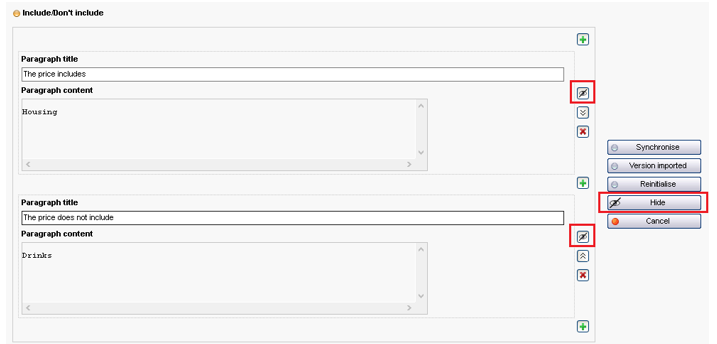
This feature can be accessed via a new button in the ‘Manage the editorial’ pop-up window for packages and hotels. Users can hide :
An entire zone (Transport
information, Includes/Does not include, etc.)
An element in a list (e.g. a
paragraph)
New feature that makes it possible to hide/display zones or paragraphs
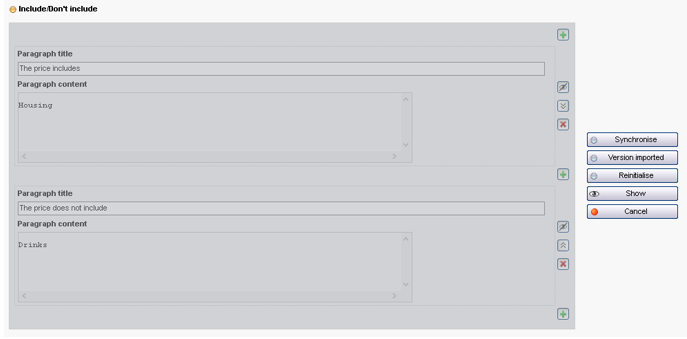
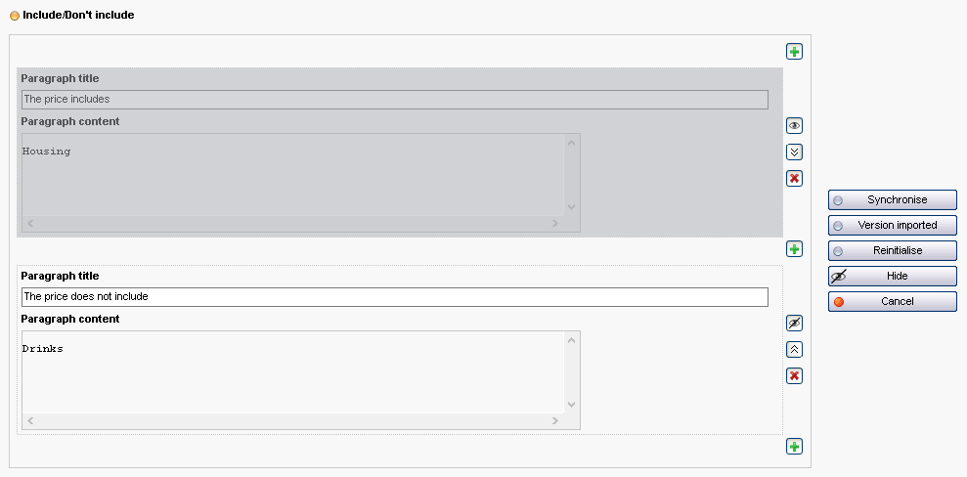
Once a zone or paragraph is hidden, it is shaded in the display in the administration tool. Then enter to save the change.
Example of fully hidden area
Example of a paragraph hidden inside a zone
Catalogue services and exports will then pull up the editorial associated with the package/hotel without the hidden zone, in total transparency. This function is very useful for deactivating information that is temporarily invalid, for example.
Improved availability filters
The ‘availability’ filters make it possible to define dates to filter based on the number of days until departure.
If a filter containing this type of constraint is entered, the filter will then be reapplied automatically every day so that the constraint relating to the number of days until departure is taken into account on a rolling basis.
Rolling departure date criterion when defining ‘Availability’ filters
Optimised media library
Changes have been implemented to facilitate media library navigation, especially for high volume images.
Directories that have a high number of images are displayed faster and, by default, the navigation menu on the left displays only the first 10 parent directories to boost legibility and speed.
A ‘More’ button can be clicked to display the next directories if necessary.
Updates to the multi-product price sheet – Purchase price
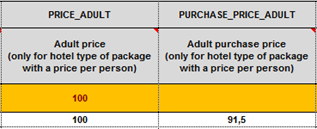
New ‘purchase price’ columns (adult, child, infant or per lodging unit) have been added to the multi-product price sheet. These new fields make it possible to deduct the corresponding commissions.
New ‘Adult purchase price’ column in the multi-product price sheet
Once the sheet is loaded, the commission can be seen on the corresponding product sheet in the administration tool, then in the back office once the date is reserved.
Commissions entered in the product sheet after loading a multi-product sheet
Commissions entered in the back office after a reservation
Service-flight links
It is now possible to combine internal services with flights. Thanks to this update, there is now an option to offer services such as baggage and ground transfers when selling a transport solution during the booking process.
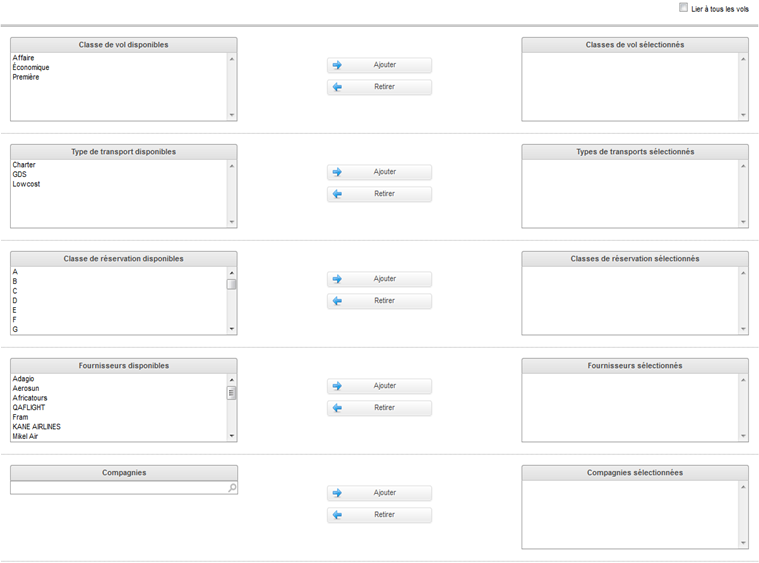
Combining services with flights is managed through the ‘Services’ tab in the administration tool. A new ‘Flight link’ feature makes it possible to define the characteristics of flights for which the selected services will be available.
Feature linking services to flights
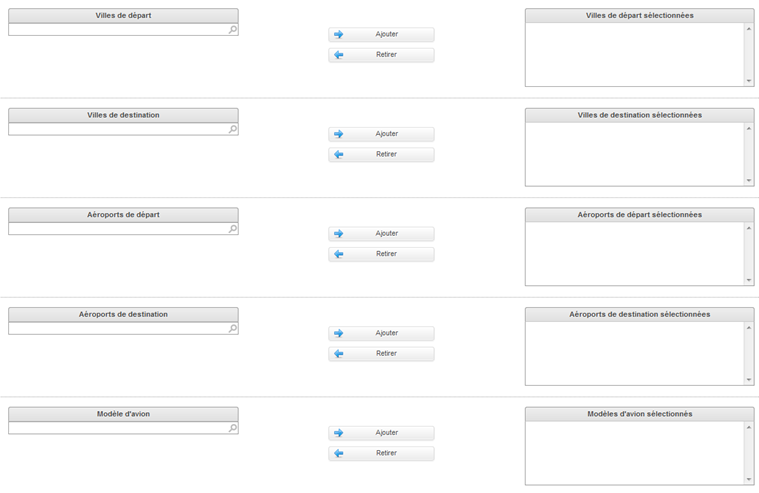
These are the selection criteria :
Class of service (Business,
Economy, First)
Transport type (Charter, GDS,
Low Cost)
Booking class (A, B, etc.)
Suppliers
Airlines
Departure cities
Arrival cities
Departure airport
Arrival airport
Aircraft model
Link page that connects services with flight characteristics
Link page that connects services with flight characteristics
The selling process for Transport and Dynamic packages will then offer pre-configured optional services at the quote stage.
File tags when booking
The notion of back office tags can now be used to automatically assign default tags to files when booking.
These labels can be configured to define which tags should be associated with which channel. These tags will be visible in the back office search engine to find the matching files and in the file’s detailed notes.
Tags in the back office search engine
Tags in the detailed notes for a back office file
Search for files paid in holiday cheques
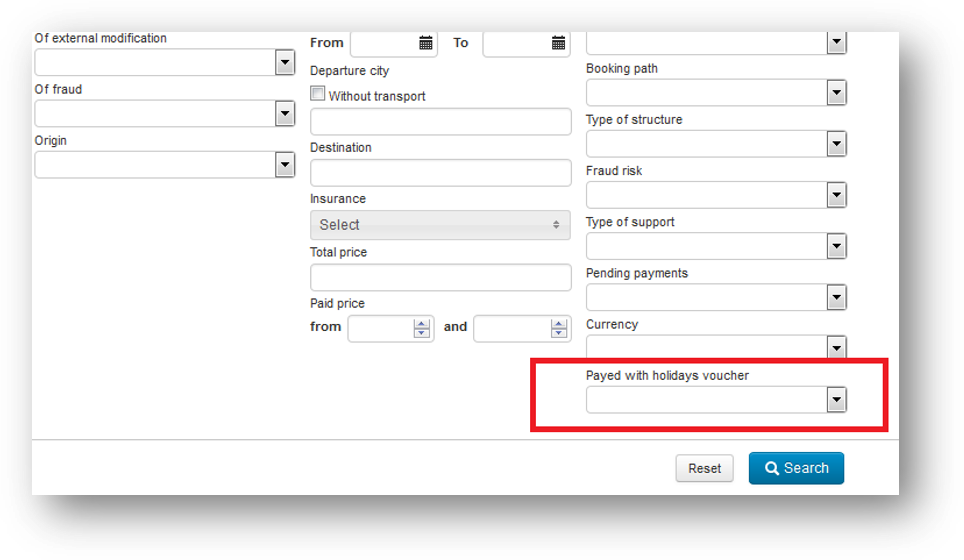
A new ‘Paid with holiday cheques’ search criterion was added to the back office search engine. This makes it possible to find all the files for which payment was made (at least partially) in holiday cheques.
New ‘Paid with holiday cheques’ search criterion in back office
New display and selection mode for internal hotel rooms
1/ Updates to the booking process for Hotels and Dynamic packages
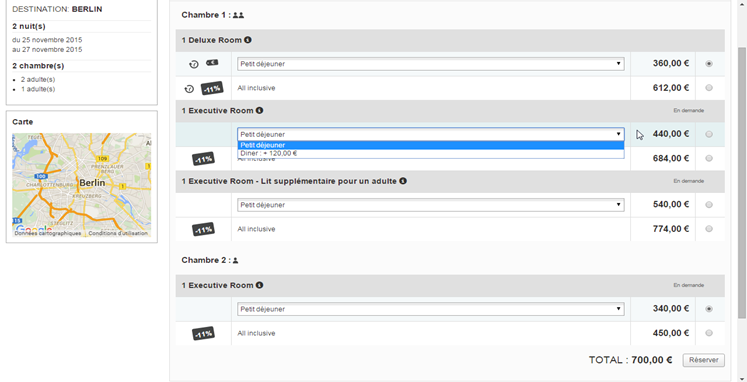
In the Hotels and Dynamic packages booking process, it is now possible to change the way hotel rooms are displayed to make selection more clear and intuitive.
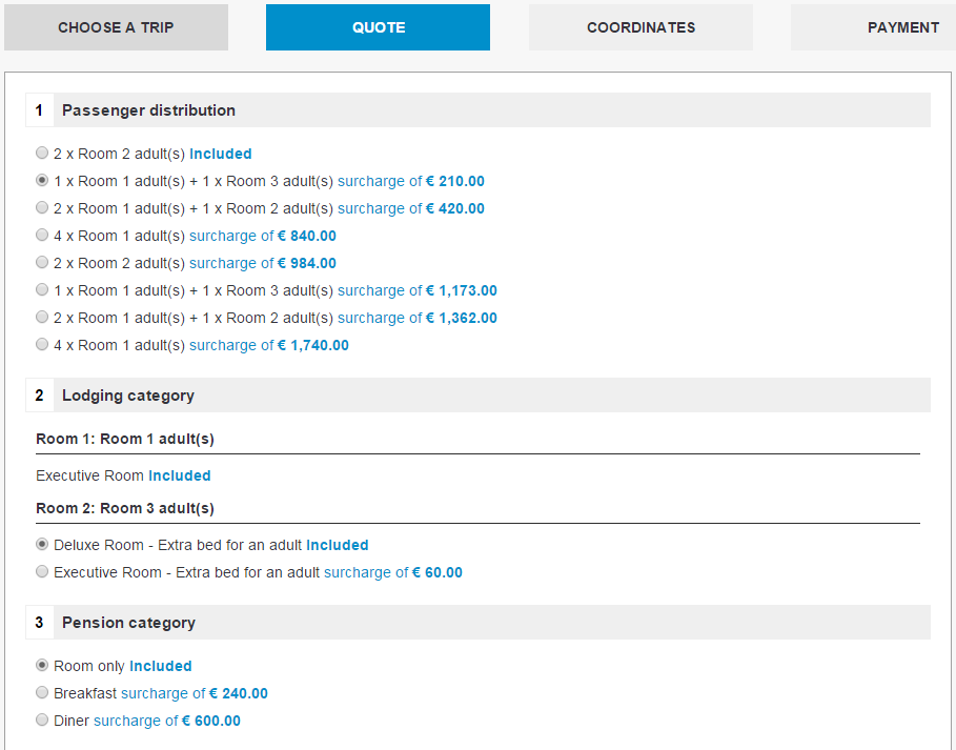
The former method displayed a list of all possible room combinations on the search engine results page and on the hotel details page. Because hotels often have many rooms, the tool frequently displayed too many combinations.
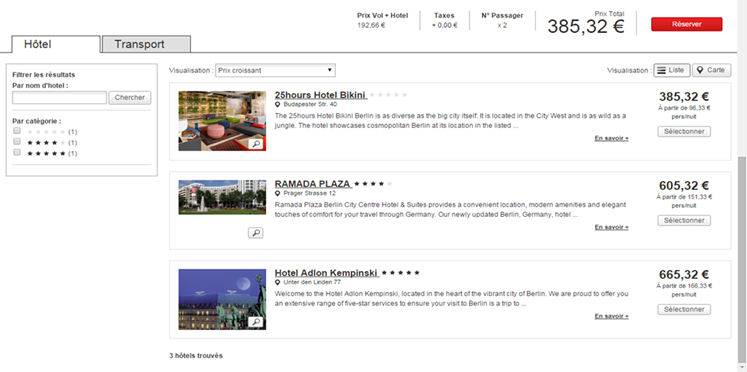
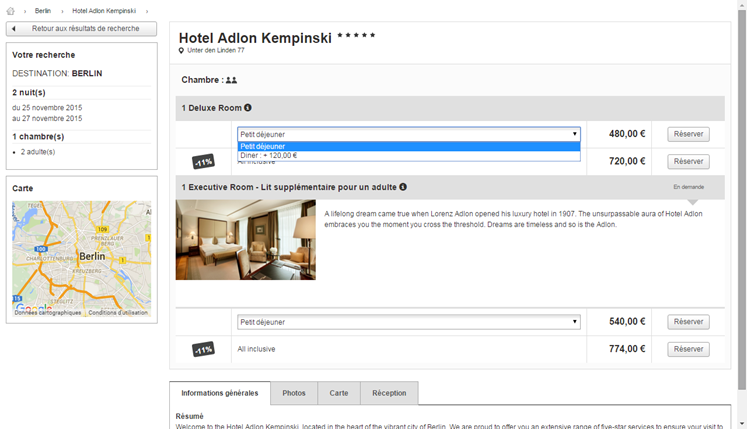
The new display mode makes it possible to select rooms independently and thus to create room combinations dynamically for more clarity. The search results page no long displays the list of combinations. Rooms are now selected on the hotel details page, where the user can choose the category and corresponding meal option for each room.
By default, the lowest prices are selected automatically for each room (with meals by default).
Internal hotel search results shown in the new display mode
Room category and meal selection on the hotel details page
When the user reserves multiple rooms, ‘radio buttons’ can be used to select the various rooms separately. The lines that correspond to the selected categories are coloured for easy identification.
Selecting multiple rooms on the hotel details page
2/ Updates to the back office
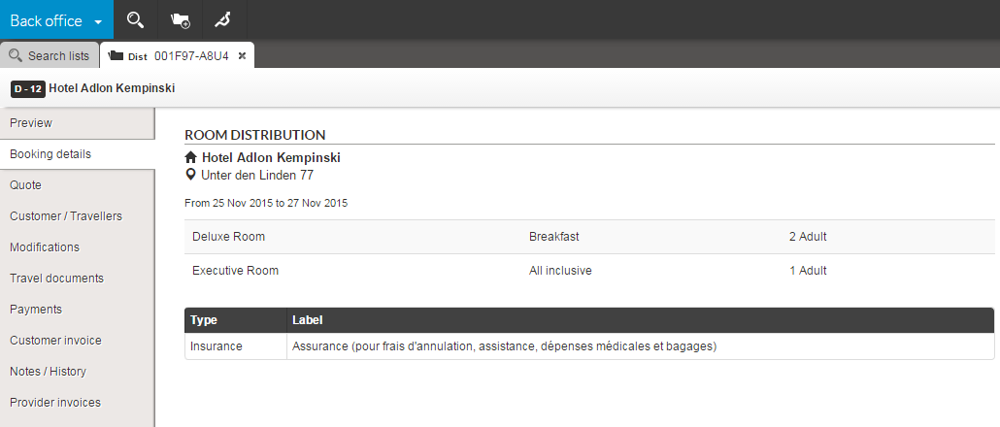
In the back office files, the ‘Trip details’ section has been changed to accommodate the ability to have a different meal option for each room (instead of a single meal option for all rooms).
When the meal option is the same for all rooms, it is displayed once below the room allocation.
New back office display mode for room and meal options for internal hotels
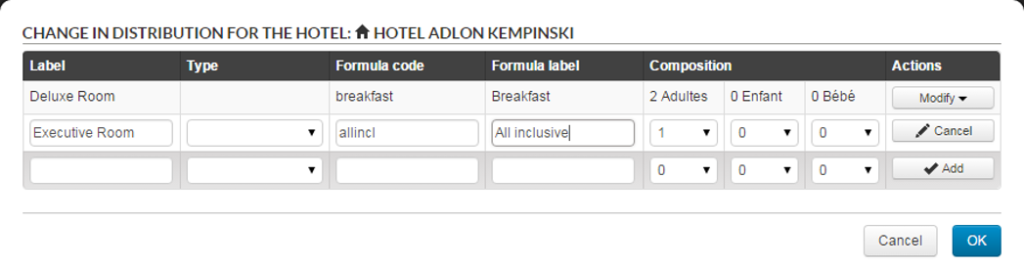
In addition, the ‘Edit’ section now makes it possible to change the meal options per room for internal Hotel bookings.
Changing meal options for internal hotels in the back office
Packages: Optimised hotel room display
The internal hotel rooms used in pre-packages also have a new, optimised display. The room combinations are now aggregated to create a clearer view while maintaining all the possible choices.
Depending on the hotel settings (rooms, meals, promotions) and the query type (number of people, number of rooms), the quantity of combinations presented can be reduced significantly, which vastly improves the readability of quote pages.
New aggregated display of internal hotel rooms in the Packages process
New producers
The output from Passions des îles and PopVoyages is now available on all versions of the platform.
The Ze-camping range is now available on the Orchestra platform.
New hotel sources
Europlayas and PortAventura hotel sources are now available on the Orchestra platform.
NG Travel connectivity update
The producers Promoséjours, Iléatours and Africatours are now available through their new system under the names : Promoséjours, Boomerang Circuits and Boomerang Séjours.
Evolution of providers connectivity
Solea will soon be available through their new system. It is currently being certified on the Orchestra platform.
Jet Tours rental products are now available on the Orchestra platform.