Update to management of access rights

New sections are now available in the user profile pop-up, which can be used for managing user permissions.

The first section concerns administration tasks for brands that are accessed in the “yields” of the “Price management” module. This is used to restrict permissions so that users are only able to manage a specific brand.

Section for managing brands within the “Price management” module

The second section concerns administration tasks for languages that are accessed in the product editorials. This is used to restrict permissions so that users are only able to manage a specific editorial language.

Section used for managing languages within the product editorials

The third section concerns administration of restrictions on distributor criteria. This is used to restrict the data that users are able to access in the administration tool search engines. This configuration must be associated to the “Restrict criteria” right for each of the designated tabs. In the example shown below, the user will only have access to the products categorised with the value “Level 1.3” for the selected criteria.
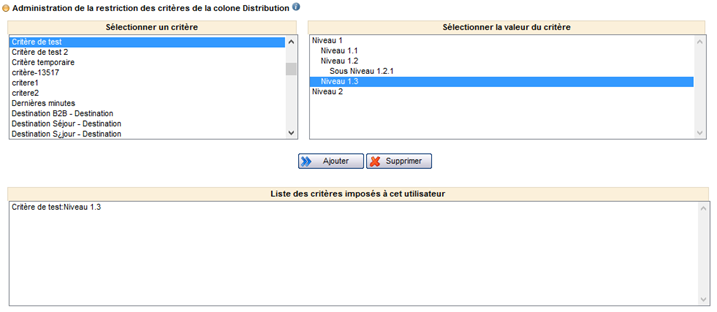
Section for managing criteria restrictions in the “Distribution” columns of search engines

Update to user management

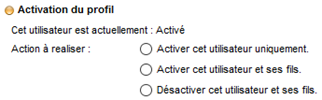
The function used to enable profiles, previously only available in the “Search users” section, can now be accessed directly in the user profile pop-up. This section is used to :

  • Enable the current user only,
  • Enable the current user and all dependent users,
  • Disable the current user and all dependent users.
Section used to enable/disable a user

Once users have been disabled they can no longer log onto the various different systems and they are shown greyed out within the user tree structure.

Displaying a disabled user in the user tree structure

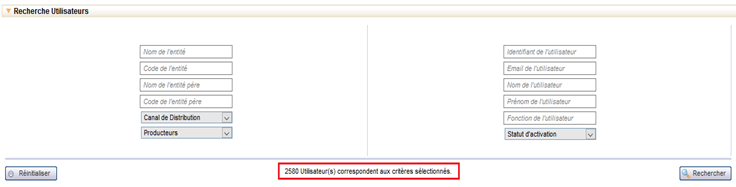
The “Search user” section now displays the number of elements that match the search criteria, similarly to all the other search engines used in the administration tool.

Number of users matching the search criteria

All-inclusive booking fees

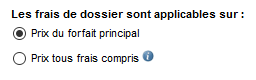
It is now possible to select whether booking fees apply only to the main package price or to the all-inclusive price. This configuration is applied in Configuration > Fees and reductions > Booking fees. The all-inclusive price includes the price of the following elements :

  • Main package,
  • Taxes,
  • Compulsory service provisions,
  • Optional service provisions,
  • Delivery fees.

The configuration of the booking channel will determine whether or not other elements are included.

Application of booking fees

Optimisations
to pre-package refresh

The pre-package module has been optimised in order to improve cache file processing times for the different compatible sources.

Other optimisations have also been made to reduce the time required to update pricing information in order for the catalogues to display the most recent data possible.

New file
confirmation/invalidation web services

New Back Office web services are now available. They are used to confirm file requests, or equally to invalidate them.

Display payment transaction type

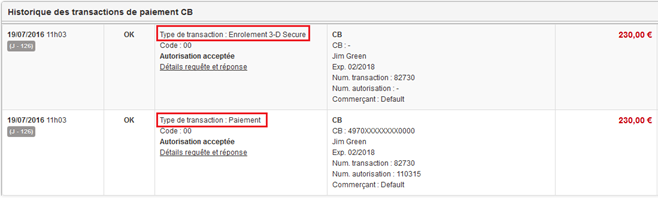
The entry “transaction type” has been added to the file payment history information. This is used to differentiate between operations involving authorisation, capture, 3D Secure, reimbursement and cancellation.

For example, when bookings have been made via a payment using 3DS verification, two very similar transactions are logged in the Back Office. The transaction type entry now makes it possible to differentiate between them.

Transaction type in the payment transactions history

Update to the sales processes
for Hotels / Transport / Dynamic packages

The ergonomics of the sales processes for hotels, transport and dynamic packages has been improved at various different levels.

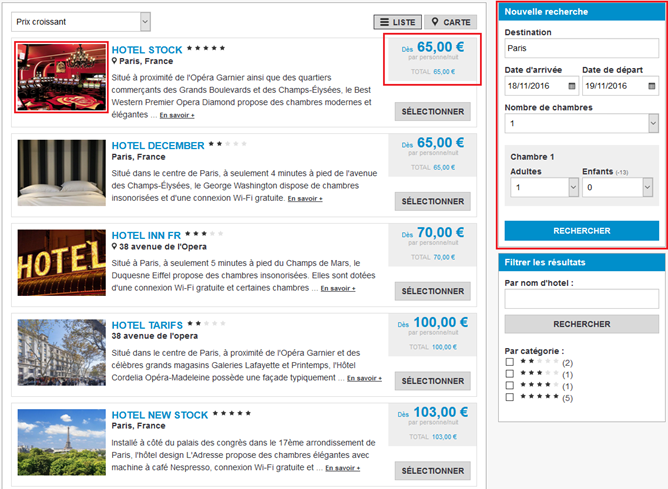
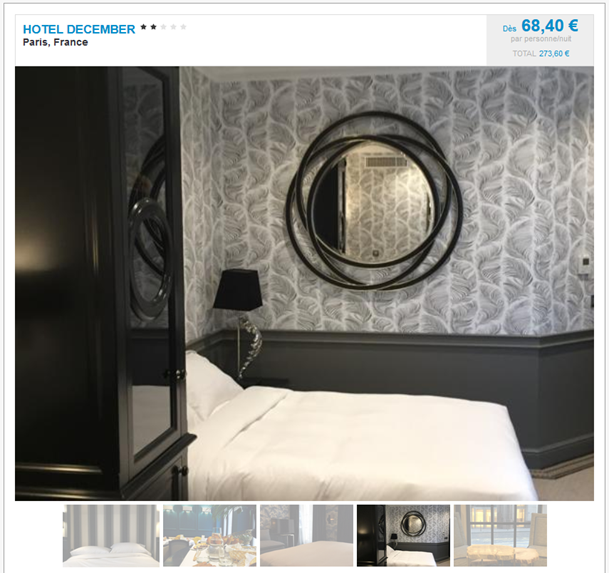
In terms of search engine results, the hotel results entries can now be configured to show either the price per person and per night, or the total price. The thumbnail images shown in the search results are mini photo carousels. Clicking on these thumbnails will display the hotel slideshow.

The new search form and summary are now combined in the side bar.

Hotel sales process showing mini carousel, price block and new search form/summary to the right

The hotel slideshows have been updated and can now be displayed at the top of the hotel information sheet for improved visibility.

Hotel slideshow is shown at the top of the hotel information

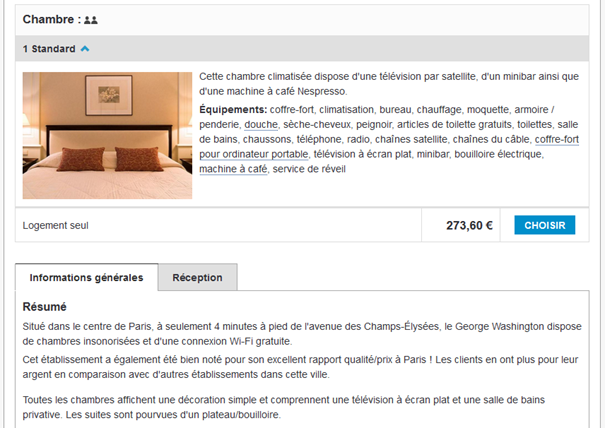
Similarly, the room descriptions can be placed at the top of the hotel information, beneath the slideshow, or within a hotel information tab.

Hotel rooms are shown at the top of the hotel information

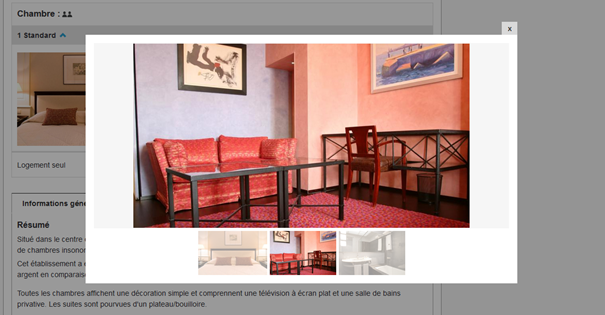
The left-hand image is also a mini photo carousel and clicking on this image will open a slideshow pop-in.

Slideshow of hotel rooms is shown

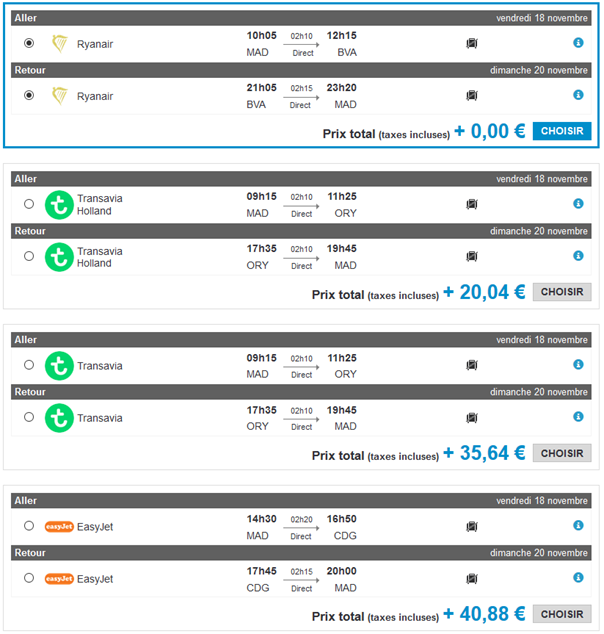
In terms of the sales processes for transport and dynamic packages, improvements have been made to the way that the results entries for flights are displayed, in order to optimise visibility of key information.

A frame also appears to highlight the selected flight.

New display for flight results entries

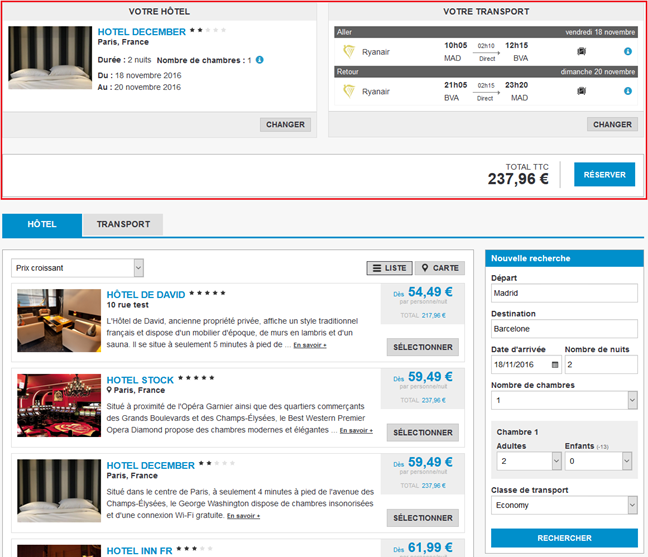
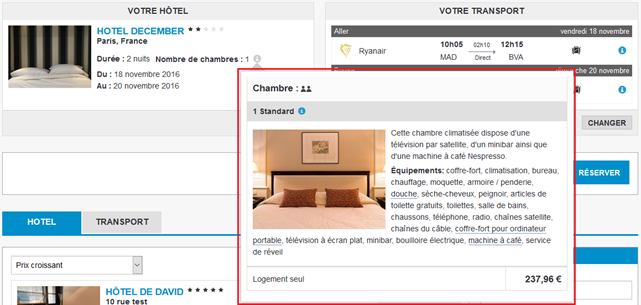
In terms of the dynamic package sales process, the trip summary has been completely redesigned and is now displayed in the form of two adjacent blocks: the selected hotel summary to the left and the selected flight summary to the right. Details of rooms and flights can be displayed by clicking the corresponding icons (i).

New summary in dynamic package sales process
Opening room details in the summary

New hotel sources

The reservations centre H-Résa, which aggregates various different hotel sources, is now available on the platform. Access to H-Résa is compatible with the sales processes for hotels, dynamic packages and pre-packages.

The Koedia system, which interconnects with various different hotel reservation centres, is now available on the platform. Use of Koedia is compatible with the sales processes for hotels, dynamic packages and pre-packages.

New provider

The provider Center Parcs has been integrated and is currently being certified.

Provider developments

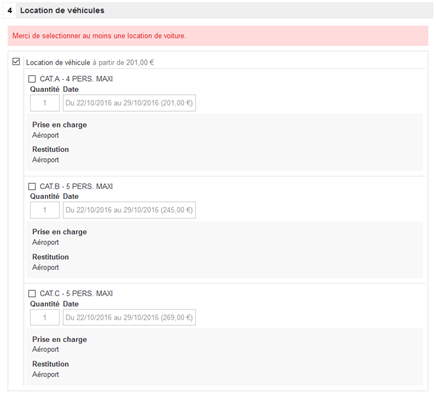
There have been improvements to the way that car rental services are presented for the provider Fram. This development is available with version 13.6 of the platform.

Car rental section for the provider Fram

There have been improvements to the way content is imported from the provider Special Tours in order to collect a greater number of images for product information slideshows. The tours now include photos of the towns/cities covered in the tour. The hotel descriptions have also been improved by adding categories for each hotel.

Updates to transport sources

Various improvements have been made to the way the Azorflight flight source is integrated. These developments are compatible with the sales processes for transport and dynamic packages.

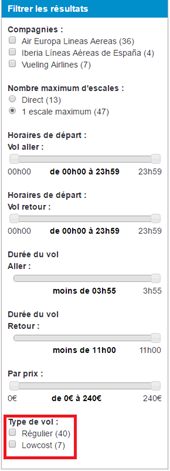
The flights filter side bar can now be used to filter scheduled flights or low cost flights.

Flights type filter

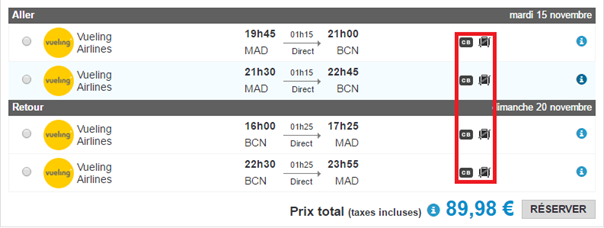
The flights results entries now include a new icon to indicate the terms for payment cards. This icon shows whether the airline charges an additional fee depending on the payment card used.

“Payment card terms” icon alongside the “luggage not included” icon

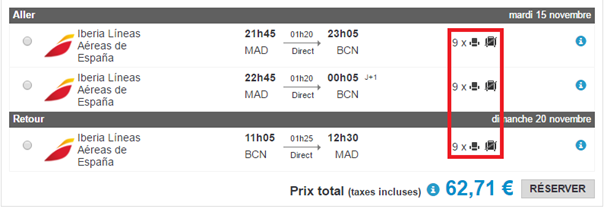
A separate icon indicates the remaining number of seats available for the flight. It is possible to configure the threshold number for triggering this icon.

“Remaining seats available” icon alongside the “luggage not included” icon

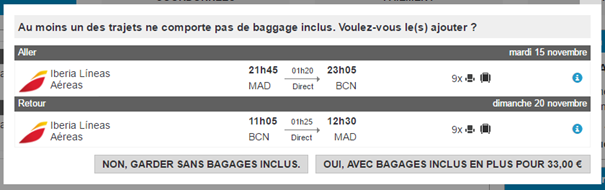
In addition, a new pop-in can be used to select an alternative flight identical to the one chosen but with luggage included.

Pop-in for selecting an alternative flight with luggage included

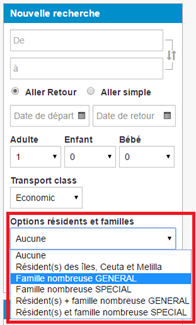
Lastly, the search engine can now perform a search by large family and/or resident

New search option