Modification to back office exports

In all the exports generated from the BO search engine results, the amounts were formatted with spaces as separators for groups of thousands. As such, “€10000.00” was displayed as “€10 000.00”.

These separators have now been removed for greater ease of processing and to make the exports more readily exploitable via MS Excel, for example.

Changes to connectivity with SynXis

It is now possible to configure a custom list of hotels by distributor through connectivity with SynXis.

Improved booking process
for dynamic packages : Flight + Hotel

In this version (and the previous version), we made improvements to the Flight + Hotel booking process to optimise the user experience and to add new functionality.

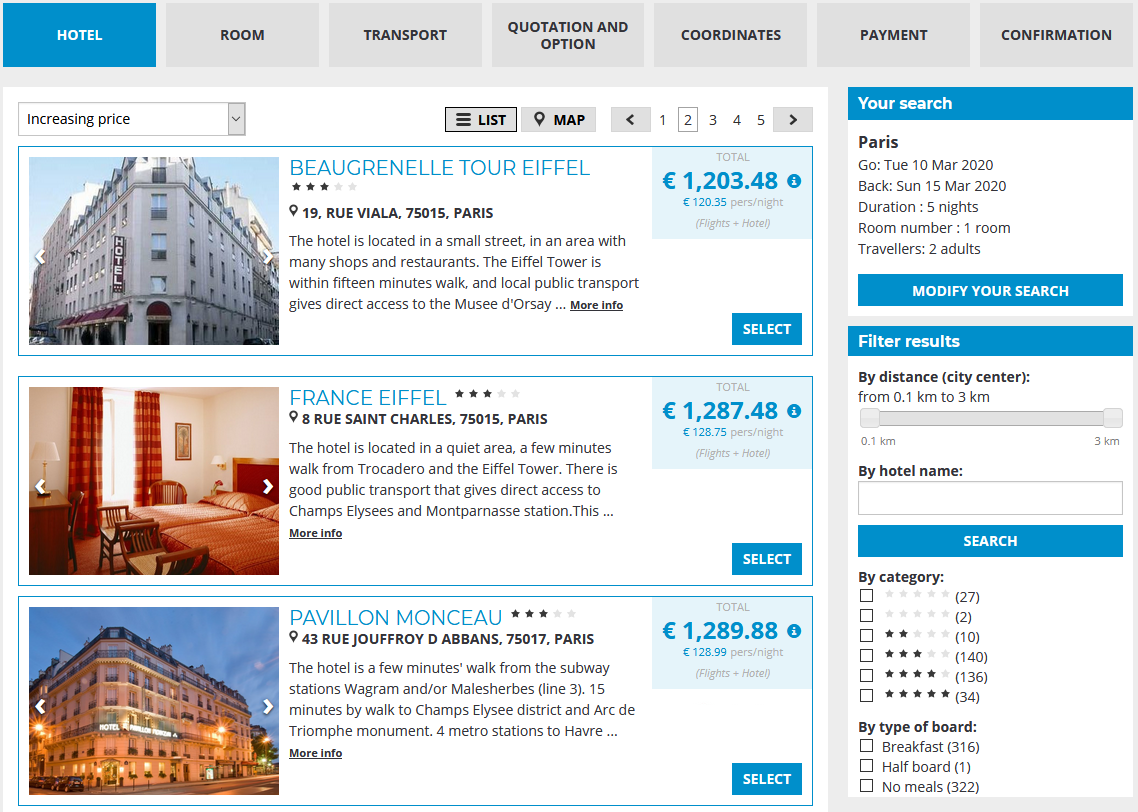
The first step is to select the hotel, displayed either in list format or on a map, with the option to filter by hotel name, by category, or by type of board.

Selecting the hotel

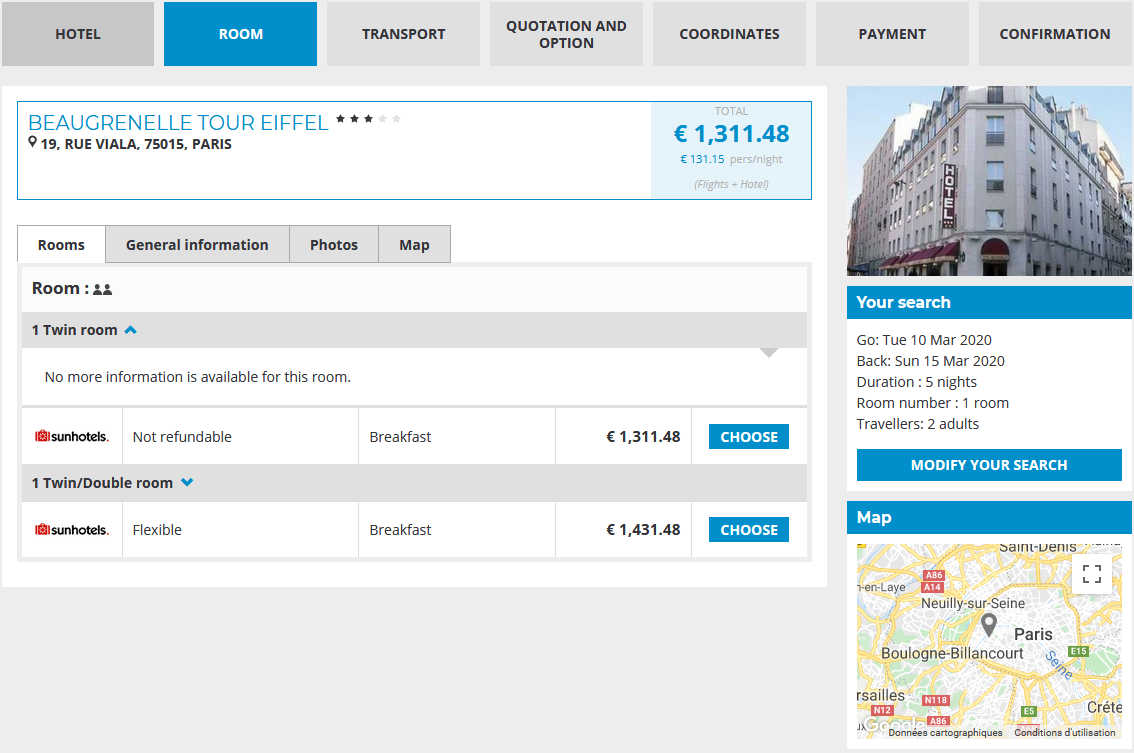
The next step is to select the room and type of board :

Selecting the room and type of board

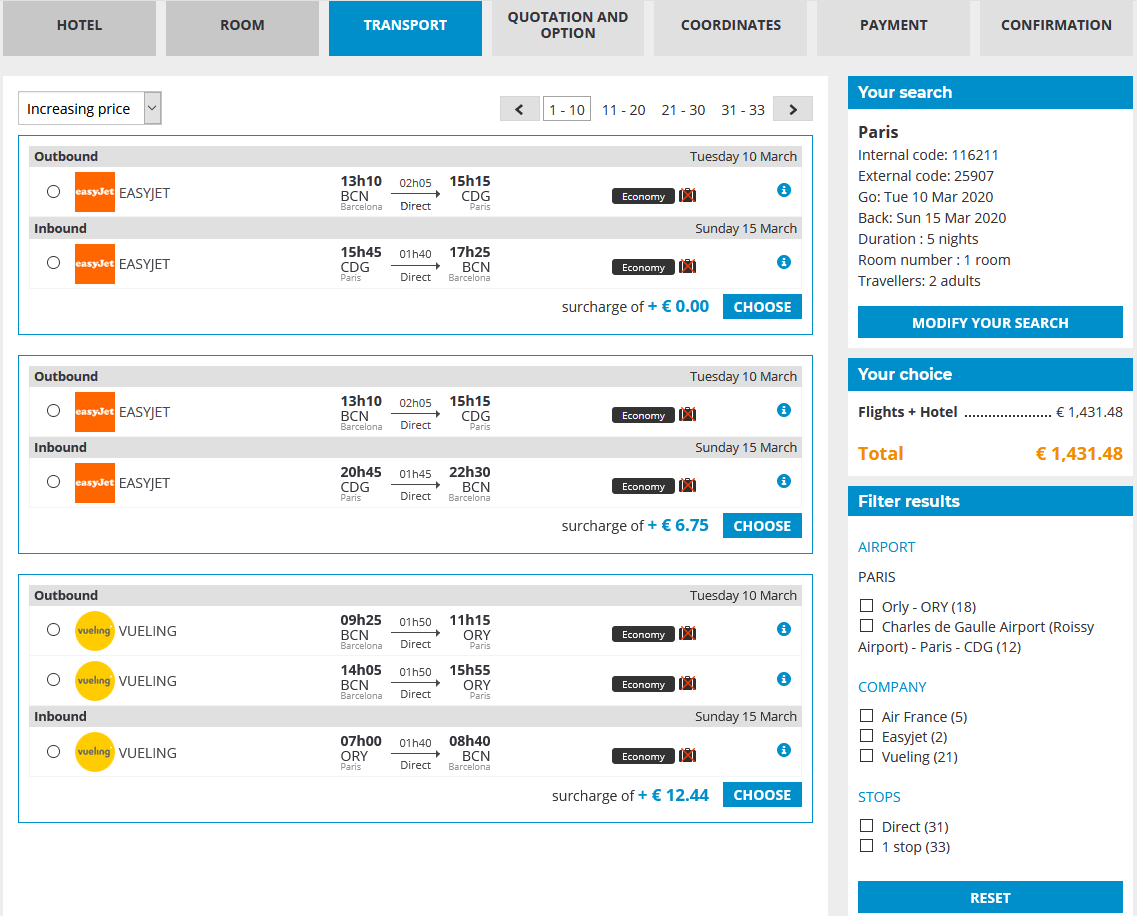
The transport tab is used to select the flight; alternative flight options to the default flight selection are displayed together with price differences, and the flights can be filtered by airport, airline company or number of stops.

Slecting the flight

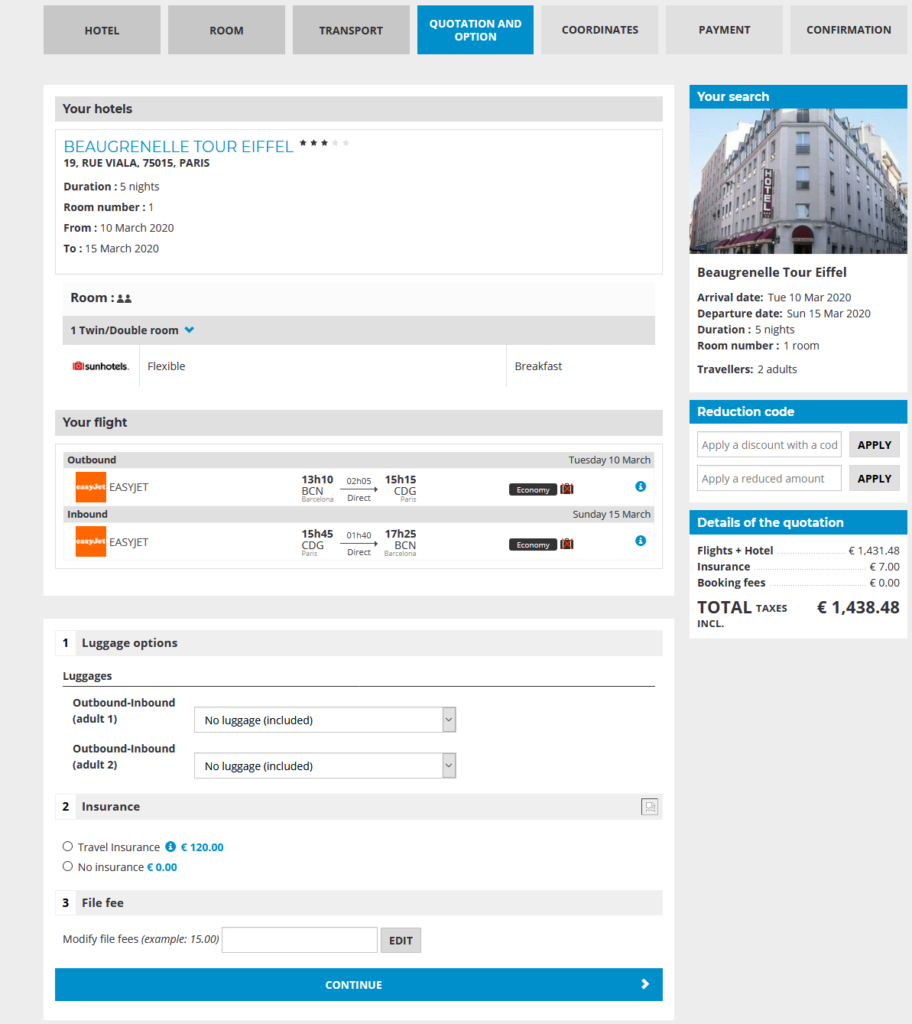
The quotation page sets out a summary of the customer’s selected options and a proposal for all other bookable services (can vary according to sources used), together with insurance products.

Quotation page, summarising the order and the additional services chosen.

The final steps in the booking process are to enter the customer’s contact details, payment and booking confirmation.

Optimised price cache
calculation for pre-packages and availabilities

Optimised price cache calculation :

Following each update of Transport availabilities in DPCache (the internal system used to calculate the pre-package prices), a process updates the prices linked to the modified Transport availabilities. Based on these modified transport availabilities, users search for potential availabilities of transfers and car rentals, which are also included in these pre-packages, in order to arrive at the best base price.

The optimisation has removed 80-90% of calls to Transfers and Car Rental availabilities that were not relevant to the pricing update.

Optimisation to adding or modifying
availabilities when a pre-package is modified:

We have made changes to the mechanism used to delete availabilities in the administration tool. If the customer has not changed the structure of the pre-package (and has only modified the periods, for example), it retains the point of intersection between the old and new availabilities created.

If the customer has changed the structure of the pre-package, by default, it will delete all of the old availabilities and re-generate them. However, it is now possible (via a configuration setting) to give the provider the option to decide whether to retain the old availabilities even if the structure is altered.

This means that if the structure is unchanged or if the person creating the pre-package wants to, it is possible to modify a pre-package that is published and available for booking without causing it to become unavailable during the time it takes to recalculate the availabilities.

Monitoring of payments via ProcessOut

L’attribut alt de cette image est vide, son nom de fichier est image-17.png.

ProcessOut is a monitoring and performance optimisation solution for payments within an online sales process. We have set up an API that connects the Orchestra booking process to the distributor’s ProcessOut account.

Paperless holiday vouchers

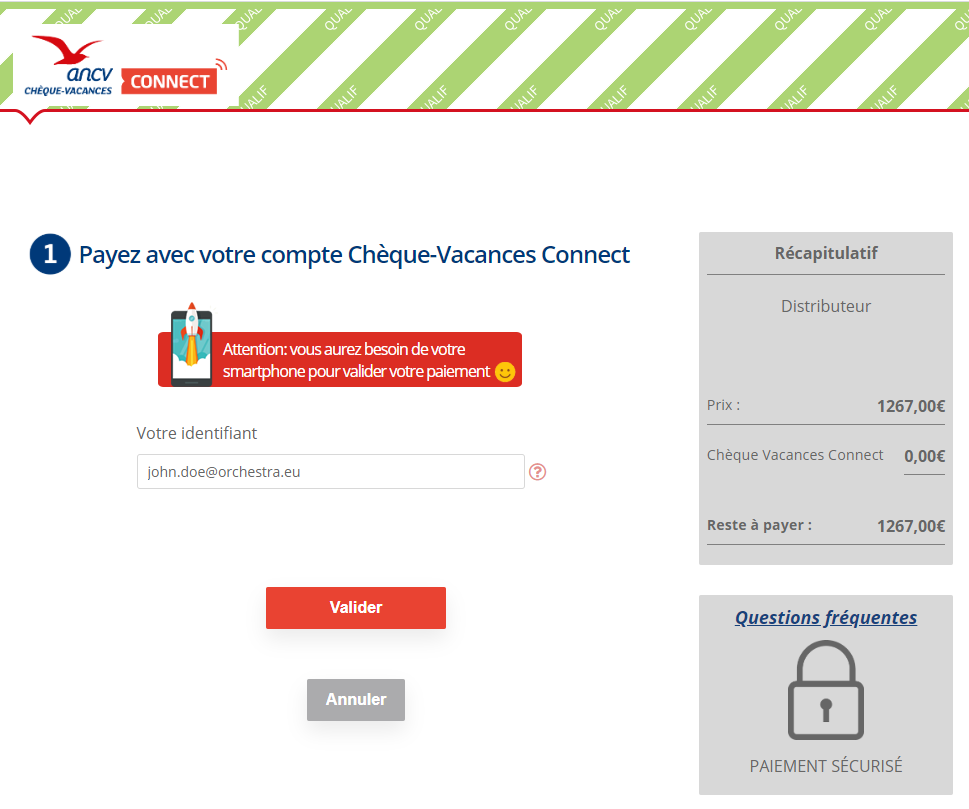
The Orchestra platform now features a new payment method via Limonetik for paperless ANCV holiday vouchers (Chèques-Vacances).

During the booking process, customers can opt to pay using Connect holiday vouchers. This redirects to a Limonetik page prompting them to log in to their Connect account and proceed with their payment using the step-by-step guide on their smartphone.

When the payment is validated, the page redirects to the distributor’s booking process when the user can complete the payment using another payment method or finalise the booking.

Managing flight links for
“at destination” and “in-flight” services

For better consistency between the different services offered, the flights-services links have been updated as follows :

Services with no associated country or city, i.e. services on board the flight, can be linked to all criteria. Services with an associated country or city, i.e. services on site, must be linked :

  • either to the departure airport of the outbound flight (for airport lounge services, for example).
  • or to the arrival city (or airport) of the outbound flight.
  • or to the departure city (or airport) of the inbound flight.

Airport taxes and filters for
cancellation policies with AirGateway

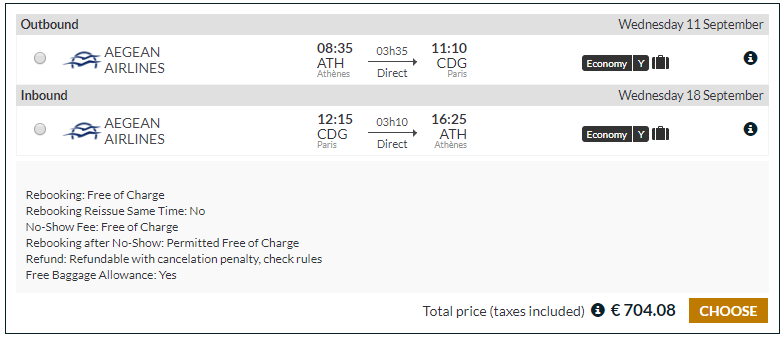
For airline ticket refunds, it is important to be able to differentiate between the different taxes included in the ticket price. This development makes it possible to separate out the YQ/YR taxes from other taxes and to retain the total amount. Theses taxes can be grouped and the group heading is configurable.

Example displaying cancellation policies

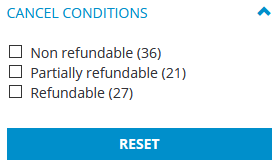
We have also added the functionality to filter flights by cancellation policies. When selecting the flight, the filters column now includes the filters “Refundable”, “Non-refundable” and “Part-refundable”.

Filter for cancellation policies

Managing the Meteor cache

Meteor is a central system within Orchestra that translates the entire set of product flows from all provider systems and forwards them to the different distributors.

We have included a development that will allow the Provider and Connectivity teams to be more responsive when working on this system.

New content flow format
for the PVCP Group

In order to support a technical development to PVCP Group’s IT systems, the Adagio, Maeva, Pierre & Vacances and Center Parcs brands are using a new flow format to send their product content to the Orchestra platform.

Communication of agency
name for rentals

For certain seasonal accommodation rentals, the keys to the property need to be collected from a management agency.

In order to provide the customer with clear details about the agency managing the property rental, this information is retrieved and saved to the booking file for communication to the customer.

Option expiry date
for manual booking files

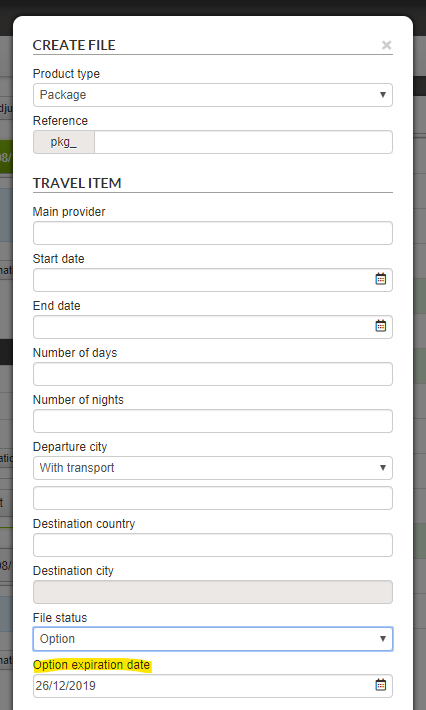
When creating a manual booking file, a new field appears for the “Option” file status where users can enter a validity end date (future dates only).

Cc and Bcc recipients
in back office emails and attachments

When sending emails from the back office, the Cc and Bcc recipients are now recorded in sent emails for information and traceability purposes.

We have also added a configuration-enabled function used to send and receive attachments from the back office.

A new “attach” button now appears in the email utility. Clicking this button opens a pop-up window used to select the attachments. It is possible to select several attachments.

Incoming emails with attachments can be identified by the “paper clip” icon, and attachments are available for displaying and downloading beneath the message.

If unauthorised attachments are included in the email, a notification message will be displayed.

Message displayed for unauthorised attachments.

It is possible to configure the allowable size and type of attachments.

Work on the WYSIWYG editor

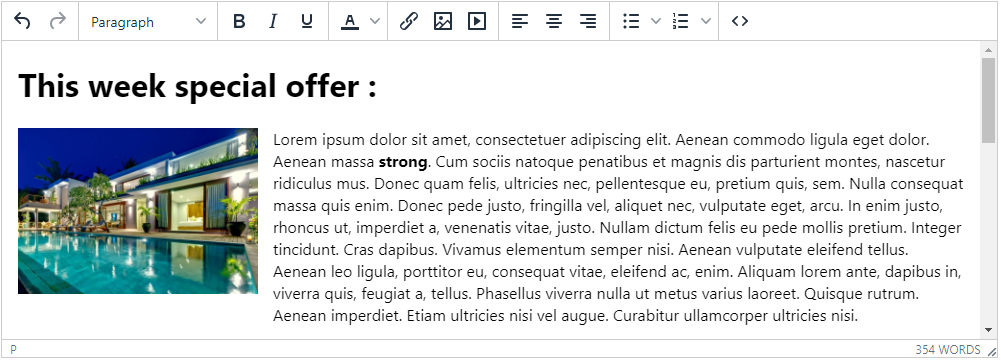
A WYSIWYG (What You See Is What You Get) editor is a system that allows users to format text visually within an interface. The editor’s job is to generate code so that the page is saved in a format ready for display on a web page (for editorial content or product pages, for example).

In this version, we have worked on a new text editor version that is available in the test version via a configuration for the editorial content “Transverse Content”, “Hotel Room”, “Hotel Service” and “Stage”.

Insurance products by place of departure

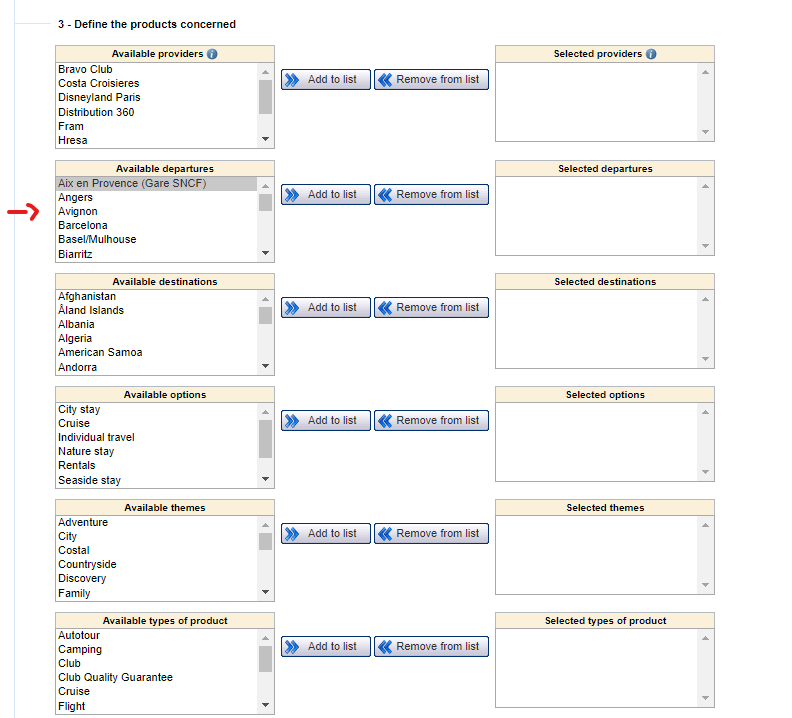
In response to the requirement to be able to differentiate between insurance products according to the country of departure for the transport, package or dynamic package, it is now possible to configure insurance products according to the place of departure of the product.

Review of application exports

Hundreds of exports are carried out every day (and particularly at night) by the Orchestra platform. These exports, set at different frequencies, are used to centralise and send data to various different systems (accounting, BI, CRM, production or distribution) in order to complete and archive “real-time” data exchanges for the previous period.

Given the rapidly increasing volumes processed by Orchestra on a regular basis, there is an ongoing need to optimise the algorithms that govern these key functions. In this version, we have worked on different ways to compress these application exports in order to adapt in line with new volumes and new uses.