To allow faster creation of product criteria by
Orchestra users, it is now possible to search in different criteria creation
windows using criteria codes (and no longer only using the label, which is
often longer).
This code is also displayed alongside the
criterion label.
This feature can be activated through a
configuration. In the absence of any action, the operation remains the same as
before this change.
Yield performance improvements
For Hotel and Dynamic Package processes, the
yield algorithm has been redesigned to improve performance and therefore allow
greater reactivity from the interfaces.
These improvements to the algorithm performance
support increased sales volumes for our partners, but also serve to improve
booking process conversion rates, making the process smoother and improving the
reactivity of the interfaces.
Casino bank payment and agency networks
The management of payment for agency networks may require the sending of precise information about the agency making the sale. PSP Casino bank can now be used for agency networks.
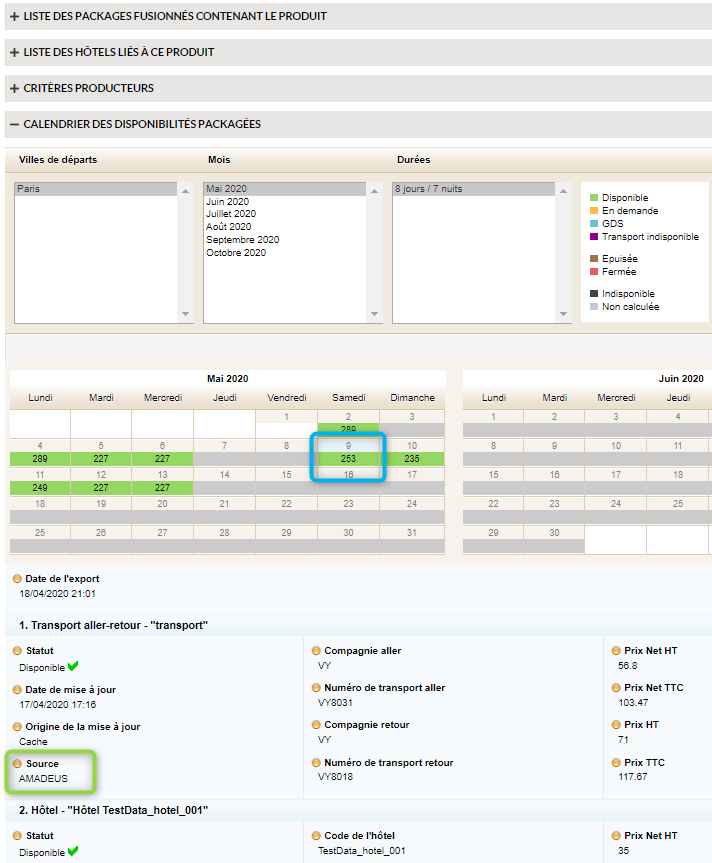
Displaying the flight source in the availability details
Given the increase in the use of several flight sources for the creation of pre-packages, it has become necessary to display the technical source of the flights in the availability details.
Display of the availability details for a pre-package
This information is therefore now available by clicking on availability in the calendar section for pre-package availability.
Exporting abandoned baskets
For customers connected to a direct sale
website, the feature to export abandoned baskets has been added.
If a booking process session has been started
but has not resulted in a booking, the customer information is collected and
can be exported regularly in a CSV file.
Passport information for MSC (mandatory or otherwise)
A configuration now exists to define whether
passenger passport information is mandatory, optional or not requested for the
provider MSC.
The three scenarios are therefore possible:
Information mandatory (as was the case until this update)
Information not requested (no entry zone)
Information requested but not mandatory.
In terms of connectivity, the information, if
available, is sent to the source regardless.
Reporting of taxes for the Alltrips flight source (Sapeig)
The different taxes on flights from the Alltrips source are now accessible, saved and available in the back-office for pre-package products using this flight source.
Email notification for the sub-provider of a package
In the case of pre-packages, an email
notification may concern only one of the sub-providers of this pre-package. The
notification can be sent to them directly, and no longer sent only to the main
provider.
The relevant notification is therefore sent to
the contact who can perform the necessary action directly.
Managing customer payment and version information in Gestour
Different payment information needs to be sent
to the Gestour back-office to complete the information for a file, depending on
the situation. The request containing this information may be made in different
ways depending on the information required (the PSP used, for example).
For those readers with more detailed technical
knowledge, this means a configuration allowing the choice between the
“enregistrerEncaissementCommande” request in Gestour, or the XFT “addPayment”
request.
Another update involves adding the target
Gestour customer record version number (in the post-booking stage). This allows
Gestour to halve the number of customer records.
Managing user rights for service sources
This change to the Administration rights allows a distinction to be made in the way management and visibility rights are given from different service sources within the same instance of the Orchestra platform.
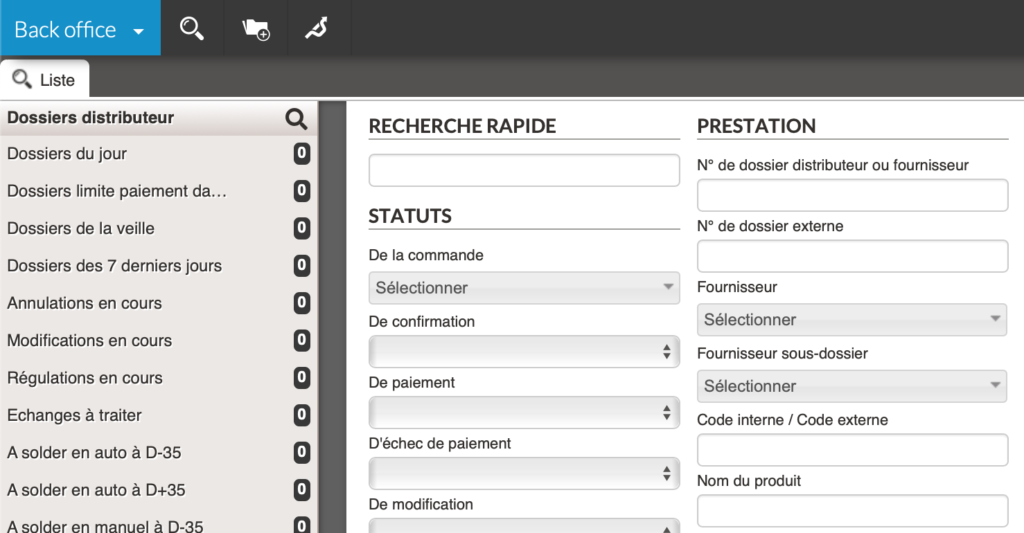
Adding new search parameters for pre-defined lists
In the Orchestra back-office, the search engine
allows access to files which meet these criteria.
These searches can be saved as favourites, thus
allowing the results of these searches to be accessed with a single click. You
are free to manage these favourite searches based on your preferences.
List of pre-defined searches
Certain business processes require specific
attention to files with a specific status. In this case, searches can be
defined (in collaboration with your project manager and through configuration),
with these searches then appearing above your favourite lists, in the left-hand
column of the interface.
New search criteria are now available for these
lists as of version 17.2:
Files corresponding to one or more payment statuses
Files for which the amount remaining to be paid (total amount
– amount paid) is lower than or equal to an amount.
Files for which the amount remaining to be paid is strictly
greater than an amount.
All of these amounts may also be negative (a
negative amount remaining to be paid may occur in certain cases).
Direct connectivity for airlines
Work on direct connectivity for airlines is continuing. New connectivity is integrated in such a way that all business processes used in the sale of plane tickets are integrated, from the search to the post-booking stage.