Open-Jaw flights via Tots (ViaXoft) in pre-packages
Following the improvements to manage additional baggage and the adjustment of airline wording, it is now available to pre-package with Open-Jaw flights via the Tots flight source (ViaXoft).
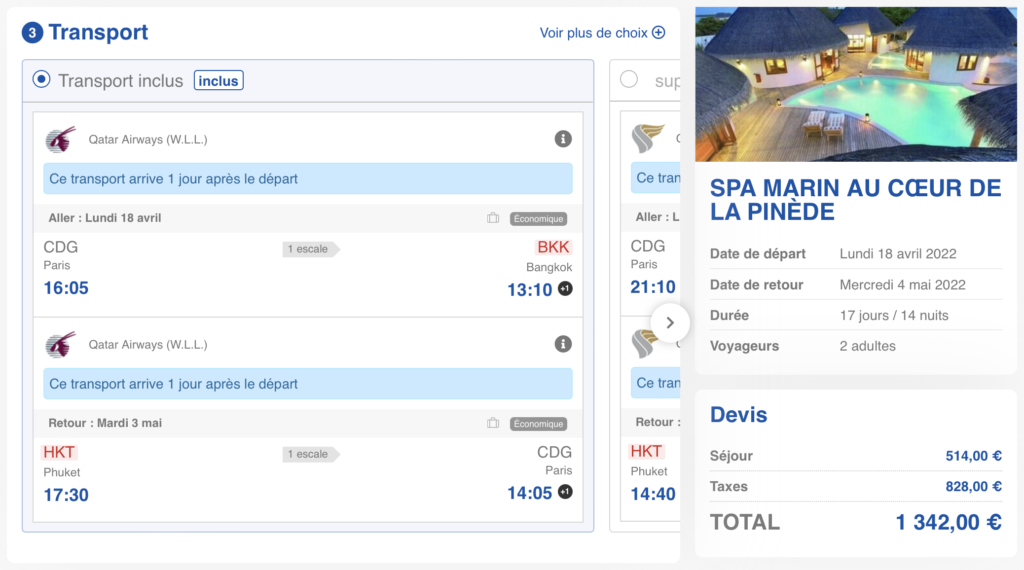
Flights included in the responsive booking process
The arrival airport of the outbound flight and the departure airport of the return flight are highlighted with a more dynamic hue to emphasize this particularity of the trip.
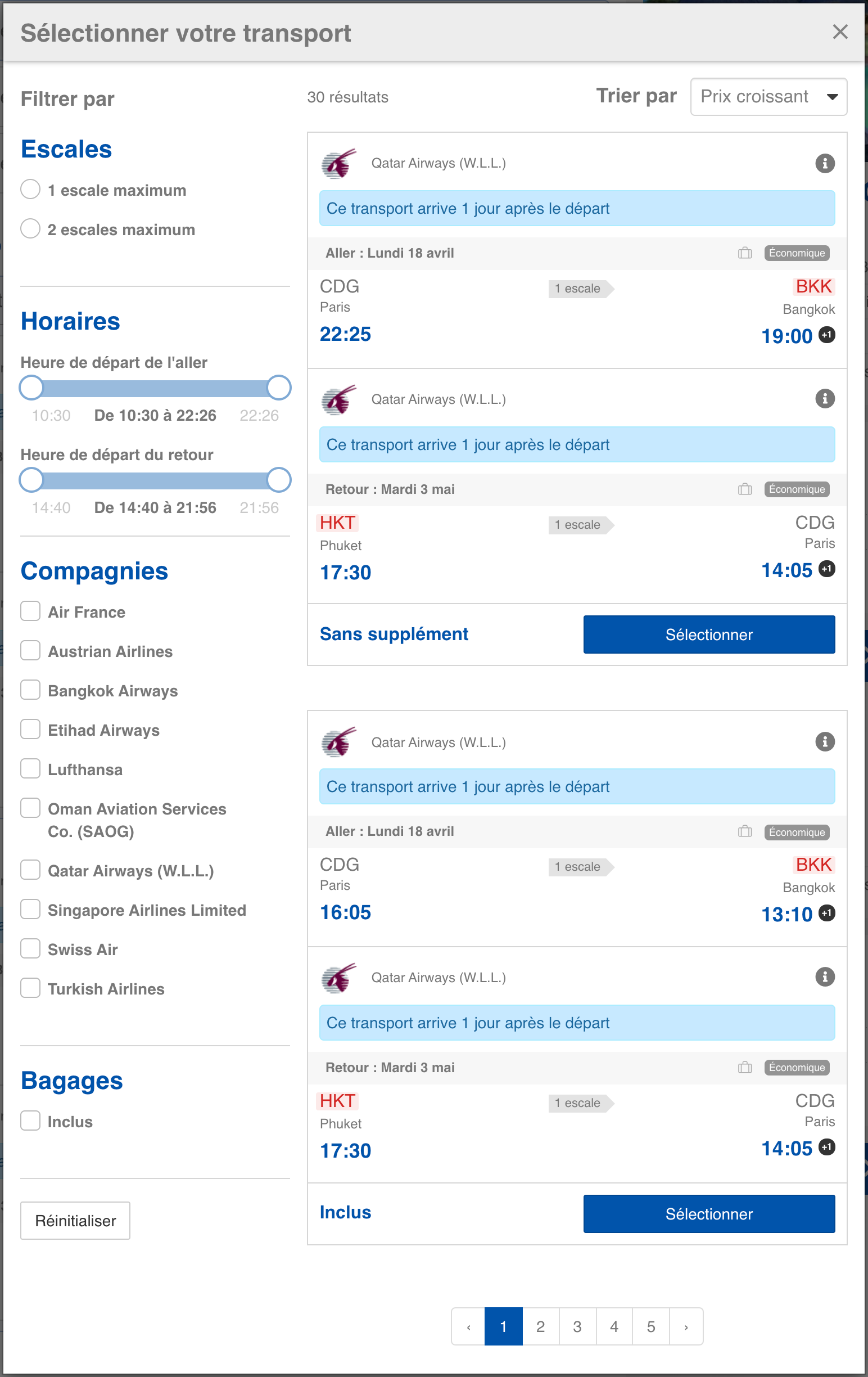
Alternative transportation selection pop-in in the responsive booking process
Luggage management according to pax
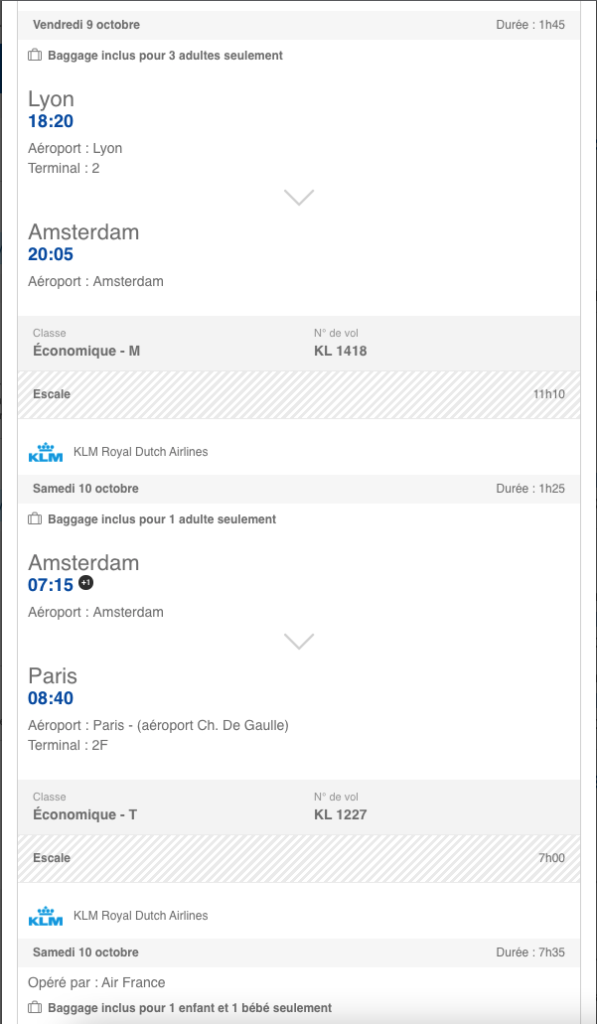
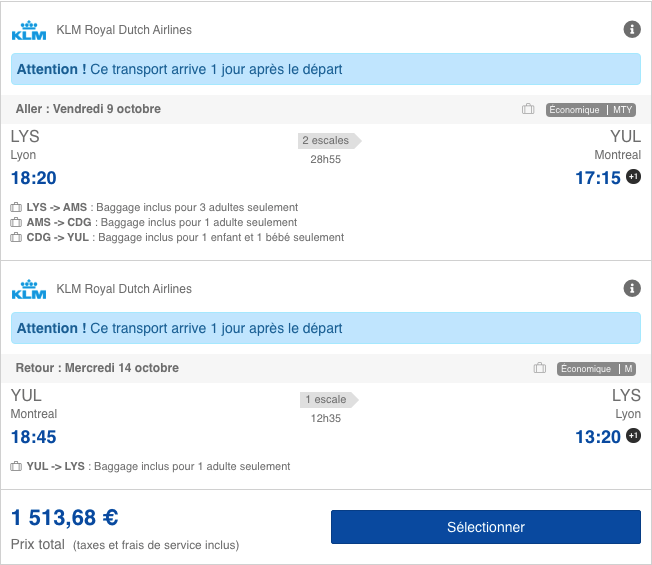
Following this evolution, if luggage is available for a flight but is not available for all types of passengers (this is called an “exception”) a text is displayed describing the types of pax that are concerned by these exceptions.
This evolution has been implemented for the sources managing baggage details by type of traveler. This concerns :
Amadeus
JetAirFly
MisterFly
All NDC sources
On the front-office side, this evolution is available on all devices on the responsive booking process.
Can be activated via a configuration, according to two options:
(By default:) Display the message only when exceptions exist, i.e. when bags are not included for all passengers.
Even when there are no exceptions, always display the message: “Bags included for all passengers”
Display in the cartridges, wherever the cartridge is displayed, in the outbound and inbound blocks. This way the user is informed if the exception concerns the outbound or the return trip.
The baggage pictogram in front of these messages in the outbound and inbound sections, to make it clear that it is a baggage information.
There is no impact on the filters, nor on the display of the existing baggage pictogram.
This information is also transmitted to the back-office.
Ajout de nouvelles recherches favorites dans le backoffice
It is now possible to search for folders and add favorite searches by type of changes in order to obtain and result only in changes of a certain type.
Here are the details of the available searches by change type:
In progress – add-on modification
Includes all the folders with a modification in progress and the subject is “Service”
The file is removed from the recycle garbage can when the modification is invalidated or accepted (it is no longer in progress)
In progress – date modification
Includes all the folders with a modification in progress so the object is “Start date” or “Duration”
The file is removed from the basket when the modification is invalidated or accepted (it is no longer in progress)
In progress – participant modification
Includes all the files with an ongoing modification and the subject is “Participant” or “Distribution”
The file is removed from the basket when the modification is invalidated or accepted (it is no longer in progress)
In progress – modification
Includes all folders with a pending modification (unless it is one of the 3 cases above)
The file is removed from the basket when the modification is invalidated or accepted (it is no longer in progress)
In progress – service regulation
Includes all the files with a regulation in progress so the object is “Service”
The file is removed from the basket when the modification is invalidated or accepted (it is no longer in progress)
In progress – service regulation
Includes all the files with a modification in progress so the object is “Activities and services
The file is removed from the basket when the modification is invalidated or accepted (it is no longer in progress)
In progress – regulation
Includes all the files with a regulation in progress (except if it is one of the 2 cases above)
The file is removed from the basket when the regulation is invalidated or accepted (it is no longer in progress)
Green Labels for Hotels and links to packages
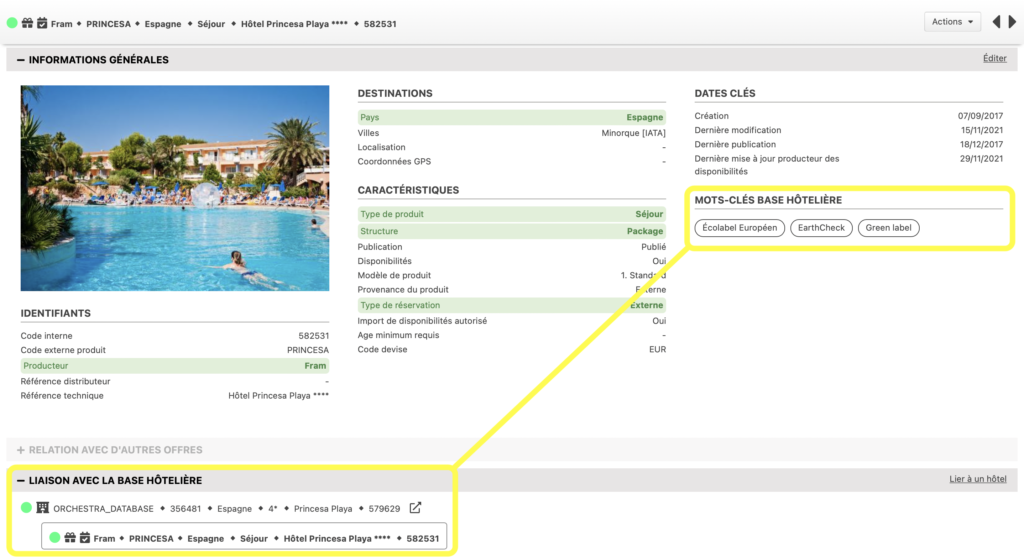
The notion of Green labels producer keywords has been added, it allows to add to the hotels (and to the products containing labeled hotels) the information of the associated Green Labels.
The products with a “green” label are therefore identified thanks to the producer criteria of their linked hotels.
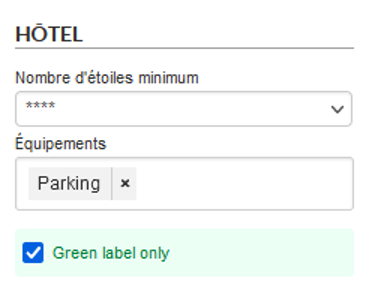
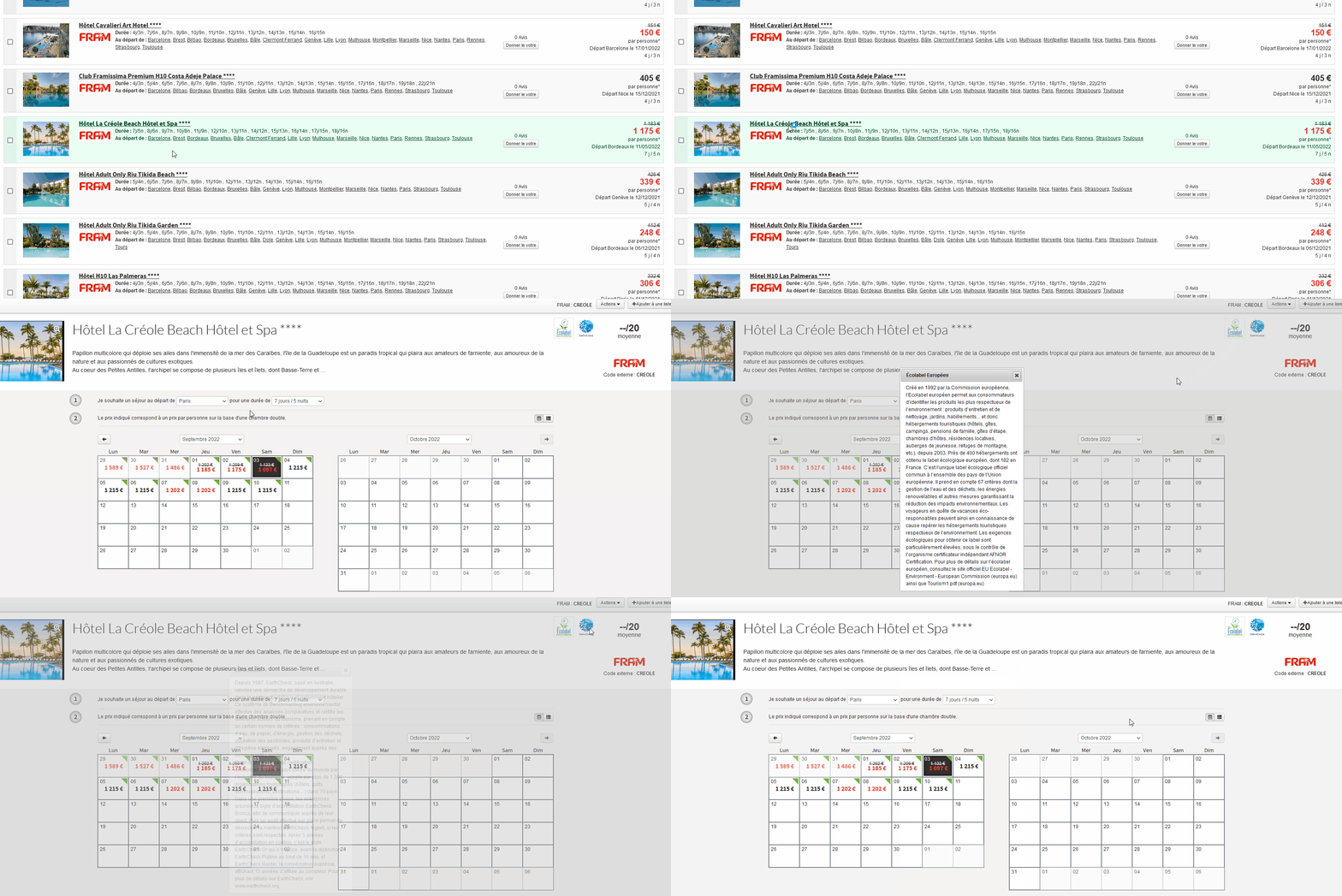
In the B2B package search form, a checkbox allowing to filter the products with a green label can be added via a configuration. On the search result, the products with a label are green. On the description of a green product, you can see the logos of the green label(s) of the product. When clicking on one of these logos, the description of the associated label is displayed.
The labels currently available are :
To activate this functionality, a configuration is necessary.
Header of modal windows and Actions
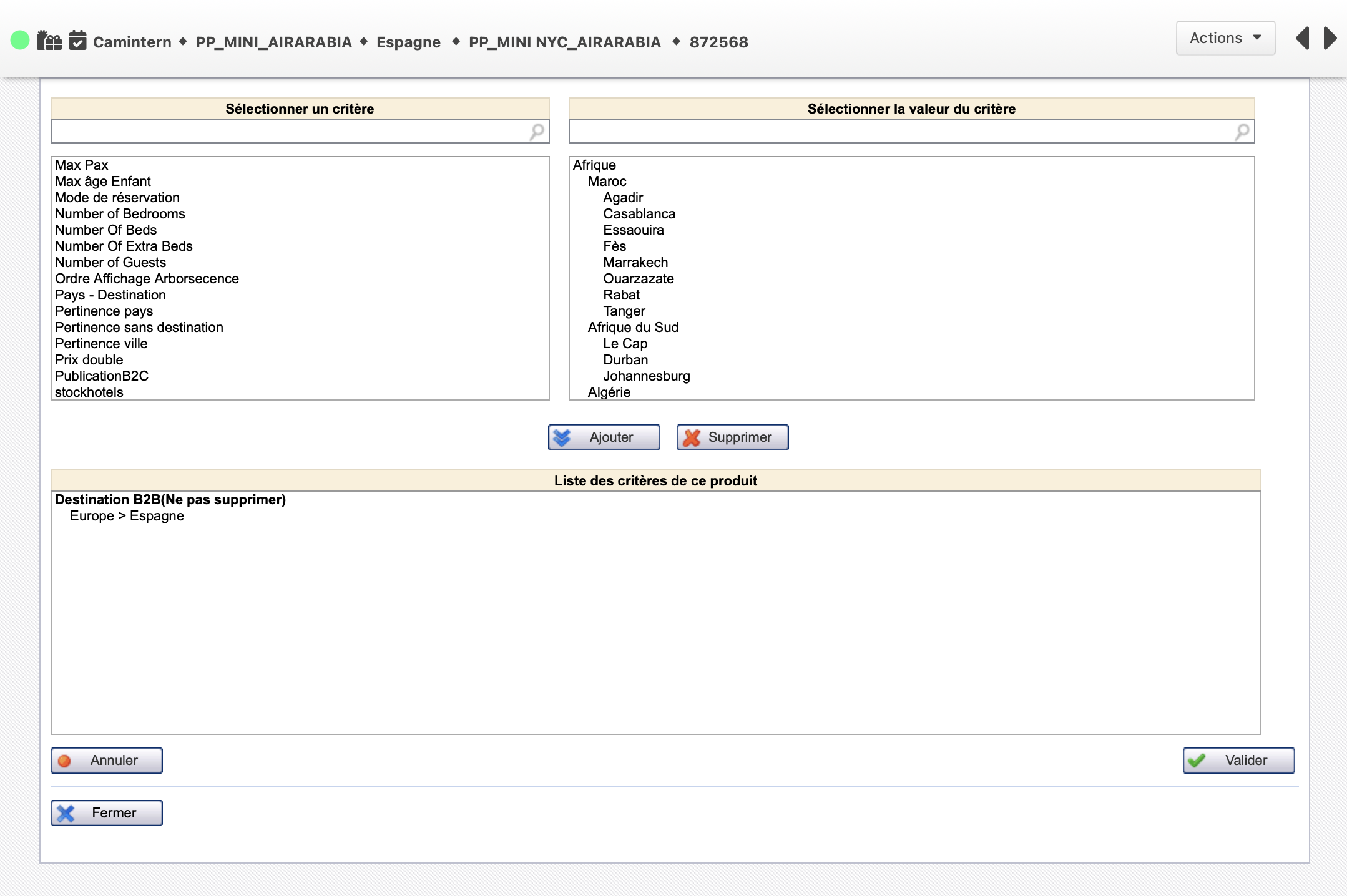
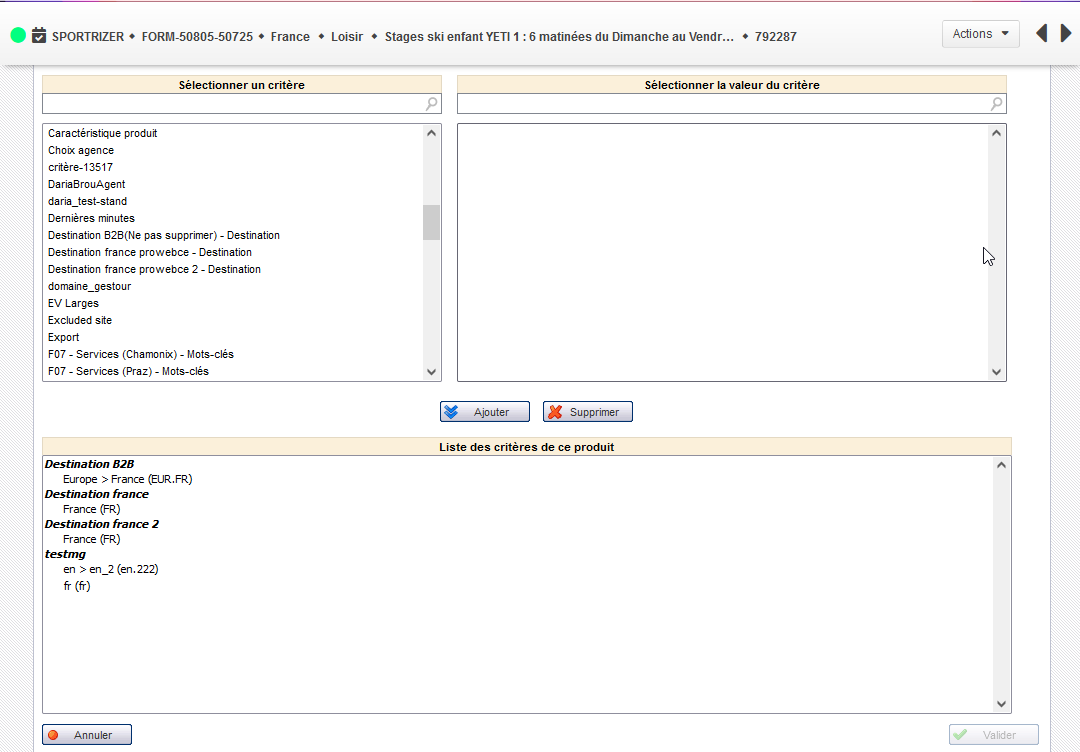
Pop-up for product criterization
In the Administration, the top of the page summarizing product information and containing the list of actions is now available on all action interfaces. (Example above with the criterization pop-up).
The navigation arrows in the search results are also present and have been enlarged for more comfort and visibility.
B2B2X inter-Orchestra booking
More and more Orchestra partners and tour operators produce or wish to distribute their catalog to other customers using Orchestra for their distribution.
This feature has been improved to be used in Marketplace mode
Thus, the insurance used in these reservations can come from either the producer or the distributor (depending on configuration).
The payment information customer information can be transmitted to the supplier so that he can manage the reservations.
Major Evolution of Activities and Services
Introduction
As part of the deployment of vertical Activities and Services in distributors using Orchestra, the administration of “Activities and Services” (formerly Benefits) evolves from version 19.3, at several levels:
Services are now called Activities in the whole Administration.
In the administration tool interfaces, the term product now refers to both packages and activities.
It is now possible to sell activities individually, without linking them to a package, a flight or a hotel
New features are available on activities. Here are more details about these features.
Activity form
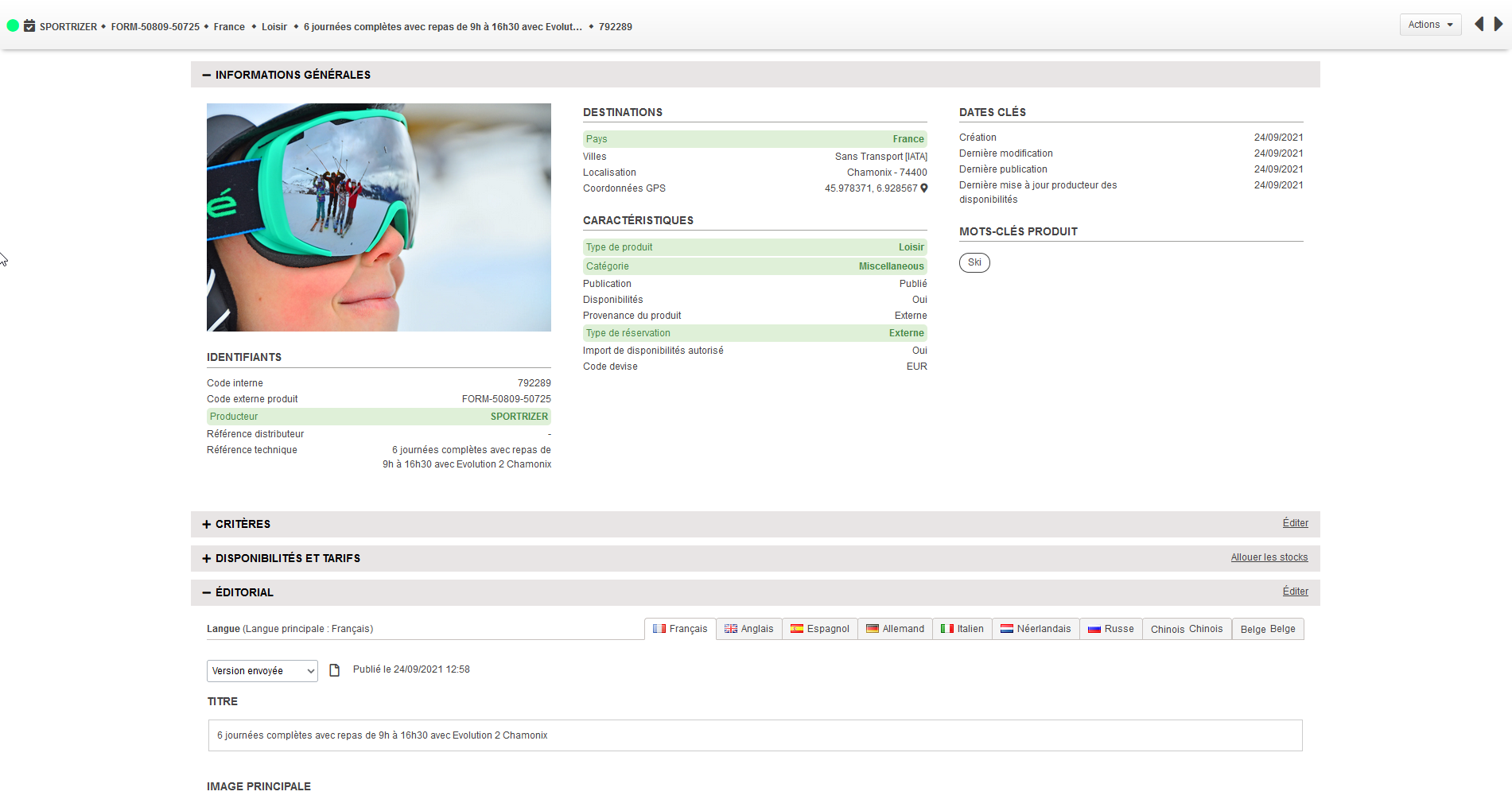
Activities have a new detailed form in the administration tool.
Among other things, an availability calendar allows you to easily view availability and rates.
Activities typing
The activities are now typed in 3 main categories Leisure (LEISURE), Service (SERVICE) or Transport (TRANSPORT).
A new column SERVICE_TYPE is available in the grid to fill this information.
Keywords
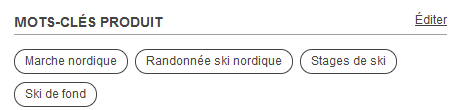
Producer keywords are available for the activities.
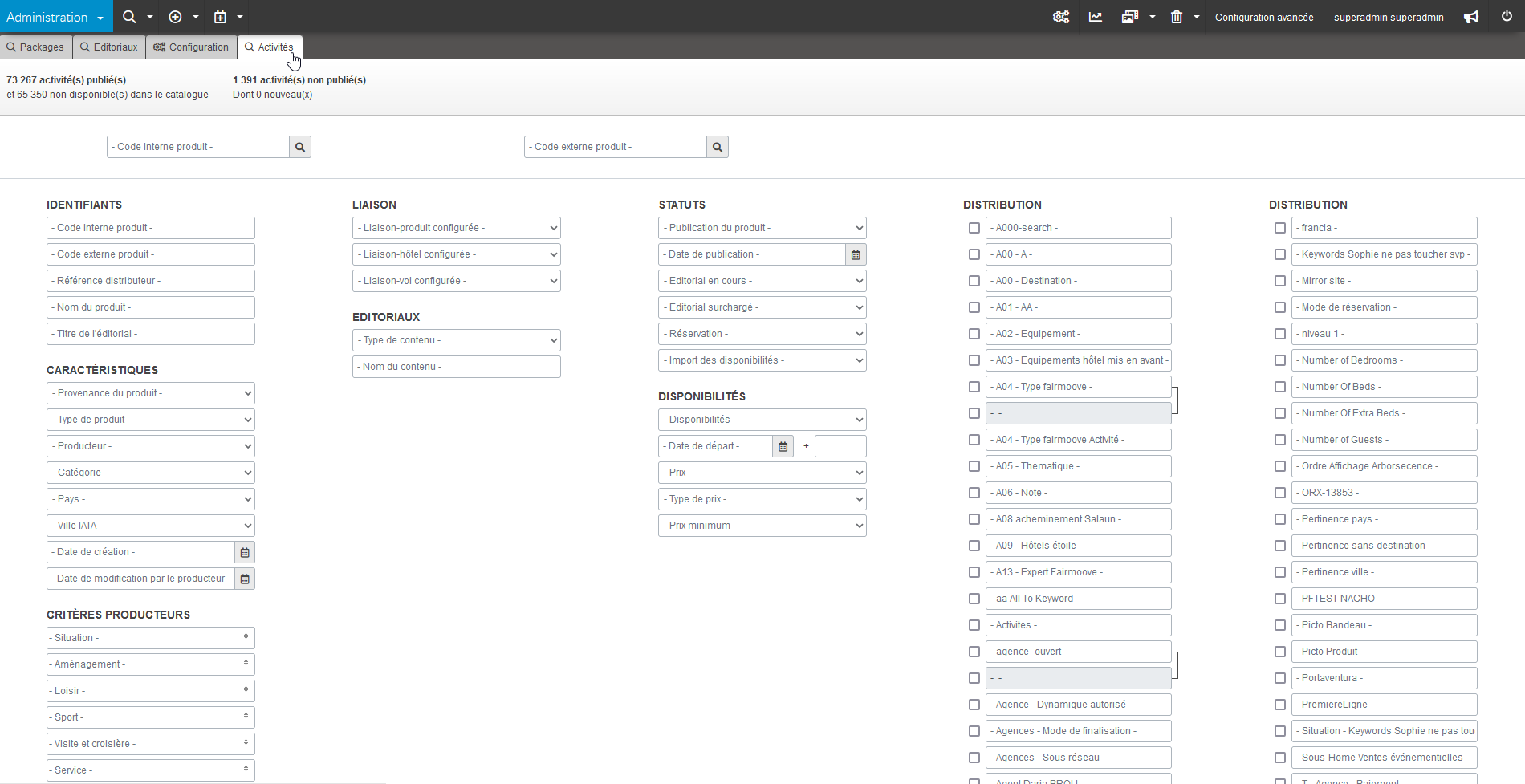
A new column KEYWORDS is available in the grid to fill in this information.
In the administration tool, the search engine allows you to search on these keywords, and to enter/modify them for the activities created internally.
Distributor criteria
The distributor criteria are available for the activities.
In the administration tool, the search engine allows you to search on these criteria, as well as enter or modify them via the “Criterize” popup.
Editorial
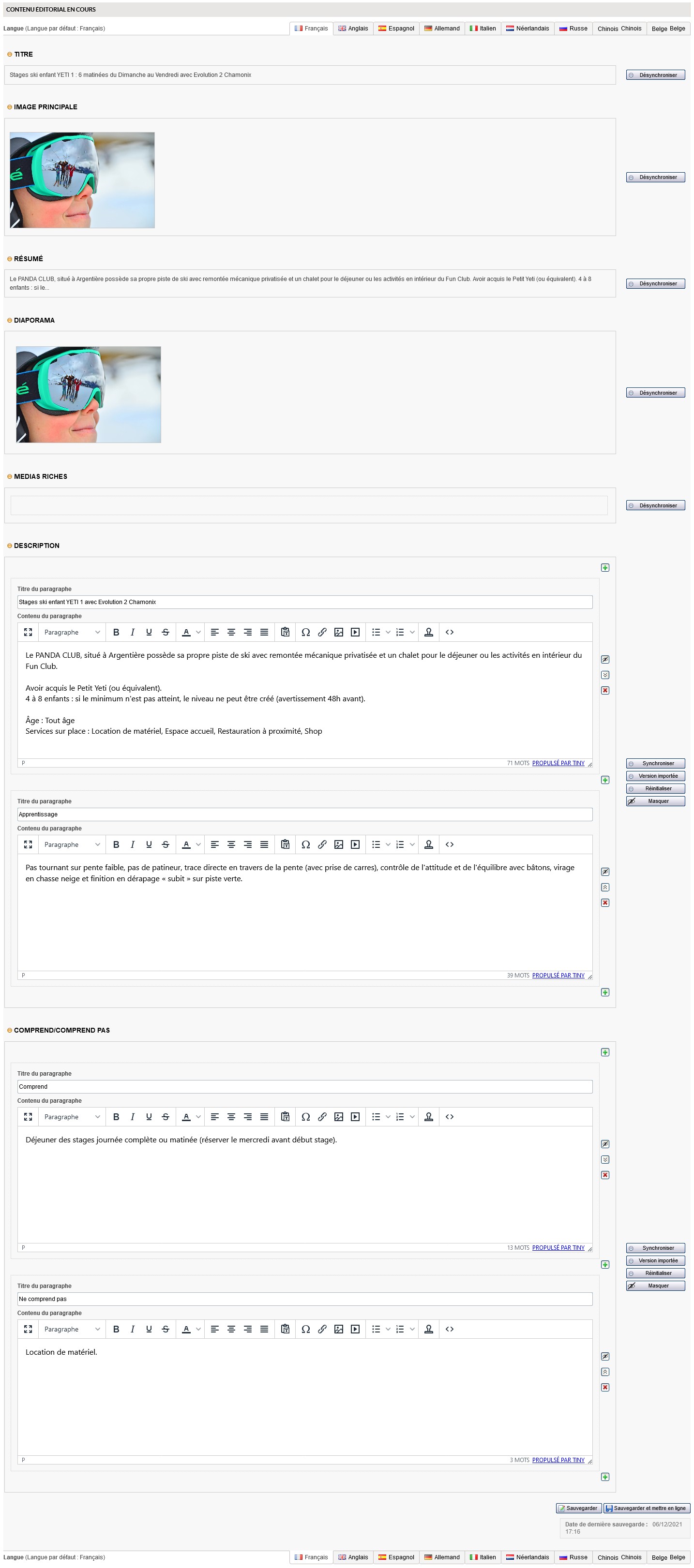
Activities now have access to editorial content as rich as that of packages and hotels (no size limit, several typed zones, editing via WYSIWYG, overloading of the imported editorial, multi-languages, …)
New columns can be added in the grid to manage several paragraphs of editorials. The columns are of this type:
All previously used grids (format smaller than 1.3.9) remain usable. The new features will simply not be available.
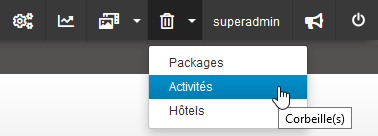
Trash and delete
Deletion now requires a prior trashing, as it is the case for packages or hotels.
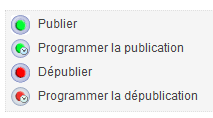
Schedule publication/depublication
Scheduled publication/depublication is now possible for activities.
User rights
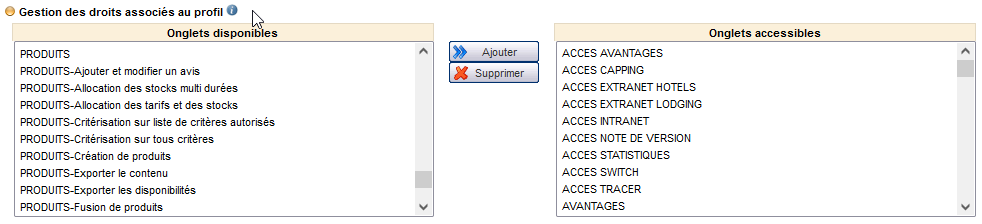
All rights using the term “product” apply to both activities and packages (when applicable).
In addition, a new right allows access to the buttons linking activities to a hotel, flight or package (“PRODUCTS-Link an activity to a package/hotel/flight”).
Display in the booking process
In the booking module, the activity display popin now shows the different titles and paragraphs of the enriched editorial.
Redesign of the Sepage algorithm
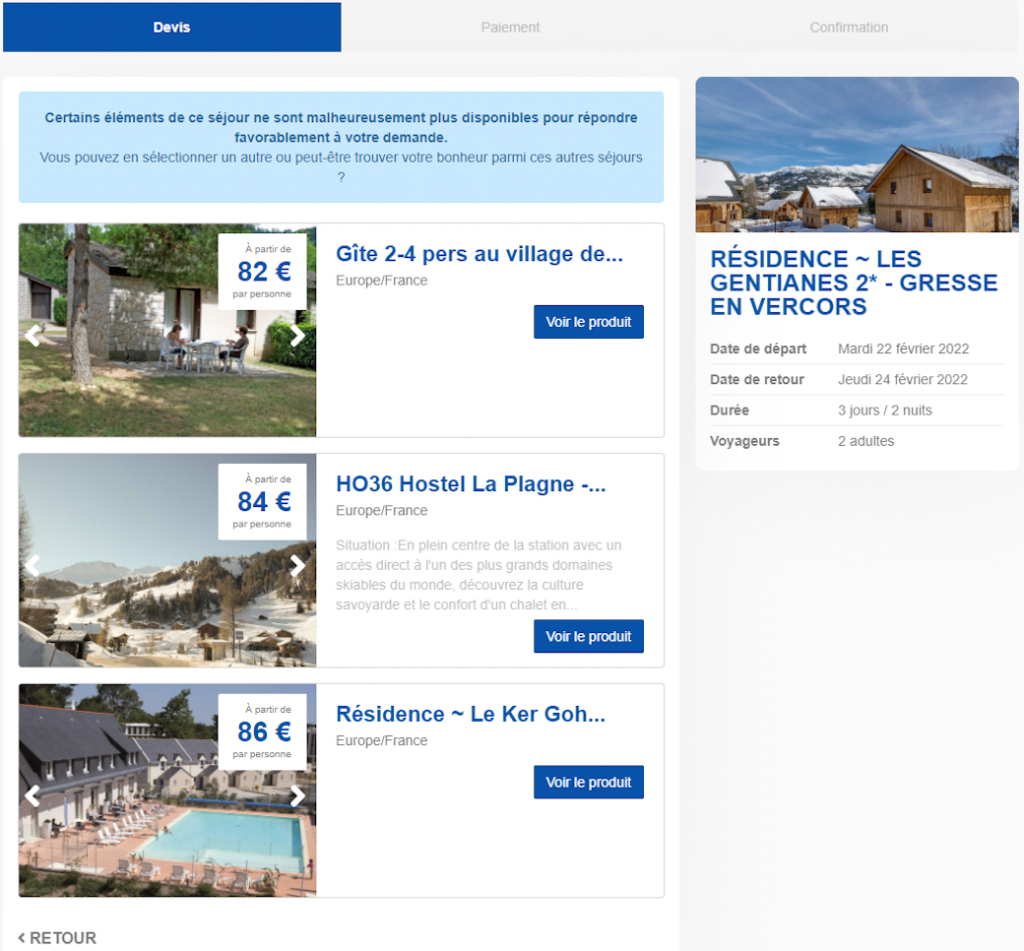
In the case where an availability is valid in the cache (and thus in the catalog) but is no longer available during real-time queries of the supplier(s), the reservation is no longer available on the requested product.
The Sepage algorithm then intelligently proposes products that are close to the one initially searched for (in terms of price, destination, duration and of course city and departure date).
These new proposals are displayed in order to direct the user to interesting alternatives when he cannot book his initial choice, and thus increase the overall conversion rate following these KOs in real time.