Previously, the Single Sign-On (SSO) mechanism could present vulnerabilities on certain instances. Access has been reinforced by restricting login to authorized accounts only, thus ensuring secure and reliable access for external partners.
Carbon calculator: adding information to the reservation process, in BtoC and BtoB
The carbon footprint calculator can now be integrated into the BtoC and BtoB catalog for stays, clubs, and rentals, to inform agents of the impact of travel and to be able to communicate it to the end customer. This calculation is based on the reservation history. This evolution also allows the carbon footprint to be traced throughout the reservation process, based on real-time data. The carbon information can also be integrated into confirmation emails as well as in the MCTO.
New Costa API Integration
Orchestra has upgraded to version 2.1 of the Costa API as version 1.9 has been decommissioned.
Multi-criteria Search in BtoB Engines
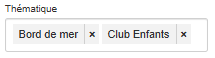
In B2B, it is now possible to select and combine several criteria such as themes in “AND” mode, thus offering the ability to refine product searches with greater precision.
Quick Quote: Emergency Contact Information is Optional
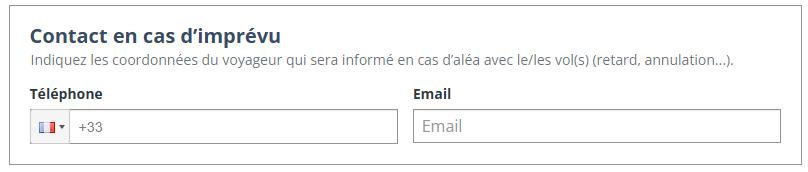
As part of the quick quote functionality, and to speed up quote creation, filling in the emergency contact information by agents is now optional.
Application of the RGAA – Lot 1
The RGAA (General Accessibility Improvement Framework) has been implemented in the booking process in several areas: images, frames, colors, tables, links, mandatory elements, and structure.
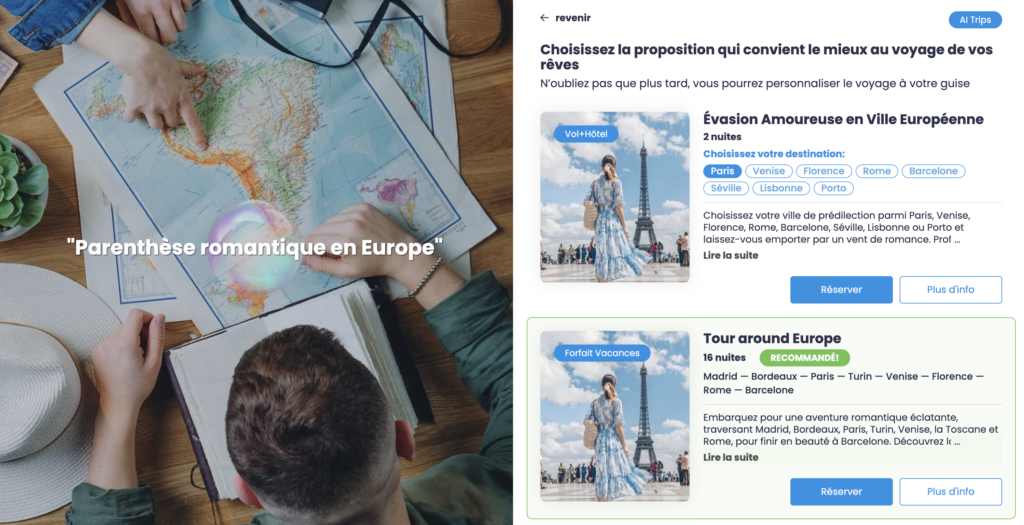
Implementation of the counter-proposal on B2B
To compensate for the unavailability of a package, Orchestra has implemented a feature offering three relevant alternatives, filtered by channel, for B2B distributors. This development ensures continuity of service and supports sales opportunities.
Differentiation between MRS and MS and between MR. and MSTR.
For more detailed file management, Orchestra allows you to differentiate between MS (young woman) and MSTR. (young man) and the titles MRS and MR. in reservations and in the Back Office. This update, which can be activated on request, improves the accuracy of your passenger data and your compliance with the specific requirements of certain markets.
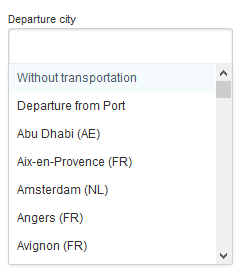
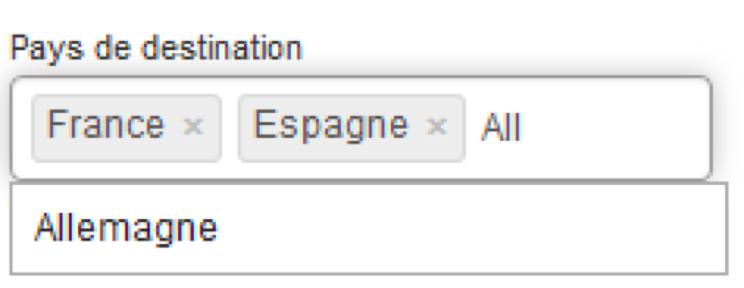
Redesign of origin and destination autocomplete
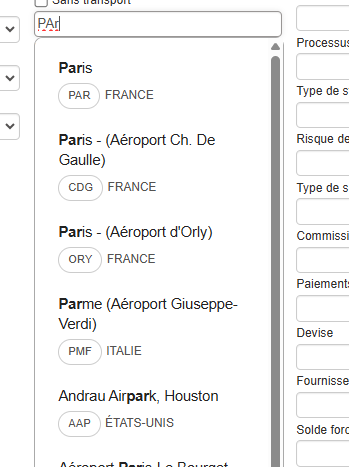
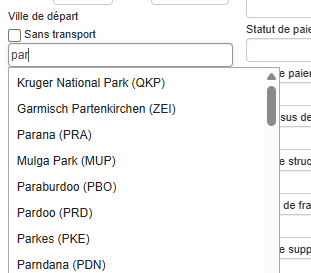
A graphic redesign has been carried out for the autocomplete feature for origin and destination cities/airports on the booking module and Back Office. This improves the fluidity and display of this tool.
Here is the new version:
Here is the former version:
Modification of calculation rules for reviews
This change allows a minimum number of reviews to be taken into account in order to calculate and present an average rating for a product. The reviews taken into account are those that have not exceeded a certain age and all pooled reviews. These include reviews from travelers, agents, hotels, and package providers.
Ty-Win – French Receptive Operators
Ty-Win platform groups specialized French receptive operators. Orchestra now integrates this new service source. Online packages and Meteor/Go benefit from this connectivity.
Capping – Single sending for the “threshold almost reached” alert email
Until now, the alert email for agencies that have almost reached their threshold was sent at fixed intervals as long as the threshold was exceeded. Here, it is now possible to send this email only once, the first time the threshold is crossed.
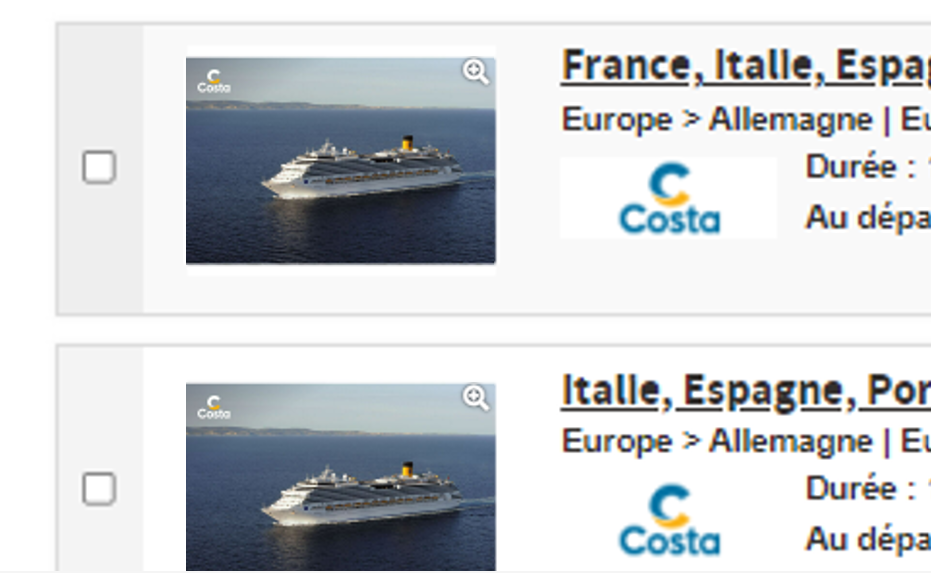
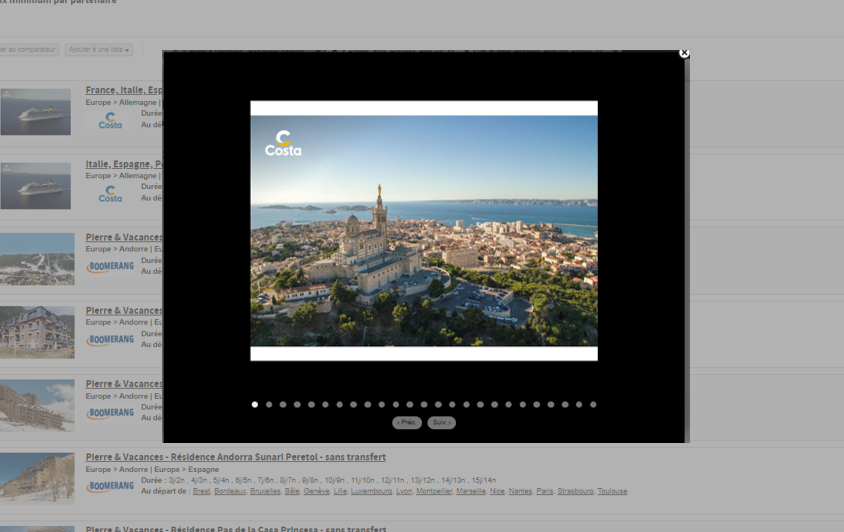
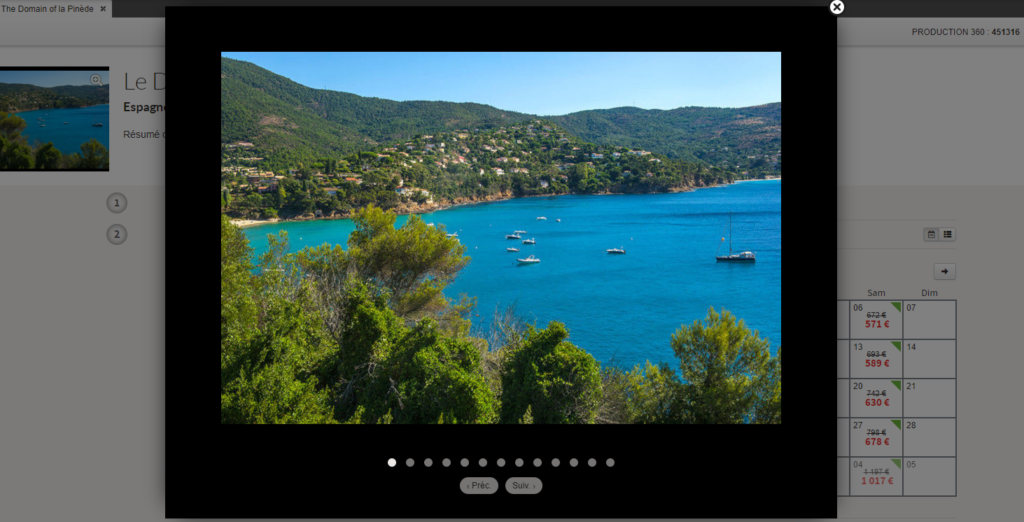
Image slideshows added to B2B search results
In the B2B booking module, image slideshows have been added to product and activity search pages.
Clicking on the image opens a pop-up slideshow, just like in the product page.
As product images in the B2B module’s engine feedback are not always contextual, this new feature will enable travel agents to easily visualize whether the product includes services, such as a swimming pool, without having to open the product sheet.
Display of any price difference for unpublished products
From now on, real-time quotation from the administration platform is also available for unpublished products.
As a reminder, the quotation functionality enables the user to evaluate any price discrepancy between the price received in the availability cache and the price returned by the interfaces in real time.
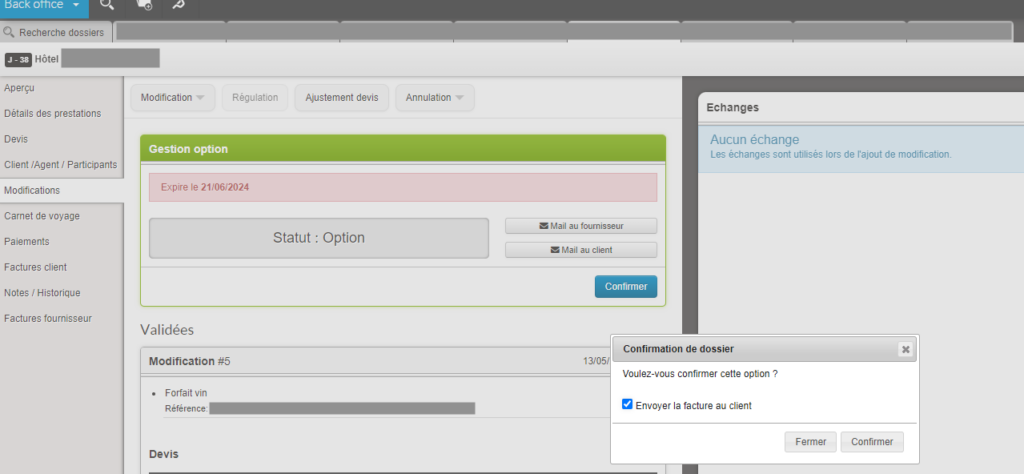
Option validation without invoice generation
In the case of confirmed bookings with option, the generation of customer invoices is now facultative. This is useful for the “pay-as-you-go” billing mode (at check-out), which does not require an invoice at the time of booking.
When the option is validated, a window appears, prompting the agent to send the invoice to the customer. The “Send invoice” box is checked by default.
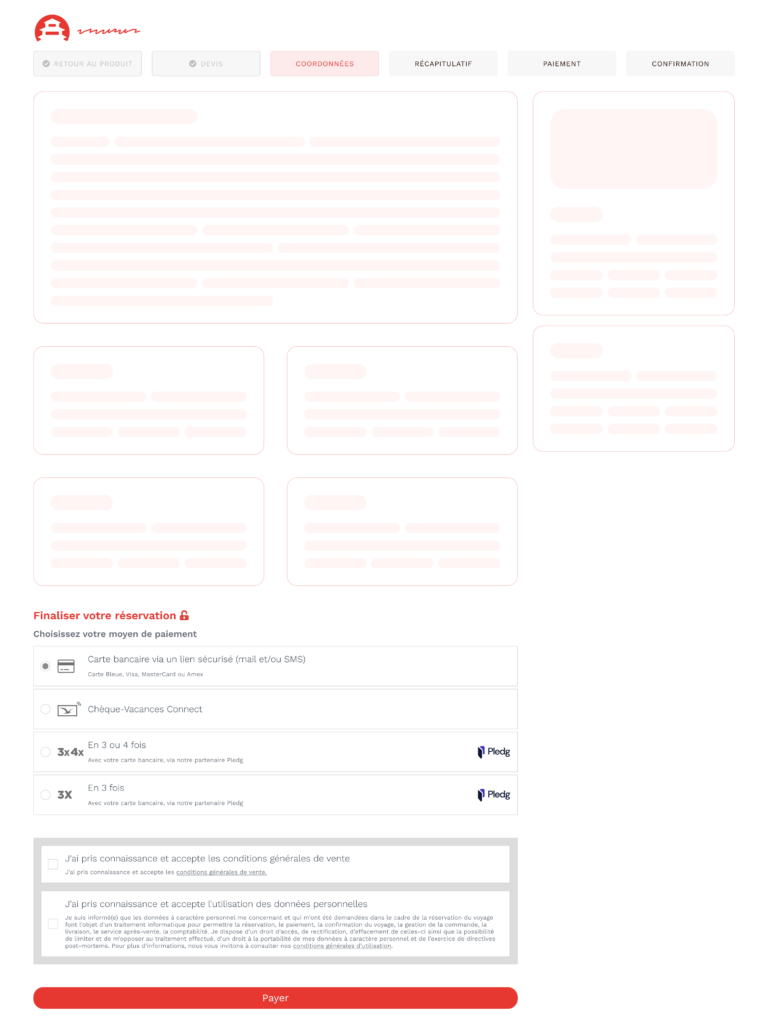
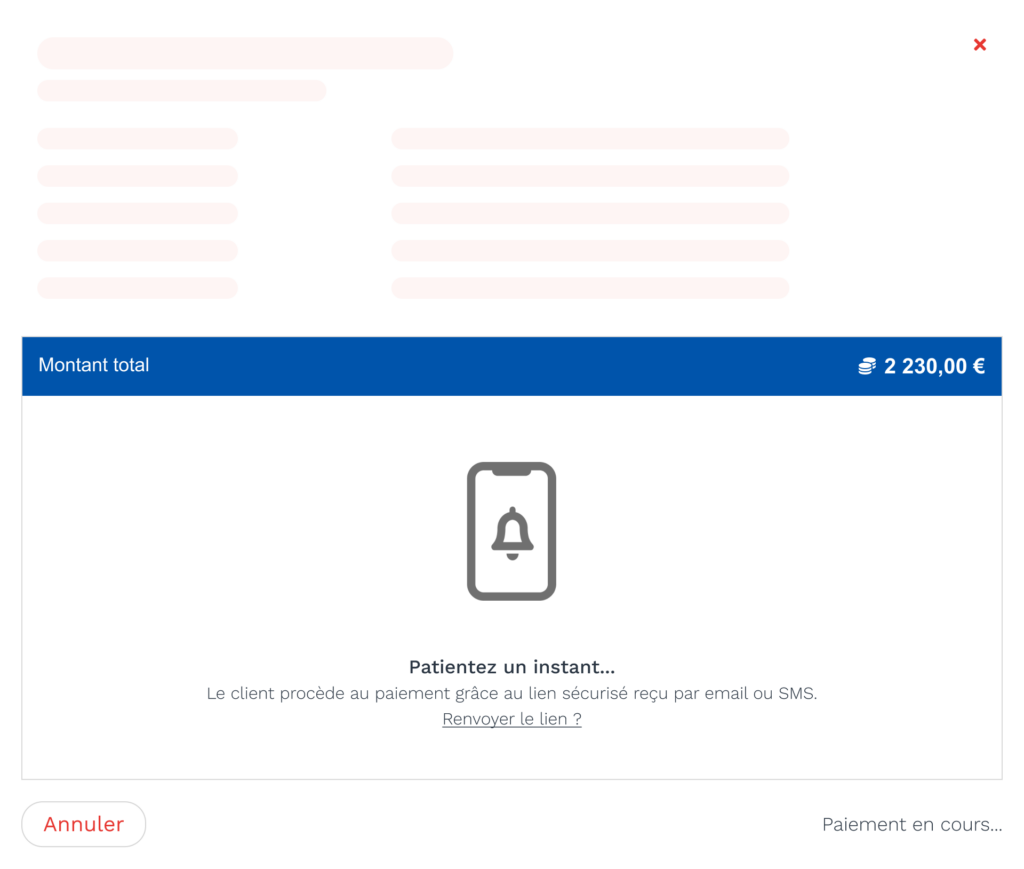
New remote payment solution via payment link with Pledg
We have implemented new remote payment link solutions with Pledg.
In concrete terms, an agent in a call center or an agency can now send a Pledg payment link by SMS or email to the customer, so that the customer can pay for his or her booking autonomously.
The payment methods available in this new solution are: cash credit card, 3x and 4x credit card.
Example of user interfaces for a customer and an agency:
Independence of B2C and B2B welcome email and customer account creation templates
In order to make customer communications more configurable, we have enhanced the templates for the welcome and password reset emails sent to customers when they create their account.
These templates can now be configured to differentiate between B2C and B2B distribution channels.
Improvements in user, agency and SSO synchronization for Travel Compositor’s multidestinations module
Optimizations have been made to the Travel Compositor multidestinations module:
The user import mechanism has been optimized: module users are now permanently synchronized, and the passwords of all user agencies are updated daily. This improves the management of password loss problems encountered by agencies.
The Single Sign-On (SSO) connection to the Travel Compositor administration module has been improved: users can now access Travel Compositor from the Administration, B2B, Back office, Price management and Partners modules of the Orchestra platform.
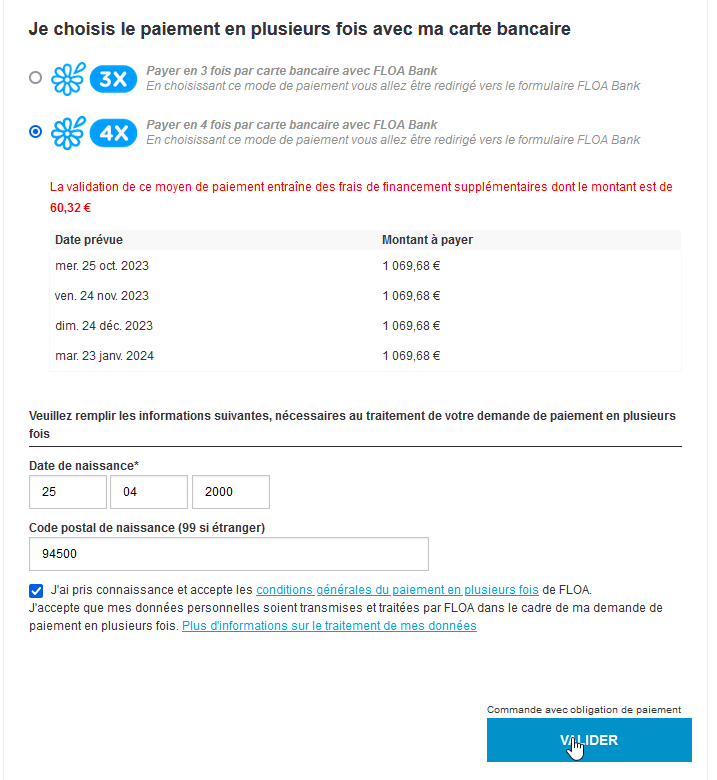
Enhanced scoring and integrated iFrame journey for Floa payment solutions
We have made major evolutions on Floa’s payment solutions:
Customer scoring has been improved, by integrating new data sources into Floa’s risk analysis: airport of departure, airport of arrival, class of transport, number of nights, and type of room.
We have also developed a new iFrame-integrated Floa payment journey, enabling Floa solutions to be activated in the B2B module of the Orchestra platform.
Simplification of transport fields on B2B product pages
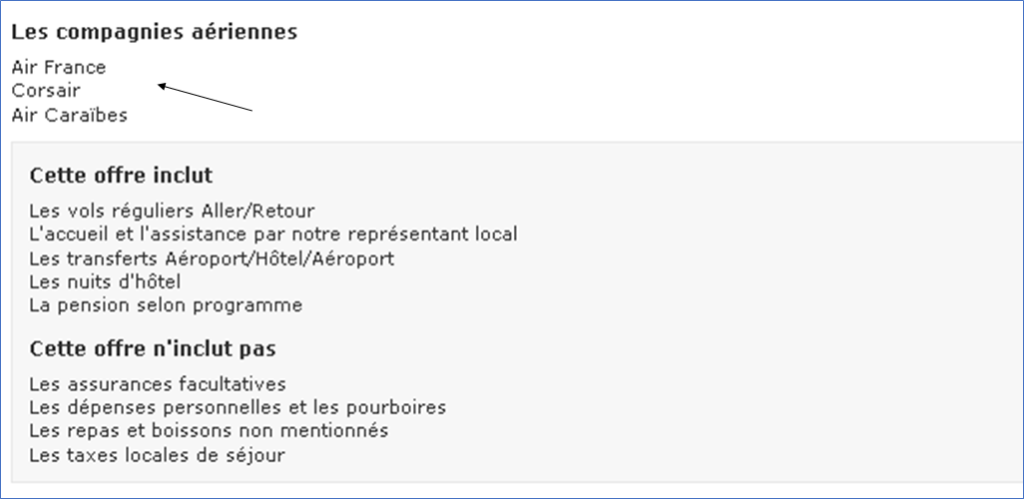
We have optimized the transport fields on B2B product pages, notably by removing the airline selection option. Class selection is still possible on B2B product pages.
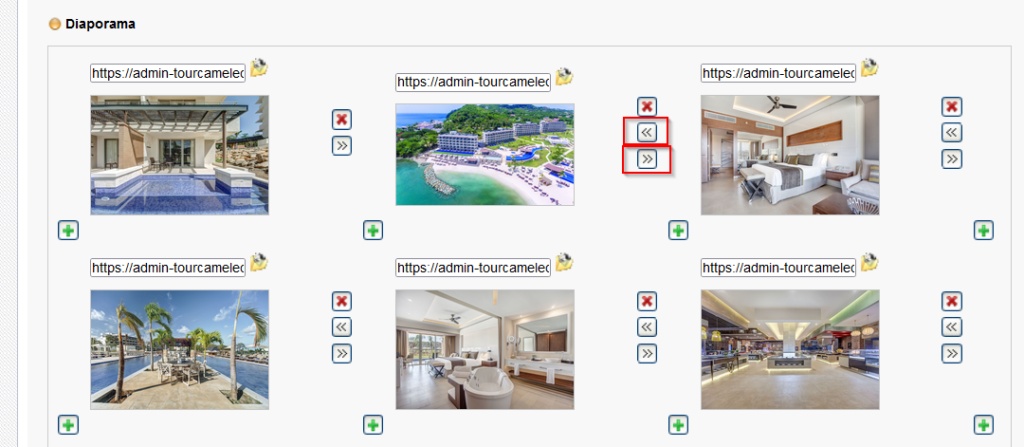
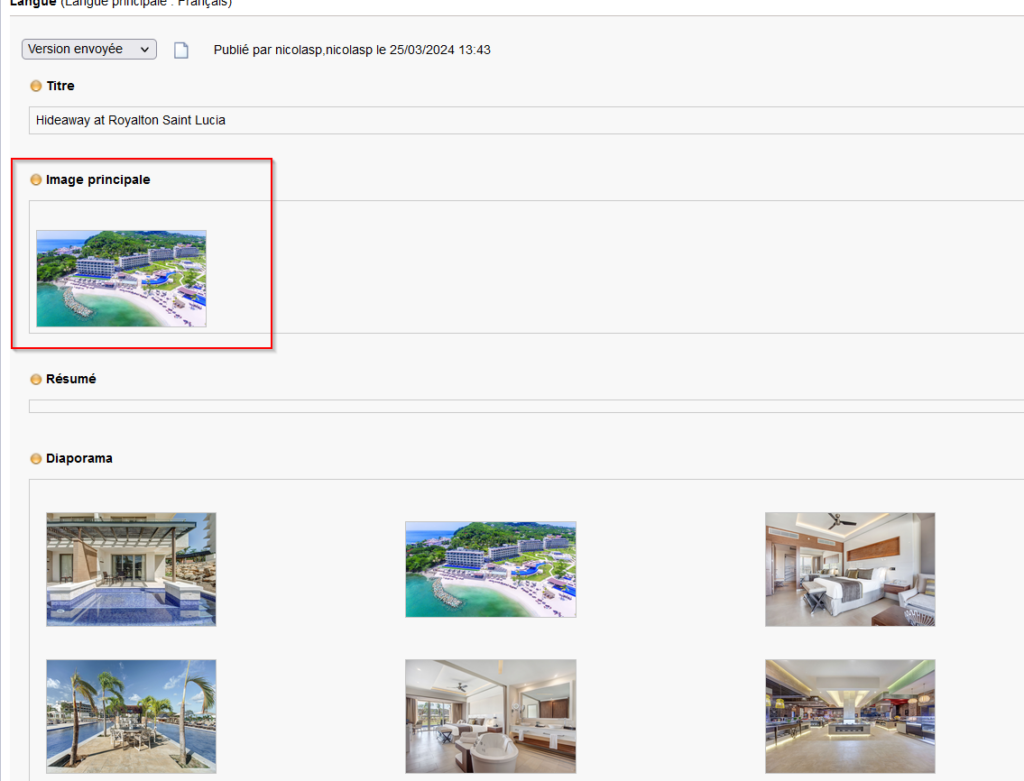
Optimization of hotel product image display in the B2B
The algorithm for displaying hotel pictures has been reworked to reduce the number of products without images in B2B. From now on, when a hotel’s editorial contains only the slideshow, the first image will also be displayed as the main image. Conversely, for hotels with only a main image, this will also be displayed in the slideshow.
Booking modification in connectivity: incremental reservation
Following the evolution enabling partial cancellation of a booking in connectivity, the incremental reservation functionality has been added to the back office.
This functionality is accessible from the “Modification” section of the booking for users with the associated right. By launching the “Reservation of a new service” from a booking, the user is redirected to the B2B where he/she can make a reservation which will then be added to the initial booking.
Incremental booking is available for all services that do not include transport: hotels, activities, packages without transport.
This feature can be activated via a configuration in the back office.
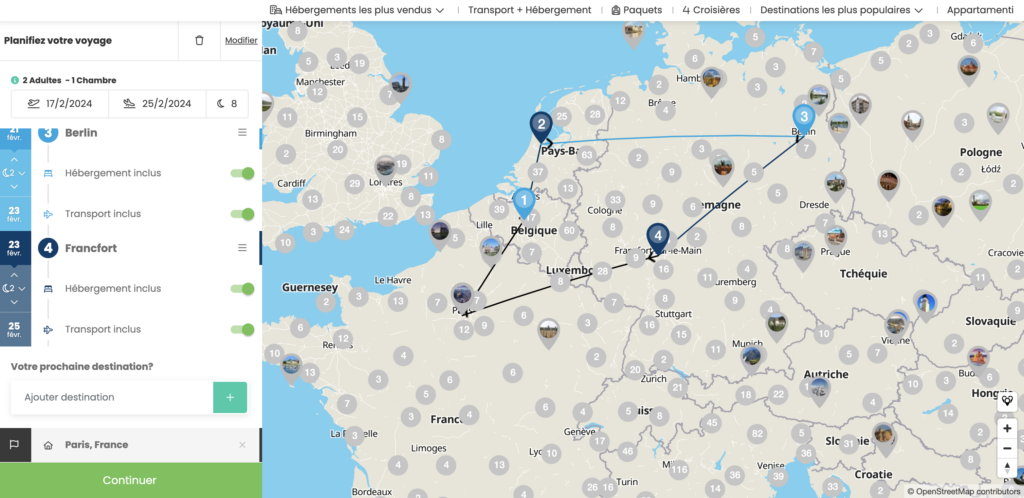
Integration of the multidestinations module of Travel Compositor
The solutions from Travel Compositor, subsidiary of the Travelsoft group, are now available on Orchestra.
In particular, Travel Compositor’s multidestinations module is now accessible from the B2B, enabling travel agencies to create step-by-step bookings, bookings based on travel ideas or based on artificial intelligence search.
It is now possible to synchronize users between the two platforms, as well as registered travel agencies.
Sending of honeymoon, class and airline information for producers Soléa and Beachcomber
In the B2B, for tour operators Soléa and Beachcomber, it is now possible to send information to benefit from honeymoon advantages and pre-select flight classes or airlines.
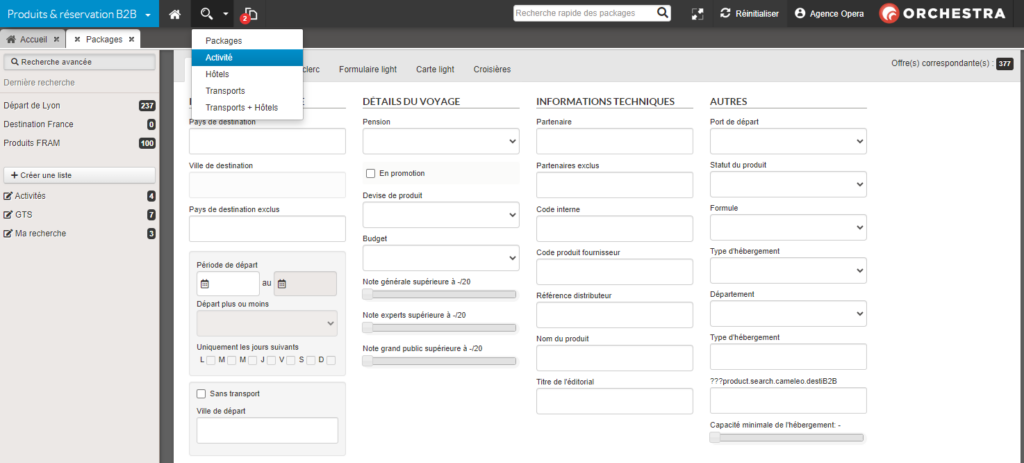
Search of activities in the professional B2B sales platform
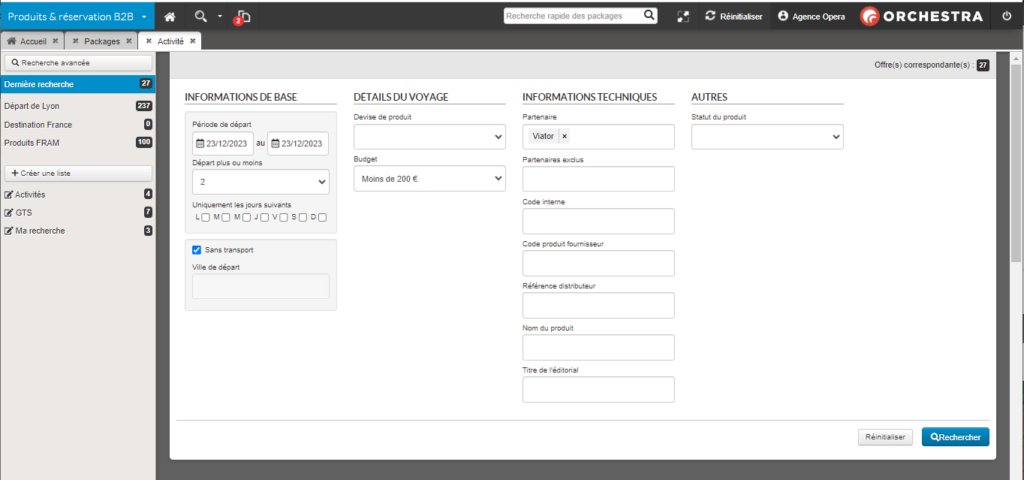
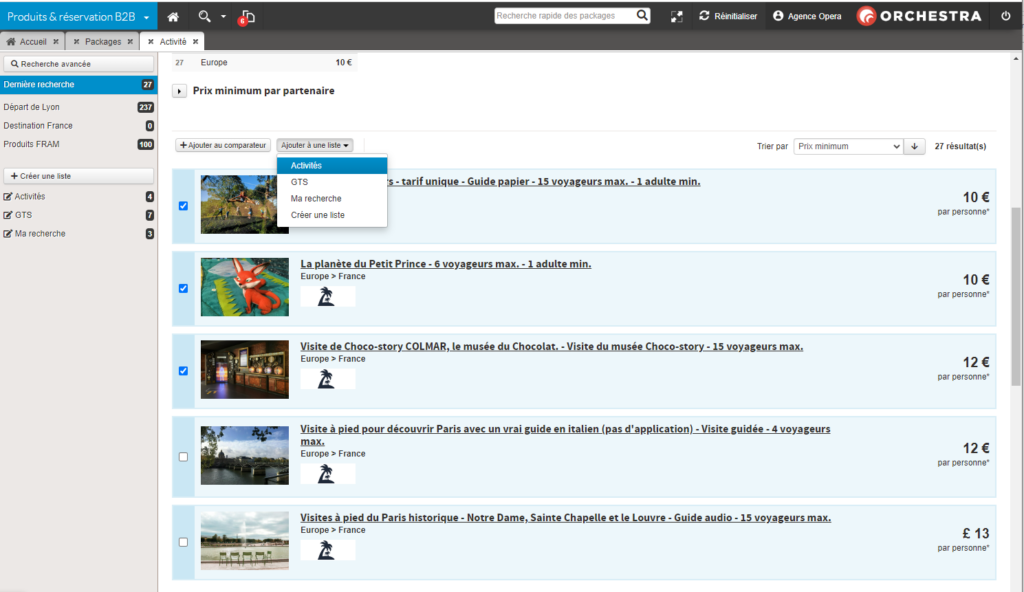
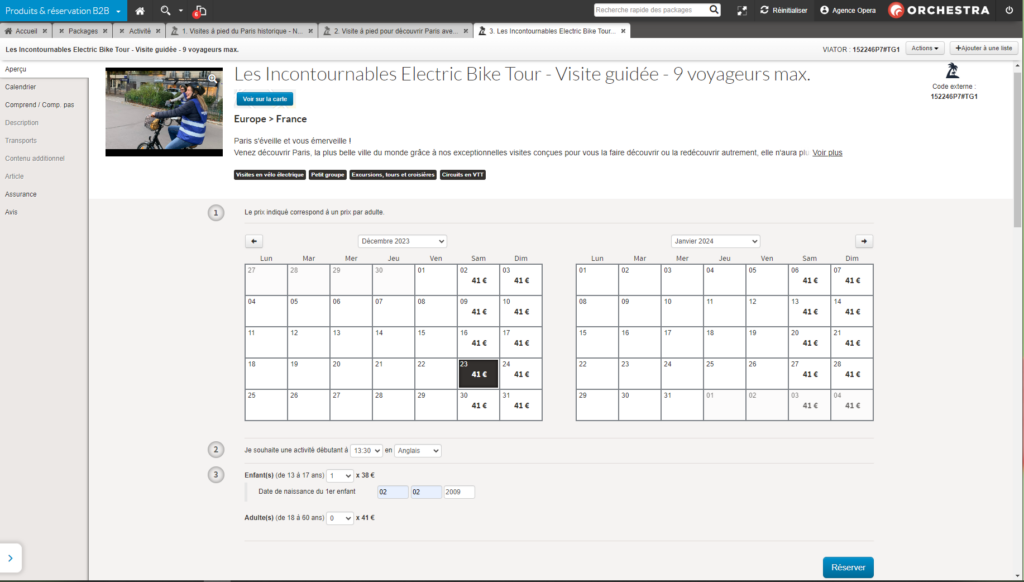
It is now possible to book activity-only products through the B2B. The search of these products can be performed in the new “Activities” tab, accessible via the main menu.
The search is available with several criteria: name, internal code, external, start date, supplier, budget, etc.
As for packages, it is possible to perform several actions on the activities search result page. For instance: add activities in the comparator, or add activities in a wishlist.
The activity page is displayed with a description and a table with available dates.
Amélioration du widget CRM
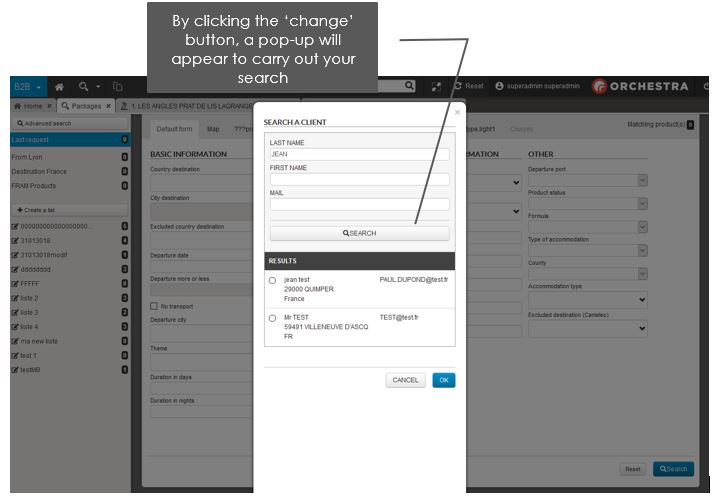
Le widget CRM a été améliorer pour pouvoir notamment rechercher/créer/modifier des clients et bien entendu pouvoir en sélectionner un avant d’entrer dans le processus de réservation.
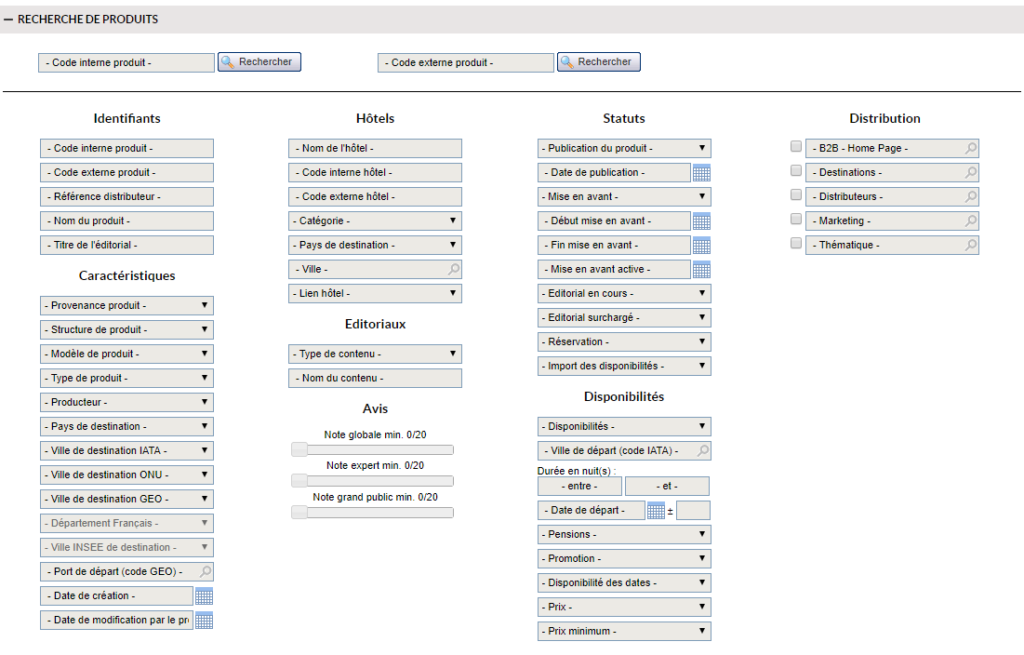
Les informations clients sont propagées avec le dossier jusqu’au backoffice.
Evolution du calcul des moyennes des avis
Le calcul des notes moyennes affichées dans le B2B, B2C et dans l’outil d’administration a été modifié. Tous les avis d’un produit resteront visibles comme auparavant, mais le calcul des notes moyennes prendra désormais en compte uniquement les avis des 3 dernières années glissantes (ce délai peut être ajusté sur demande).
Costa Club loyalty card
Costa customers can now use their card to benefit from special Costa rates when booking their cruise. The benefits are calculated by Costa, according to the number of points on the cardholder’s card.
Creating a customer account in the B2B Products and Reservations module
It is now possible to create a customer account from B2B2 via the “Create Account” button on the main screen.
Clicking on the “Create account” button opens a pop-up window with a field for entering an email and a button for sending the email.
After successful account creation, a confirmation email is sent to the user.
Favorite product feature:
The “Favorite product” functionality is then available if enabled: If the user clicks on the add to favorites button, the add to favorites button disappears and the favorite product message appears.
If a product is a favorite of the selected account, the application shows the favorite product message on the product page.
If the user logs out or deletes the account, the product page refreshes and does not show the add to favorites button or the favorite product message.
If there is no account selected and the user selects an account, the product page should refresh and show either the add to favorites button or the favorite product message, depending on whether the product is a favorite for that account or not.
Displaying the availability of “Promos” prices
In line with the Omnibus directive, which will reduce the volume of “brochure” prices, “Promos” prices will be highlighted in red in the reservation module for Professionals (B2B)
The following are affected: in the results lists, the call prices of the product cartridges, and the availability prices of the product sheet calendar.
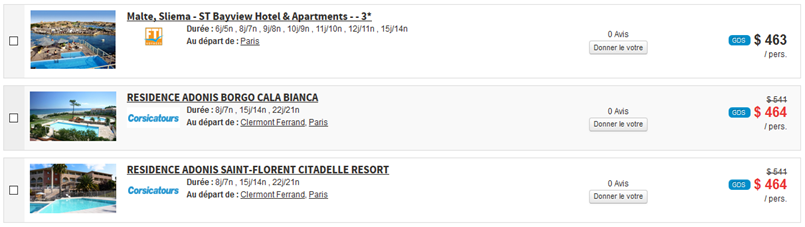
Example of a promotional price list in the result list.
`
Default sorting in the lists of favorite and viewed products
Viewed and favorite products are now displayed in a predetermined order in B2B. Products, whether available or not, are displayed in chronological order, from the most recent to the oldest:
Last seen products are sorted by their date of last consultation (most recent first)
Favourite products: Sorted by the date they were bookmarked (most recent first)
Connectivity of B2B autocompletion with airline profile
The airline profile is a sum of information about an airline in direct connectivity, which includes the list of routes available via this airline.
An autocompletion of a destination on a single-airline source should therefore only be completed automatically on the basis of the origins and destinations available on this airline, as well as when querying a switch aggregating several airlines in direct connectivity.
B2B graphics improvement
Various improvements have been made to enhance the look and feel of the B2B Products and Booking tool, including
Adding a default logo when the tour operator logo is missing (in the comparator, engine return, product sheet and quick search).
Increased margins between columns in search forms.
In selectboxes with criteria, removal of the 1st level bold.
For all calendars, the calendar icon has been moved to the left and slightly larger for datePickers and the logic of blocking a return date that is less than the outgoing date. For datePickers other than PACKAGE, fill in the return date with departure date + 7 days.
For the fields allowing the entry of a child’s date of birth :
Move from one box to another using the directional arrows
You can only fill in numbers
You can only fill in the correct number of characters
A value greater than 31 for days or 12 for months will be automatically replaced by the maximum value
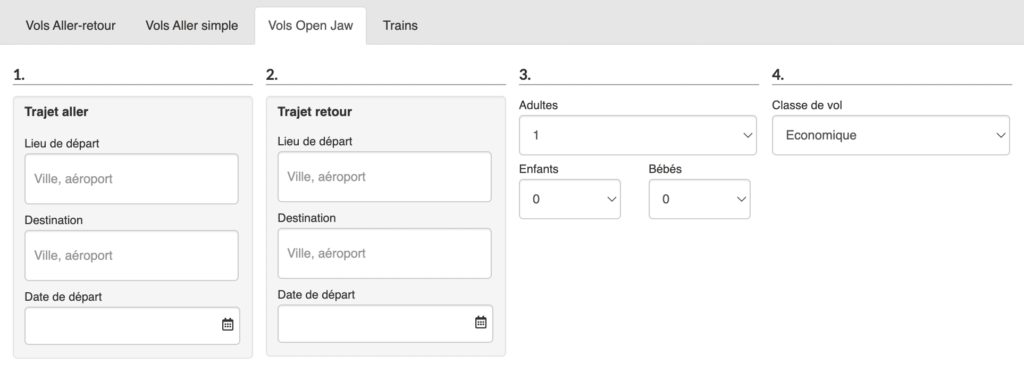
Open Jaw flights in B2B
Generic B2B Products and Reservations Module
The generic B2B products and reservations module is now equipped with a transport search engine in Open Jaw.
Ergonomic improvements to the sales tool for professionals “B2B products and reservations
Several improvements of the B2B have been made, here is a list:
The width of the screen is now 1280px in order to adapt to screen sizes standards and increase user comfort.
The “Advanced search” button in the search form on the homepage is more visible.
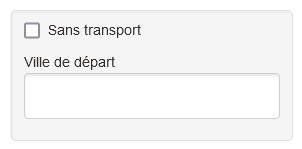
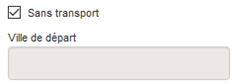
The checkbox “Without transport” and the field “Departure place” are now grouped in a grey block.
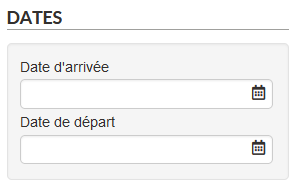
For the tabs “Hotel” and “Transport + Hotels”, addition of a grayed block for the fields “Arrival date” and “Departure date” for more readability.
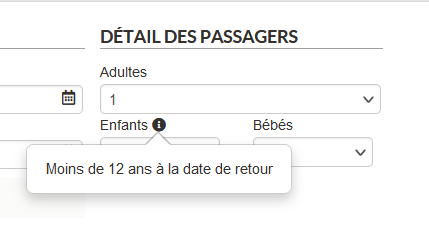
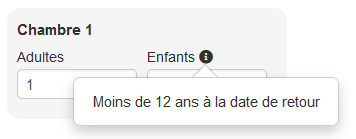
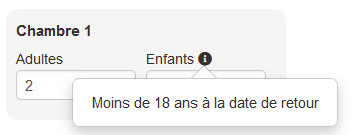
To the right of the “Child” label, add the maximum age when clicking on a pictogram (i) “information”.
For the tabs “Transport” and “Transport + Hotels”, the maximum age is 12 years,
For the “Hotels” tab, it is 18 years old.
In the tab “Transport”, a grey block has been added for the checkbox “Round trip” and the fields “Departure date” and “Return date”. If the checkbox is not checked, the “Return date” field is grayed out.
Added a space between paragraphs in the “Includes / Does not include” section when there is only one column.
Improvement and correction of various graphic points, in particular the height of certain fields of the search form.
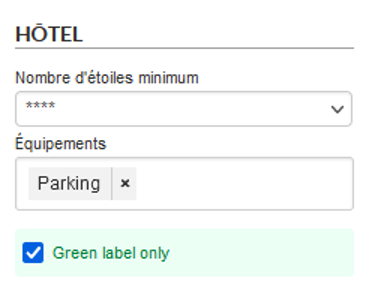
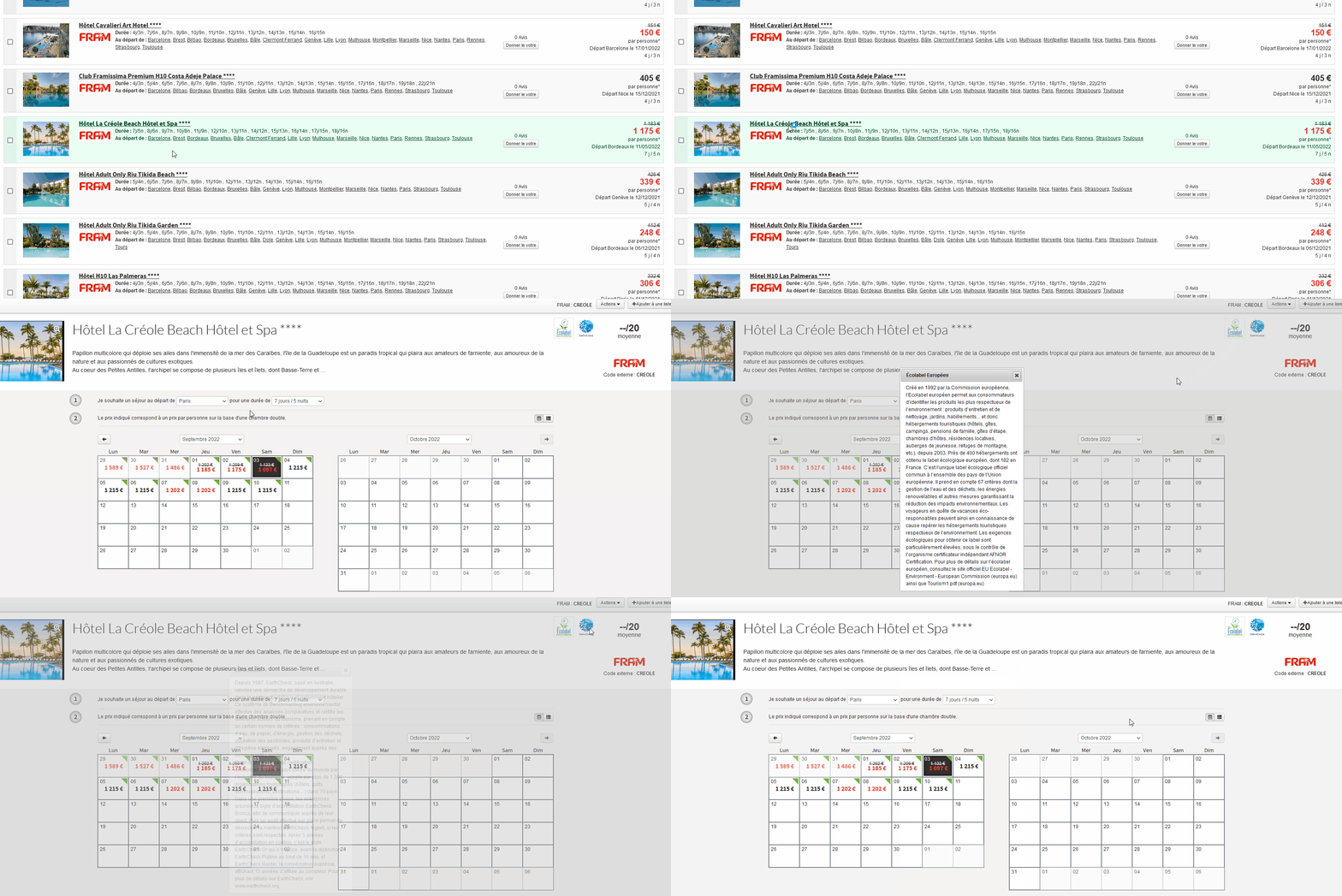
Green Labels for Hotels and links to packages
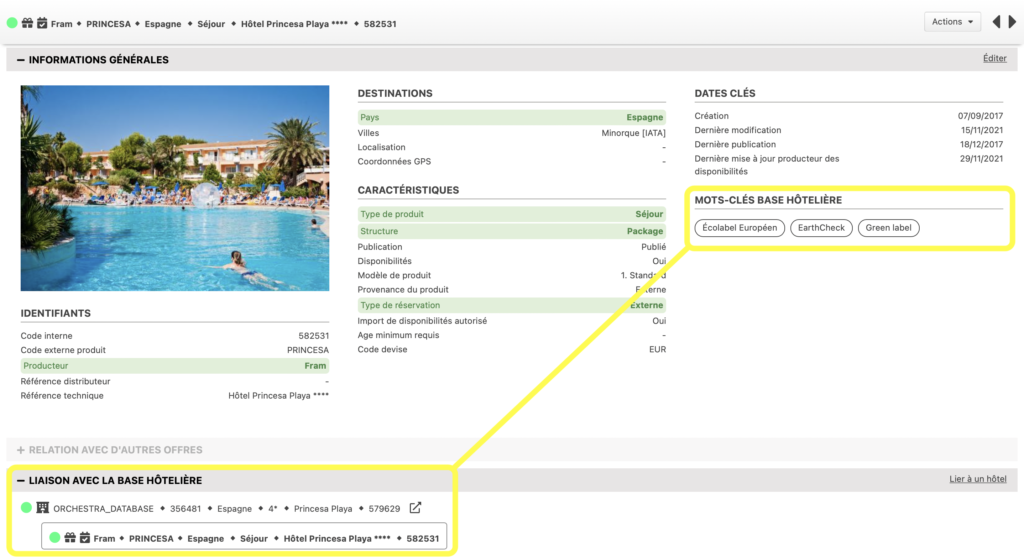
The notion of Green labels producer keywords has been added, it allows to add to the hotels (and to the products containing labeled hotels) the information of the associated Green Labels.
The products with a “green” label are therefore identified thanks to the producer criteria of their linked hotels.
In the B2B package search form, a checkbox allowing to filter the products with a green label can be added via a configuration. On the search result, the products with a label are green. On the description of a green product, you can see the logos of the green label(s) of the product. When clicking on one of these logos, the description of the associated label is displayed.
The labels currently available are :
To activate this functionality, a configuration is necessary.
Automatic scroll to the result list when refining a B2B search
Now, when refining a B2B search, the browser automatically scrolls the page to the top of the results list.
Improved autocompletion of hotel destinations
In the B2B Products & Reservations module, we have improved the responsiveness of loading and displaying the autocomplete destinations of the Hotels search engine.
New format for tours
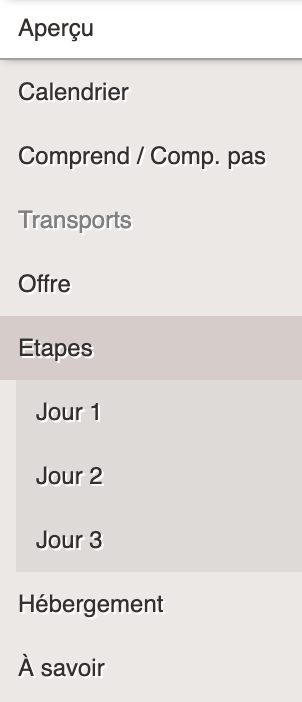
The new format for the tours now allows for a richer display, with the categories: Offer, Stages, Accommodation and To Know.
Various enhancements to the B2B Products and Booking tool
Many minor enhancements have been made to the B2B Products and Reservation module to improve the user experience:
Improvement of the display of city names in autocompletion
Visual code “required fields” in red removed for Hotel and Dynamic Package search engines
Home page content widgets are now dynamic in height
The drop-down menu of automatic connection links to producers’ B2Bs can now be closed by default and the typography of the wordings of these links has been standardized.
The value of the “Duration in nights” field of the search engine can now be set to a default value (such as the starting city) for each user profile.
Display of the availability on which is calculated the call price in the cartridge of the engine return product
Ability to edit photos on the login page
Standardization of pension wording :
Special breakfasts are now mapped on “Breakfast”
Exotic pensions are now mapped to “Other”
Quick quote functionality
In B2B, when travel agents present products to customers, they very often make more than three quotes per customer.
When creating these quotes, they often put “x”‘s in the traveler information fields to speed up the creation of the quote. The idea is therefore to allow not filling in the traveler section in order to access the quote very quickly.
This development adds a “Quick Quote” button on the contact page. This button allows you to send the quote by email (via the configuration) and save it as it is today.
An action button on the contact page “Sending the quote by email”.
Of course, it is necessary to check that the customer’s email address is entered. Once clicked and the email sent, the quote is saved normally, and the agent is directly redirected to the confirmation page (without going through the payment page).
This function is reserved for B2B and callcenters, it can be activated per channel.
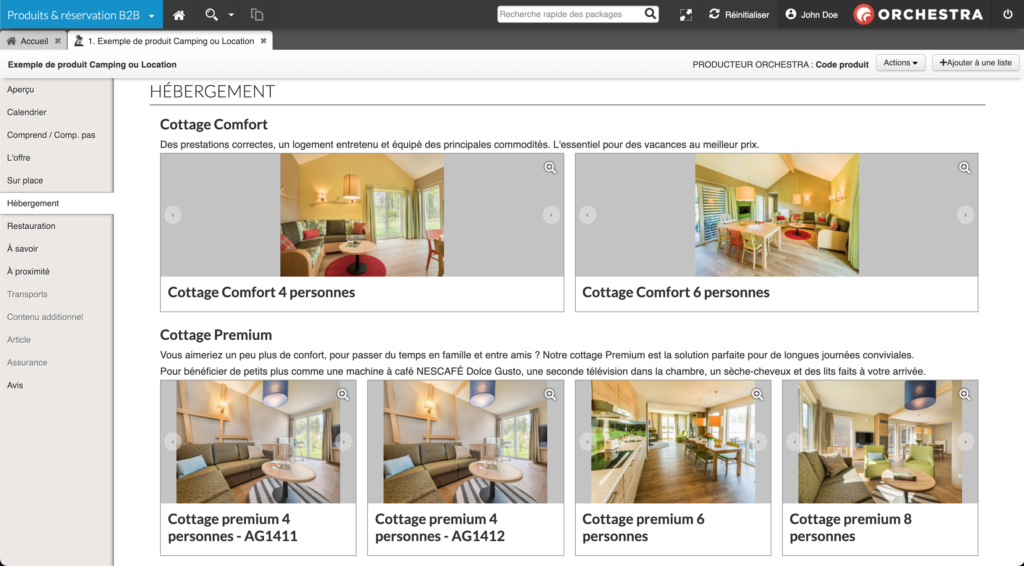
Camping and Rental content in Products & B2B reservation
Following developments 17.5 on the enrichment of connectivity and product flows, the new features provided by these enriched flows have been added to the professional sales tool for travel agents.
Example of the “Hosting” content block detailing and highlighting each hosting available on the product.
Five new blocks are now displayed for these enriched flow Camping and Leasing products:
Offer
On site
Hosting
Catering
To know
Addition of information in order to have the possibility to sign on pre-contracts printings
In the case of a quote edition, some information must be present so that this quote contains the necessary information for the end customer to make his/her choice.
It is also necessary that information are there so that the signature of this quotation is legally possible. This improvement allows to add these information. The signature of this quotation therefore allows the customer to be comitted, et is so a considerable time saving for travel agencies during sale period.
Favorites and latest seen products in Products & B2B Reservation
In the professional sales module Product & B2B Reservation, new features have been added to meet the growing needs to better know and support customers in travel agencies and in call centers.
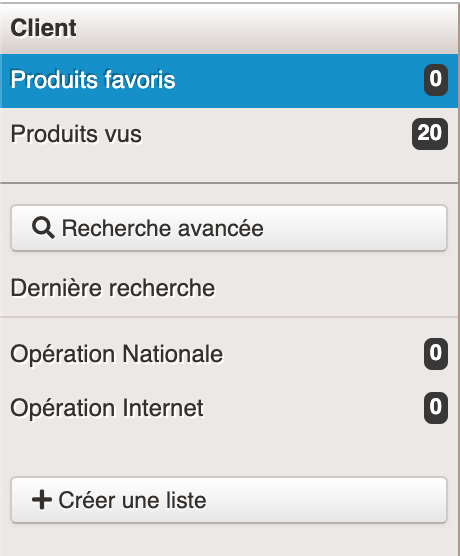
In the case of a favorite product list feature is implemented on a merchant site, or if your client is recognized during his/her visit. His/her favorite products and the latest ones he/her displayed can be saved and made available to the travel agent in a section of the left column of the search pages result.
Listes spécifiques de produits du client sélectionné
Formely in the professional sales tool Product & B2B Reservation, the customer will have been selected by the travel agent via the search form, or will be recognized automatically if a phone-computer coupling has been set up.
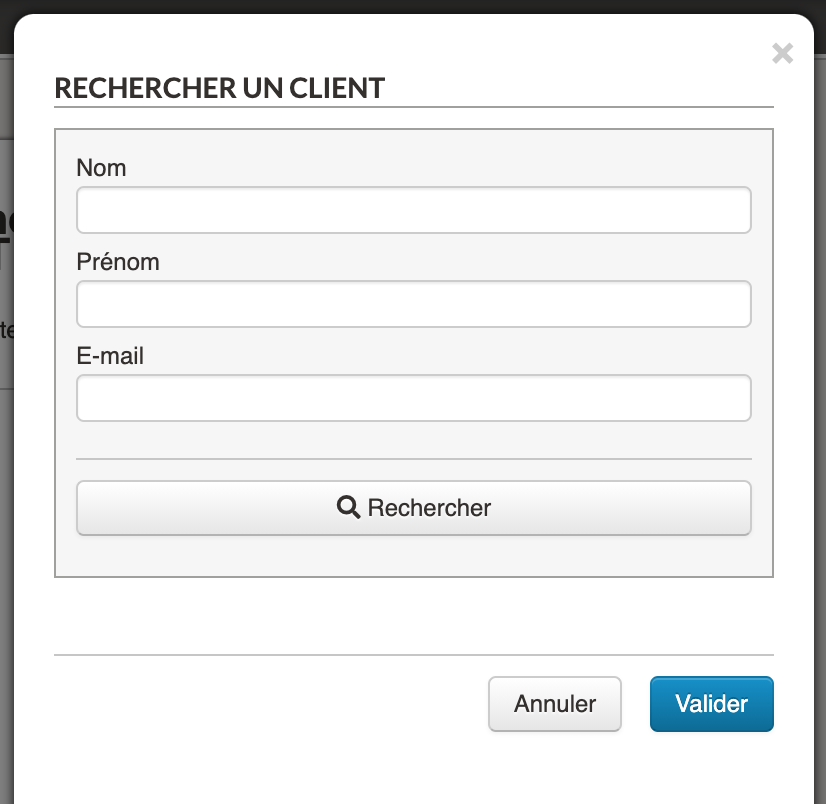
Pop-in search for a customer on Products & B2B Reservation
Customer information is pre-loaded into the sales tool and customer care is improved and accelerated.
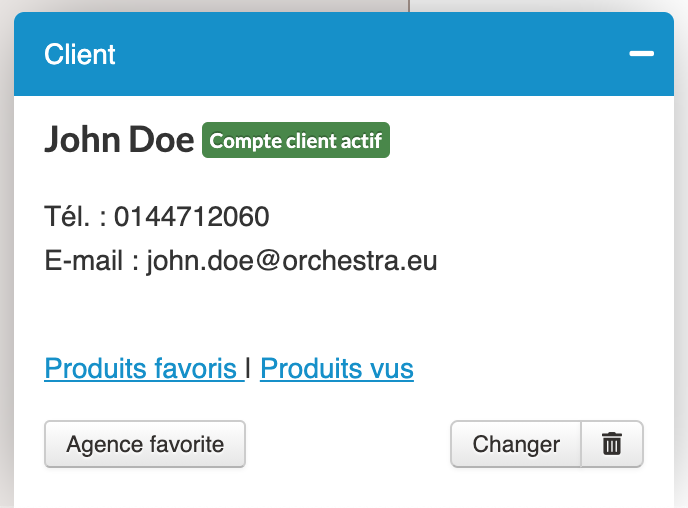
Reduced form of the selected customer
For each client can also be associated a favorite agency. This agency can be added or modified by the travel agent, or in full autonomy by the Internet user from his/her customer account.
Scrolling of photos by keyboard
In the slide show of
photos for the Products and Booking B2B module, it is now possible to scroll
through the photos using the direction arrows on the keyboard.
Similarly, clicking
outside the pop-in of the slide show will close the slides and quickly return
to the sales process.
Improvements to interface graphics
Significant
improvements have been made to the graphics of the Administration interfaces.
The aim of these
improvements is to make Orchestra more pleasant to use for current users,
giving them a more modern interface while still being familiar and intuitive.
Separators between search sections and fonts of titles
These developments are also intended to bring Orchestra into line with the standards of use for applications accessible via a web browser to make it as easy and as natural as possible for new users to adopt the platform.
Simplification of horizontal separators, addition of selection checkboxes
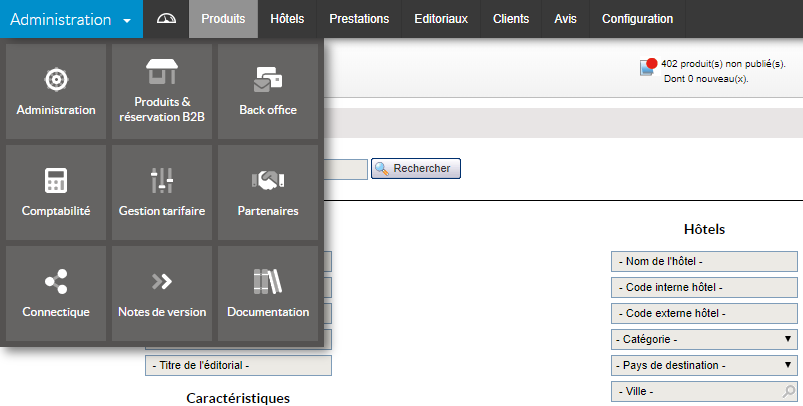
A new menu with clearer titles helps users navigate between parts of the platform and the different tabs.
Navigation menu
Centralisation of SSO login schemes
The schemes for
login links for the producers’ different professional points of access was
previously replicated in each distributor system.
This centralisation
allows simplified and accelerated management in case of modification of a Tour
Operator’s system while maintaining the flexibility of this type of link which
means travel agents just need to know the Orchestra login and password instead
of reproducing the login information for each system.
This system also
handles the security for all of the systems.
Orchestra inter-module security and SSO
To make SSO links
more secure, a login method has been blocked so that only the most secure login
technologies are authorised.
Graphic improvements and B2B upgrades
The B2B trade tool has been simplified and harmonised in numerous ways, including improved titles, options and check boxes. These small upgrades make it less clunky, and more user-friendly and coherent.
For example:
In the list of departure cities, we display the country’s ISO code. The default ISO code “XX” has been removed from the alternatives “Without transportation” and “Departure from port”.
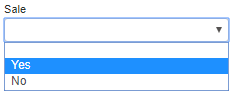
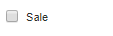
The sale criterion used to be a dropdown “Select Box” even though there were only two possible options: search for products which did or did not have sale availability. This means one fewer click for travel agents during every search for on-sale products:
Before: 2 clicks
Before: 2 clicks
Now: 1 click
The titles of the date fields in the Hotel and Flights + Hotels forms are now different to distinguish more clearly between the “arrival date” (at the hotel) and the “departure date” (of the flight).
Thanks to other refinements we have:
made Tour Operators’ logos clearer.
adjusted spaces between two search blocks to improve legibility.
harmonised partners’ default titles.
standardised the titles and order of meal options.
made the default closure of the list of links to Tour Operators’ sites configurable.
configured a default value in the “duration in nights” field in the user profile.
Increased security for credentials
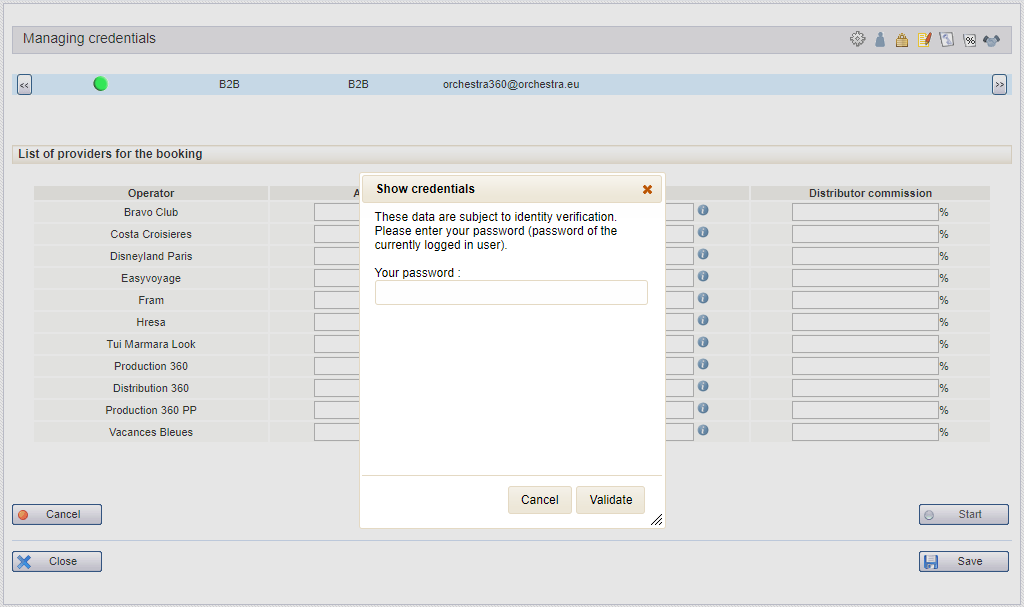
The display of credentials on the administration tool and the professional B2B tool is now password protected. Credentials remain hidden until an authorised user has entered the correct password.
Pop-up window prompting for password when accessing sensitive data.
Searching using Easyvoyage notes and equipment
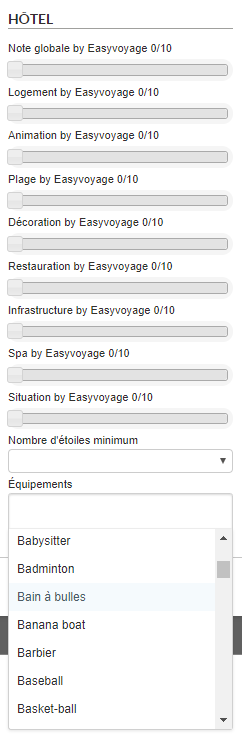
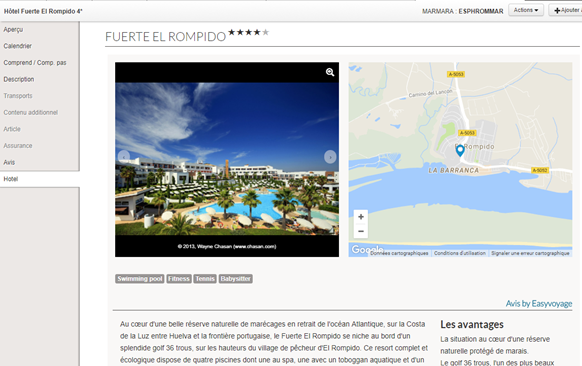
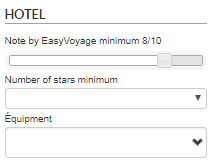
It is now possible to search for products using the “note” and “equipment” criteria taken from the Easyvoyage content provider.
This feature can be called up from all contexts :
Search engine
Refinement engine (to filter a product list obtained from a search engine result).
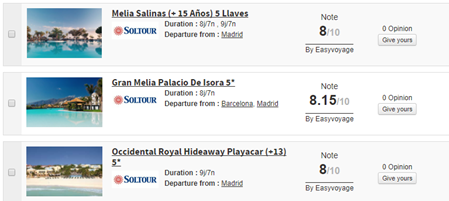
Display of the note in a search engine result cartridge.
Display of the note and equipment information in the product sheet’s description.
Responsiveness of B2B search engines
In order to improve search engines’ B2B response times, we have implemented a pregeneration system for these engines taking account of users’ differing travel policies. This pregeneration can significantly reduce reaction time when accessing the B2B.
“Minimum Price” blocks
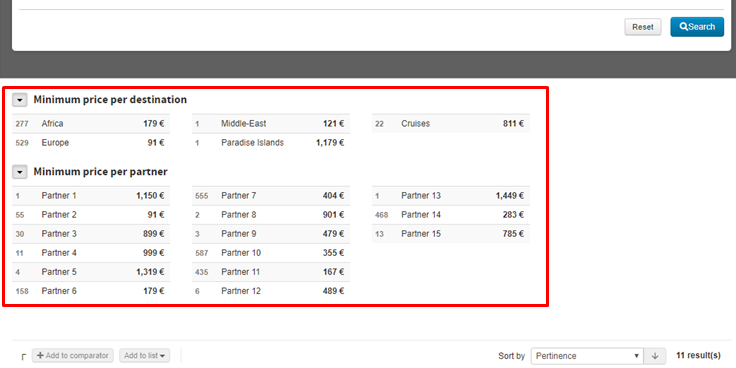
For B2B, the “Minimum Price” blocks display minimum prices per destination and minimum prices per partner. They are now loaded asynchronously, in order to improve load times and responsiveness on the B2B page. Each block is initially minimised, with an animation indicating that the block is loading if it is set to open by default. As soon as queries are sent and received by the client browser, the block opens and the results are displayed.
If the block is configured to be closed by default, in order to improve performance, queries are sent and results are loaded by clicking to open the block. When the user requests to open the block, a query is sent to Orchestra and the loading animation is displayed until the client browser downloads and displays the response sent by the Orchestra servers.
Here is an example with the two open blocks:
B2B Optimisation
Improvements to the deliverability of emails when sending product sheets via the ‘Send by email’ button.
Added configuration to reduce the minimum and maximum amount of passengers (adults, children, babies) on Transport, Hotel, Flight + Hotel search forms.
Sales guidance and customised rankings
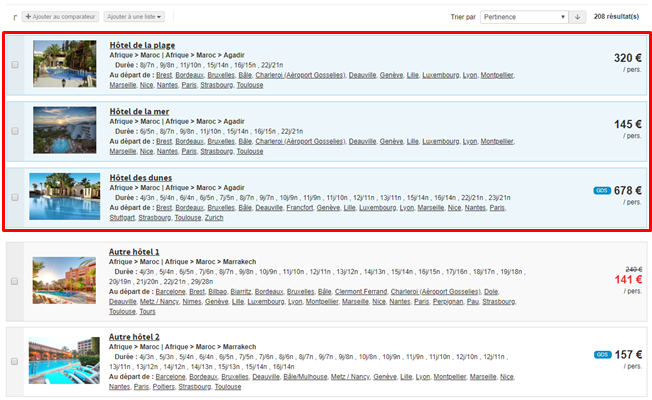
With B2B, distributors now have the option to create advanced filters to highlight certain products or categories of products in B2B search engine results.
The selection of products highlighted is decided via the combined addition of criteria and rankings on these products.
Distributors can now therefore guide their sales with a specific display (coloured in blue on the screenshot below) by highlighting certain products that match the travel agent’s search.
For example, you can highlight an exclusive offer with fantastic value for money for a given destination and ensure it appears within the first few search results, even if it has a higher base price than the other initial search results.
B2B optimisation
Improvements to display times for packages with lots of different availability.
Search by departure period and days
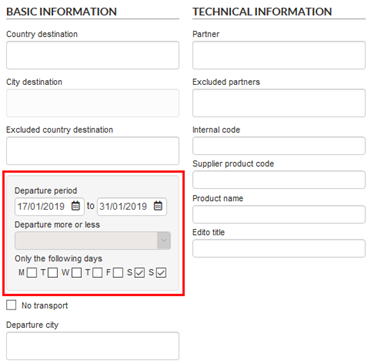
Why? To extend date search options when looking for packages and thereby enable travel agents to better target their searches.
Where? On the B2B solution package search engines – on the homepage and advanced search.
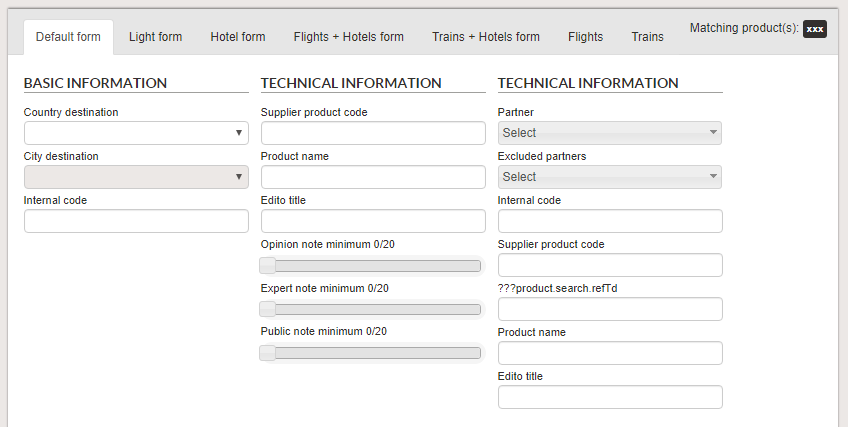
How? As well as searching by “date + flexibility”, you can now search using a precise departure period. Using this new date search block, you can select :
A departure period,
A date and flexibility (as before).
This new search block is activated by default.
You can also activate a new search criterion where departures on specific days of the week can be chosen. For example, these tick boxes can be used to search for all departures available on Saturdays and Sundays within a given period.
New auto-complete system
Why ? To improve the ergonomics of search engines and therefore facilitate the work of travel agents who use the B2B solution on a daily basis.
Where ? Mainly in the B2B solution, as well as in similar search fields in the price management tool.
How ? The “selectboxes” making auto-complete and multiple choice suggestions have been completely reviewed to offer optimised ergonomics.
The main improvements on the previous version are :
Highlighting of characters input in the search result,
Optimised selection/deselection using the mouse and keyboard,
More legible display of criteria trees,
Values selected displayed without being truncated,
Correction of display problems when browsing with the mouse wheel.
Two new features in the B2B solution
Integration of the Ip-label RumBI performance analysis system, for measuring the home page, package search and package page display time.
On the package page, on the booking form, it is possible to add “Preferred transport class” and “Preferred air company/ies” search criteria. This search field is compatible with providers using the Gestour system.
Improvements in the B2B solution
Addition of new search criteria based on Easyvoyage scores. In addition to the main score, it is now possible to search for packages via their secondary scores (Accommodation, Activities, Beach, Decoration, Catering, Facilities, Spa, Location).
Addition of a button on the product sheet allowing a travel agent to send a notification about an Easyvoyage review, in order to report errors, for example.
Integration of the IP-Label “Rumbi” tracking solution in order to monitor the browsing performance of each agency, in particular for login, search and package information sheet display steps.
Professional tools: increased session duration
Increase in the length of the default session which is now 1 hour instead of 30 mins. This value can also be configured.
Professional module improvement: icon library
The icon library used in the pro module has been updated (B2B solution, back-office, tariff management).
B2B solution improvement: hotel slideshow, product sheet and map tab
There are now extended slide shows available from Easyvoyage hotels in order to benefit from the quality of the content.
There is now an option to add headers and footers to printable versions of B2B solution product sheets. For example, it is now possible to display agency contact details and logos in the header and legal information in the footer.
A ‘map’ tab has been added showing the geolocation of a hotel on Google Maps (if the geolocation is known).
B2B solution: SSO link
The option to add an SSO link to the Bedsonline hotel source site has been added.
Integration with Microsoft Dynamics CRM
Context :Customer relationship management (CRM) is the set of tools and techniques used to capture, process and analyse information related to customers and prospects, with the overall goal of improving customer retention by offering or suggesting relevant services.
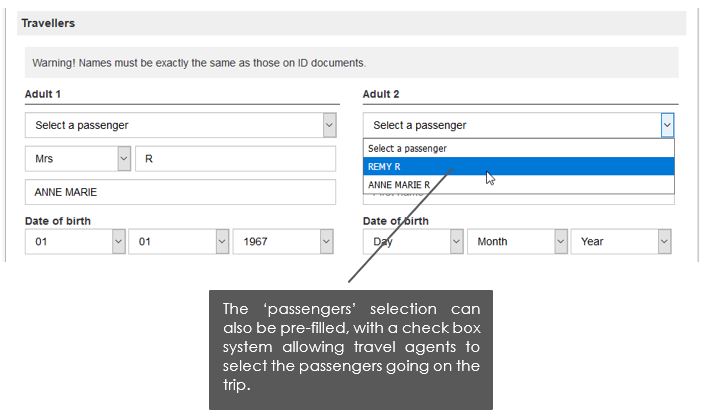
Why ? To complete the customer management tools available on the Orchestra platform. Integrating an external CRM tool allows users to connect their existing customer databases with the B2B solution and therefore centralise all their data. Pre‑filling contact details/passenger forms in the booking process when the customer is already known, and sending reserved files, can therefore become an automated process.
How ?
By using a single sign-on system (SSO) available within your Microsoft Dynamics area, sending customer data directly to the Orchestra B2B solution.
By using a search form in Orchestra’s B2B solution, which connects to Microsoft Dynamics to gather the necessary customer information.
Once entered in the booking process, this information will be used on the contact details page in order to pre-fill the form.
Note : some other specific developments have been planned to take into account some potential Microsoft Dynamics developments.
Managing content pages
Why ? To allow users to create various content and share it with travel agents who can then access their documents, sales help, special offers, etc.
Where ? Via tabs in B2B, just like for product sheets. They can be opened via links placed within text on the home page or within other content pages. Several tabs of the same type can be opened at once, and it’s possible to browse from content to content.
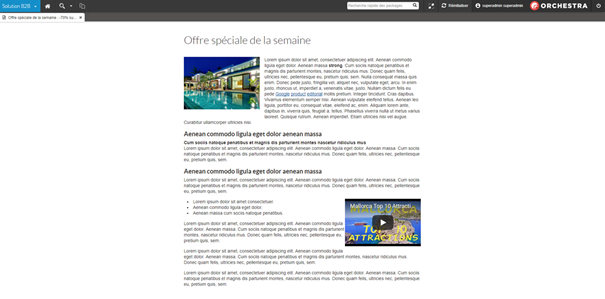
How ? In the administration tool, on the ‘editorial’ tab. Managing this content is done via a new dedicated editorial space, known as ‘editorial content for B2B’. It includes a unique wysiwyg zone (which stands for ‘what you see is what you get’), where it’s possible to incorporate:
text
images
videos (via iframes),
links to product sheets
other content pages
classic links
With this wysiwyg zone, text is not editable, but you can use the bold, italic, list and title functions.
Richer content for packages thanks to Easyvoyage
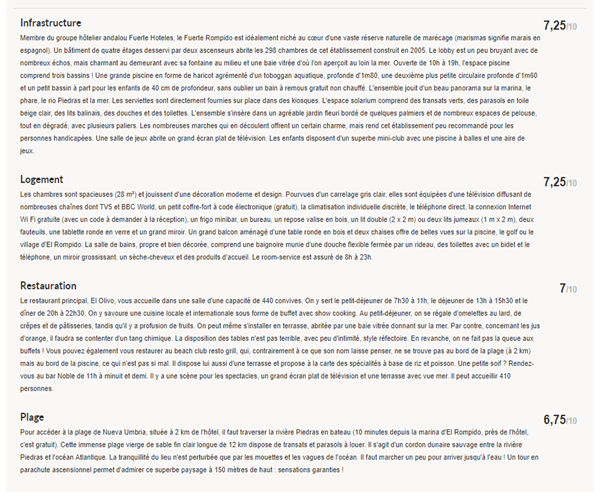
The aim of this integration is to enrich provider package content using written content and expert reviews from Easyvoyage.
Richer content from Easyvoyage includes :
An overall score
A hotel description
A standardised Easyvoyage
certification level
Richer content with detailed
scores for services
The list of hotel facilities
available
The geoposition of the hotel
An HD photo slideshow
Preview of Easyvoyage content available in the B2B Solution
Easyvoyage scoring details available in the package sheet of the B2B Solution
This information is shown in the hotel section of the package sheet in the B2B Solution and can also be displayed in the front office via the service catalogues.
There are many other additional functions available :
Filters for the Easyvoyage score, the number of stars attributed to the hotel and the list of facilities available in the B2B Solution.
Filter available in the B2B Solution for the Easyvoyage score and also scoring criteria
Sorting by Easyvoyage score in
the search engine results table
Display Easyvoyage score in the
search engine results
List of packages with Easyvoyage scores in the B2B Solution
Overview of Easyvoyage expert scores
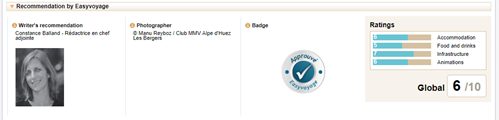
Easyvoyage recommendations in the hotel information sheet of the B2B Solution
Easyvoyage recommendations in the hotel form of the administration tool
This information allows you to pitch products using detailed content, improve your customer service and thereby target sales more effectively.
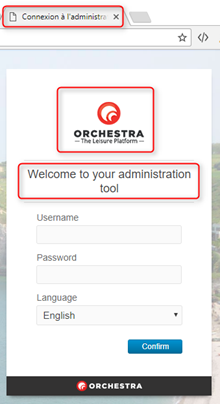
Customisation of module login pages
The login pages for the various modules can now be customised through the use of a specific parameter in the URL.
The following parts can be modified :
The text of the tab,
The logo,
The welcome message.
Login page for the administration tool
Refinement using a world map
A new refinement block is available in the packages search engine results in the B2B solution.
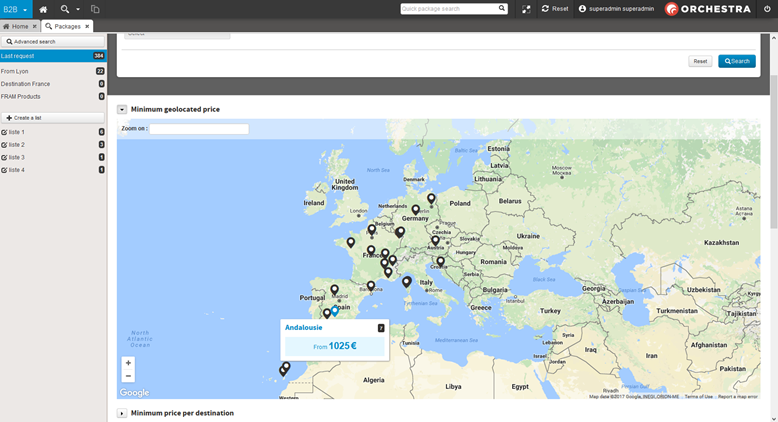
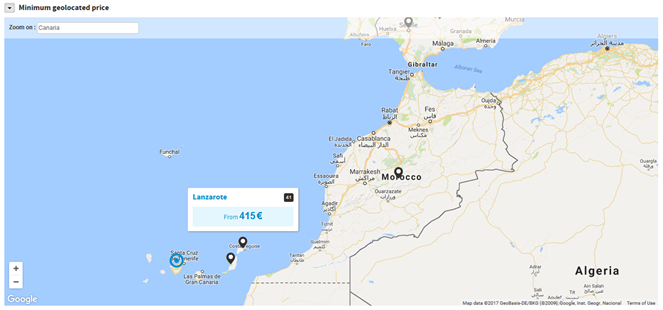
This new block is situated at the same level as the other minimum price blocks and is called “Minimum geolocated price”. It refines packages according to destination via a world map using Google Maps.
New refinement block “Minimum geolocated price”
The points on the map show the destinations for which products are available.
By using the mouse to hover over these points you can see the product names and the corresponding minimum price.
Clicking on the point displays the list of corresponding products.
The map offers a search box which uses the Google Maps search engine.
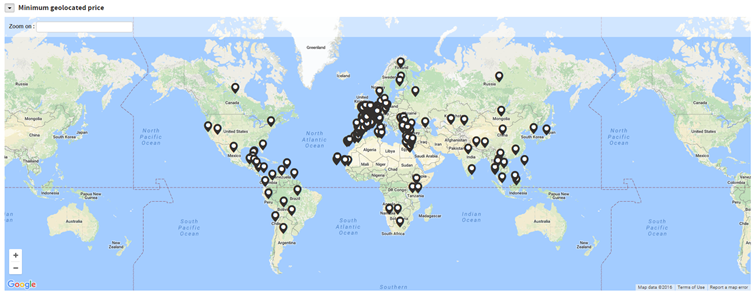
You can zoom on anywhere in the world and display the products available in that area.
Map display showing an extensive search
Zoom on a location using the Google Maps search box
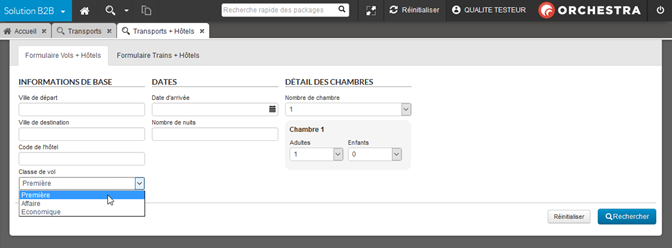
Searching by class of travel in the transport and dynamic packages search engine
The B2B solution now allows users to perform transport searches by specifying the class of travel.
Class of travel field in the dynamic packages search engine
Changes to Tripadvisor reviews
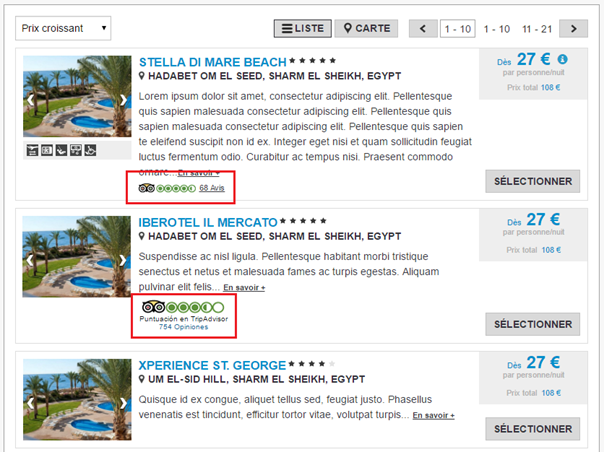
Tripadvisor reviews can now be displayed in the package search of the B2B solution. The rating appears in the package text box in the form of a widget or an image upon which the user can click (based on the agreement with Tripadvisor). The package data sheet also includes a new section, “Tripadvisor reviews”, displaying the detailed list of these ratings.
The display of these Tripadvisor ratings on the packages can be configured, with the condition that the packages must be associated with hotels which have a Tripadvisor rating.
Tripadvisor rating displayed in the form of a widget
Tripadvisor rating displayed in the form of an image
New display of the Tripadvisor rating in the hotel and dynamic packages sale process
Managing multiple currencies
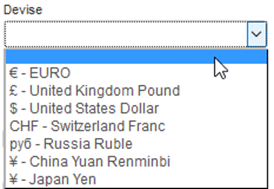
The B2B solution now allows operations in multiple currencies.
A new field is used to select the currency displayed in search engines for packages, hotels, transport and dynamic packages. The exchange rates are obtained automatically every day.
New “Currency” field in the search engines
Prices displayed in the selected currency for the package engine results
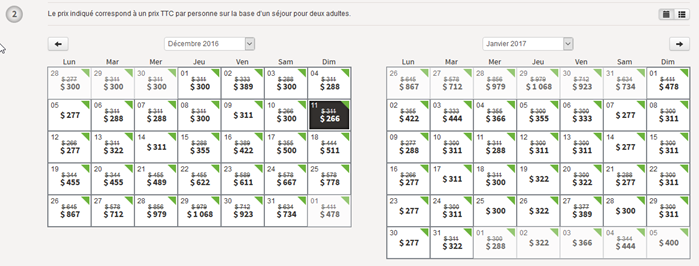
Prices displayed in the selected currency in the package calendars
The choice of currency has also been added to the list of search criteria for package catalogue services.
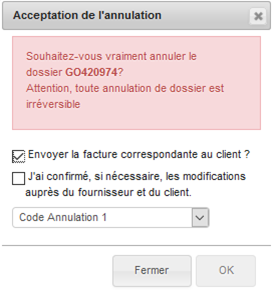
Warning message when cancelling a booking
A warning message has been added to highlight more clearly the fact that cancelling a booking in the back-office is definitive.
Warning message when cancelling a booking
Alphabetic sorting for users’ favourite searches
The list of favourite searches is now sorted alphabetically.
Updates to usability
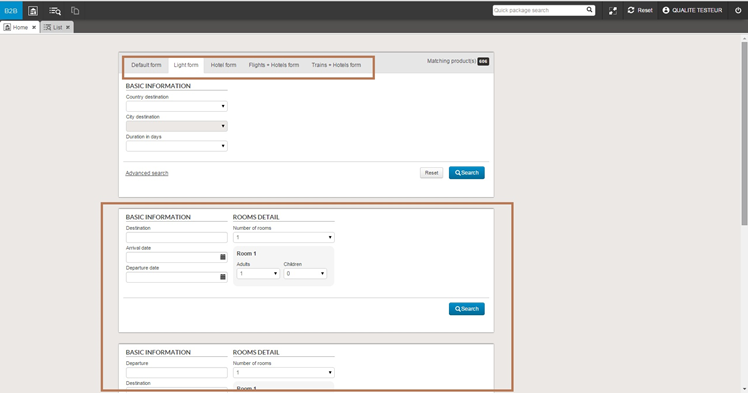
Various changes were made to the B2B Solution to improve usability.
Search engine tabs should now be more easily distinguishable by a background colour.
Example of a blue background for the “Light form” tab
Depending on the user connected, the tabs can now be greyed out and deactivated if no matching product is visible for this profile.
Example with a “Stay and Club” tab deactivated
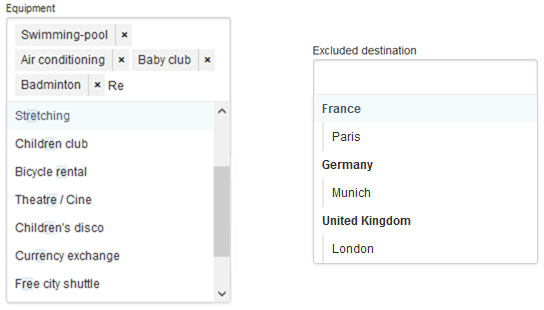
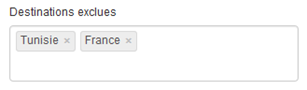
A new type of selection box now allows you to exclude a list of values for Destination-type fields and Orchestra criteria. This list applies to the first level of the hierarchy.
Example of excluding a list of destinations
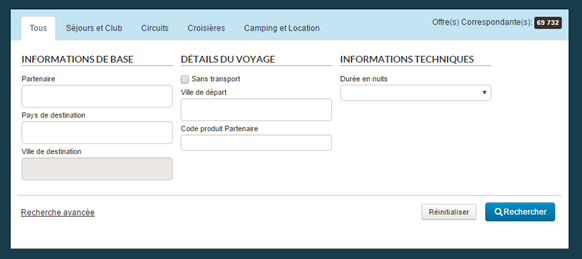
Searching for products without transport is now made by ticking a dedicated box that deactivates the “Departure city” field.
Tick box allowing for a search “Without transport”
Finally, it is now possible to configure a logo to be displayed in the upper right part of the main menu bar.
Example of a logo displayed in the main menu bar
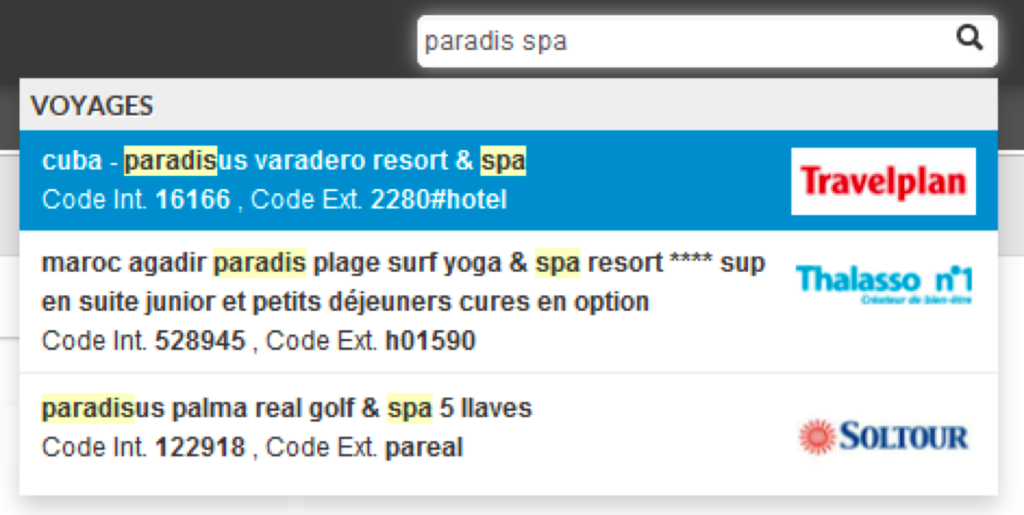
Multi-word rapid search
Rapid search now accepts searches using several searchwords. Names of products containing these words, in order of entry, will appear in the result.
Rapid search using several searchwords
Search by ratings
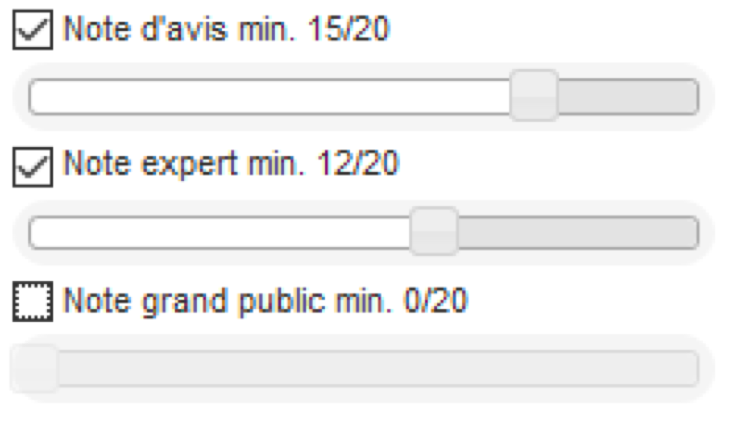
The packages search engine now offers a search by ratings. When packages are matched to opinions, it becomes possible to search according to :
The overall minimum rating,
The minimum rating by travel
agents (experts),
The minimum rating by the
general public.
These search fields take the form of sliders and can be activated or deactivated using checkboxes.
Search by minimum ratings using sliders
Search field with multiple selections and auto-completion
A new type of research field is now configurable. This select-box combines multiple selections with a values search using auto-completion.
New select-box with multiple selections and auto-completion
Criteria such as destination Countries/Cities, Cities of origin, Partners and Orchestra criteria are compatible with this new method.
Interface adjustments
For an improved look and feel and better consistency, a number of adjustments have been made :
It is now possible to create a
favourites list directly using the “Add to a list” button.
The list of action buttons at
the top of the search results is replaced by a click button when only one menu
action is possible (e.g. “Add to comparison”).
Moving from the product record
to the quote page no longer causes a temporary holding page to display.
On the product record, the
“Reserve” section of the side action bar has been renamed
“Calendar”. Also, the link to
the “Reservations” section now looks the same as the other links on
the side bar.
“Add to comparison” and “Create a list” buttons in the search results
Calendar and Reservations section of the product record
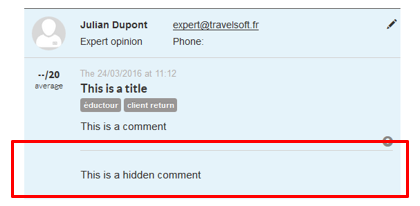
Reviews Adding a hidden comment
The reviews of experts, which travel agents enter in a B2B solution, can now be completed with a new text field corresponding to a comment reserved for the agent.
Unlike traditional comments, these “hidden” comments will not immediately be visible in the list of reviews for the package. In each review text box, a pictogram indicates whether or not this type of comment exists. Simply click on this pictogram to open the “hidden comment”. This for example allows an agent to print or show the product record to their clients without needing to show this additional information.
Entry of the “hidden comment” when creating a new review
“Hidden comment” hidden by default in the product record
Display of the “hidden comment” in the product record
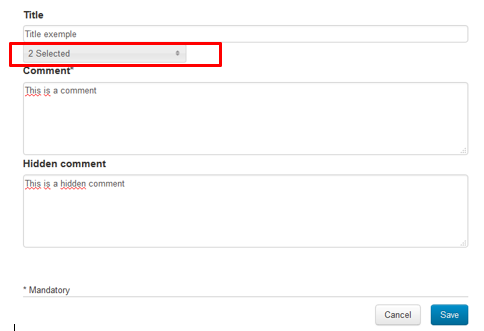
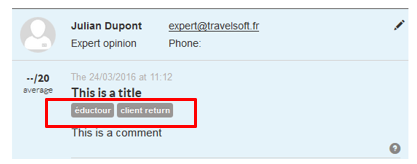
Reviews – Possibility of assigning types
The review creation form now allows reviews to be assigned types with different values. To do this, multiple-choice select boxes can be added via a configuration. The content of these select boxes corresponds to distributor criteria (with no sub-levels) which must first be defined in the administration tool.
These review types can then be seen in the form of keywords in the text boxes for each review.
Entry of the types when creating a new review
Display of the review types in the product record
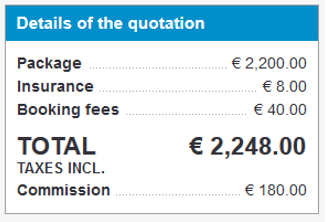
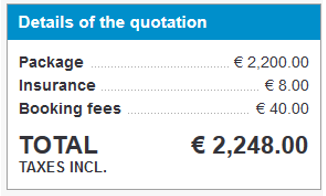
Hiding the commission amount
The amount of the commission in the order summary in the reservation process can now be hidden. Simply click on the quote total to hide it.
This is especially useful in the B2B solution so that the travel agent can show their screen to their customer without revealing this information.
Hide the commission by clicking on “Total (incl. tax)”
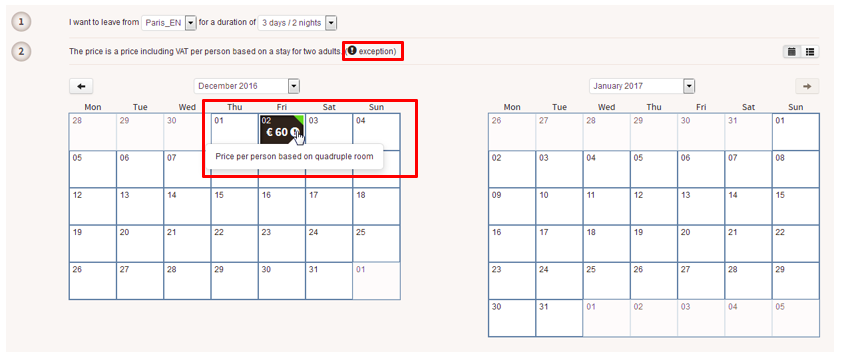
Displaying price types
When providers no longer have any double rooms available, they can then send prices that are not based on a double room. For compatible providers, we can now import these alternative availabilities and display the price’s exact nature on the product sheet. This feature is also available for catalogues with the appropriate integration.
On the B2B solution’s product sheet, when the price type is not standard, a icon will display the price’s exact nature (“Price per person based on a four-person room” or “Price per person based on a single-person room”, for example).
Displaying the nature of prices on the product sheet
Specific sections in package descriptions
It is now possible to display a specific package’s editorial zones in the B2B solution’s product descriptions.
The way these specific sections are displayed can be configured and they are shown after the package description’s standard sections.
A specific section of the editorial is displayed in the product description
Contextual sorting
Default sorts are now contextual to what is being sorted. In this case, averages and number of reviews are sorted from highest to lowest by default (best score/highest number of reviews first), whereas sorting by price will always show results from lowest to highest.
Additionally, averages/number of scores shown in the product blocks are also contextual to the type of review used for the sort :
Sorting by expert reviews will
show averages/numbers of expert reviews in the blocks
Sorting by user reviews will
show averages/numbers of user reviews in the blocks
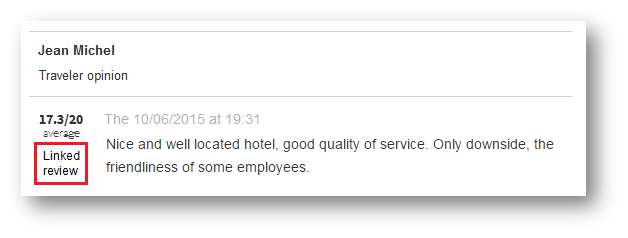
Reviews of products linked to the same hotel
Reviews displayed on the product data sheets can now include the reviews of all the products linked to the same hotel. If the hotel itself has reviews, they too will be displayed.
A “Linked review” label has been added to the review blocks not pertaining directly to the product in question.
The various averages take these new reviews into account when this function is activated.
Linked review in the B2B solution
Format of credences
The format of credences is now displayed in the corresponding form, below every field.
Viewing the format of credences in the B2B solution
Rounding off opinion averages
A configuration now makes it possible to display averages rounded to the nearest tenth rather than to the nearest whole number.
Expert opinions and general public opinions
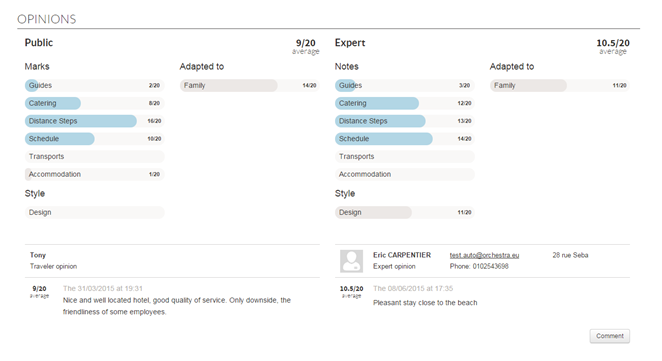
The “Opinions” section of the “package” product data sheet now differentiates more explicitly between “general public” opinions (holidaymakers’ opinions) from “expert” opinions (agents’ opinions). The section is divided into two columns :
The first column displays
general public opinions,
The second column displays
expert opinions.
Each of these columns is preceded by the list of corresponding subaverages as well as the overall average of each type of opinion (expert and general public).
The average featured at the top of the product data sheet always corresponds with the overall average, all types of opinion combined.
In terms of package engine feedback, it is now possible to sort by :
Number of expert opinions,
Number of general public
opinions,
Expert average,
General public average.
It is however possible to sort by total number of opinions and overall all types of opinion combined average,
Differentiation between general public and expert opinions
Search engines dedicated to each process
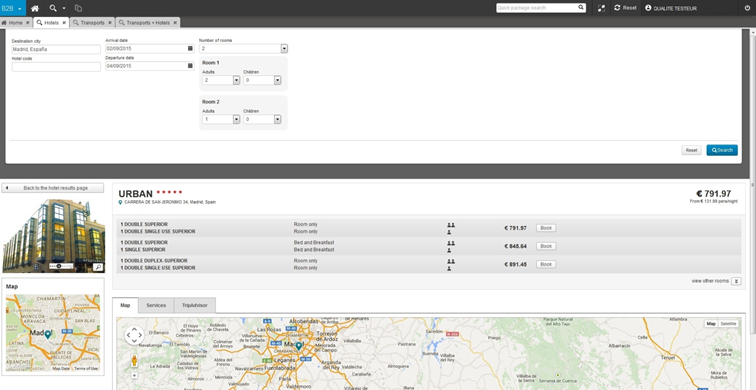
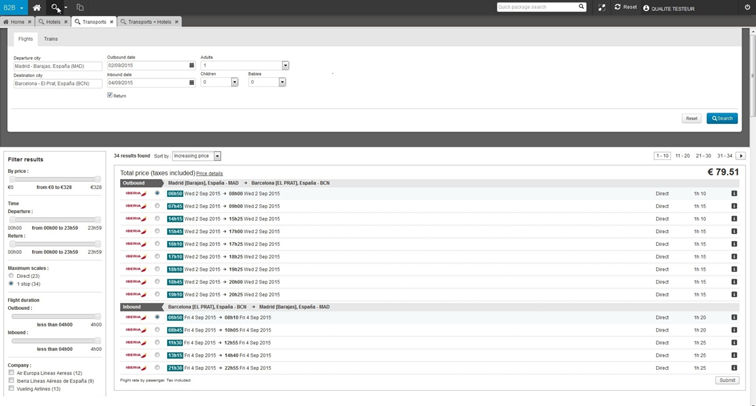
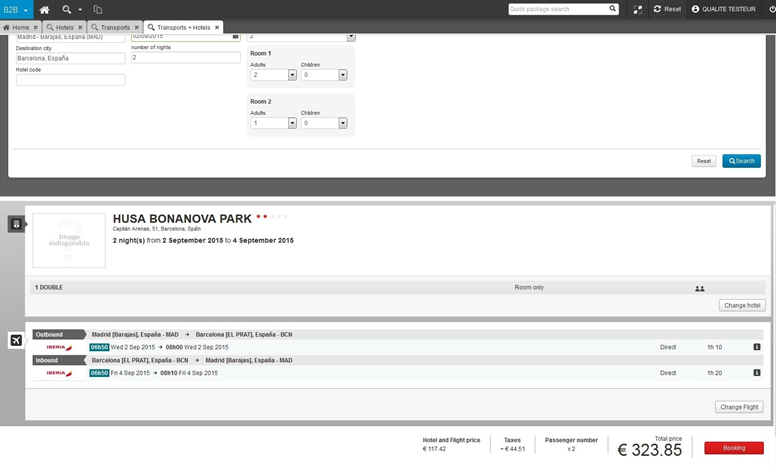
The search engines for hotels, transport and dynamic packages now open in a dedicated tab, in the same way as the packages search tab. These tabs comprise a search engine at the top of the page and the search results below (all in the same tab).
However, unlike the packages search (and pre-packages search) which uses a cache system, the search engines for hotel processes, transport and dynamic packages process information in real time. A specific “wait” message has been added, to give the user an idea of the real search duration.
Lastly, the way search results are displayed has been adapted to optimise their appearance in the B2B solution.
Hotel search tab
Displaying a hotel in the hotel search tab
Transport search tab
Dynamic packages search tab
New icons
The icons in the menu bar have been redesigned. Icons indicating the name of a tool (B2B, Back Office, Yield, etc.) and the page loading status bar can now be given longer titles in multiple languages.
The icon for the packages search list has been replaced with a new magnifying glass icon which allows you to select the search engine you want in a drop-down list. This list of search engines can be configured by channel, agency or agent. For example, you can configure “package sales only” for particular agencies, and configure “package sales + hotel sales” for other agencies.
New icons and new search tabs
Multi-process pushing on the home page
You now have the possibility to place widgets adapted to the different sales processes on the home page.
In the same way as with packages, you can push a hotel search, flight search, dynamic packages search, particular hotel, etc.
One click on the new widgets opens up the search results in the corresponding tab.
The multi-process “search engine” widget
The home page can now handle processes for all of the search engines simultaneously :
Package and Pre-Package
Hotels
Hotels + Transport
Transport
The search engines for different processes can be displayed in separate blocks, or combined in a single block with a tab system.
The multi-process “search engine” widget
Home page that the user can configure
The home page can now be configured by the user or group of users thanks to the “channel/organisation/user” idea. For example, it is possible to set a specific home page for certain channels or certain agencies.
In addition, a new widget, “User editorials”, has been added so that specific messages can be displayed to certain users or a certain user group. The message that appears in the widget comprises :
Content
from the “Editorial” zone of the user profile
Content
from the “Editorial” zones for all of the “parents” in the
user tree diagram
New “User Editorials” widget on the home page of the B2B solution
Evolution du moteur de recherche « hôtels »
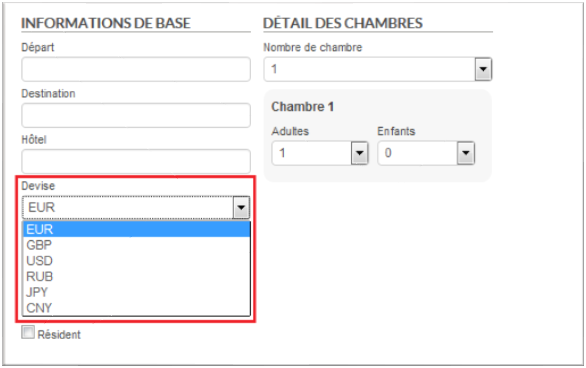
Le moteur de recherche « hôtels » s’enrichit d’un champ de recherche par nom d’hôtel, ainsi que de la possibilité d’indiquer la devise souhaitée pour que le résultat de recherche s’affiche dans la devise correspondante.
Nouveaux champs « Hôtel » et « Devise » dans le moteur de recherche Hôtel
Evolutions complémentaires sur les avis
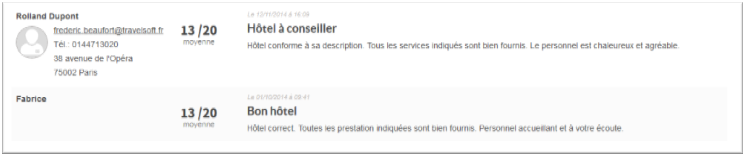
Afin de bien différencier les avis clients des avis agents,
ces derniers s’enrichissent d’une photo de profil s’ajoutant à leurs
coordonnées. Sur les avis clients, seul le prénom apparaît.
De plus, l’ensemble des avis ont été enrichis d’une notion de titre. Cette donnée peut être saisie lors de la création de l’avis.
Affichage des avis clients
Les avis clients remontent dorénavant sur l’interface de la
solution B2B. Ces derniers apparaissent dans la même section que les avis
agents.
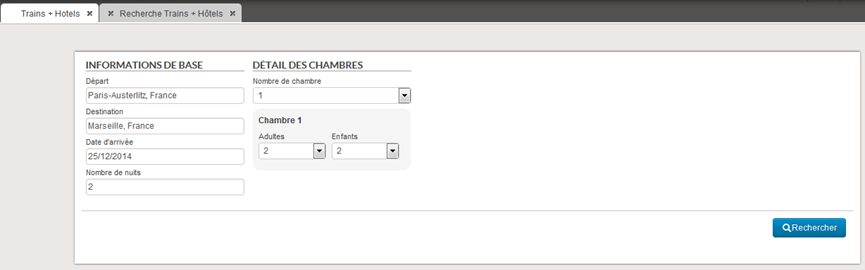
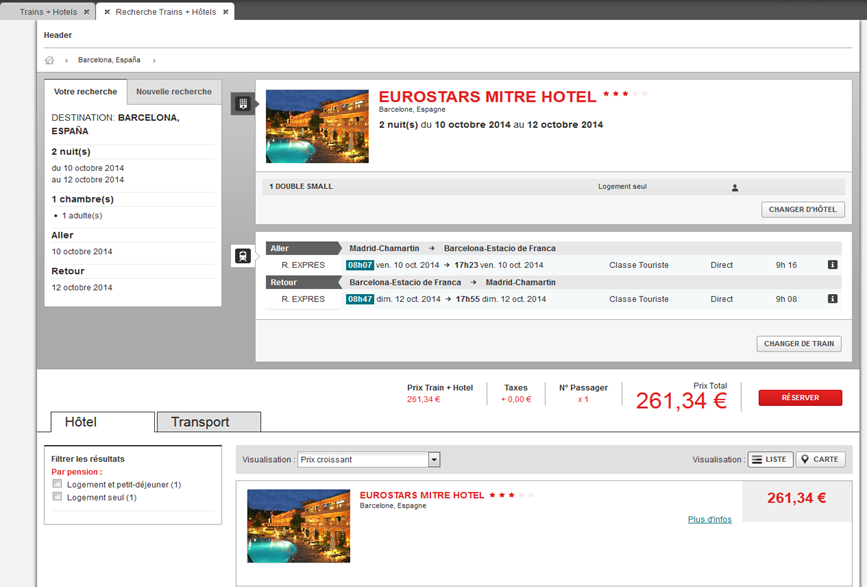
Moteur de recherche « trains + hôtels »
En plus des moteurs de recherche « package », « hôtels » et « vols + hôtels », le B2B propose maintenant un moteur « trains + hôtels ». Le principe de fonctionnement est le même que celui du moteur « vols + hôtels ».
Moteur de recherche « trains + hôtels »
Résultat moteur « trains + hôtels »
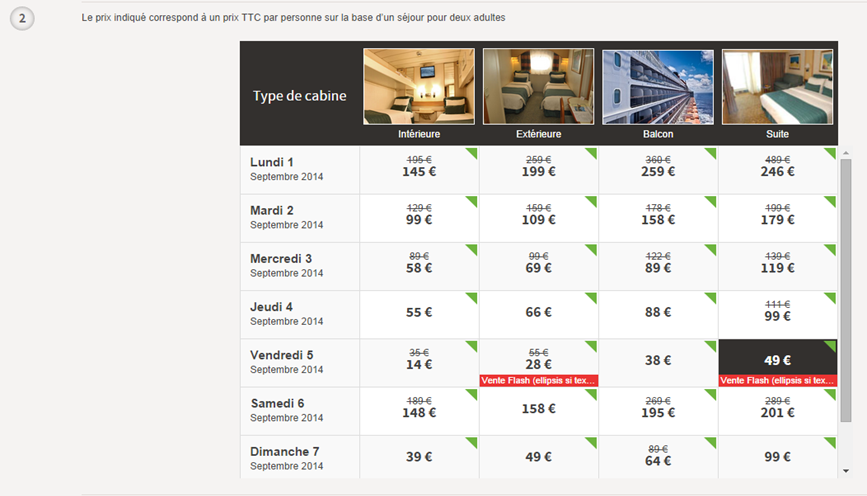
Nouveau calendrier pour les fiches croisières
Afin de présenter au mieux les caractéristiques des produits
de type « croisière », les calendriers des disponibilités de ces
derniers sont maintenant spécifiques.
Ce nouveau calendrier présente les grands types de cabines
sur l’axe horizontal :
Intérieure,
Extérieure,
Balcon,
Suite.
Les différentes dates de départs sont affichées sur l’axe
vertical.
Le type de tarif peut également être mentionné en rouge dans
la case en question.
A partir de ce calendrier, il est possible de cliquer :
Soit sur la date de départ, ce qui permet d’entrer dans le processus de réservation sans avoir choisi de type de cabine précis,
Soit sur un prix précis, ce qui permet d’entrer dans le processus de réservation en présentant la cabine demandée et les cabines de type supérieur.
Ce nouveau calendrier est déjà compatible avec les croisiéristes Costa Croisières, Iberocruceros, MSC Croisières, Royal Caribbean, Croisières de France et Celebrity Cruises. Il sera bientôt également compatible avec la production interne de croisière.
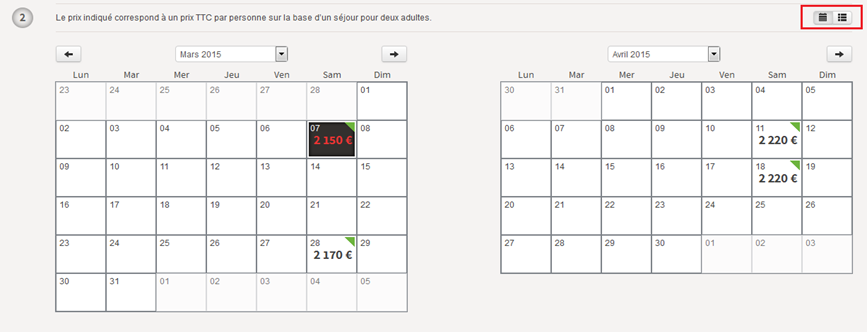
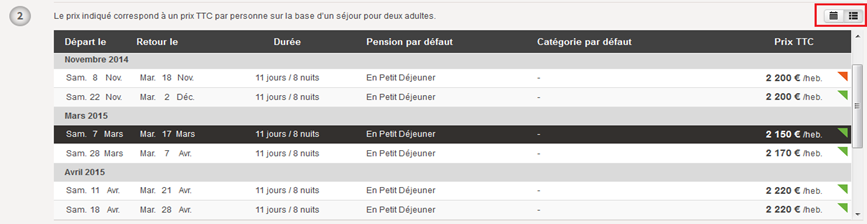
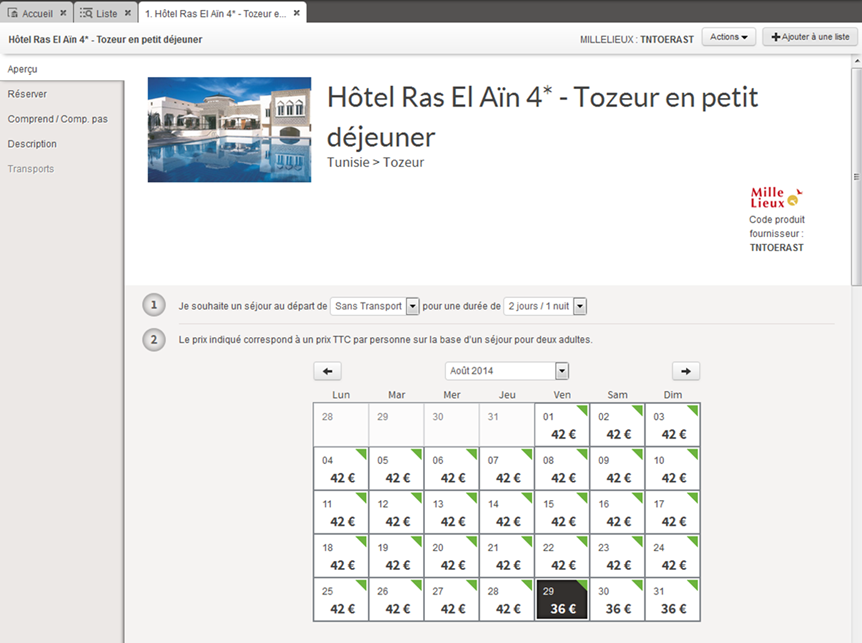
Calendrier de la ficheproduit en mode liste
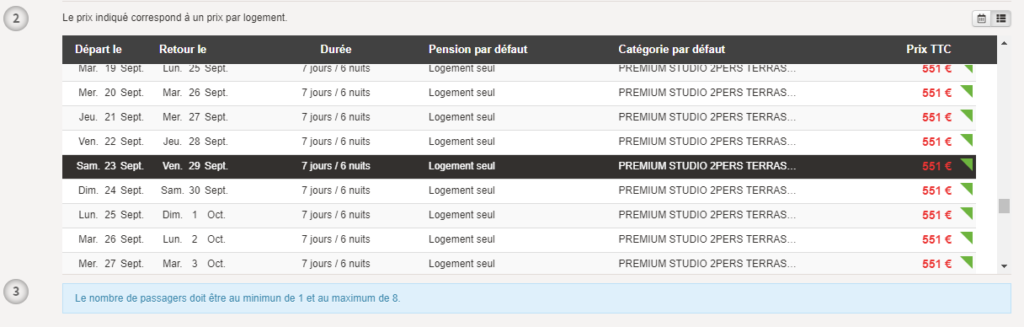
Sur la fiche produit, il est maintenant possible d’afficher les départs disponibles en mode « liste » plutôt qu’en mode « calendrier ».
Un bouton en haut à droite du calendrier permet de basculer d’un mode à l’autre et la préférence de l’utilisateur est conservée en fonction du dernier choix.
Affichage des disponibilités en mode calendrier
Nouvel affichage des disponibilités en mode liste
Aperçu des disponibilités sur le retour moteur
Le détail des disponibilités associées à un package est
maintenant consultable directement à partir du retour moteur sans avoir à
ouvrir l’onglet du package en question.
Pour cela un clic sur une ville de départ sur la cartouche du
package ouvre un calendrier qui permet de naviguer dans la liste des départs
disponibles. Un double clic sur une date permet d’ouvrir le package en
présélectionnant la date choisie.
Il est possible d’ouvrir simultanément plusieurs de ces calendriers afin de comparer en un coup d’œil les départs de ces packages.
Gestion des avis agences
Les agences peuvent désormais saisir et consulter leurs avis directement dans la solution B2B Orchestra.
1/ Mode commentaires + notes ou commentaires seuls
Une configuration permet de choisir entre le mode « commentaires +
notes » ou le mode « commentaires seuls ».
Dans le mode « commentaires + notes », les agents
ont la possibilité de saisir le détail des notes du produit ainsi que le
commentaire associé. Dans le mode « commentaires seuls », seul un
commentaire doit être saisi.
Il est également possible de n’autoriser que la consultation et non la saisie.
2/ Affichage au niveau des résultats moteurs
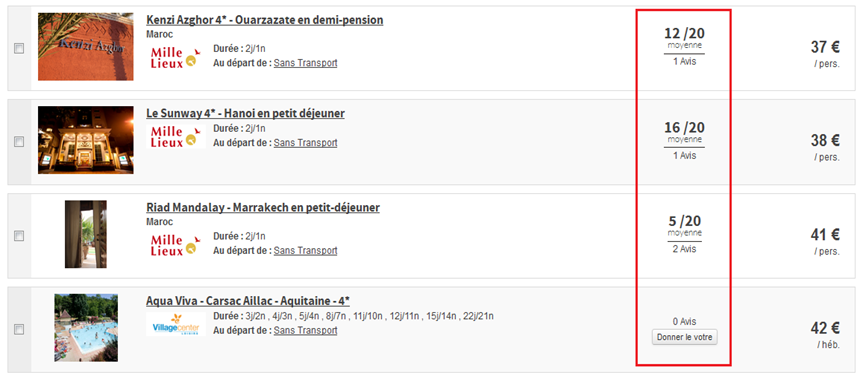
Les résultats moteurs peuvent afficher le nombre d’avis ainsi que la moyenne des notes de chaque produit.
Par ailleurs, deux nouveaux types de tri ont été ajoutés afin de trier les produits par leur note moyenne et par leur nombre d’avis.
3/ Affichage au niveau des fiches produits
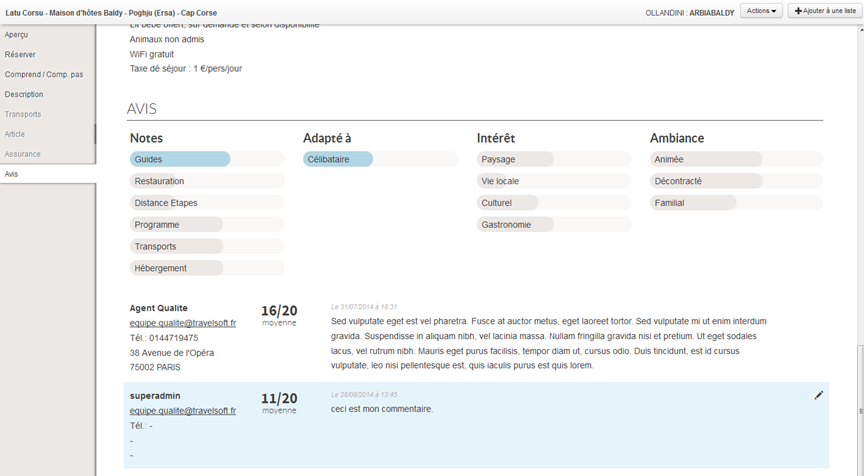
Une nouvelle section « Avis » apparaît en bas de la fiche produit. La moyenne de chaque note apparaît sous forme de barres. Les barres bleues indiquent les notes prisent en compte dans la moyenne globale (configurable). En dessous, la liste des avis de chaque agent est affichée. Un code couleur (avis en bleu) permet de repérer facilement son propre avis. Ce dernier reste modifiable à tout moment par l’agent.
Section « Aperçu » de la fiche produit
Section « Avis » de la fiche produit
4/ Saisie des avis
Pour saisir un avis, il suffit d’ouvrir la fiche produit
correspondante, d’aller dans la section « Avis », et cliquer sur le
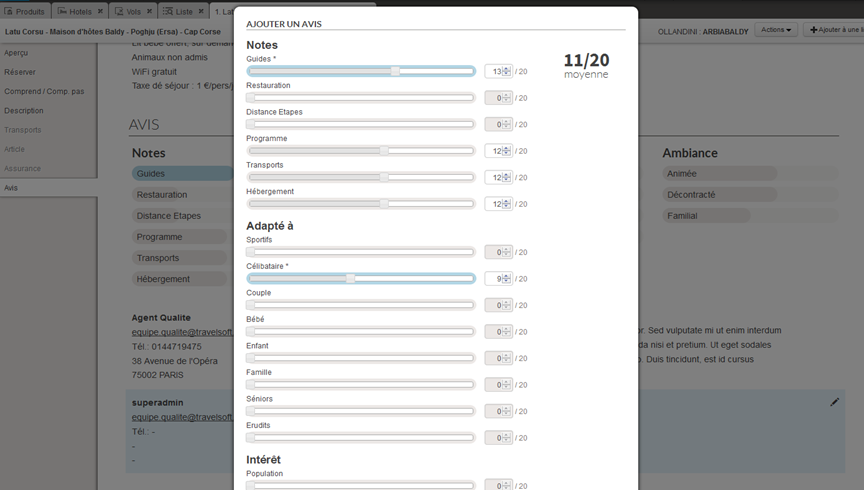
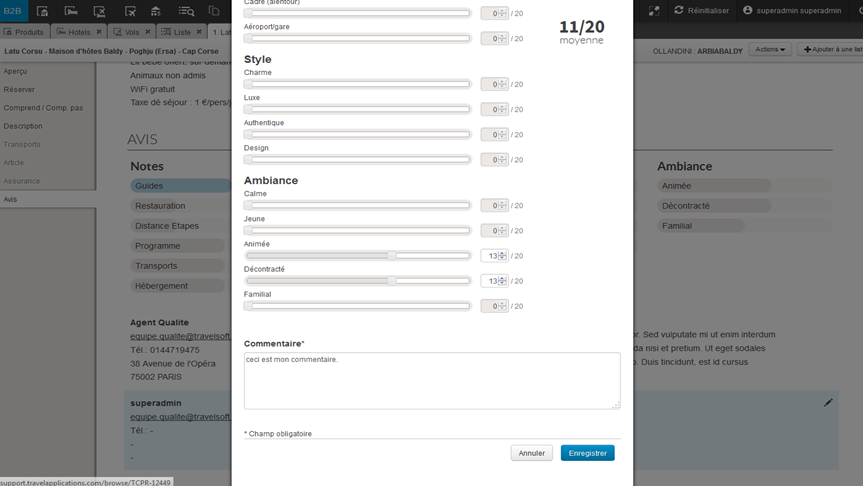
bouton « Donner son avis ». Un formulaire composé de curseurs permet
de saisir chacune des notes. En bas du formulaire, une zone de texte permet de
remplir le commentaire.
Les notes avec les « * » correspondent aux notes obligatoires. Celles qui sont en bleu correspondent aux notes qui sont prises en compte dans la moyenne. Tout ceci est configurable avec l’aide de votre chef de projet. La valeur maximale de la note est également configurable, ce qui permet par exemple de choisir une notation sur 5, 10 ou 20.
Pop-in de saisie des notes (haut)
Pop-in de saisie des notes (bas)
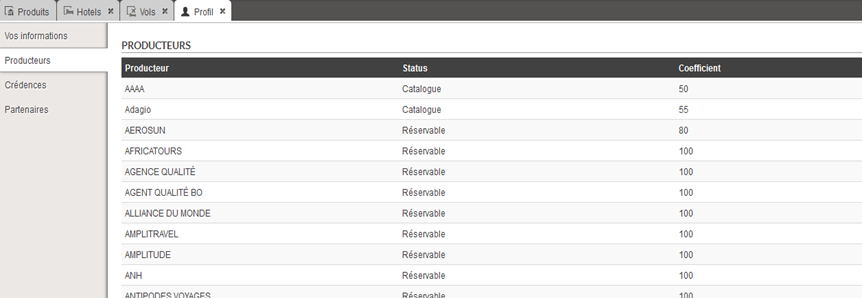
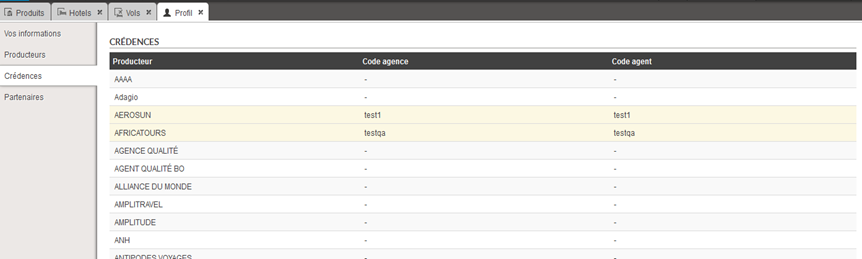
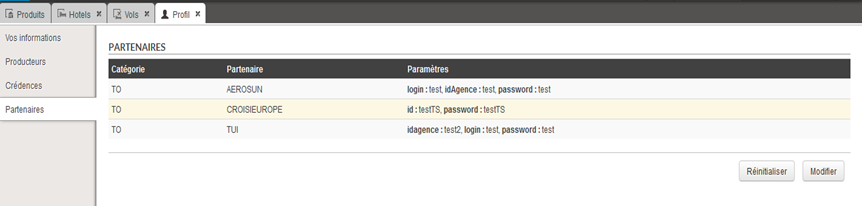
Politique voyage, crédences et codes partenaires
La section profil de l’utilisateur s’enrichit avec la
possibilité de consulter et de modifier la politique voyage des producteurs,
les crédences, ainsi que les codes partenaires.
Une couleur jaune indique si la donnée provient de l’agence
(valeur héritée) ou si la valeur a été surchargée par l’agent.
Dans chacune des sections, il est possible de réinitialiser les codes avec les codes de l’utilisateur parent (l’agence en générale).
Saisie de la politique voyage
Saisie des crédences
Saisie des codes partenaires
Compatibilité avec les faibles résolutions d’écran
La solution B2B Orchestra est désormais optimisée pour les écrans de faibles résolutions (1024 px de largeur). Les différentes pages ont été retravaillées pour éviter les « scrollings » indésirables.
La page produit affiche désormais un seul calendrier lorsqu’une résolution trop faible est détectée.
Affichage d’un seul calendrier sur les écrans de faible résolution
Les utilisateurs disposant d’écran avec une résolution plus
grande ne sont pas impactés par ces changements.
Fiches produits croisières
Une fiche produit dédiée aux croisières a été développée
afin de mettre en avant les spécificités des croisières.
Cette fiche croisière comporte les zones suivantes :
Bateau, et diaporamas associés,
Activités, et diaporamas associés,
Itinéraire, et diaporamas associés,
Ponts, et diaporamas associés,
Cabines et diaporamas associés,
Formalités et informations pratiques.
Nouvelle fiche croisière
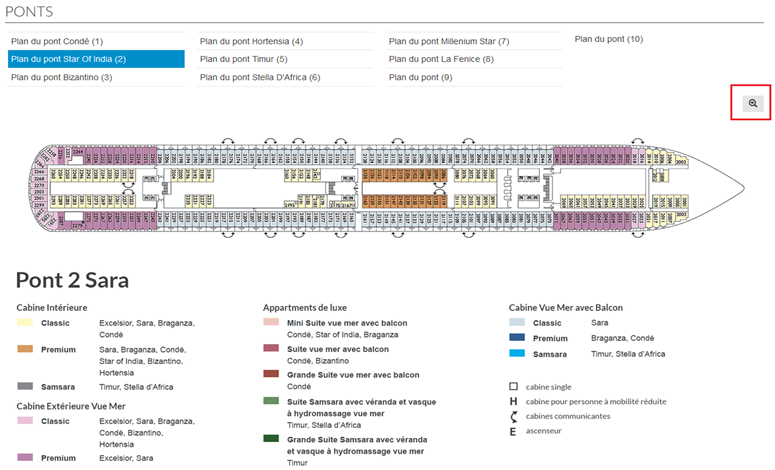
Les plans des ponts bénéficient d’un système de zoom permettant de voir en détail l’emplacement des cabines.
Zones des ponts avec la fonctionnalité de zoom
Ajout des informations agence dans le profil de l’agent
Le nom et le code « CAB » de l’agence ont été ajoutés au profil de l’agent.
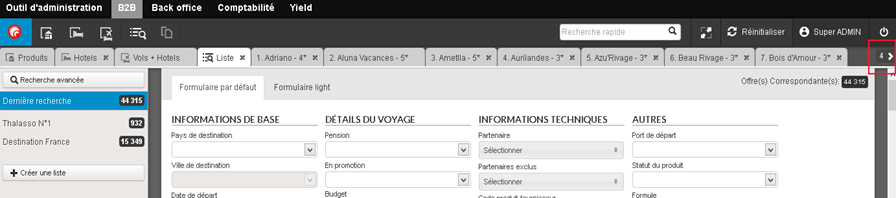
Gestion du nombre important d’onglets ouverts
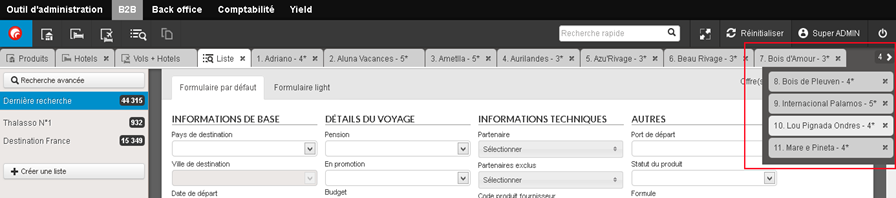
Lorsque le nombre d’onglets devient supérieur à ce que l’écran de l’utilisateur peut afficher, les onglets supplémentaires sont désormais accessibles via un système de menu déroulant à droite de la barre des onglets.
Affichage du nombre d’onglets cachés
Affichage des onglets cachés
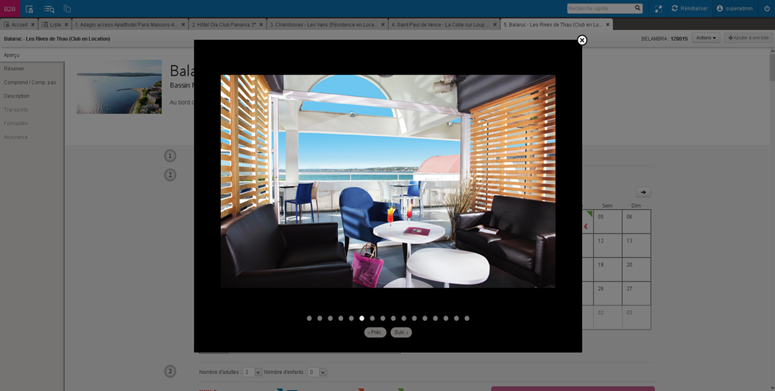
Nouveau Diaporama
Le diaporama de la fiche produit a été revu. Il est désormais accessible via un clic sur l’image principale.
Optimisation des recherches de packages
Les algorithmes de recherche et d’affichage des packages ont
été améliorés :
Affichage plus rapide du nombre de produits correspondant à la recherche en haut à droite du moteur,
Affichage plus rapide de la liste des résultats,
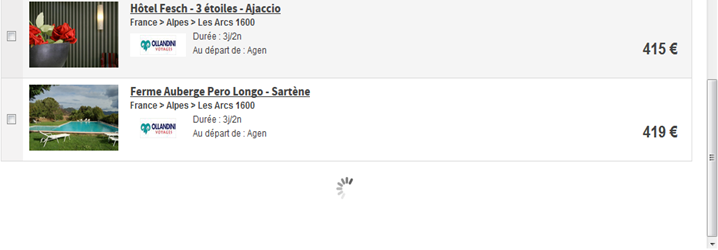
Affichage de la liste des résultats de manière asynchrone ce qui permet de commencer à consulter les premiers produits pendant que l’affichage des résultats suivants se poursuit,
Affichage plus rapide de la fiche produit,
Retour à l’onglet liste plus rapide, tout en gardant la position de la liste sur laquelle l’utilisateur s’était arrêté.
Défilement des résultats de recherche sans pagination
Sur la page de résultat, l’affichage des produits suivants
est désormais possible sans pagination. Une fois arrivé en bas de page, la
suite du résultat de la recherche est automatiquement chargée.
Une limite a été mise en place afin de conserver une taille de page raisonnable. Une fois cette limite atteinte, le défilement s’arrête et un message invitant à affiner apparaît.
Chargement des résultats suivants
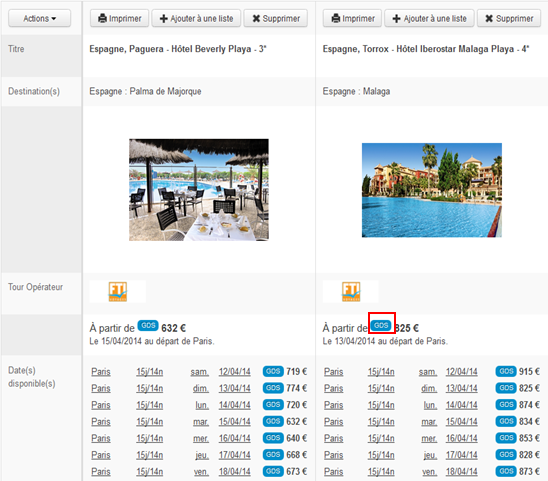
Amélioration de la signalétique GDS
La signalétique GDS est désormais
harmonisée sur le B2B. Une nouvelle icône indiquant les prix GDS est désormais
visible sur les pages suivantes :
Résultats de recherche
Comparateur
Produit
Icônes GDS dans le comparateur
Icônes GDS sur la fiche produit
SSO vers les B2B des producteurs sur la fiche produit
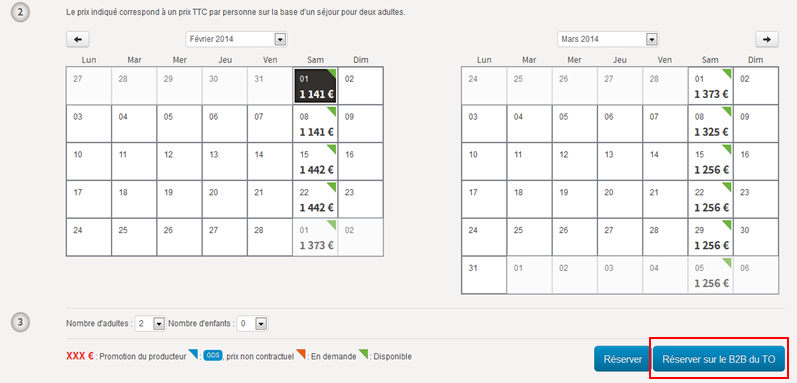
Comme sur l’ancien B2B, il est possible d’effectuer une réservation en passant par le B2B du producteur. Un nouveau bouton sur la fiche produit permet de se connecter directement sur le site du producteur.
Tous les paramètres choisis (produit, date, ville de départ, durée, nombre de voyageurs, âge des enfants) sont automatiquement transmis et pré-remplis sur le B2B du producteur (si celui-ci le permet).
Moteur d’affinage dans les recherches prédéfinies
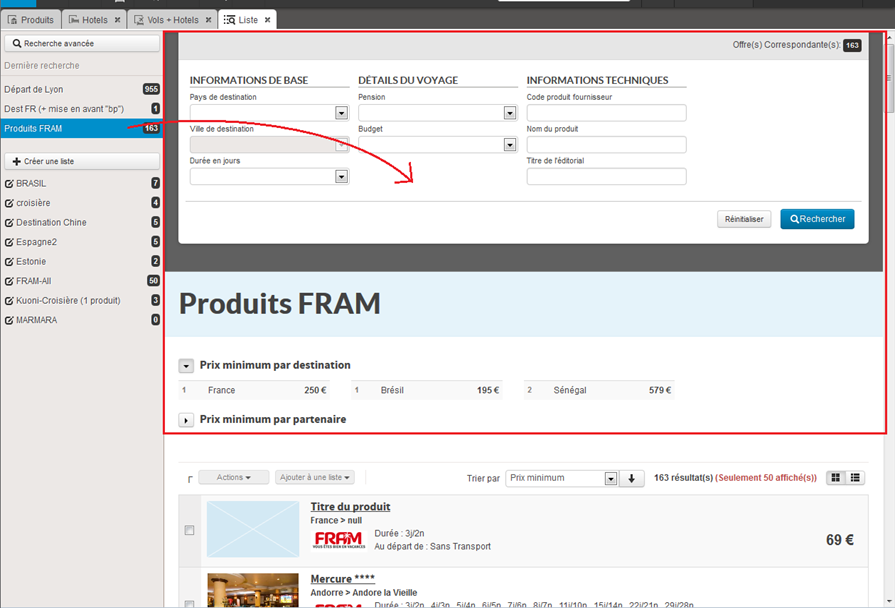
Après avoir cliqué sur une recherche prédéfinie dans la barre de gauche, un moteur d’affinage est désormais accessible au-dessus de la liste de résultat. La zone bleue rappelle que les contraintes liées à la recherche prédéfinie sont conservées.
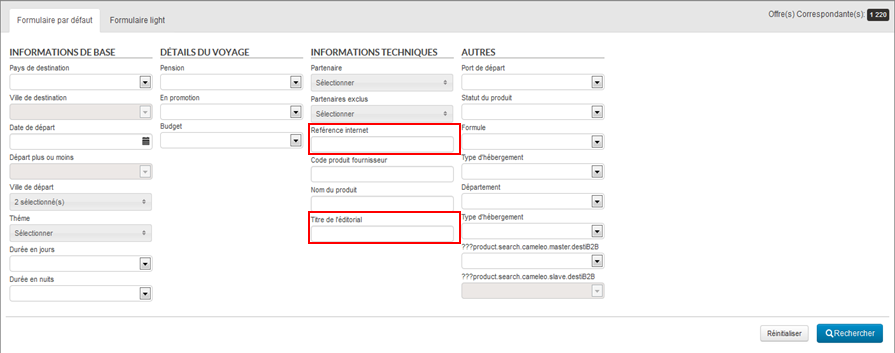
Amélioration du moteur de recherche package
Deux
nouveaux champs ont été ajoutés dans le moteur de recherche package :
Code interne : recherche des produits par leur code interne,
Titre de l’éditorial : recherche des produits par le titre de l’éditorial.
Il est également possible de chercher les produits par ‘titre de l’éditorial’ ou ‘code interne’ via le champ de ‘Recherche rapide’ qui se trouve sur la barre de navigation.
Processus de réservation Hôtels et Vols + Hôtels
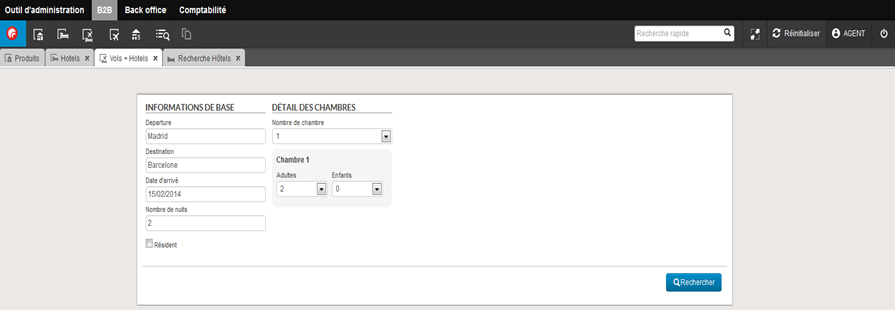
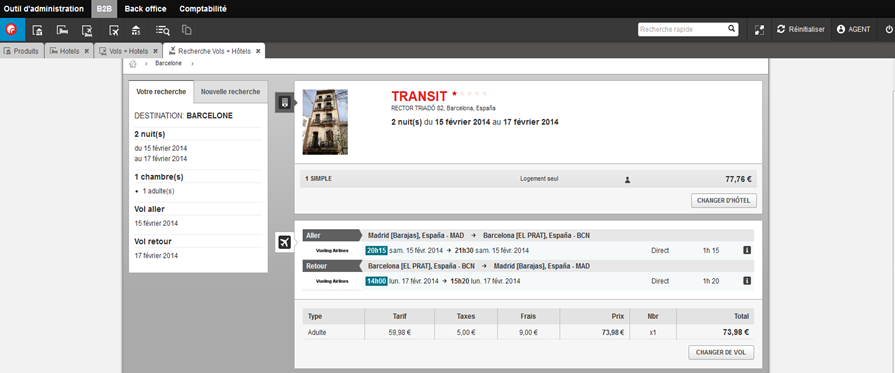
Les processus de réservation d’Hôtels et de Vols + Hôtels (packages dynamiques) sont intégrés dans le nouveau B2B. Deux nouvelles icônes ont été ajoutées dans la barre de navigation.
Il est désormais possible d’effectuer la recherche d’un hôtel ou d’un package dynamique en utilisant les moteurs de recherche dédiés :
Les résultats de recherche seront affichés dans les onglets ‘Recherche Hôtels’ ou ‘Recherche Vols + Hôtels’ qui s’ouvrent automatiquement une fois que la recherche a été lancée :
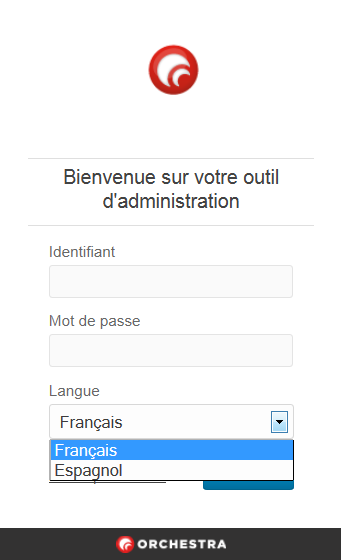
Traduction en espagnol
Il est désormais possible d’utiliser le module en espagnol en choisissant la langue ‘Espagnol’ lors de la connexion.
Nouveau B2B
Un outil B2B entièrement nouveau a été créé. Il remplace l’ancien que vous connaissiez jusqu’à présent.
Ce nouveau B2B a été l’occasion de revoir l’ergonomie de cet outil afin qu’il soit le plus simple à utiliser et le plus intuitif possible. Le design est plus épuré pour plus d’efficacité et une barre de navigation commune à tous les outils de la plate-forme a été intégrée.
Les pages principales du B2B sont clairement identifiées par trois icônes dans la barre de navigation :
La page d’accueil
La page de recherche et de résultats
Le comparateur
Barre de navigation :
La navigation entre les différentes
pages (accueil, recherche, fiches produits, comparateur, …) se fait désormais à
l’aide d’onglets intégrés dans l’application, ce qui évite à l’utilisateur de
se perdre entre plusieurs fenêtres.
De même, le processus de réservation est désormais entièrement intégré au sein de la fiche produit.
1/ La page d’accueil
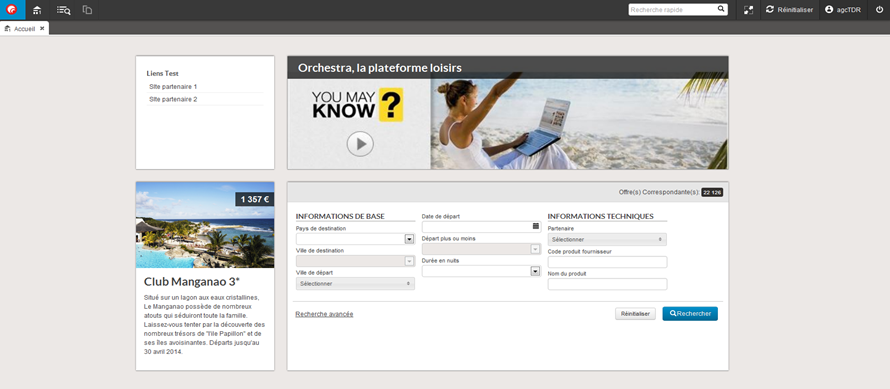
Cette page d’accueil paramétrable permet d’afficher les informations importantes : flux d’informations, moteur de recherche, liste de produits mis en avant, liens SSO, etc.
2/ La page de recherche et de résultats
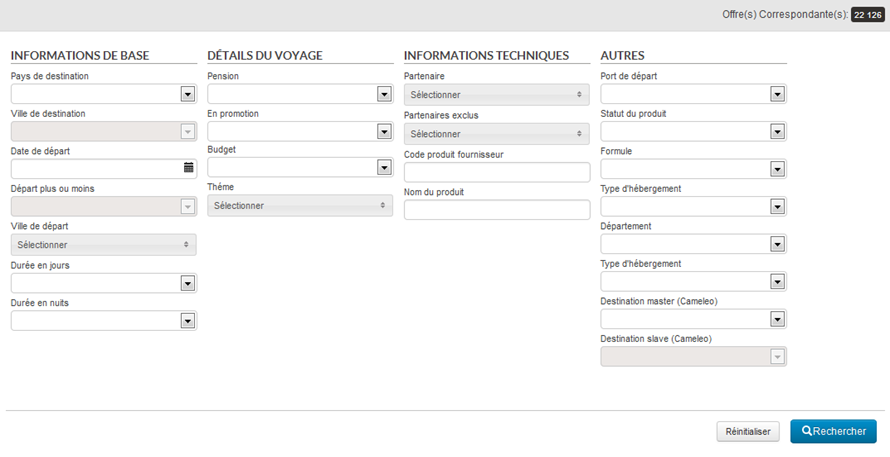
Cette page permet d’accéder au moteur de recherche avancée.
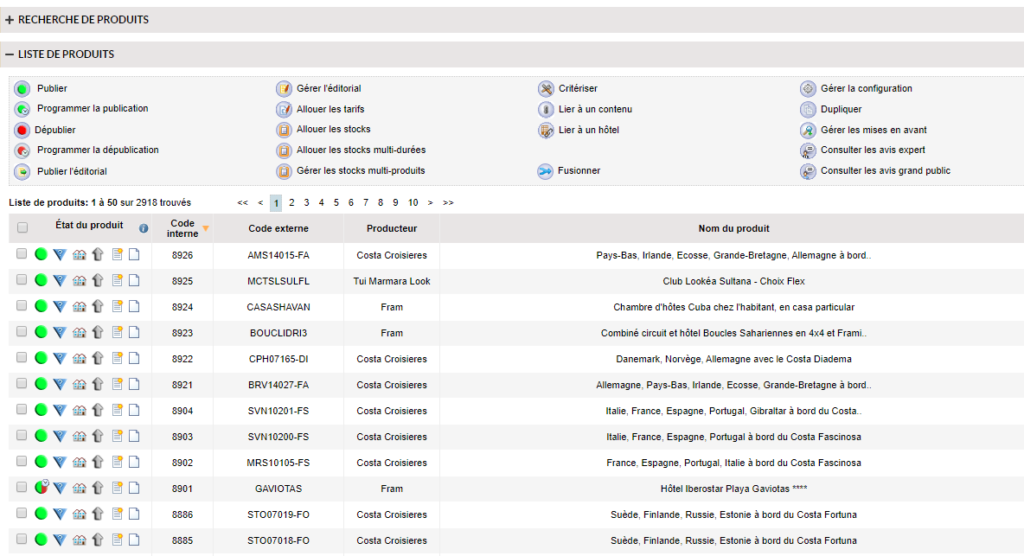
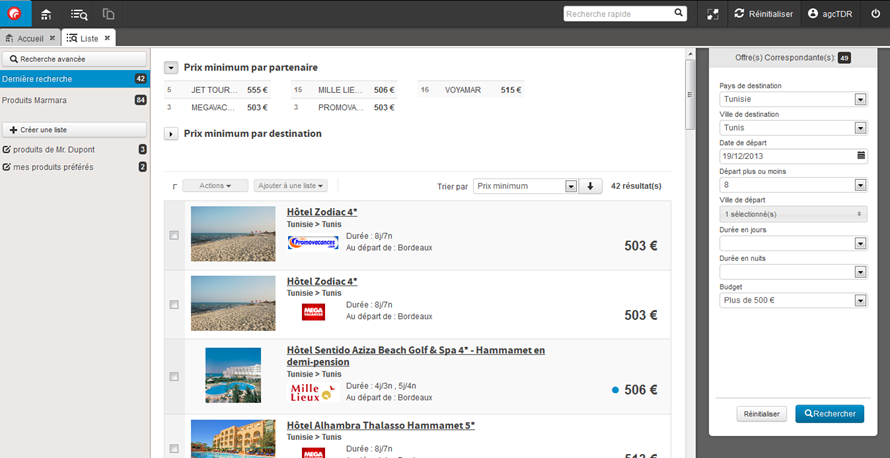
Dans la barre de gauche, des recherches pré-enregistrées peuvent être paramétrées. Juste en dessous, des listes de produits favoris peuvent être créées par l’utilisateur.
Page de recherche avec moteur d’affinage à droite
3/ Les fiches produits
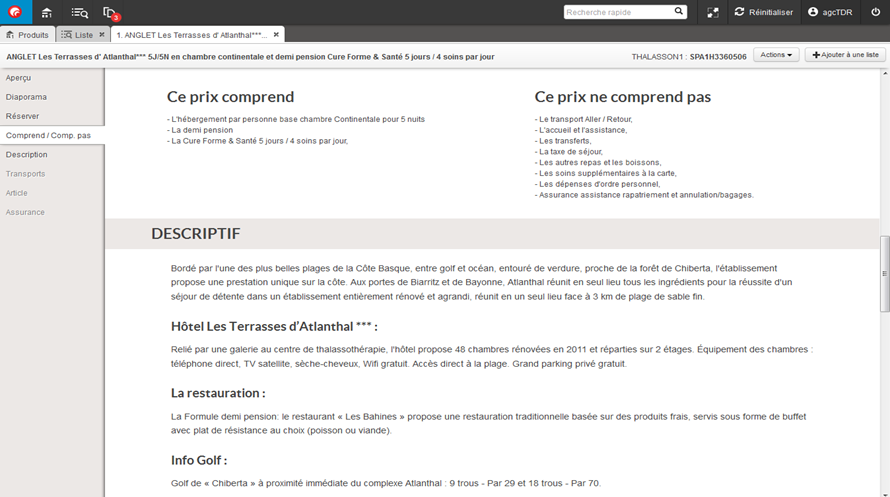
L’ergonomie des fiches produits a été revue avec l’intégration d’une barre de navigation sur la gauche. Cette barre permet de se déplacer très facilement et très rapidement dans les différentes rubriques de la fiche produit.
4/ La réservation intégrée
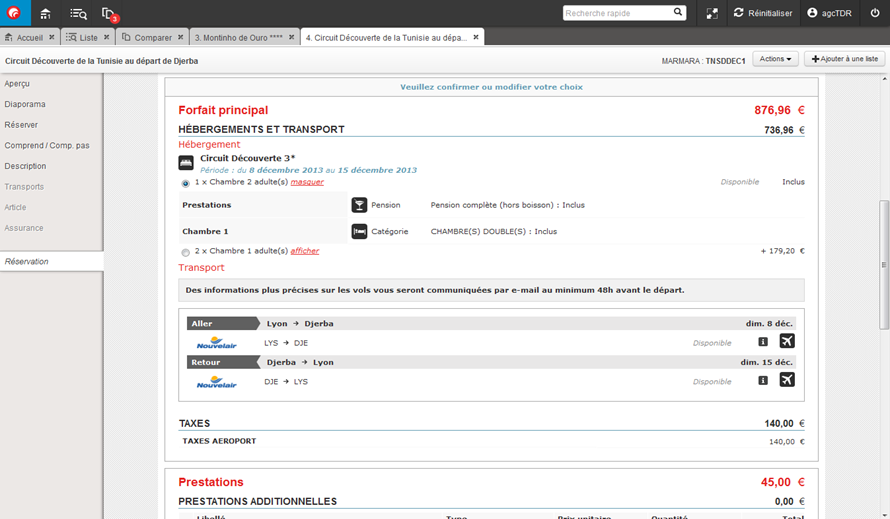
Le processus de réservation ne s’ouvre plus dans une nouvelle fenêtre. Il est désormais intégré à la fiche produit et apparaît sous la forme d’un onglet « Réservation » dans la barre de gauche. Cet onglet permet de continuer à naviguer dans les différentes zones de la fiche produit et de revenir à la réservation en cours à tout moment. Il est également possible de lancer une réservation sur plusieurs produits simultanément.
Réservation en cours dans la fiche produit
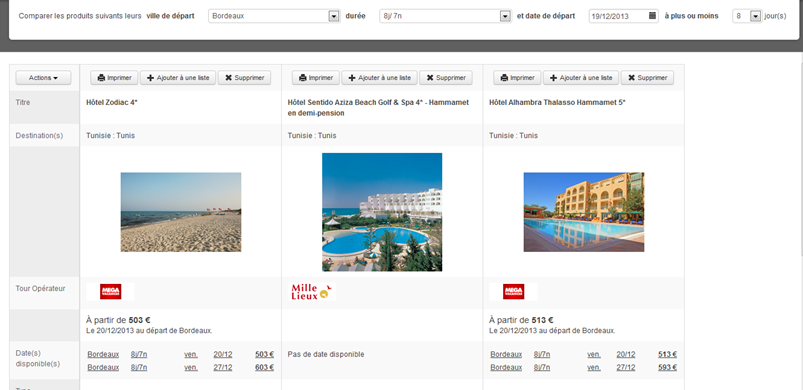
5/ Le comparateur
Les fiches produits peuvent être comparées entre elles via le comparateur. Il est possible d’affiner la liste des dates que l’on souhaite comparer via un filtre en haut du comparateur.
6/ Autres fonctionnalités
Modification des préférences de l’utilisateur : villes favorites et email.
Conservation de la composition des voyageurs et de la date de naissance des enfants.
Conservation de l’état des onglets entre deux connexions.
Bouton « Réinitialiser » pour démarrer un nouveau parcours de vente.
Champs de recherche rapide dans la barre de navigation, permettant de trouver un produit par son code ou par son titre.
Possibilité d’envoyer le descriptif d’un produit par email.
Impression et envoi de la fiche produit sans les avis des clients et agents
Il est désormais possible de paramétrer l’impression de la
fiche produit sans les avis des agents et clients.
De même, il est possible de ne pas inclure les avis dans la
fiche produit qui est envoyée par mail au client.
Regroupement des producteurs sous une même dénomination
Il est désormais possible de regrouper les produits
présentés sous différents noms de producteurs sous un seul et même nom dans le
moteur de recherche, par exemple regrouper les produits de la marque Héliades
et Vacances Héliades sous le même nom.
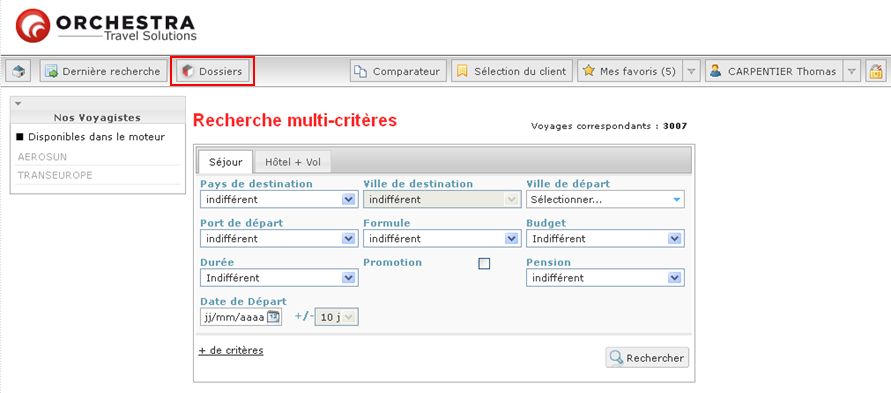
Lien vers la gestion des dossiers
Il est possible d’ajouter un lien de renvoi vers la gestion des dossiers pour les agents. Ce lien ouvre automatiquement l’application de gestion des dossiers en « single sign on ».
Lien vers la gestion des dossiers
Possibilité d’administrer les partenaires visibles uniquement par l’administrateur
Il est possible de ne plus afficher le lien “Ajouter un
partenaire” sur la page “Codes partenaires”. La liste des
partenaires visibles est ainsi décidée par l’administrateur des droits.
Prix minimum par critère interne sur la page de résultats
Il est possible d’afficher les prix minimum par critère sur la page de résultat de recherche ainsi que le nombre de produits correspondant. Par exemple, il est possible d’afficher le prix minimum en fonction du critère destination.
Affichage des prix minimum et du nombre de produits en fonction de deux critères internes différents : destinations et types de voyages
Paramétrage des moteurs de recherche
Sur le
moteur de recherche, il est désormais possible :
De paramétrer un moteur de recherche simple et un moteur de recherche avancée en option avec plus de critères de recherche.
De définir une ville de départ favorite, qui est sélectionnée par défaut dans le moteur de recherche en fonction de l’utilisateur/agent identifié.
De masquer le 2ème moteur de recherche et la zone « prix minimum » à la fin de la page de résultats.
De déplacer le moteur de recherche dans la colonne de gauche sur la page de résultats de recherche.
Ville de départ et date de la recherche dans le comparateur
La ville de départ et la date de la recherche sont désormais
sélectionnées par défaut dans le comparateur de produits.
Intégration du processus de vente de package dynamique
Il est possible d’activer le module de package dynamique dans l’application B2B.
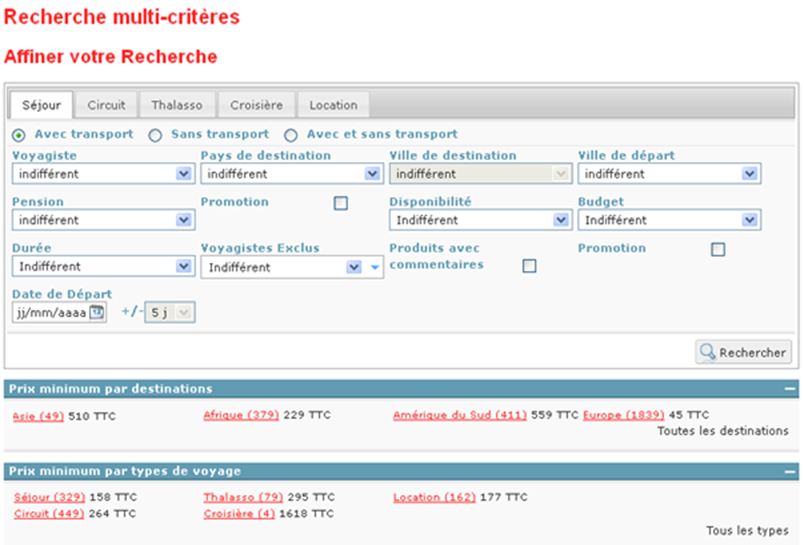
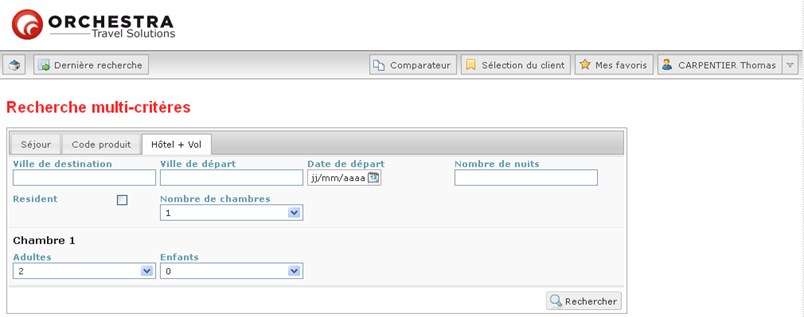
Moteur de recherche « Hôtel+Vol » dans l’application B2B
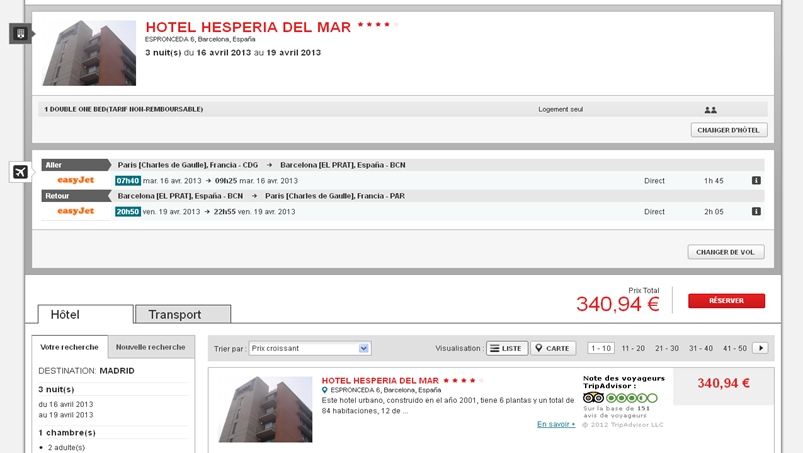
Résultat de recherche Package Dynamique dans l’application B2B
Traduction de l’application en espagnol
L’application est désormais disponible en espagnol.
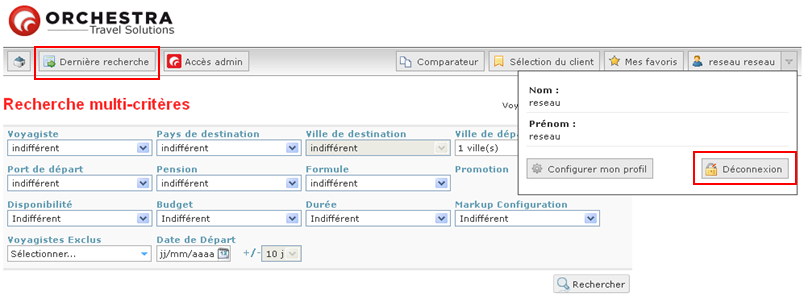
Lien « Dernière recherche »
Il est possible d’ajouter un lien de renvoi vers la dernière recherche effectuée par l’agent.
Pour plus d’ergonomie,
le bouton « Déconnexion » est désormais disponible dans le profil de
l’utilisateur.
Intégration des croisières
Lorsque les croisières sont
importées en mode « croisière avancée », elles présentent une
structure particulière dans l’outil d’administration qui permet une intégration
spécifique au niveau du front office.
Un exemple d’intégration possible
est désormais disponible sur l’application B2B générique.
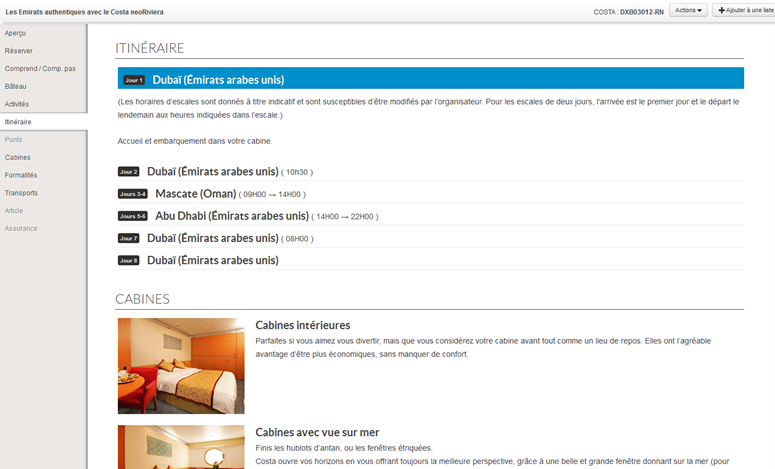
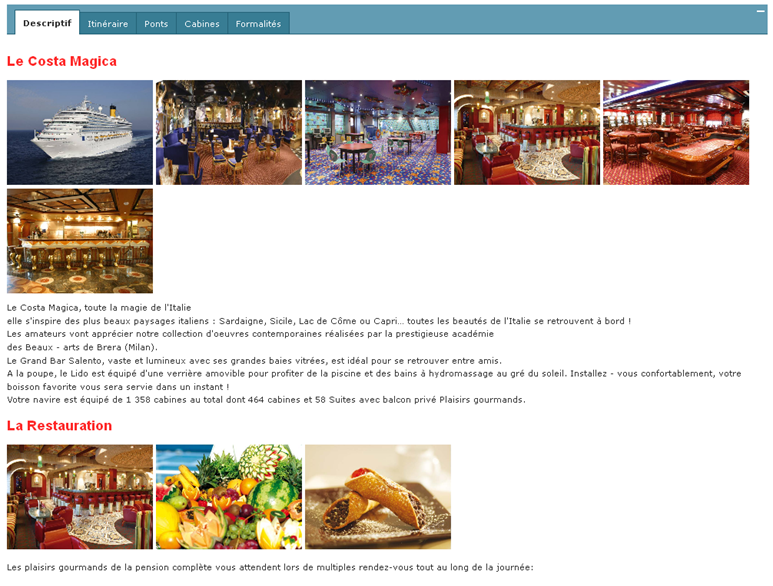
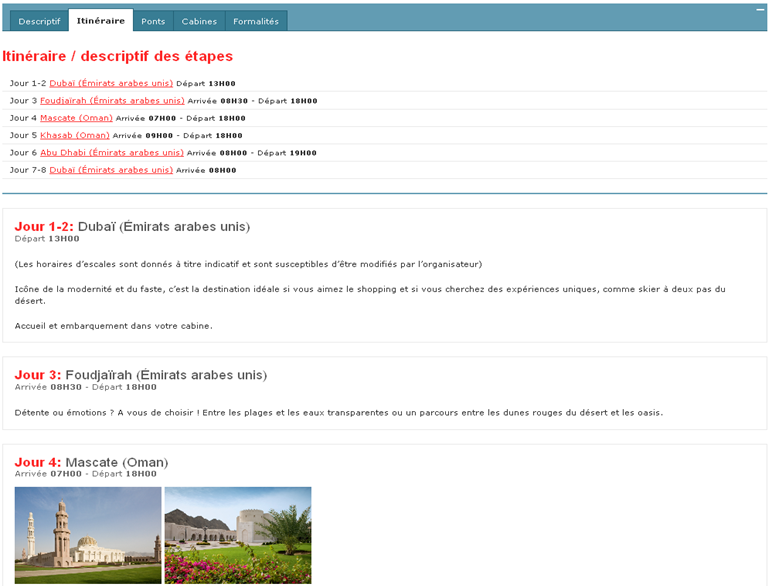
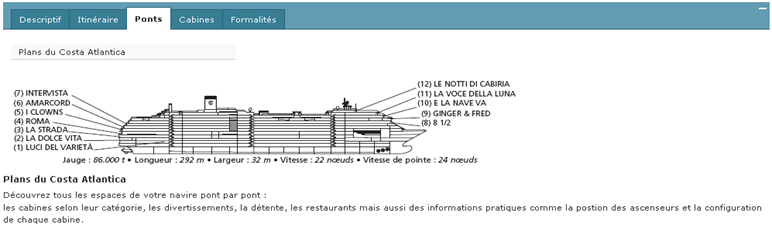
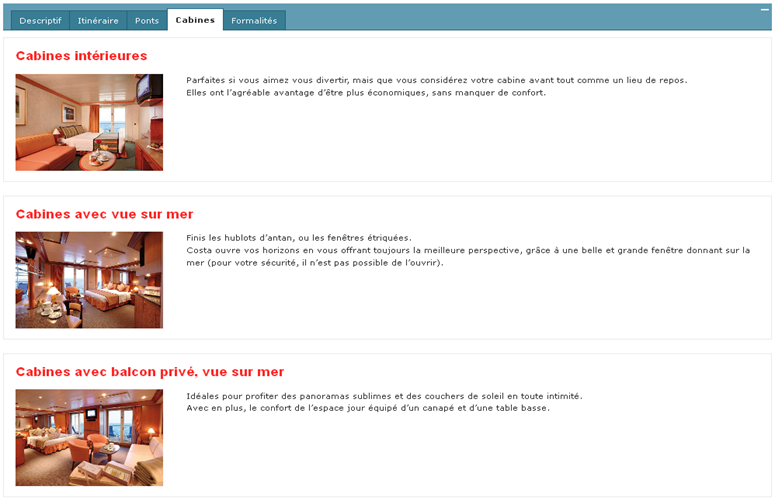
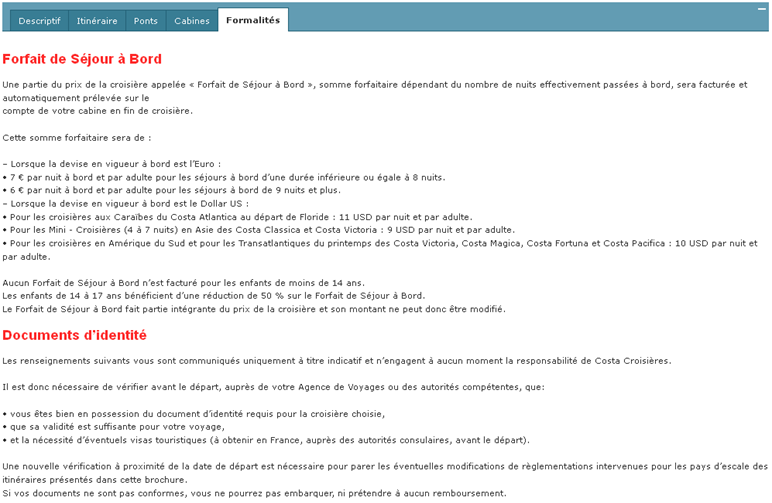
La fiche croisière est désormais découpée en plusieurs onglets : descriptif, itinéraire, ponts, cabines et formalités.
Affichage du descriptif de la croisière
Affichage de l’itinéraire et du descriptif des étapes de la croisière
Affichage des ponts du bateau
Affichage du détail des cabines
Affichage des formalités
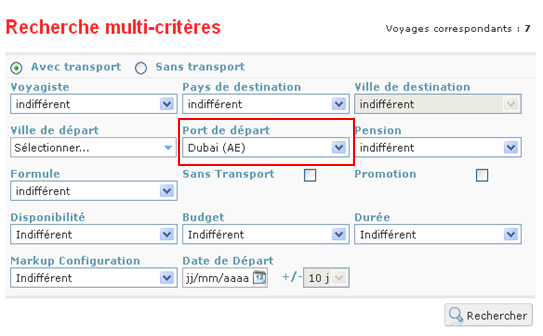
Pour compléter cette intégration des croisières, la notion de port de départ a également été ajoutée au moteur de recherche.
Recherche en fonction du port de départ
Exclusion lors de la recherche agences
Il est également possible de créer une recherche d’agences
en excluant certaines agences de la recherche.
Pré-remplissage des informations agence sur le devis
Il est possible de transmettre plus d’informations du profil agence au processus de réservation pour un pré-remplissage de la page de devis (par exemple, envoi du numéro de téléphone, fax, longitude, latitude, etc.).
Affichage du bouton « accès administration »
L’activation du bouton d’accès à l’outil d’administration est
conditionnée par le paramétrage des droits utilisateurs.
Évolutions du B2B
L’affichage des durées et des villes de départs des produits sur le résultat de recherche est désormais configurable.
De même, il possible de configurer la sélection obligatoire d’au moins une ville de départ dans les moteurs de recherche.
Gestion d’une agence virtuelle
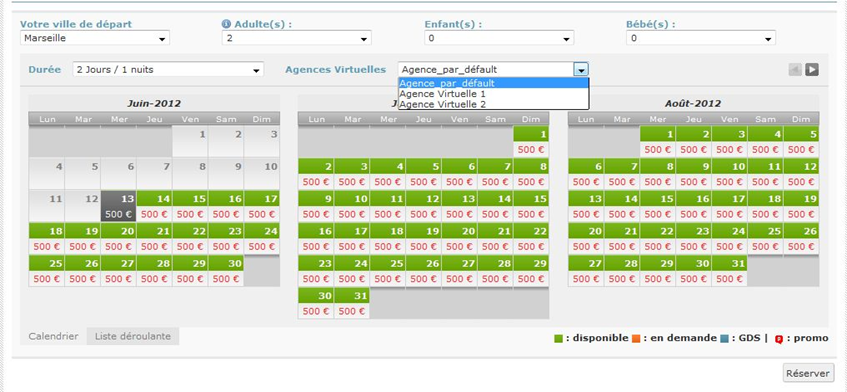
Cette nouvelle fonctionnalité consiste à proposer pour certains agents la possibilité d’effectuer la réservation sous le nom d’une agence virtuelle et cela en sélectionnant cette option sur la fiche produit avant de lancer le processus de réservation.
Sélection des canaux de réservation
Il est désormais
possible de sélectionner un canal de réservation en fonction de critères
produits et ou de critères utilisateurs.
Affichage des contenus transverse sur la fiche produit
Il est désormais possible de faire apparaître des contenus éditoriaux dans les fiches produits sur l’application B2B lorsqu’un contenu transverse est lié à un produit dans l’outil d’administration.
Sélection d’agence de réservation
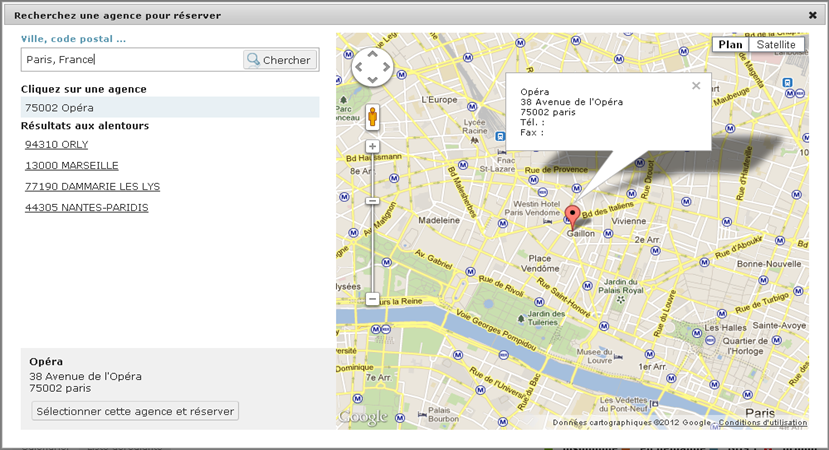
Il est désormais possible d’activer la sélection d’agence de réservation avant de basculer dans le tunnel de réservation.
Design différent en fonction du nom de domaine
Il est possible de
définir un design (images/couleurs) différent par nom de domaine lorsqu’une
même application B2B est utilisée sous plusieurs noms de domaine.
Modification du formulaire de réservation
Sur le formulaire de
réservation de la fiche produit, il est désormais possible de configurer deux
boutons pour le passage au processus de réservation permettant le paramétrage
de deux types de finalisation. Par exemple, un bouton ‘Réserver’ et un bouton ‘Devis’ afin de rendre possible pour
l’agent la sélection de l’action souhaitée depuis la fiche produit directement.
Il est possible de
définir des canaux différents pour chacun de ces boutons et donc d’appliquer de
règles différentes par canal (ex : assurances, frais…).
Recherche sur des destinations INSEE et ONU
Il est désormais
possible de faire une recherche dans le moteur sur les codes INSEE, ONU et/ou
GEONAME (Interhome).
Ajout de prestations complémentaires sur le devis en B2B
En B2B, l’agent a la possibilité d’ajouter une prestation manuellement sur le devis. Celle-ci sera prise en compte dans le total de la réservation, dans le récapitulatif du dossier, le mail de confirmation et dans l’envoi post-réservation. Cette prestation peut être une prestation offerte, une prestation additionnelle ou une réduction en % ou en €.
Certains producteurs
envoient une codification INSEE, ONU ou Geoname à la place de la codification
IATA pour la destination de leurs produits.
Il est désormais
possible de rechercher sur ces codifications dans le moteur de recherche. Il
est possible de définir une recherche toutes codifications confondues ou un
champ de recherche spécifique à chaque codification en fonction du besoin.
Il est possible de
rajouter des valeurs fixes dans le champ de recherches dynamiques de villes de
départ.
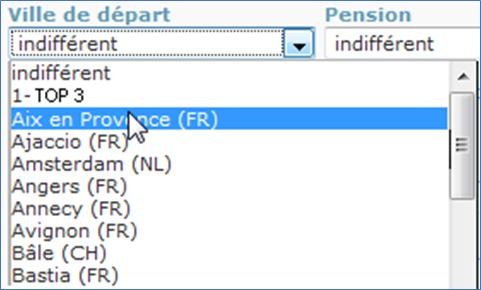
Par exemple, il est possible d’ajouter dans le champ ‘ville de départ’ une valeur fixe de type ‘top 3’ des villes de départ. Une fois la correspondance de cette valeur définie (par exemple, Paris, Lyon et Nantes), on pourra la faire apparaître en plus des valeurs dynamiques des villes de départ.
Paragraphe informations transport
Lorsque le producteur fournit l’information dans ses descriptifs produits, le paragraphe ‘Informations transport’ apparaît désormais sur la fiche produit du B2B.
Espace Mes favoris et Sélection
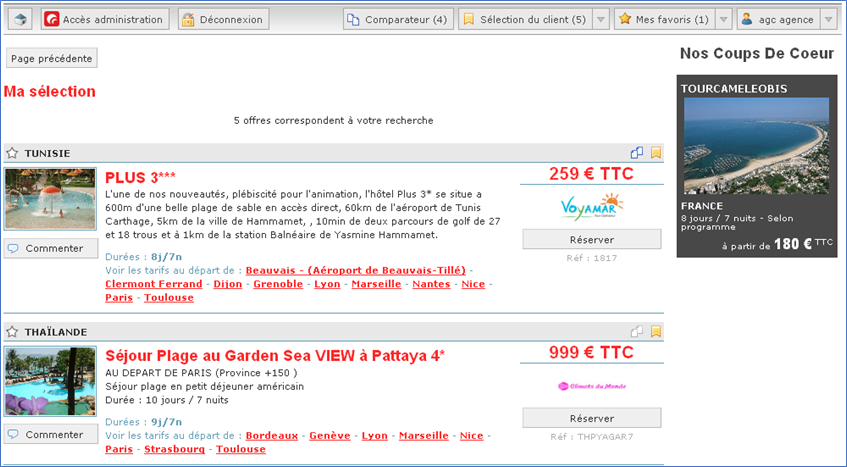
Deux nouveaux espaces
sont créés : ‘Mes favoris’ et ‘Ma sélection’.
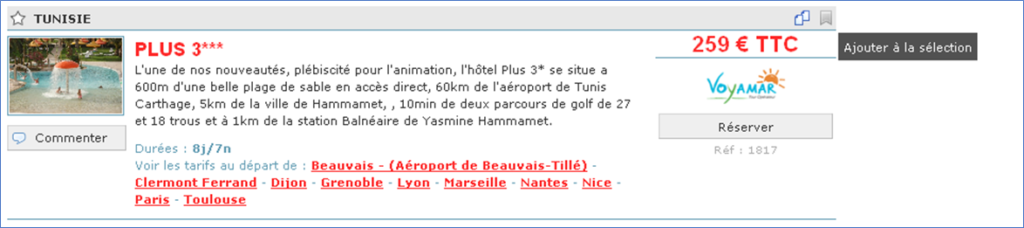
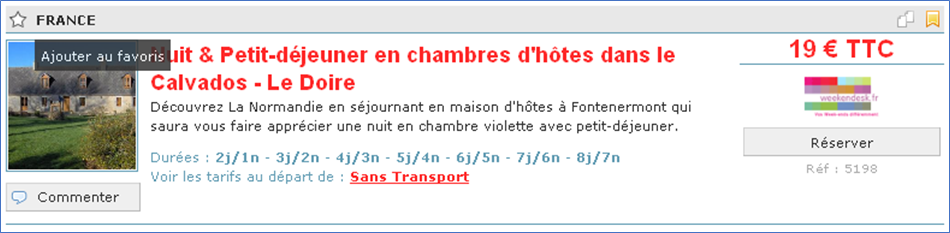
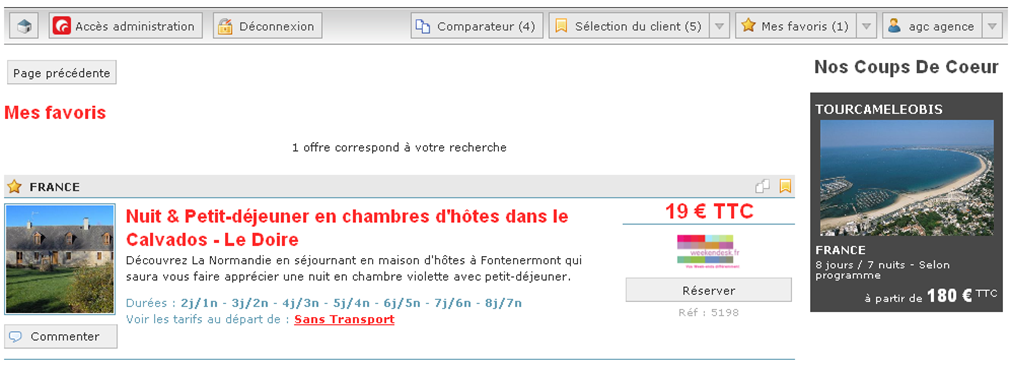
Il est possible d’ajouter des produits à la sélection et/ou aux favoris sur les résultats-moteur et la fiche produit.
Dans l’espace ‘Sélection’, les produits sont enregistrés dans la session uniquement. Dans l’espace ‘Mes favoris’, les produits sont enregistrés durablement par utilisateur.Cette fonctionnalité permet aux agents de mettre de côté les produits qu’ils vendent bien, sur lesquels leur commission est la plus importante, etc. Il est également possible d’ajouter un bouton de retour à la page précédente sur ces deux nouvelles pages.
Commentaires
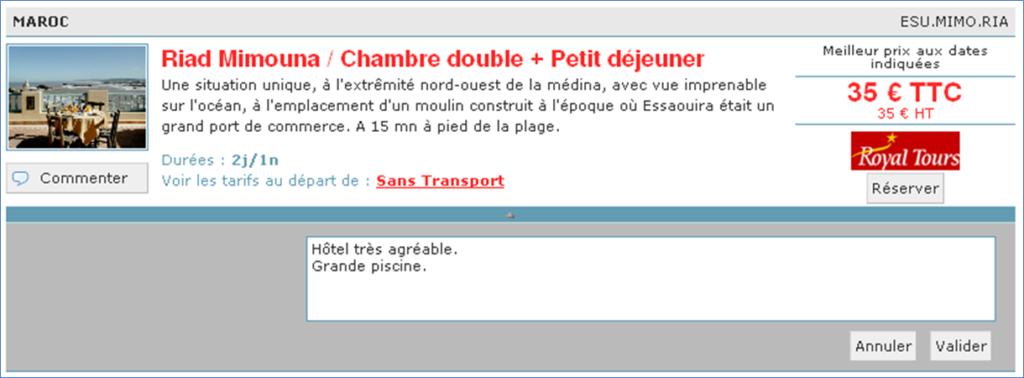
Depuis la version 6.3, il est possible d’ajouter des commentaires sur les produits sur la page de résultat de recherche. Un agent a désormais la possibilité de commenter un produit directement sur la fiche produit.
Il est également
possible d’afficher dans le B2B les commentaires recueillis auprès des
voyageurs. Ces commentaires ne sont pas modifiables.
Comparateur de produits
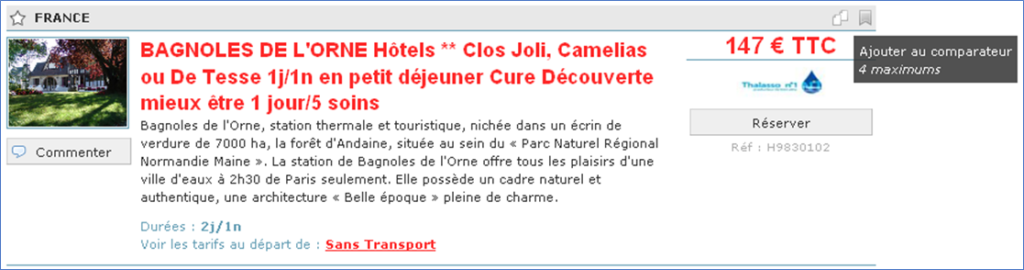
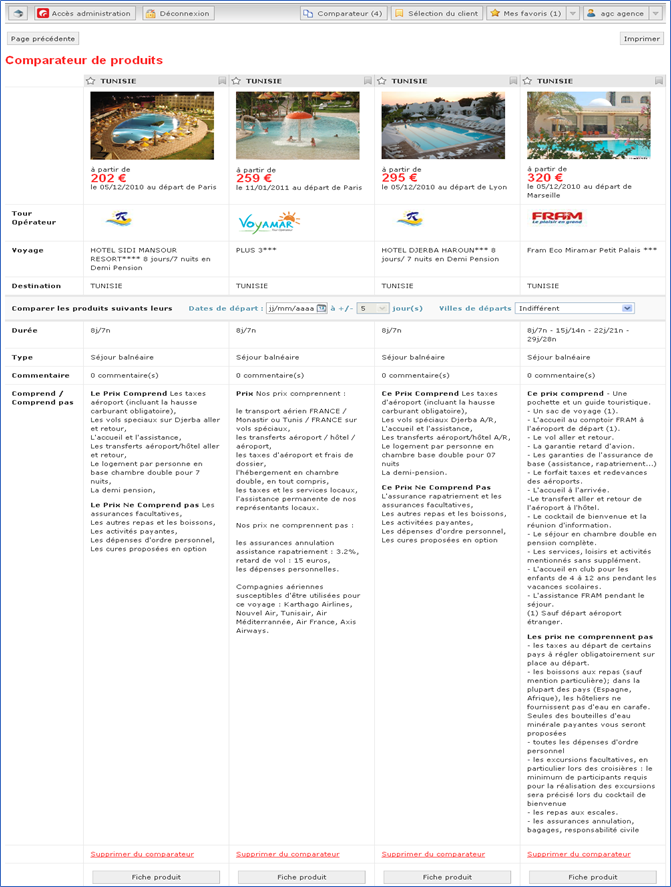
Dans le résultat moteur, il est désormais possible de sélectionner plusieurs produits (jusqu’à 4) et de les comparer. Une nouvelle page permet d’afficher un comparateur des produits sélectionnés.
Pour plus de clarté et de flexibilité, il est possible de définir le libellé des boutons du comparateur, de la sélection et des favoris à votre demande. Il est également possible d’ajouter un bouton de retour à la page précédente sur la page Comparateur.
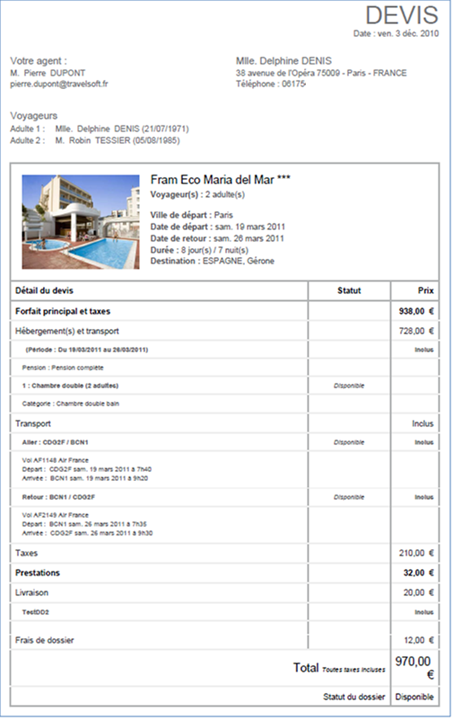
Impression et envoi par mail du devis et des informations clients
Il est désormais possible d’ajouter un bouton sur la page de coordonnées qui permet d’imprimer le devis avec les informations saisies sur le client et l’agent (dans les cas des B2B). Il est également possible de configurer le bouton d’envoi d’un mail au client avec ces informations. Le bouton permet de configurer l’envoi de mail seul, l’impression seule ou les deux actions conjointes.
Accès partenaires
Il est possible au niveau des liens partenaires de
paramétrer l’ouverture automatique d’un lien partenaire à l’arrivée sur la page
d’accueil, en fonction de l’agence identifiée.
Archivage des commentaires
L’archivage automatique des commentaires agent est
disponible. Cet archivage est paramétrable en fonction de la date de dernière
modification des commentaires, la dé-publication se fait à partir de x mois depuis
la création.
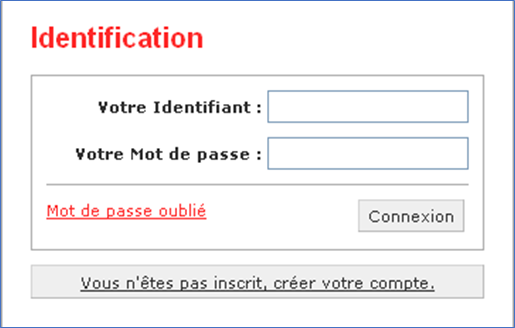
Page de login
Il est désormais possible de faire une demande de création de compte sur la page de login. La demande de création de compte est ensuite envoyée par mail à l’administrateur du site. L’adresse, à laquelle les demandes doivent être envoyées, est à définir avec votre chef de projet.
Il est également possible d’ajouter du contenu sur la page
de login, par exemple de la publicité, des images, des liens ou autres. La
gestion de ce contenu se fait via un contenu transverse dans l’outil
administration. Merci de voir avec votre chef de projet pour l’activation de cette
fonctionnalité.
Affichage du prix à la date recherchée
Il est possible
d’afficher le prix à la date recherchée au niveau du résultat de recherche en
plus du prix minimum sur la période recherchée.
Par exemple lors d’une recherche sur la date du 27/08 avec + ou – 4j. Si le prix le moins cher est au 25/08, ce prix sera affiché au niveau du résultat de recherche et si le prix du 27/08 est différent il sera affiché en dessous car la recherche a été faite en précisant spécifiquement cette date.
Ajout de la possibilité de rechercher sur les noms d’hôtels
Il est désormais
possible d’ajouter un champ dans le moteur de recherche pour permettre la
recherche sur les noms des hôtels.
Paramétrage Single Sign On
Il est désormais
possible d’accéder en Single Sign On sur la fiche produit de l’application B2B
avec la possibilité de présélectionner la ville de départ, la date, la durée et
la répartition des passagers.
Par ailleurs, il est possible de paramétrer des accès en
Single Sign On en mode POST pour les partenaires.
Changement de page d’attente
Pour des raisons de
performances, la première page d’attente du processus de réservation a été
remplacée par un loader sur le formulaire de réservation du catalogue lorsque
le devis s’ouvre dans la même fenêtre que la fiche produit.
Pas de changement de
comportement pour les configurations où le devis s’ouvre dans une nouvelle fenêtre.
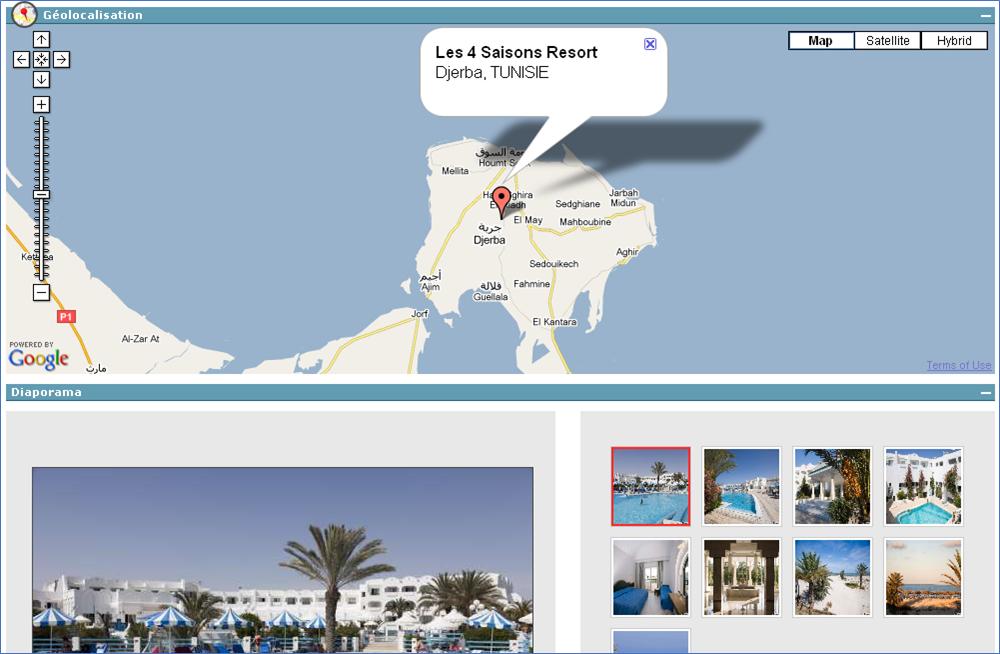
Encart de géo-localisation
Il est possible, lorsqu’un produit est lié à un hôtel dans l’outil d’administration et que cet hôtel est géo-localisé, d’utiliser les informations de géo-localisation pour afficher une carte sur la fiche du produit concerné. Cette carte est également présente sur la fiche produit en .pdf (envoyée par mail) et sur la fiche imprimable ce qui permettra à l’agent de donner cette information à ses clients.
Cette fonctionnalité nécessite l’activation de l’onglet hôtel et du paramétrage, merci de vous adresser à votre Chef de projets.
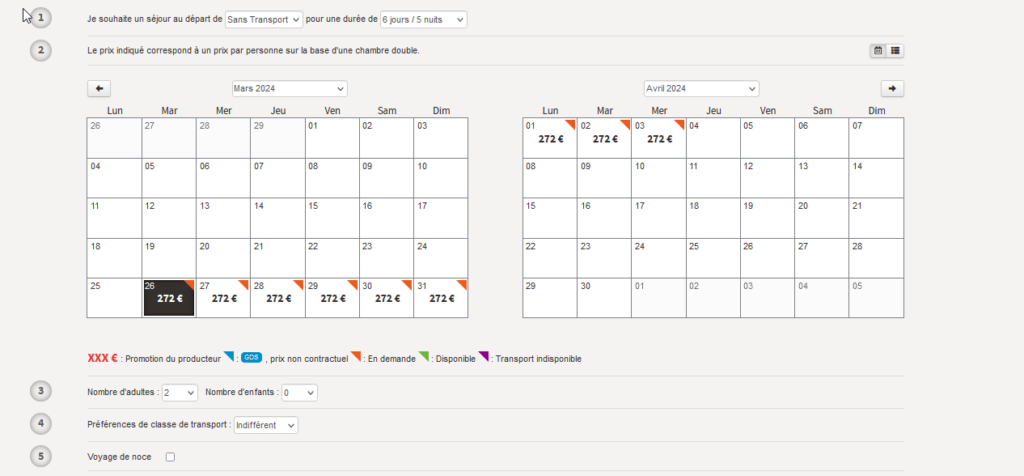
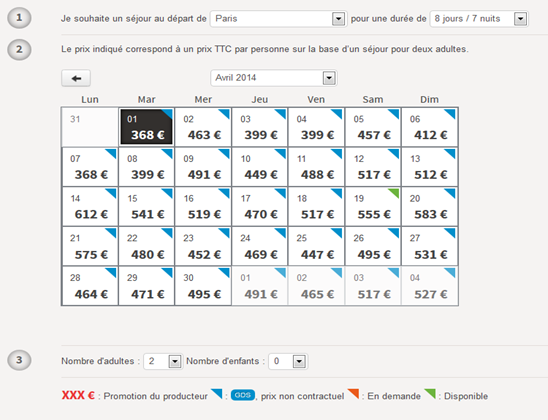
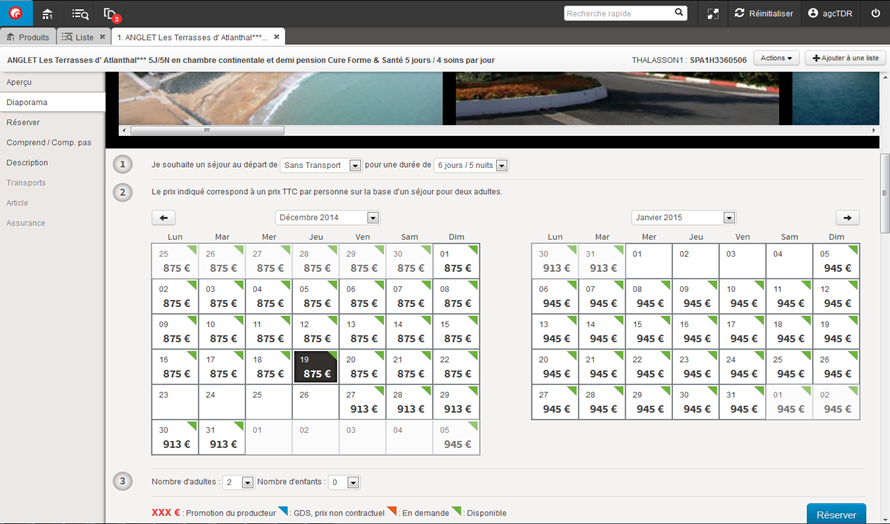
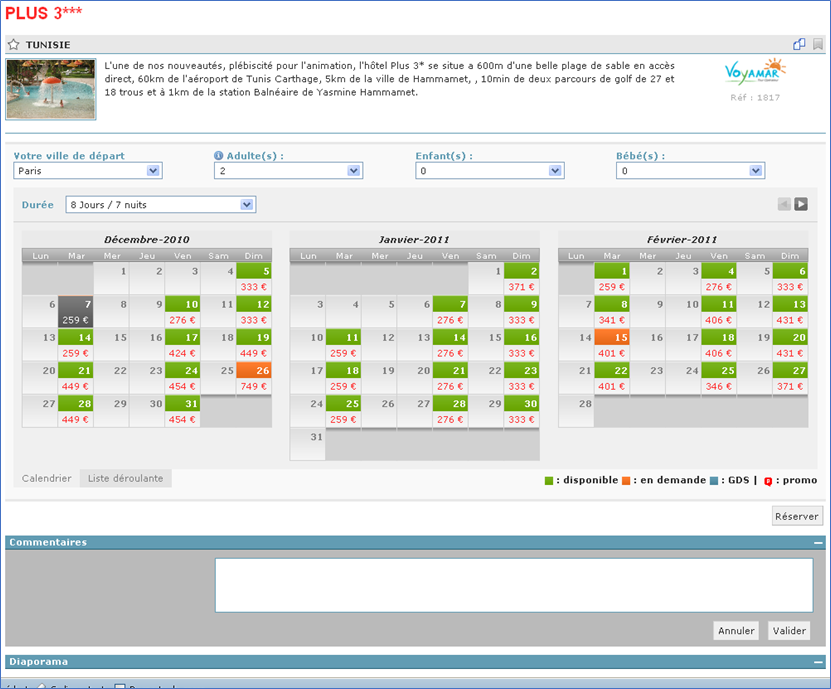
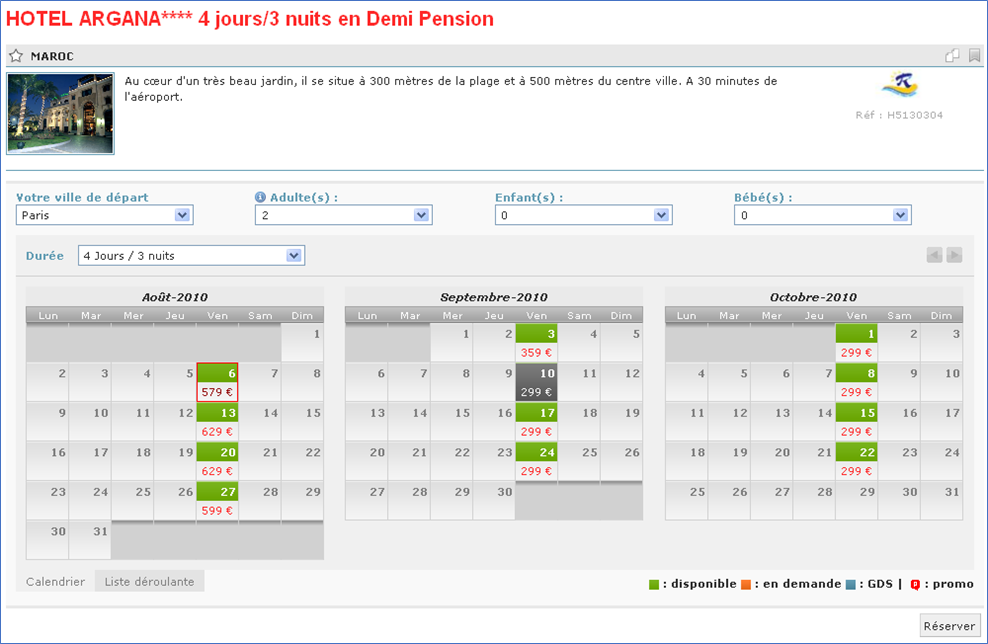
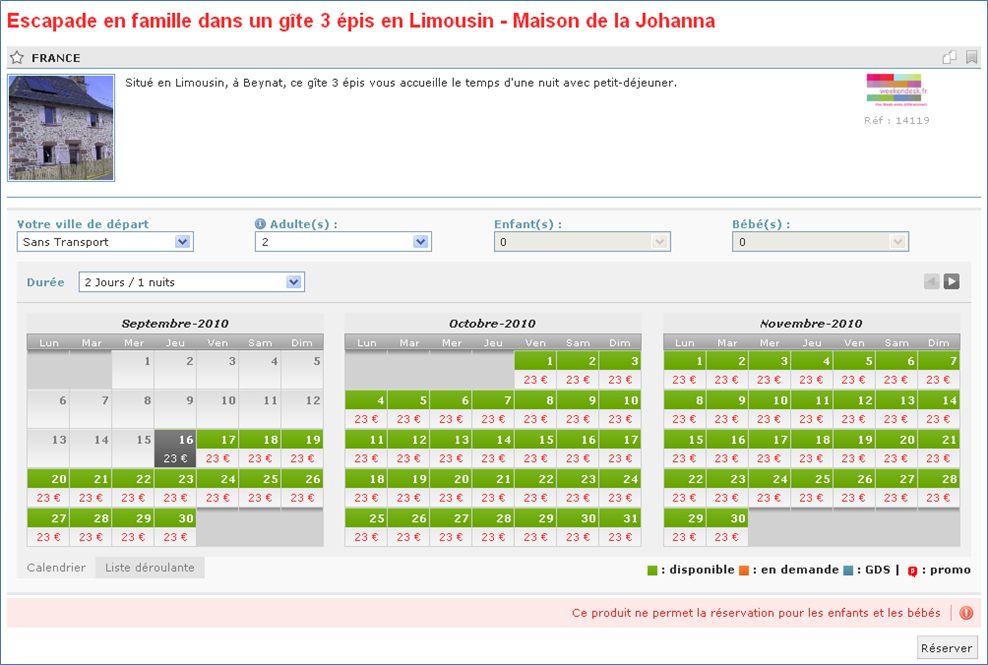
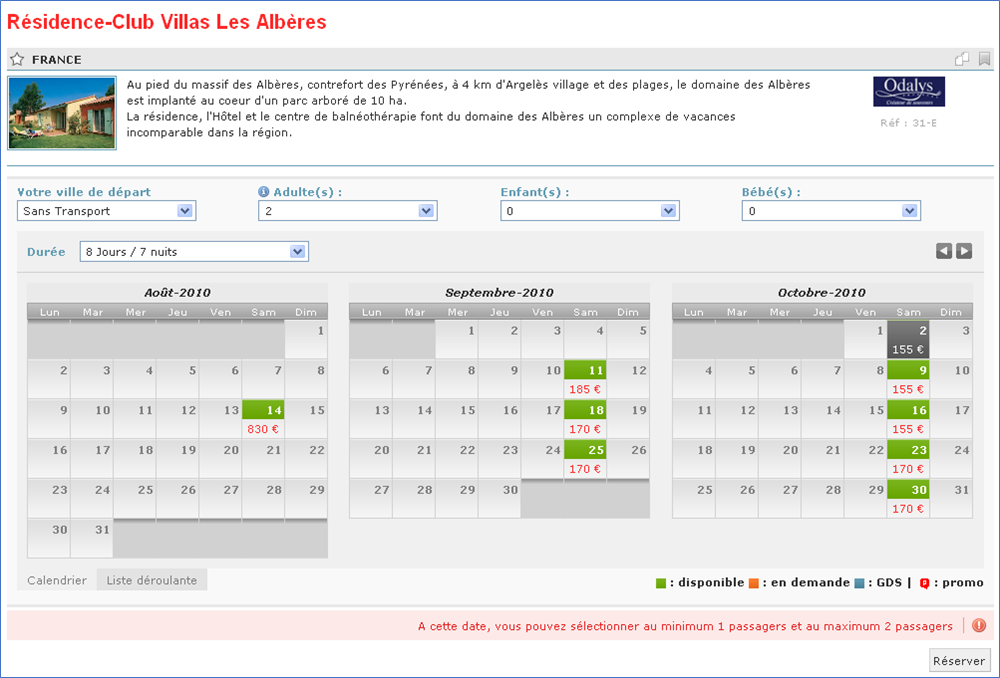
Les disponibilités des produits peuvent désormais être affichées sous forme de calendrier au niveau du formulaire de réservation sur la fiche produit. Cet affichage est configurable. Merci de faire la demande à votre Chef de projets pour activation.
Lorsqu’un produit n’est pas vendable aux bébés et/ou aux enfants, la select box correspondante est grisée. Le message ‘Ce produit ne permet pas la réservation pour les enfants et/ou les bébés’ est affiché.
Lorsque l’information est disponible et après la sélection de la date par l’agent, un message s’affiche indiquant le minimum et le maximum de passagers autorisés pour le produit.
Affichage des prix d’appel hors marge
Cette fonctionnalité consiste à permettre la recherche, le tri et l’affichage des prix d’appel des produits sans prise en compte des marges établies dans l’outil d’administration. Cela permet ainsi de décider en fonction du catalogue (B2B, B2C, autre) quels prix afficher.
Evolutions de l’application B2B
Les évolutions suivantes ont été apportées sur
l’application B2B :
Modification de l’ergonomie générale
Paramétrage de l’obligation de
modifier son mot de passe lors du premier login
Segmentation possible du moteur de
recherche par onglets contextuels (par type de produits)
Enrichissement de la page retour
produit
Gestion de liens partenaires en mode
Single sign on
Gestion de différents modes d’envoi
de la fiche produit
Accès possible en mode Single sign
on vers la réservation du TO à partir de la fiche produit
Un nouveau champ
activable dans le moteur de recherche permet une recherche textuelle. La
recherche porte sur le titre des produits ainsi que sur leur contenu éditorial.
Ce nouveau champ est paramétrable et non activé par défaut.
Cette fonctionnalité permet aux agents de poster des commentaires sur les produits. Les commentaires sont visibles dans le retour moteur. En plus de chaque commentaire les informations suivantes sont affichées : nom de l’agent, mail, téléphone, adresse et date et heure du commentaire en fonction du profil de l’agent logué.
Pour chaque commentaire créé, il est possible d’activer l’envoi d’un mail d’alerte à un administrateur / modérateur des commentaires. Les produits commentés peuvent ensuite être recherchés à partir du moteur de recherche via une case à cocher.
Ajout de la notion de
disponibilité GDS dans le moteur de recherche et l’affichage des
disponibilités.
Evolutions B2B Générique
Possibilité d’accès en SSO aux B2B des TO.
Modification du design (retour-moteur, palette de couleurs, liens externes SSO configurables en deux blocs : Tour Opérateurs et autres partenaires)
Optimisation et ajout de critères sur le moteur de recherche (ville de départ, date de départ, case sans transport…)
Optimisation de la gestion des mots de passe (mot de passe oublié…)
Affichage du statut des disponibilités sur le résultat-moteur et sur la fiche produit
Optimisation du résultat-moteur (prix minimum par To, moteur d’affinage, synthèse des résultats…)
Onglet configuration (dans le cadre de l’utilisation B2B)
Evolutions liées à l’utilisation en SSO : > L’outil d’administration est à présent accessible par SSO > Possibilité d’accès sur le Front Office à des services externes en SSO (gestion des codes partenaires et stockage de données par user) • •
Profil utilisateur: > Les différents utilisateurs peuvent recevoir leurs accès (login et mot de passe) dans 2 mails différents au lieu d’un seul mail pour des raisons de sécurité. Les 2 mails sont maintenant paramétrables.
Mise en place d’un contrôle sur les actions de l’outil d’administration. (Ex : modification de l’utilisateur : vérification si l’utilisateur a les droits suffisants pour réaliser l’opération, historique des actions ayant un impact sur les données : actions de modification, de création et de suppression)
Export CETO : optimisation de l’export pour les paragraphes vides (ces derniers ne sont plus envoyés)