Undated and multi-dated activities

Two new functionalities have been added to activities.

The management of “undated” activities and the management of activities that can be booked on several dates at the same time, the multi-dated.

Undated

To manage “undated” activities, we’ve added a column to the grid (this column will be in the red zone). Whether an activity is dated or undated does not depend on its period. This column can now take two values: “Dated” or “Undated” (dated by default if not filled in).

However, we’ve retained the declarations and period operation for both types.

Emails and messages from other modules about activities have been modified to allow this new behavior.

Multi-dated

The aim is to be able to sell the same activity booked over several days in one go.

This will involve the creation of a new column in the grid.

This column will be linked to the “dated/undated” column. An undated activity cannot be booked for several dates.

The options currently available for this column are “Multi-dated” or “Single-dated”. Each available date can be added to the reservation. The default choice in the event of non-completion will be an activity like today’s “Dated / Single-dated”. Consistency will be validated on import.

The activity connector has been enhanced to take into account these new activity types and booking processes.
Creating a customer account in the B2B Products and Reservations module

It is now possible to create a customer account from B2B2 via the “Create Account” button on the main screen.

Clicking on the “Create account” button opens a pop-up window with a field for entering an email and a button for sending the email.

After successful account creation, a confirmation email is sent to the user.

Favorite product feature:

The “Favorite product” functionality is then available if enabled: If the user clicks on the add to favorites button, the add to favorites button disappears and the favorite product message appears.

If a product is a favorite of the selected account, the application shows the favorite product message on the product page.

If the user logs out or deletes the account, the product page refreshes and does not show the add to favorites button or the favorite product message.

If there is no account selected and the user selects an account, the product page should refresh and show either the add to favorites button or the favorite product message, depending on whether the product is a favorite for that account or not.

Costa Club loyalty card

Costa customers can now use their card to benefit from special Costa rates when booking their cruise. The benefits are calculated by Costa, according to the number of points on the cardholder’s card.

Fixed opening in new tab

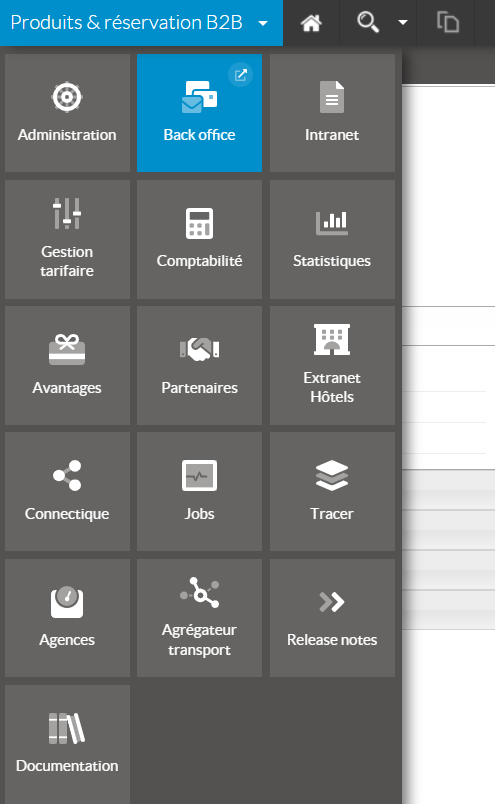
Opening in a new tab from the platform menu now behaves normally.

Export product list from Administration

In the “Products” tab of the middoffice, an “Export to CSV” button is added to the action area, next to the search engine.

When the user clicks on the “Export to CSV” button, a confirmation pop-up window appears to indicate the action to be taken.

If the product search returns more than 2000 results (configurable quantity), a message is displayed to indicate that it is not possible to perform the export due to the limited number of products. A suggestion is provided to restrict the search.

If the search filters on the “minimum price” field, this field is added to the csv.

If the system configuration includes the display of criteria on the results page, additional criteria fields are added to the exported CSV file.

After confirmation in the pop-up window, the export starts immediately and synchronously.

The user must remain on the page and wait for the export result.

Europlayas – Cancellation policy

Percentage cancellation conditions are now managed via Europlayas connectivity.

BanContact via Pledg

The BanContact payment method is now available via the fractional payment provider Pledg.

Paypal integration via Lyra (Payzen)

Payment by paypal and MyBank is available in the booking process and on the Backoffice.

More precise B2B error messages in the booking process

Connectivity error messages are more detailed when configuration is enabled, replacing the standard error message. They now enable the travel agent to better understand the origin of any booking failure.

Seat selection for Trenitalia

When the choice of seat is available for the chosen route, it is offered at the time of booking.

Openjaw management in Switch Transport

The transport switch is now able to serve openjaw packages by automatically filtering the sources able to provide openjaw transport. In this way, the Switch source can be configured by default on all pre-packages, guaranteeing access to the best fares for these stays.

Contact d’urgence Transavia

La connectivité directe avec Transavia a été améliorée de façon à gérer les contacts d’urgence occasionnant potentiellement une forte charge sur les agences.

Cette fonctionnalité est applicable par configuration.