AI / Implementation of an API documentation site for Catalog & WS Booking APIs with a Kapa AI engine
We are pleased to announce the implementation of an API documentation site for the Catalog and WS Booking APIs, featuring a Kapa artificial intelligence engine. This project aims to improve the accessibility and understanding of the APIs, while offering an enriched user experience through advanced AI features.
PayPal: Customizing the Payment “Call to Action” Button
To achieve better visual consistency with the distributors’ graphic charter, we have enhanced the customization options for the PayPal payment button. It is now possible to choose its color from several options managed by PayPal (default yellow, blue, white, gray, or black).
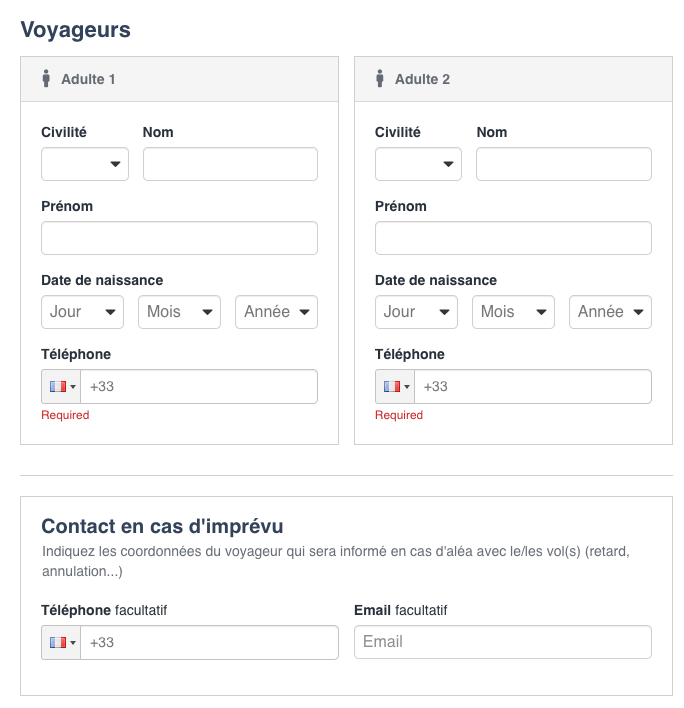
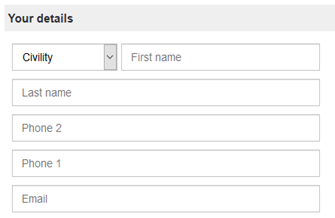
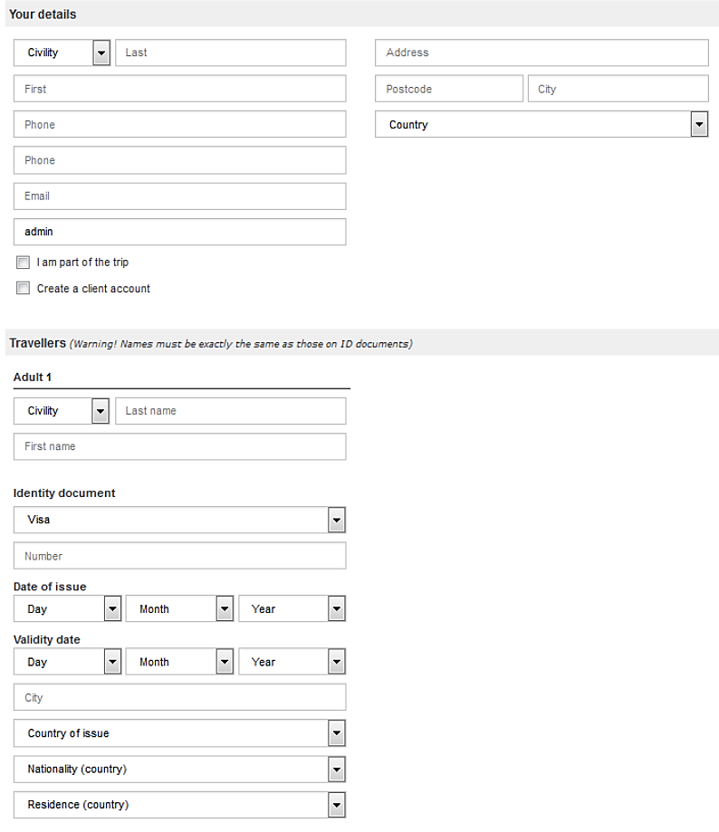
Booking Process: UX Redesign of the “Phone Number” Field
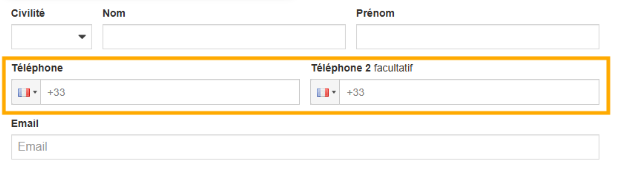
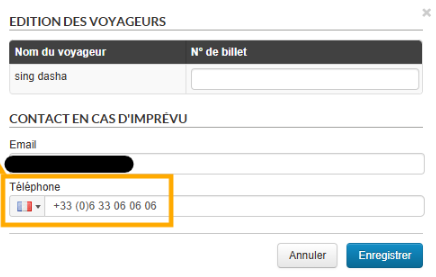
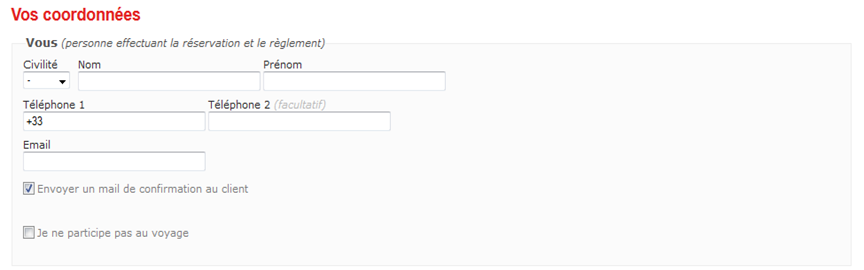
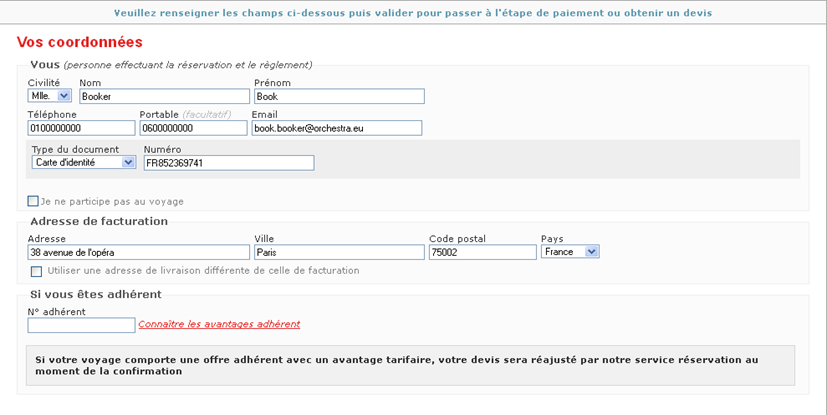
The “Phone Number” field in the booking process and back-office has been revamped for a smoother and more intuitive experience. Previously, formatting and persistence issues could complicate data entry; thanks to new technical management, this field now ensures consistent formatting and reliable data retention. This improvement guarantees simplified input for customers and better management for agents.
RGAA compliance
Orchestra is continuing to bring its booking process into compliance with RGAA (Référentiel Général d’Amélioration de l’Accessibilité, or General Accessibility Improvement Framework) standards. Several areas are now compliant: scripts, presentation, forms, and consultation.
Improved management of special air fares
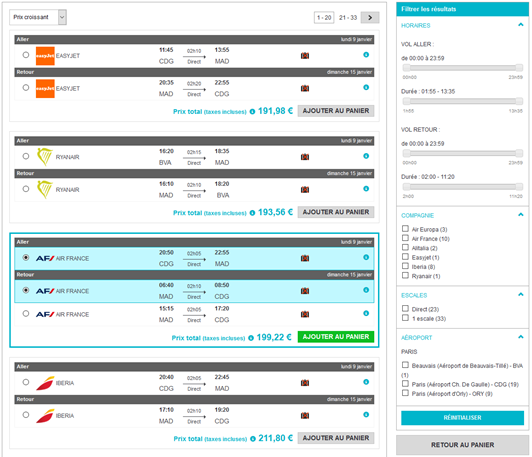
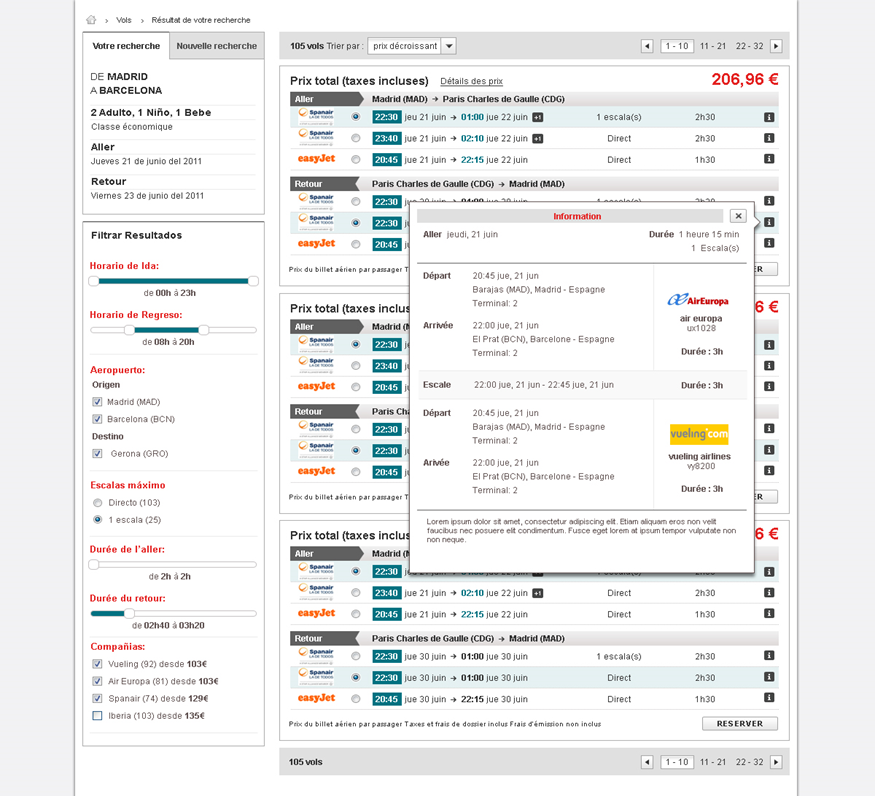
Special airline fares (tour operators and marine) now benefit from increased visibility for agencies, appearing clearly on the flight results page and in the details pop-up.
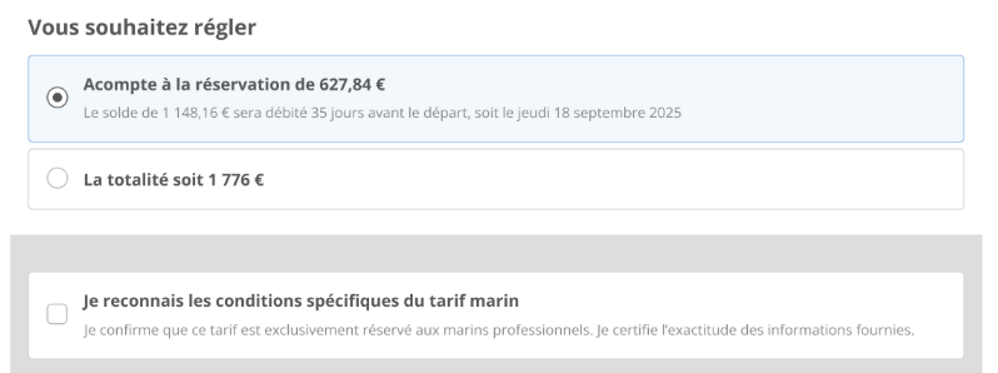
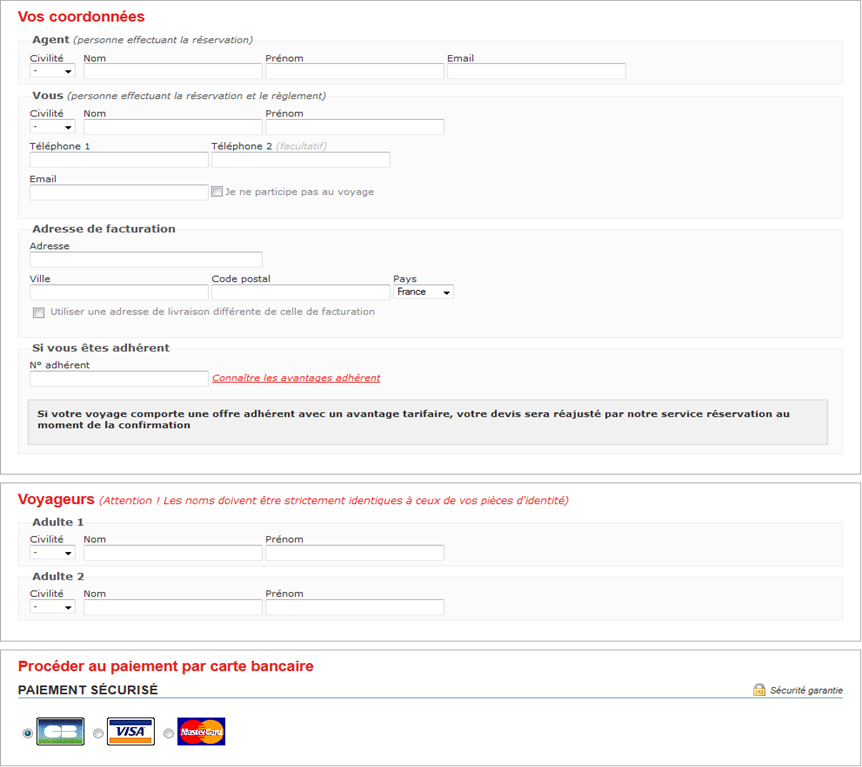
Additionally, a checkbox has been added to the contact details page, requiring explicit client validation of the conditions associated with these specific fares. This measure aims to reduce bookings of ineligible special fares.
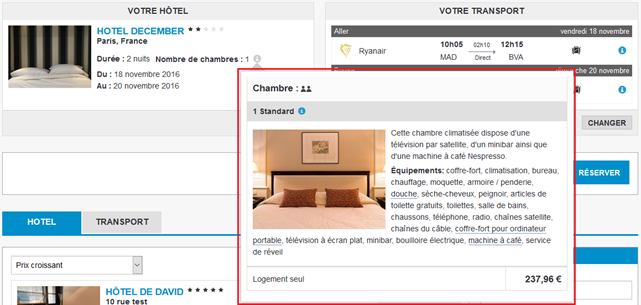
Improved display of accommodation pptions for pre-packages with internal hotels
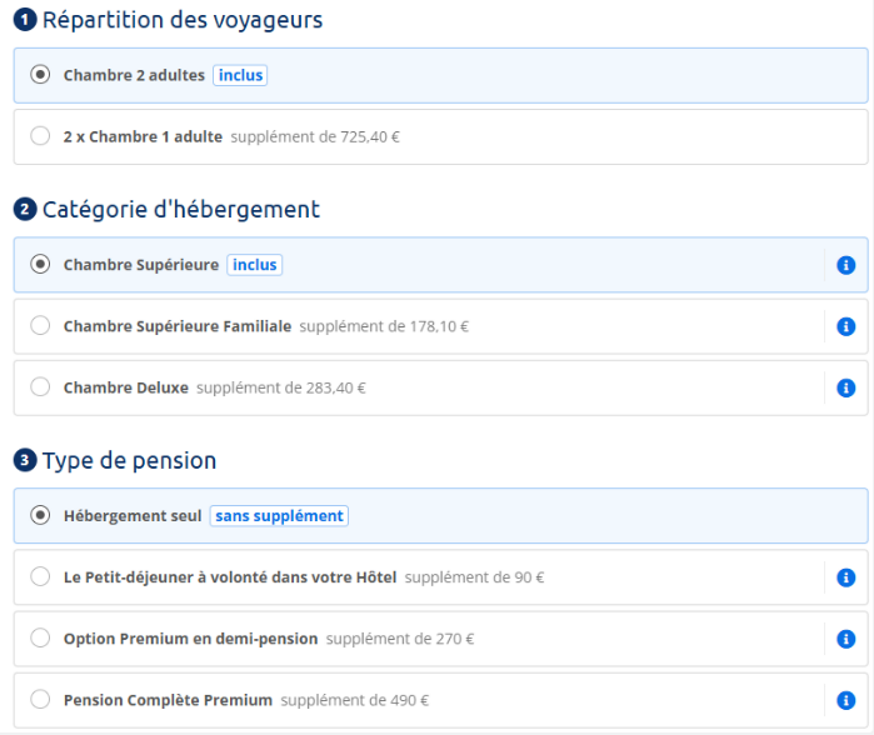
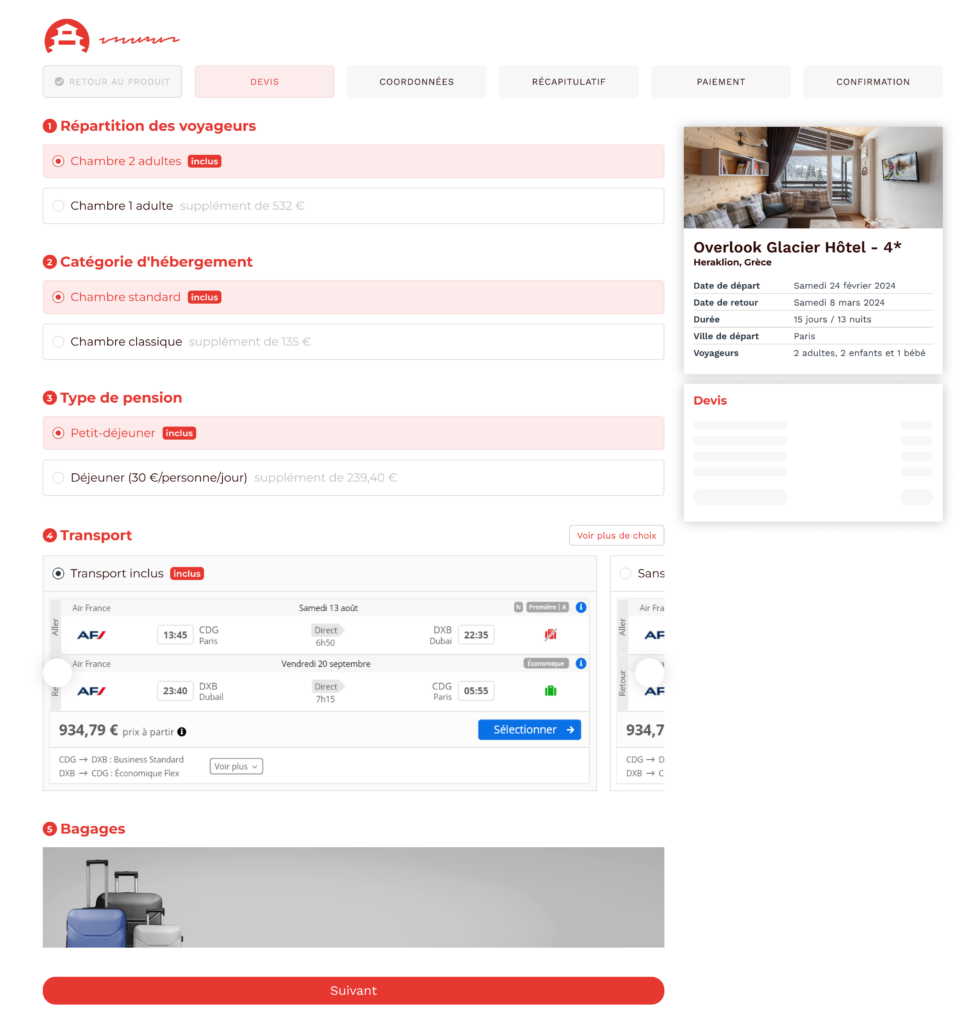
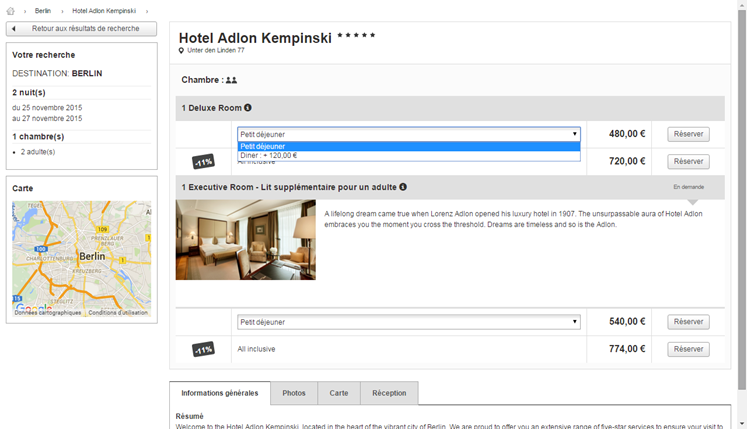
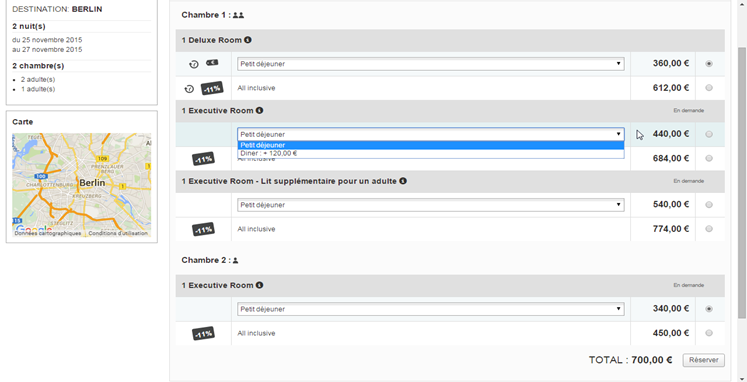
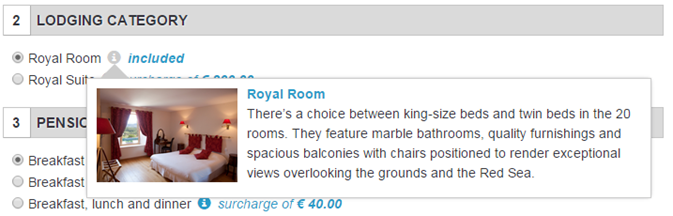
The display of passenger breakdowns, room categories, and board types has been optimized on the Orchestra platform. This enhancement applies to all hotels, whether added manually or via a channel manager. The interface now offers a unique entry per passenger breakdown, with corresponding room categories displayed and individually selectable. The board type is presented based on previous selections.
Security of reservations for activities that have already begun
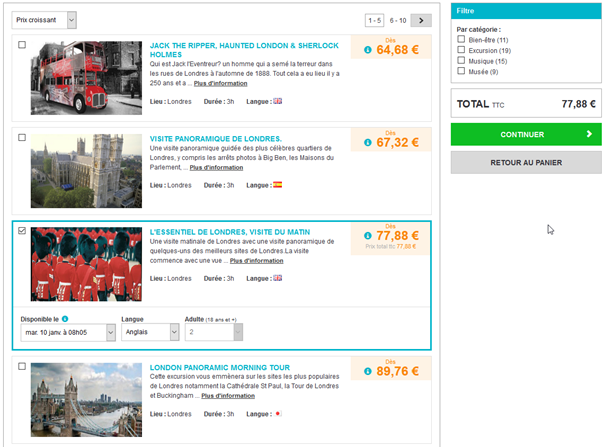
An improvement to the booking process has been implemented to prevent the booking of activities whose start time has already passed. This ensures that all bookings are always valid and relevant.
Application of the RGAA – Lot 1
The RGAA (General Accessibility Improvement Framework) has been implemented in the booking process in several areas: images, frames, colors, tables, links, mandatory elements, and structure.
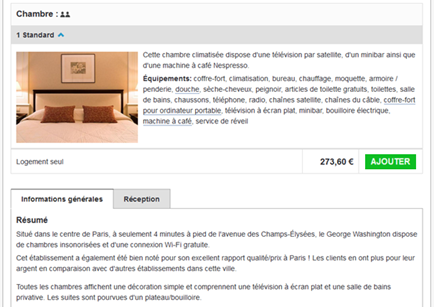
Booking – Internal Hotel Room Editorials in Pre-Packages
Internal hotels integrated in pre-packages lacked visual enhancement. Room images and descriptions did not appear. This limitation reduced superior offer attractiveness.
Orchestra now displays room editorials on quote pages. Configured images and descriptions are visible. This evolution improves product information presentation.
Enhanced display promotes upselling to superior categories. Clients better visualize differences between rooms. This editorial enhancement optimizes establishment commercial potential.
Always Sell – Client Consent Block
Agents require access to client recontact consents. Orchestra integrates this information in back-office. Searching concerned quotes becomes possible.
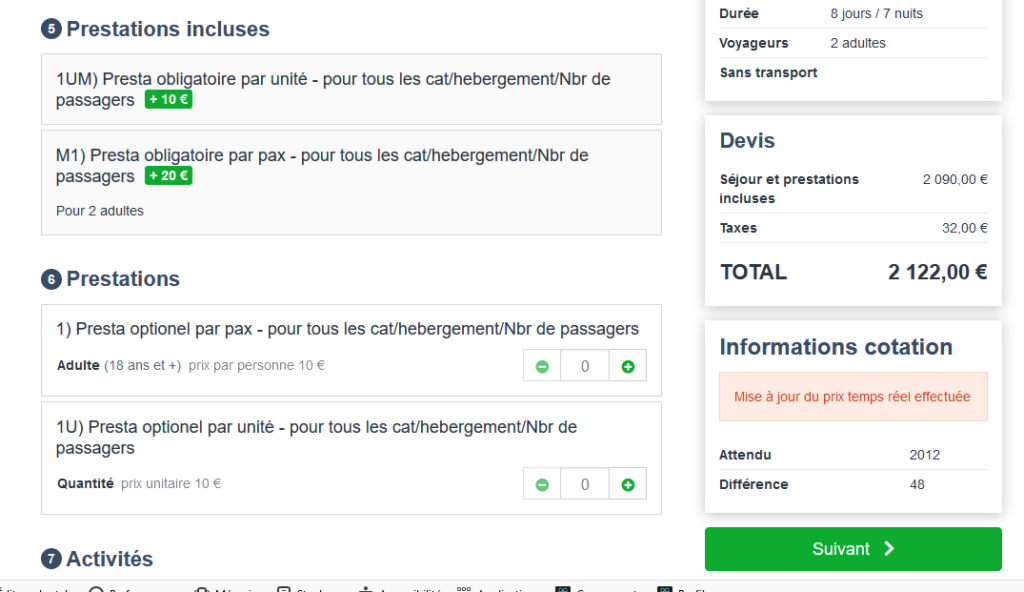
The change consists of rounding support when booking add-ons. This is particularly useful in cases of currency conversion. It allows for alignment between the platform’s different modules (booking process, file management, post-booking, etc.).
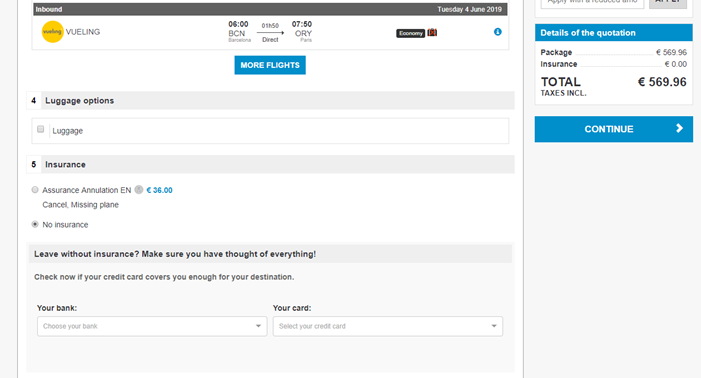
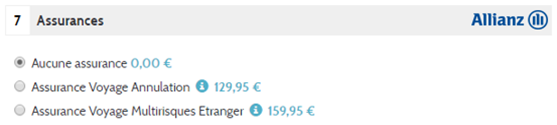
Post-book insurance sales
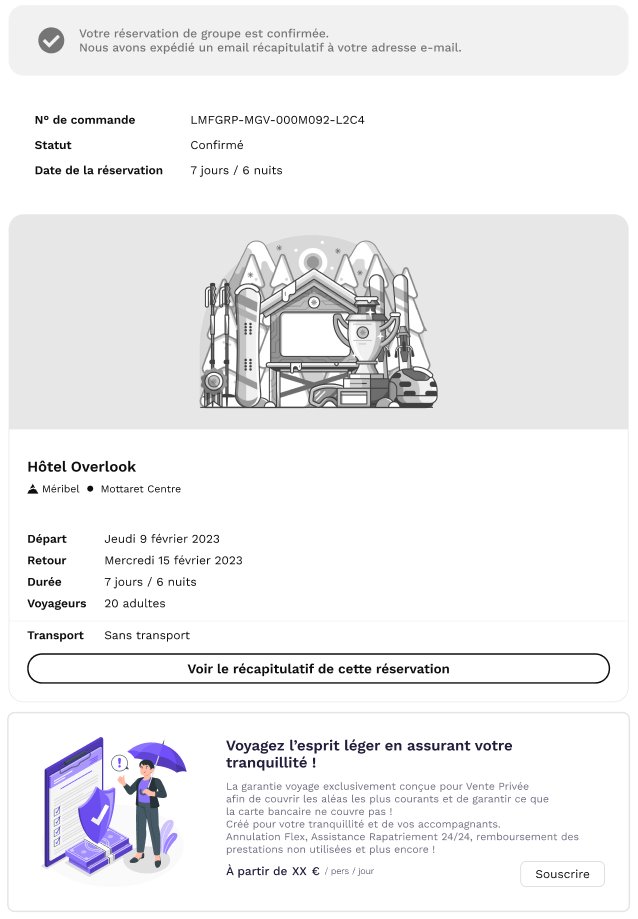
It is now possible to offer and sell insurance after the purchase of a holiday.
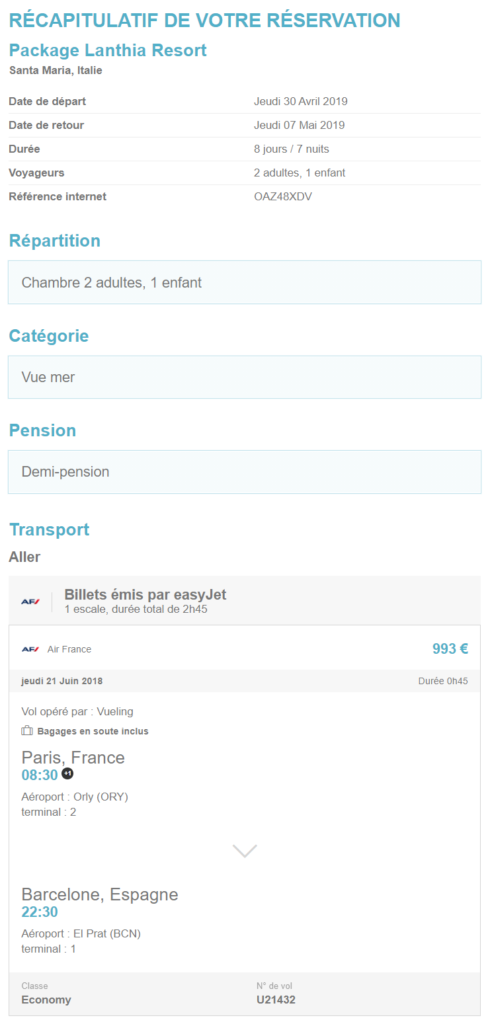
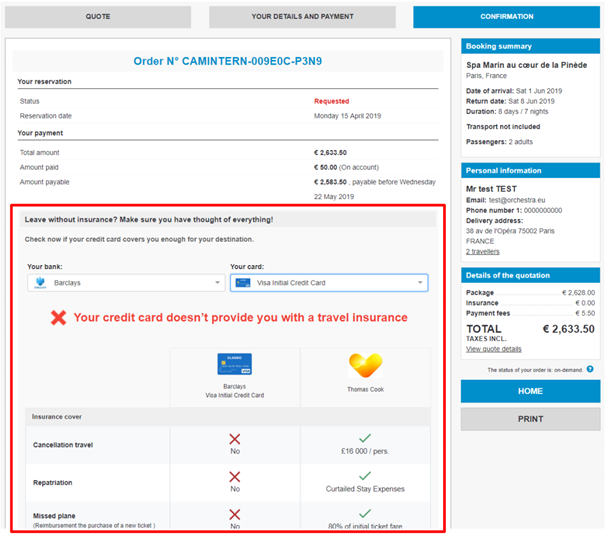
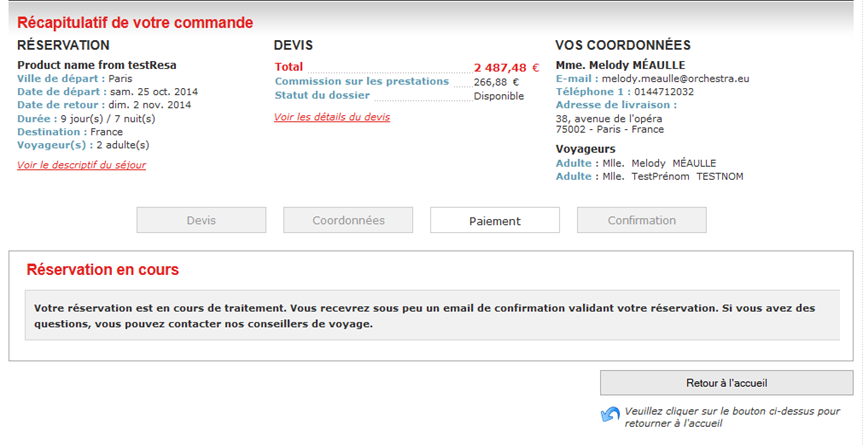
Directly after the purchase has been finalized, a new link is available on the confirmation page and on the confirmation e-mail.
On click, this link redirects to a purchase path allowing the customer or agent to add insurance to the initial file.
The new additional file is added to or linked with the initial file.
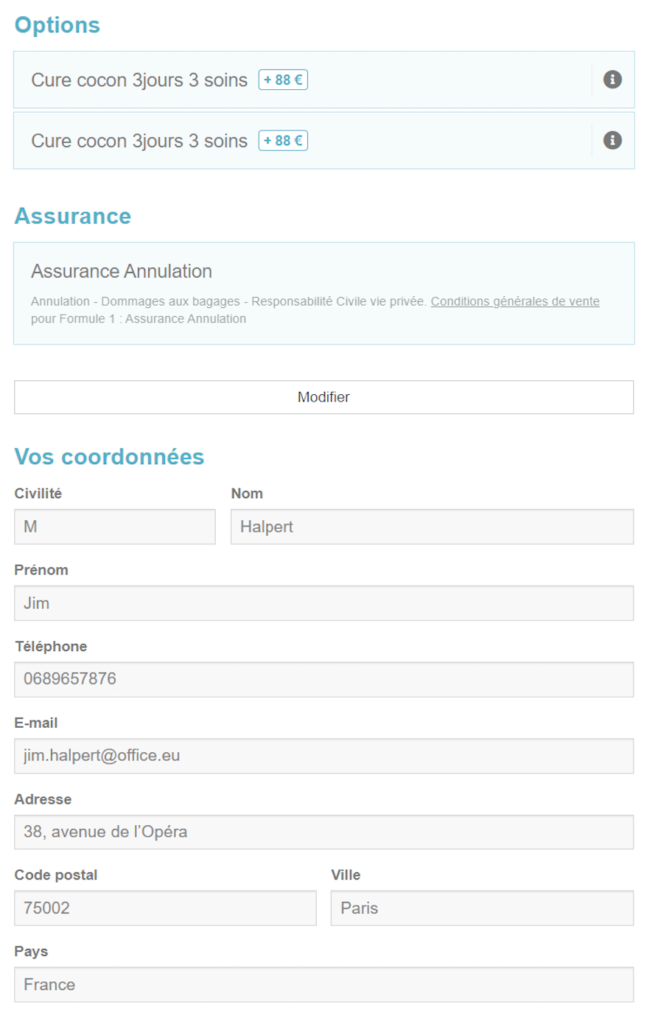
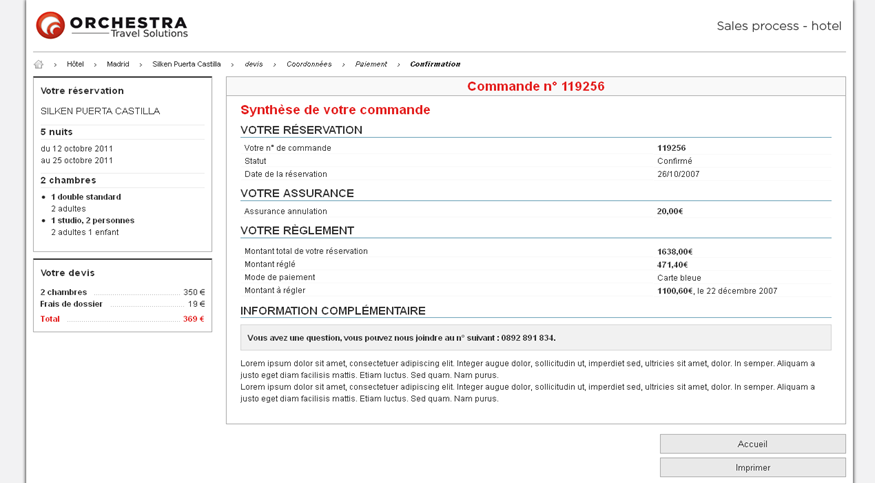
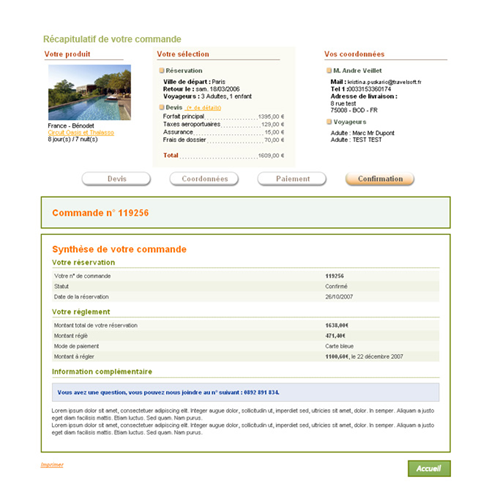
An example is shown below on the booking confirmation.
Insurances pricing
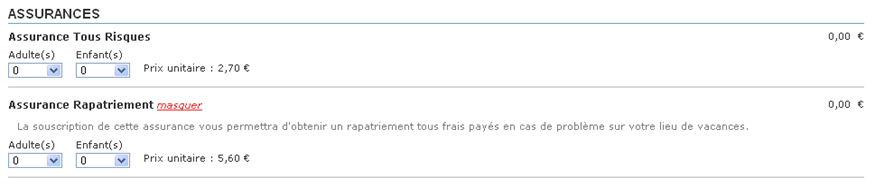
The administration module and sales process have been upgraded. It now calculates and displays insurance prices per person and per night.
This enhancement provides a different opportunity for displaying prices, with a more precise granularity of amounts at the time of subscription.
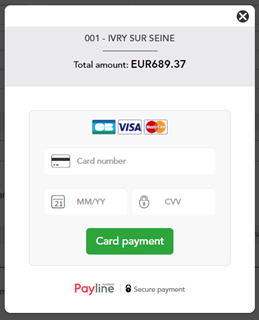
Payment Page Integration for LogiTravel Booking Process
As part of the LogiTravel B2C site setup, a payment redirection system has been implemented. Instead of integrating multiple PSPs, users are redirected from the Orchestra sales flow to LogiTravel’s payment page to complete their purchase.
Technical cancellation of an indirectly booked in-house product
In-house products can be automatically canceled by the producer following an unsuccessful indirect booking.
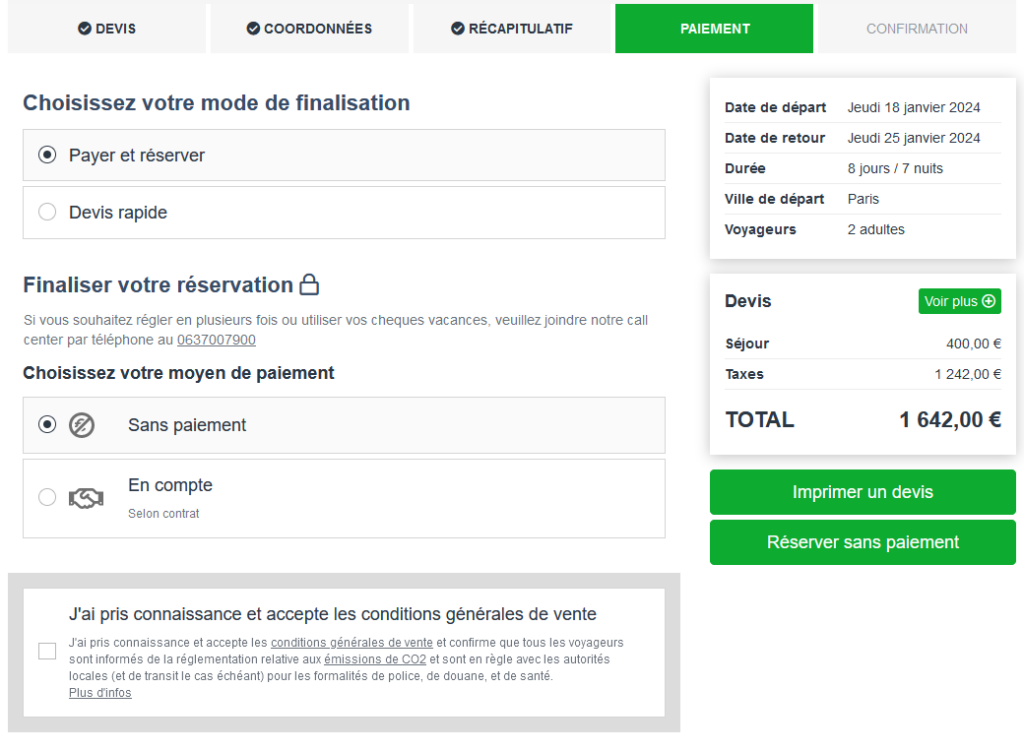
Add payment-free booking functionality to the indirect sales process
It is now possible to confirm a booking without payment in an indirect booking process. This feature dissociates the reservation from the payment, and is an alternative to payment on account.
The “Payment facilities” module can now be displayed in agent channels
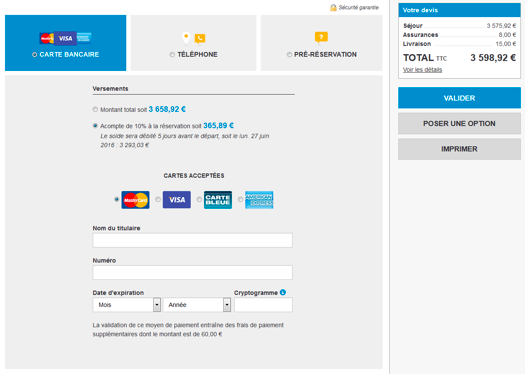
An evolution has been implemented to enable more refined management of ‘payment facilities’, with the aim of improving the user experience, particularly for call center agents. Call center agents can now more easily communicate the amount of the deposit on a quotation, without having to calculate it manually. It is now possible to set up a channel, organization or target user for the ‘payment facilities’ module, as well as defining its display on the payment page.
Agencies now receive an e-mail summarizing the cancellation actions taken following a failed booking, including automatic cancellation of reserved items.
Option Management for Pre-Packages
A hybrid booking mode has been introduced, allowing users to place an option on a pre-packaged product for a fee, without requiring an immediate reservation from the producer’s side.
Optimization of the Alternative Date Proposal Mechanism (AvailabilityRetrial)
The alternative date proposal process has been improved to better manage room unavailability during a quote reprocessing. If the initial room category is unavailable, an alternative category will be suggested for the same date. If no alternative is available, a different date will be proposed.
Display of Ticketing Time Limit (TTL) in the Sales Process
Ticketing Time Limit (TTL) information is now visible from the flight search stage in the sales process. It also appears on the finalization button for direct ticket issuance. This feature, configurable upon request, is available for American Airlines, British Airways, Air Canada, Iberia, and Oman Air.
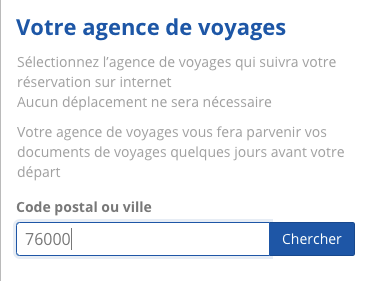
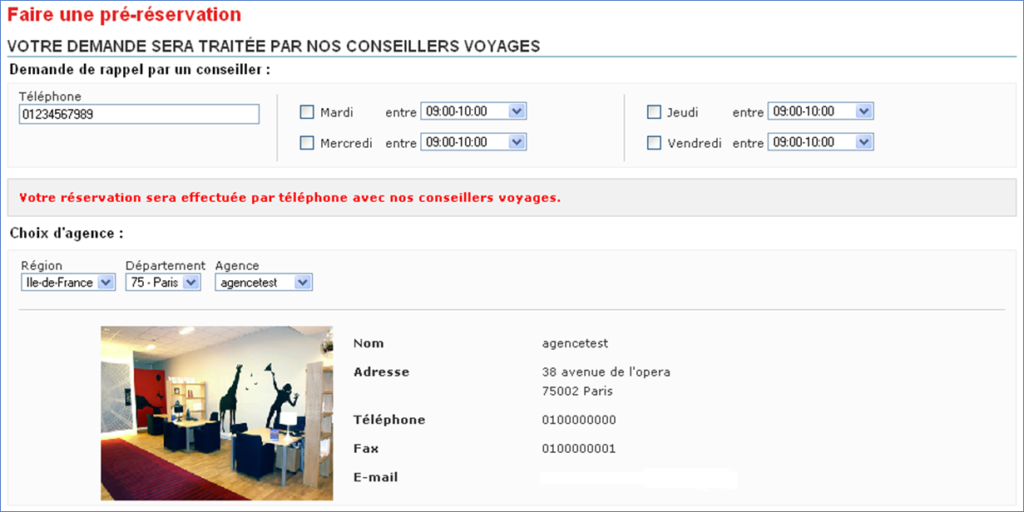
Graphic redesign for the “agency choice” module in the booking process
To improve the user experience, the user interface and design of the “agency choice” module in the booking process has been reworked.
Option to choose how the reservation is completed: with or without ticketing
When booking flights via the Orchestra B2B tool, customers can now choose, at the time of payment, whether to book with or without issuing the ticket.
The feature can be activated via a configuration, allowing the customer to book with or without issuing (if this option is available).
Seat Map management
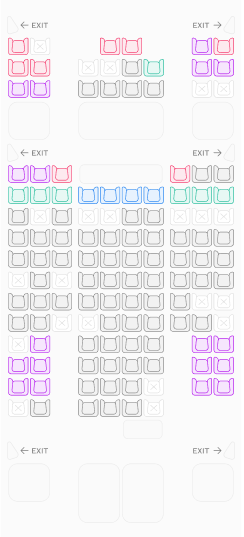
To enhance the user experience, a new interface has been integrated into the transport booking process. This feature now allows travelers to select their seat on an interactive aircraft map, displaying emergency exits, restrooms, and seats with or without additional charges.
Currently available for Air France and Jazeera bookings (excluding NDC), this option can be activated through a simple configuration.
Evolution of emergency contact
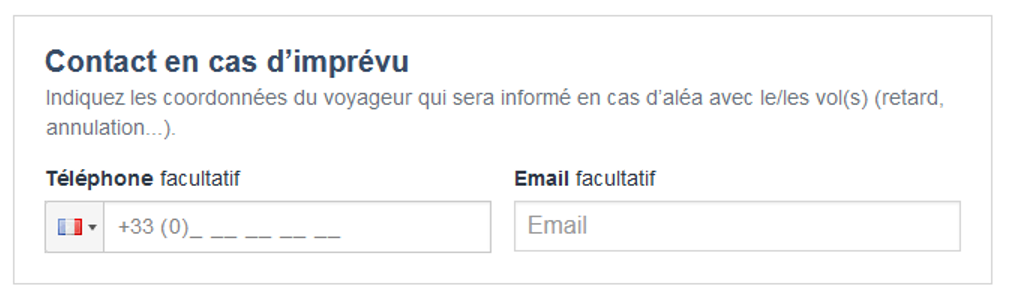
The emergency contact function has been improved. In the booking process, it is now possible to ask the end customer only for their telephone number, instead of their telephone number and email address. This reduces the time required to enter data in the booking process.
Note: the agency’s email address can be entered by default as an emergency contact email address if required.
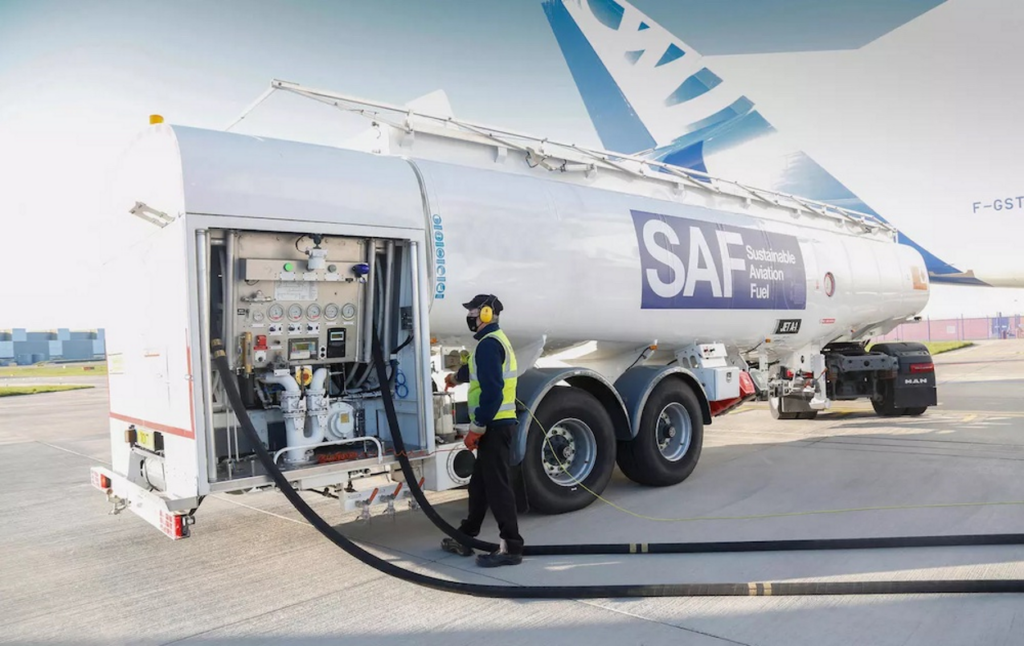
Sustainable Aviation Fuel (SAF) bundles are available for Air France flights.
Sustainable Aviation Fuel (SAF) means that the fuel used is produced from renewable or sustainable sources such as agricultural waste, used oil or non-food raw materials.
These SAF bundle fares enable Air France end customers to contribute to the adoption of greener fuels on their flights. This initiative is in line with the efforts made by many airlines to achieve the decarbonization objectives of the aviation sector. These fares can now be booked as part of the reservation process on Air France flights with direct connectivity.
Optimization of BSP Auto connectivity: vehicle reservation schedule
We have improved connectivity with BSP Auto to enable a better user experience, and to propose in the booking process rental start and return times that are more consistent with the departure and arrival times of flights booked by the customer.
Customization of insurance content according to country of destination
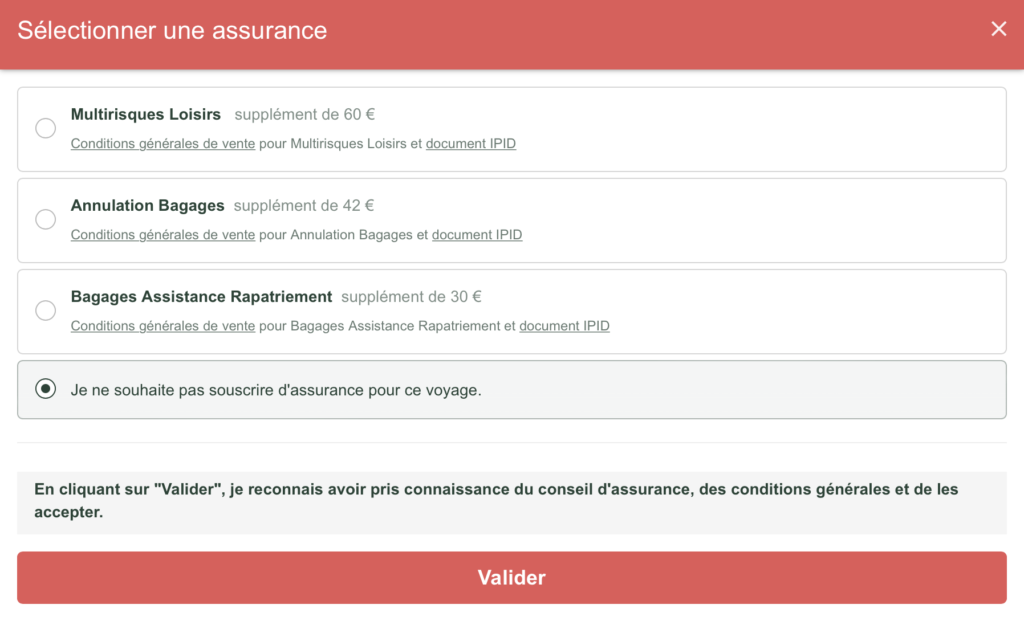
In the booking process, it is now possible to customize the content of the insurance refusal pop-up according to the product’s destination country. This new concept complements the personalization by distribution channel and language already available.
The aim of this evolution is to optimize the user experience and personalize content as much as possible according to the product booked (geographical specificities).
Sending of customer contact information in the event of unforeseen circumstances for the airline Jetstar and the producer Maeva / La France du Nord au Sud
The option of entering and sending contact details in the event of unforeseen circumstances is now available for all Jetstar airline flights and for all products from producer Maeva.com / La France du Nord au Sud.
MSC Cruises connectivity evolution: addition of hotel service fees
Hotel service charges are a mandatory service to book on an MSC Cruise.
These fees are now visible as “Included services” at the quote stage of the MSC Cruise booking process.
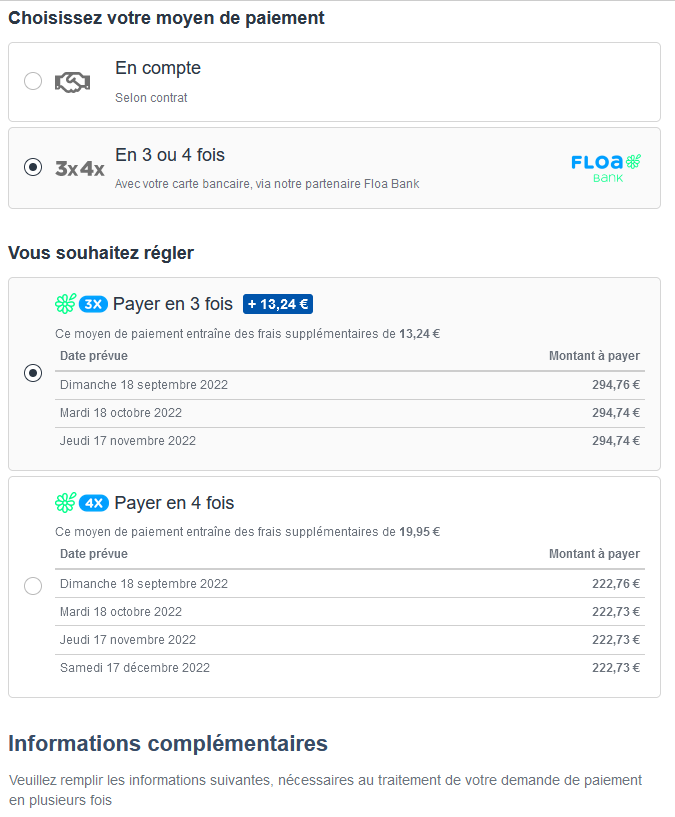
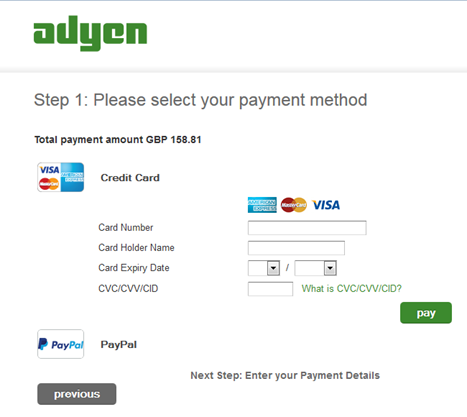
Oney 3X and 4X through the payment provider Adyen
Multi-installment payment (3X and 4X) by Oney is now available via payment provider Adyen in the booking process and in the back office of the Orchestra platform.
New developments to improve productivity and the customer experience for indirect bookings
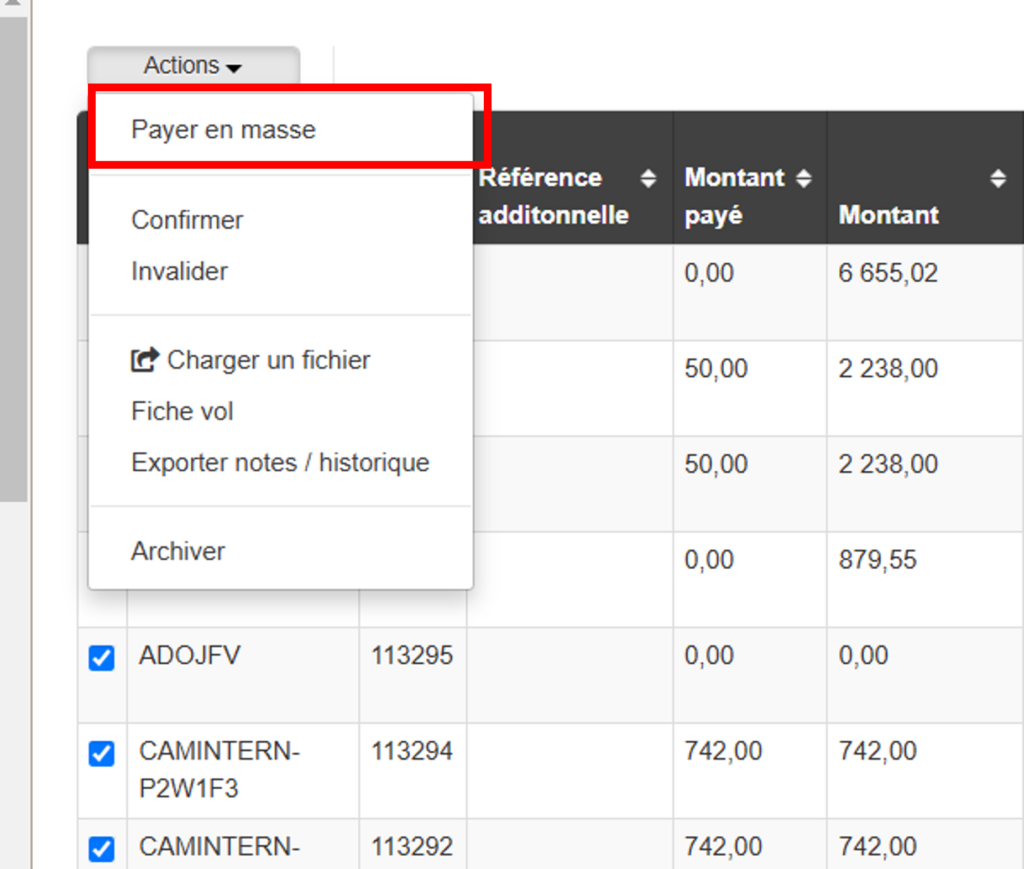
Mass payment by bank transfer and cheque
In the context of indirect reservations managed in the Orchestra platform, a producer will generally receive payment from the distributor for several bookings. It is now possible in the back office to mass soldering these bookings by adding a mass payment (only available for payments by bank transfer or cheque).
Management of services offered in the distributor’s reservation process
It will now be possible to filter, for each product, the related services that the producer wishes to offer in the booking process of the distributor. For example: not to purpose the “donation” type of service.
Improved sliding filters
This optimization corrects the following problem: bookings were being made whereas the product availability dates should not have remained open, due to a sliding filter applied to the product. This filter was slow to complete its execution.
The availability search before entering the booking process has been improved to avoid this problem.
New features for producer NG Travel
Several new features have been added in the Rosetta connectivity for NG Travel (Boomerang, Directours…):
NG Travel products with multiple accommodations can now be booked on the Orchestra platform.
Rich content is now available for product room categories and board types.
The car rental option is also available for NG Travel products.
Addition of cabin baggage information
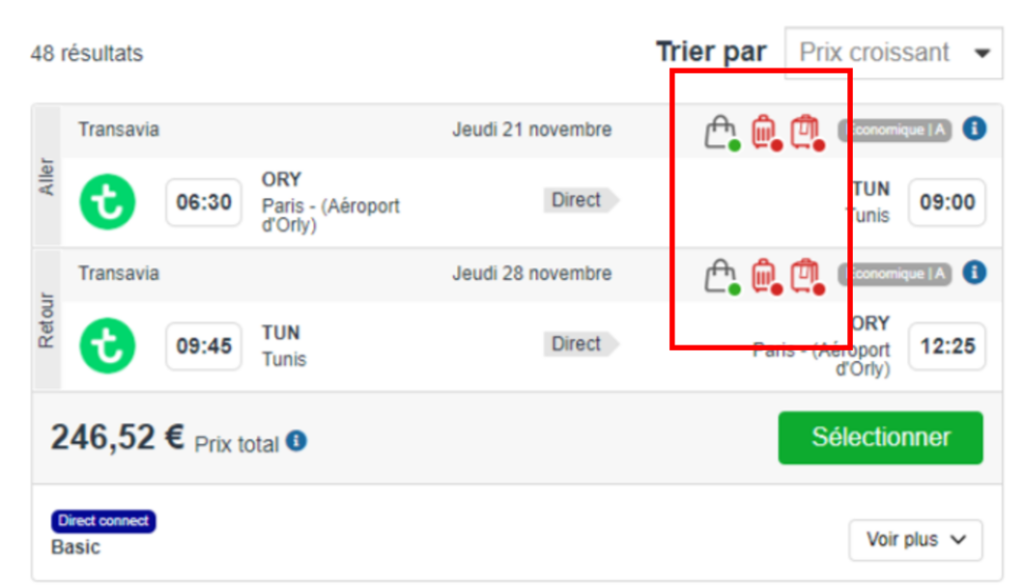
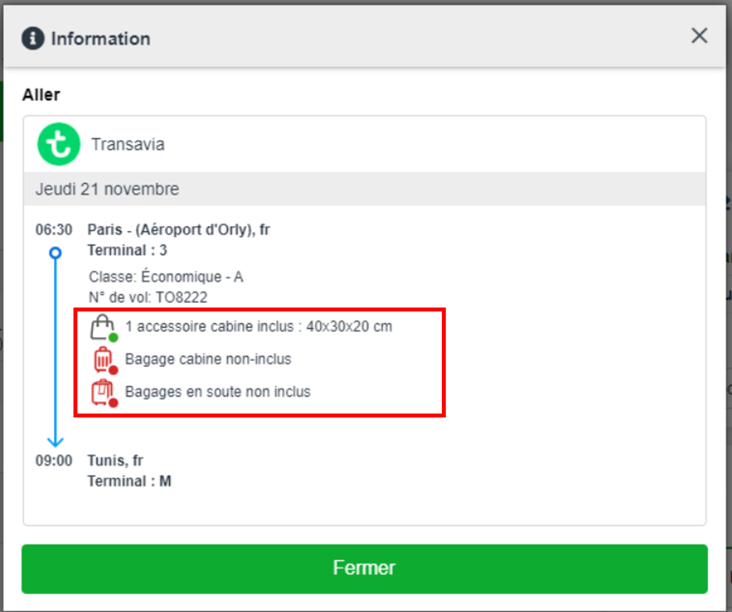
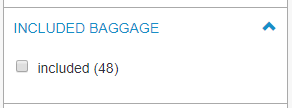
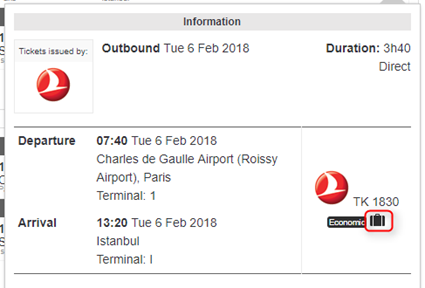
In the booking process, it is now easier to see whether or not cabin baggage is included in the transport being booked, as well as details of the size and weight of this cabin baggage. Pictograms have been added to make the information easier to read, and clicking on the “i” opens a tooltip showing the size/weight of the baggage included.
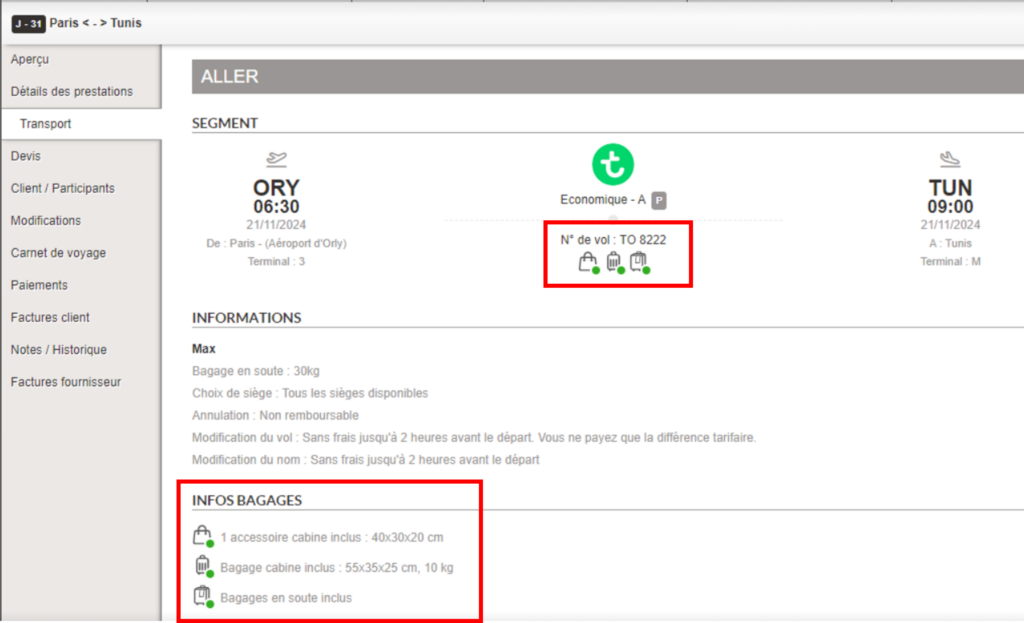
In the back office, information concerning cabin baggage and its detailed size and weight will be visible in the transport section of the booking. This will enable the travel agent to easily answer any questions the customer may have on this subject.
Harmonization of rounding management for booking prices
We have implemented an evolution to harmonize the management of rounding of booking prices in the booking process and the back office.
Whereas in the past, the price of a booking could include more than two decimal places in the back office, particularly in the case of a booking in a foreign currency, this evolution eliminates potential price discrepancies in exports and invoices, both on the total price and on the price paid.
By default, rounding is set at the centime level, i.e. two decimal places after the decimal point.
Implementation of retargeting emails
Tracking emails are replaced by retargeting emails.
Distributors now have the option of setting up and sending retargeting emails to prospects who filled in their details at the quote stage, but ultimately failed to convert in the booking process.
The retargeting email will include a link enabling the quote to be replayed, thus increasing the chances of conversion for abandoners, and thus increasing the volume of business.
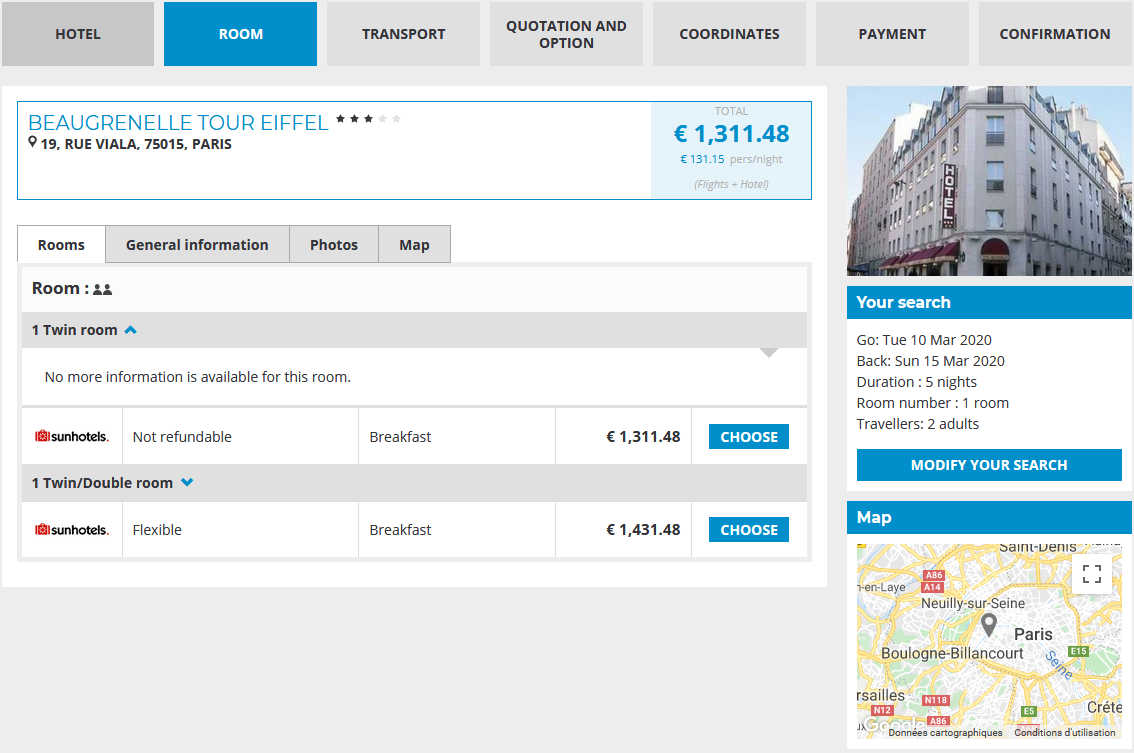
Non-cancellable rooms can now be filtered with Sunhotels
For the Sunhotels source, rooms that are non-refundable or include a cancellation fee can now be filtered when the reservation contains transportation.
This avoids cancellation charges in the event that the transport booking fails, thus necessitating the cancellation of the hotel reservation.
By default, the filter is activated for all booking processes including transport (flight + hotel, pre-package with transport) and can be deactivated via configuration.
Improved auto-completion mechanism in transport search engines
The auto-completion mechanism has been improved to make it more relevant for dry flight and dynamic package searches.
Labels have been updated, and new sorting rules have been implemented to improve the retrieval of search results.
Finally, auto-completion is now able to recognize content entered by the user, regardless of punctuation or accents.
Automatic update of preferred travel agency in customer account
We have made an evolution to synchronize the customer’s travel agency in the booking process and the customer account.
From now on, the agency selected by the customer in the booking process will automatically update the favorite agency information in the customer account.
Managing customer contacts in the event of unforeseen events for TUI
Entering and sending contact data is now managed on the Orchestra platform for TUI Group producers.
Configuration of the dematerialized gift card reception option
In the booking process, it is now possible to configure the option for sending the dematerialized gift card.
Whereas in the past the purchaser could decide whether to send the e-gift card to himself or to another recipient, it is now possible to remove this option.
By default, the dematerialized gift card will be sent to the buyer’s e-mail address.
Redesign of the Advantages module
We have made several changes to the Advantages module on the administration platform:
Creation of a form to generate advantage codes on a one-to-one basis.
Creation of new user rights to access the module’s various functions.
Addition of information to improve traceability, such as the user who created or consumed the benefit.
Graphic and ergonomic improvements to the module.
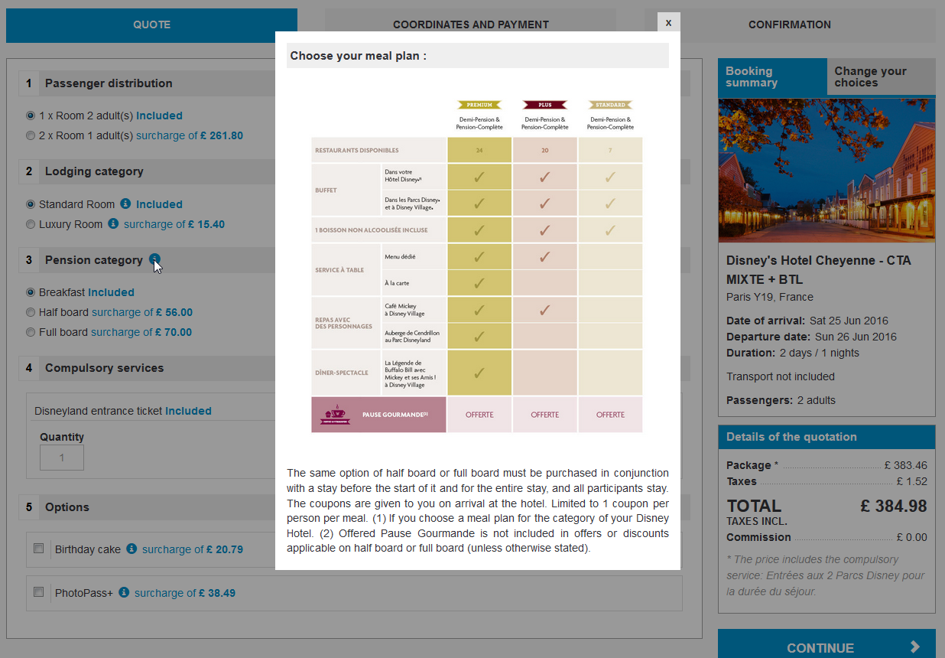
Add-ons for Disneyland Paris products
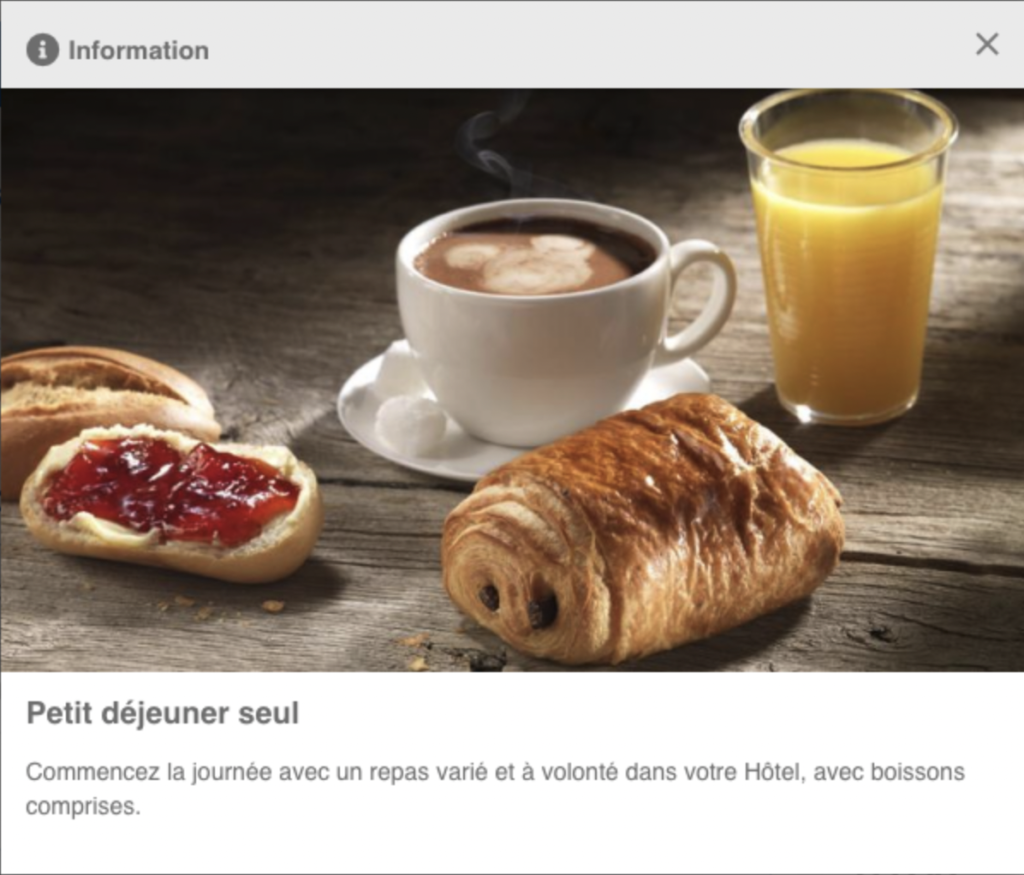
Add-on services linked to Disneyland Paris products, such as pensions, are now available in the Orchestra booking process.
Implementation of an add-ons page to the Packages booking process
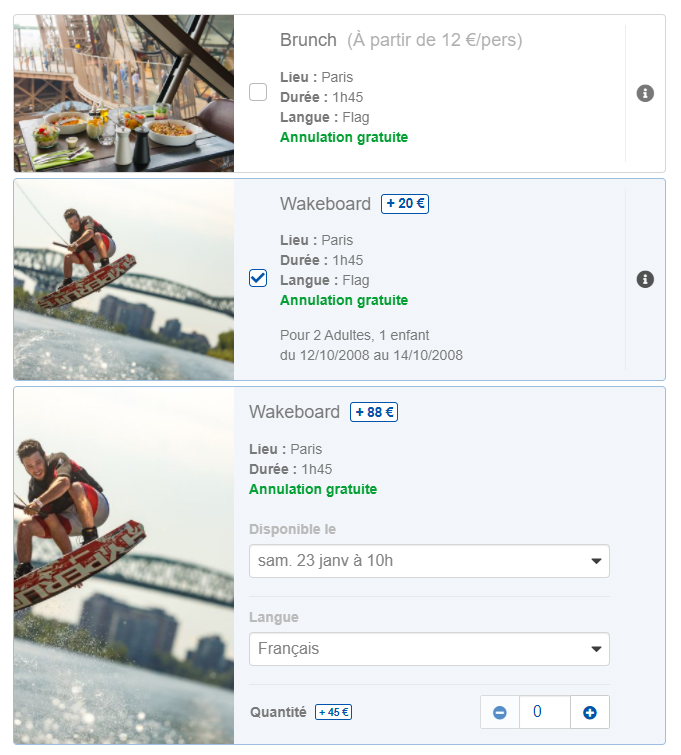
Add-on services can now be displayed on an intermediate page between the quote page and the contact details page in the Packages booking process.
This solution improves the user experience, lightening the quote page and giving greater visibility to optional activities and services available in the booking, such as menu choices, excursions and other destination activities.
Some of these services may depend on the room choices made on the previous page (quote page).
This feature can be activated via configuration.
New overnights prioritization mode for Dynamic Packages stays
In the Dynamic Package booking process, for flight and hotel proposals with different “overnights” (D-0, D+1, D+2), it was already possible to parameterize the booking to favor the selection of the best answer, for example, the cheapest flight and hotel combination.
A new modality has been implemented to favour the list of results containing the fastest outbound flight.
Developing connectivity with IBS Software
We have developed connectivity with our partner IBS Software, Property Management System, for real-time accommodation reservations.
ViaXeo booking reference sent to Tots for pre-package sales with ViaXoft connectivity
As part of the sale of pre-packages including ViaXeo accommodation and Tots flights, the ViaXeo booking reference is now sent to Tots at the time of booking.
This makes it easier to manage bookings containing services from these two ViaXoft group connectivities.
Overloading of additional parameters during quote replay
We have made a technical evolution that allows the system to send additional parameters during a quote replay, if they don’t exist in the initial reservation.
This enhancement can be used, for example, to enable payment by benefits during quote replay.
Sending customer contact information in the event of unforeseen circumstances
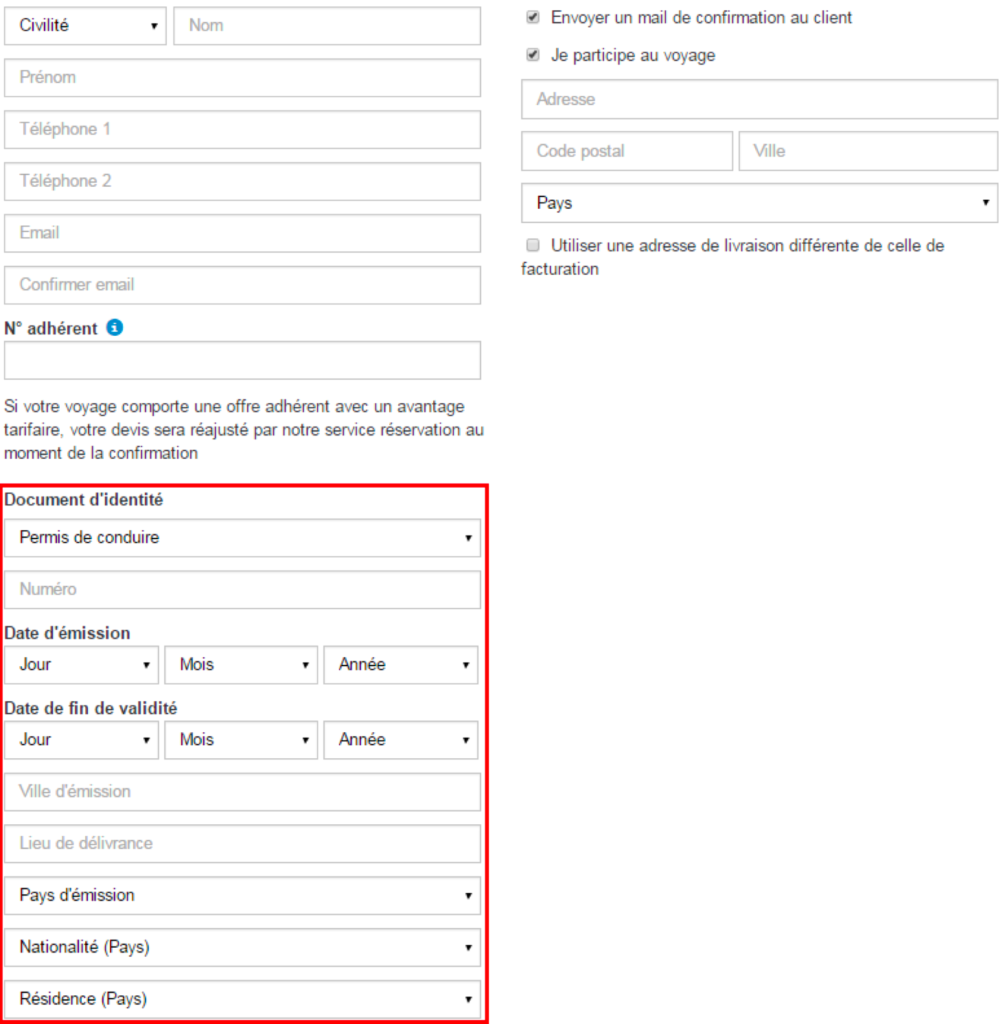
In its resolution 830d, the International Air Transport Association (IATA) specifies that travel agencies must provide passengers’ contact data (telephone number and/or e-mail) in bookings, to enable the producer or carrier to contact customers in the event of unforeseen circumstances (strike, cancellation, flight delay).
Entry and transmission of contact data is now managed on the Orchestra platform and for certain air transport sources.
Entry of the telephone number or e-mail address is managed in the booking process and in the back office.
The transportation sources supported for this feature are Amadeus and Transavia.
The functionality can be activated via the booking configuration and connectivity.
We have taken advantage of this development to improve and standardize the format of the number entered in the existing “Phone” fields in the booking process. This new format is activated by default for all customers, and can be set (deactivated) as required via a reservation configuration.
Improved meal plan management for Bravo Club
The Bravo Club partner’s meal plan management has been optimized: double meals have been eliminated, and the correct price per person has been calculated for all meals. The selected meal plan is common to all rooms.
Financial code management for some airlines with direct connectivity
Information on “financial codes” can now be transmitted to certain airlines at the time of booking.
This change affects the following airlines:
LATAM Airlines, for codes sent for the entire booking;
Avianca, Copa Airlines et Iberia, for codes sent at passenger level.
Improvement of rules for the exclusion of distribution channels, users and organizations
An evolution has been introduced to simplify the configuration of rules for managing processing fees, payment fees, delivery fees, discounts and car rental.
Just as you can add a channel, organization or user to a rule configuration, you can now exclude them for these modules.
Option to display hotel cancellation conditions in the Dynamic Package booking process
In the same way as for the Hotel-only booking process, we have added the option of activating the display of hotel cancellation conditions in the Dynamic Package booking process.
This option is managed by the same configuration as in the Hotel booking process.
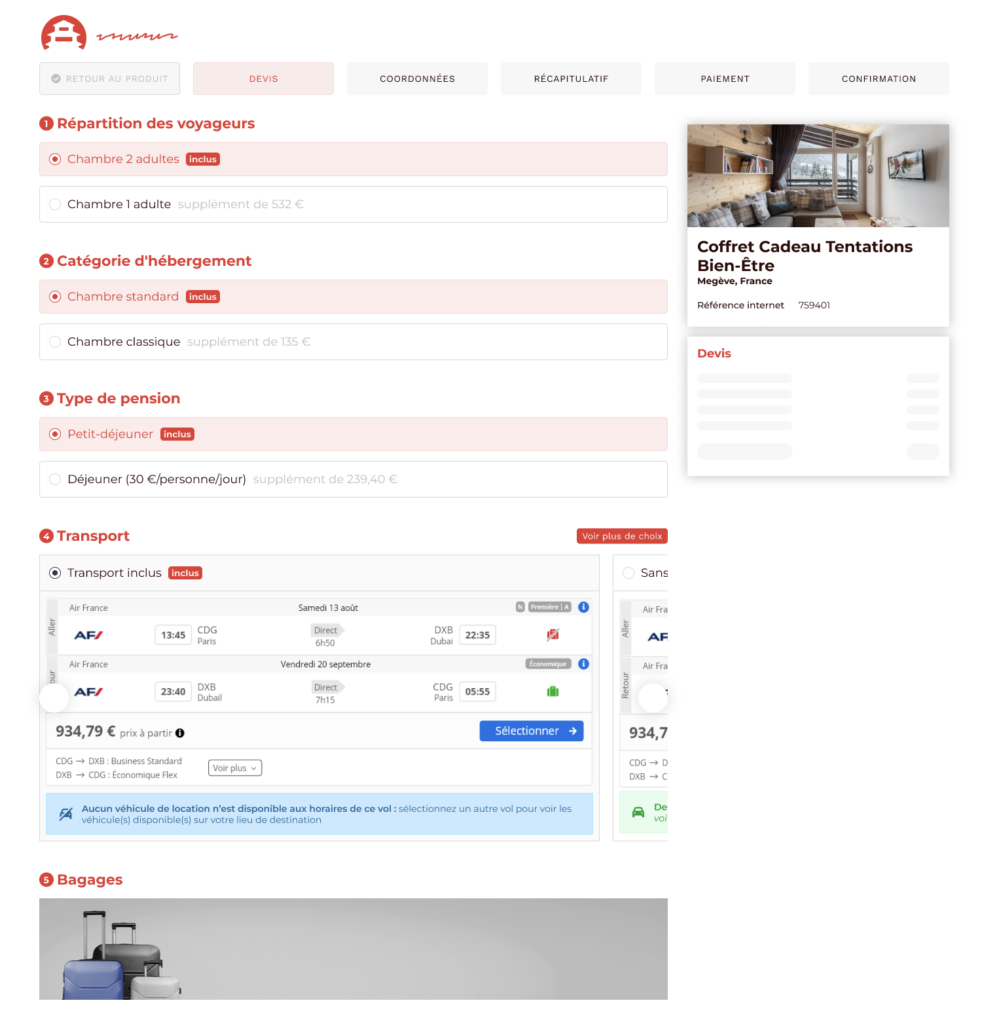
Improved “See more choices” graphics on the Transport carousels
Graphic improvements have been made to the booking process for the Transport, Luggage and Transport Services sections, to make them more intuitive and ergonomic to use. In particular, a “See all choices” button has been added for mobile bookings.
Optimization of the “Always sell” functionality
The “Always sell” feature has been enhanced, making it possible to go beyond payment errors and product unavailability to confirm bookings and avoid losing virtually guaranteed sales.
It is now possible to exclude bookings by type and error code (abandonment, payment) in the back office search lists, in order to prioritize the bookings to be managed by agencies and enable them to concentrate on higher value-added bookings.
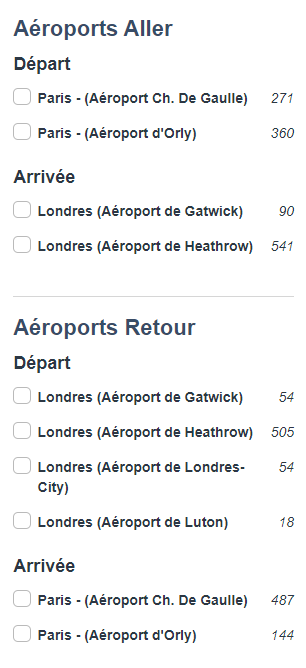
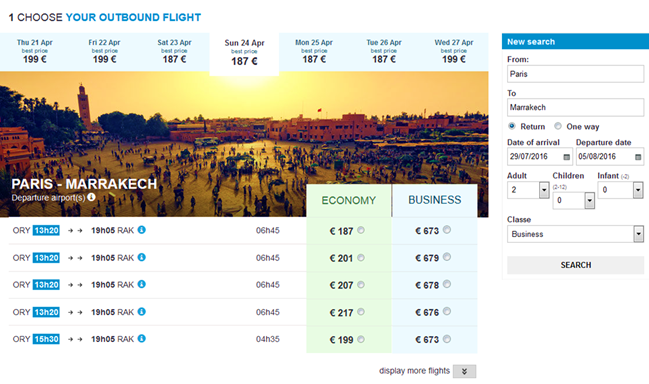
Improvement on flight filters by arrival and departure airport
We have made functional and visual improvements to the filters used to refine flight searches.
In all booking processes, it is now possible to filter flights by departure airport, arrival airport, for the outbound and return flight.
Previously, it was only possible to filter by departure and arrival airports for the outbound flight.
Visibility of the insurance refusal message throughout the booking process
A new message has been added throughout the booking process to explicitly mention the customer’s choice to decline insurance selection.
This change ensures that customers explicitly refuse insurance, and increases the conversion rate for this product line in the booking process.
This feature is activated by default in all booking processes, and can be deactivated via configuration.
Addition of a link to enter the booking process from tracking emails
In order to increase the conversion rate with abandoners who have not completed a booking, we have updated the generic templates for customer tracking emails, for all booking processes (Packages, Transport, Hotels, Activities and services).
In particular, a link to re-enter the booking process has been added to the tracking emails, enabling the booking to be restarted using the same parameters as those used for the initial booking.
Transport layout improvement
Visual improvements have been made to the transport search result pages in the flight-only, dynamic package and package booking processes.
In particular, a new transport layout has been deployed, with a new “i” information, optimizing display on all devices.
Information on the possibility to add optional luggage for bookings with flights
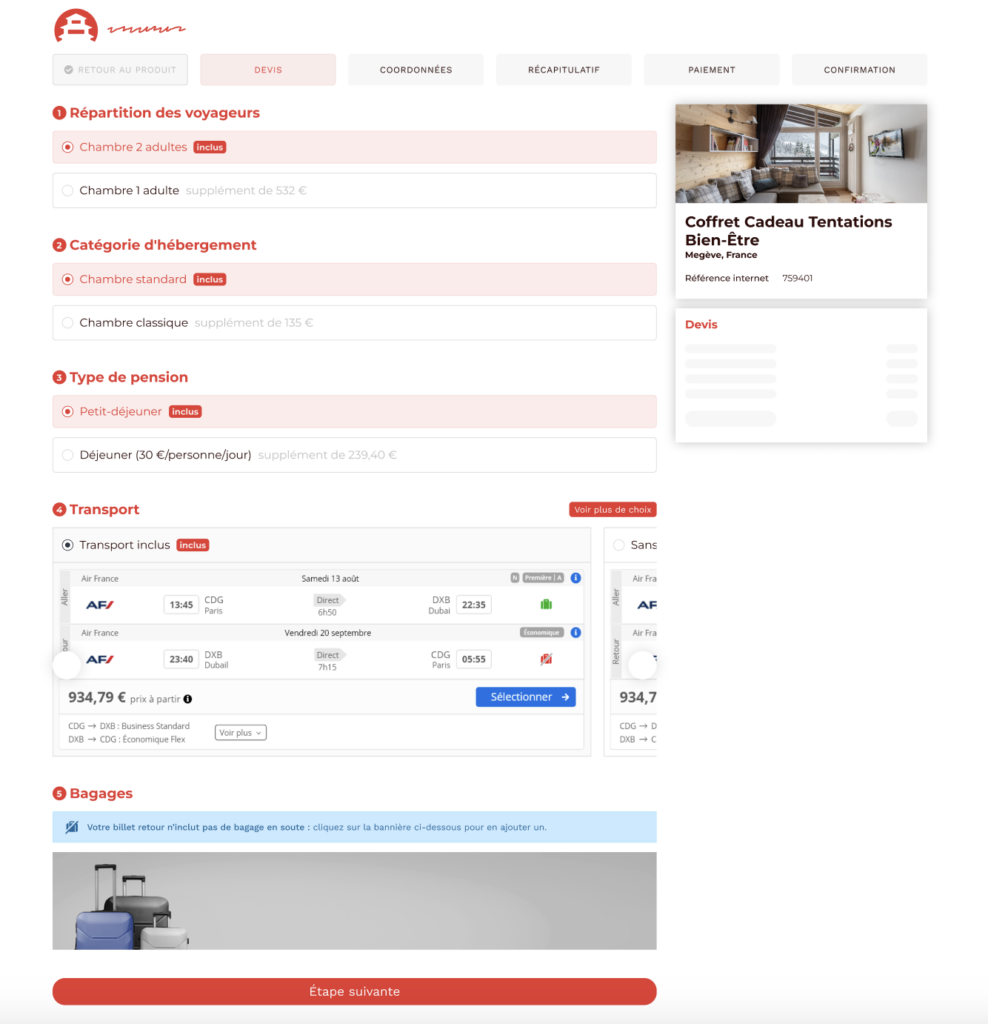
In the booking process, for bookings with flights, we have added a contextual message to inform the user of the possibility to add optional luggage when not already included in the selected flights.
This is also a way to encourage customers to book optional luggage at this stage in the booking process.
Information on the unavailability of car rental for bookings with transport
To enhance the user experience, we have added a contextual message to the quote stage of the booking process to inform the user if the car rental is unavailable.
This can happen, for example, when the arrival time of the selected flight does not correspond to the opening hours of the rental agency at destination.
Prioritization and filter of flights by type in the booking process
In the context of pre-package sales, we have added the ability to prioritize the display of flights by type at the transport selection stage.
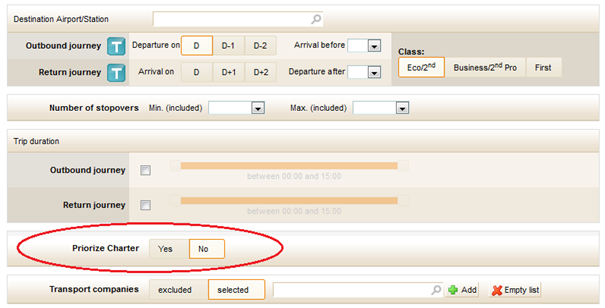
The different flight types available are: charter, allotment, low cost and regular.
Charter flights, for example, can be displayed before other flight types.
Filters by flight type have also been implemented in this evolution.
By default, the cheapest flight is selected and displayed first at the transport selection stage.
New booking confirmation feature without any payment
In the B2B, it is now possible to confirm a reservation without any associated payment. This feature separates the reservation from the payment, and is an alternative to “In demand” payment.
To confirm a booking without payment, simply select “without payment” at the payment stage of the booking process:
When the “without payment” option is selected, the booking appears as “to be settled” manually in the back office.
Management of “In demand” pre-package bookings
This evolution has been made in the context of pre-packaged sales containing an “In demand” accommodation and a low-cost flight, for which the ticket is issued automatically and cannot be cancelled.
In the past, an issue could occur when the accommodation was eventually not validated by the hotel manager. In this case, the agency ended up with a confirmed and non-refundable flight.
To avoid this issue, a mechanism for managing these particular bookings and quotations has been implemented in the platform. The booking of an “In demand” pre-package now generates of a quotation type of booking in the back office, enabling the agency to finalize the order manually and securely.
This mechanism can be activated via a configuration, and therefore can be managed specifically per booking channel.
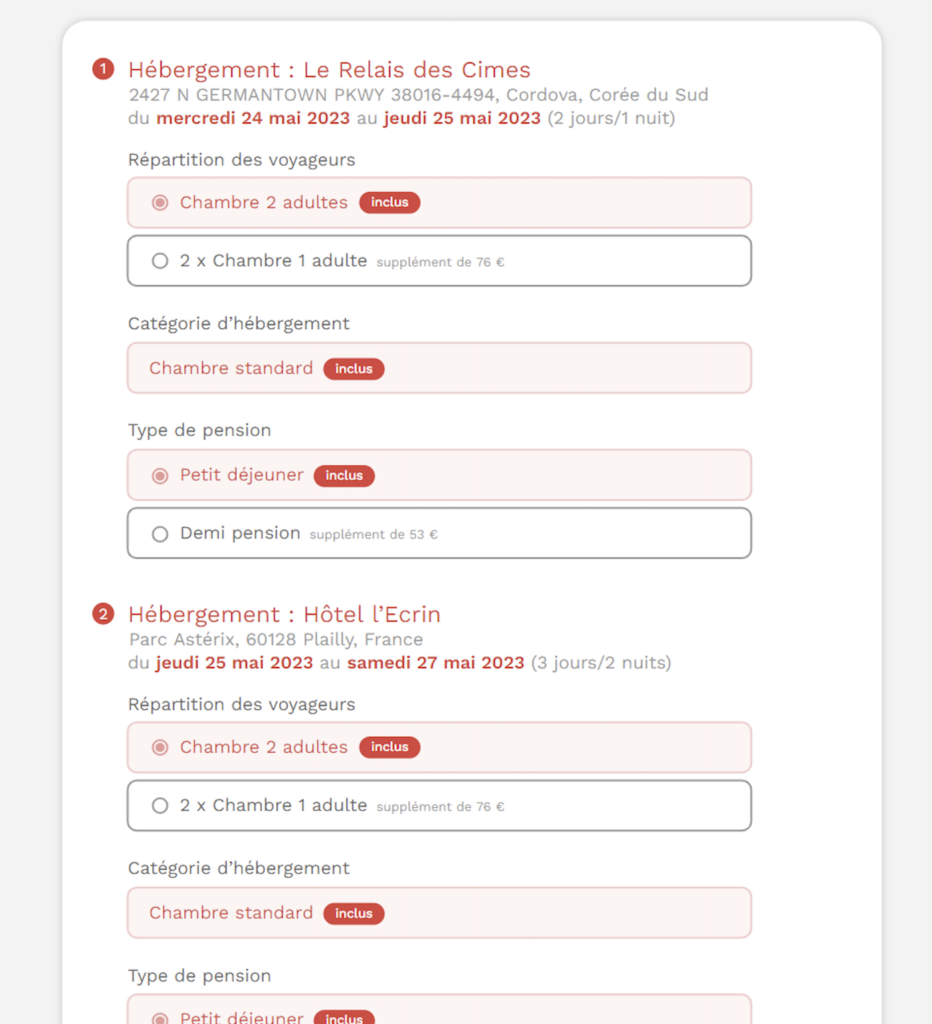
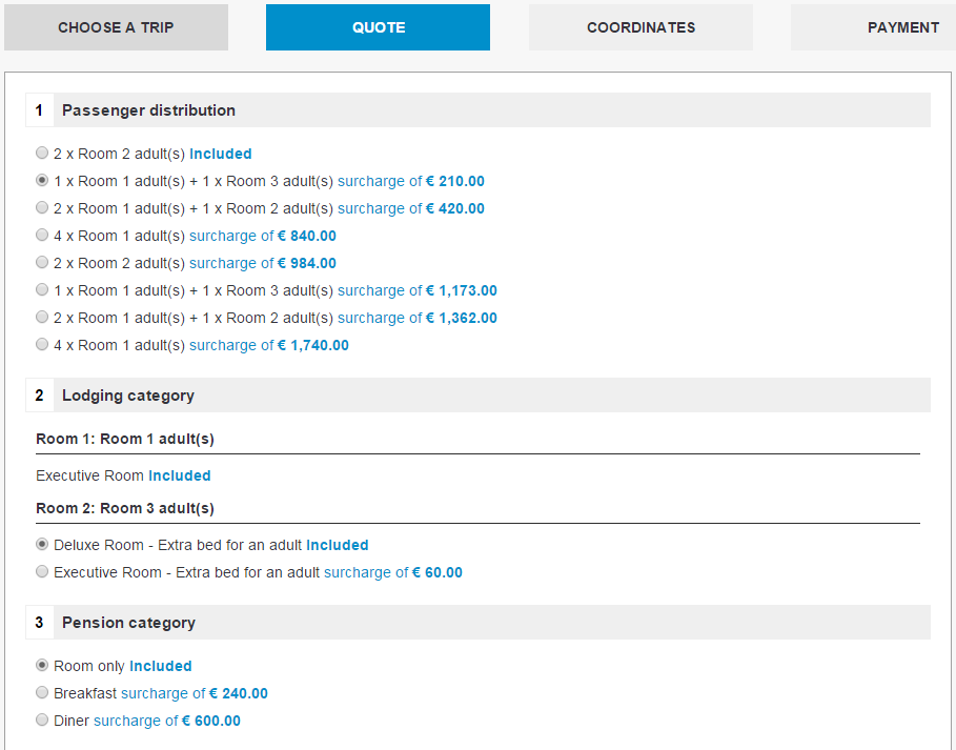
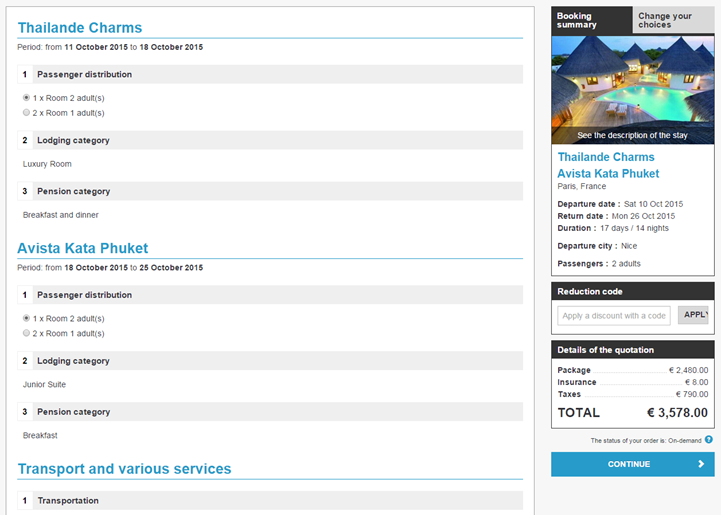
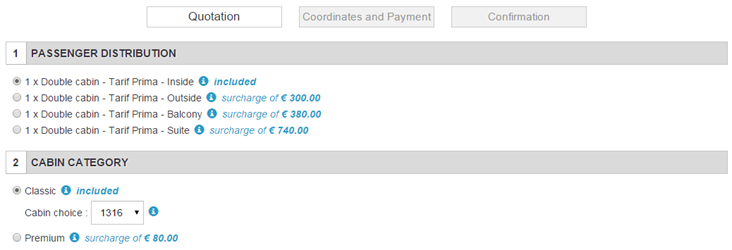
Improved presentation of the booking process for multi-accommodation bookings
The design of the booking process has been improved to increase the clarity of the presentation of multiple accommodations in a multi-accommodation booking.
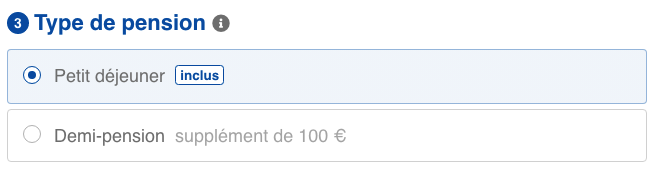
Previously, the choice of traveller distribution, accommodation category and type of pension was displayed in a numbered list that was repeated several times.
Now the accommodation configurations in the booking process are grouped together under a single number for each accommodation.
Amélioration des saisies manuelles de lignes tarifaires dans le processus de réservation
Ajout de la possibilité de mettre des valeurs par défaut sur les colonnes du tableau.
Les prestations additionnelles non-packagées sont désormais regroupées par le libellé de leur code dans la colonne récapitulative.
Amélioration du widget CRM
Le widget CRM a été améliorer pour pouvoir notamment rechercher/créer/modifier des clients et bien entendu pouvoir en sélectionner un avant d’entrer dans le processus de réservation.
Les informations clients sont propagées avec le dossier jusqu’au backoffice.
Implémentation de la gestion de contenu éditorial par page du processus de réservation
Dans le processus de vente, il est désormais possible d’afficher des informations supplémentaires ou de réassurance sous forme d’encarts d’informations en haut des pages pour fournir davantage de détails au client ou notifier de certaines précautions à prendre. Les contenus sont définis dans l’outil d’administration et peuvent être rédigés pour chaque page de réservation.
Widget ESF (Ski lessons)
The ESF widget is now only displayed when the holiday is in a period when ski lessons are available.
Discount code to reduce deposit
When paying for a stay in instalments (partially at the agency and partially at the hotel, for example), it is possible to configure the payment method so that the amount of a discount code is applied to the first instalment (the deposit) paid at the agency, without affecting the amount communicated to the customer to be paid at the hotel.
Quotation in real time from Administration tool
Producers can now test the quotation in real time from the administration tool, in order to validate the correct settings of their tools.
The system highlights the difference between the price contained in the cache and the price obtained in real time when querying sources.
Improved quote and summary printouts
The quotation summary, and in particular its printing, have been improved to produce a more qualitative document. For example, it is now possible to insert a header and footer on this document.
“Marine” fares and Inclusive Tours
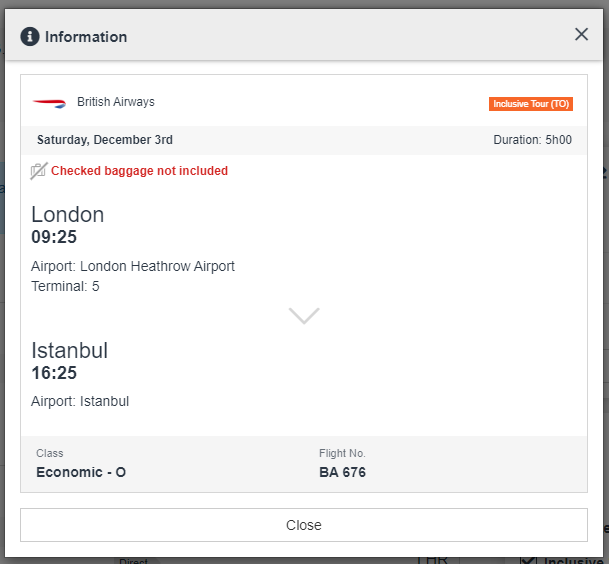
The “Marine” fare type has been added for airlines offering it.
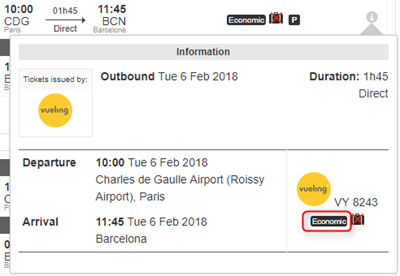
Similarly, for greater clarity, the “IT” fare type has been renamed “Inclusive Tour” (TO) in the flight information pop-in like the others fares already implemented : P (Public), N (Negociated), C (Corporate) :
Flight information pop-in
Costa Club loyalty card
Costa customers can now use their card to benefit from special Costa rates when booking their cruise. The benefits are calculated by Costa, according to the number of points on the cardholder’s card.
Key words with H-Résa
The keywords from the H-Résa hotels source have been implemented. They are now automatically associated with the database of several hundred keywords “Producers” Orchestra and allow to implement filters in the booking process or in the return engines of websites following implementation.
Improvement of the management of age groups
The evolution of the sales of activities and services makes it important to be able to sell the activities requiring a fine management of the age groups.
This means being able to import them into the database, send them to the reservation process, display them and be able to select and reserve them. Once the reservation is made, it is necessary to be able to consult in the back office the reservation with the age groups in question. It is therefore an important work that has been done and that has impacts at many levels and in many modules of the platform, from import to back office.
Import
In the price grid, prices can be entered by age group by duplicating as many groups as possible with their prices.
In this import, it is possible to specify the low and high limit of ALL the brackets (minimum and maximum age of the bracket).
The management of quantity constraints by band also follows this new operation.
Catalog services
The information of the slices and the prices per slice are connected via the catalog services. This is so that a website can use them.
Reservation process
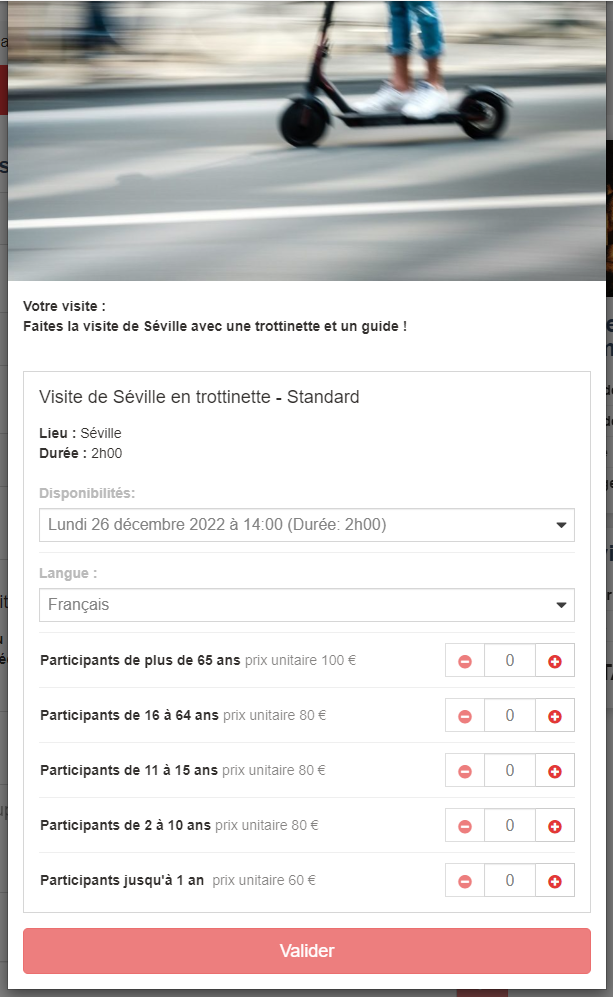
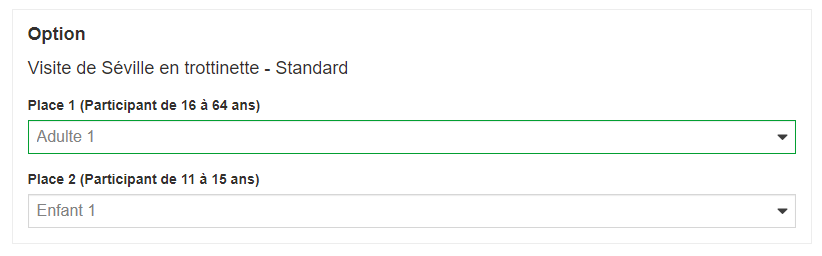
On the booking process, it is now proposed a selection menu by age group and not a selection by passenger one by one according to the booking form.
Here is the appearance of the selection of a service with the following age groups:
Senior [65-99]
Adult [16-64]
Teenager [11-15]
Children [2-10]
Infants [0-1]
Depending on the participants requested in the catalog, some choices will not be displayed.
The senior age group is always proposed if it exists because adults can be concerned (in fact, all the groups can concern an adult whose age is not known).
The automatic assignment between the reservation process and the connection takes into account these brackets.
Improved selection of transfers and transport services (luggage, ancillaries)
From now on (depending on the configuration), in the responsive booking process, the list of available transfers, luggage and ancillary products will be updated with each change of transport to match the specificities of the selected flight.
Add the notion of reservation type on the navigation statistics in the reservation process
The navigation steps in the booking process are enriched in the statistics to take into account the information on the booking mode: firm, option, quote creation.
Also, the navigation steps of the booking process and Backoffice in the statistics now track the files (quotes here) created by the KO booking or KO payment mechanism.
ESF: Improved display of dates in the booking process and the back office
Optimization of activities from the ESF partner to improve the display in the booking process and in the back office.
Application of the tariff tolerance in the replay of a quote
It is now possible to use the price tolerance mechanism when replaying a quote, thus allowing to keep the quote amount and to reach the coordinated page if the choices selected during the quote are still available.
The price will then be kept if a price tolerance rule exists and applies (according to the defined thresholds).
This requires a precise management of the validity dates of the estimates because the tariff tolerance could mask large tariff differences on old estimates if the threshold of application of the tolerance rule is too broad but makes it possible in particular to guarantee the price of an estimate.
Quote replay – Adding a loader
A loader has been added when entering the quote page of the booking process from a quote replay (via the link in the email or in the BO) allowing to wait for the time to query the sources, exactly as when passing from the catalog product sheet to the quote page.
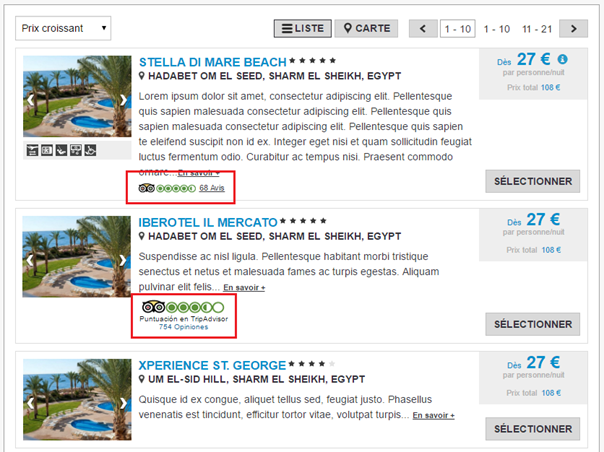
Hotel layout improvement
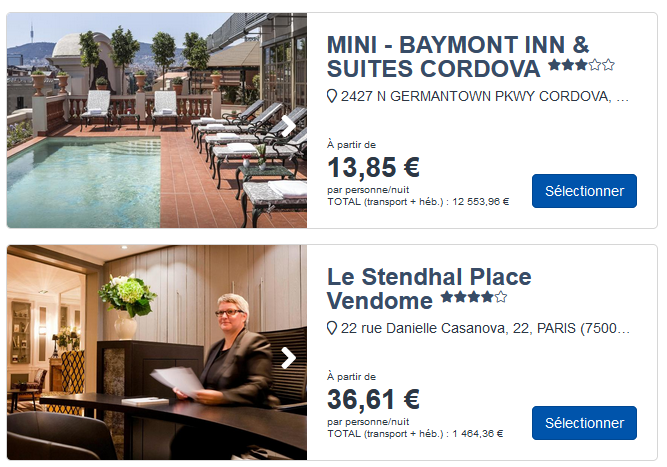
To improve the user experience and increase the readability of the information, the hotel cartouche in the search result page of the hotel booking process has been revised.
The following changes have been made:
The address does not span 2 lines regardless of its length.
There is no more summary, the photos take precedence.
The keywords are below the address.
The price has been moved.
The positioning of the Call-to-Action button is now :
Desktop: bottom right
Mobile: takes the whole width of the cartridge
The image slideshow now has one of the following behaviors:
If the slideshow has a number of images greater than or equal to the number defined in configuration, there will be a total of this number of images in the slideshow, and the last image will have the blur effect and the invitation to go to full screen “see more”.
If the slideshow has strictly less images than the number defined in the configuration then all images are displayed, and there will be one more image corresponding to the last image but with the blur effect and the “see more” invitation to go to full screen.
Developments on cruises
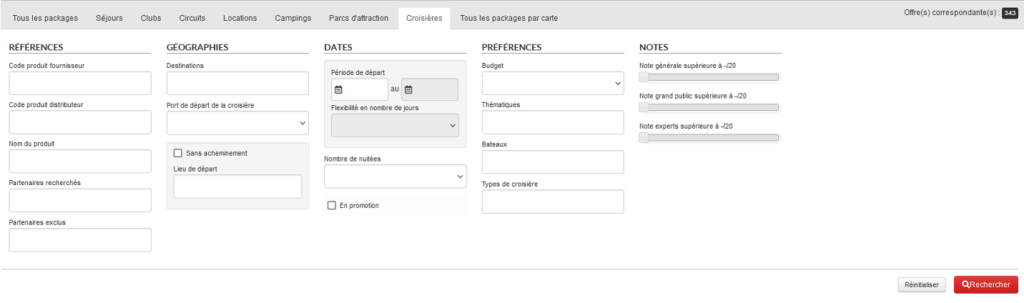
Specific B2B cruise search engine with search by destinations, by departure port, by themes and by boats.
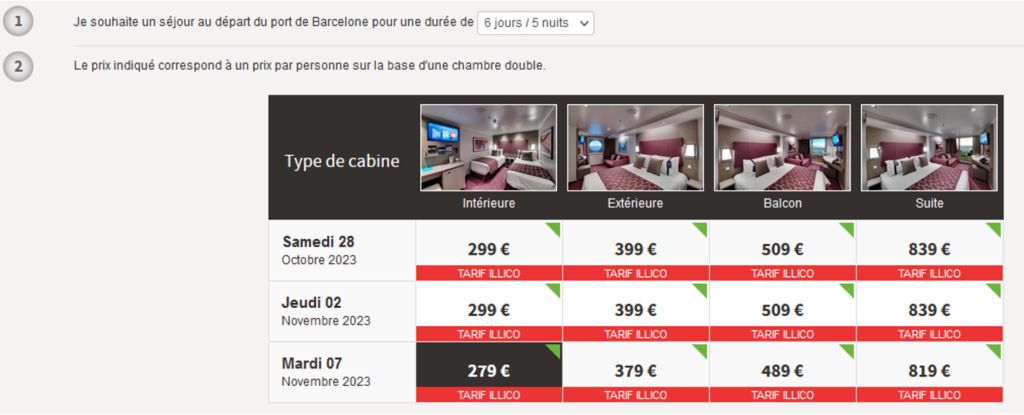
Detailed display of fares and by cabin:
Cruise product page template:
MSC product view in B2B Orchestra
Grouping of cruise operations in a single product for Costa Cruises.
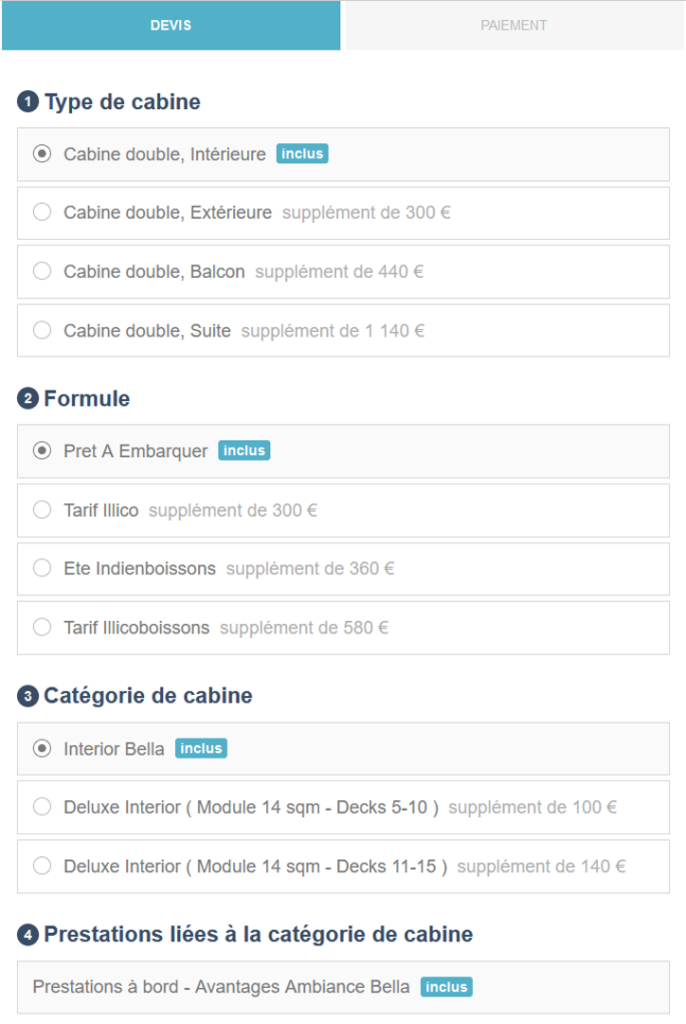
Choice of types, rates and categories of cabins:
Choice of related services and configuration of services included:
Summary before validation :
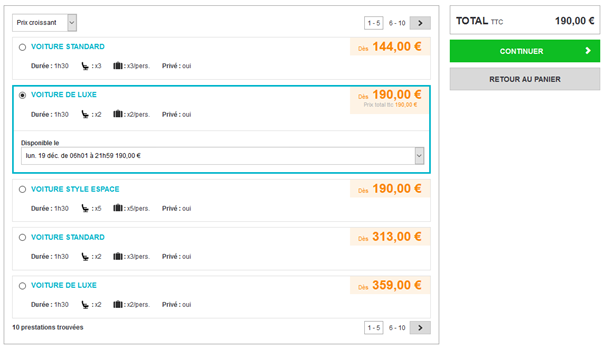
One-way car rental via BSP
Via BSP, it is now possible to have a different rental agency of departure than the rental agency of return.
Any fees incurred (to be paid locally) are displayed in the booking process and confirmation emails.
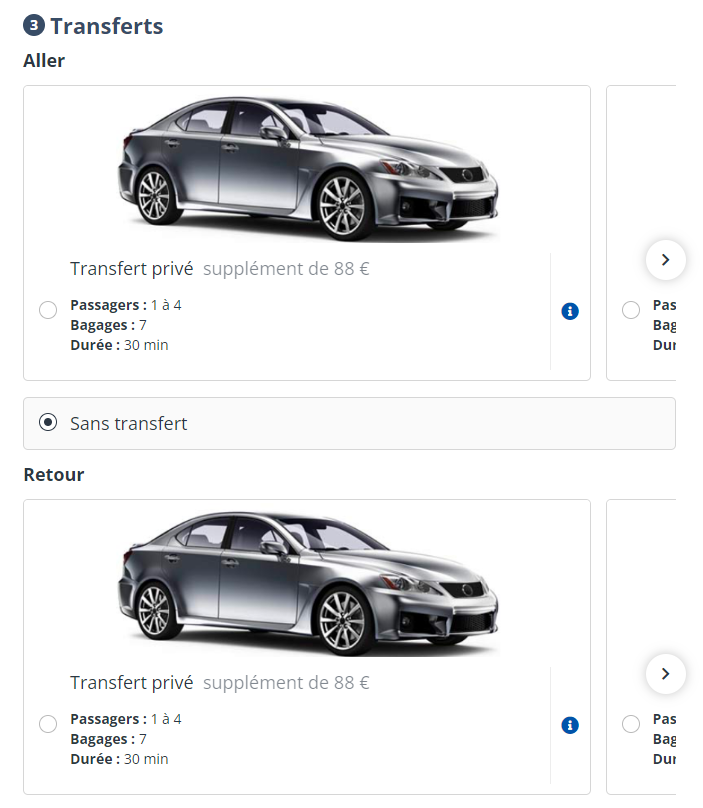
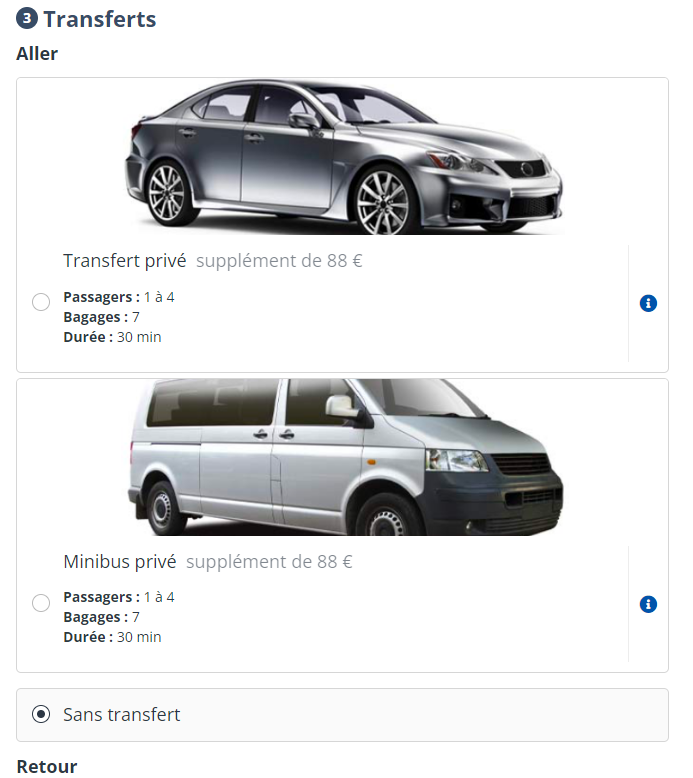
Tranfers display options
The booking process now allows you to choose the mode of displaying the transfers:
In Carousel mode: as the name suggests within a carousel…
Carousel display
Or in Flat mode, the transfers are listed one by one below the others.
Flat mode
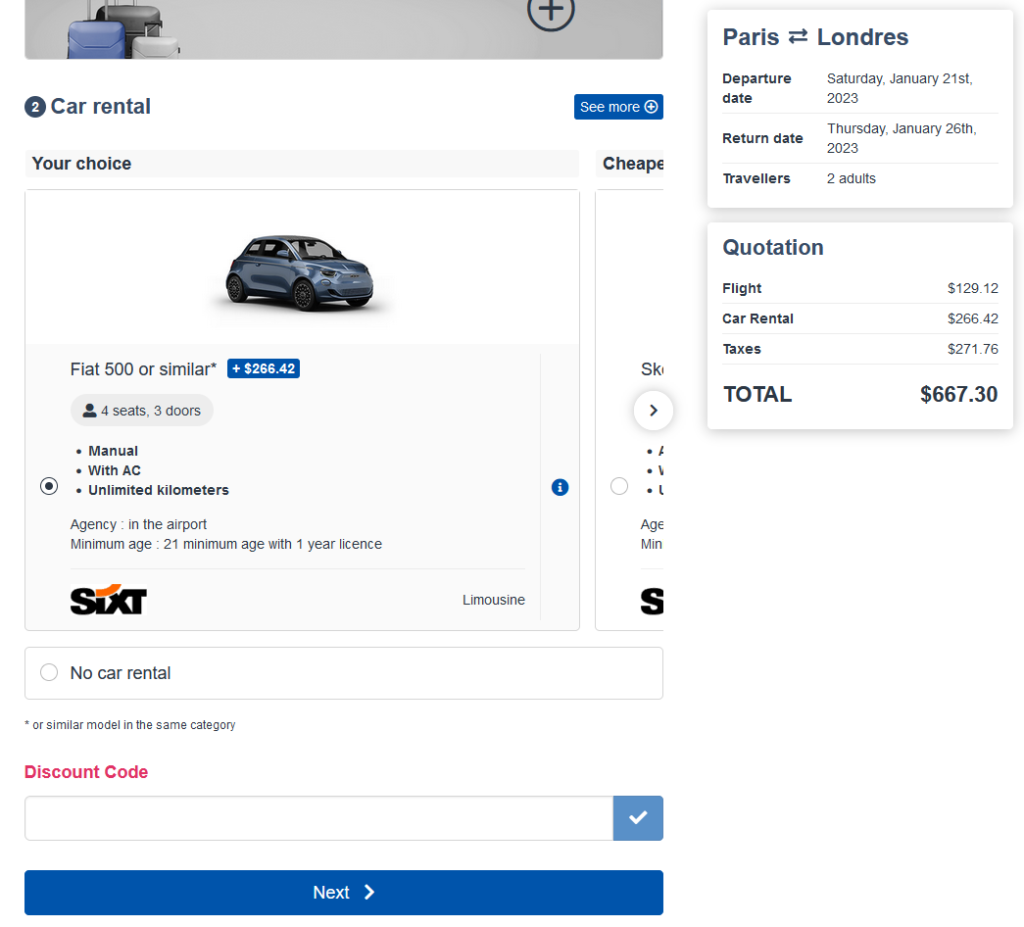
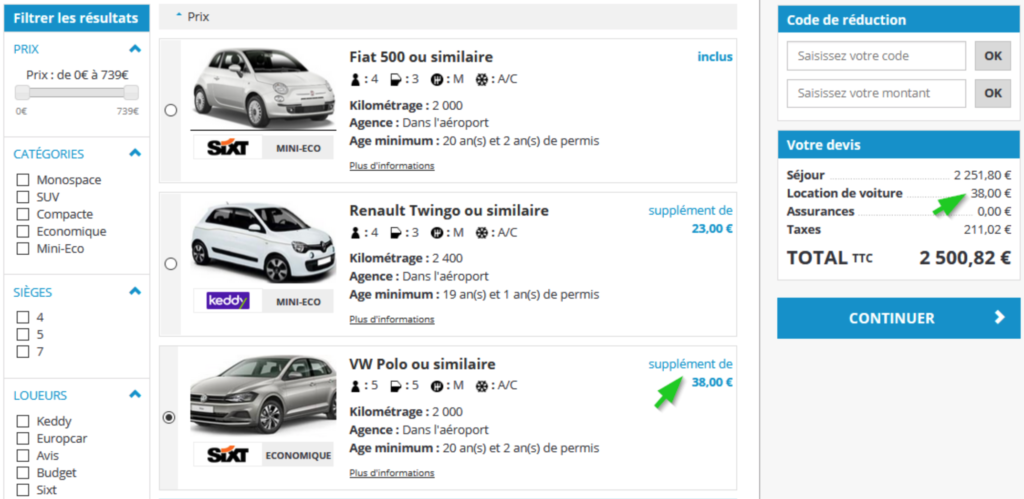
Car rental through Sixt
The car rental partner Sixt has been integrated. It now allows car rental as an option in the booking process.
Rental cars are searched by Sixt stations according to the airport’s IATA code. Meet&Greet stations will not be available as they impose different pricing and the obligation to pay on the spot.
The reservation voucher will be generated by Sixt.
Selecting the Car Rental option in the booking process.
Dynamic documents for Assurever (ex April)
An evolution of Assurever connectivity has made it possible to make the documents proposed in the reservation process (IPID, etc.) dynamic (vs. static) according to the file being reserved
Initially managed via the configuration of the reservation process, they are now obtained dynamically from the Assurever API by the reservation process.
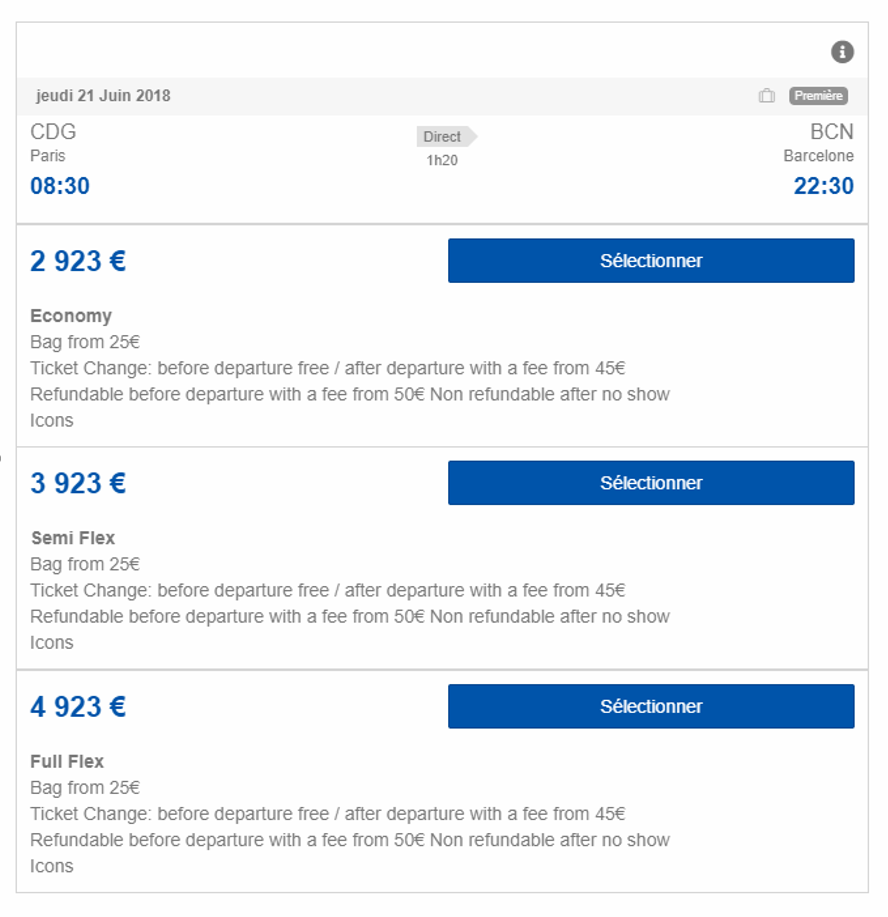
Offer three flight fares Economy, Semi-Flex and Full Flex
A generic mechanism has been implemented to allow the aggregation of identical flights (by flight number, by airline, by schedule) and to propose them in a modal window (bags included, transport class, booking class, fare family, price), the rest of the process remains unchanged.
Example of display
This works in Flight-only Process and Dynamic Package, in combined mode but also flat, on any company that provides the necessary information.
If a flight is alone in its “group”, the modal window is not displayed, the classic display is used and the flight is selected directly.
A specific implementation will be necessary and will differ depending on the distributors.
Graphic improvement of the payment form
The payment form has been improved:
The pictograms and logos have been harmonized, as well as the formats of the subtitles and titles.
The logos are now on the right of the title/subtitle (in desktop format).
Management of dynamic cancellation conditions via SynXis
Via the SynXis channel manager, it is now possible to display the cancellation conditions according to the selected rooms and boards.
Hotel call-to-action in the reservation process
In the results list of the Hotel process, the entire hotel cartridge is now click sensitive to select the hotel and move to the next step
This seemingly minor change significantly improves the user experience.
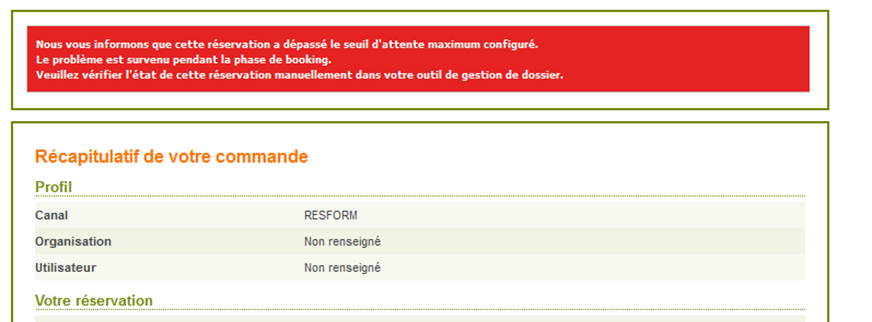
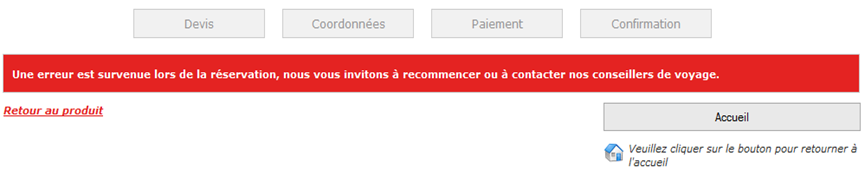
Acceptance of reservation in case of KO
The objective of this evolution is to improve the conversion rate again and to satisfy customers in case of technical KO at the reservation. It will then be necessary to finalize the reservation in a second time.
It consists in displaying a confirmation page at the moment where today an error page is displayed and notifying the distributor of the file to be managed in order to keep the sale.
This makes it easier for the customer to understand the KO cases that can be finalized through the intervention of a travel agent in the back-office.
It is now possible to configure the desired mode: error page or confirmation page.
In practice, there are two types of KOs:
On a KO booking: you can have the error or confirmation mode
On a payment KO:
Recoverable: we activate the mode that creates the “estimate” in the BO but we do not redirect to the error page or confirmation (because we find the payment page again)
Fatal: you can have the error mode (even if the confirmation mode is technically possible but not recommended)
On the confirmation page and the confirmation email associated with KOs, there is the possibility to display a specific information message to distinguish this case from a standard confirmation page
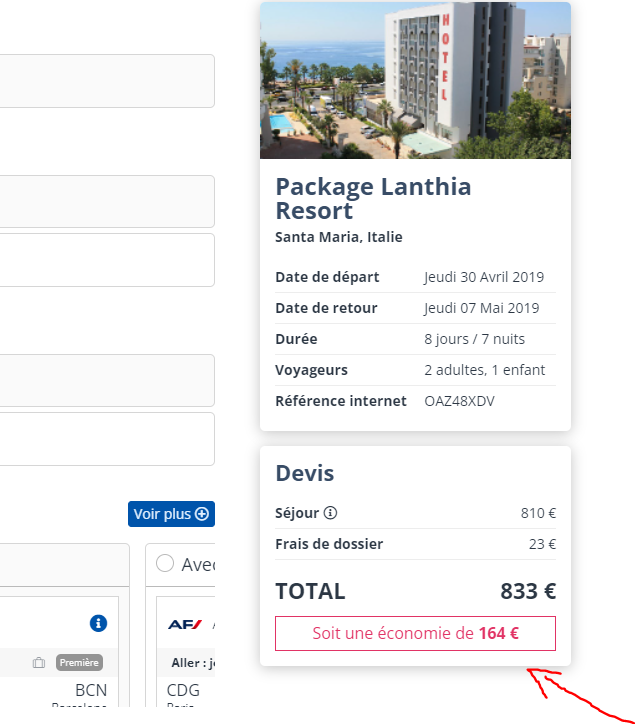
Highlighting of discounted prices and discounts applied in the booking process
It is now possible to display the difference between the brochure price (crossed out price) in the catalog and the sales price in the reservation process. This information about the amount saved is for information purposes and is displayed when a number of conditions are met.
View of the booking process
Gestour Producer System – Addition of “Cabin Classes”, “Direct Flight” and “Honeymoon” filters
New filters allow real-time queries to the Gestour system with filters on the cabin, on direct flights and on Voyage de Noce fares.
If there are no flights corresponding to the requested criteria, the real time answer will not contain any flight and will not be in error if the tour operator allows a sale without transportation, otherwise there will be an error announcing that transportation is mandatory.
The Honeymoon criterion will trigger specific rates if they exist, otherwise the “standard” rates will apply.
Distinction between Issue and Book actions when booking transport
Improved payment choices and wording to be consistent with booking and issuing conditions, and clear to agents.
The means of payment and the wording of the payment button is consistent
“Book” in the case of a reservation without automatic issue.
“Issue” in the case of a reservation with issue.
Use cases :
To book a flight without the need to issue: The CB payment method is not proposed (just “On account”) and a “Book” button is displayed.
Book a flight that needs to be issued: A CB payment method and “On account” are proposed. The latter is of course only proposed if capping is activated and authorized and with a sufficient balance.
Exclude all flights based on the issuing companies
Via configuration, it is possible to technically filter the flight proposals in order to exclude a list of companies and to technically lock the possibility to book this list of companies.
Display of the details of the luggage included in the emails and the back office
In case the reservation includes luggage for only some of the passengers, the emails sent by the reservation process can list the complete composition of the luggage. For example:
“Baggage included for all travelers”
“Baggage included for n adults, n children”
Real-time quotation relaunch when changing agencies
In the case where the selection of an agency is proposed in the booking process, it is sometimes necessary (for certain partners and technical sources) to re-launch a quotation in real time to re-initiate the booking file with the partner
This is implemented in the latest responsive booking process.
Prioritization of a source of a merged product
When booking a merged product, for two identical availabilities from two different sources the booking process automatically selects the availability from the cheaper source.
Use case for two identical availabilities on a merged product:
Production TO Classic – Price A: 1300
Dynamic TO Production (via the Prepackaging tool for example) – Price B: 1200€
In case of selection by the agent or the B2C customer, the booking process will propose and book by default the cheapest availability, except in case of prioritization of a source via configuration, the prioritized source will then be selected.
Booking of ESF ski lessons
The booking process now allows for ESF ski lessons to be booked via the integration of the partner’s widget.
By clicking on the highlight, the customer or travel agent is invited to follow the booking workflow to select and configure the chosen service.
Rich content for Maeva
An evolution of the connectivity allows to propose rich contents on the accommodations of the Maeva partner. They can now be displayed on the booking process. A click on the tooltip (i) is displayed next to each accommodation and opens the description of this accommodation.
Enrichment of the possibilities of parameterization of the objects of emails
It is now possible to build objects from booking information. The objective is to allow travel agents to identify the email more quickly without having to open and read the content of the email.
The new information that can be displayed in the subject line are
Agency name,
Name and surname of the agent,
Country and city and destination,
The city and date of departure
The duration (in number of days and nights)
Calculation of the amount of the advance payment
It is now possible via configuration to add the cost of insurance, the handling fee and the payment fee to the calculation of the deposit amount.
Responsive booking process
For several months now, many developments have improved the responsive booking process at different levels. Here is a point by point summary.
Ergonomics and design
The native management of all “desktop” and mobile devices is of course the first improvement to note. From now on, whatever the width of the device (from a high-definition computer screen to a smartphone and all the screen sizes of the tablets on the market) the booking process adapts and is displayed in a way that is pleasant, readable and effective in terms of transformation rate.
Improvements for cruises
The main differentiating features of cruises are
Ports of departure and arrival
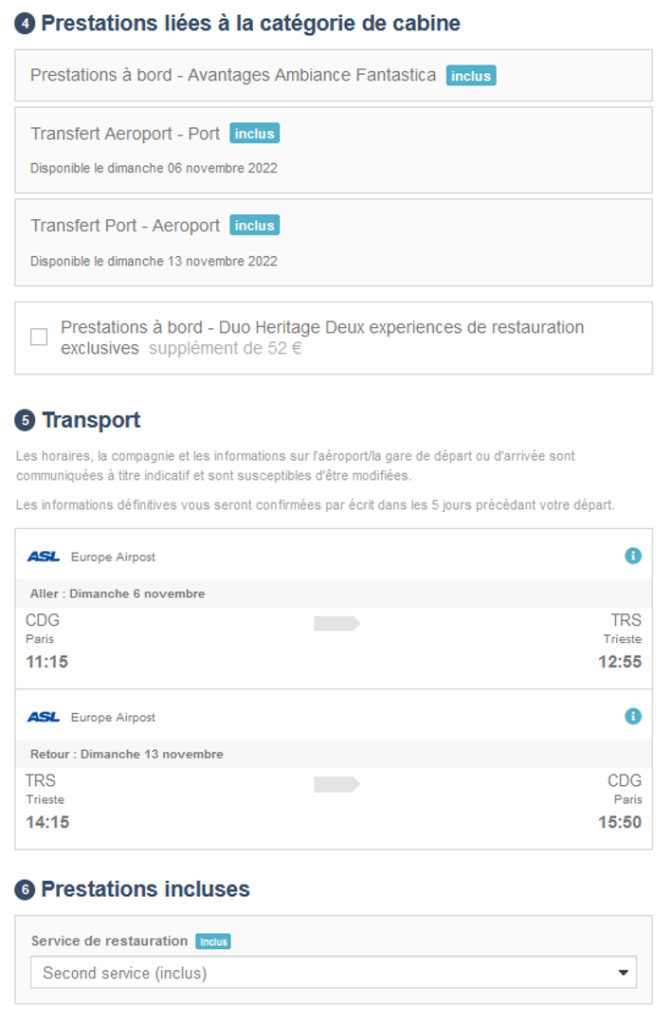
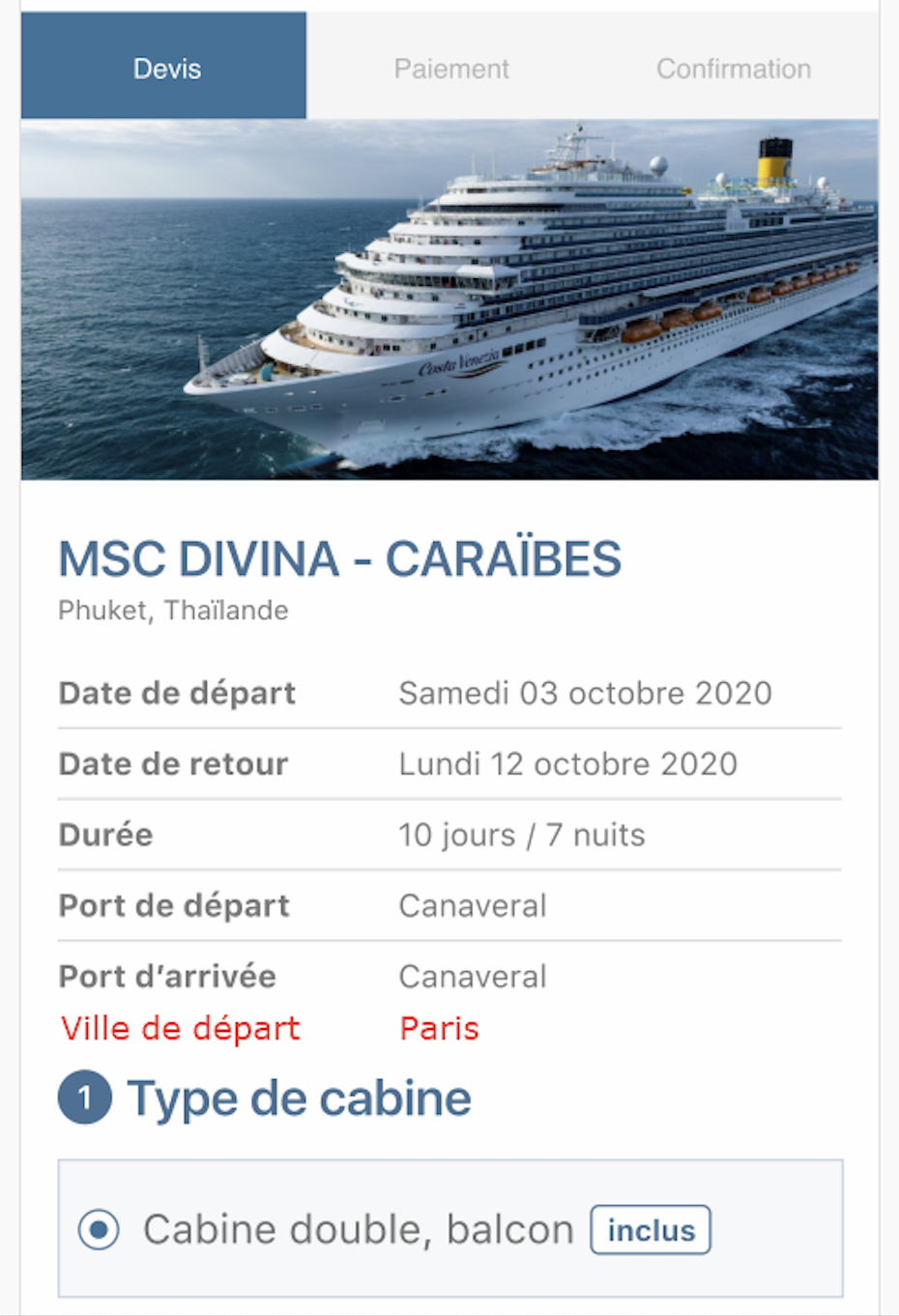
The structure of the accommodation section: type of cabin, fare, cabin categories, cabin choices, services in the cabin categories, catering choices.
Rich content on fares and categories
Port of arrival display (in case the port of departure and the port of arrival are different)
Cabins and not rooms are displayed
Display of the package wording of the fare line “Cruises” instead of “Stay”.
Pre-selection of cabins
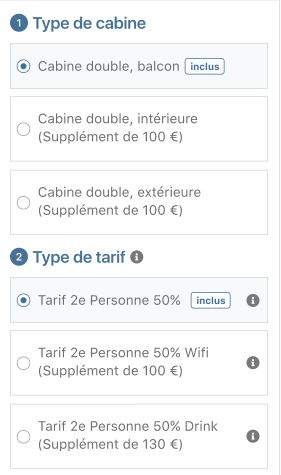
It is possible to choose the type of cabin in the catalogue (interior, exterior, balcony, etc.). In this case, the booking process will display the proposals that are greater than or equal to the pre-selected cabin type (standard, suite, superior, etc.).
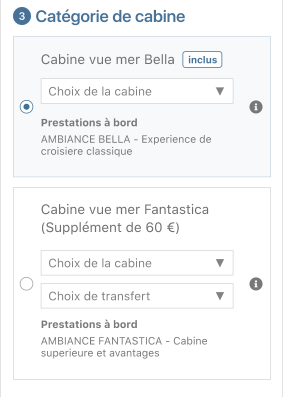
Structure of the information
Type of cabin (indoor, outdoor, balcony …)
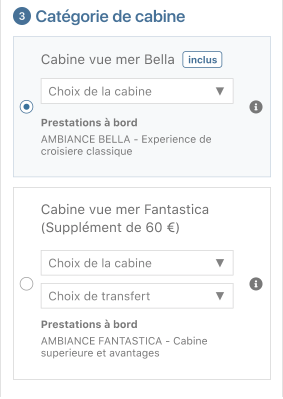
Cabin category (Bella, Fantastica …)
Choice of cabin: choice of cabin number, deck
Choice of services (with or without choice)
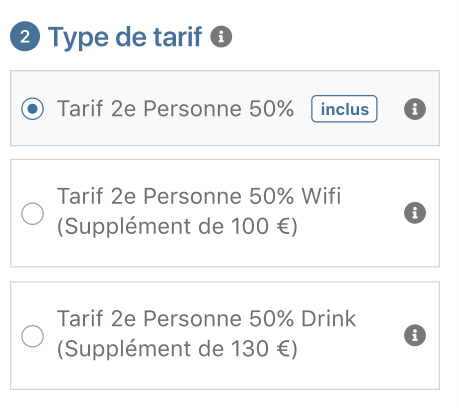
Type of fare (may also correspond to a type of service: wifi access for example)
Catering service :
Choice of catering service
Fare type :
On each fare the (i) opens the pdf description with all the fares.
Choice of cabin category:
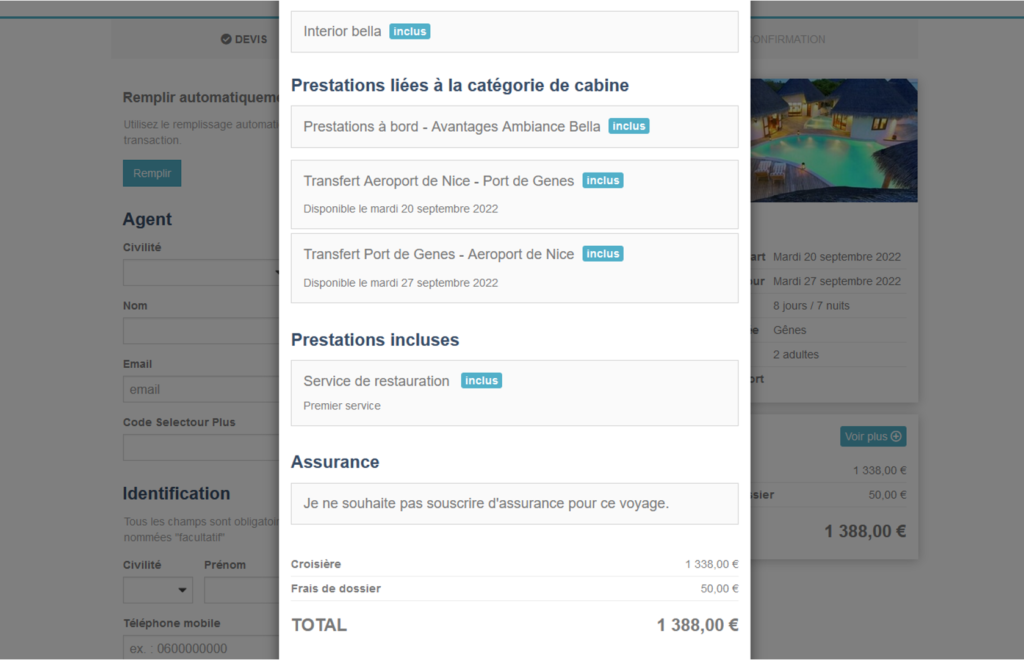
Finally, just before confirmation, the summary page contains all the information defined below and adapted to a cruise type product.
Filter on hotels for the hotel and dynamic package processes
When displaying the list of hotels, it is now possible to filter the hotels according to the producer keywords, i.e. all additional information on the hotels received from the sources.
Donation-type services
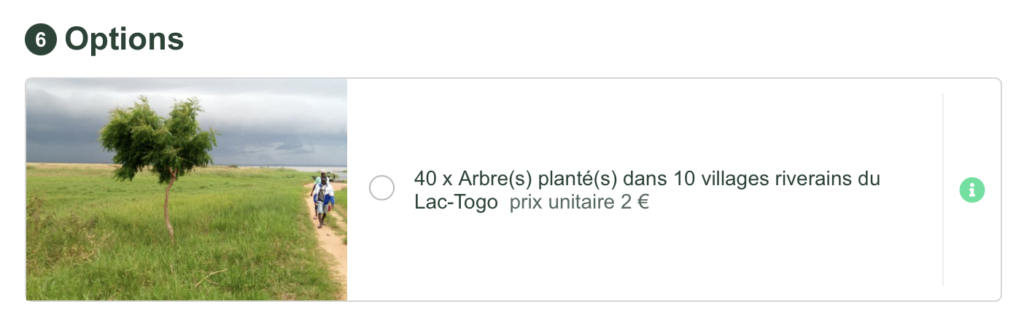
New services have been introduced that allow the customer to add a donation to a charity or a carbon-friendly project.
Security
The encryption of the access mode to the booking process has been strengthened to further improve its security
Benefit category management
Services can now be dynamically grouped into categories for selection via a modal window with filters.
Once selected, the services appear under the image and description of the category with details of the choices made at the previous stage (number of participants or service, date, language, etc.)
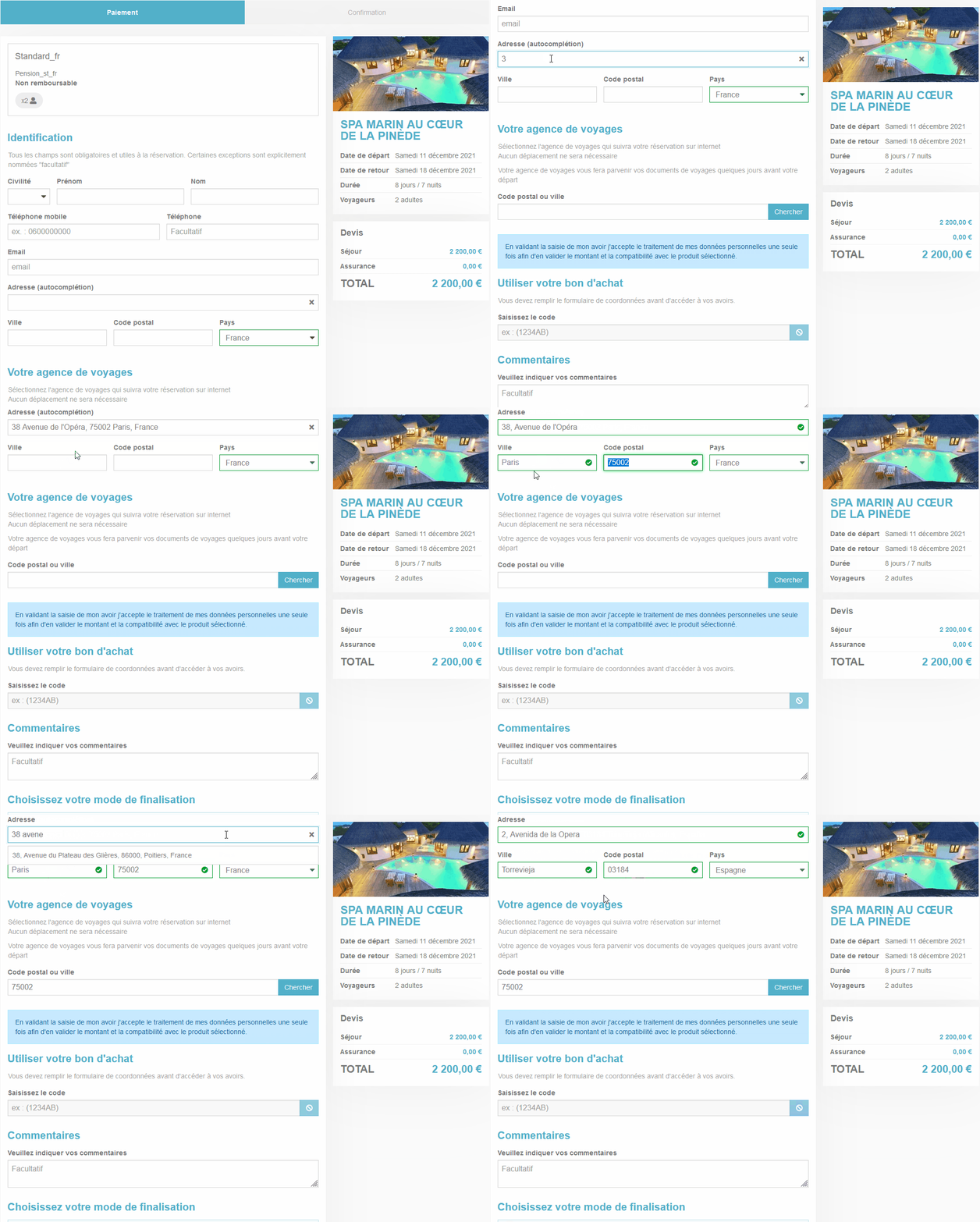
Validation and autocompletion of addresses
When filling in the address field, valid, verified addresses are proposed. When an address is validated, the City, Postcode and Country fields are automatically filled in.
This system of assistance to the seizure also has for double effect to guarantee the quality of the data while allowing the customer to pass over the system in the case of a particular address not existing in API.
Summary page
A summary page of all the information entered and the customer’s choices is now active just before the payment stage.
This page allows the customer to validate all the information before committing to the payment.
Insurance and T&Cs
Modal window for proposing insurance and validating general terms and conditions
The conditions can now be dynamic according to the producer, product characteristics and can come from editorial content.
Improvements of Activities and Services
Developments have been made to improve the sales capabilities of activities and services in the booking process.
From now on :
All types of services can be integrated into the booking process, in a dynamic way.
It is possible to group activities and services into thematic sections.
The order of the sections in the booking process is configurable.
The order of activities and services in each section is configurable.
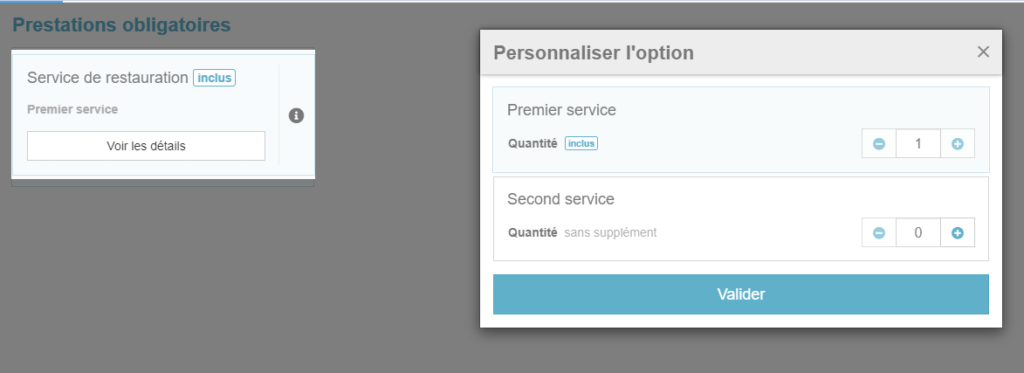
All mandatory activities and services are grouped in a single section.
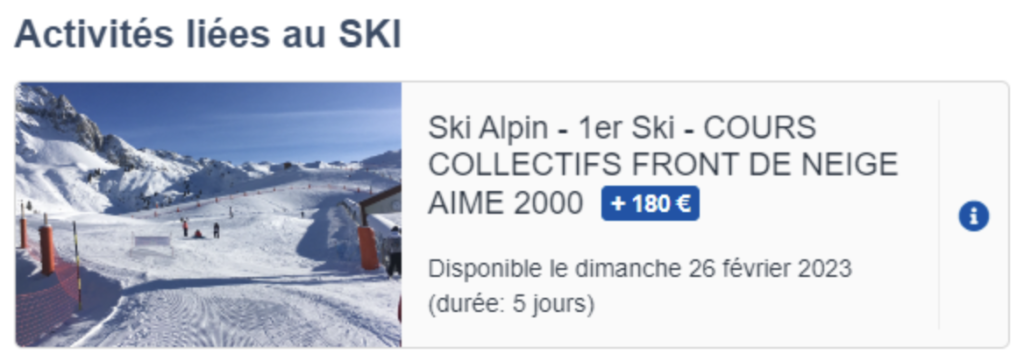
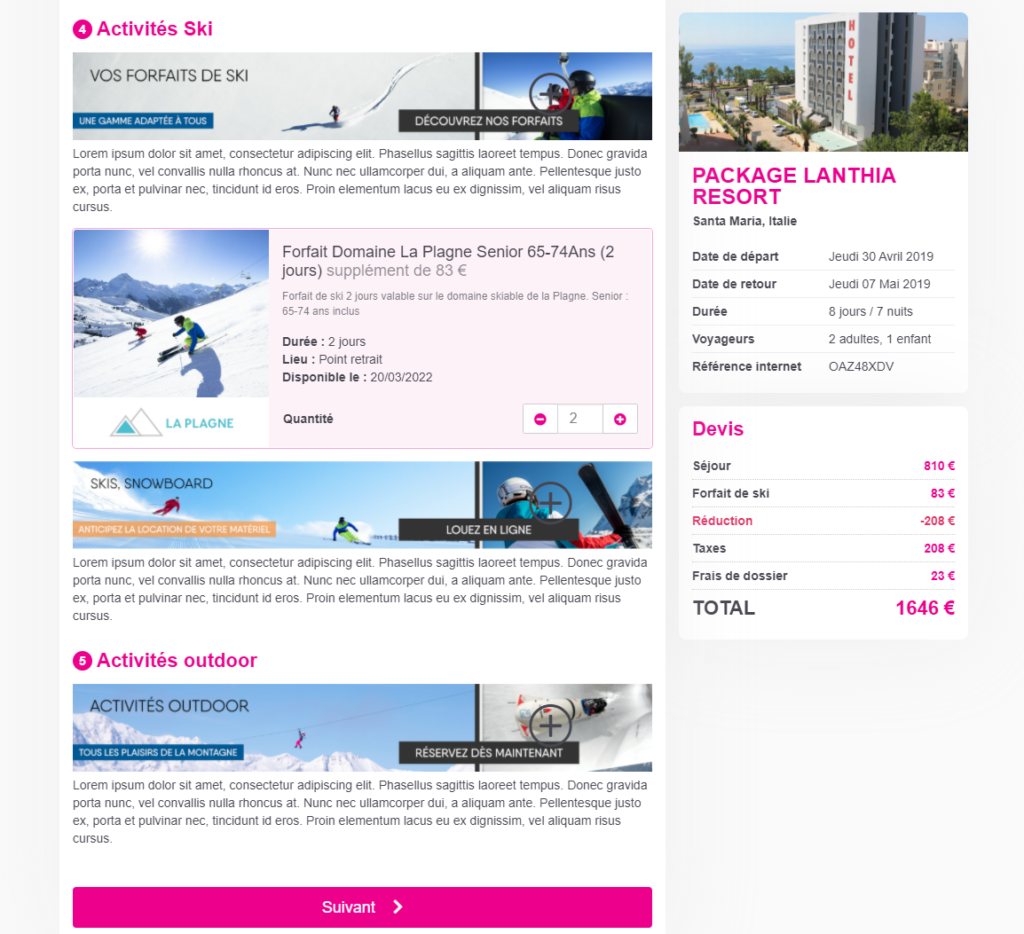
The groupings allow you to filter the services, sort them and add them one by one to the reservation. After validation, the selected reservations are summarized in the section.
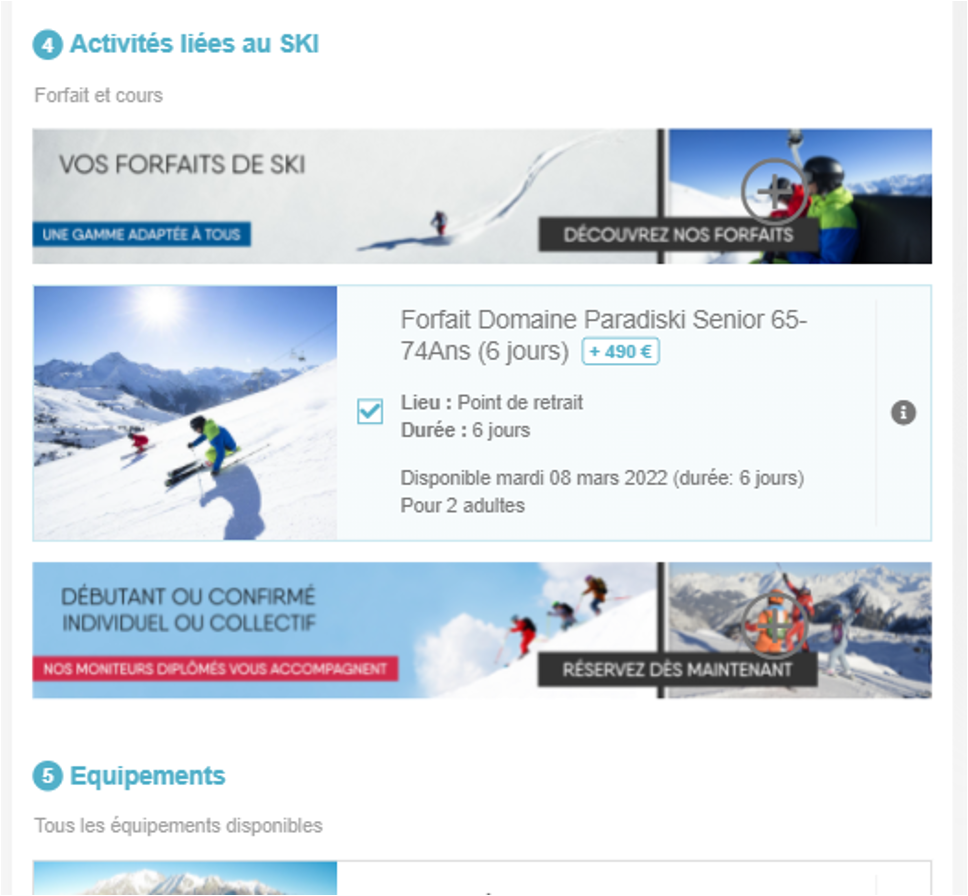
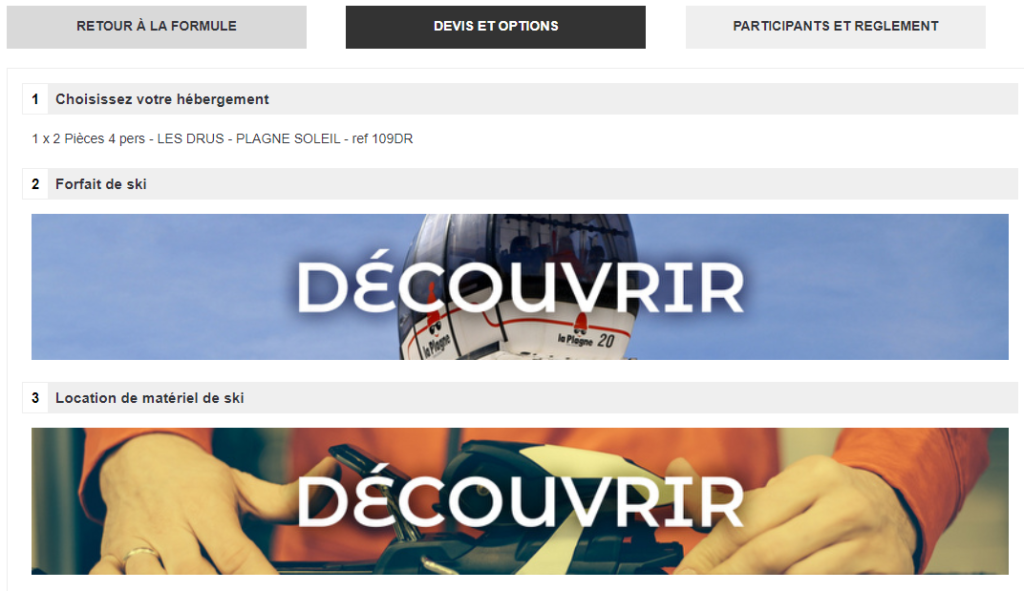
Example of grouping all the activities and services related to skiing
Integration of a loyalty benefits management system
A system for managing the loyalty benefits of a travel agency has been integrated. It allows the customers of this travel agency on the one hand to accumulate an amount in euros in a loyalty program which increases with each reservation while, on the other hand, being able to consume the available amount of their account to reserve a stay according to precise and configurable conditions.
Rich content on room categories, pensions and internal services.
In the highly recommended case where rich content is offered for the room or guesthouse category proposals in the Packages booking process, the “information” pictogram (i) will be displayed next to the section title for guesthouses or at the benefit group level.
The modal windows now have rich content with titles, images and descriptions.
Apart from all connectivity these rich contents are available on “internal” benefits, ie loaded in Orchestra directly.
Click to validate the terms and conditions
Mobile booking process
It is now possible to activate a mode of validation of the implicit General Sales Conditions by clicking on the validate button
The activation of this mode, inspired by the major French and international online sales platforms, allows to reduce by one click the sales path to conversion, and thus increase the rate of conversion.
Redesign of the Sepage algorithm
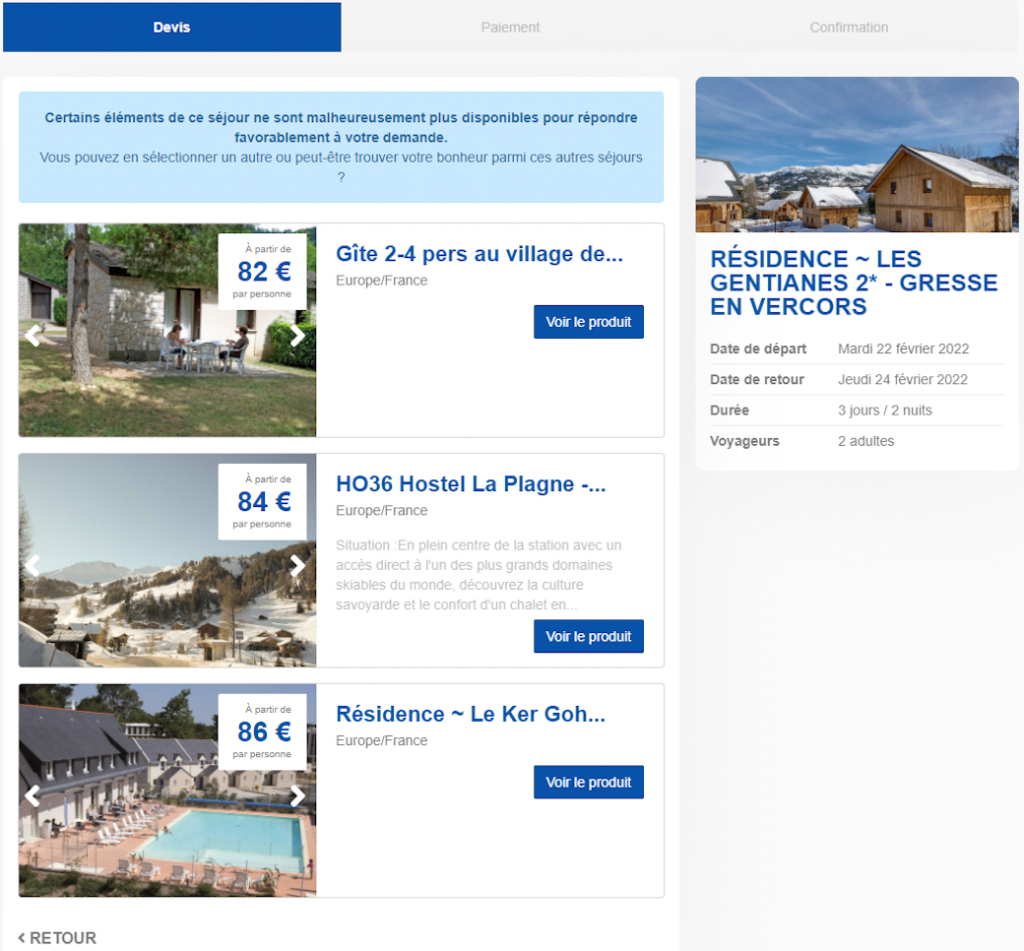
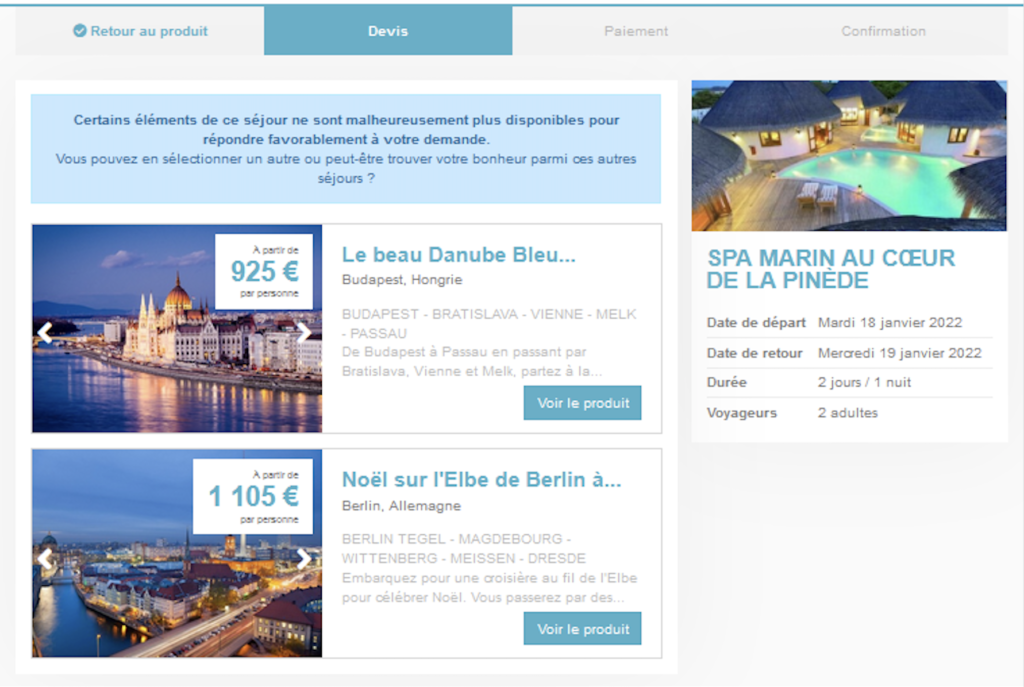
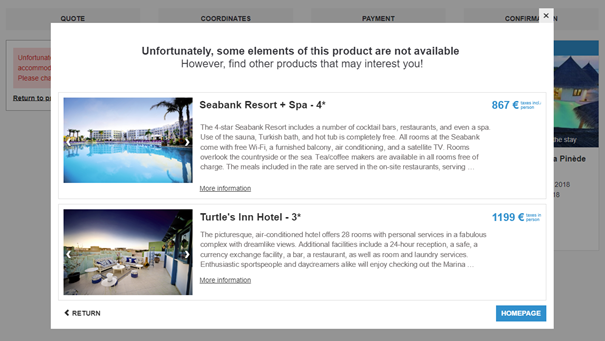
In the case where an availability is valid in the cache (and thus in the catalog) but is no longer available during real-time queries of the supplier(s), the reservation is no longer available on the requested product.
The Sepage algorithm then intelligently proposes products that are close to the one initially searched for (in terms of price, destination, duration and of course city and departure date).
These new proposals are displayed in order to direct the user to interesting alternatives when he cannot book his initial choice, and thus increase the overall conversion rate following these KOs in real time.
Display of the duration of access to the parks and the number of parks
Administration
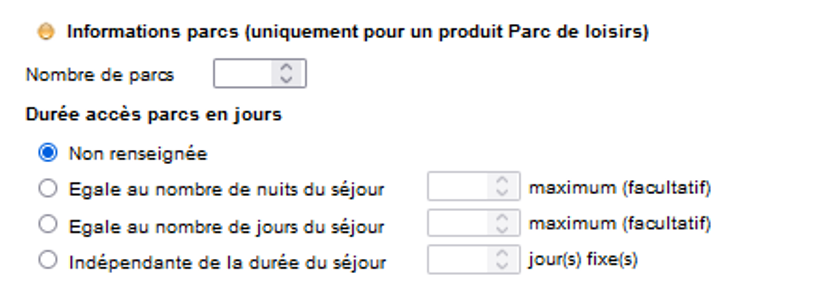
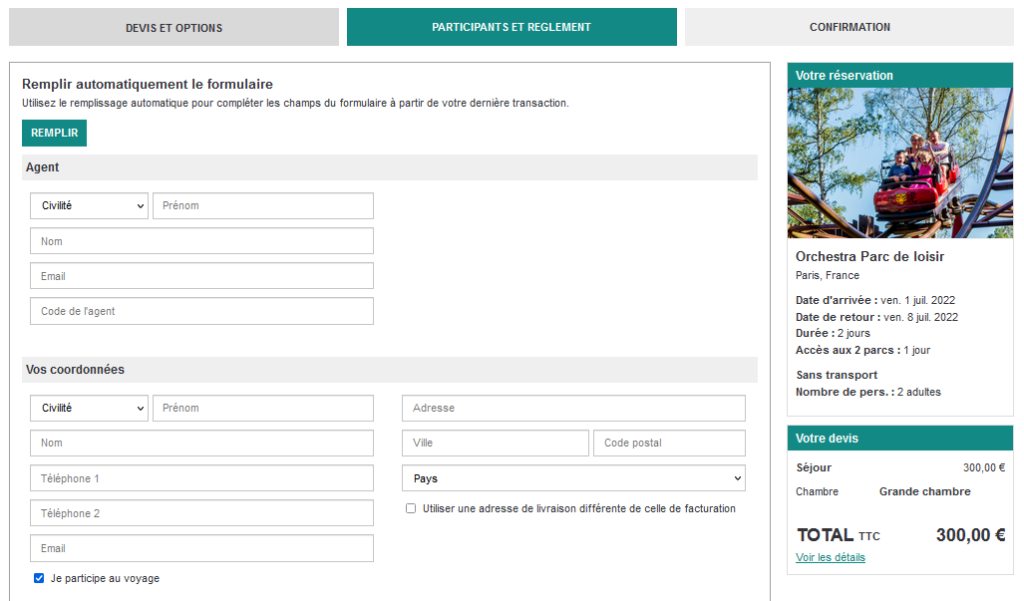
It is now possible to set the number of parks included and the duration of access to the parks for the Leisure Parks products. This information will also be clearly displayed in the booking process:
Reservation process
Sépage algorithm
Although a very regular update of products is made between the different sources and the Orchestra catalog, it happens in some cases that an availability visible in the catalog is no longer available at the time of its verification in real time in the connected systems
This results in a “KO” at the time of the booking process, which is unable to satisfy the customer request because of the unavailability of the product (or a product component) selected.
Instead of sending the customer back to a new search, an algorithm has been set up to propose relevant products according to the characteristics of the requested product.
This counter proposal is available on the new responsive booking process.
Image for “add luggage” option
The baggage options highlight image has been changed to better suit each device format (mobile, tablet and desktop).
Autocompletion of postal addresses
We have set up an autocompletion system for postal addresses to make it easier to enter the address fields in the reservation process
When filling in the address field, valid and verified addresses are proposed. When an address is validated, the City, Postal Code and Country fields are automatically filled in.
This system of assistance to the seizure also has for double effect to guarantee the quality of the data while allowing the customer to pass by the system in the case of a particular address not existing in API.
Choose to display the cancellation and room deduplication conditions for Hotelbeds and SunHotels
When creating a pre-package with an online hotel source, for example via Sunhotels, it is possible to associate a hotel with a flight. Then, when displaying the rooms of the hotel, it is displayed what are the cancellation conditions of the room
In some cases it can be interesting to display these conditions, and in some cases, to display only the cancellation conditions of the distributor.
This is now possible via a configuration.
Automatic filling of the last customer’s details
On the new booking process, the “Recall” feature, which recalls the last customer information entered, has been implemented. This feature speeds up the creation of multiple quotes for the same customer by automatically filling in the customer information form in the booking process.
Luggage adding Call-to-Action to the booking process
If baggage is included, the title of the section changes from “Baggage” to “Extra Baggage”.
The text “Add luggage” allows you to specify the Call-to-Action.
Hotel keywords and filters
In the booking process, the display of the keywords has been modified to improve their understanding and use.
The title of the “Keywords” filter (business concept), disappears to highlight the titles of the keyword sections.
Differential price for car rental
Within the framework of a car rental service included in a pre-package, the price of the higher vehicle categories are now displayed as a differential to the call price of the minimum category available.
Summary page before payment
A summary page of all the information entered and the customer’s choices is now active just before the payment stage.
This page allows the customer to validate all the information before making the payment.
Passenger information
In some cases, it is not necessary to ask for all the passengers’ information (for reservations without transportation or in France for instance).
In this case, asking for the same information as for international travel is counterproductive and lowers the conversion rate. From now on, this information is no longer requested when it is not necessary.
Integration of Fluo on the responsive booking process
Fluo, the system for highlighting the advantages of insurance over other insurance (e.g. credit cards) has been implemented on the responsive booking process.
Optional services in indirect booking
Within the framework of indirect booking, a package produced on Orchestra at a producer-distributor is sold by another Orchestra distributor.
The optional services, configured at the producer-distributor and linked to the package to which the reservation relates, will now be offered in the reservation process of the final distributor.
Pledg and Sharegroop in the mobile-first booking process
The Pledg and Sharegroop multi-payment systems have been integrated into the new desktop and mobile booking process.
Simplification of hotel booking via SynXis
A hotel connected via SynXis does not need the name of all participants to validate the reservation. Therefore, the information of each traveler is no longer needed and is no longer requested in the booking process.
This reduces the friction during processing by limiting the amount of information required to validate the reservation.
Agency choice in the new booking process
In this version we have added the process allowing the choice of the agency handling the file in the booking process.
This choice is therefore possible for all customers on B2C channels in both desktop and mobile versions.
PSPs in mobile booking
The payment systems Payzen, HiPay, Payline, Limonetik, Oney, Dalenys (Be2bill) are now available for the new mobile and desktop booking process.
Quick quote functionality
In B2B, when travel agents present products to customers, they very often make more than three quotes per customer.
When creating these quotes, they often put “x”‘s in the traveler information fields to speed up the creation of the quote. The idea is therefore to allow not filling in the traveler section in order to access the quote very quickly.
This development adds a “Quick Quote” button on the contact page. This button allows you to send the quote by email (via the configuration) and save it as it is today.
An action button on the contact page “Sending the quote by email”.
Of course, it is necessary to check that the customer’s email address is entered. Once clicked and the email sent, the quote is saved normally, and the agent is directly redirected to the confirmation page (without going through the payment page).
This function is reserved for B2B and callcenters, it can be activated per channel.
Reassurance line in the booking process
It is now possible to add, via configuration, several lines to give generic information per channel to the customer when making a reservation.
This element appears in the reservation process in the column summarizing the quote at the payment time, just above the call-to-action “Validate”.
Dynamic Package on a unique hotel
The dynamic package process can now be concentrated on a single hotel (highlighted specifically on a B2C website for instance).
When entering the reservation process, the hotel is pre-selected and the different room choices are proposed.
Export of abandoned carts
An Orchestra feature allows to export the list of unfinished folders for analysis or reminder purposes.
In the case where the Internet user is connected to his/her account, it is possible to add the client’s email to this export so that the client can be contacted again via email later on.
Use of gift vouchers on partial payments
In some cases, agreements with hotels allow that only a deposit need to be paid at the booking process and that the balance needs to be paid to the hotel.
In those situations, we have set up a configuration of the reservation so that the gift voucher can only be used on the deposit amount.
In the case of the client decides to use his/her credit note and that it is higher than the deposit requested, the system confirms the reservation without having to enter any other means of payment. The payment recorded in the BO will have to be equivalent to the deposit amount and will be entered in voucher mode.
Passport information for MSC (mandatory or otherwise)
A configuration now exists to define whether
passenger passport information is mandatory, optional or not requested for the
provider MSC.
The three scenarios are therefore possible:
Information mandatory (as was the case until this update)
Information not requested (no entry zone)
Information requested but not mandatory.
In terms of connectivity, the information, if
available, is sent to the source regardless.
Exporting abandoned baskets
For customers connected to a direct sale
website, the feature to export abandoned baskets has been added.
If a booking process session has been started
but has not resulted in a booking, the customer information is collected and
can be exported regularly in a CSV file.
Tracking of the Fluo service
An upgrade has been
made to improve tracking of the Fluo service and ensure that data collected is
genuinely representative of the service delivered to internet users or travel
agents when they use the service.
Tracking is now
triggered when the table is displayed comparing the insurance included with the
method of payment and the insurance offered by the distributor.
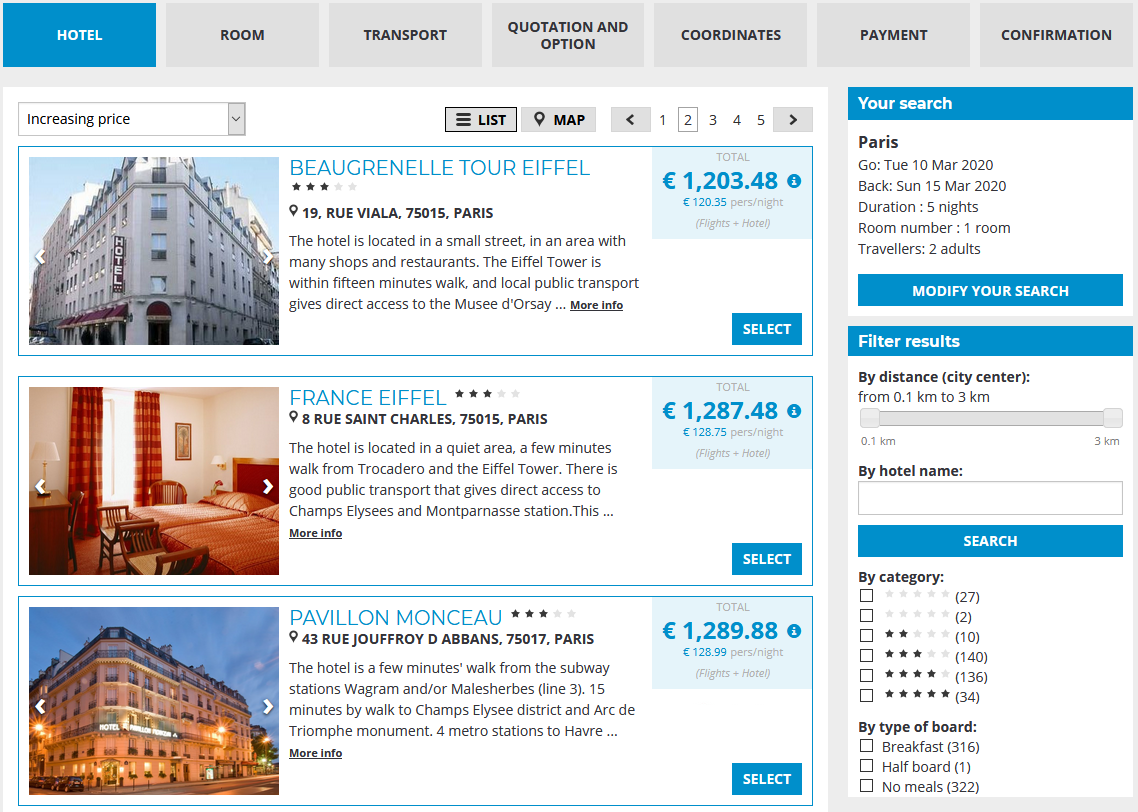
Improved booking process for dynamic packages : Flight + Hotel
In this version (and the previous version), we made improvements to the Flight + Hotel booking process to optimise the user experience and to add new functionality.
The first step is to select the hotel, displayed either in list format or on a map, with the option to filter by hotel name, by category, or by type of board.
Selecting the hotel
The next step is to select the room and type of board :
Selecting the room and type of board
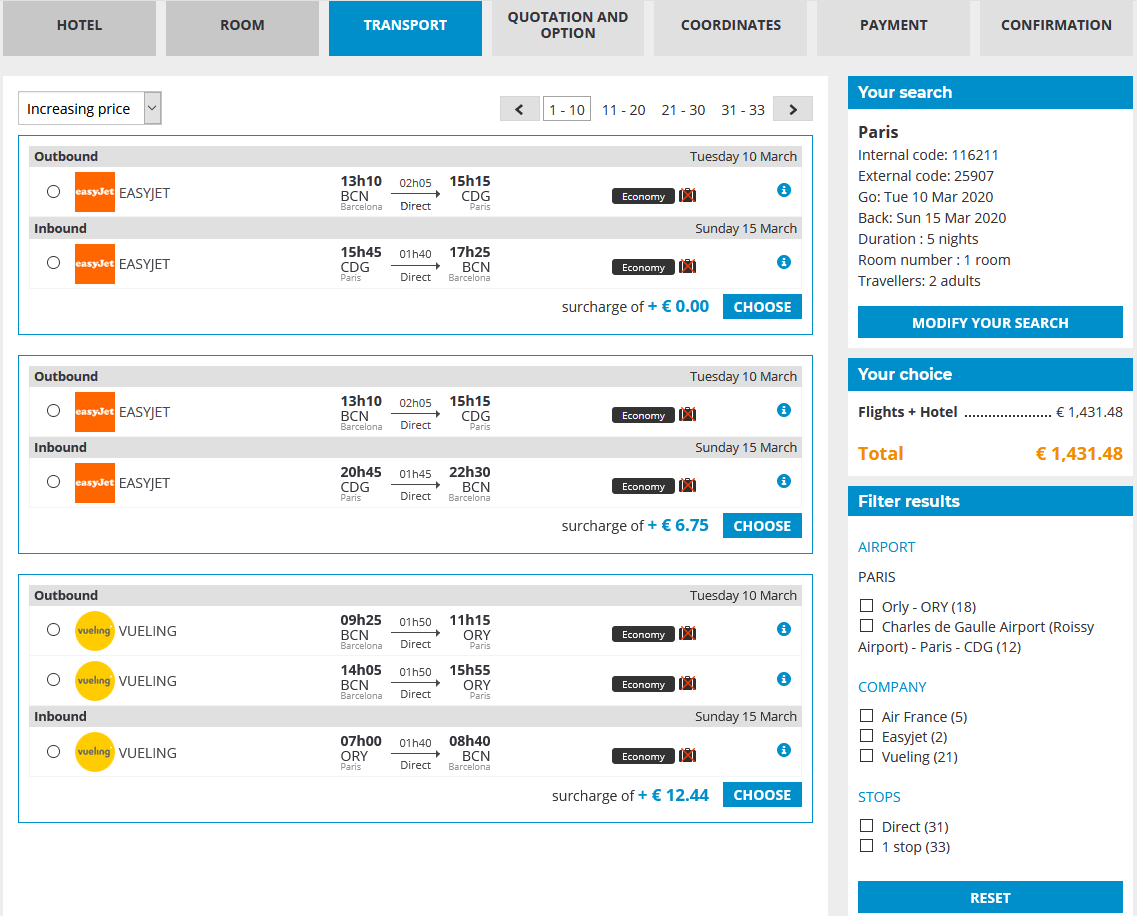
The transport tab is used to select the flight; alternative flight options to the default flight selection are displayed together with price differences, and the flights can be filtered by airport, airline company or number of stops.
Slecting the flight
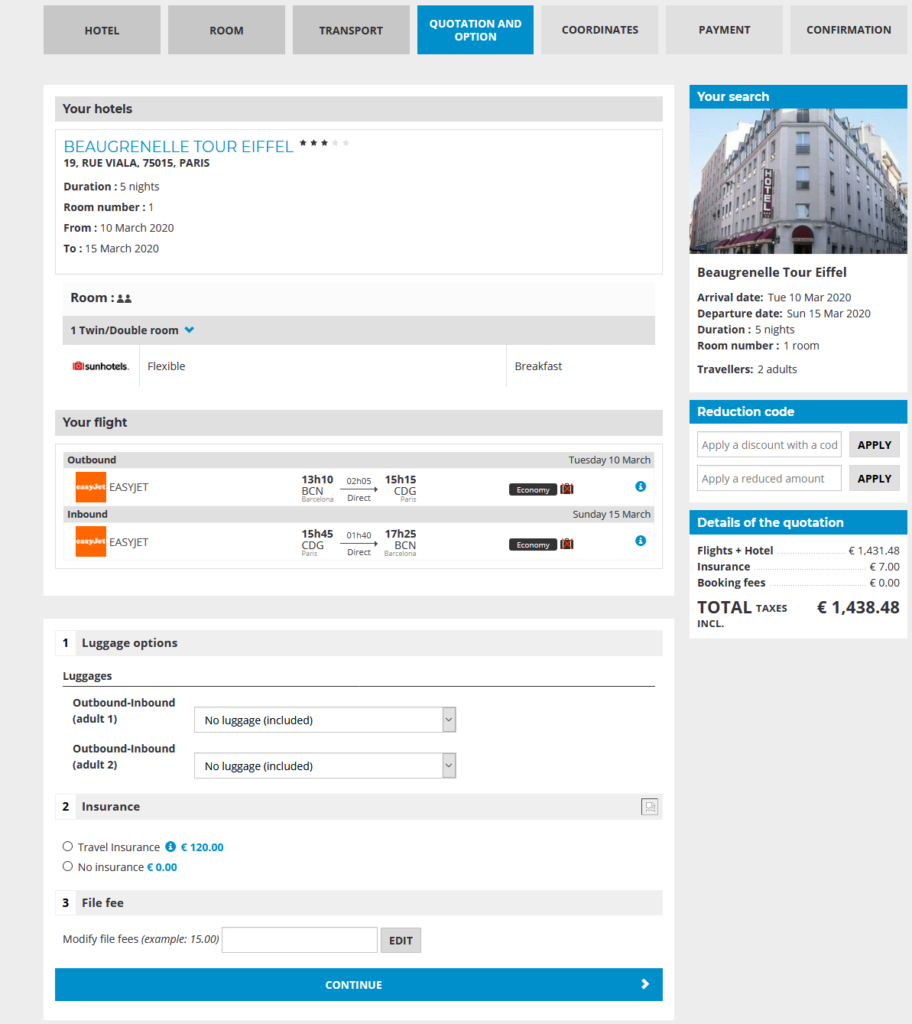
The quotation page sets out a summary of the customer’s selected options and a proposal for all other bookable services (can vary according to sources used), together with insurance products.
Quotation page, summarising the order and the additional services chosen.
The final steps in the booking process are to enter the customer’s contact details, payment and booking confirmation.
Indexing robots in the booking process
A website coding tag is used to tell indexing robots (mostly search engines) whether they need to take notice of certain pages. This tag can, for example, inform a search engine that a page contains dynamic content that is only relevant at the point of generation and that there is no need to process and save its content.
The content of this tag can now be configured for the booking process.
Sending of insurance documents
When a booking with insurance is made, it is possible to send an email with a dynamically-generated PDF document as an attachment.
IPID compliance and sending of insurance documents
The Insurance Distribution Directive (IDD) is EU legislation that sets out rules on the distribution, transparency and design of insurance products. It requires distributors of non-life insurance products to produce a standardised document for non-life insurance products, known as the IPID.
IPID stands for Insurance Product Information Document, the document that must be issued to customers prior to concluding an insurance contract.
This document can be added as an additional attachment in the confirmation email.
When a booking with insurance is made, it is also possible to send an email with a dynamically-generated PDF document as an attachment.
Minimum deposit payment
Enhancements have been made to the calculation of the minimum amount of the deposit to be paid for a booking.
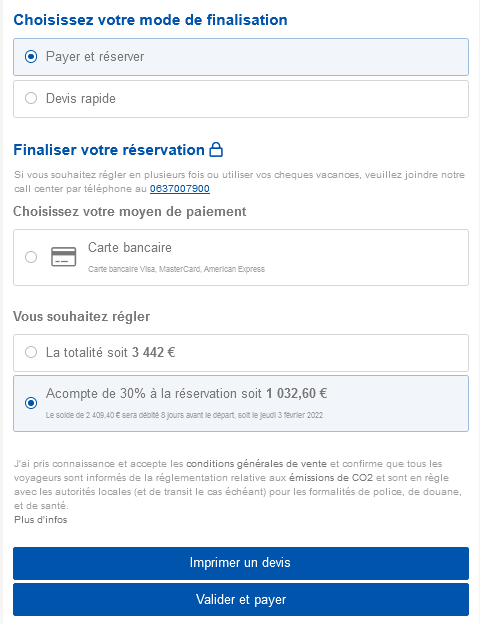
It is now possible to activate a partial payment with the minimum amount set as follows :
If only the fixed value of the partial payment is configured, it is used.
If only the percentage of the partial payment is configured, it is used.
If both settings are configured, the booking process uses the higher setting: the one which gives the highest amount to pay.
Enhancements to services
We have made major improvements to service options.
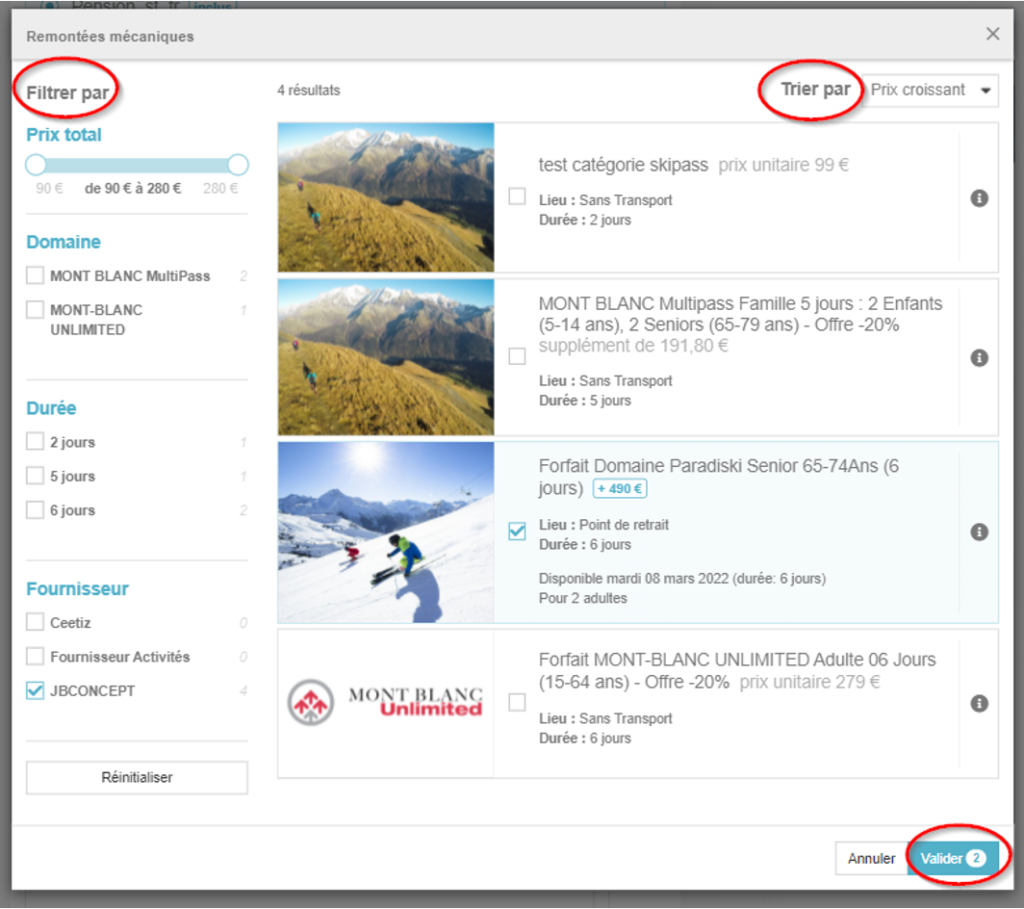
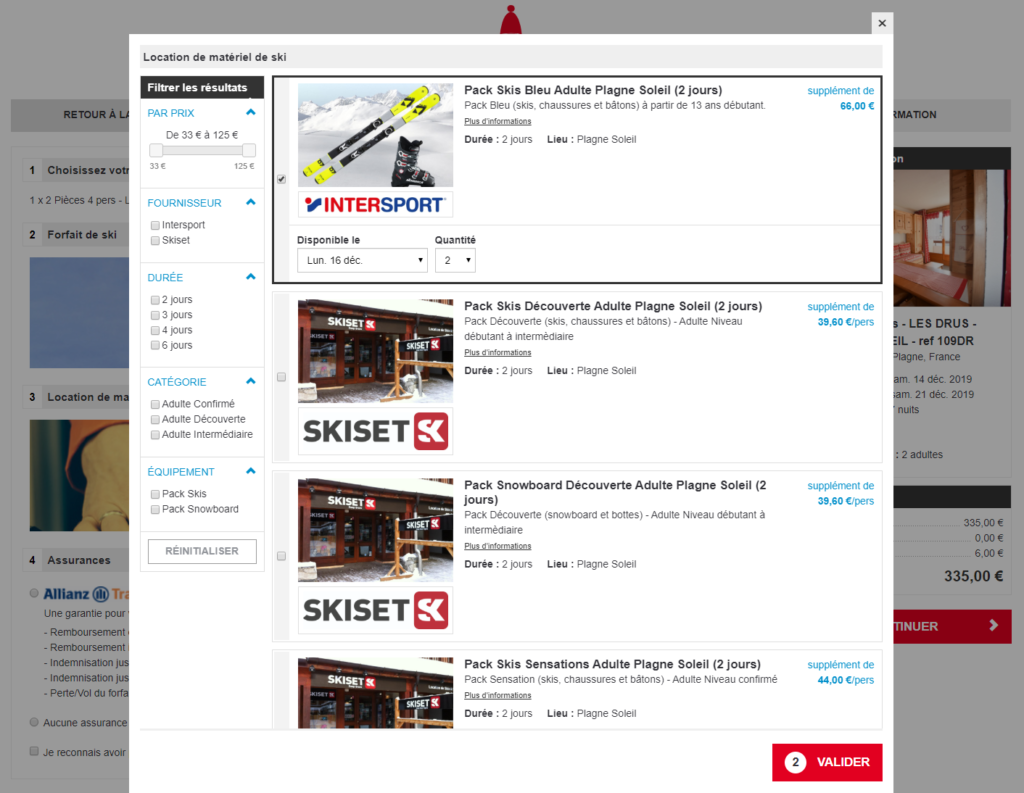
To sell multiple configurable services during the booking process, we display one section for each service type. These sections have a clickable image (push), giving a visual description of the service and letting you open a modal window (pop-in) for selecting services of this type.
Users can choose and configure their services using the pop-in, refining the displayed results by means of filters, then confirm the selection.
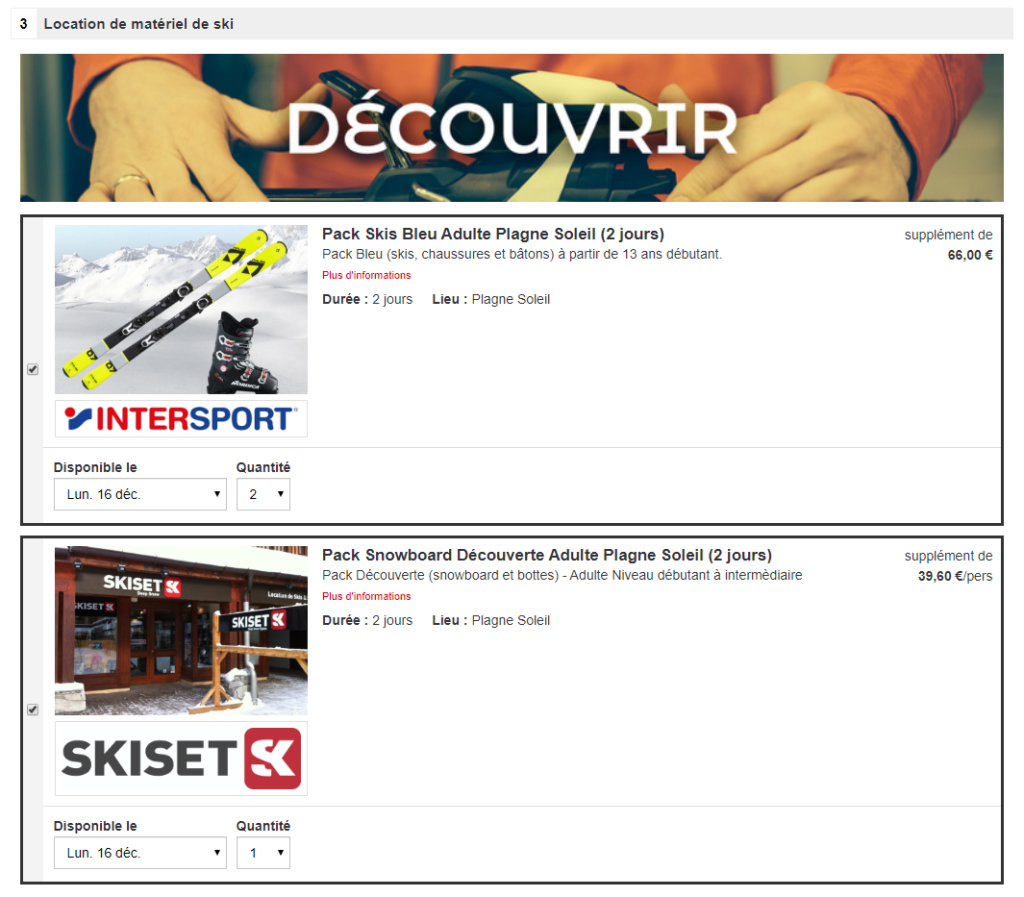
The chosen services are then displayed as selected in the corresponding quote page section under the “push” image.
Users can then deselect or edit the details of a service directly on the quote page, or add services by clicking the image again. The overall price is of course updated dynamically to give an insight into the price of services.
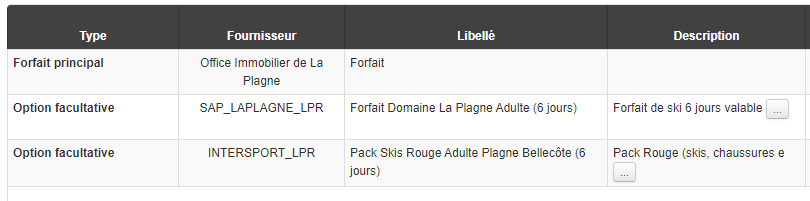
Services, and detailed information about them, are displayed in the Back Office once the record has been approved.
Reservation process enhancements
You can now configure an automatic alert email to be sent when a record is not correctly saved in Gestour (Gestour KO).
The display order for the various “I agree” checkboxes in the general terms and conditions is now configurable.
The system for managing Beyable promotional codes is available in the booking processes.
It is possible to activate an additional message indicating that schedules are provided for information purposes only, in cases where flight schedules are not entered in the product or are set to 00:00 (e.g. for charter flights). These messages are displayed in the booking processes and confirmation emails above the Transport block.
Improvements in the booking process
In the case of partially completed bookings (keepbookings), we’ve added a table to the business confirmation email with tariff information for various parts of the package, including those that aren’t booked yet and therefore don’t appear on the back-office booking.
Improved document generation features and PDF contracts.
Improvements to Fluo insurance comparisons
The Fluo widget can now be added to the booking confirmation page. The widget shows a comparison of the user’s coverage and the insurance on offer in a table.
By clicking on it, the user will be redirected to a dedicated Fluo interface for the distributor, allowing them to proceed to paying for the insurance once their booking has been completed. The insurance offered by Fluo has no relation to the insurance packages displayed on the quote page. The price is calculated using their own tariff grid.
Adding payment information
Added information indicating whether a deposit payment is available for the product and within the terms and conditions of the booking, calculating the minimum deposit required.
Configuration of tariff rules
For insurance packages, added option to configure tariff rules depending on the duration of the trip in addition to existing features (‘Per booking’ and ‘Per passenger’).
Improvements to Fluo insurance comparisons
Modal window (pop-in) vs on-page integration :
We’ve added an option to integrate the Fluo widget, which can now be inserted directly onto the page under the list of available insurance packages and no longer just in pop-in mode (the box above the content on the bookings page).
Example of on-page integration. The widget can be displayed by clicking on ‘No insurance’ :
Replaying quotes
Just like Package and Hotel quotes, you can now replay flight-only and dynamic package quotes for your customers from the back office. As for your customers, they can continue their bookings from their quote confirmation email.
Neither your customers nor you will have to restart the entire process of searching and entering information from scratch. You’ll be redirected to the last step needed to make the booking based on the data saved on the quote. Any duplicate data entry or unnecessary clicking can now be avoided, helping you minimise the amount of time needed to convert a quote into a finalised booking.
Improvement of web services
Improvements to booking process web services to manage alternative flights and luggage with all producers.
Several improvements in the booking process
You can adjust the settings to remove agency commission from the total to pay.
You can use cross-functional content in the booking process and retrieve it using search criteria.
You can add the words “Photo for information purposes only” below service images.
Can display airport names on the detailed quote during the booking process.
Just like with package flight blocks, information messages regarding flight schedules are now displayed in the “Your Flight” block for dynamic packages.
Editorial information provided by agencies (user in administration tool) can be used to enrich booking process confirmation emails.
Automatic agency selection
For distributors with agency networks, during the B2C site booking process agencies are usually selected on the contact details page. You can now automatically select the customer’s nearest agency.
Two improvements in the booking process
It is possible to overwrite the booking process technical configuration with cross-functional configurations that overwrite the basic configuration.
Wording relating to baggage changed for greater clarity: “Choose your extra baggage” replaces “Choose your baggage”, “Extra passenger baggage” replaces “Passenger baggage”, “No extra baggage (included)” replaces “No baggage (included)”.
Two new features in the booking process
In the transport booking process, it is possible to define an “open jaw” type flight for flight services from the Misterfly source.
It is possible to configure a tick box on the booking process contact information page to check customers’ consent to the collection of personal data. This tick box must come alongside a paragraph giving information on the type of data collected, the data recipients and their locations, the processing purposes, the data retention time, as well as the rights of the data subject and how they may be exercised.
Counter proposals for packages at quotes
Why ? When searching for packages in the booking process, sometimes the product may not be available and a “KO” quote page is displayed to the user.
To improve their experience and potentially the conversion rate, it is better to make suitable counter proposals for products in this case so that they may continue their buying journey.
Where ? In the quote stage of the package booking process.
How ? A counter proposals algorithm has been developed, taking into account the web user’s journey. This algorithm, which works through the Sépage platform, uses previous searches and other browsing data to determine a list of packages that may interest the customer.
Should a quote request be made and the date requested be unavailable, a list of personalised recommendations may then be given. This list appears as a popin that will be displayed directly on the package booking process quote page. The number of counter proposals presented on this popin can be configured.
As this personalised recommendations system depends on the catalogue, a specific configuration and development on the catalogue are necessary to set up this functionality.
Two improvements in the booking process
In the case of a booking validation taking longer than normal, a page is displayed indicating to the user that the booking is in progress. This page that already exists can now display the contact details of the agency associated with the booking in progress.
When selecting services, it is possible to preselect the number of adults, children and babies selected by default so that they match the passengers for the booking in progress. This is compatible with all booking procedures offering activities, transfers or other options for each passenger.
Pre-selection of airlines in flight searches
Why ? To highlight flight offers and dynamic packages with airline pre-selections.
Where ? Within search results for the flight and dynamic packages booking process.
How ? The catalogue can now generate a list of airlines within the flight and dynamic packages booking process. Airlines will be preselected, but users retain the option to remove these filters if they wish.
This
feature is also available within the B2B solution. The search form will display
a pre-filled list of airlines in the corresponding search field.
Pre-selection of passengers from customer accounts
Why ? To make it easier for users to complete the ‘passengers’ section on the contact details page
Where ? On the contact details page within the booking process.
How ? When using customer accounts within the catalogue, it is now possible to carry over the customer information and linked passenger list to the booking process. This makes it possible to include select boxes on the contact details page with a list of possible passengers. All users need to do is select the required passengers to automatically complete the ‘passengers’ section. The ‘customer’ section can also be pre-filled and made read-only, if necessary.
Reservation process : price details and information message
For B2B, the option to display a breakdown of hotel pricing within the hotels, dynamic packages and à la carte booking processes (net price, commission, margin, agency commission) has been added.
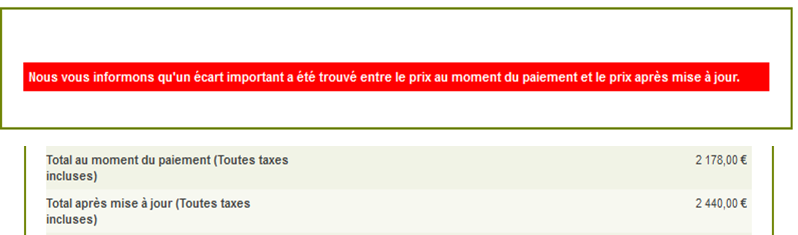
A message has been added to the sales process for packages whenever a tariff discrepancy between the quote page and the contact details page is detected.
Comparing FLUO insurance
Why ? So that users benefit from personalised diagnostics and can be informed about their insurance options, highlighting what they will be covered for and what they won’t be covered for. Travel agents will have a tool at their disposal to be able to help them argue the benefits, or lack thereof, of taking out additional insurance.
Where ? On the quote page within the booking process.
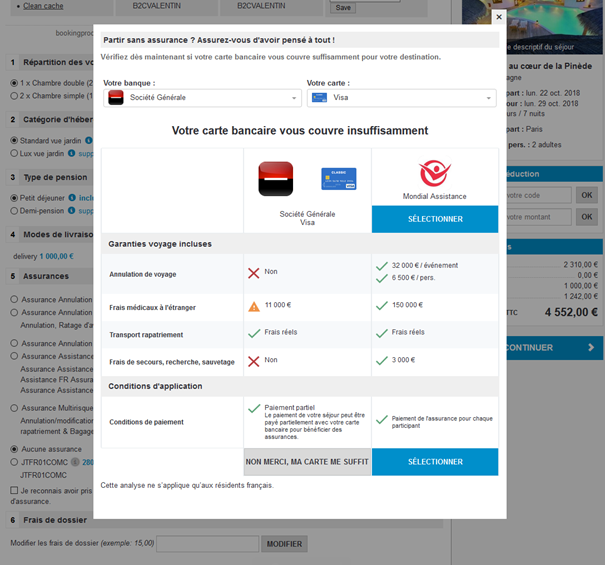
How ? The Fluo solution has been integrated within the entire bookings process. In a B2C catalogue, it takes the form of a pop-up, which appears whenever the user hasn’t selected insurance.
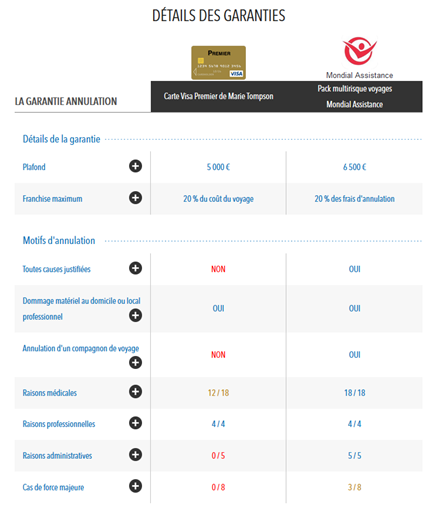
This pop-up allows users to select their bank and card type. Using this data, combined with their travel quote (destination, price), a comparison table will be displayed. It allows users to compare coverage offered by their existing insurance or bank cards, compared to the insurance offered by the travel agent. Users then have the choice of whether to opt for the insurance on offer or not.
With the B2B solution, the Fluo solution opens in a new page. This page includes a similar comparison table, but with additional information, allowing the travel agent to best advise their customers.
Improvement of the reservation process
Possibility of configuring default credentials when entering the booking process with an agency code that does not have specific credentials.
Ergonomic improvements
Improvements were made to the reservation channels :
It is now possible to place the “Back to the Product” button to the right of the navigation bar
It is now possible to shift the “I am part of the trip” checkbox to the end of the “your contact details” section,
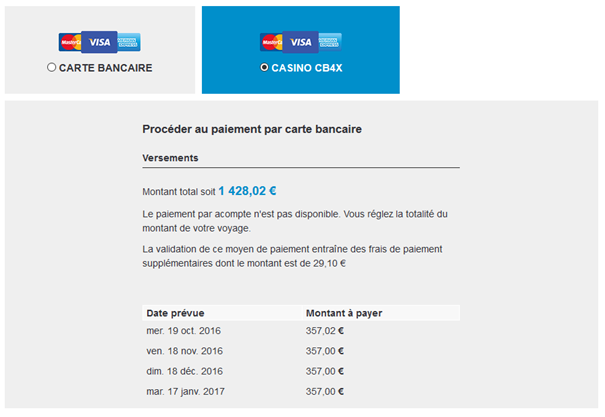
Changes to Casino payments
Some changes have been made to Casino payments :
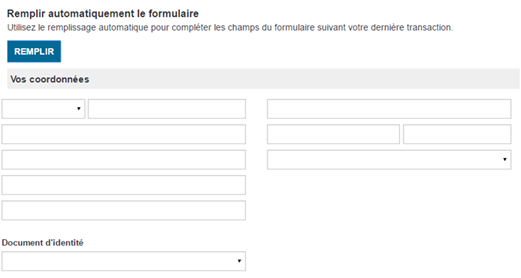
Showing ‘maiden name’, ‘place
of birth’ and ‘date of birth’ fields on the personal details page.
Sending the file reference to
Casino Banque so that data can be processed between back office agents and the
Casino Banque team.
Adding the promotions list to the email sent to hotels
The promotions list is now sent to hotel companies as part of the confirmation email for hotel products within the Orchestra platform.
Displaying the airline selling the flight
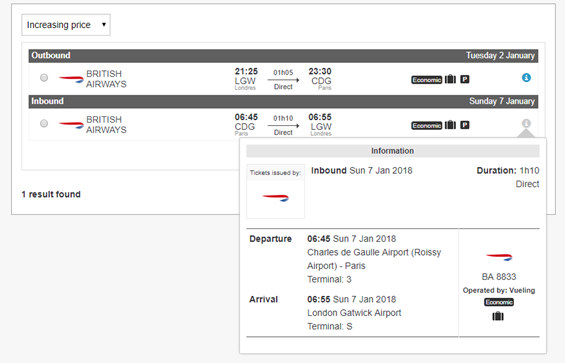
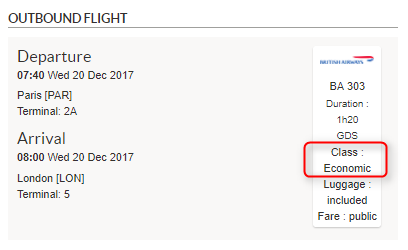
The logo and flight number of the airline selling the flight will now be displayed. Furthermore, a ‘flight operated by’ description showing the operating airline is indicated within the flight information box.
Flights sold by British Airways and operated by Vueling
This change is intended to clarify any confusion over flights operated and sold by different companies.
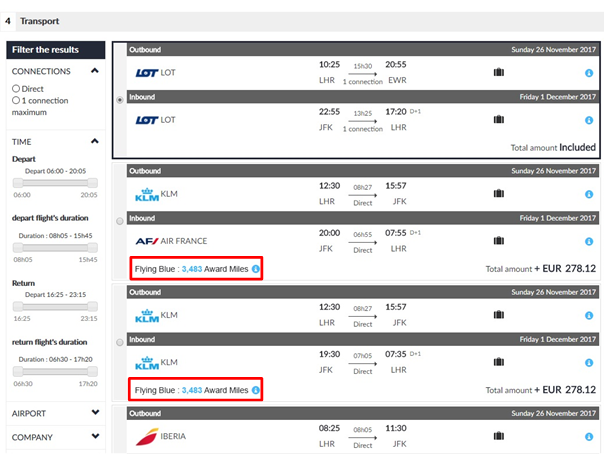
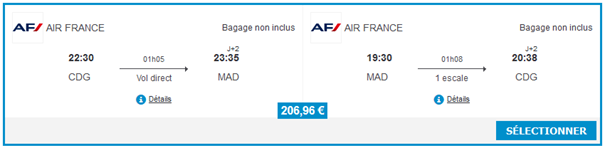
Displaying air miles in flight boxes
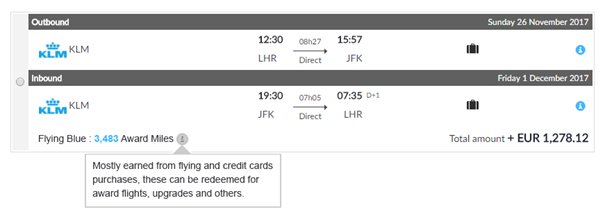
Miles associated with each flight are shown to encourage travellers to choose flights that benefit them, rather than simply the cheapest flights. Travellers may choose more expensive flights, but they’ll also earn more miles. This approach with both pricing and miles helps you to increase your revenue from selling flights.
With a direct connection to the ‘30K’ solution, it’s now possible to display the number of miles that can be earned from each flight within the airline’s ‘default or basic’ booking process.
Over 65 reward programmes covering more than 150 airlines across the world are now available with this connection :
Flying blue,
Miles & More,
Executive Club,
…
This addition is available in pre-package, flight and dynamic package sales processes.
Search engine results within the pre-package booking process
In the box showing outbound/return flights, the reward programme name, as well as the amount and type of miles to be earned are now displayed at the same level as the total price for all outbound/return flights involved.
Zoom in on the flight box for more details
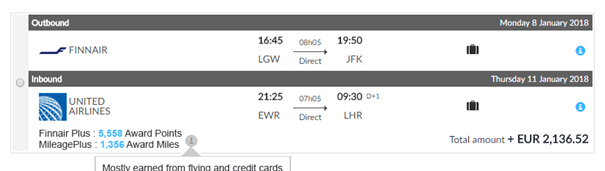
Where you have multi-airline flights, the list of different miles programmes will be shown.
Zoom in on the multi-airline flight box
Limonetik: Integration of Oney Facily Pay
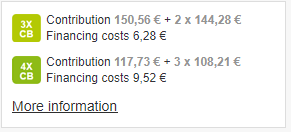
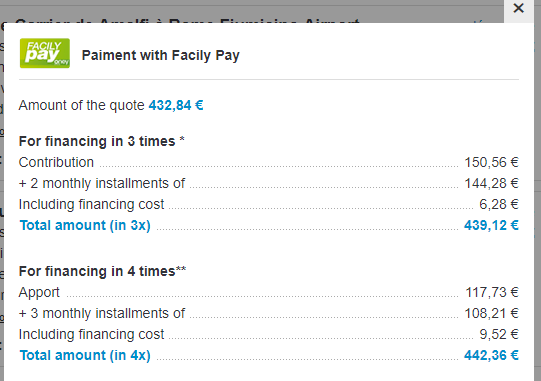
Payment with Oney Facily Pay in 3x or 4x is now available via Limonetik. Information on this type of financing is accessible from the invoice page.
Information displayed on the invoice page
Pop-in more information
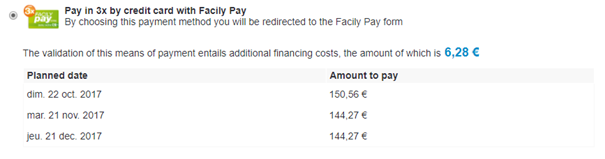
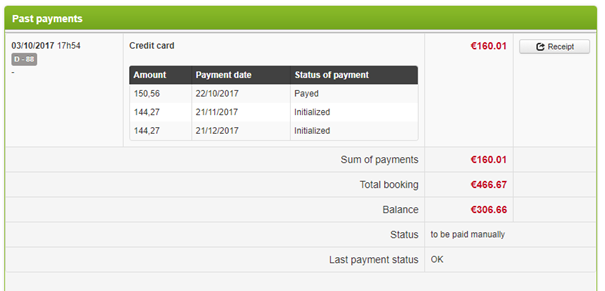
A summary of payment modalities is displayed on the payment page and also in the back office.
Payment in 3x available on the payment page.
Payment summary in the back office
Free entry of flights and arrival or departure times on the coordinates page
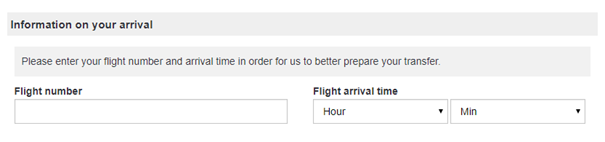
It is now possible to request the flight
number and flight arrival time on an indicative basis on the coordinates page,
for hotel sale processes.
Flight number and arrival time entry
Additionally, this information can also be
configured to be required.
Pre-selection of activities
The integration of an adapted catalogue means it is now possible to pre-select activities when beginning the package booking process. The selected activity is displayed in the Activities part included on the invoice page.
The pre-selection of an activity is done in simple mode, meaning that the other selection choices for the activity (for another date or another time period for instance) are also offered on the invoice page.
Customisation of reservation tunnel boxes
It is now possible to configure the visual for flight, activity and transfer boxes.
There are two methods available :
Top-left selector
Middle band selector
Additionally, the width of the selected box’s contour is also configurable. There are two methods available :
Thin mode
Box of a return flight in thin mode
Thick mode
Box of a return flight in thick mode
This configuration applies to flight, activity and transfer boxes.
Display the “available on” part on the transfer box
It is now possible to hide the “available
on” part in transfer boxes to improve readability.
‘Available on’ blog displayed
Configuration of the description size for the activity and transfer box
It is possible to configure the maximum number of characters to display in the description summary for activity and transfer box.
Number of characters configurable in the activity and transfer box
This configuration makes it possible to adapt the size of the summary according to your sales channels.
Activity and transfer box on the page of this invoice
The Orchestra platform now makes it possible to display ancillary services in a box, which enables display of more content.
To obtain this visualisation, the gallery attribute of the service must be entered in the fee schedule. This type of visualisation of activities and transfers is accessible on the invoice page in the Package sales process.
In this visualisation mode, the groups of options and options with choice are not available.
ACTIVITIES
The box of an activity integrates the following information :
Photo carrousel,
Service name,
Start of the service description,
Activity place,
Activity duration,
Languages available for the activity.
Box for an optional activity
When the box is selected, a sub-block appears. This block makes it possible to enter information necessary for reservation :
Date and time,
Language,
Participants.
Box for an optional activity after selection
The “more information” link makes it possible to open the activity’s descriptive page.
Pop-in More information on the service
TRANSFERS
The box of an outbound or inbound transfer integrates the following information :
Unique photo of the service
Service name
Start of the service
description
Duration (optional)
Amount of luggage allowed
Type of transport (private or
public)
Number of passengers or number
of cars
Box of an optional outbound transfer on the invoice page
When the box is selected, a sub-block appears. The block informs about the date and time the transfer was processed. The hour for processing is configurable according to sources.
Box of a selected optional outbound transfer on the invoice page
The “more information” link makes it possible to open the transfer’s descriptive page.
Pop-in More information on the transfer
Also, transfers are now grouped together in a section dedicated to transfers to improve the visibility of stay detail.
Transfers included in a package on the invoice page
Optional transfers available on the invoice page
Tariff line in the invoice detail for transfers
Integration of the payment system: Payline
The Payline paymentsystem is now available on the platform. The payment is made in “3-tier” mode in the booking process. The payment appears in the form of a widget during the booking process.
Screen to enter bank details
Payment accepted
In addition, payment methods can be customised for each point of sale.
A new payment method is available using Adyen
It is now possible to make an imprint of a bank card using the Adyen payment system. This payment method can be used to book a holiday until the customer arrives.
Filter available for baggage information
A filter for baggage information is available so that you can filter flight results shown in the transport booking process and on the quote page during the package booking process. It is possible to filter flights to only keep those that include at least one bag.
Filter for checked baggage
In addition, baggage information is now displayed in the flight overview.
Flight overview
Display of transport classes
Transport classes can now be displayed in the booking tunnel.
Displayed in the flight overview
Displayed in the flight details
Class displayed in the back office
A filter for this class is also available in the land transport and dynamic packages booking processes when the flight search results are displayed.
Filter available in the booking tunnel
Management of a new transport class : Eco Premium
The Eco Premium transport class is now available in the transport classes presented in Orchestra.
This new booking class can be displayed during the booking process, used as a flight search criteria or during pre-package creation, and also displayed in the back office.
Price difference between catalogue price and quote price displayed
You can now display the price difference between the catalogue price and the price given on the quote page.
Message to indicate a change of price in relation to the catalogue price shown
You can also customise another message for when there is an increase or decrease in the price difference.
Town/city labels displayed below airport codes
Town/city labels are now displayed below airport codes in the flight search results.
Flight search results in the V2 booking tunnel
Multiple choice of services
The services can be grouped in exclusive or non-exclusive mode in the quote page. This option is available for pre-packages as well as for product, hotel and transport links.
The two grouping methods available are as follows :
“Non-exclusive” mode : the user can select one or more services from a group,
Group of services in “non-exclusive” mode
“Exclusive” mode: the user can select only one service from a group,
Group of services in “exclusive” mode
This option can be configured in the services grid using the following columns :
Selection group,
Selection type,
Group name.
Extract from the services import grid
This option allows lists of activities or transfers to be classified differently by theme, criterion or other factors in the booking.
Display of editorial data in the product quote details
Product editorial zones can now be displayed in the quote details. These zones must consist of a list of simple fields or a list of titles and paragraphs.
Example of editorial zone included in the quote details
This update serves to add more detail to the quote with the package editorial.
Display of the quote details at the top of the contact details/ payment page
The quote details can now be displayed at the top of the contact details and payment page.
Quote details integrated into the contact details page
Configuration of the confirmation email in the language of the provider
It is now possible to send the confirmation email to customers, distributors or service providers in different languages.
This update means that the customer confirmation email in the customer’s language and the business confirmation email in the service provider’s language can be sent simultaneously.
Retrieving the email address generated for Amadeus bookings in the confirmation email
When a flight is booked on Amadeus, the booking process can currently generate a generic email address that maintains the customer’s anonymity.
This address can now be retrieved in the confirmation email.
This change means that customers can register online on airlines’ websites (Ryan Air for example).
Display of the types of promotion
The list of promotion titles included in the room price, and the total amount (of the sum) of the promotions are available in the booking tunnel.
The display of this detail can be activated for each booking process channel.
Details of the promotions applied to this room
Configuration of the printing of the quote
The summary of the order can currently be printed from the payment page.
Print button available below the payment summary
Configuration of the display of traveller details on the payment page
It is now possible to choose whether or not to display the traveller details in the “Personal information” box of the payment page in the booking tunnel.
Display of passenger information
Configuration of the order of display for the “Phone” fields
The order in which the fields are displayed in the contact details page can now be reversed.
Reversal of the “Phone” fields in the booking tunnel
Configuration of the commissions, yield and non-refundable agency commissions for hotels
The update means that the commissions, yield and non-refundable agency commissions for hotels can now be configured in the booking process.
Sale of enhanced internal services on the “A la carte” sales process
The internal services grid has been enhanced to allow these services to be sold in the “A la carte” booking process. A service can now be identified with its country, its city and its category.
Example of activities in Madrid, Spain
The activities can also be filtered by category.
Management of multiple flights in the à la carte sales process
The à la carte sales process means you can now manage several flights within the same basket. This allows for simultaneous reservation of return, open-jaw and one-way flights.
Example of an à la carte basket containing several flights.
Management of mix and match flights
Package (pre-package), transport and à la carte sales now allow you to mix and match flights with different airlines, with compatible sources.
Display of mix and match flights in the transport sales process
Management of open-jaw flights
Transport and à la carte sales processes now make it possible to manage open-jaw flights with compatible sources. Open-jaw flights are return flights using different airports for the outward and/or inbound flights.
For example, this feature makes it possible to book an outbound flight from Paris to New York with a return from San Francisco to Lyon.
Display of open-jaw flights in the transport sales process
Redesign of the payment blocks
The booking process payment blocks have been completely revised to improve their ergonomic design and their compatibility with all devices and screens.
All systems and methods of payment have been engineered to offer an ergonomic design suitable for each case.
Display of payments by credit card, Chèque-vacances or e-Chèque-Vacances
Display of payment using multiple cards and payment of a deposit
Display of a payment schedule
Payment schedules
It is now possible to configure payment schedules for all bank card payments including systems that do not offer integrated payment schedules.
With the correct setup, it is possible to activate this mode and to define payment schedules according to the cost of the booking and the number of days prior to departure (different periods can be configured).
“BE2BILL” payment block with payment scheduled enabled
Integration of Karavel payment
The Karavel payment system is now available on the platform. This new payment method operates as a three-instalment payment schedule for all booking processes.
Managing external transfers
The sales processes for dynamic packages (flights + hotels) and for pre-packages now offers the option of external transfers.
These transfers are optional in dynamic package mode and compulsory in pre-package mode. The transfers may be outbound/inbound transfers or a one-way transfer. In the latter case, it is possible to select an outbound transfer and/or an inbound transfer independently.
Depending on the source, it is possible to display different information for each transfer :
Image,
Title,
Duration,
Seating capacity,
Number of luggage items
permitted,
State whether the transfer is
public or private,
Dates and times of the
transfer.
External transfer options on the quote page
A la carte sales process
The Orchestra platform now offers the option of an à la carte sales process based on a shopping cart feature. Using the shopping cart, users can add a bundle of services (flights, hotels, transfers, activities) in order to manually put together an à la carte holiday ready for booking.
1/ Managing a shopping cart of services
A number of specific catalogue developments are required in order to integrate the shopping cart feature.
Shown below is one possible example of how this à la carte sales process can be integrated, with the services in the shopping cart represented on a vertical timeline in order to provide an easy way of setting out the holiday schedule.
Example of integrating the à la carte sales process
New services are added using dedicated search forms for each different service type.
2/ Adding a flight
To add a flight, the transport booking process is used. The “Add to cart” button is used to add the selected transport to the shopping cart.
Adding a flight using the transport sales process
3/ Adding hotel rooms
To add a hotel room, the hotel booking process is used. It is possible to add several hotels to the same shopping cart, in order to put together a tour, for example.
Adding a hotel room using the hotels sales process
4/ Adding activities
A new booking process has been created for adding activities. This process can be used to perform searches for activities by destination, by date range and by passengers.
Depending on the source, it is possible to display different information for each service :
Image,
Title,
Description,
Place,
Duration,
Cancellation policy,
Dates and times of the service,
Languages of the service,
Choice of passengers for the
service.
It is possible to select multiple activities to add to the shopping cart using the tickboxes to the left of the results entries.
Adding activities using the new activities sales process
As with the hotels sales process, clicking on the title or the image opens a full description of the activity.
Full description of an activity
5/ Adding transfers
Lastly, a new transfers booking process has also been created in order to add transfers between airports and hotels. This process can be used to perform searches for transfers by origin/destination, by date and by passengers.
Depending on the source, it is possible to display different information for each transfer :
Image,
Title,
Duration,
Seating capacity,
Number of luggage items
permitted,
State whether the transfer is
public or private,
Dates and times of the
transfer.
Adding a transfer using the new transfers sales process
New display of Tripadvisor ratings
The display of Tripadvisor ratings in the hotel text boxes for the hotel and dynamic package booking processes has been modernised.
Based on the agreement with Tripadvisor, the ratings may be displayed using a new widget, or through an image incorporated into the page.
New display of the Tripadvisor rating in the hotel and dynamic packages sale process
Insurance logo on the quote page
The “Insurance” section of the quote page can now include an insurance logo in the section title.
Insurance logo displayed in the section title
Changes to flight display in left/right mode
A new configuration provides a more compact version of the flight display in left/right mode.
In this mode, the airline is displayed in the top-left, and information on whether or not luggage is included is given in text form in the top-right. The price is centred at the bottom of the text box. In this mode, only the characteristics relating to luggage are displayed.
New flight display in left/right mode
Pre-completing the contact details page
It is now possible to configure a “Complete” button on the contact details page of the booking process.
This button is used to pre-complete this form with the latest data saved in the session. This button is particularly useful for increasing the productivity of travel agents, who can then produce several quotes for the same client very quickly.
“Complete” button used to pre-complete the contact details form
Inclusion of Casino payment in 4 instalments
The option for Casino payment in 4 instalments is now available on the platform. With this new payment method, a table setting out the four payments due is displayed for the user.
These payments due can also be seen in the confirmation email and in the “Payments” tab of the file in Back-Office.
“Casino 4 times” payment block with display of scheduled deadlines
Display of scheduled deadlines on the confirmation page
Display of due dates in the “Payments” section of the Back-Office
Dynamic packages / Pre-packages – Personalised management of the reservation sequence
It is now possible to define rules for creating a booking and/or continuing the reservation when certain elements of the reservation have failed. Depending on the configuration, failure to reserve a service will be critical or non-critical, for example if the reservation began with hotel services, it is possible to continue reserving flights even if the hotel reservation failed.
In the case where a failure is not critical, the booking will be created in the back office in “Draft” mode in order to be able to add the missing references at a later time.
In a B2B context, the reservation confirmation page and email can display the reservation’s overall status as well as the detailed status for each service. For example, the screenshot below shows a trip that has been partially reserved since a service reservation failed.
Partial reservation confirmation page
Partial reservation confirmation email
Be2Bill – Multi-card payment
It is now possible to use several bank cards to pay for an order with the Be2Bill payment system. In the same way as for other compatible payment systems, the reservation process will display two forms, the second greyed out as long as the first has not been validated.
Furthermore, Be2Bill’s 3-tier payment method has been changed in order to be directly integrated into Orchestra’s payment page, instead of directing the user to a new page.
Multi-card payment form with Be2Bill
Updates to the package reservation process
The quote total and the confirmation button can now be displayed over the whole width at the bottom of the central box.
Total amount and confirmation button at the bottom of the central box
Furthermore, it is now possible to show part of the quote’s service details directly in the horizontal bar in the reservation process.
Detail of services in the horizontal bar
In the summary, the item order can now be modified in the settings.
Configurable summary item order
How tooltips for grouped options (spa treatments, for example) are displayed has been improved. The description for the selected option can now be highlighted in order to make it easier to compare with alternatives.
Description of the selected spa treatment is highlighted in the tooltip
Choice of alternate flights included in the quote page
When alternate flights are suggested on the quote page in the package reservation process, the “See more flights” button on the quote page allows you to display, filter, and select alternate flights within a pop-in window.
It is now possible via configuration to include all associated alternate flights and filters directly within the quote page in the package reservation process. A limited number of flights is displayed by default, then a button can display “more flights” if needed, all within the transport box on the quote page.
Furthermore, this table’s headings and the horizontal filter bar have been reworked to improve overall visibility and usability. For example, it is now possible to choose the order in which the different filter bar sections are displayed, or to choose which sections are open/closed by default.
Choice of alternate flights included in the quote page
New flight blocks
The flight blocks have been entirely redone throughout the reservation process. The main modifications are as follows :
New airline company logos and
company names displayed in text
The main flight information is
displayed much more visibly in the centre of the text box
The selected flight is
highlighted more clearly
New flight block where a flight is selected on the quote page
New flight block where a multi-choice flight is selected in the transport sales process
Additionally, a new way of displaying flight blocks is now available in the package sales process in order to present “return trips” in left/right mode instead of top/bottom.
New flight block display in left/right mode
This new display method can be chosen by configuring the package reservation process.
Update to the sales processes for Hotels / Transport / Dynamic packages
The ergonomics of the sales processes for hotels, transport and dynamic packages has been improved at various different levels.
In terms of search engine results, the hotel results entries can now be configured to show either the price per person and per night, or the total price. The thumbnail images shown in the search results are mini photo carousels. Clicking on these thumbnails will display the hotel slideshow.
The new search form and summary are now combined in the side bar.
Hotel sales process showing mini carousel, price block and new search form/summary to the right
The hotel slideshows have been updated and can now be displayed at the top of the hotel information sheet for improved visibility.
Hotel slideshow is shown at the top of the hotel information
Similarly, the room descriptions can be placed at the top of the hotel information, beneath the slideshow, or within a hotel information tab.
Hotel rooms are shown at the top of the hotel information
The left-hand image is also a mini photo carousel and clicking on this image will open a slideshow pop-in.
Slideshow of hotel rooms is shown
In terms of the sales processes for transport and dynamic packages, improvements have been made to the way that the results entries for flights are displayed, in order to optimise visibility of key information.
A frame also appears to highlight the selected flight.
New display for flight results entries
In terms of the dynamic package sales process, the trip summary has been completely redesigned and is now displayed in the form of two adjacent blocks: the selected hotel summary to the left and the selected flight summary to the right. Details of rooms and flights can be displayed by clicking the corresponding icons (i).
New summary in dynamic package sales process
Opening room details in the summary
Confirmation of the customer’s identity documents on the contact details page
A configuration can now ask for identity documents in the “customer” area of the contact details form.
This block is identical to the passenger one and enables the use of validation algorithms on the numbers of the documents.
Customer data entry form with the “Identity document” block
Integration of the Carts Guru system
Carts Guru is a targeting and multichannel stimulus solution for converting abandoned shopping baskets into sales.
In addition to the “tracking” email, it is now possible to send information entered by the customer on the contact details page to the Carts Guru system.
This function is compatible with the combined contact details/payments pages mode.
New dynamic flights added to packages with no transportation included
For compatible providers who are able to use this function, it is now possible to automatically offer flights from an external source to complete a package that has no more flight stock available. The package can then be reserved with a flight, as if it were a product package with transportation included.
This function requires specific configuration and development for each provider in order to be effective in the catalogue and booking process.
New display for payment tabs
A new display mode for the payment tabs is now available. It can display a radio button and/or a pictogram on the tabs.
New display mode for payment tabs
Configuring the message if the booking is unsuccessful
Transverse content can now be configured in the administration tool in order to control the error messages to be displayed when a booking is unsuccessful.
A specific transverse content category has been added for this: “Specific book errors”. The message to be displayed can be chosen by product, via integration adapted to the catalogue level.
New transverse content dedicated to managing error messages when booking
Atos – 3DSecure mode can be activated depending on the departure date
You can now activate 3DSecure mode depending on the number of days between the booking date and the departure date for the Atos payment system.
Pre-selecting categories and meal options
The integration of an adapted catalogue means it is now possible to pre-select the room categories or the meal options when entering the package booking process. There are two methods available :
Simple pre-selection. The other
choices remain available,
Pre-selection and filtering.
The other choices are no longer available.
New dynamic package/flight booking process : NDC “New Distribution Capability”
A new dynamic single-carrier package/flight booking process has been developed with APG. It is based on the new NDC “New Distribution Capability” standard.
This standard has been developed by the IATA and numerous pilot programmes have been launched around the world, including APG’s programme with Orchestra and the airline Heli Air Monaco.
The main goal of this standard is to specify the distribution mechanisms that allow airlines to sell more than just plane tickets. This way, different “ancillaries” (additional services related to or other than transport) can be offered in addition to tickets at the time of booking, such as :
In-flight meals
Additional luggage
Lounge access
Choice of seat
Transfers related to the flight
Hotels
While optimised for single-carrier sites, these developments can be adapted to our multi-carrier flight process.
1/ Flexible search results
Flight search results are displayed in two main zones: choice of outbound flight, then choice of return. Departure and return dates can be changed easily thank to the flexible date banners above each zone.
When the lowest price is known, it is displayed on each of these alternative dates. Additionally, you can see availabilities and prices for different transport classes at a glance.
Displaying outbound and return zones and the different date and class alternatives
2/ Highighting “ancillaries”
One of the goals of this new booking process is to highlight the different “ancillaries” offered by the carriers most effectively, as well as flight characteristics (plane model, transport class, departure airport, destination city, etc.).
This new sales process can also show rich descriptive content for these services and flight characteristics. In the screen capture below, you can see the description of the aeroplane used for the flight, the transport class, and the various on-board services (depending on the aeroplane model and transport class, for example).
Rich content display that can describe the aeroplane used for the flight as well as the different “ancillaries”
3/ Entering rich and personalised content
The “Editorials” tab in the administration tool now allows you to associate transversal content to service characteristics that come from external sources during real-time searches. With the appropriate front end integration, it is possible to dynamically display transversal content according to these characteristics, for example associate content with a model of aeroplane, a departure airport, etc.
Association criteria is entered in a new section in the transversal content editor pop-up window.
Entering criteria to associate content with service characteristics
Displaying rich content associated with a flight’s departure airport
Changes to the package booking process for mobiles
The package booking process has been adapted to mobile devices.
A specific theme has improved its compatibility on these devices. In this case, the side bar has been removed from the display: the order summary is shown at the top of the page and the quote at the bottom.
Quote page of the package booking process on mobile :
Quote page on mobile devices for the package booking process
Contact and payment page of the package booking process on mobile :
Details and payments page on mobile devices for the package booking process
Updates to the booking process for Hotels, Transport, and Dynamic packages
The booking processes for Hotels, Transport, and Dynamic packages have been redone to make them more consistent with package bookings.
1/ Hotel booking process
Search results in the hotel reservation process
Selecting rooms on the hotel information sheet
Details/payments in the hotel reservation process
2/ Transport booking process
Search results in the transport reservation process
Quote page in the transport reservation process
3/ Dynamic packages booking process
Selecting a hotel in the dynamic packages booking process
Selecting a flight in the dynamic packages booking process
Paybox – 3D Secure mode can be activated depending on the departure date
You can now activate 3DSecure mode depending on the number of days between the booking date and the departure date for the Paybox payment system.
Integrating the PayZen payment system
The PayZen paymentsystem is now available on the platform.
The payment is made in “3-tier” mode in the booking process. Payments can be made by credit or debit card, or by e-Chèque-Vacances.
Choosing the payment method during a 3-tier payment
Entry interface for an e-Chèque-Vacances payment
The PayZen payment system has been completely integrated into the Back Office. Payments are made in “server/server” mode and by bank card only. Here, it is possible to :
View the payments made
Create a manual payment based
on an alias or with a new card
Refund or cancel a payment if
it has not yet been processed by the bank
Create an automatic payment
based on an alias or with a new card
Viewing payments made with PayZen
Different payment forms using PayZen:
Different payment forms that use PayZen
Cancellation mechanism for a multi-source booking
When making a booking containing several different types of service (for example in the case of a package linked to a service, a pre-package, a dynamic package, etc.) and in the event of failure to book one of these services, it’s now possible to cancel the services already booked, for sources that allow this.
Within a booking containing several sources of services, each service is booked sequentially (for example a hotel from source A, then a flight from source B, a transfer from source C, and an excursion from source D). For sources with a technical cancellation function, the relevant services will be automatically cancelled. For other sources, service cancellation must be done manually.
A report is generated and sent by email in the event of a problem in order for the customer to see the booking/cancellation status for each service within the booking.
For example, to continue the previous example, if booking the excursion (source D) fails, and only sources A and C have an automatic cancellation function, the failure report will show the following :
Hotel: cancelled (Source A),
Flight: manual cancellation
required (Source B),
Transfer: cancelled (Source C),
Excursion: not reserved (Source
D).
Example of email sent following the failure of a multi-source booking
Development of rich content on the quote page
Rich content for the different services available on the quote page can now be displayed in two modes :
Tooltip, which is the default
mode,
Pop-up (better for large images
for example).
This rich content is still set up via the use of transverse content. The pop-up template now has a new field enabling you to choose the display mode (tooltip or pop-up).
Choice of display formats: tooltip or pop-up
Elsewhere, the “Meal options” block on the quote page now provides a group display of rich content, in cases where all meal options link to the same content.
This allows you to define rich content presenting a table for all meal options available, for example, allowing the client to easily compare them.
A new “pop-up” display mode and group display for meal options
Improving the contact details page
The contact details page has been visually simplified by moving the majority of field names directly into the fields themselves (Place holders).
Improved display of contact details page
The previous display mode is still available via the configuration settings.
Packages: Optimised hotel room display
The internal hotel rooms used in pre-packages also have a new, optimised display. The room combinations are now aggregated to create a clearer view while maintaining all the possible choices.
Depending on the hotel settings (rooms, meals, promotions) and the query type (number of people, number of rooms), the quantity of combinations presented can be reduced significantly, which vastly improves the readability of quote pages.
New aggregated display of internal hotel rooms in the Packages process
New display and selection mode for internal hotel rooms
1/ Updates to the booking process for Hotels and Dynamic packages
In the Hotels and Dynamic packages booking process, it is now possible to change the way hotel rooms are displayed to make selection more clear and intuitive.
The former method displayed a list of all possible room combinations on the search engine results page and on the hotel details page. Because hotels often have many rooms, the tool frequently displayed too many combinations.
The new display mode makes it possible to select rooms independently and thus to create room combinations dynamically for more clarity. The search results page no long displays the list of combinations. Rooms are now selected on the hotel details page, where the user can choose the category and corresponding meal option for each room.
By default, the lowest prices are selected automatically for each room (with meals by default).
Internal hotel search results shown in the new display mode
Room category and meal selection on the hotel details page
When the user reserves multiple rooms, ‘radio buttons’ can be used to select the various rooms separately. The lines that correspond to the selected categories are coloured for easy identification.
Selecting multiple rooms on the hotel details page
2/ Updates to the back office
In the back office files, the ‘Trip details’ section has been changed to accommodate the ability to have a different meal option for each room (instead of a single meal option for all rooms).
When the meal option is the same for all rooms, it is displayed once below the room allocation.
New back office display mode for room and meal options for internal hotels
In addition, the ‘Edit’ section now makes it possible to change the meal options per room for internal Hotel bookings.
Changing meal options for internal hotels in the back office
Managing cancellation conditions for external hotels
Cancellation conditions for external hotels are now managed in the hotel and dynamic package reservation processes.
A sentence indicating cancellation conditions and fees is displayed on the search results page, under each room.
How the cancellation for a room are displayed on a search result page
The conditions are also shown on the estimation page in a similar way.
How the cancellation conditions for a room are displayed on the estimation page
Advanced monitoring
A new monitoring system has been created to more rapidly detect potential anomalies in the reservation process. This monitoring system looks at the history of past events to detect any abnormal deterioration in the following areas :
Conversion rate
Response time
Error/success rate
Absence of a particular action
(no reservation, for example)
For example, we can set an alert that triggers if the number of reservations made on Monday mornings between 8am and 12pm and on a specific payment platform is 50% lower than the usual number of reservations made on a Monday morning.
The various possible alerts must be configured. Furthermore, a minimum history is necessary for alerts based on past events to function correctly. At first, alerts will only be triggered if we notice a certain number of similar, consecutive errors. Alert rules will be adapted over time.
Alerts can be created using the following elements :
Product type
(package/pre-package, hotel, transport, dynamic package)
Sales process
Sales channel
Medium (desktop, tablet,
mobile)
Browser (type and version)
Payment system
Payment method
SSL compatible booking processes at every step
The SSL/HTTPS protocol can now be activated from the first steps of the booking processes. The entire booking process is compatible. A configuration is required to activate this mode.
Partial payment Payment for transport and a supplement
When making a partial payment (instalment), the customer can now pay the full transport amount, as well as a percentage on the remaining amount.
Passenger restrictions check during a new search
As on the catalogue product data sheet, the passenger restrictions are now checked in the “New search” form for the new booking process.
Generating virtual cards with eNett
When a service provider needs to be paid (for example a low-cost company), it is now possible to generate a virtual card to make this payment.
This generation takes place between the customer’s payment and the booking. It is possible to set up a specific alert email in the event of errors during this stage.
It is now possible to specify a validity period for quotation “reprocessing” when the booking date is close to the departure date.
With the right configuration, it is for example possible to limit the period during which the quotation can be reprocessed to one hour if the quotation was made less than three days before departure.
Minimum number of days before departure: Managing working days
The minimum number of days before departure, which allows you to define the first available date before the current day, can now be calculated in working days. National holidays are managed using a configuration file.
The B2B solution can take into account this calculation of the first available date for its searches and its product sheets. The number of days can be different by channel.
This parameter can also be used in a catalogue, through the appropriate integration.
Entering children’s dates of birth for hotels
It is now possible to enter children’s date of birth in the booking process for hotels and dynamic packages.
A configuration allows you to choose between entering children’s ages or dates of birth. This option is also featured in the B2B solution.
Entering children’s dates of birth in the hotel sale process
Prioritisation of certain types of flight
It is now possible to prioritise certain types of flight on flight sale, dynamic package and pre-package processes, regardless of their price.
In the pre-package, a criterion can prioritise or not charter flights for compatible flight sources.
Choice of charter flight prioritisation in the pre-package
Reinforced controls on the reservation tunnel entry form
New features help manage passenger-related constraints before entering the reservation process.
Minimum and/or maximum number
of passengers,
Minimum age required for the
trip,
Minimum age from which the
constraints relating to the minimum/maximum number of passengers are applicable,
Age calculation according to
the arrival or departure date.
The minimum and/or maximum number of passengers is now applicable to all packages, no longer just to rental products. These constraints correspond with the total number of people accepted by the producer for the trip.
The minimum age required for the trip replaces the babies/children not allowed feature.
The validation of this data can now be integrated into the catalogues to check the validity of the selection made before entering the reservation process. This verification will help improve the user experience as the Internet user or travel agent won’t have to launch an estimate to find out whether the date selected is compatible with the selected passenger constraints.
This validation will be effective by clicking on the “reserve” button. If the date is not compatible with the passengers’ constraints, an information message will appear.
In addition, information on the different constraints can also be permanently displayed on the form. The form of the B2B solution has been modified accordingly so as to display :
The minimum and/or maximum
possible number of passengers in a blue insert above the form,
The age groups corresponding
with adults and children, as well as the minimum age allowed,
An indication to determine
whether the age taken into account is that at the beginning or end of the trip.
Example of implementation in the B2B solution
Optimising the reservation “workflow”
The reservation “workflow” has been adjusted to minimise wait time before the confirmation page is displayed.
The confirmation page is now displayed as soon as the reservation is made by the producer.
The following steps (creation of the Orchestra file, sending of the confirmation email, other post-reservation processes) are now processed as background tasks. For web users this means that the confirmation page is displayed more quickly.
Optimising management of stocks of internal products
Management of stocks (not shared) of internal products has been optimised to allow improved management in the event of high load.
Change in the SIPS/ATOS payment system
It is now possible to deactivate certain payment cards in the SIPS/ATOS payment block. To do this, a list of cards to be deactivated may be sent from the catalogue.
Editing dates/durations/cities/passengers in the new reservation process
The quote page now lets you edit the selected dates, durations, departure cities and passengers without the need to return to the catalogue product data sheet. This form is available via a new tab which is on a trip summary block.
“Edit your selections” tab in the sidebar in the new reservation process
Optimisation of credentials alert emails
Automatic credentials alert emails have been improved so that they can now include specific messages from the different producers.
This email lets you to know that an agency does not have their credentials configured, or have an inactive or invalid account.
It is now possible to change this information in the administration tool, or contact the producer to ask for new information for the agency in question.
Send an email to service providers
An email can also be sent to service providers now so that they are immediately informed of the sale of their service.
Example of an email sent to service providers
Changes in the new booking process
1/ Optimised multi-accommodation type product display
Multi-accommodation type products are now displayed so that the choices are clearly distinguishable for different segments of a trip. The name of accommodation has been added and numbering has been adapted to properly distinguish different elements of the trip.
Multi-accommodation type product display
2/ Management of “tracking” emails in merged contact details/payments mode
As a reminder, a “tracking” email allows you to identify users that have decided not to finalise a transaction after filling in the contact details page.
If the contact details and payments pages are separate this email will be sent after validation of the contact details form. If these two pages are merged the “tracking” email will also be sent now.
This email is sent 5 seconds after the internet user has finished entering their contact details and traveller information.
Confirmation email for service providers
Suppliers of internal services can now receive a confirmation email for each booking, the same way internal hotels do.
Adyen payment system
The Adyen payment system has been integrated into the booking process. This payment system operates on a 3-tier model and is compatible with multiple currencies and multiple languages.
Adyen payment page in a 3-tier model
Possibility to pay commission only
It is now possible to configure the system so that you can choose a payment method for each booking element.
The amount must be paid in
full.
Pay commission only.
For example, it is possible to configure the booking process so that you pay the full cost of services, or just commission for the accommodation part of the trip. The cost of accommodation can then be paid on site at the hotel.
New page for contact details and payments
In the new booking process the page for contact details and payments has been redesigned. These two steps can still be configured to have one or two pages in accordance with your requirements.
Contact details in the new booking process
Payment in the new booking process
Compliance with the Loi Hamon (French insurance law)
In order to comply with the Loi Hamon, a message and check box can now be configured at the level of the insurance block on the quote page.
Example of message and check box in the insurance block
Method of payment to suit type of flight
It is now possible to link a method of payment to a type of flight being offered (GDS, Charter or Lowcost). For example, the method of payment “Debit card” will be offered exclusively for the type of flight “GDS”.
Dynamic passenger age groups
The age groups are now dynamic for each producer. To make the most of this function, it is important to divide up the passengers in the following way :
Child: 0 to 17 years included
Adult: 18 years and over.
Hence, a 15 year old passenger will be shown as a child all throughout the booking process, but they will be sent to the external producer’s system as an adult if this producer considers that the “child” category stops at 12 years of age.
This function is valid for the entire booking process. For source hotels, the age groups can be different for each hotel, but each passenger “type” that is displayed will remain constant on the results page for all hotels.
Multiple methods of payment on the contact details page
In the contact details page and combined payments page, only a single payment system was offered up until now. A tab system now allows several payment systems to be offered simultaneously, without overloading the page.
This new function is available in both the old and the new booking process.
Display several methods of payment on the contact details page
New booking process
The ergonomic design of the booking process has been changed. In particular, there have been several changes to the quote stage to optimise the user experience. The optimised process for desktops and tablets is also compatible with mobiles. Specific work for mobiles will be completed in the coming months.
Due to the sensitive nature of changes to this process, the new process will be tested by two pilot distributors before being put into service.
1/ Graphic redesign
The most noticeable change is to the graphic and ergonomic design.
The
different choices offered to the user are now grouped together in numbered
blocks with a clear heading.
Hence, in the example below, blocks 1, 2 and 3 concern choices related to accommodation. If the user decides to change the combination of rooms, blocks 2 and 3 will be automatically updated with the new choices.
The way of displaying the prices of different elements has also been changed. They now appear next to the labels with the information “included”, “supplement” or “reduction”.
New quote page in the package process
2/ Simplification of the price “recalculation”
Unlike the former booking process, the prices for each element are no longer the price difference based on the user’s choices. For example, if the user chooses 2 single rooms, the “included” information for the double room with “supplement of €100” for the 2 single rooms will remain unchanged.
In addition, the “recalculate”‘ buttons that sometimes appeared during the booking process in the preceding version (when a producer could not get a price for all of the possible choices at once) no longer exist. Now the “recalculation” is automatic if the external producer’s system can handle it. If this is not the case, it is possible to deactivate the choices that require an automatic “recalculation” separately for each producer.
3/ Side bar
Two display modes are now available: with or without the side bar. Hence, the travel summary information can be displayed in various ways depending on the chosen configuration :
In
a side bar (on the left or right)
Above the breadcrumb trail
This bar includes the order block, the reduction codes, the quote and the validation buttons all at once. The quote section has been redesigned, in particular, with the addition of an asterisk indicating services included in the stay.
The quote section in this side bar is also floating. In other words, it follows the movement of the scroll box so that it is visible at all times.
Classic display :
Side bar :
4/ Description of services
The room categories, types of board, and various services loaded using the grid can now be associated with rich content (photo and description).
This content must be entered in the “Editorial'” tab of the administration tool by way of the special template.
The content is linked with the different services by simply adding the appropriate codes into the two new columns of the price sheets (transversal content code and zone code). These descriptions will then be visible in the form of “hover boxes” at the quote stage by clicking on the « i » blue icon .
Displaying the room category description
Displaying the description for a group of options
These display modes can be applied to an external producer’s services if they send them using the Orchestra connection system.
5/ New service assigned to a passenger
A new type of service has been introduced. It allows you to assign a service to each user of a service from a scroll-down list, as early as the quote stage.
It could concern options like a spa treatment for example, or any other type of service that can be assigned.
Example of a service that is assigned to a particular passenger
6/ Baggage selection
The selection of baggage has been optimised for the pre-package and dynamic package sales process. This also applies to other “ancillaries” which an increasing number of airlines are offering.
Example of choice of baggage without passenger assignment
Example of choice of baggage with passenger assignment
7/ Cruise display optimisation
Cruise ship cabins also have a new presentation style with detailed descriptions. Information like the location of the cabin on the ship, or animations showing the cabin interior now open in a pop-in, in the same way as the internal services we mentioned earlier.
In addition, the content labels in the cabin selection scroll-down list have been optimised for ease of reading.
Display of cabins in the new booking process
8/ Compatibility and A/B testing
The new booking process remains compatible with all of the navigators on the market starting from Internet Explorer 8.
Moreover, the new booking process can be used in parallel with the old version for the moment. This allows you to carry out “A/B testing” and adjust the new process before the final switch over.
Enregistrement des taux de conversion dans le Back-Office
Lors du processus de réservation, il est possible de conserver certaines données importantes telles que les taux de conversion de l’hôtelier et de l’utilisateur au moment de la réservation.
Ces données complémentaires seront alors affichées dans l’outil de Back-Office, et pourront être exportées.
Possibilité de demander le mail et le numéro de téléphone des adultes
Grâce à une configuration, il est possible de demander les mails et les numéros de téléphones des passagers adultes dans le processus de réservation.
Ils sont ensuite stockés dans le Back-Office et visibles dans l’onglet “Client/Voyageurs”.
Envoi de la devise dans le processus de réservation depuis le catalogue
Il est désormais possible d’envoyer une devise au processus de réservation depuis le catalogue. Il suffit de remplir le champ « currencyCode » avec le code de la devise.
Ceci permet aux catalogues de choisir dynamiquement la devise d’affichage plutôt que ce soit une configuration du processus de réservation.
Commission sur les assurances internes
Le distributeur peut maintenant configurer une valeur de commission pour les assurances internes.
Cette valeur est prise en compte dans le processus de réservation et est renseignée lors de la création du dossier client dans le Back-Office. Cette configuration s’effectue dans la configuration du processus de réservation.
Affichage de la commission des assurances internes dans le Back-Office
Optimisation de l’affichage des mails dans les Webmails
Les différents mails des processus de réservation ont été
optimisés afin de s’afficher correctement sur la plupart des Webmails du marché
(Exemple : Gmail, Yahoo Mail, Outlook).
Contrôle de la langue des emails
On peut maintenant envoyer des emails dans une langue
différente de celle de la réservation.
Ceci permet par exemple d’envoyer les emails destinés au producteur
dans une langue différente des emails destinés à l’internaute.
Pré-remplissage des indicatifs téléphoniques
Il est désormais possible de pré-remplir le champ téléphone avec l’indicatif téléphonique du pays du client.
Amélioration de la gestion des erreurs
1/ Gestion des « bookings » trop longs
La plateforme offre désormais une meilleure gestion de la finalisation des « bookings » lorsque des problèmes de connectivité provoquent une attente trop longue pour l’internaute.
Afin de maintenir tout de même un parcours client le plus fluide possible, il est désormais possible de configurer une durée limite maximum avant l’affichage de la page de confirmation. Dans ce cas précis, l’internaute sera redirigé vers une nouvelle page l’invitant à attendre le mail de confirmation.
Page d’attente après la validation de l’étape de paiement
Page de confirmation alternative
Une fois cette page affichée à l’internaute, le processus de
réservation continue à se dérouler normalement en arrière-plan.
De plus, un email (configurable) contenant toutes les informations de la réservation et précisant l’étape lors de laquelle le problème est survenu est envoyé au distributeur afin de pouvoir traiter manuellement le cas si besoin.
2/ Gestion des changements de tarifs après le « booking »
Jusqu’à maintenant, lorsqu’un changement de tarif entre la
page de paiement et la page de confirmation intervenait, un email d’alerte pour
avertir de ce changement pouvait être envoyé au distributeur sans pour autant
impacter le processus de réservation.
Dorénavant, il est possible de définir un second seuil, en valeur fixe ou en pourcentage, au-delà duquel la réservation sera affichée en erreur (avec l’envoi des emails configurables correspondants), mais le « booking » ne sera pas annulé automatiquement auprès du producteur. Une tentative d’annulation de paiement sera effectuée.
Erreur lors d’un changement tarifaire (lors du booking) dépassant le seuil fixé
De plus un email (configurable) est envoyé au distributeur pour le prévenir de l’origine de l’erreur. Cet email est notamment composé d’un message d’erreur et des montants au moment et après le paiement.
Extrait de l’email envoyé au distributeur dans le cas d’un changement tarifaire dépassant le seuil fixé
3/ Récapitulatif des mécanismes de finalisation d’un « booking anormal »
Voici ci-dessous un récapitulatif des différents mécanismes
liés à la finalisation d’un « booking anormal »
:
Gestion des « bookings » trop longs.
Ce mécanisme est actif par défaut. Il détecte les cas où
nous considérons que la transaction dure trop longtemps. L’internaute est
redirigé vers une page de confirmation alternative. Le distributeur reçoit un
email et doit gérer le dossier manuellement. L’état du paiement doit également
être vérifié.
Gestion des « timeout » producteur lors
du « booking ».
Ce mécanisme est inactif par défaut. Il détecte les cas où
le producteur du voyage met fin à la transaction de son côté. L’internaute est
redirigé vers une page d’erreur. Le distributeur reçoit un email et doit gérer
le dossier manuellement. Une tentative d’annulation de paiement sera effectuée.
Gestion des changements de tarifs après le
« booking »
Ce mécanisme est inactif par défaut. Il est composé de deux
seuils :
Le premier seuil permet de détecter les changements de tarif
considérés comme mineurs. L’internaute est redirigé vers la page de
confirmation standard. Le distributeur reçoit un email d’information.
Le deuxième seuil permet de détecter les changements de
tarif considérés comme bloquants c’est-à-dire trop importants. L’internaute est
redirigé vers une page d’erreur. Le distributeur reçoit un email et doit gérer
le dossier manuellement. Une tentative d’annulation de paiement sera effectuée.
Tous les messages et les emails sont configurables avec l’aide de votre chef de projet.
Gestion des systèmes de paiement 3-tiers sur la page de coordonnées
L’ensemble des systèmes de paiement 3-tiers géré par Orchestra est maintenant compatible avec la fusion de la page de coordonnées et la page de paiement.
Affichage du montant restant à payer dans la devise de l’hôtel
1/ Affichage dans le processus de réservation
Il est maintenant possible d’afficher dans les processus de
réservation le montant de l’hôtel restant à payer à la fois dans la devise du
processus de réservation et dans la devise de l’hôtel.
Cette devise de l’hôtel est celle qui a été renseignée dans
le planning de l’hôtel interne dans l’outil d’administration. Cette affichage est
activable par configuration et nécessite au préalable d’activer la
fonctionnalité de paiement partiel.
Une fois cela effectué, on peut voir que, sur la page de paiement, le montant restant à payer est exprimé dans la devise du tunnel de réservation mais aussi dans la devise de l’hôtel.
Affichage du montant restant à payer dans la devise de l’hôtel au niveau du paiement
2/ Gestion dans le Back-Office
Les dossiers visibles sur le Back-Office peuvent désormais afficher le montant restant à payer et la devise dans laquelle ce montant est exprimé.
Affichage du montant restant à payer dans la devise de l’hôtel dans le Back-Office
Ces nouvelles données sont également exportées dans des nouvelles colonnes « A régler à l’hôtel » et « Monnaie de l’hôtel ».
Export du montant et de sa devise restant à payer
Amélioration des mails de confirmation
Il est désormais possible d’utiliser un entête
« REPLY-TO » dans les emails du processus de réservation. Cet entête
permet d’indiquer aux mailer de répondre sur une adresse différente de
l’expéditeur.
Par ailleurs, il est maintenant possible d’ajouter d’un deuxième email pour les agences dans le formulaire d’entrée du processus de réservation.
Restriction des systèmes de paiement pour le low cost
Il est désormais possible de désactiver un système de
paiement lorsque la réservation comprend un vol low cost. Cette configuration
s’effectue au niveau de chaque système de paiement, ce qui permet de n’en
désactiver que certains.
Système de paiement Trustly
Un nouveau système de paiement, Trustly, a été intégré au processus de réservation.
Nouvelle présentation des croisières dans le processus de réservation
Le choix de la cabine sur le catalogue permet d’améliorer
l’ergonomie de sélection des cabines sur la page de devis.
Le premier niveau présente le type de tarif associé ainsi que le type de la cabine (« Tarif Prima – Intérieure » par exemple). Le deuxième niveau permet de choisir la catégorie ainsi que le numéro de cabine.
Choix de la cabine sur la page devis du processus de réservation
Possibilité d’accéder aux contenus transverses liés aux produits
Il est maintenant possible d’accéder et donc d’afficher des
informations provenant de contenus transverses liés au produit que l’on est en
train de réserver.
Ceci permet par exemple d’afficher les formalités du produit
dans l’email de confirmation.
Optimisation de la gestion des caches
La gestion de certains caches a été revue afin d’accélérer
l’affichage, notamment les caches des assurances distributeurs, et les caches
de construction des différentes pages du processus de réservation.
Éditoriaux de chambre
Dans la mesure où l’outil d’administration permet de créer des éditoriaux pour les chambres, il est bien-sûr possible de voir les descriptifs correspondants dans les processus de réservation Hôtel et Hôtel+Vol. Il suffit de cliquer sur le nom de la chambre pour visualiser ces descriptifs.
Envoie d’un email au fournisseur lors d’une réservation d’hôtel
Comme vu précédemment, le mail de contact de l’hôtelier peut
être renseigné dans la configuration de l’hôtel. Un mail est envoyé à ce
contact à chaque réservation. Il contient les informations suivantes:
Code interne de l’hôtel,
Référence du book,
Date d’arrivé,
Durée,
Type de chambre réservé et prix,
Type de pension réservé et prix,
Montant total de la réservation,
Occupation.
Mail de réservation
Optimisations de la résa pour les packages internes
Des caches supplémentaires ont été mis en place pour
optimiser la récupération des prestations des produits internes, ainsi que la récupération
des combinaisons de chambre.
Gestion des pensions pour les hôtels internes
Dans la mesure où l’outil d’administration permet de créer des pensions liées aux hôtels internes, il est possible de les choisir dans les processus de réservation Hôtel et Hôtel+Vol.
Le choix de pension sur la page d’hôtel
Unification des paiements distributeur et low cost
Il est maintenant possible de proposer un seul bloc de paiement dans le cas d’une réservation contenant un vol low cost et utilisant un système de paiement serveur (type INDRA). La carte saisie sera utilisée pour le paiement du distributeur et de la compagnie low cost.
Bloc de paiement pour le vol low cost
Tableau de filtres par compagnies et par escales
Le processus de réservation de vols et packages dynamiques comporte maintenant un tableau de filtre récapitulatif.
Il regroupe les prix minimums pour chaque compagnie et pour chaque escale. Lorsque l’on clique sur une des cases, le filtre est automatiquement appliqué sur la recherche en cours.
Processus de réservation pour mobiles et tablettes
Globalement, les fonctionnalités présentes sur les processus mobiles et tablettes sont semblables à celles sur ordinateur mais dans des versions adaptées.
Entre la version mobile et la version tablette, il existe également quelques différences afin de s’adapter au mieux aux particularités de chacun de ces supports.
1/ Processus de réservation Hôtels
Un nouveau processus de réservation hôtels adapté aux
mobiles et aux tablettes a été développé. Les principales fonctionnalités sont
les suivantes :
Affichage des hôtels sous forme de liste,
Affichage des hôtels sur une carte Google Maps,
Possibilité de filtrer les résultats selon 3 critères : la catégorie (nombre d’étoiles), le type d’hôtel et la localité.
Résultats de recherche et filtres Hôtel sur mobile
Sur la fiche de l’hôtel, on retrouve :
Les photos sous forme de diaporama,
La description de l’hôtel,
La situation géographique sur une carte,
Les activités et services proposés,
Les avis TripAdvisor,
Les différentes combinaisons de chambres possibles.
Fiche Hôtel sur mobile
2/ Processus de réservation Transport
Un nouveau processus de réservation transports (vols et
trains) adapté aux mobiles et aux tablettes a été développé.
Les transports sont affichés sous forme de listes, avec la possibilité de choisir entre plusieurs « aller-retours ».
Processus Transports sur tablette
Il est possible de filtrer les résultats selon les critères
suivants :
Pour les vols :
Par prix
Par heures de départs et d’arrivées
Par types de parcours (direct ou avec escale)
Par types de compagnies
Pour les trains :
Par prix
Par heures de départs et d’arrivées
Par types de parcours (direct ou avec escale)
Par types de classes
3/ Processus de réservation Vols + Hôtels
Un nouveau processus de réservation Vols + Hôtels adapté aux mobiles et aux tablettes a été développé.
Comme pour la version ordinateur, le client choisi d’abord son hôtel, sa chambre, puis le vol souhaité. La combinaison « vol + hôtel » la moins chère est affichée en haut de la liste et il est possible de valider immédiatement ce choix par défaut.
Comme dans le processus hôtel, il est possible de visualiser la position géographique des hôtels.
Si on choisit de sélectionner un hôtel, la combinaison
« chambre + vol » la moins chère est affichée. Il est possible de
valider immédiatement ce choix par défaut.
Une fois la chambre d’hôtel choisie, on peut ensuite choisir
son transport, faire une recherche plus ciblée sur ce dernier grâce aux filtres,
ou alors changer d’hôtel. Les prix affichés pour les transports sont des
différentiels par rapport au prix packagé minimum affiché tout en haut.
Paiement NETPLUS – Indra
Un nouveau mode de paiement a été mis en place : le paiement NETPLUS de la société Indra.
Sélection automatique d’agence
Il est désormais possible d’affecter automatiquement au client l’agence la plus proche de son adresse.
Dès que ses coordonnées sont remplies, l’adresse de l’agence la plus proche est sélectionnée en bas de la page dans la partie ‘Agence de réservation’. Il est également possible d’en changer ou de ne pas en choisir.
Choix d’agence sur la page de coordonnées
Le
bloc de choix d’agence est configurable. Il est possible de :
Le déplacer après le bloc d’affectation des passagers.
Le cacher lorsqu’une agence était déjà sélectionnée avant d’entrer le canal de réservation.
Empêcher l’utilisateur de changer d’agence lorsqu’elle était déjà sélectionnée avant d’entrer le canal de réservation.
Comptes clients sur la page coordonnées
Une nouvelle configuration permet d’intégrer les comptes clients à la page de coordonnées.
Dans ce mode, la saisie du formulaire d’identification est facultative. Si le client n’a pas encore de compte, il peut le créer lors de réservation. Pour cela, une nouvelle option « Créer un compte client » est proposée sur la page des coordonnées. Il suffit de remplir les champs « Entrer votre mot de passe » et « Confirmer votre mot de passe » en plus des autres coordonnées déjà saisies sur cette page. Si le client ne souhaite pas créer un compte, il suffit de décocher l’option « Créer un compte » et continuer la réservation.
. Bloc d’identification du client et option de création de compte sur la page de coordonnées
Pré-réservation avec informations minimales
Il est désormais possible de faire une pré-réservation avec les données minimales d’identification d’un client à savoir son nom, prénom, email et téléphone.
Formulaire allégé sur la page de coordonnées
Services Hôtels
Il est désormais possible de filtrer les hôtels selon leurs
services dans le processus de réservation d’hôtels. La liste des services
visibles est configurable.
De même les services disponibles sont identifiés par des icônes ajoutées sous l’image principale de chaque hôtel sur la page de résultats.
Page de recherche d’hôtels avec nouveau filtre ‘Services’
Il est également possible de visualiser les services des hôtels dans le nouvel onglet ‘Services’ ajouté dans la fiche de l’hôtel.
Nouvel onglet ‘Services’ sur la fiche hôtel
Affichage des informations de « promotion » sur les chambres
Des informations supplémentaires sur les promotions des
chambres (réduction, early booking) sont désormais visibles dans les processus
de réservation Hôtel et Hôtel+Vol.
Affichage sur la page de recherche d’hôtel.
Ajout de la direction du transport dans le « détail des prix »
Dans le processus de réservation de transport, la direction (aller ou retour) est désormais affichée dans le détail des prix.
Affichage sur la page de recherche de transport
Affichage sur la page de coordonnées
Nouvelle présentation du processus de vente du package dynamique
Une nouvelle présentation du processus de vente du package
dynamique est activable.
Un résumé de la recherche est présenté en haut de page, à côté du récapitulatif de l’hôtel et du vol, avec le bloc de nouvelle recherche.
Nouvelle présentation de la page de résultats
Les résultats de recherche hôtels et vols avec alternatives sont affichés uniquement lorsque l’utilisateur choisit de changer de vol ou d’hôtel.
Présentation de la page de résultats lors d’un changement de transport
Gestion des chèques vacances pour Paybox
Il est désormais possible d’activer le paiement par chèques vacances sur la page de paiement du processus de vente package pour Paybox.
Ajout de pièce jointe à partir d’une URL
Il est désormais possible d’ajouter aux mails du processus
de réservation une pièce jointe générée à partir d’une URL.
Ajout des conditions d’annulation et de modification de la réservation -page devis
Il est désormais possible d’afficher des conditions
d’annulation sur la page de coordonnées en fonction du canal de réservation sur
l’ensemble des processus de vente (package, hôtel, vol, package dynamique).
Ces conditions d’annulations sont ensuite reprises sur la page de confirmation de la réservation et dans le mail de confirmation.
Affichage des conditions d’annulation et de modification sur la page coordonnées
Affichage des conditions d’annulation et de modification sur la page de confirmation
Intégration de la fonctionnalité « Scheduled payments » d’Ogone
Cette nouvelle fonctionnalité permet de paramétrer le débit différé du montant de la réservation.
Par exemple de gérer le cas des réservations « en demande » et de valider le paiement de la réservation qu’après confirmation du producteur tout en conservant la transaction dans Ogone. L’échelonnement des paiements peut être différent par canal de distribution et statut de la réservation et en fonction de la date de réservation et de la date de départ.
Affichage de la page de paiement Ogone dans le cas de paiement différé
Affichage de la page de paiement Ogone dans le cas de paiement écheloné
Optimisation des champs de saisie du tunnel de réservation pour le mobile
Les champs email et téléphone du tunnel de réservation ont désormais un mode « mobile » ce qui les rend adaptés à la saisie sur mobile.
Gestion du compte client
Il est désormais possible d’activer la création de compte client dans le tunnel de réservation. Dans ce cas, le client arrive sur une page d’enregistrement avec login/mot de passe ou création de compte après la validation de la page devis.
Dans
le cas où le client a déjà un compte, ces informations personnelles seront pré-remplies
sur la page de coordonnées après la validation de ces identifiants.
Ajout de bouton d’action configurable sur la page de devis
Afin de permettre une plus grande souplesse sur le
fonctionnement du processus de vente, il est désormais possible d’ajouter un bouton
d’action au bas de la page devis. Ce bouton peut avoir différents comportements
en fonction de ce qui est configuré.
En fonction du paramétrage du bouton, il est possible
de :
Forcer un mode de réservation pour la suite du processus (par exemple pose d’option, réservation ferme ou pré-réservation),
Forcer un mode de paiement,
Afficher ou non le bloc passager sur la page coordonnées,
Afficher ou non le bloc de choix d’agence sur la page coordonnées,
Afficher ou non l’adresse de facturation sur la page coordonnées,
Afficher ou non l’adresse de livraison sur la page coordonnées,
Afficher ou non l’affectation des chambres et/ou options sur la page coordonnées.
Évolutions sur la gestion des bons d’achat et subventions
Le module de bons d’achat et subventions a évolué pour
permettre la gestion de règles supplémentaires.
Possibilité de définir un prix minimum de paiement en complément du paiement par bon d’achat ou subvention (par carte bancaire par exemple),
Possibilité d’afficher le montant de la subvention et du bon d’achat restant,
Possibilité de définir si les bons d’achats sont cumulables
Envoi de CGV en pièce jointe des mails de réservation
Il est possible d’envoyer les conditions générales et
particulières de vente en pièce jointe des mails de confirmation de
réservation.
Attention, l’envoi de pièces trop volumineuses peut être
bloqué par certains outils de gestion des mails.
Fonctionnalité One Click pour SIPS ATOS
La fonctionnalité One Click est désormais disponible pour le module de paiement SIPS ATOS Office server.
Ce module permet l’enregistrement des informations de paiement du client et la création d’un identifiant SIPS ATOS. Si l’identifiant est envoyé au moment d’une nouvelle réservation, les informations de paiements (numéro de carte, nom du payeur, etc.) du client sont pré-remplies automatiquement de manière cryptée ce qui permet de rendre très rapide l’étape de paiement pour le client.
Possibilité d’enregistrer les informations de paiement lors d’une première réservation
Informations de paiement pré-saisies automatiquement avec possibilité de les modifier si nécessaire
Blocage de l’envoi fichier MCTO pour les dossiers en demande
Lors d’une réservation
« en demande », il est possible de bloquer l’envoi du fichier MCTO
correspondant à l’outil de gestion de dossiers au moment de la réservation.
Impression du devis depuis la page de paiement
Il est désormais possible d’activer l’impression du devis
sur l’ensemble des pages du tunnel de réservation y compris depuis la page de
paiement.
Gestion de la fraude, contrôle des nom-prénom des voyageurs
Dans le module de gestion anti-fraude, il est désormais possible de contrôler que les
nom-prénom d’un des voyageurs sont égaux aux nom-prénom du client et payeur.
Pré-remplissage des champs de pièces d’identité des voyageurs
Il est désormais possible de pré-remplir automatiquement les
informations sur les pièces d’identités des voyageurs à partir des données
enregistrées sur le catalogue (via le compte client par exemple) permettant
ainsi de faciliter la saisie et la réservation.
Champs obligatoires sur le formulaire APIS – Secure flight
A l’activation de cette fonctionnalité, si le client ouvre le formulaire APIS et le valide, les informations sont enregistrées uniquement si tous les champs sont remplis. Si certains champs ne sont pas remplis, un message s’affiche pour prévenir le client de ce comportement.
Aucune assurance présélectionnée
Il est possible de ne présélectionner aucune assurance sur la page de devis. Dans ce cas, si le client essaie de valider la page sans faire de choix d’assurance, un message d’avertissement s’affiche l’invitant à faire son choix.
Optimisation des champs de saisie du tunnel de réservation pour le mobile
Les champs de saisie du tunnel de réservation ont désormais un mode « mobile » ce qui les rend adaptés à la saisie sur mobile.
Par exemple lorsque l’utilisateur se trouve sur les champs date un changement de clavier de saisie s’active automatiquement.
Paiement multicartes bancaires
Il est désormais possible d’activer le paiement avec
plusieurs cartes bancaires dans le tunnel de réservation.
Le client peut ainsi indiquer le nombre de carte qu’il souhaite
utiliser pour son paiement. En fonction de son choix, autant de formulaires de
carte bleue s’affichent. Le nombre de carte maximum est configurable.
Le client peut également indiquer quel montant il souhaite
payer sur chaque carte. Par défaut, le montant à payer est réparti
équitablement sur l’ensemble des cartes.
Ce type de paiement est disponible pour SIPS Atos (office Server) ainsi que pour le module de paiement de la Banque Accord.
Affichage des blocs d’informations cartes bleues en fonction du nombre de cartes à utiliser
Transmission de la date de fin d’option dans le MCTO
Lors d’une pose d’option commerciale sur un produit, la date
de fin d’option est désormais transmise dans le fichier MCTO.
Possibilité de renseigner le numéro de carte de fidélité des compagnies aériennes
Pour la source Azor, il est désormais possible d’enregistrer le numéro de carte de fidélité des compagnies aériennes du client sur la page de coordonnées du processus de vente vols dans le cas où la source vol permet d’enregistrer l’information au moment de la réservation.
Enregistrement du numéro de carte Flying Blue
Configuration du message d’alerte « Ecart tarifaire »
Dans le cas d’un écart de tarif entre la fiche produit et la
page Devis et si le tarif est à l’avantage du client, il est possible de ne pas
afficher de message d’alerte ou d’afficher un message différent du message d’alerte
qui apparait lorsque le tarif est plus élevé sur la page de devis.
Choix du mode de règlement du solde
Il est désormais
possible de définir une liste de moyens de règlement du solde
à proposer au client lorsque celui-ci choisit de payer un acompte lors de sa
réservation.
La liste des modes de règlement est paramétrable.
Choix du mode de règlement du solde sur la page Paiement
L’information est enregistrée dans le dossier dans l’outil d’administration, le back-office et peut être envoyée dans les MCTO.
Gestion des bons d’achat et des subventions
Il est désormais possible d’activer le règlement du voyage
par bons d’achat ou subvention.
L’information du montant des bons d’achat ou subvention doit être envoyée par le catalogue via le formulaire de réservation en fonction du client logué sur son compte. Il est possible de définir comment le client peut utiliser son bon d’achat : s’il a le droit de payer intégralement en bon d’achat, s’il peut payer avec uniquement une partie de son bon (montant libre ou par tranches) ou s’il doit forcément l’utiliser entièrement.
Affichage d’un bon d’achat sur la page de paiement – utilisation du montant total
Affichage d’un bon d’achat sur la page de paiement – montant libre
Le montant de la subvention proposée peut être en montant fixe ou en pourcentage du montant du dossier réservé. Il est possible d’exclure certains éléments du montant du dossier pour le calcul du montant de la subvention en pourcentage (par exemple exclure le montant des assurances).
Affichage d’une subvention sur la page de paiement – Montant calculé en pourcentage – Utilisation du montant total uniquement
L’information
est enregistrée dans le dossier dans l’outil d’administration, le back-office
et peut être envoyée dans les MCTO.
Gestion des chèques vacances
Il est désormais possible d’activer le paiement par chèques vacances sur la page de paiement du processus de vente package.
Pour ce mode de paiement, le paiement par carte est tout de
même activé (avec possibilité de prise d’empreinte uniquement) et un message
permet de préciser le fonctionnement au client (remboursement à réception des
chèques vacances par exemple).
L’information est enregistrée dans le dossier dans l’outil
d’administration, le back-office et peut être envoyée dans les MCTO.
Optimisations du tunnel de vente Orchestra suite à une étude Nealite
En fin d’année 2012, nous avons fait appel à Nealite, agence
de design de services et d’expérience utilisateur, spécialisée sur l’ergonomie
du web et du mobile, pour réaliser une étude sur le tunnel de vente Orchestra.
Les objectifs de l’étude étaient les suivants :
Obtenir un retour utilisateur complet sur le parcours d’achat proposé par Orchestra
Identifier les points de blocage dans le processus de vente et dans l’ajout d’options au séjour
Proposer des recommandations expertes d’amélioration pour chaque point de blocage identifié
Augmenter le taux de conversion du tunnel de vente Orchestra
Suite à l’étude menée par Nealite, un certain nombre de
recommandations quant à l’organisation de l’information et l’ergonomie du
tunnel de vente ont été identifiées. Ces recommandations, plus ou moins
impactantes en termes de développement, seront prises en compte dans les
versions à venir dans l’optique d’améliorer le taux de conversion dans le
tunnel de vente.
Voici la liste des recommandations prises en compte dans
cette version :
Sur le récapitulatif de réservation :
1.Mettre le nom du produit réservé en haut du récapitulatif.
2. Rendre le lien vers la fiche produit plus explicite : il est désormais présenté sous le récapitulatif tout comme le lien vers le récapitulatif du devis.
Sur la page Devis :
3. Rassurer le client sur les vols réservés : un message s’affiche lorsque les informations vols envoyées par le producteur sont incomplètes.
4. Être homogène entre les différentes étapes du tunnel de vente : mettre “Page précédente” comme libellé du lien en bas de page pour toutes les étapes.
Sur la page Coordonnées :
5. Mettre les libellés « téléphone 1 » et « téléphone 2 » afin de permettre au client d’entrer son téléphone préféré en premier (qu’il soit mobile ou fixe).
6. Aérer les champs du formulaire : mise en place de sauts de ligne.
7. Supprimer les étoiles pour indiquer quelle information est obligatoire et afficher uniquement les champs facultatifs.
Sur la page de paiement :
8. Rassurer le client en ajoutant une image de cadenas sécurisé.
9. Rendre le choix de carte de paiement plus simple : mise en place de radio-boutons pour le choix des cartes.
10. Ajout d’une légende pour le titulaire de la carte de paiement pour plus de clarté sur les informations à remplir.
Aperçu des modifications sur le tunnel de vente :
Modifications sur le récapitulatif et la page Coordonnées
Modifications sur la page Devis
Modifications sur la page Paiement
Numéro de devis dans le MCTO
La référence du devis à l’origine d’un rejeu de dossier est
désormais envoyée dans le MCTO pour chaque dossier finalisé de cette façon.
Informations agence dans le mail fournisseur
Il est désormais possible d’ajouter
les informations de l’agence qui effectue la réservation dans les mails
fournisseurs, habituellement envoyés aux partenaires lors d’une réservation sur
un de leurs produits internes.
Champs “Documents de voyage” facultatifs dans le cas d’un devis
Sur la page de coordonnées, les champs concernant les documents de voyages des passagers sont obligatoires.
Ceux-ci peuvent être rendus facultatifs lorsque l’agent utilise la fonctionnalité d’envoi de devis au client spécifiquement.
Mise à jour du prix catalogue lors d’un ajustement tarifaire sur l’étape de devis
Lors d’un changement de tarif entre la fiche produit et la page de devis sur une demande pour 2 adultes, une mise à jour automatique du prix catalogue en fonction du prix obtenu lors du devis est désormais effectuée.
Cette mise à jour reste valable jusqu’à la mise à jour automatique des disponibilités et tarifs par le producteur.
Paiement par carte bancaire sur la page de coordonnées
Pour une optimisation du taux de conversion, il est désormais possible de paramétrer l’affichage du bloc de paiement par carte bancaire directement sur la page de saisie des coordonnées du processus de vente package.
Nouveau processus de vente de package dynamique
Un nouveau processus de vente de
packages dynamiques est disponible. Il permet de vendre un hôtel et un vol de
manière indépendante et de pouvoir modifier l’hôtel et le vol choisi au cours
du processus de vente.
Un récapitulatif de l’hôtel et du vol choisis est affiché en haut de page avec la possibilité de changer chaque choix. Les résultats de recherche hôtels et vols avec alternatives sont affichés en onglets afin de permettre la comparaison avec l’élément (vol ou hôtel) sélectionné.
Page de résultat de recherche du package dynamique
Le récapitulatif de l’hôtel et du vol choisis est ensuite affiché sur l’ensemble du processus de vente.
Affichage de la page de devis avec le récapitulatif de l’hôtel et du vol choisis
Les sources hôtels suivantes sont connectées à la plateforme :
• VERSYS TRAVEL
• ABREU
• ASIAN OVERLAND
• BEDSONLINE/HOTELBEDS
• BELHASA TRAVEL
• BOSCOLO TOURS
• CBS TRAVEL ASIA
• CN TRAVEL
• DESTINATIONS OF THE WORLD
• EUROPLAYAS
• GSM HOTELES
• GTA
• HOTELDO
• HOTUSA
• INTERMUNDI
• SKIART
• TEAM AMERICA
• TOURICO HOLIDAYS
• THOMAS COOK EGYPT
• TRANSHOTEL
• TRAVCO
• VIAJES MECA
• VIAMAR
Intégration des conditions de vente hôtel
Il est désormais possible d’afficher les conditions de vente de l’hôtel sur le processus de vente hôtel lorsque la source hôtel le permet.
Enrichissement du mail fournisseur
Le design du mail fournisseur,
habituellement envoyé aux partenaires lors d’une réservation sur un de leurs
produits internes a été revu. Le design est désormais le même que celui des
autres mails de confirmation.
Mail de confirmation spécifique pour les poses d’option commerciales
Il est désormais possible de configurer un mail de confirmation spécifique au cas de la pose d’option sur le processus de vente package, indépendant du mail de confirmation de réservation ferme.
Intégration de la solution de paiement SIPS Payment
Il est désormais possible de
configurer le module de paiement SIPS Payment. Ce module de paiement permet
notamment la bascule sur le site de SIPS-ATOS au moment du paiement.
Avec ce module de paiement, la
solution de paiement PAYPAL a été intégrée.
Le module One Click a également
été ajouté. Ce module permet l’enregistrement des informations de paiement du
client et la création d’un identifiant SIPS-ATOS. Si l’identifiant est envoyé
au moment d’une nouvelle réservation, les informations de paiements du client
seront pré-remplies (et cryptées) automatiquement.
Ajout de la notion de port de départ pour les croisières
Le port de départ des croisières est désormais affiché dans le récapitulatif du processus de vente package.
Informations passagers non modifiables sur la page coordonnées
Les informations passagers sont parfois remplies par le client sur le catalogue avant l’entrée sur le processus de vente. Elles sont ensuite transmises automatiquement au processus de vente et pré-remplies dans la page de coordonnées. Il est désormais possible de préciser si ces informations sont modifiables sur la page coordonnées ou non.
Conditions d’annulations Valadis dans le processus de réservation hôtels
Les conditions d’annulation sont désormais affichées sur le descriptif de l’hôtel dans le résultat de recherche ainsi que tout au long du processus de vente.
Conditions d’annulation de la réservation hôtel
Affichage d’un récapitulatif de commande, processus de vente transport et hôtels
Pour que le client puisse vérifier les éléments réservés tout au long du processus de vente, un récapitulatif des prestations sélectionnées (vols, trains ou hôtel) est affiché sur chaque étape.
Récapitulatif de l’hôtel sélectionné sur la page Coordonnées
Récapitulatif des vols sélectionnés sur la page devis
Impression la page devis sur le processus de vente package, hôtel et transport
Il est possible d’activer une fonctionnalité permettant l’affichage d’un bouton pour imprimer la page devis sur chacun des processus de vente :
Bouton « Imprimer » sur le processus de vente
Affichage des frais distributeurs pour la source Azor Vols
Les frais
distributeurs renvoyés par la source Azor sont désormais affichés lors de la
réservation sur le processus de vente vols.
Envoi voucher par email dans le processus de vente hôtels
Il est désormais
possible d’envoyer un voucher hôtel en pièce jointe du mail de confirmation de
la réservation hôtel en fonction des informations envoyées en temps réel par la
source hôtels.
Paramétrage de l’affichage du détail du devis
Il est possible de définir le comportement par défaut de l’affichage du détail du devis indépendamment sur la page de coordonnées et sur la page de paiement : le bloc peut être ouvert ou fermé à l’arrivée sur la page.
Possibilité de générer les numéros de dossier distributeur
Il est désormais
possible de customiser le numéro de dossier généré au moment de la réservation.
Modification du design des vols sur le processus de vente package
Le design des vols sur le processus de vente packages a été modifié pour homogénéiser l’affichage avec le processus de vente vols.
Affichage du nouveau bloc « Transport » avec bouton « + de choix » pour les alternatives
Le détail des escales et des compagnies émettrices est présenté lorsque le producteur envoie l’information :
Affichage du détail des vols
Affichage de la pop-in d’alternatives de vols avec filtres
Améliorations des producteurs
Costa
Mise à jour des descriptifs des produits Costa Croisières.
Brittany Ferries
Gestion des séjours avec ferries pour Brittany Ferries : ajout de la notion « départ du port » (correspondant au code ville de départ « ZZZ ») pour les moteurs de recherche.
Il est désormais possible d’ajouter cette notion de ville de départ « ZZZ » au recherche sur les autres villes de départ classiques pour faire remonter les produits Brittany Ferries quelle que soit la ville de départ recherchée.
ClubJumbo
Pour la marque ClubJumbo (groupe Jet Tours – Thomas Cook), gestion des prix malins et des prix sereins.
Asia
Intégration du nouveau système de production d’Asia
Royal Caribbean et Croisières de France
Filtre des cabines handicapées pour les croisiéristes Royal Caribbean et Croisières de France.
Jet Tours
Affichage des messages d’information envoyés par le producteur Jet Tours.
Timeout
En cas d’absence de réponse du producteur (« Timeout ») suite à une demande de book (après validation du paiement), un mail automatique est envoyé au producteur et au distributeur indiquant le problème et demandant au producteur d’annuler tout dossier correspondant qui serait créé dans son système car dans ce cas l’annulation de paiement est automatique côté distributeur/client.
Tri des hôtels en fonction de la notation Trip Advisor
Sur le processus de
vente hôtels, il est possible de trier les hôtels sur le résultat de recherche
en fonction des notes Trip Advisor.
Ajout de la notion d’escale sur la page devis
Lorsque le producteur donne l’information dans ces flux
techniques, il est désormais possible d’afficher la notion d’escale sur la page
devis du processus de vente package.
Suppression des caractères spéciaux dans la saisie du numéro de carte bancaire
Lors de la saisie du
numéro de carte bancaire sur la page de paiement, les espaces et caractères
spéciaux sont automatiquement supprimés avant l’envoi au système de paiement
pour éviter les erreurs de paiement.
Délai d’anticipation des réservations
Il est désormais possible de récupérer l’information du délai d’anticipation d’une réservation.
Cette information peut notamment être envoyée aux outils de tracking pour permettre d’établir des statistiques sur le sujet.
Possibilité de générer un alias Ogone
La génération de
l’alias pour le système de paiement Ogone était possible dans le cas d’une
réservation avec un paiement partiel. Elle est désormais possible dans le cas
d’un paiement total également.
Possibilité de faire des réservations sans décompte du stock
Il est possible de définir pour un canal donné que lors de
re-jeu d’une réservation, le stock ne soit pas décompté sur le produit réservé.
Cette fonctionnalité peut-être utile dans le cas où l’on rejoue
un dossier en pose d’option pour lequel les stocks ont été décomptés au moment
de la pose de l’option.
Pose d’option avec décompte du stock sur les produits internes
Pour un canal donné,
sur les produits internes, il est possible de définir que lors d’une pose
d’option, le décompte des stocks se fasse sur le produit réservé
Recherche hôtels par zone géographique sur le processus de vente hôtels
Il est désormais possible de réaliser des recherches d’hôtels
à partir de zone touristique en plus des recherches par ville.
Changement / sélection d’agence en cours de réservation
A l’activation de cette nouvelle fonctionnalité, le client a la possibilité de sélectionner son agence de finalisation de réservation sur le processus de vente. Ce changement implique des changements de code de connexion vers les producteurs et donc une cohérence pour la facturation.
Choix d’agence de finalisation dans le processus de réservation
Affichage des frais de dossier offerts
Lorsque les frais de dossier sont à 0€, il est possible d’afficher la mention « Offert » à la place de 0€ sur le processus de réservation.
Ajout du formulaire « API / Secure Flight »
Suite à l’évolution de la réglementation sur la demande des informations pour les papiers d’identités des voyageurs par les autorités et les compagnies aériennes, il est désormais possible d’activer l’affichage d’un lien vers un formulaire de saisie de ces informations dans le processus de vente sur la page de coordonnées.
Affichage du lien vers le formulaire « API / Secure Flight »
Affichage du formulaire « API / Secure Flight »
Possibilité d’affichage des notes Tripadvisor sur le processus hôtels
Il est désormais
possible d’afficher les notes TripAdvisor sur le processus de vente hôtels
secs. Les notes peuvent être affichées sur le résultat de recherche hôtels.
Le détail des notes et des commentaires peuvent être affichés sur la fiche hôtel.
Affichage des notes TripAdvisor sur le résultat de recherche hôtels
Affichage du détail des notes et commentaires dans la fiche hôtel
Affichage d’un pictogramme correspondant au type d’hébergement
Afin de pouvoir différencier le type d’hébergement (ferry, location, hôtel), il est désormais possible d’afficher un pictogramme spécifique sur la page de devis.
Évolutions sur la gestion des catégories d’options
Il est désormais possible d’ouvrir ou fermer par défaut les catégories d’options dans le processus de réservation. Il est également possible d’afficher des titres de catégories d’options avec un tarif « à partir de » correspondant.
Regroupement des options par catégorie
Possibilité de rejouer un devis
Dans le cas de demandes
de devis effectuées par le client ou l’agent dans le processus de réservation,
il est désormais possible d’activer un lien dans le mail de confirmation
distributeur permettant de rejouer a postériori le devis enregistré.
Lorsque l’agent clique
pour rejouer le devis, il arrive directement sur la page de coordonnées
pré-remplie avec les informations enregistrées lors du devis initial si tous
les éléments sont toujours réservables auprès du producteur et si le montant de
la réservation reste identique.
Si certains éléments ou le montant total diffèrent par rapport au devis initial, l’agent est redirigé sur la page de devis pour vérification/modification du devis en fonction de la demande du client.
Affichage du devis en cas de changement de prestation
Évolutions sur la transmission post réservation
Configuration par canal de la récupération du numéro de commande Gestour.
Jusqu’ici le numéro de commande Gestour était généré par Orchestra. Il est désormais possible de définir par canal au moment de la réservation si Orchestra doit générer le numéro côté Orchestra ou s’il est nécessaire de récupérer celui fourni par Gestour.
Filtre sur les classes de trains sur le processus de vente trains
Il est désormais possible d’activer un filtre sur les classes de trains dans le processus de vente trains.
Envoi des informations voyageurs dans le formulaire de réservation
Il est désormais
possible d’envoyer les informations des voyageurs depuis le catalogue au
processus de réservation pour un pré-remplissage de la page coordonnées.
Les informations qui
peuvent être envoyées sont :
La civilité
Le nom
Le prénom
La date de naissance
L’âge
Demande de documents d’identité pour le client
Il est désormais possible de demander des détails sur les documents d’identité du client (payeur) (type et numéro).
Envoi de mail lors d’une erreur au moment de l’annulation de paiement
Lors d’un problème au
moment du book chez le producteur, il est nécessaire de procéder à une
annulation de paiement. Si cette annulation de paiement auprès du système de
paiement (SIPS-ATOS, Ogone, Paybox, banque Accord…) ne fonctionne pas, il est
désormais possible de paramétrer un mail d’alerte.
Gestion antifraude
Un nouveau module antifraude Orchestra permet de configurer des critères pour déterminer un scoring au moment de la réservation. Plus le scoring est élevé sur une réservation plus le risque de fraude est élevé sur le dossier. En fonction du niveau de scoring, des actions (conséquences) peuvent être définies.
Le scoring est
défini entre 1 et 100.
La liste des
critères impactant le scoring de la réservation est la suivante :
Black listage et/ou whitelistage d’une IP en particulier
Blacklistage d’un pays déterminé à partir de l’adresse IP de l’internaute
Vérification du fournisseur d’adresse mail
Vérification du format du mail du client
Présence du client parmi les voyageurs
Vérification du delta entre la date de réservation et la date de départ
Vérification de la destination du produit réservé
Vérification du montant de la commande
Vérification de la date de réservation (week-end, jours fériés, liste de jours)
Vérification de l’horaire de réservation
Vérification du type de carte
Concordance entre le nom du porteur de la carte et le nom du client
Les critères sont
vérifiés au moment de la validation de la page de paiement (avant le paiement
effectif).
Il est possible de
définir les actions à lancer en fonction de différents niveaux de scoring.
La liste des actions
possibles en fonction du scoring est la suivante :
Blocage de la réservation avec message spécifique affiché au client
Activation du 3D Secure (sur Atos-Sips uniquement)
Envoi de mail d’alerte spécifique
Le scoring est
enregistré dans le dossier de réservation et est présent dans les exports de
dossiers. Il est également possible de faire des recherches sur le niveau de
sévérité du scoring dans l’onglet ‘Dossiers’ de l’outil d’administration.
Des règles complexes
de calcul appliquées à chaque critère peuvent être définies pour déterminer le
scoring global d’une réservation.
Les règles seront à déterminer lors du paramétrage initial avec le Chef de projets Orchestra et seront configurées dans le système par Orchestra. Ces règles sont ensuite ajustables en fonction des résultats obtenus.
Processus de réservation mobile
Un processus de
réservation package spécifique pour mobile a été développé pour permettre la
consultation et la réservation à partir de Smartphones.
Intégration du module d’assurance Aon
Le module d’assurances Aon a été intégré aux différents processus de réservation comme le module EuropAssistance. Ce module permet la remontée automatique des assurances correspondant à un contrat et à la réservation en temps réel des assurances auprès d’Aon.
Possibilité de configurer le calcul de l’acompte
Lors d’un paiement
avec acompte, Il est possible de définir que le pourcentage de calcul de
l’acompte soit calculé sur les prestations du producteur et d’y ajouter 100%
des prestations distributeurs (hors marges).
Par exemple pour un acompte à 30%, il est possible de faire le calcul
suivant:
Montant de l’acompte à payer = [30% x (forfait principale + Options)] + [100 %
des frais de dossier + 100 % Assurances].
Possibilité de masquer les suppléments obligatoires
Pour afficher une page de devis simplifiée au client, il est désormais possible de masquer les suppléments obligatoires renvoyés par le producteur et d’inclure leur montant directement dans le forfait. Il est également possible de toutefois les mentionner dans le bloc forfait.
Simplification du devis avec affichage discret des suppléments obligatoires
Processus de vente Trains
Il est désormais possible de
commercialiser les trains via le processus de vente Trains.
La source actuellement
connectée est le moteur Azor (moteur Espagnol) avec la compagnie RENFE.
Si vous souhaitez travailler
avec une source train spécifique, seul un travail de connectivité est
nécessaire pour la mise en place sur ce processus de vente Trains.
Ce processus de vente se
compose de plusieurs étapes :
Le moteur de recherche trains
Le résultat de recherche trains
Le devis
La page de coordonnées
La page de paiement
La page de confirmation
Les mails de confirmation sont également envoyés (comme pour le cas de vente de packages).
1/ Moteur de recherche trains intégrable de manière libre au sein des catalogues existants
2/ Résultat de recherche train
Cette page permet d’afficher :
un récapitulatif de la recherche effectuée
un moteur de recherche pour permettre une nouvelle recherche
une série de filtres avec pour chaque valeur du filtre le nombre de trains correspondants
les informations trains en combinaisons d’allers-retours compatibles triés par prix
L’affichage de ces blocs est
configurable en fonction des besoins spécifiques pour chaque front office.
Le click sur le bouton « réserver » renvoie directement vers la page de ‘devis train’ puis la suite du processus de vente comparable à celui existant pour le package.
Création de groupes d’options pour les produits internes
Il est désormais possible de définir des groupes d’options.
Les groupes d’options permettent ensuite de définir des contraintes spécifiques
par groupe.
Le regroupement des options se fait à l’aide d’un code enregistré dans la grille Excel tarifaire. Plusieurs options du même groupe doivent avoir le même code pour pouvoir être considérées comme liées. L’affichage des prestations sur le tunnel de réservation se fait dans l’ordre entré dans la grille.
Par exemple, il est possible de définir pour un groupe
d’options comme des cures que le nombre maximum d’options sélectionnables au
sein du groupe cure est égal au nombre d’adultes curiste. Le nombre d’adultes
curistes peut être indiqué par le client sur la fiche produit et entrainer des
contraintes sur la page de devis.
Règle de pré-sélection des options sur les produits internes
Il est désormais possible de définir des contraintes en plus sur la pré-selection d’options sur la page devis. Il est possible de définir quelle option est sélectionnée par défaut et la quantité minimum et maximum de cette option par type de personne (adulte, enfant, bébé) dans la réservation.
Exemple d’affichage de la pré-selection d’option pour minimum un adulte
Par exemple, il est
possible de sélectionner par défaut un type de cure et d’indiquer qu’il faut
sélectionner au minimum 1 cure dans le dossier et au maximum un nombre de cures
égal au nombre d’adultes dans la réservation. Des contraintes peuvent également
être définies sur le nombre d’enfant et/ou sur le nombre de bébés.
Ces contraintes doivent être envoyées au tunnel de réservation à partir du catalogue.
Processus de vente vols low costs
La gestion des ventes de vols low cost se différentie de la vente de vols classiques notamment au niveau du paiement car le paiement direct est requis par les compagnies low costs.
Des adaptations ont donc été faites sur le processus de vente vols pour permettre cette particularité et également pour permettre la vente d’un mix de vols classiques et low cost au sein d’une même réservation.
Exemple de vols low cost dans le résultat de recherche vols
Exemple d’affichage de la page de paiement lorsqu’un vol low cost est inclus dans la réservation (Etape 1 : paiement des prestations distributeur)
Exemple d’affichage de la page de paiement lorsqu’un vol low cost est inclus dans la réservation (Etape 2 : paiement des prestations low cost)
Gestion du mode 3D Secure sur SIPS-ATOS
Le mode 3D Secure de
SIPS-ATOS est désormais géré par le module de processus de réservation. Lors de
son activation, une redirection est faite lors du paiement vers une page de la
banque associée à la carte bancaire du payeur avec la demande d’un code
confidentiel.
L’activation de cette
fonctionnalité nécessite du paramétrage
par l’équipe Orchestra. Le passage en mode 3DSecure dépend de la carte du
payeur (vérification SIPS-ATOS) et peut également être paramétré en fonction du
type de carte si vous le souhaitez (vérification Orchestra).
Gestion de l’ouverture-fermeture par défaut des blocs de paiement
Dans le cas où plusieurs blocs de paiement sont proposés sur la page de paiement, il est désormais possible de définir quel(s) bloc(s) sont ouverts et quel(s) bloc(s) sont fermés par défaut sur la page.
Exemple de paramétrage sur la page paiement – fermeture par défaut du bloc de paiement en compte
Processus de vente vols
Il est désormais
possible de commercialiser les vols via le processus de vente vols.
La source actuellement
connectée est le moteur Azor (moteur Espagnol).
Si vous souhaitez travailler avec une source vol spécifique,
seul un travail de connectivité est nécessaire pour la mise en place sur ce
processus de vente vols.
Ce processus de vente
se compose de plusieurs étapes :
Le moteur de recherche vols
Le résultat de recherche vols
Le devis
La page de coordonnées
La page de paiement
La page de confirmation
Les mails de confirmation sont également envoyés (comme pour le cas de vente de packages).
1/ Moteur de recherche vols intégrable de manière libre au sein des catalogues existants
2/ Résultat de recherche vols
Cette page permet
d’afficher :
un récapitulatif de la recherche effectuée
un moteur de recherche pour permettre une nouvelle recherche
une série de filtres avec pour chaque valeur du filtre le nombre de vols correspondant
les informations vols en combinaisons d’allers-retours compatibles triés par prix
une pop-in de détails sur les tarifs des vols
une pop-in de détails sur les vols, les escales
L’affichage de ces
blocs est configurable en fonction des besoins spécifiques pour chaque front
office.
Le click sur le bouton « réserver » renvoie directement vers la page de ‘devis Vols’.
Résultat de recherche vols avec pop-in de détails des tarifs
Résultat de recherche vols avec pop-in de détails des vols
3/ Devis vols
Les étapes suivantes du processus vols (enregistrement passagers, paiement et confirmation) sont comparables à celles du processus packages actuel et présentent les mêmes possibilités de configurations.
Première étape du processus de réservation vols – Devis
Evolution sur la transmission post-réservation
Il est désormais possible d’envoyer l’information
d’inscription à la newsletter à l’outil de back-office Gestour lorsqu’un client
s’inscrit à la newsletter depuis la page de coordonnées du processus de
réservation et réalise une réservation.
Processus de vente hôtels
Afin de pouvoir
commercialiser des hôtels en direct et suite aux développements sur la création
d’hôtels internes dans l’outil d’administration, il est désormais possible de
configurer un processus de vente hôtels sur vos front offices.
Ce processus de vente
se compose de plusieurs étapes :
Le moteur de recherche hôtels
Le résultat de recherche hôtels
La fiche descriptif de l’hôtel (étape optionnelle)
Le devis
La page de coordonnées
La page de paiement
La page de confirmation
Les mails de confirmation sont également envoyés (comme pour le cas de vente de packages).
1/ Moteur de recherche hôtels intégrable de manière libre au sein des catalogues existants
2/ Résultat de recherche hôtels
Cette page permet
d’afficher :
un récapitulatif de la recherche effectuée
un moteur de recherche pour permettre une nouvelle recherche
une série de filtres avec pour chaque valeur du filtre le nombre d’hôtels correspondant
une carte avec la géo-localisation de tous les hôtels correspondant à la recherche
un aperçu du descriptif de chaque hôtel correspondant à la recherche avec les combinaisons de chambres correspondante et leurs prix.
La moyenne des notes de chaque hôtel lorsque l’information est disponible
Un aperçu de la géo-localisation de l’hôtel en cliquant sur le petit icône près de l’adresse
L’affichage de chacun
de ces blocs est configurable en fonction des besoins spécifiques pour chaque
front office.
Le click sur le bouton « réserver » renvoi directement vers la page de ‘devis hôtel’. Je click sur le nom de l’hotel renvoie vers la fiche détaillée de l’hôtel.
3/ Fiche hôtels (étape optionnelle du processus)
Sur cette page, il est
possible d’afficher :
Le récapitulatif de la recherche précédente
Les combinaisons de chambres correspondant à la recherche
Les avis et les notes rattachés à l’hôtel sélectionné
Le descriptif de l’hôtel
La géo-localisation de l’hôtel via l’onglet « carte » ou en cliquant sur le rappel de la carte dans la colonne de gauche
Le diaporama de l’hôtel
Fiche hôtel – Descriptif de l’hôtel
Fiche hôtel – Géo-localisation de l’hôtel
Fiche hôtel – Diaporama de l’hôtel
4/ Tunnel de réservation hôtels
Les étapes suivantes du processus d’hôtels (enregistrement passagers, paiement et confirmation) sont comparables à celles du processus packages actuel et présentent les mêmes possibilités de configurations.
Tunnel de réservation – Page de devis
Tunnel de réservation – Enregistrement passagers
Tunnel de réservation – Paiement
Tunnel de réservation – Confirmation de réservation
Gestion des assurances par passager
Dans le processus de réservation, il est désormais possible de souscrire des assurances pour certains passagers et pas pour d’autres. Il est également possible de souscrire des assurances différentes par passager. L’affichage suivant permet cette fonctionnalité dans le processus de réservation.
Affichage des assurances par passager
Une fois les assurances sélectionnées, le client ou l’agent doit indiquer à quel passager elles s’appliquent.
Affectation des assurances par passager
Le dossier dans l’outil d’administration stipule ensuite, quelle assurance a été réservée pour quel passager.
Affichage des assurances par passager dans le dossier
L’activation des
assurances par passager peut se faire par canal de distribution. Un paramétrage
est nécessaire, merci de contacter votre Chef de projets pour ce type de
demande.
Ajout de la notion de code adhérent
Il est désormais possible de contrôler la validité un code adhérent sur la page de coordonnées. Cette fonctionnalité peut être utilisée sur des sites dédiés à des adhérents qui ne demandent pas une identification préalable pour accéder au site. La vérification d’identification est réalisée par une application externe. Le processus de réservation reçoit ensuite la réponse à la validation de la page de coordonnées. Si l’identification est refusée, le client ou l’agent est informé de la cause, sinon, le passage à la page de paiement s’effectue normalement.
Services de contrôle des données client
Dans le processus de
réservation, des services de contrôle des données client peuvent désormais être
couplés à des modules externes tels que des modules anti-fraude du marché. Il
est possible d’activer ces services de contrôle en fonction des besoins d’une
solution du marché.
Prise en compte de l’enrichissement des règles sur les frais de dossier
Pour l’application des
frais de dossier, le processus de réservation prend en compte la règle
d’exclusion d’une liste de produits et affiche les frais en conséquence.
Etape « Devis » du processus de réservation rendue facultative
Il est désormais
possible de définir un processus de réservation simplifié permettant de passer
à l’étape « Coordonnées » à partir de la fiche produit. Cette
fonctionnalité peut être intéressante pour la vente de certains types de
produits qui ne présentent pas de choix sur le devis par exemple pour la vente
de coffrets ou chèques cadeaux.
Complément sur l’adresse de livraison
Lorsque le client ou l’agent remplit l’adresse de livraison (lorsque celle-ci est différente de l’adresse de facturation), les champs civilité, nom et prénom ont été ajoutés. Cela permet notamment dans le cas des coffrets cadeaux d’offrir et de faire livrer le coffret à une tierce personne.
Prise en compte de la sélection d’option par défaut pour les produits internes
Lorsque un code d’option est créé dans la grille tarifaire et que celui-ci est transmis par la catalogue au moment du passage vers la page de devis, l’option correspondante est présélectionnée sur la page de devis.
Prise en compte de la nouvelle gestion des stocks
Pour chaque
réservation sur un produit interne avec stocks, les quantités disponibles sont
décrémentées et le seuil de passage en demande est pris en compte pour l’affichage
du statut du produit sur le devis.
Prise en compte du statut des options défini dans la grille tarifaire
Pour les produits
internes, lorsqu’une option est rentrée avec un statut, le statut est pris en
compte et affiché dans le processus de réservation et impacte le statut global
du dossier.
Message d’alerte au changement de tarif entre la catalogue et le processus de réservation
Il est possible de
paramétrer un message d’alerte sur le processus de réservation lorsque le tarif
diffère entre cette étape et le catalogue depuis la version 6.3. Ce message
permet d’afficher un message spécifique à l’utilisateur pour justifier du
changement de tarif, par exemple : « La classe de réservation que
vous avez demandée n’est plus disponible. Nous vous proposons un tarif
alternatif disponible pour la même date. ».
Lorsque le changement
de tarif est dû à la configuration de frais (si ceux-ci sont définis comme
intégrés aux taxes), il est désormais possible de paramétrer l’affichage d’un
message spécifique ou l’affichage d’aucun message.
Header de la réservation
Dans le processus de réservation, le clic sur le header
renvoie en général vers la Home page du site, il est désormais possible de
paramétrer plutôt un renvoi vers la page précédente.
Possibilité de définir plusieurs assurances par défaut
Il est désormais
possible de définir plusieurs assurances par défaut dans la configuration des
assurances dans l’outil d’administration.
Par exemple : il
est possible de définir une assurance multirisque par défaut pour les voyages ‘hors
de France’ et une assurance annulation par défaut pour les voyages en France.
Lorsque plusieurs assurances définies par défaut sont
applicables au moment de la réservation, la moins chère sera sélectionnée par
défaut.
Accès à la page de saisie des coordonnées en HTTPS
Un développement a été
réalisé pour permettre l’accès à la page de coordonnées en mode sécurisé
(https).
Possibilité de transmettre le code agence dans le formulaire de réservation
Il est désormais
possible de transmettre un choix d’agence dans le formulaire de réservation.
Dans le cas où le bloc « Envoi de devis à une agence » est paramétré
sur le processus de réservation, ce choix permet une présélection de l’agence
dans la select box correspondante.
Check-box “Envoyer un email de confirmation au client”
Sur la page ‘Coordonnées’ du processus de réservation, la
présélection de la check-box “Envoyer un email de confirmation au
client” est désormais paramétrable : par défaut, elle est cochée.
Ajout de contrôle sur les champs de la page coordonnées
Il est possible d’ajouter des contrôles du type : nombre de chiffres pour le numéro de téléphone en fonction du pays et/ou nombre de chiffres pour le code postal en fonction du pays.
Par défaut, il n’y a pas de contrôle particulier sur ces champs. Tout champ actuellement facultatif peut être rendu obligatoire.
Amélioration de l’affichage du devis
Le titre du produit affiché dans le récapitulatif correspond désormais au titre du produit dans la fiche éditoriale au lieu du titre du produit dans la configuration générale. Par ailleurs et afin d’harmoniser l’affichage des sous-totaux de la partie hébergement et transport, des modifications au niveau des sous-titres ont été faites.
Avant :
Après :
Gestion des annulations sur SIPS
SIPS a une période de maintenance entre 22h et 3h chaque jour. Pendant cette plage horaire, il est impossible de procéder aux opérations d’annulation et de remboursement. Or, l’annulation du paiement est nécessaire dans les cas où la réservation réalisée auprès du producteur échoue. Pour ces cas-là, un système de file d’attente est mis en place en Version 8.0 ce qui permet de refaire la demande d’annulation à SIPS à l’issue de la période de maintenance.
Par ailleurs, en mode ‘Validation’ de SIPS, le processus de
réservation ne fait plus de demande d’annulation et envoie un mail spécifique
indiquant que la transaction ne doit pas être validée manuellement dans le back
office SIPS.
Message d’alerte dans le cas de contre-proposition sur la date de réservation
Lorsque la fonctionnalité de contreproposition sur la date de réservation est activée sur le devis, il est désormais possible d’afficher un message en pop-up indiquant que la date demandée n’est plus disponible et proposant de faire le devis sur une autre date. Ce message nécessite alors la validation de l’internaute afin de lancer la contre-proposition.
Calcul de l’acompte hors frais, assurance et/ou taxes
Il est désormais
possible de définir l’acompte de manière à ce que celui-ci inclue la totalité du
montant des assurances et/ou des frais et/ou des taxes en plus d’un pourcentage
sur le voyage.
Choix des alternatives de vols
Comme indiqué dans la
partie packaging dynamique, une pop-up de choix des vols a été ajoutée pour
certains producteurs dont les produits présentent de nombreuses alternatives de
vols.
Intégration du module de paiement PAYBOX
Le module de paiement Paybox est désormais
disponible en plus de SIPS-ATOS, Ogone, Banque Accord et les solutions de crédits
Presto (Cetelem), Promostim et 1euro.com.
L’intégration de ce mode paiement a été réalisée en mode 3 tiers (pages de paiement hébergées par Paybox) afin de pouvoir profiter du mode 3D Secure.
Ajout d’un lien de retour à la fiche produit sur la page de contre-propositions
Possibilité d’ajouter un lien pour retourner sur la fiche
produit lorsque l’internaute ou l’agent arrive sur la page de devis avec contre-proposition
automatique. Ce lien peut être ajouté même lorsqu’il n’est pas paramétré par
défaut sur les autres pages du processus de réservation.
Message d’alerte sur page de confirmation lors d’un changement de tarifs au moment du book
Possibilité d’avoir une alerte pour le client ou l’agent sur
le page de confirmation et sur le mail de confirmation de la réservation.
Ce message n’est pas affiché par défaut, merci de voir
directement avec votre Chef de projets pour la configuration de ce message.
Ajout de la quantité d’options réservées dans les mails de confirmation
Les quantités d’options réservées sont désormais indiquées
dans les mails de confirmation.
Inscription newsletter proposée uniquement pour les non inscrits
Possibilité de proposer l’inscription à la newsletter
uniquement si le client n’y est pas encore inscrit.
Les newsletters auxquelles le client est inscrit sont
envoyées par le catalogue au processus de réservation (lorsqu’un client est logué
par exemple). Par défaut les newsletters envoyées par le catalogue sont
filtrées par le processus de réservation et seules les newsletters auxquelles
le client n’est pas inscrit sont présentées.
Celles auxquelles le client est déjà inscrit peuvent
également apparaitre cochées par défaut si vous le souhaitez. Merci de voir
directement avec votre chef de projet.
Possibilité d’afficher le logo de l’assureur
Il est désormais possible d’afficher le logo au niveau des assurances.
Possibilité d’envoyer 2 codes de réduction en même temps
Possibilité d’envoyer un code réduction en plus de celui qui
est saisi par le client ou l’agent par exemple une réduction applicable sur
tout le catalogue de ce canal en plus d’une réduction ponctuelle accordée à certains
clients.
Affichage des vols
L’affichage des vols se fait comme ci-dessous :
Possibilité d’affichage des commissions
Lorsque le producteur fournit l’information de la commission
dans les échanges techniques, son affichage est configurable par canal de
réservation. Le montant de la commission affiché sur le devis est calculé sur
les prestations du producteur, elle est donc calculée hors frais, assurance et
réductions.
Le montant est également affiché sur la page de coordonnées dans le récapitulatif du devis, dans la page de confirmation et dans le mail de confirmation.
Mise à jour Ogone
Une modification du
processus de réservation a été réalisée pour prendre en compte les changements
d’Ogone concernant la sécurisation des échanges de paiement.
Impression et envoi d’un récapitulatif de commande au format pdf
Il est désormais possible de paramétrer l’impression d’un récapitulatif de commande au format pdf sur la page de coordonnées et/ou sur la page de confirmation. Il est également possible de joindre ce document pdf aux mails envoyés au long de la réservation en fonction du type de mail (mail de confirmation, mail de tracking, mail client…). L’envoi peut également être paramétré en fonction du type de finalisation (demande de devis, pose d’option ou réservation ferme).
Paramétrage du bloc de demande de devis
Sur la page de paiement, il est désormais possible de configurer plusieurs blocs différents de type « demande de devis ». Par exemple, un bloc de demande de devis avec rappel téléphonique, demande de devis simple et demande de devis avec choix d’agences.
Sélection d’agences sur le bloc de réservation par agence
Il est désormais possible d’afficher une sélection d’agences en utilisant la critérisation des agences que ce soit sur le bloc de pré-réservation (demande de devis) avec choix d’agence ou sur la page de paiement du processus de réservation,. Par exemple ne faire apparaitre que les agences « franchisées » dans le choix d’agences.
Evolutions sur le processus de réservation
Une refonte complète de
l’ergonomie et des améliorations fonctionnelles importantes ont été apportées
au processus de réservation afin de rendre l’enchainement des étapes plus
fluide pour le client et d’améliorer ainsi le taux de conversion.
Cette transformation permet
d’intégrer totalement au sein d’une seule étape l’ensemble du devis (y compris
les alternatives de combinaisons de chambres).
Ce nouveau processus de
réservation est totalement paramétrable du point de vue graphique et dispose aussi
de paramétrages de comportement et d’affichage.
Cette transformation a aussi été
faite dans le but d’être compatible avec des forfaits plus complexes
(multi-hébergements, alternatives de vols, …) et avec des packages dynamiques
qui seront vendables par ce même processus de réservation
Par ailleurs, trois nouvelles fonctions ont
été ajoutées :
Choix de l’agence de finalisation du devis dans le cas d’une distribution multi canal
Un
certain nombre d’évolutions ont été apportés sur le processus de réservation en
version 6.3 :
Notification
lors d’un changement de tarif après la réservation.
La réservation chez le
producteur a lieu juste après l’autorisation de paiement. Lors d’un changement
de tarif chez le producteur en temps réel entre l’autorisation de paiement et
la réservation, un message d’erreur est affiché au client sur la page de
confirmation et une notification est envoyée au distributeur pour signaler
l’écart entre le devis en temps réel provenant du producteur et le montant signalé
par ce même producteur lors de la réservation.
Carte
Diners Club
Le paiement est
désormais possible avec une carte Diners Club sur le module de paiement
SIPS-ATOS.
Information
‘A payer sur place’
Certains producteurs envoient l’information de prestations à
payer sur place en temps réel lors de la réservation. Cette information est
désormais présente sur toutes les étapes du processus de réservation et sur le
mail de confirmation.
Possibilité
de réserver chez le Tour Opérateur même si le paiement connait un échec dont le
type peut être paramétré (par exemple de type dépassement de plafond) :
Dans
le cas d’une erreur de paiement, la réservation est effectuée sans changer le
processus pour le client, le système tente d’enregistrer le paiement à nouveau
mais avec un montant inférieur qui peut être défini en valeur ou en pourcentage
dans la configuration (il peut y avoir plusieurs tentatives avec des montant
dégressifs). Si la réservation passe avec ce nouveau montant, la page de
configuration est affichée au client avec tout le détail de son paiement
effectif ainsi qu’un message d’explication sur ce procédé.
Ce
fonctionnement est paramétrable en fonction du nombre de jours avant le départ.
Suppression
de la page d’attente entre le catalogue et la réservation
Une configuration permet
de supprimer la page d’attente entre le catalogue et le processus de
réservation. L’internaute reste plus longtemps sur la page du catalogue le
temps de récupérer le devis, de le traiter et de charger la page de devis.
Le but est de réduire l’impression de temps d’attente pour l’utilisateur et de
diminuer la taux de perte à ce moment de la navigation.
Deux
champs mail sur la page ‘Coordonnées’
Sur la page ‘coordonnées’ du processus de réservation, il
est possible d’afficher deux champs pour la saisie de l’adresse mail du client.
Une vérification technique permet de valider que les deux
champs contiennent la même valeur.
Cryptage
du formulaire d’entrée du formulaire de réservation
Attention :
développements nécessaire pour tous les intégrateurs de catalogue ;
Consulter votre Chef de Projets.
Affichage
du bloc détail des tarifs
Amélioration de
l’affichage de ce bloc afin de ne plus afficher de doublon au niveau du devis
et afficher les informations incluses dans le prix du forfait de type guide
voyage ou visa.
Changement
de la valeur par défaut pour la civilité
Le champ civilité de
la page coordonnées peut être par défaut à ‘—‘ à la place de ‘M.’ pour éviter les
erreurs liées à ce paramètre par défaut.
Evolutions du processus de réservation
Europ Assistance
Connectivité temps réel Europ Assistance : devis dynamique et souscription temps réel des assurances Europ Assistance.
Produit interne
Optimisation de la gestion des options sur type de chambre : elles sont affichées à présent dans le devis détaillé.
Dossiers externes
MCTO : Ajout d’informations supplémentaires : plate-forme d’origine, code produit interne Cameleo, répartition des chambres, code pour les marges distributeur, date d’hébergement. Gestour (Perinfo) : implémentation du champ observation
Evolutions du processus de réservation
Produit simple
Grille excel tarifaire simplifiée
Possibilité de paramétrer les champs de la page informations passagers par TO (Type de document, …)
Produit en demande
Possibilité de paramétrer le blocage de la réservation par TO dans le cas d’un dossier en demande;
Prise d’option
Possibilité de paramétrer la prise d’option pour la distribution des produits internes;
Paiement
Ajout d’information sur le client et le produit dans la transaction SIPS (orderId et returnContext)
Possibilité de paramétrer des codes merchantId par type de carte
Nouveau module de paiement (2 tiers): système banque Accord
Nouveau module de paiement (2 tiers): système Cofinoga
Commission et annulation pour les produits internes (fonction pour le web services XFT)
Possibilité de paramétrer un % de commission pour les produits internes •Accès à la fonction d’annulation pour les produits internes
Statistiques commerciales
Xiti : Marquage générique du processus de réservation
Dossier externe
Gestour : évolutions portant que le paramétrage des informations envoyées (assurances, frais de dossier,…)
Web services de réservation
Nouveau module (nouvelle licence) : web services XFT de réservation
Processus de réservation
Optimisation : fusion étape 1 & 2
La première étape de la réservation devient la page de choix des options. Le devis se fait sur la base de la combinaison de chambre par défaut. L’utilisateur peut modifier celle-ci en cliquant sur un lien. Il est dirigé vers l’étape de choix des combinaisons de chambre (ancienne étape 1 de la réservation)
Nouveau mode de réservation : Pré-réservation
Possibilité de faire une demande de pré-réservation. La fonction de pré-réservation ne génère pas de paiement en ligne ni de réservation au niveau du Tour Opérateur. Un mail contenant les informations du dossier est envoyé au client et au distributeur. La pré-réservation est accessible dans l’outil d’administration – onglet suivi de dossier
Optimisation du contrôle sur l’adresse email
Le contrôle sur le format de l’adresse email a été optimisé.
Blocage de la réservation pour les produits en demande
Possibilité de paramétrer la réservation afin que celle-ci bloque la réservation des dossiers en demande. Si un dossier est ou passe en demande à l’étape de devis, un message est affiché à l’internaute et le bouton est supprimé.
Processus de réservation
Nouveau design
Design de la réservation optimisé.
Héritage des crédences
Mise en place d’un principe d’héritage des crédences TO au niveau des canaux de distribution. Si le niveau utilisateur n’a pas de crédence, le processus de réservation va chercher au niveau organisation. Si ce dernier n’en a pas, il va chercher au niveau canal.
Sécurisation du processus de réservation
Contrôle de la navigation
Mise en place d’un système de contrôle de la navigation de l’internaute.
Blocage des doublons de paiement
Blocage des doubles paiement : un seul paiement ne peut être effectué par session du processus de réservation.