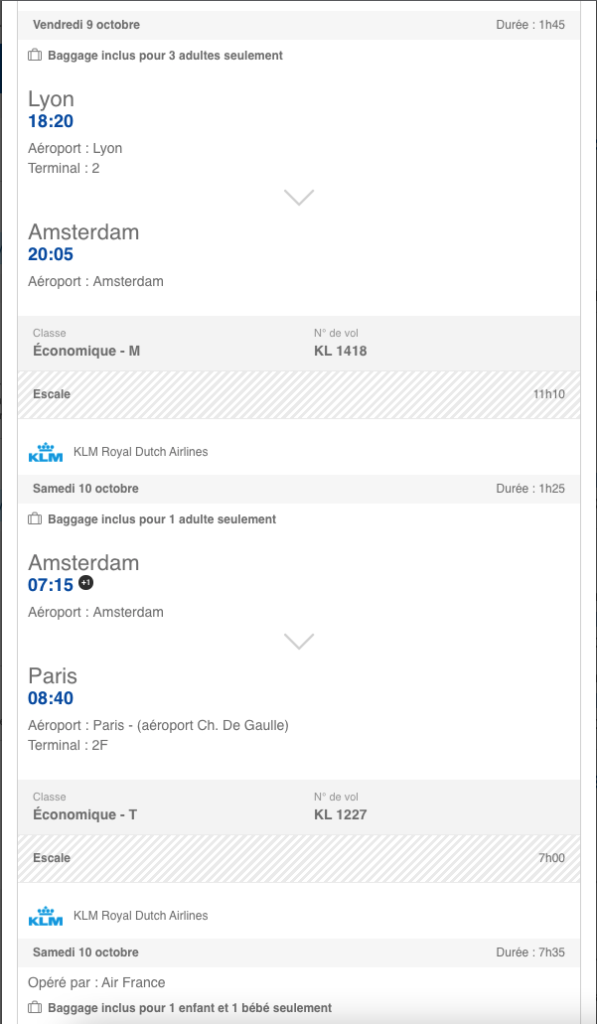
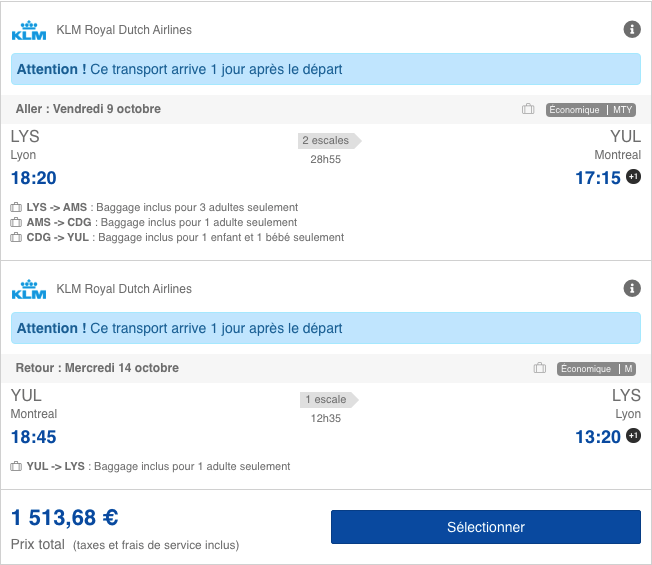
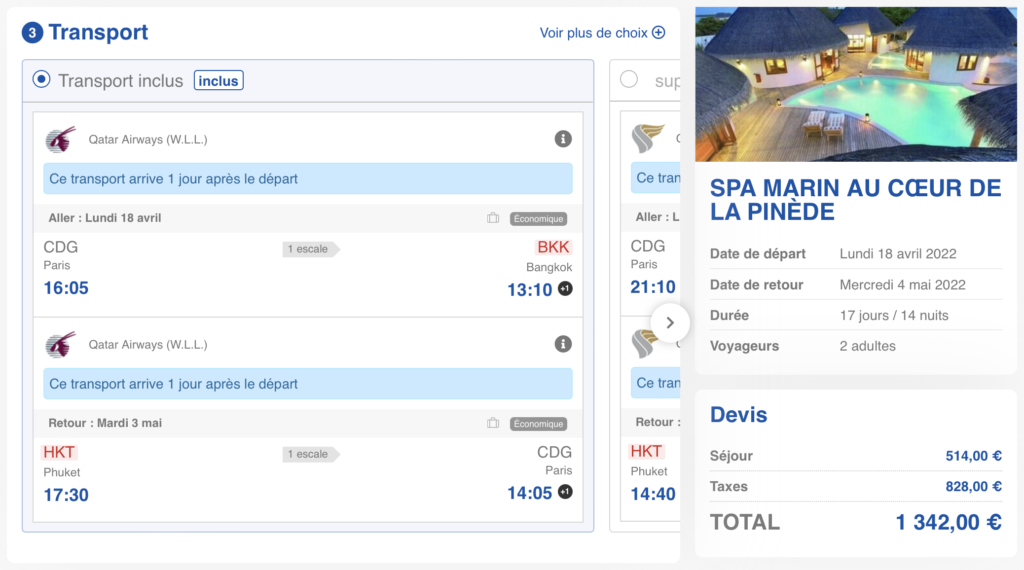
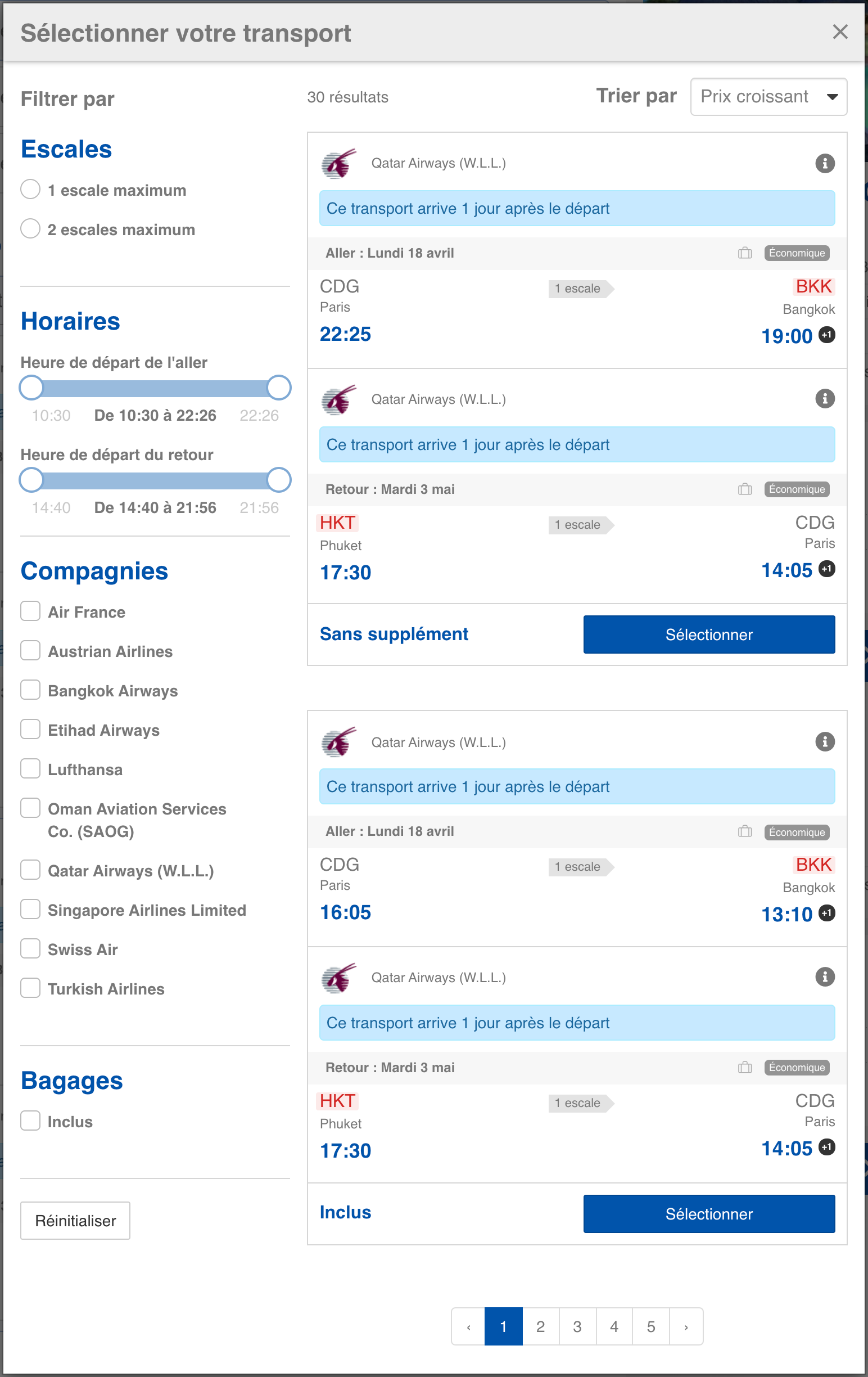
The NDC API has been updated from version 19.2 to a more recent version (21.3+) to meet the new IATA requirements, thereby ensuring the certification is maintained after May 2025 and benefiting from enhanced security and efficiency.
New airline connectivity: Jetstar
A new NDC connectivity with the airline Jetstar has been developed for the client APG, requiring a specific adaptation to transform their non-standard fare system (“Bundles”) and integrate BSP payment methods, in order to open access to their inventory.
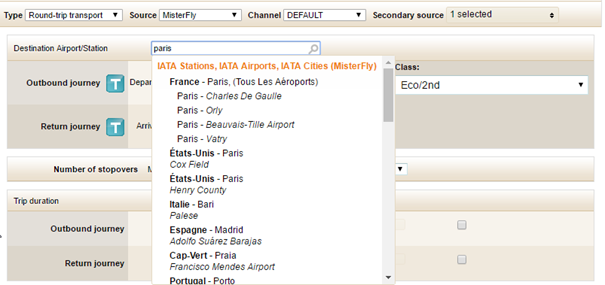
NDC API / Handling of multiple departure and arrival airports in a single request
The Travelsoft NDC flight API has been enhanced to allow searching for flights across multiple departure and destination airports simultaneously (e.g., Orly and Roissy), thus providing more comprehensive and relevant results for the user, who no longer needs to perform multiple searches.
Amadeus / Management of alternative origins and destinations
Flight searches on Amadeus now handle alternative origins and destinations, allowing multiple airports to be grouped into a single request. This optimization improves performance by reducing the number of calls and ensures more exhaustive flight results for partners using the NDC connectivity.
Travelport Connectivity: Ancillary Error Management at Booking Time
For a smoother booking experience via Travelport connectivity, we have optimized the management of ancillary services. Now, if certain services (such as luggage or seats) cannot be confirmed immediately by the airline, the booking will still be confirmed on the Orchestra side, thus ensuring synchronization and preventing errors. A clear message on the page and in the confirmation email will inform end customers of unbooked items, inviting them to contact their agency to add them later.
Integration of Vueling version 21.3
The Vueling connector has been migrated to the new NDC API v21.3 to anticipate the deprecation of the previous version and ensure booking continuity. This upgrade also introduces a new search logic based on Bundle Fares, requiring advanced preprocessing to reconstruct fare offers.
Improved management of special air fares
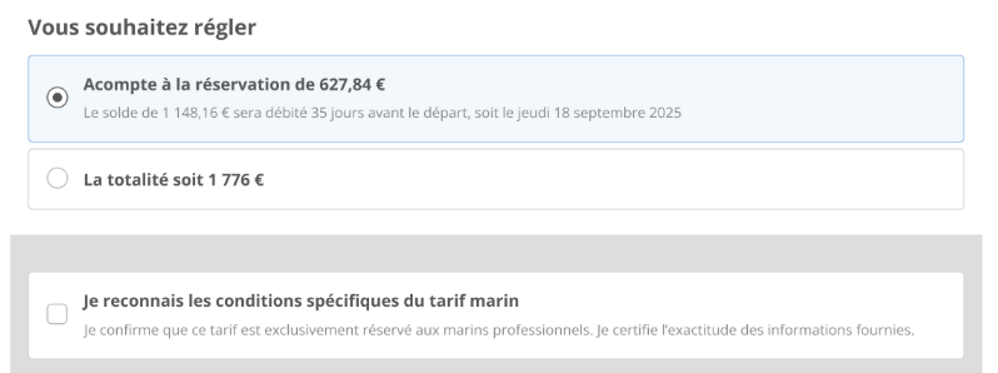
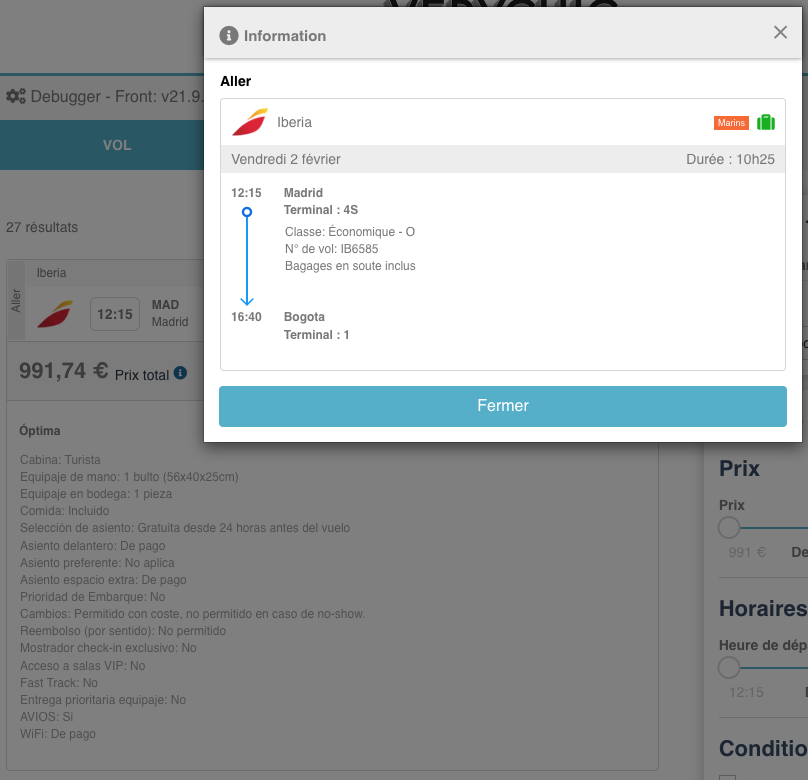
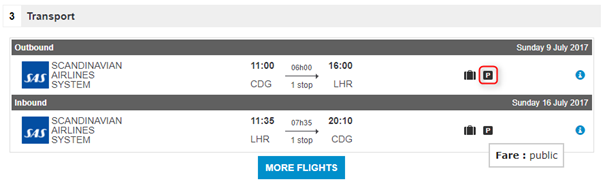
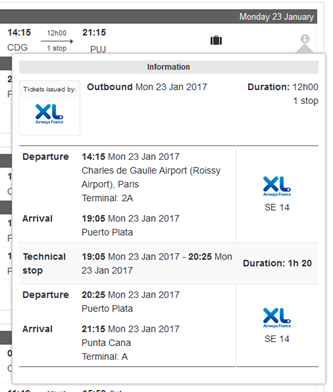
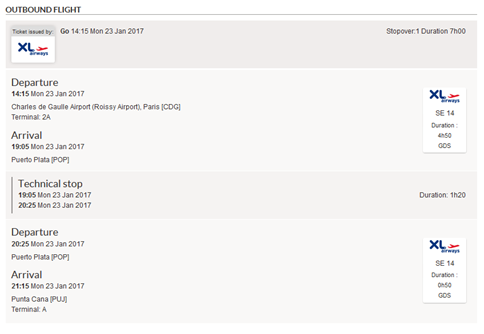
Special airline fares (tour operators and marine) now benefit from increased visibility for agencies, appearing clearly on the flight results page and in the details pop-up.
Additionally, a checkbox has been added to the contact details page, requiring explicit client validation of the conditions associated with these specific fares. This measure aims to reduce bookings of ineligible special fares.
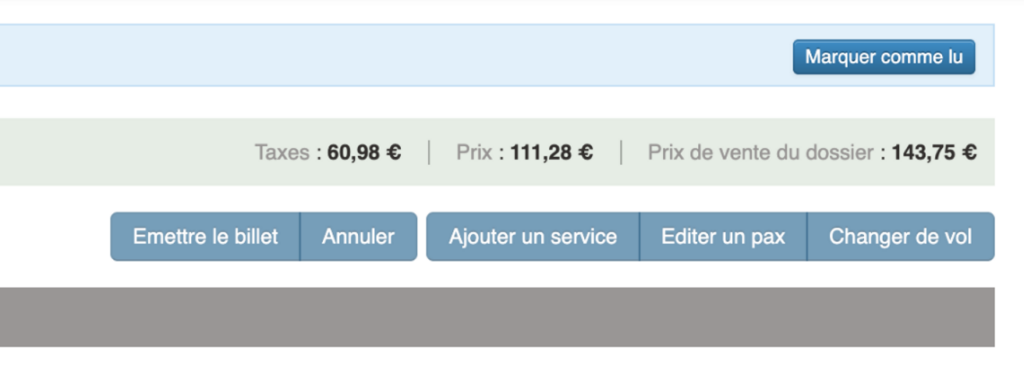
Back-office total file display enhancement
The display of the total transport section of a file in the back office has been improved to clearly include service fees. An additional information line now shows the total amount to be paid (including all services), preventing misinterpretation by agents. This enhancement ensures greater pricing transparency when managing files.
Switch transport/file fee management: consideration of transport sub-sources
A new feature allows the association of file fees, configured via the administration tool, with airlines or sub-sources (secondary sources) defined in the Switch Transport. The secondary source is now included in the calculation of file fees for Dynamic Package and Transport processes.
Desynchronization of NDC files
Support for desynchronized files in Back-Office has been improved. A new ticket issuance status now exists: “DESYNC_ORDER.” This makes it easier to search for files, improves display, and optimizes detection.
Integration of Finnair version 21.3
Connectivity with Finnair has been technically migrated to version NDC 21.3. This allows us to stay up to date with the best available performance for this connectivity.
Integration of Pegasus Airlines version 21.3
Connectivity with Pegasus Airlines has been technically migrated to NDC version 21.3. This allows us to stay up to date with the best performance available for this connectivity.
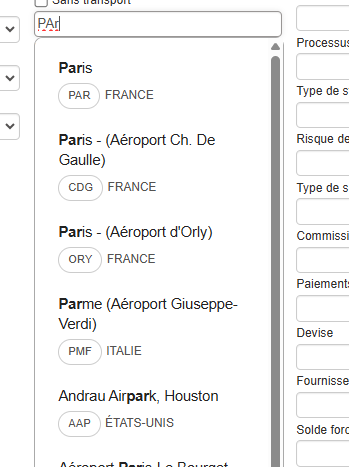
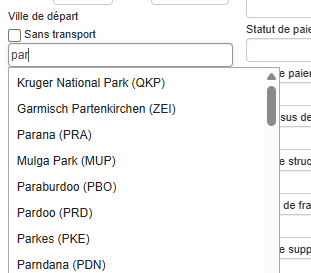
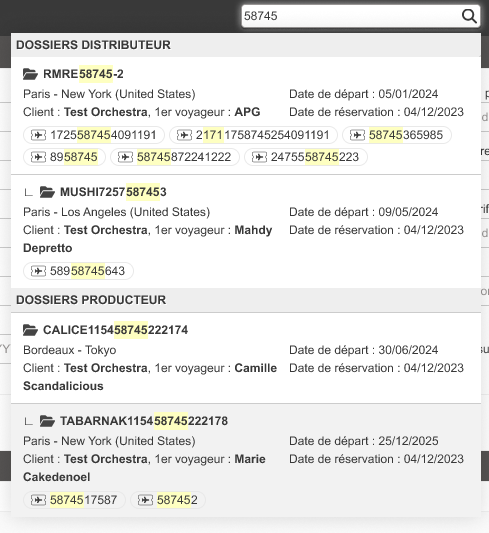
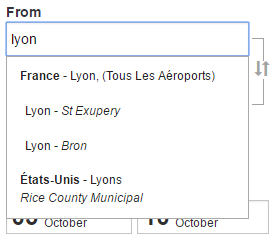
Redesign of origin and destination autocomplete
A graphic redesign has been carried out for the autocomplete feature for origin and destination cities/airports on the booking module and Back Office. This improves the fluidity and display of this tool.
Here is the new version:
Here is the former version:
Improved display of airline notifications
Orchestra has improved the management of flight changes (such as schedule changes or cancellations) from airlines. Once notifications are received from airlines, they are displayed in the “Changes” tab and in the Back Office search lists. Users can now identify, prioritize, and process these changes more quickly, ensuring more efficient and reliable management of your customers’ flight records.
TripAdd integration
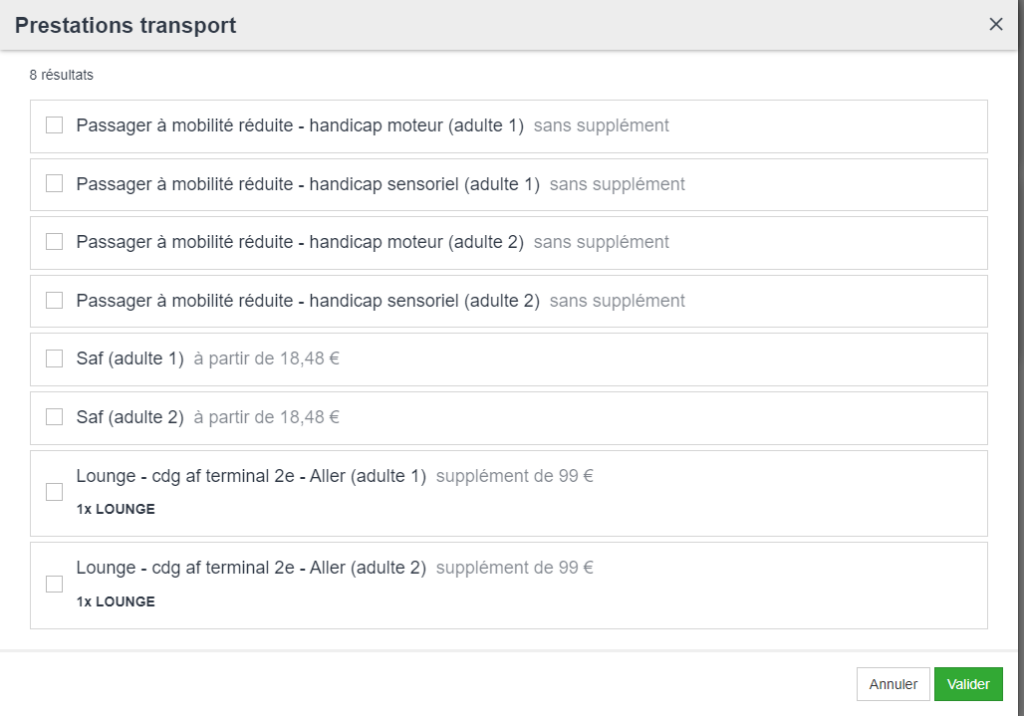
For the process, Transport Orchestra offers Trip Add. This is a provider of complementary services to airline tickets. For example, these include access to airport lounges, transfers, eSIM, baggage insurance, flight compensation, etc.
TripAdd – Transport Complementary Services
TripAdd joins Orchestra’s complementary service providers. Services include airport lounges, transfers and baggage insurance. eSIM and flight compensation complete the offering.
Seat Map – Extended Deployment
Seat maps extend to all compatible airlines. Integration occurs directly in the booking process. This functionality exploits airlines’ native APIs.
Pegasus – NDC 21.3 Update
Pegasus API evolves to NDC version 21.3. Orchestra integrates this new version for bookings. Booking functionalities benefit from significant technical improvements.
Cache integration of Sabre GDS
We have optimized our connectivity with the Sabre GDS by integrating a high-performance caching system that is updated every 15 minutes. This optimization allows for regular refreshing of availabilities and consequently reduces price discrepancies for your flight-related products on the quote page compared to your catalog price.
🚀 Digitrips (Misterfly) new API integration
We have updated our integration with Digitrips (Misterfly) by adopting their new API. This technical enhancement provides a more modern and robust connectivity, ensuring better performance and reliability for all your flight booking operations. New features are also available:
Cabin baggage management: it is now possible to benefit from additional services such as cabin baggage.
Seat map: the seat selection feature (Seat Map) is now available (when offered by the airline).
Air Arabia new API integration
We have updated our integration with Air Arabia by migrating to their new API. This major enhancement now provides access to a richer flight offering, including interline flights across all Air Arabia companies (Air Arabia, Air Arabia Maroc, Air Arabia Abu Dhabi, Air Arabia Egypt).
It is now possible to book a flight from Dubai to Casablanca with a layover in Istanbul, combining Air Arabia (from Dubai) and Air Arabia Maroc (from Istanbul) on a single ticket.
Transport – Precise GDS Source Identification
Orchestra enriches source information for all GDS providers. Amadeus, Sabre and Travelport benefit from this evolution. The exact type is identified: GDS, NDC or Low-cost.
This information appears in bookings and back-office. A filter facilitates search by source type.
Switch Transport – Fare Type Preservation
Fare type deduplication is now optional. The same flight can display with different types. Public and private fares coexist according to configuration.
American Airlines – Disruption Management
Orchestra now manages American Airlines involuntary modifications. Flight disruptions are automatically accepted and processed.
Tictactrip – Passport Information Management
Passport data entry is now possible. Orchestra transmits this information to Tictactrip connector. Requests adapt dynamically to partner requirements.
Tictactrip – Automatic Retry System
Tictactrip API occasionally presents brief unavailabilities. Orchestra integrates an automatic retry system. False technical failures are thus avoided.
Sabre – Source Type Selection
Orchestra now enables Sabre source type selection. Three options are available: GDS, NDC or low-cost. This selection optimizes queries according to your needs.
Transavia – New Virtual Card Endpoint
Transavia payment options expand with a new endpoint. Virtual cards are now accepted. Amadeus B2B Wallet is notably supported.
Travelport – NDC Private Fares
Travelport queries were limited to public fares. Orchestra now integrates access to private fares. All airlines benefit from this evolution.
Jetstar Airways Travelsoft Certification
The Travelsoft certification allows Caravel Travel to distribute Jetstar. To be fully certified as an aggregator, another integration will be necessary.
Transavia – Integration of the Shopping V2 API
Transavia’s new Smart fare offer via the Shopping V2 API has been integrated. It allows customers to benefit from additional services such as cabin baggage and priority boarding. This update ensures full compatibility with the latest developments in the Transavia API.
Tictactrip – Implementation of a replay on API calls
This development makes it possible to manage cases of very occasional random unavailability of the Tictactrip API by making several calls. This prevents “false knockouts” due to technical unavailability.
JejuAir – Post book
It is now possible to modify JejuAir flights in the back office after booking. This improvement was made possible by updating our integration to version 3.15 of Navitaire.
Travelport GDS integration – Search & Book
The Travelport GDS is available.
The integrated features are: search, services, book, issue.
Features not yet integrated: cancellation, passenger and flight changes.
Issuing can be either direct or deferred (on hold), depending on the different requirements of GDS/NDC sources.
Integration of airline loyalty program information
Integration of loyalty programs for Latam Airlines.
NDC integration of the new Turkish Airlines API
The new Turkish Airlines NDC source replaces the old Turkish Airlines integration, which is no longer supported. The migration is technical but also brings new features, including flight changes in the back office.
Seat map is now available for airlines on Sabre
The seat selection feature (Seat Map) is now available for Sabre flights. This includes free seat pre-selection for certain fare families as a mandatory option.
‘Remarks’ comments at the NDC API level is now sent in direct connections
It is now possible to retrieve and send remarks including the file number via the NDC API to airlines. This improvement facilitates the reconciliation of reservations for agencies.
Technical migration from Oman Air to Farelogix V2
The new Oman Air API is available with direct NDC connectivity on the Orchestra platform and replaces the old, obsolete Oman Air API.
Automated flight change on Hitit connectivity
On Hitit connectivity, automated flight change is now available in the back-office. This change includes manual fees handling.
Emirates – Advanced Filtering by Operating Carrier
The Emirates filtering system gains a new option. In addition to global itinerary filtering, Orchestra now enables filtering of flights containing at least one segment not operated by Emirates.
Air France – Seamen Fares with Account Code Configuration
Orchestra now integrates Air France Seamen fares. This functionality requires prior configuration of your account code by Orchestra teams. When selecting a Seamen fare, vessel and port information is collected on the passenger details page for transmission to Air France.
Indigo – Dynamic Baggage Allowance Management
Indigo’s included baggage information is now retrieved and displayed dynamically during the booking process, providing more accurate real-time fare information.
Iberia – Corporate Rates Integration
Orchestra now manages the retrieval of Iberia Corporate rates, expanding access to the airline’s preferential fare offerings.
Iberia – Resident Discount Codes via NDC API
For NDC Travelsoft API users, Orchestra now retrieves preferential rates for Spanish island residents offered by Iberia. This functionality requires specific API query adaptation.
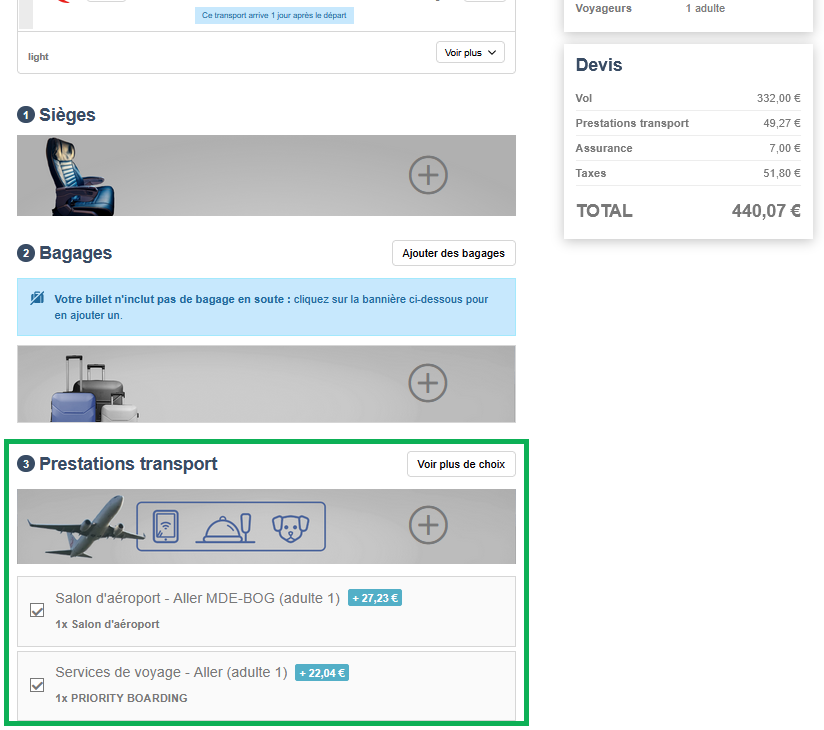
Avianca – New Priority Boarding and VIP Lounge Day Pass Services
Avianca’s ancillary services offering expands with two new options: Priority Boarding and VIP Lounge Day Pass. The presentation of these services in the booking process has also been optimized for enhanced client visibility.
Aerticket Integration
Direct connectivity with Aerticket is now operational on the Orchestra platform. This integration ensures comprehensive access to partner services, from the booking process to back-office management.
Oman Air Technical Migration to Farelogix V2
Oman Air now benefits from optimized direct connectivity via Farelogix V2 technology. This technical migration enhances seamless access to the airline’s services across all Orchestra platform modules.
Lufthansa Group Integration
Direct connectivity with Lufthansa Group is now accessible on the Orchestra platform. This integration enables unified access to all airline services, from search and booking through to back-office management.
Corporate fares for Copa Airlines
Copa Airlines’ corporate fares are available. This is made possible by an “account code” sent to the airline at the first stage of the search.
New payment methods for Travelsoft NDC API
It is now possible to have “BSP” (Billing and Settlement Plan) or “ARC” (Airline Reporting Corporation) payments via the NDC Travelsoft API. This information is transferred to the back office at payment level.
This complements the existing “On account” and “Capping” payment methods.
New contact option for Air France
By default, Air France receives the traveler’s contact information. From now on, another configured recipient can be sent.
It is also possible to send two contacts, agency and traveler.
Customized configuration of e-mail and phone numbers for NDC companies bookings
It is now possible to configure the e-mail address and telephone number transmitted in NDC bookings. This allows you to choose between the customer’s contact details and those of the agency, giving you greater control over the data sent to the airlines.
Iberia seat selection management
Seat selection is now offered in the Transport sec booking process for Iberia flights.
Display of Service Fees on the Offer Page
Service fees are now visible as early as the search results page within the standalone flight sales process, improving transparency for users.
Improved Refund Management with Altea
The Altea transport connector has been optimized to include non-refundable taxes in cancellation fees, enabling more accurate refund handling.
Agency Contact Email Management for Avianca
The Avianca connector has been updated to send the email address of the agency that made the payment (instead of the booking agency) to the airline. This behavior can be configured per booking channel.
BSP Payment Compatibility for Air Arabia
The Accelaero connector has been optimized to support BSP payments for Air Arabia flights.
Updated Baggage Policy Display for Pegasus
Pegasus connectivity has been enhanced to show detailed information about checked baggage included with each fare type during the sales process.
Advanced Configuration for Seat Map Activation
A new setting allows for fine-tuned control of the Seat Map feature. The cabin layout can be hidden while still allowing seat selection when supported by the airline. Activation or deactivation is now managed independently in each airline’s connectivity settings.
Sending an e-mail following a KO from the reservation process
Travel agencies were not alerted when the airline ticket could not be issued automatically at the time of booking. An e-mail has been added to inform the agency so that it can issue the ticket from the back-office.
Seat map activation configuration
A new configuration has been implemented for more precise management of Seat Map activation. If required, it enables the cabin map display to be deactivated, while still allowing seat selection when this option is offered by the airline. Activation or deactivation can now be managed independently in each airline’s connectivity settings.
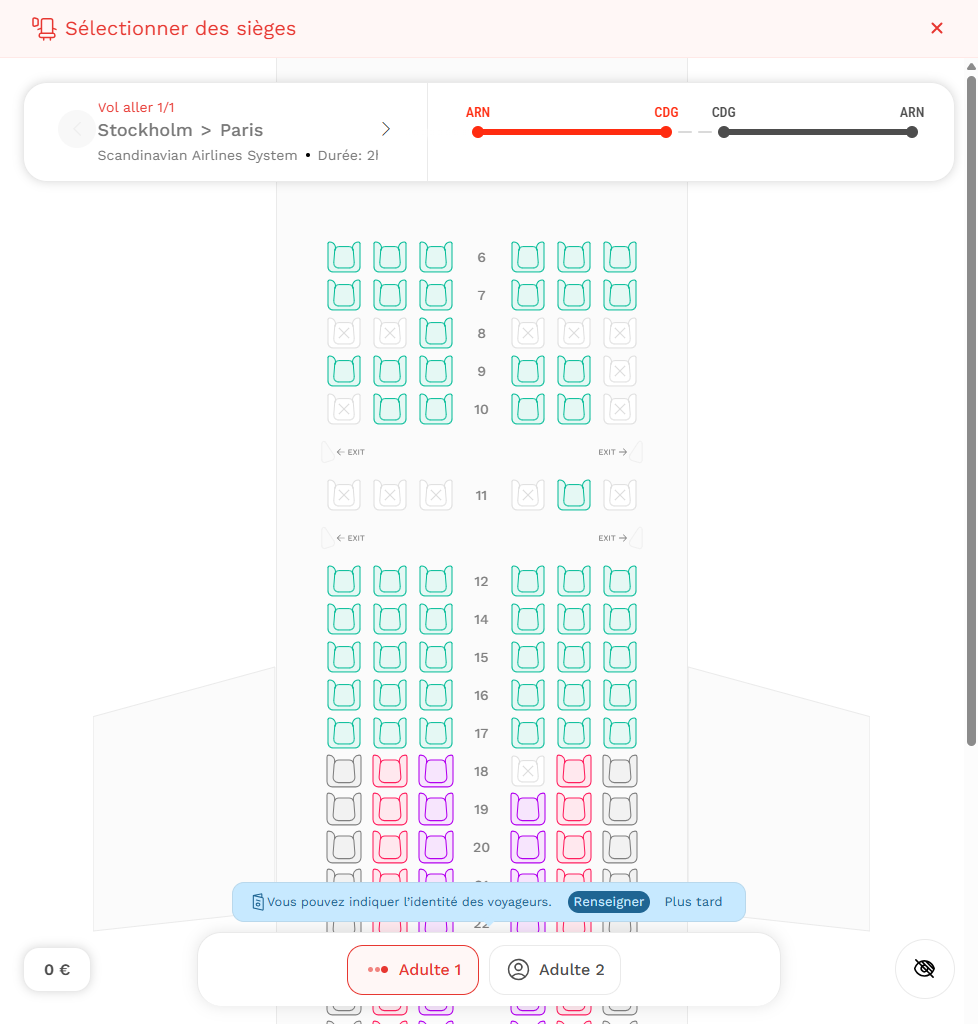
Seat selection via cabin layout
Seat selection via cabin plan is now available in the Dry Transport booking process for Latam Airlines Chile, Avianca , SAS Airlines, Singapore Airlines, TAP Air Portugal, This is available to all passengers on all the segments concerned !
Seat select:
Better handling of Transport data
This optimization improves the performance and stability of the booking instance, especially in the context of large transport responses. Response time are now better.
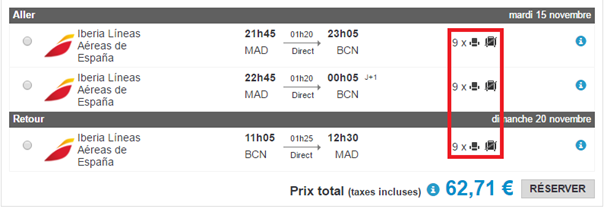
Additional baggage types (hold or cabin) for MisterFly, Vueling or Pegasus
A change has been made to clarify information on additional baggage offered by the airline or another source of transport. Internet users can now distinguish between hold baggage and cabin baggage. Available for Misterfly, Vueling and Pegasus.
Sabre delayed ticket issuing
Delayed issue has been deployed for airline tickets from the Sabre source. This makes it easier to manage the addition of post-booking services from the Back-Office.
JEJU air now integrated on Orchestra
South Korean airline JEJU air is now available with direct connectivity to the Orchestra platform. This connectivity offers seamless access to JEJU air via all modules, from the booking process to the back office.
Standardization of Session Timeout for Multiple Modules
Session duration has been standardized across the Gifted, Capping, Transport Switch, and Dashboards Performances modules :
Configurable session duration
Unified error message with automatic redirection to the main login page of professional modules.
Seatmap for JetStar Flights (excluding NDC)
Passengers can now select their seats during the booking process for JetStar flights (excluding NDC).
Display of Ticketing Time Limit (TTL) in the Sales Process
Ticketing Time Limit (TTL) information is now visible from the flight search stage in the sales process. It also appears on the finalization button for direct ticket issuance. This feature, configurable upon request, is available for American Airlines, British Airways, Air Canada, Iberia, and Oman Air.
LOT Polish Airlines Integration
LOT Polish Airlines is now available via direct connectivity on the Orchestra platform, ensuring seamless access through all modules, from booking to back-office operations.
Sabre Integration
Flights connected via the Sabre GDS are now accessible through all modules of the Orchestra platform, including the booking process and back-office management.
Open Jaw – Transavia
Transavia’s Open Jaw flights are now available in the Orchestra booking process (flights process and pre-packages).
Introducing new meal options on Indigo flights
Additional services on Indigo flights is enhanced with new on-board meal options.
Jazeera Seat-Map now available
Seat selection is now available in the transport booking process for Jazeera flights.
Emergency contact management for Azul in the context of sales via SwitchTransport
In SwitchTransport, it was not possible to add the email and phone number of the lead passenger (pax leader/traveler) exclusively for Azul without affecting other carriers on the switch. An enhancement has been made to the Azul connectivity to handle this specific case.
Integration of the new Transavia API
Migration of Transavia to the new API, now available with direct connectivity to all modules of the Orchestra platform. This development streamlines transport booking, access to B2C offers, use by travel agencies, pre-packaged travel management, and back-office operations.
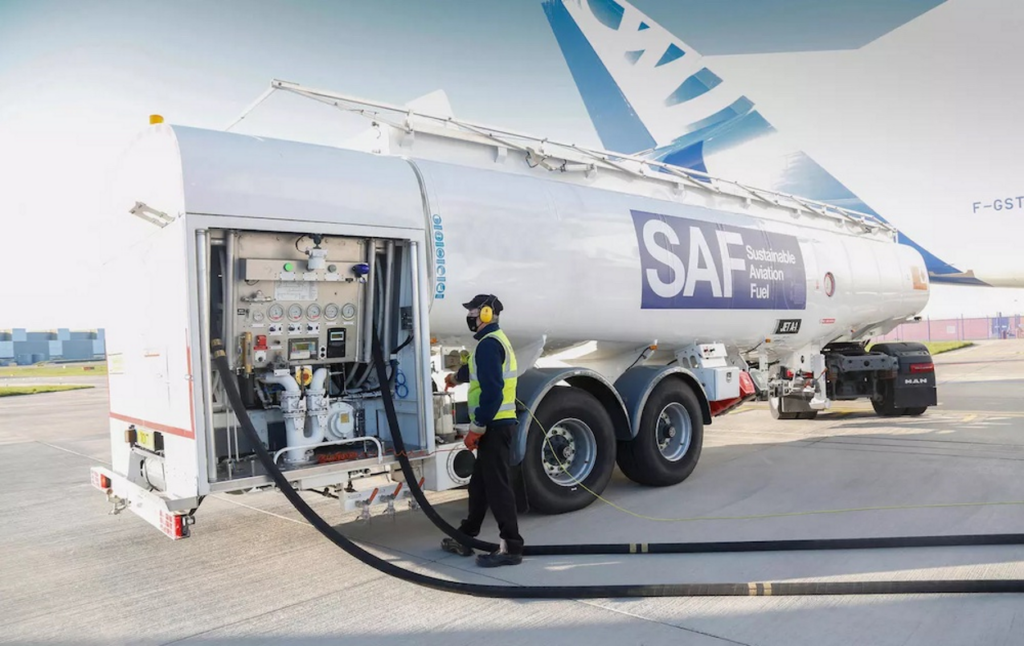
Sustainable Aviation Fuel (SAF) bundles are available for Air France flights.
Sustainable Aviation Fuel (SAF) means that the fuel used is produced from renewable or sustainable sources such as agricultural waste, used oil or non-food raw materials.
These SAF bundle fares enable Air France end customers to contribute to the adoption of greener fuels on their flights. This initiative is in line with the efforts made by many airlines to achieve the decarbonization objectives of the aviation sector. These fares can now be booked as part of the reservation process on Air France flights with direct connectivity.
Program Accounts management improvements for Latam Airlines
Program Accounts management has been optimized to offer better support for corporate tariffs (TO Fare).
Program management is now more dynamic, and can be configured directly from the connectivity configuration, without having to go through the credentials. It is now possible to configure different program codes according to the nature of the flight (domestic or international).
This configuration can be defined by agency or globally, offering customized management of fares and associated programs. Being generic, this feature can be deployed for all NDC airlines.
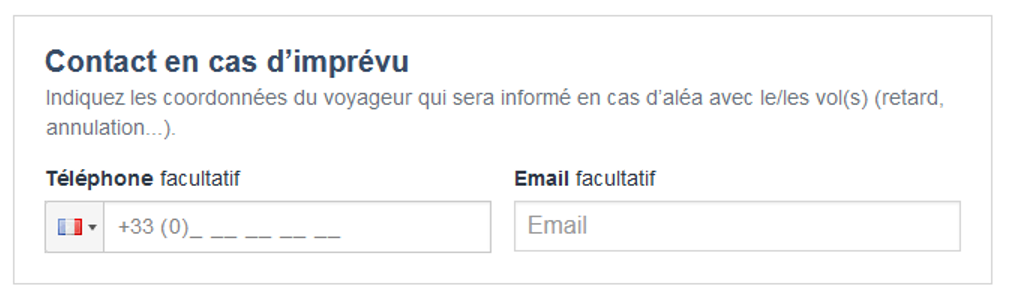
Sending of customer contact information in the event of unforeseen circumstances for the airline Jetstar and the producer Maeva / La France du Nord au Sud
The option of entering and sending contact details in the event of unforeseen circumstances is now available for all Jetstar airline flights and for all products from producer Maeva.com / La France du Nord au Sud.
Direct connectivity with Azul Airlines
Azul Airlines is now available with direct connectivity via the Orchestra booking platform.
Direct connectivity with Jazeera Airways
Jazeera Airways is now available for direct connectivity via the Orchestra platform booking process.
Vueling improves flight time calculation service
This development corrects the lack of flight duration data in the Vueling cache.
A calculation solution has been implemented to automatically calculate flight duration. This calculation is based on local departure and arrival times, the IATA codes of the cities or airports concerned, and the time difference to provide an accurate estimate.
Direct connectivity with the airline Air Canada
The airline Air Canada is now available for direct connectivity via the Orchestra platform booking process.
Direct connectivity with Xiamen Airlines
Chinese airline Xiamen is now available for direct connectivity via all Orchestra platform modules (B2C & B2B transport booking process and back office).
Optimizations on the Air France airline connectivity
We have carried out several evolutions on the connectivity of the airline Air France:
Opening up the sale of bundles with seats: it is now possible for customers to book a bundle with a seat, i.e. a flight associated with a seat at a preferential fare on Air France.
Removal of the surcharge applied by Air France, enabling more competitive fares to be obtained.
Lounge: Lounge access can now be booked on Air France flights.
“Marin” fares: Air France connectivity now makes it possible to book flights with ‘Marin’ or ‘Seamen’ fares for professionals in the maritime sector.
Fare query: thanks to this optimization, a single query is now sufficient to request several types of fare when using Air France connectivity.
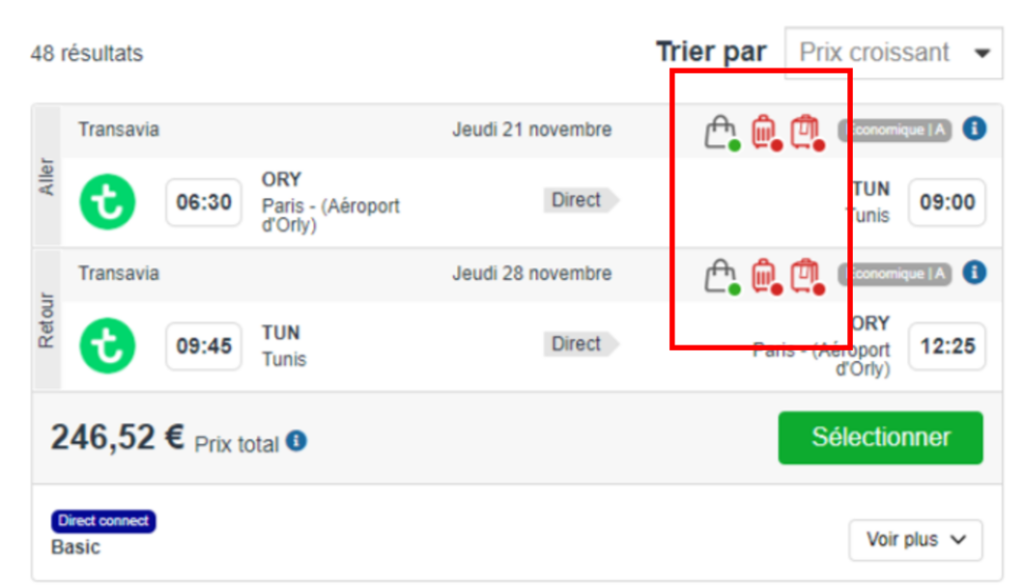
Addition of cabin baggage information
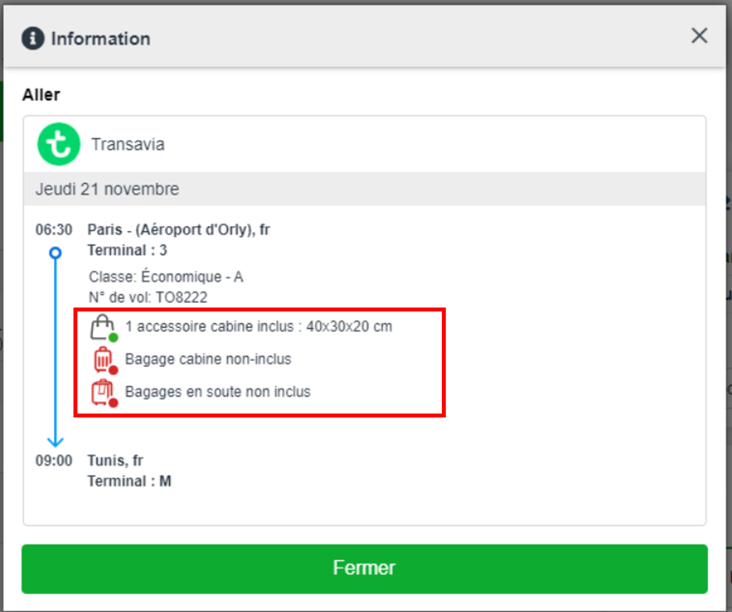
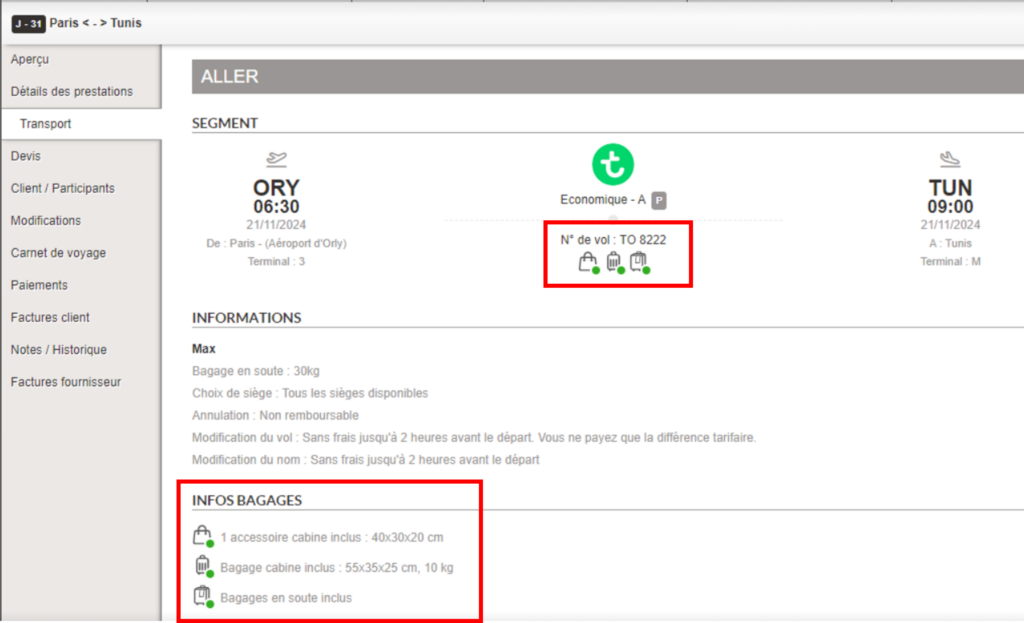
In the booking process, it is now easier to see whether or not cabin baggage is included in the transport being booked, as well as details of the size and weight of this cabin baggage. Pictograms have been added to make the information easier to read, and clicking on the “i” opens a tooltip showing the size/weight of the baggage included.
In the back office, information concerning cabin baggage and its detailed size and weight will be visible in the transport section of the booking. This will enable the travel agent to easily answer any questions the customer may have on this subject.
Opening a booking in the back office at the end of a reservation with flight
In a B2B context, when a travel agency books a flight, it can issue the tickets directly at the time of booking, or do so later from the Orchestra back office.
To simplify the two-step booking process, a link has been added to the confirmation page of the sales process, enabling agencies to access the corresponding file in the back office directly.
This feature can be activated via a configuration for all booking processes (Package, Transport-only, Hotel-only, Dynamic Package).
Modification of Pegasus Airlines tickets
The post-issuance ticket modification feature is now available for Pegasus Airlines flights, from the Orchestra back office.
Cancellation policy for Amadeus transport source
Flight cancellation conditions from the Amadeus source are now handled directly on the Orchestra platform.
Integration of assistance services for passengers with reduced mobility for Air France
We have integrated assistance services for passengers with reduced mobility on Air France flights.
Reduced mobility status and type of disability are available in the booking process and Orchestra back office.
Ticket modification for Aegean Airlines
Post-issue ticket modification functionality is now available for Aegean Airlines flights from the Orchestra back office.
Automated post-cancellation reimbursement process for transport bookings
We have developed a solution to automate the refund process in the event of involuntary cancellation of an air travel booking, i.e. unilateral cancellation by the airline.
Whereas in the past one had to manually reimburse the travel agency from the back office, and re-credit the agency in the event of payment via an open or prepaid account, these two processes are now automated:
Initiating the refund
Debiting or crediting the travel agency’s prepaid or open account when a payment is made from the Orchestra back office.
Direct connectivity with Etihad Airways and SAS airlines
The Emirati and Scandinavian airlines Etihad Airways and SAS (Scandinavian Airlines System) are now available for direct connectivity via all Orchestra platform modules (transport reservation process, B2C, agency, pre-package, back office).
Improved auto-completion mechanism in transport search engines
The auto-completion mechanism has been improved to make it more relevant for dry flight and dynamic package searches.
Labels have been updated, and new sorting rules have been implemented to improve the retrieval of search results.
Finally, auto-completion is now able to recognize content entered by the user, regardless of punctuation or accents.
Set up travel document dispatch according to flight origins and destinations with Amadeus
For the Amadeus transport source, and in the booking process, the sending of travel documents can now be activated according to the country of origin or destination of the flights in the file.
This makes it possible to set up the sending of travel documents only for destinations that require passenger travel documents.
This feature can be set via the connectivity configuration.
Improved notification mechanism for transport-related changes
The mechanism for sending notifications has been improved to better target the recipients to be alerted following transport-related changes to a booking. For example, it is now possible to choose not to send notification of the ticket issue date to the producer’s partner agency, as this information is of no use to them.
Sending customer contact information in the event of unforeseen circumstances for Air France flights
The functionality for entering and sending contact data (telephone number or e-mail) in the booking process and Orchestra back office is now supported for Air France flights.
This feature can be activated via the booking and connectivity configuration.
Direct connectivity with Copa Airlines
Copa Airlines is now available for direct booking on the Orchestra platform, across all channels.
After-sales management for this airline will be offered in a later version.
Integration of the new Amadeus “B2B Wallet” API
We have implemented the new Amadeus “B2B Wallet” API. This API enables flight bookings to be settled with airlines that require credit card payments, such as low-cost carriers.
The “B2B Wallet” solution can be activated via configuration.
New overnights prioritization mode for Dynamic Packages stays
In the Dynamic Package booking process, for flight and hotel proposals with different “overnights” (D-0, D+1, D+2), it was already possible to parameterize the booking to favor the selection of the best answer, for example, the cheapest flight and hotel combination.
A new modality has been implemented to favour the list of results containing the fastest outbound flight.
Enhanced information in the Amadeus Passenger Name Record
For bookings including transport products with the Amadeus source, it is now possible to trace the billing agency, i.e. the agency making the reservation in B2B or the default agency in B2C, in the Passenger Name Record (PNR) of the Amadeus system.
A note on the agency code is sent to the Amadeus PNR.
This information can be found in the user profile of the administration tool, in the “CAB Code” field.
Sending customer contact information in the event of unforeseen circumstances
In its resolution 830d, the International Air Transport Association (IATA) specifies that travel agencies must provide passengers’ contact data (telephone number and/or e-mail) in bookings, to enable the producer or carrier to contact customers in the event of unforeseen circumstances (strike, cancellation, flight delay).
Entry and transmission of contact data is now managed on the Orchestra platform and for certain air transport sources.
Entry of the telephone number or e-mail address is managed in the booking process and in the back office.
The transportation sources supported for this feature are Amadeus and Transavia.
The functionality can be activated via the booking configuration and connectivity.
We have taken advantage of this development to improve and standardize the format of the number entered in the existing “Phone” fields in the booking process. This new format is activated by default for all customers, and can be set (deactivated) as required via a reservation configuration.
Financial code management for some airlines with direct connectivity
Information on “financial codes” can now be transmitted to certain airlines at the time of booking.
This change affects the following airlines:
LATAM Airlines, for codes sent for the entire booking;
Avianca, Copa Airlines et Iberia, for codes sent at passenger level.
Simplification of transport fields on B2B product pages
We have optimized the transport fields on B2B product pages, notably by removing the airline selection option. Class selection is still possible on B2B product pages.
Addition of ancillary services for Iberia airline
We have added ancillary services to the flight booking process for Iberia: priority boarding and sports baggage selection are now available for Iberia flights.
Direct connectivity with LATAM Airlines
The airline LATAM Airlines is now available with direct connectivity via all Orchestra platform modules (transport booking process, B2C, agency, pre-packaging, back office).
Improved “See more choices” graphics on the Transport carousels
Graphic improvements have been made to the booking process for the Transport, Luggage and Transport Services sections, to make them more intuitive and ergonomic to use. In particular, a “See all choices” button has been added for mobile bookings.
Improvement of the “capping” payment method
For flight bookings, we have optimized the “capping” payment method so that it only appears when an agency account has been initialized.
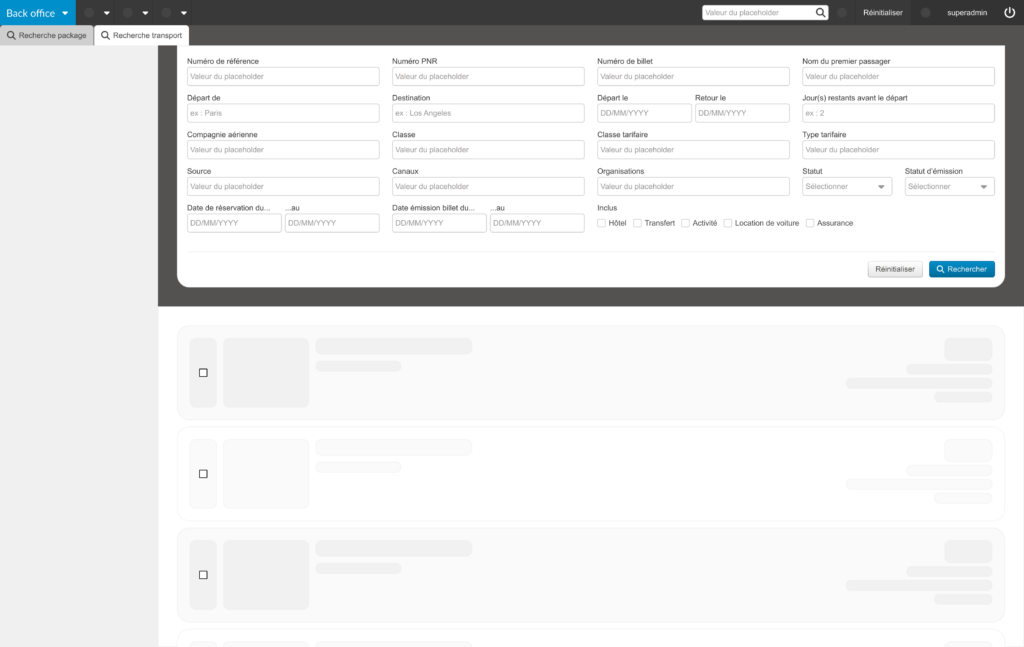
Addition of search fields in the Transport back office and graphic redesign of the quick search function
It is now possible to search for flight bookings by ticket number and/or date of issue, thanks to new fields added to the Transport back office.
The search by ticket number is also integrated into the “Quick Search”.
This evolution is accompanied by a graphic redesign of the “Quick Search” to make it more ergonomic.
Limitation of available flights in the indirect booking process
In order to improve flight booking performance, we have implemented an optimization that limits the number of flights retrieved when searching for availability. This concerns the indirect booking process.
This optimization can be activated via a configuration.
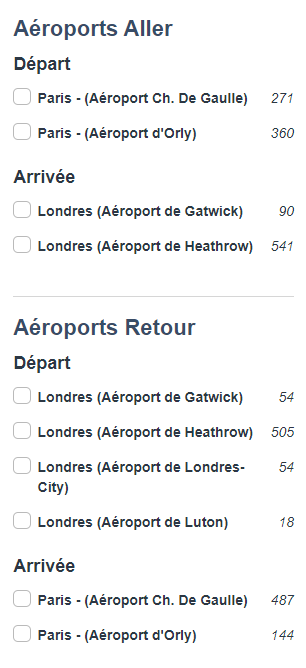
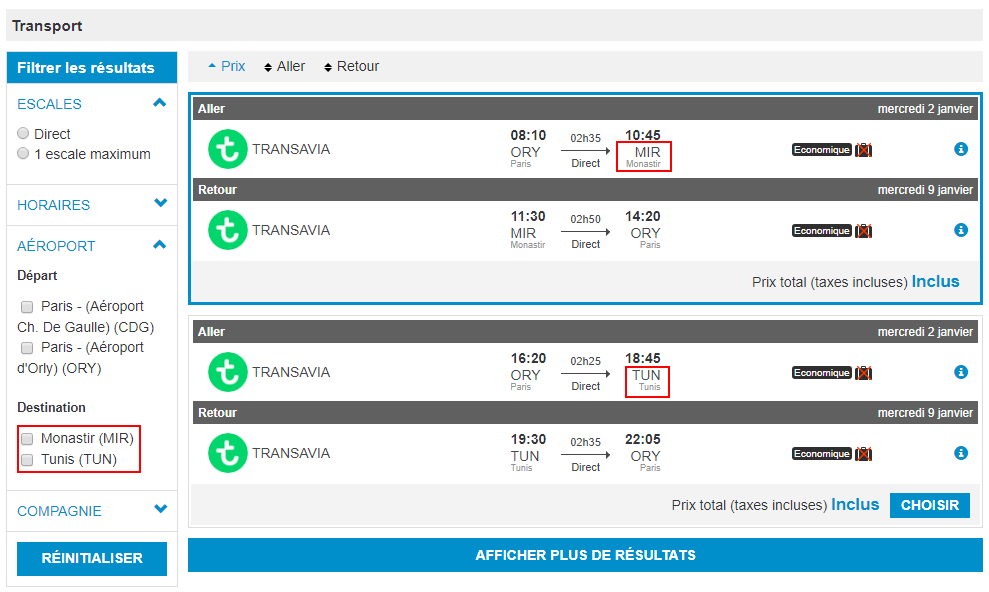
Improvement on flight filters by arrival and departure airport
We have made functional and visual improvements to the filters used to refine flight searches.
In all booking processes, it is now possible to filter flights by departure airport, arrival airport, for the outbound and return flight.
Previously, it was only possible to filter by departure and arrival airports for the outbound flight.
Enrichment of destination airports available with Amadeus in the Transport booking process
We have enhanced our connectivity with Amadeus, making it possible to enrich the destination airports available for flights in the Orchestra platform’s Transport booking process.
Previously, this was only possible in the Package booking process.
Integration of new airline loyalty programs
Passengers with frequent flyer numbers on certain airlines can now enter this information into Orchestra’s booking process to earn points in their loyalty accounts.
The frequent flyer programs have been integrated for the following airlines: Air France, American Airlines, British Airways, Ethiopian Airlines and Iberia.
Direct connectivity with TAP Air Portugal
The airline TAP Air Portugal is now available with direct connectivity via all Orchestra platform modules (transport booking process, B2C, agency, pre-packaging, back office).
Addition of luggage for Nouvelair flights
Luggage services are now available when booking Nouvelair flights, via the Hitit connector.
Marine fare management for Iberia
An upgrade has been made for airlines offering the “Seamen” or “Marine” fare typology.
This tariff class is now available for Iberia flights.
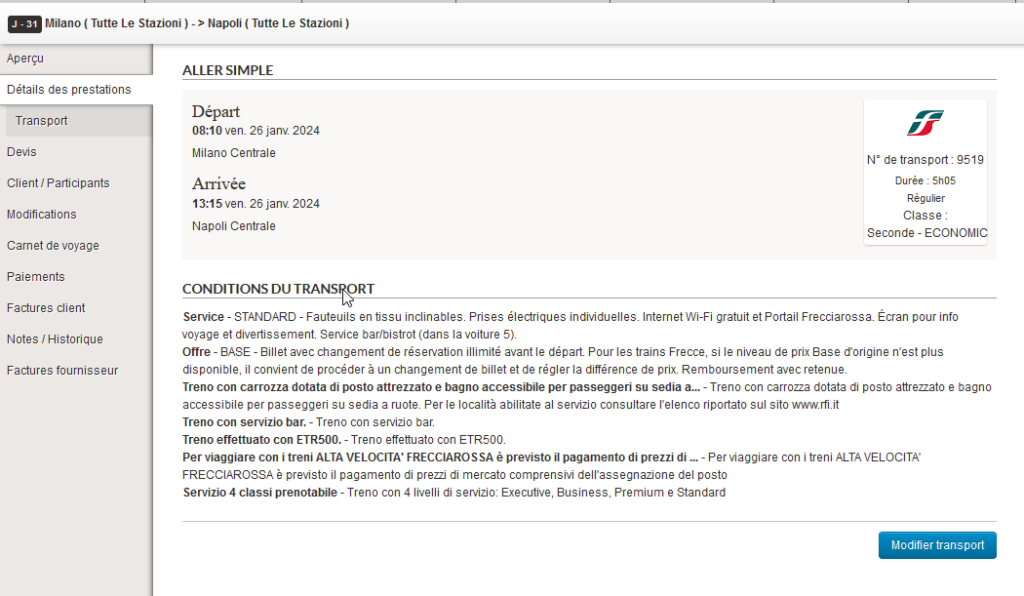
Trenitalia cancellation conditions added to the back office
For reservations made with Trenitalia, ticket cancellation information is now recorded and visible in the booking details in the back office.
This information is available in the Transport tab, the service details tab and the booking email, for all ticket classes.
Luggage pictogram management on Taranis
We have upgraded the Taranis connector to dynamically display information about luggage included or not included in the reservation process.
Enhanced availabilities for direct and committed flights
In the context of the sale of pre-packaged products, we have made evolutions to enhance the volume of stays available including direct and committed flights.
It is now possible, via a configuration, to search for additional and alternative availabilities with direct and committed flights.
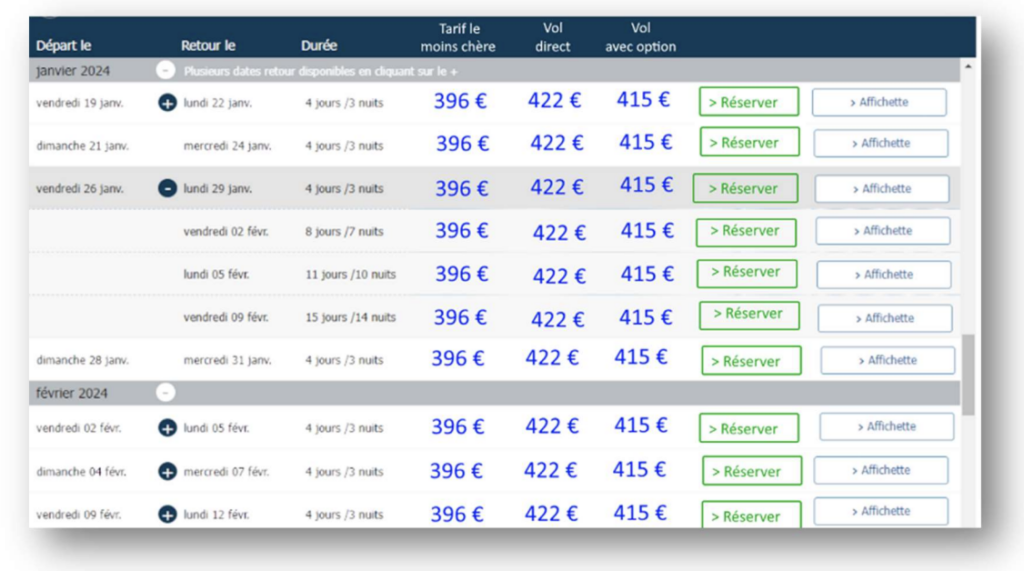
The information indicating whether the flight is direct, charter, with or without baggage included, has been added to the “Availabilities and fares” table in the product page in the administration tool, as well as on the B2C websites and the availability exports.
Automatic “Waiting for confirmation” ticket issuing
We have improved the ticket issuing mechanism for airlines handling multi-stage confirmations, to enable 100% automatic ticketing.
This is particularly useful for pre-package bookings.
Integration of airline frequent flyer programs into the booking process for some airlines
Passengers with frequent flyer numbers from certain airlines can now enter this information into Orchestra’s booking process to earn points on their frequent flyer accounts.
Frequent flyer programs have been integrated for the following airlines: Aegean Airlines, Hawaiian Airlines, Avianca, Finnair, Singapore Airlines and Qatar Airways.
Prioritization and filter of flights by type in the booking process
In the context of pre-package sales, we have added the ability to prioritize the display of flights by type at the transport selection stage.
The different flight types available are: charter, allotment, low cost and regular.
Charter flights, for example, can be displayed before other flight types.
Filters by flight type have also been implemented in this evolution.
By default, the cheapest flight is selected and displayed first at the transport selection stage.
Configuration to hide “agency fees” fields
We have added a configuration in the transport back office to show or hide the agency fees in the pop-ins of after-sale functions (issue, modify, cancel).
By default, these fields are now hidden.
VFR fares on Oman Air
VFR fares (Visit Friends and Relatives) are now available for Oman Air in direct connectivity.
Managing waiting and timeout delays with Resaneo
Maximum response times are set for the various sources in order to guarantee optimum functional efficiency in the event that some sources have long response times.
The waiting time for Résaneo has been managed in such a way as to prevent orphan bookings while maximising the OK booking rate.
The booking is then managed as a “validated” booking with a pending issue status to indicate that a check needs to be carried out.
Tictactrip connectivity
The new Tictactrip transport source is now available as a new multimodal transport source (combination of train and bus).
An additional sort has been added that faithfully reflects the order in which the transport is displayed, as returned by the source. On this specific sort, no additional sort is performed by the booking process.
New transport filters have also been added: ‘Bus company’ and ‘Type of transport’ (air, rail, road). These two filters work in the same way as the ‘Company’ filter, i.e. the hits are all the possibilities (outward + return) that contain at least one compatible segment. For example: if you filter by the “TGV” mode of transport, a transport with a TGV outward journey and a Flixbus return journey will come up.
Please note that it is not yet possible to choose the class of transport. Tickets are issued automatically when you book, with a configurable waiting time to increase the confirmation rate.
Ticket collection is automated in the Transport Backoffice.
“Marine” fares and Inclusive Tours
The “Marine” fare type has been added for airlines offering it.
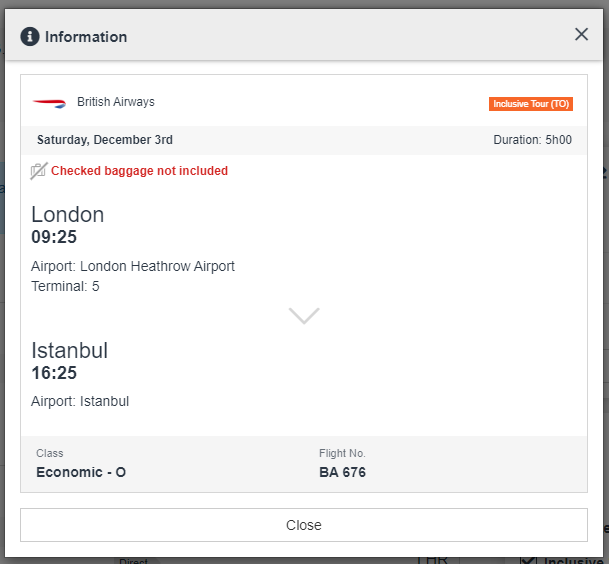
Similarly, for greater clarity, the “IT” fare type has been renamed “Inclusive Tour” (TO) in the flight information pop-in like the others fares already implemented : P (Public), N (Negociated), C (Corporate) :
Flight information pop-in
Contact d’urgence Transavia
La connectivité directe avec Transavia a été améliorée de façon à gérer les contacts d’urgence occasionnant potentiellement une forte charge sur les agences.
Cette fonctionnalité est applicable par configuration.
Openjaw management in Switch Transport
The transport switch is now able to serve openjaw packages by automatically filtering the sources able to provide openjaw transport. In this way, the Switch source can be configured by default on all pre-packages, guaranteeing access to the best fares for these stays.
Seat selection for Trenitalia
When the choice of seat is available for the chosen route, it is offered at the time of booking.
Automatic inclusion of new secondary sources (airlines) in the Transport switch
Now, when the switch is configured on a pre-package, all secondary sources are automatically taken into account, including those that will be added later. No configuration will be necessary, this is automatic for all providers connected to the switch.
Improved selection of transfers and transport services (luggage, ancillaries)
From now on (depending on the configuration), in the responsive booking process, the list of available transfers, luggage and ancillary products will be updated with each change of transport to match the specificities of the selected flight.
Void Management
This new functional evolution aims to automate the cancellation of fees for reservations that have been cancelled within 24 hours of issue, or for reservations that have not yet been issued.
It automates the implementation of common practices in the airline market where issue fees are not charged when the reservation is cancelled on the same day before midnight (often from the “point of sale”).
This automation will be implemented for reservations that meet specific void-ability conditions and the fee will not be automatically waived for reservations that do not meet these conditions.
A configuration will identify the types of fare lines that can be cancelled under these conditions. The time between the reservation and the cancellation request and the status of the reservation will be taken into account.
The interface will be enriched to display specific cancellation conditions to remind agents why certain fare lines can be cancelled.
Evolution of the Resaneo source
The integration of the Resaneo source has been increased as well as the reservation process in order to allow the management of train reservations. In particular, the following features have been added:
Added a cache for trains
Updated the API to include additional functionality
Added an autocomplete function for train search
Management of the booking agency code
Management of the type of transport (Air, Rail)
Management of station coding
Adaptation of the functionalities for reservations
Implementation of fare conditions for reservations
Adding the possibility to display a pictogram for luggage included or not
Implementation of a filtering system for train types
Added the possibility to see the seat/car number for reservations
Management of the margin
Evolution of the user interface design to adapt to Train products.
Payment rights in the Backoffice
It is now possible to disable payment capabilities in the backoffice in order to separate “air fulfillment” payment actions from payment actions on files in general.
Modification of files by airlines
In the context of production-distribution via Direct Connect companies in pre-pack or dry flight. The management of the files varies according to the modifications, some require actions and others are modifications for information.
Functional description
The aim is to make the processing of messages sent by airlines clearer.
First, we must distinguish between changes that inform and are without consequence (Example: Addition of phone or identity information) of changes that can impact the file (Example: change of flight)
Then on the modifications that impact the file, we must distinguish two sub-sets:
The quick modifications to be processed. For example, the outbound flight is shifted by one hour and does not impact the rest of the file
Changes that require a longer processing time. For example, the flight is shifted by one day. In this case, the rest of the trip must be reviewed with the customer.
Case of use
Case 1: A modification arrives, there is no action, the modification must go in the list: “Information”.
Case 2: A modification arrives, there is an action to carry out, the modification must go in the list: “Fast treatment”.
Case 3: A modification in the list “Fast treatment” is validated, it disappears from the list.
Case 4: A modification in the “Quick treatment” list cannot be validated. It must be possible to put a “LowPriority” label. The file must be sent to the “Long processing” list.
Management of the ticket price guarantee deadline
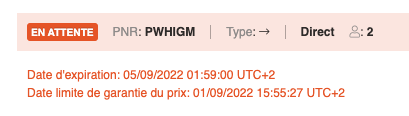
For transport sources that do not guarantee the price until the TTL (Time-to-live), the price guarantee deadline (PGTL) is recorded in the backoffice and displayed in the Transport tab
The PGTL is received at the time of the book, either from the source response or using the current date at the time of the book if the price is not guaranteed according to each source type.
Display of TTL and PGTL in the back-office
If the PGTL is exceeded, the getBooking transaction triggers a “reprice” to update the price in the file before the issue when the “Issue tickets” button is clicked.
This function does not require any special configuration. If a source doesn’t return a PGTL, it means that the price is guaranteed until the TTL.
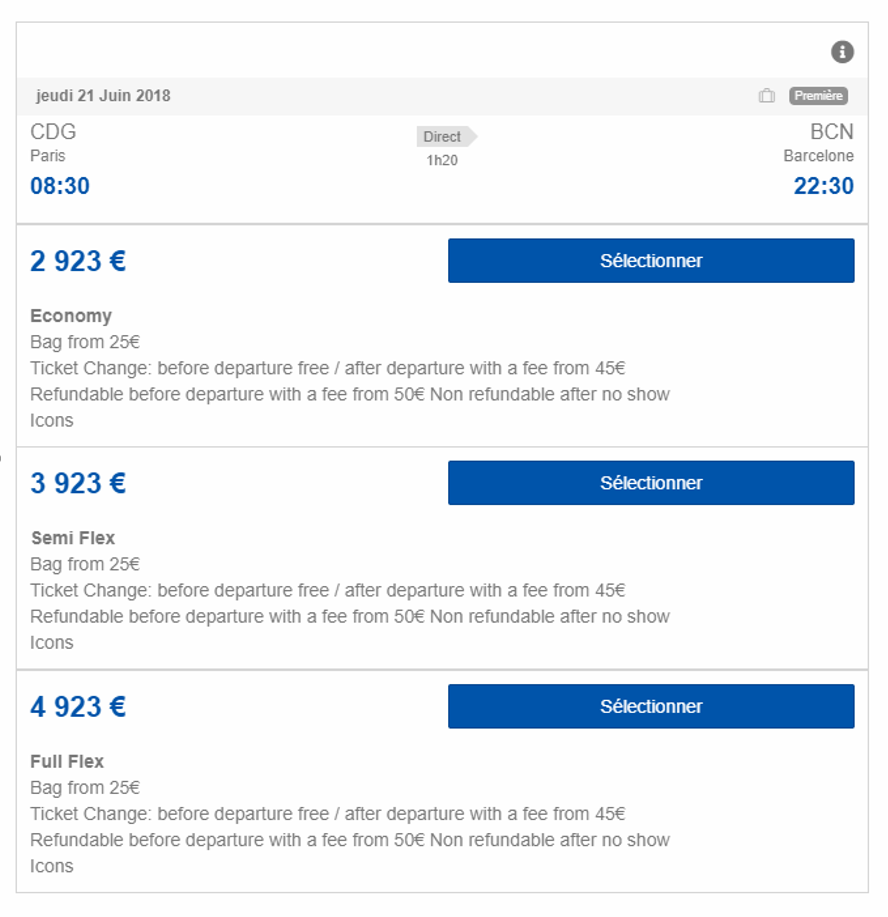
Offer three flight fares Economy, Semi-Flex and Full Flex
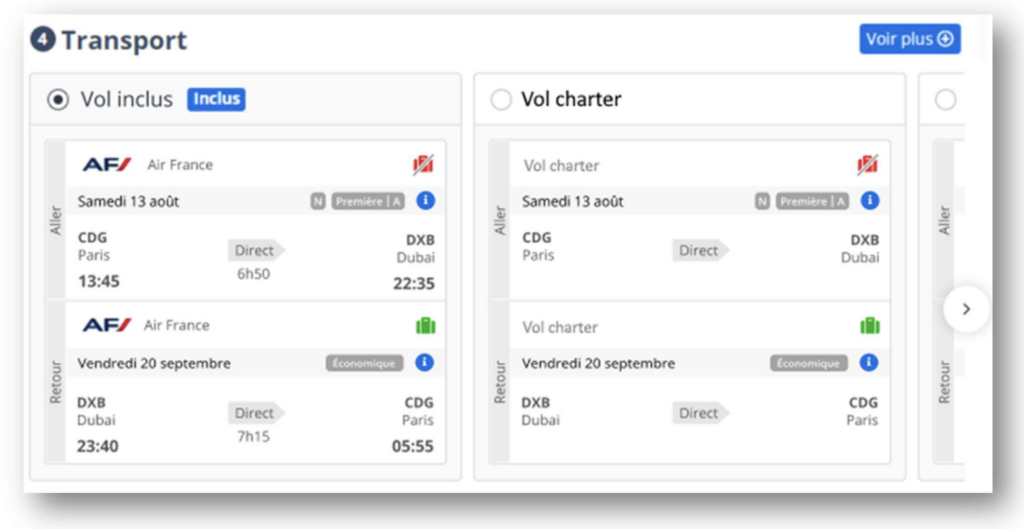
A generic mechanism has been implemented to allow the aggregation of identical flights (by flight number, by airline, by schedule) and to propose them in a modal window (bags included, transport class, booking class, fare family, price), the rest of the process remains unchanged.
Example of display
This works in Flight-only Process and Dynamic Package, in combined mode but also flat, on any company that provides the necessary information.
If a flight is alone in its “group”, the modal window is not displayed, the classic display is used and the flight is selected directly.
A specific implementation will be necessary and will differ depending on the distributors.
Connectivity of B2B autocompletion with airline profile
The airline profile is a sum of information about an airline in direct connectivity, which includes the list of routes available via this airline.
An autocompletion of a destination on a single-airline source should therefore only be completed automatically on the basis of the origins and destinations available on this airline, as well as when querying a switch aggregating several airlines in direct connectivity.
Clarification of the action when booking an airline ticket in direct connectivity
When booking a flight with direct connectivity, the ticket may be booked only, or with direct issue (and therefore a payment).
The wording at the time of booking has therefore been revised: Book on a simple reservation. Issue when booking with direct issue.
The coherent means of payment are then also proposed (CB payment, if applicable) and payment on account (if no limitation is activated or the balance is below the current limitation.
Distinction between Issue and Book actions when booking transport
Improved payment choices and wording to be consistent with booking and issuing conditions, and clear to agents.
The means of payment and the wording of the payment button is consistent
“Book” in the case of a reservation without automatic issue.
“Issue” in the case of a reservation with issue.
Use cases :
To book a flight without the need to issue: The CB payment method is not proposed (just “On account”) and a “Book” button is displayed.
Book a flight that needs to be issued: A CB payment method and “On account” are proposed. The latter is of course only proposed if capping is activated and authorized and with a sufficient balance.
Filtering transportation proposals via an O&D list
In order not to propose flights associated with airports that a tour operator does not want to propose we have set up an evolution as close as possible to the connectors to filter all the transports that correspond with a list of airports in configuration.
The filtration will be done by origin and destination, for example:
Filter all departures from BVA: BVA-*
Filter all destinations to DJE: *-DJE
Filter all pairs BVA => DJE: BVA-DJE
The stopovers have no impact, we look at the origins and destinations of the Itineraries, not the segments.
Exclude all flights based on the issuing companies
Via configuration, it is possible to technically filter the flight proposals in order to exclude a list of companies and to technically lock the possibility to book this list of companies.
Resaneo booking workflow optimisation
The Resaneo transport source call workflow has been redesigned to improve performance and reduce waiting time for customers and agents, especially when booking pre-packages built with this transport source.
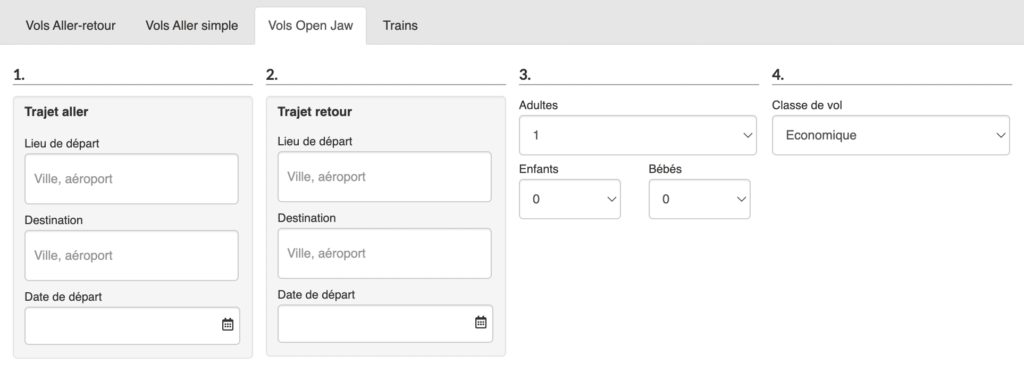
Open Jaw flights in B2B
Generic B2B Products and Reservations Module
The generic B2B products and reservations module is now equipped with a transport search engine in Open Jaw.
Airline Profile
The Airline profile of each airline allows to know the different origins and destinations (O&D) on which the airline operates
It allows you to auto-complete the form entries in a way that is relevant to the airline’s constraints and does not propose origin and destination options that are likely to provide results
It also makes it possible to avoid querying an airline on an O&D that it does not desert.
Transavia in direct connectivity
The airline Transavia is now available in direct connectivity via all Orchestra platform modules (Transport booking process, B2C, agency, pre-package, backoffice).
Open Jaw with Amadeus GDS
An evolution of the connectivity with Amadeus now allows to create pre-packages with transport in Open-Jaw for this source (departure or arrival airport different between the outward and return journey).
Internal flights in the Transport Switch
Internal flights are now accessible via the Transport Switch, in the same way and with the same rules as flights from external sources.
These flights are thus accessible in the Transport process, in the Package process (as pre-package flights, in the cache, and as alternative flights), in the Dynamic Package process (Flight + Hotel)
Direct connectivity with the airline JEJUair
Direct connectivity with the airline JEJUair has been finalized and is now accessible via all Orchestra’s Transport features.
The list of airlines in direct connectivity (NDC), updated at any time is available on this link.
Luggage management according to pax
Following this evolution, if luggage is available for a flight but is not available for all types of passengers (this is called an “exception”) a text is displayed describing the types of pax that are concerned by these exceptions.
This evolution has been implemented for the sources managing baggage details by type of traveler. This concerns :
Amadeus
JetAirFly
MisterFly
All NDC sources
On the front-office side, this evolution is available on all devices on the responsive booking process.
Can be activated via a configuration, according to two options:
(By default:) Display the message only when exceptions exist, i.e. when bags are not included for all passengers.
Even when there are no exceptions, always display the message: “Bags included for all passengers”
Display in the cartridges, wherever the cartridge is displayed, in the outbound and inbound blocks. This way the user is informed if the exception concerns the outbound or the return trip.
The baggage pictogram in front of these messages in the outbound and inbound sections, to make it clear that it is a baggage information.
There is no impact on the filters, nor on the display of the existing baggage pictogram.
This information is also transmitted to the back-office.
Open-Jaw flights via Tots (ViaXoft) in pre-packages
Following the improvements to manage additional baggage and the adjustment of airline wording, it is now available to pre-package with Open-Jaw flights via the Tots flight source (ViaXoft).
Flights included in the responsive booking process
The arrival airport of the outbound flight and the departure airport of the return flight are highlighted with a more dynamic hue to emphasize this particularity of the trip.
Alternative transportation selection pop-in in the responsive booking process
Integration of the airline TUIfly
Direct connectivity with the TUIfly company has been implemented. It is now accessible from Orchestra tools (as well as via the aggregator). It is also accessible via the API Direct Connect Orchestra.
Synchronization of bookings with airlines
Replacing the famous GDS Queues, the synchronization of files with the airline ensures that files booked in direct connectivity are in the same state at all times.
In some cases, the airline may need to modify the file and in some cases, the agency may need to modify the file based on its client’s requests
The synchronization mechanism ensures that the status of the file is known at all times and that the agency can react if necessary when the airline changes the status.
Synchronization of Transport files in direct connectivity
When booking an airline ticket via direct connectivity with the airline, the file may change depending on two sources:
The distributor (at the client’s request or not: flight change, cancellation, etc.)
The airline (change of flight schedule, etc.)
In the event that the airline modifies the file, it is important that the travel agent has the updated information in his/her back-office and is notified if any verification or action is required as a result of this modification.
It is this synchronization mechanism between the Transport back-office and the sources with direct connectivity that has been implemented.
This mechanism allows the synchronization of PNR changes between the distributor and the airline.
Amadeus API migration
The API version of the Amadeus GDS connection has been updated.
Management of taxes for internal flights
Now the loading grid for internal flights (and all the following mechanisms) can take into account the information on the amount of taxes entered in the grid.
In particular, the amount of commissions can be calculated on the pre-tax price of flights.
Turkish Airlines in direct connectivity
We have integrated Turkish Airlines in direct connectivity. This airline can now be booked via the Transport, Dynamic Package and Prepackage processes (and particularly accessible via the Transport Switch).
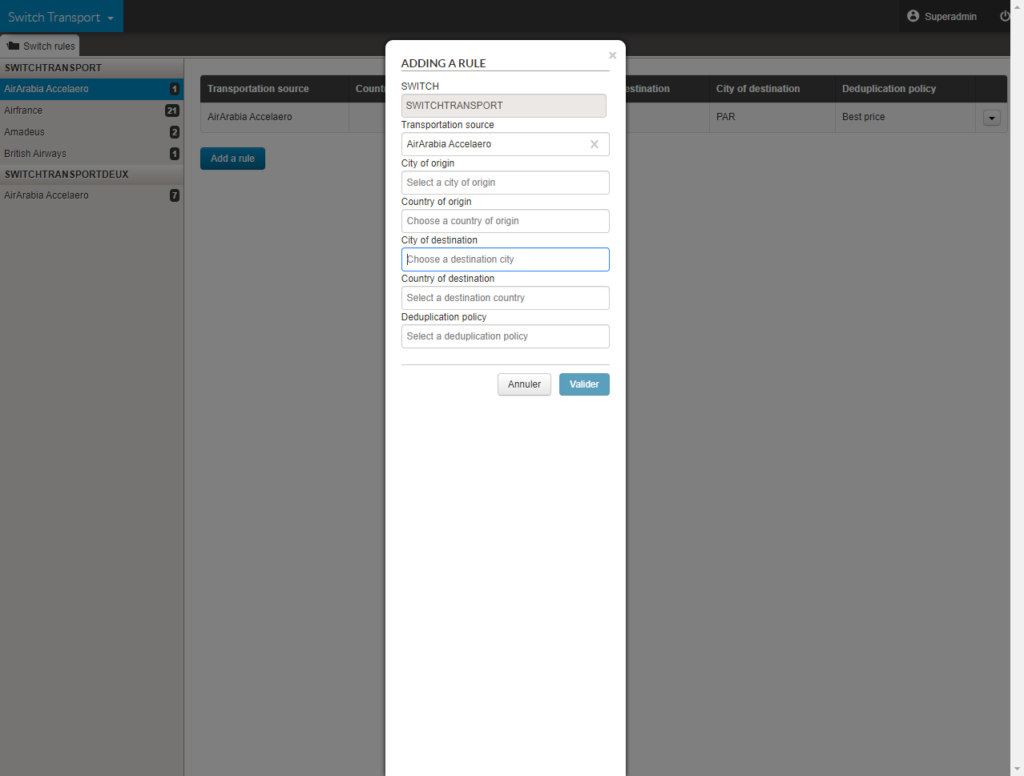
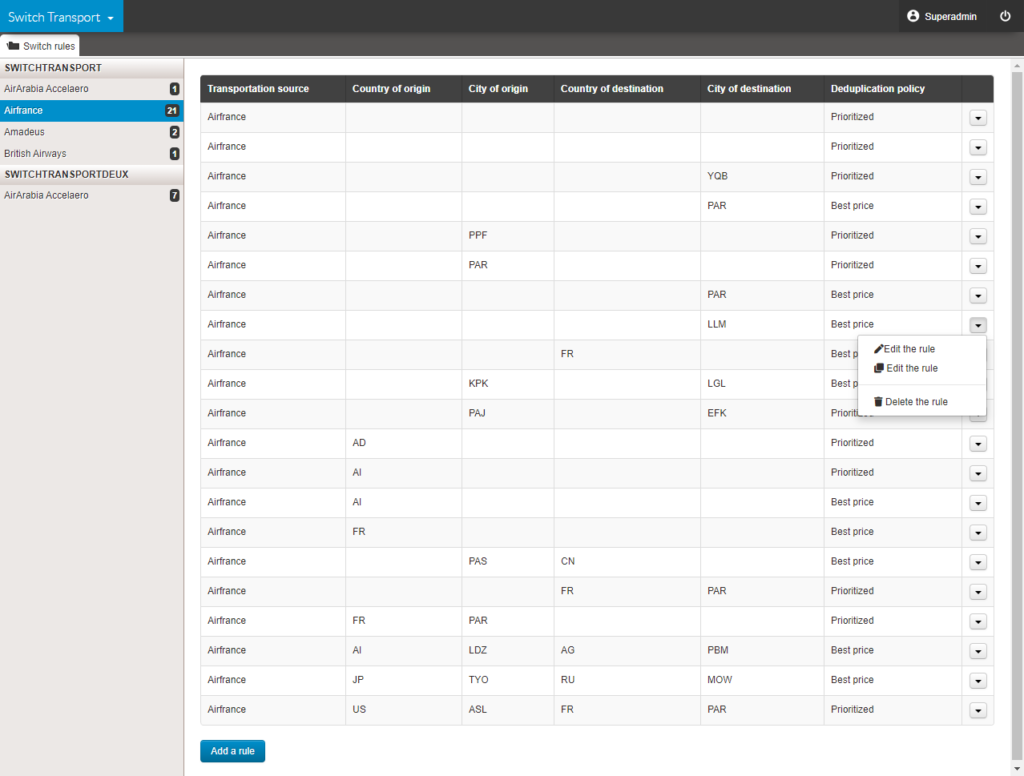
Transport Switch management interface
The interface allowing each Orchestra customer to independently manage the rules of its Transport Switch has been deployed.
Création d’une règle
Visualisation et gestion des règles
Notification of near expiration of a transport file in the back office
Within the framework of a transport file in direct connectivity, an action by the travel agent may be necessary to issue the ticket and thus definitively validate the file.
An email notification can now be sent to the agency which will list all the files concerned by an upcoming expiration (whose deadline can be configured).
Automatic generation of travel documents for transport files
At the time of booking and possible modification of a transport file, the information necessary for the customer to take his/her flight is recorded in a travel document set up according to the distributor’s choices.
Transportation Back office
Within the scope of the back office developments for transport management with direct connectivity, new functionalities have been added in order to increase the possibilities of action in post-booking (as well as all the impacts on payments and accounting).
Transport Back office and direct connectivities
In this version, the transport Back office gains in functionality with new essential uses for selling transport with direct connectivity to airlines. In particular, with ticket issuing, the application of agency fees to modify the visibility of different fare lines for users, advanced rights management, a first step for adding ancillary services, and the management of virtual cards (for the payment of low-cost airlines).
Direct connectivity Vueling
Connectivity with the airline has been improved in order to manage flight searches in currencies not supported by Vueling API.
Management of fare classes for Nouvelair
Direct connectivity with the Nouvelair airline has been improved to enable the management of fare classes (light, easy and flex) and thus offer them to customers when booking airline tickets.
Transport search engine in the Back office
Following the development of the new flight search results page, the same functionalities as the other search engines have been implemented, namely:
Maximum number of results (configurable)
The message “No result”
Save a search (by user)
The possibility to export the results (top and bottom of the page)
E-ticket number via Amadeus in the Back office and in MCTO
In some cases, especially in the case of low-cost bookings, the PNR is not a relevant information, this is the e-ticket number which is required. This information can now be displayed in the Back office or sent via MCTO.
Direct connections to airlines
New use cases of direct connectivity to the AirFrance, Pegasus, British Airways and Nouvel Air airlines have been added, particularly on the possibilities of acting on files and tickets in the back office, after the booking process.
Direct connections to airlines
In this release, the development teams worked on the integration of the airlines Vueling, Aegan and Pegasus in direct connectivity.
Source integration Resaneo
The source of Resaneo flights and trains is available !
Secondary email in the Amadeus PNR
It is now possible to send two seperate emails to the booking via Amadeus GDS. The customer’s email as before, as well as a predefined email via configuration as the email of the producer/distributor’s customer service can be sent to Amadeus in order to be integrated in the PNR.
Direct connectivity for airlines
Work on direct connectivity for airlines is continuing. New connectivity is integrated in such a way that all business processes used in the sale of plane tickets are integrated, from the search to the post-booking stage.
Reporting of taxes for the Alltrips flight source (Sapeig)
The different taxes on flights from the Alltrips source are now accessible, saved and available in the back-office for pre-package products using this flight source.
Boost the flights offer via multiple requests
A feature has been
developed for the Amadeus source that allows users to trigger multiple requests
based on certain parameters. This is because in some cases (especially in the
case of a sale by a professional), the GDS response returning the best 250
prices is not sufficient.
It was already
possible for the user to simultaneously and transparently search for the best
prices and best prices including luggage.
It is now also
possible to use the configuration to add requests for one or more specific
companies (maximum of three) according to departure and/or destination airport.
For example, for the
CDG => JFK route, you can simultaneously ask the GDS for:
The best prices across all operators
The best prices including luggage
The best prices with the company Air France
The best prices with the company Norwegian
… and display the
results of these requests in a single list of unique results.
Airline connectivity
The transport team is continuing work on integrating airlines’ new APIs through direct connectivity (or adding new functions allowing management of luggage, meals and other ancillary products).
Similarly, we are currently integrating the Resaneo source which will be available with version 17.1
Airport taxes and filters for cancellation policies with AirGateway
For airline ticket refunds, it is important to
be able to differentiate between the different taxes included in the ticket
price. This development makes it possible to separate out the YQ/YR taxes from
other taxes and to retain the total amount. Theses taxes can be grouped and the
group heading is configurable.
Example displaying cancellation policies
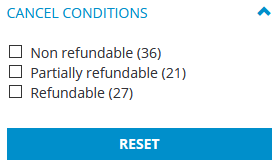
We have also added the functionality to filter flights by cancellation policies. When selecting the flight, the filters column now includes the filters “Refundable”, “Non-refundable” and “Part-refundable”.
Filter for cancellation policies
Managing flight links for “at destination” and “in-flight” services
For better consistency between the different services offered, the flights-services links have been updated as follows :
Services with no associated country or city, i.e. services on board the flight, can be linked to all criteria. Services with an associated country or city, i.e. services on site, must be linked :
either to the departure airport of the outbound flight (for airport lounge services, for example).
or to the arrival city (or airport) of the outbound flight.
or to the departure city (or airport) of the inbound flight.
Improvement to MisterFly connectivity
The Transport processes now include the “culture” field when sending a booking request to MisterFly, making it possible to customise the language used in post-booking communications between the flight provider and the customer.
Improvement of the Misterfly timeout management
In the reservation statistics of the administration tool, the error code TIMEOUT_ERR is now recorded when a timeout occurs regardless of the stage of the reservation process reached.
Luggage information messages for Amadeus
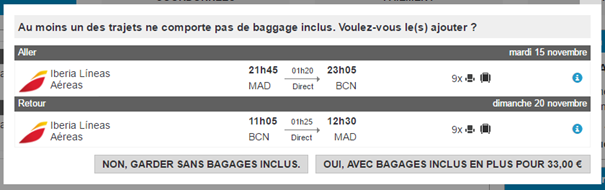
This enhancement complements messages and information about luggage when booking flights using the Amadeus GDS. In cases where the airline does not provide connectivity options for booking luggage, a message is displayed inviting the traveller to visit the company’s website or the airport to add luggage to their air ticket.
Messages may be of this type:
[Airline] does not allow you to book luggage on this site; check with the airline whether it is possible to add luggage items via the airline’s website or at the airport.
[Airline A] and [Airline B] do not allow you to book luggage on this site; check with each airline whether it is possible to add luggage items via the airline’s website or at the airport.
[Airline] does not allow you to book luggage for the outward leg of the flight on this site; check with the airline whether it is possible to add luggage items via the airline’s website or at the airport.
[Airline] does not allow you to book luggage for the outward leg of the flight on this site; check with the airline whether it is possible to add luggage items via the company website or at the airport.
[Airline] does not allow you to book additional luggage on this site; check with the airline whether it is possible to add extra luggage items via the airline’s website or at the airport.
[Airline A] and [Airline B] do not allow you to book additional luggage on this site; check with each airline whether it is possible to add extra luggage items via the airline’s website or at the airport.
[Airline] does not allow you to book additional luggage for the outward leg of the flight on this site; check with the airline whether it is possible to add extra luggage items via the airline’s website or at the airport.
[Airline] does not allow you to book luggage for the return leg of the flight on this site; check with the airline whether it is possible to add extra luggage items via the company website or at the airport.
NDC 19.1 level 3 certification
Orchestra was the first platform in the world to be certified by IATA to the NDC 19.1 level 3 standard.
Enhancement to the Azor flights source
It is now possible to send the customer’s email address in the booking request for Azor; this applies to all types of flights (low cost, GDS, etc.).
E-ticket number for low-cost flights via Amadeus
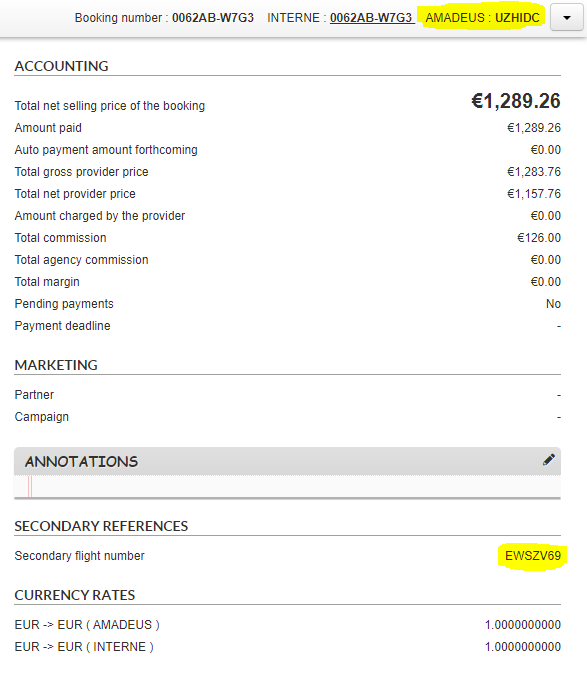
In the Back Office, the PNR was displayed alongside the flight source in the top bar of the record. Now, for low-cost flights via Amadeus, the e-ticket number is also displayed under the name “Secondary flight number” in the record overview tab. In cases where a return is operated by two separate low-cost airlines, both numbers are displayed. These numbers can be used for purposes such as checking into low-cost companies’ sites.
Improvement of the air transport process
Display of terminals :
Where such information is available from Misterfly, we now store and display the terminal from which a flight leaves in the transport reservation process, and also in the Back Office and the confirmation email.
Recording of validating carrier
The validating carrier field has now been added, and can now be seen in the Back Office for sales made via AirGateway.
Corsican pricing
Pricing for Corsican residents is now available for reservations via Amadeus.
Transport connectivity enhancements
Connectivity improved for the Trenitalia rail transport source.
Corsica prices available from the Amadeus flight source.
Option added to pay for transport via BSP (IATA Billing and Settlement Plan) depending on the channel selected.
e-Card management improved for airline payments via Amadeus Wallet.
Improvements in transport proposals
You now have the option to improve your flight offers to customers, including Flights, Dynamic Packages and Pre-Packages, by enriching source flight results with flights with baggage included. From now on, the same flights will appear with and without baggage included on the list of results from the Amadeus source.
Transport configuration
As a follow-up to the added option to configure one type of payment card by airline, it is now possible to use one type of card per One Way Combinable segment on Amadeus.
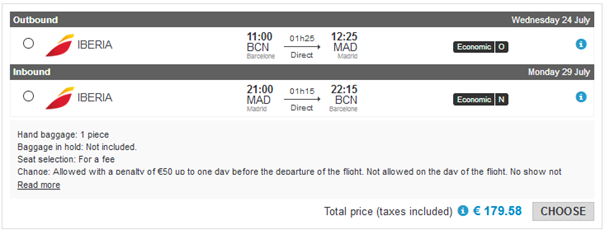
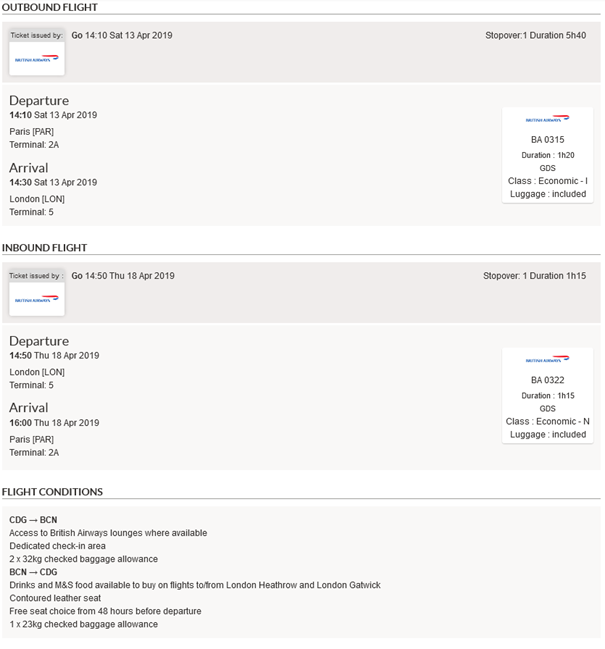
Management of cancellation and modification conditions, and booking classes
Why? Currently, in B2B mode, there is sometimes insufficient flight information from GDS to make an informed choice. To make this choice easier, it is important to display other flight details, such as cancellation conditions, modification conditions, and booking classes.
Where? In booking processes for flights and dynamic packages.
How? When the airline provides information on flight cancellation and modification conditions in its API, this information can be displayed in:
Result pages,
Quotation pages,
Contact details pages,
Confirmation emails,
Back-Office.
This makes it possible to distinguish between flights that may seem to be identical but have different conditions (more/less baggage, cancellation allowed/not allowed, modifiable or not, with or without charges, etc.).
N.B. : the quantity, quality and type of information may vary from airline to airline.
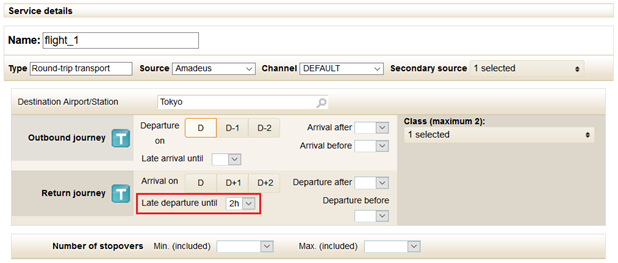
Management of late departures with the Amadeus source
Why? To avoid availability problems on inbound flights, it might be a good idea to expand the flight search field and show flights taking off the next day. For example, a flight departing at 2am the next day can be shown when the 3pm flight is full.
Where? In pre-package management, under transport service details. This function can also be activated in dynamic packages, or as a counter proposal for flights in a standard package (if the provider is compatible). This function is compatible with the Amadeus flight source.
How? In pre-package management, when the selected flight source is Amadeus, there is a new field in which you can authorise a late departure of the inbound flight (until 8am the next day). This means that additional flights departing the next day will automatically be shown during booking.
For dynamic package sale processes and counter proposals in packages (if the provider is compatible), the function is activated via the configuration settings.
Flight connectivity: Hitit update
Technical update of connectivity with the Hitit flight source in order to take account of changes in their API.
“New Distribution Capability” NDC Connectivity
Context: Orchestra is APG’s technological partner for the deployment of its NDC compliant distribution platform. APG is a global representation and service network (covering more than 170 countries) for airlines. The APG platform facilitates the distribution of airlines in certain zones with little cover and allows additional revenue to be generated by selling “ancillaries”.
In 2014, Orchestra and APG were among the first NDC pilots for IATA. In 2016, the platform deployed for APG was recognised as NDG Certified and NDC Capable, Level 2. In 2017, it obtained the highest level of certification becoming NDC Certified and NDC Capable, Level In 2017, the NDC compliant APG platform was launched.
What: Orchestra develops direct connectivity in NDC mode with many airlines. The functions available via this connectivity are limited to date but are being gradually enriched and allow a distribution of airlines’ complete offering
Where: These connectivities are available for the sales procedures for flights, dynamic packages and pre-packages.
How: NDC connectivity via REST web services has been implemented with the following airlines :
British Airways,
American Airlines,
S7 Airlines,
Emirates,
Iberia,
Westjet,
Lufthansa,
Swiss,
Austrian,
Brussels Airlines.
All these airlines are now available in direct connectivity.
Flight Connectivity Improvements: Amadeus and Misterfly
For the Amadeus source :
For the Amadeus flight source, technical improvements have been made in terms of connectivity, meaning quote pages showing flights will now appear more quickly.
For the Amadeus flight source, there is now an option to find special rates negotiated as part of selling dynamic packages or pre-packages.
For the Misterfly source :
For the Misterfly flight source, ‘on demand’ availability statuses can now be managed. This status, visible in confirmation emails and the back-office, allows you to manage situations where flight reservations fail but you still want to keep the booking to manually manage the flights that haven’t yet been booked.
For the Misterfly flight source, there is now an option to have a cache system per channel, in order to improve the relevance of any pre-calculations necessary for pre-packages.
Technical improvement in flight connectivity
Technical improvements have been made to Misterfly connectivity, providing increased security and better error management.
Flight connectivity: addition of a pricing criterion
Within the flights, packages and à la carte sales processes, criteria has been added allowing users to select the tariff type (public, nego, corporate) that should be used for searching with the Amadeus source.
Pictogram integration – flight fares
In the booking process, pictogram format display of the type of flight prices (public, negotiated, corporate).
Several connectivity improvements
Hotel : When searching with an Expedia hotel source, the trip duration is now limited to a maximum duration as approved by the source (28 days).
Flight : Developments have been introduced to Amadeus Wallet integration in order to be able to define card payment types by low-cost airline.
Package : Honeymoons have been removed from the Jet tours TCI brand. They are now only available as part of the Jet tours brand.
Flight connectivity: configuration of sending an information email
In certain cases, the Amadeus source will send important messages during the booking process, such as manual actions that need to be done to complete the booking.
To allow these messages to be sent, it is now possible to configure emails to be sent containing this information, as well as the corresponding PNR, to inform the distributor.
Management of travel classes: Visiteurope
Transport classes and sub-classes are now available on Visiteurope product flights.
Management of alternative flights : FRAM
Alternative flights are now available on FRAM products, up to and including version 14.8.
Alternative flights for a FRAM product
Improvements to the availability cache system: Amadeus
A flight cache file can be set up to increase the number of available flights updated to pre-packages. This file will be imported 3 times a day.
This improvement makes it possible to refresh availability more regularly and, as a result, reduce rate differences in your pre-packages when compared to the flights shown on your quotes as ‘prices starting from’.
Changes to flight sources
TUI : Consult flight baggage information
TUI, Passion des Iles and Nouvelles Frontières can now have baggage added for certain flights.
Changes to flight sources
It is now possible to identify the agencies during a booking.
Changes to flight sources
Misterfly
Technical stops are now displayed in the Misterfly flight information.
Example of flight containing a technical stop
Amadeus
The type of fare can now be displayed in
the booking process.
There are three types of fares :
Negotiated
Public
Corporate
They are displayed as follows :
Public fare on the quote page
Changes to flight sources
Integration of Misterfly auto-completion
Misterfly auto-completion is now available in the administration tool, the B2B solution, the booking process and in the B2C catalogue via a specific integration.
Auto-completion integrated into the pre-package creation form
Auto-completion integrated into the booking tunnel and the B2B solution
Changes to flight sources
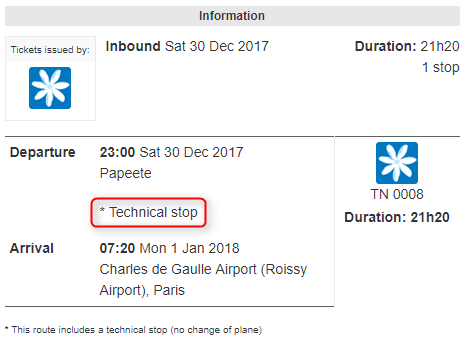
1/ Amadeus – Management of technical stops
Technical stops are now identified as such. The reference “Technical stop” appears in the (i) information of the booking processes and in the Back-Office.
Display of technical stops in the booking process
Display of technical stops in the Back-Office
2/ Amadeus – e-card payment management
When a payment is required from a service provider (e.g. a low-cost company), it is now possible to generate an e-card using the Amadeus Wallet solution to make this payment. This takes place between the client’s payment and booking with the provider.
Changes to sources of transport
The new API “Air-5” of Amadeus is included in the new Orchestra platform. This new version permits the following changes :
The capacity to adjust authorised price discrepancies (threshold above which price variations are considered too large) between a quotation and booking results in fewer booking failures.
It is now possible to select “checked baggage” options on the quote page of the reservation process for the following airlines: Air France, Iberia, Qatar Airways, Lufthansa, Aegean Airlines, KLM Royal Dutch Airlines, SWISS International Air Lines, Etihad Airways, Corsair, Royal Air Maroc, TAP Portugal, Brussels Airlines, AIR MAURITIUS, Air Austral, Air Europa Lineas Aereas, Air Caraibes, Aigle Azul, Austrian Airlines, HOP!, Air Berlin and Icelandair.
New low-cost companies are available.
Below is a non-exhaustive list of the new airlines available :
FlyBe,
Jetair,
Monarch,
Tuyfly,
Jet2,
Wizzair.
The full list is available on request.
Updates to transport sources
Various improvements have been made to the way the Azorflight flight source is integrated. These developments are compatible with the sales processes for transport and dynamic packages.
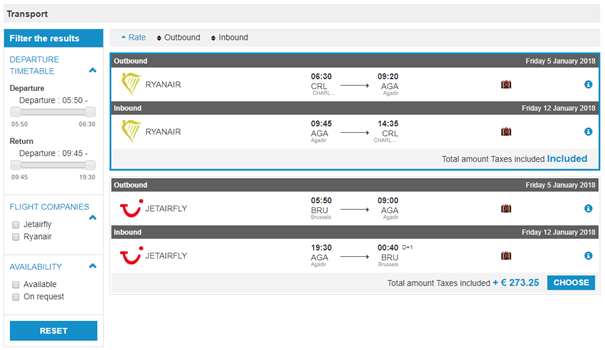
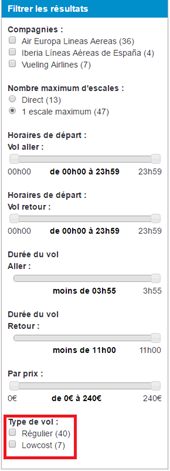
The flights filter side bar can now be used to filter scheduled flights or low cost flights.
Flights type filter
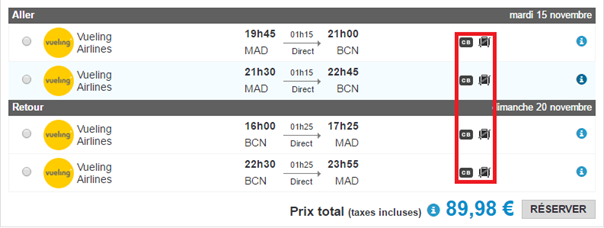
The flights results entries now include a new icon to indicate the terms for payment cards. This icon shows whether the airline charges an additional fee depending on the payment card used.
“Payment card terms” icon alongside the “luggage not included” icon
A separate icon indicates the remaining number of seats available for the flight. It is possible to configure the threshold number for triggering this icon.
“Remaining seats available” icon alongside the “luggage not included” icon
In addition, a new pop-in can be used to select an alternative flight identical to the one chosen but with luggage included.
Pop-in for selecting an alternative flight with luggage included
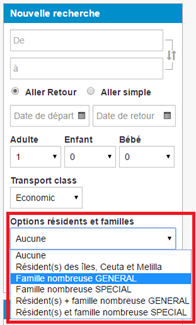
Lastly, the search engine can now perform a search by large family and/or resident
New search option
Updates to transport sources
Improvements in baggage management have been brought into effect with a view to reducing response times.
New source for airlines : MisterFly
The MisterFly airline source is now available on the Orchestra platform. It is compatible with all sales processes. Including this source offers access to all flight content available from MisterFly. Accessing this source requires an agreement with MisterFly.
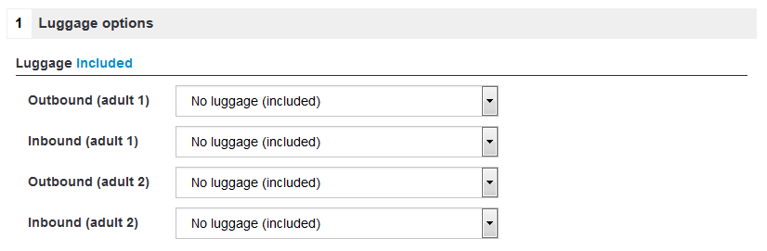
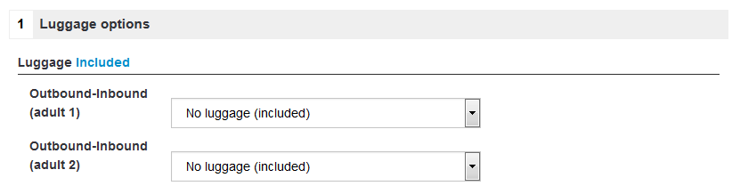
1/ Luggage management
Luggage selection is made separately for the outgoing and return trips. It will be displayed in the reservation process as follows :
Outgoing and return trip luggage selection
2/ Use in pre-packages
The prices and availabilities needed in configured pre-packages are available via requests to a cache system with specific credentials.
New source for airlines : Amadeus
The Amadeus airline source is now available on the Orchestra platform. It is compatible with all sales processes. Accessing this source requires GDS access with Amadeus (Office ID).
This source supplies all companies available on the GDS as well as Low Cost Companies (LCC) :
Either available directly via
Amadeus in “lightticketing” mode, such as: EasyJet, Ryanair, Transavia (LCC
payment required at the time of reservation),
Or directly available like a
classic company (such as Vueling, JetAirFly, Aer Lingus, etc.)
Or available via an LCC
aggregator when the LCC is not available at all in Amadeus
Furthermore, departures from cities outside the capital can also receive transport offers of train + flight (”Air TGV”) through this new source.
Managing additional luggage is also offered for EasyJet, Ryanair, Transavia and Air France. Other airlines can also offer this in the future.
Payments to LCCs can be made via the virtual bank card generation module added previously.
1/ Rate types
Amadeus offers several rate types :
Public rates
Negofares rates (the R, U rates) which have three types :
Standard R, U rates (such as PTC ADT, CHD, INF, etc.)
“Corporate” rates (available with a “corporate” code) – Standard R,U rates with corporate code
TO rates (only available for flights associated with a land-based service) – Inclusive tour R,U rates (PTC IIT, INN, ITF): Rates valid only if the tour operator sells the flight with a land-based service (hotel, circuit, cruise, etc.)
Amadeus also manages other types of PTC (Passenger Type Code) rates such as senior, youth, Spanish residents, etc. that have conditions attached.
The rate content offered by these LCCs, either via Amadeus or the aggregator, changes regularly depending on negotiations between Amadeus and the LCC.
2/ Luggage management
There are two types of luggage :
Round trip. Luggage choice is for both the outward and the return journeys.
It will be displayed in the reservation process as follows :
Round trip luggage selection
Outgoing trip, and return trip. Luggage selection is made separately for the outgoing and return trips.
It will be displayed in the reservation process as follows :
Outgoing and return trip luggage selection
3/ Use in pre-packages
As for other sources, creating pre-packages requires requesting prices and availability from the source. In order to preserve “look to book” rates, we use a cache.
Amadeus Smart Cache Packaging sends the lowest available price (=1 flight) for a given Origin/Destination (O/D) couple for each departure date and length defined.
This cache can be of two types :
Public cache: for example, contains the Top 1,000 O/Ds of the French market – public prices only – with criteria determined by Amadeus
Private caches which can be supplied by tour operator and include flight characteristic constraints
4/ Business model
Access to this source depends on a business model that includes a “look to book” ratio that must be respected.