Reviews displayed on the product data sheets can now include the reviews of all the products linked to the same hotel. If the hotel itself has reviews, they too will be displayed.
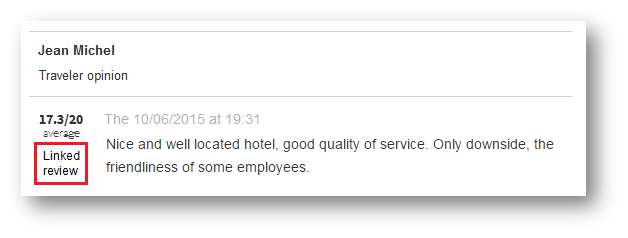
A “Linked review” label has been added to the review blocks not pertaining directly to the product in question.
The various averages take these new reviews into account when this function is activated.
When creating a pre-package the outward and return flights can now be managed independently.
This makes it possible to :
Create an outward transport service
and a return transport service with different criteria (different source,
low-cost flight or otherwise, etc.),
Manage products with different
departure and return points (“open-jawed”).
So there are two types of transport service in a pre-package :
Outward/return transport (which
was hitherto the only type of transport available),
One-way trip transport.
In the example below, a pre-package is configured with an outward trip to Barcelona, with the internal transport source :
Defining a service for the outward flight
Then a return trip is added departing from Madrid, with the Ypsilon source :
Defining a service for the return flight
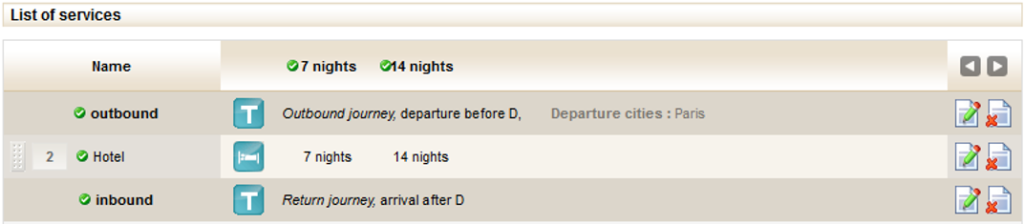
After the accommodation has been added, the list of pre-package elements will be as follows :
List of pre-package services
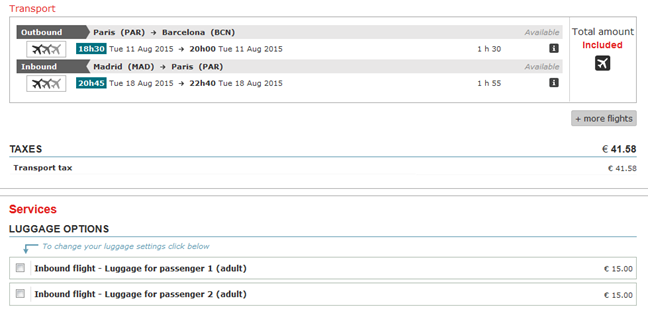
On the reservation process, the flights are combined and any services related to low-cost flights (especially baggage) are prefixed with the flight concerned. In this case, if the internal source returns a GDS flight for the outward flight and the Ypsilon source returns a low-cost flight for the return flight, the following quote will be displayed :
Display on the booking process quote page
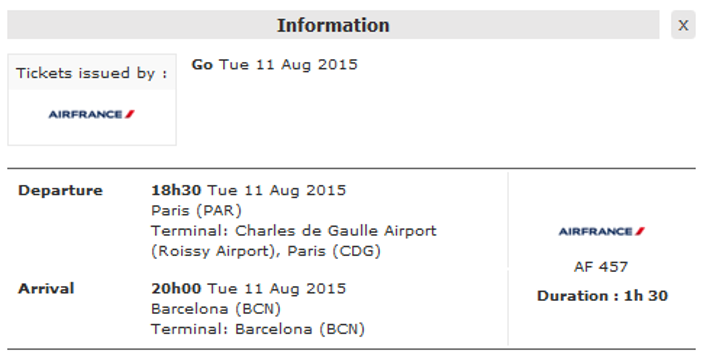
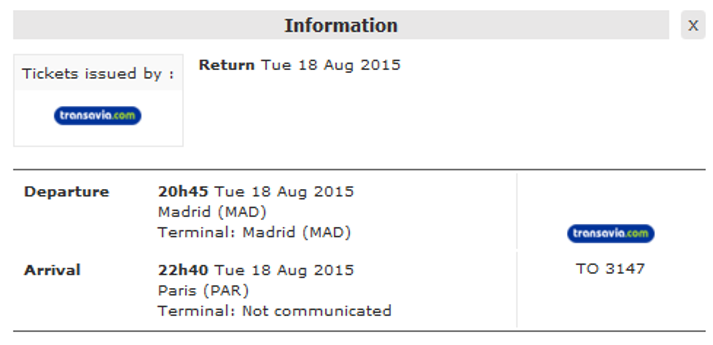
In the details of each flight, the following information will be shown :
Flight details in the booking process
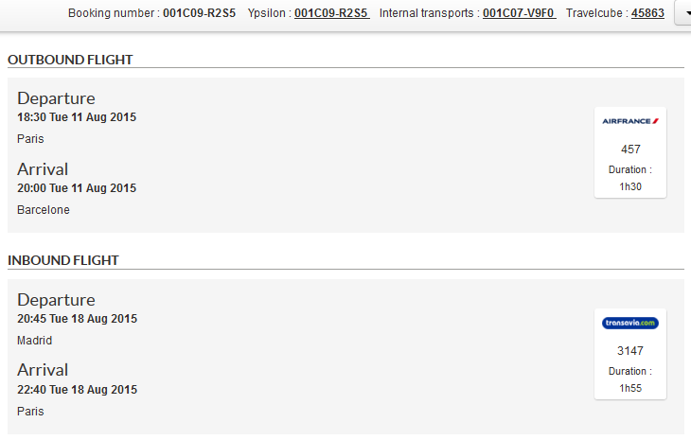
Finally, the flight information will be saved in the folder created in the Back Office, in the section “Trip details” :
Flight details in the Back Office
Pre-packaging Sliding periods option
The periods defined in the pre-packages can now be sliding. A sliding period tick-box has been added to the period creation process. If this box is ticked, then every night the period will be moved back by one day. For example, if a pre-package is created or modified on 15 July 2015 with a period starting on 1 September 2015 and ending on 30 September 2015, the period will slide by one day every day :
16 July 2015: period from 2
September 2015 to 1 October 2015,
17 July 2015: period from 3
September 2015 to 2 October 2015,
18 July 2015: period from 4
September 2015 to 3 October 2015,
Etc.
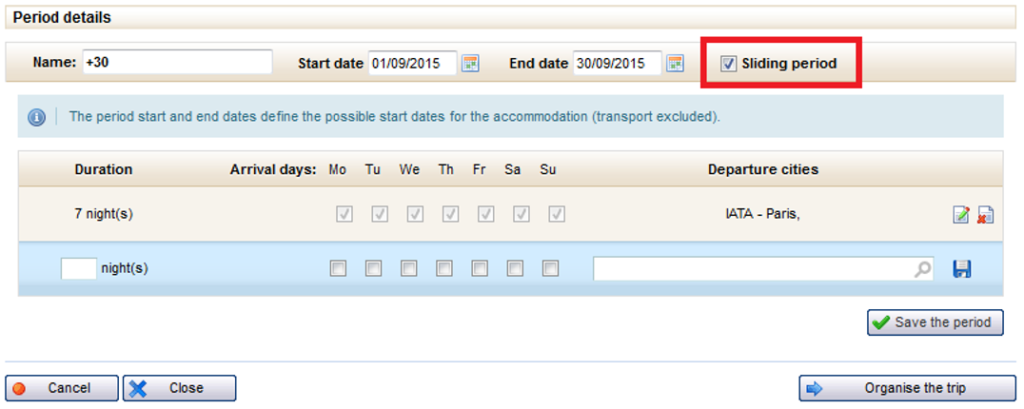
The tick-box is located in the period being created or modified, in the pre-package management pop-up :
Defining a sliding period when creating a pre-package
Insurance – Products without transport
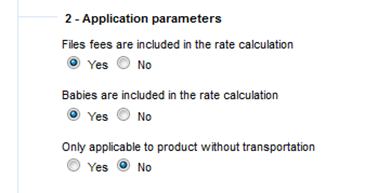
The internal insurance options now make it possible to configure insurance policies applicable only to products without transport.
New application parameter when creating an internal insurance policy
Costs and reductions Included or excluded producers
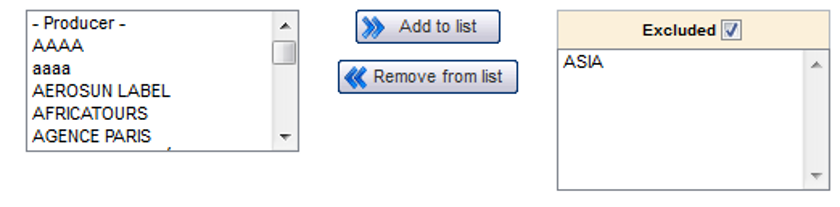
The costs and reductions can now be configured to specify whether the producers associated with the rules defined are included or excluded.
This is selected via the interface below :
Addition of tick-box for excluding a list of producers when creating costs and reductions
Previously, producers added to this list were systematically included, which meant that the rule applied to the products of the selected producers.
Now, if the user ticks the “Excluded” box, the rule will apply for all producers, except for those selected in the list.
Passenger restrictions check during a new search
As on the catalogue product data sheet, the passenger restrictions are now checked in the “New search” form for the new booking process.
Partial payment Payment for transport and a supplement
When making a partial payment (instalment), the customer can now pay the full transport amount, as well as a percentage on the remaining amount.
SSL compatible booking processes at every step
The SSL/HTTPS protocol can now be activated from the first steps of the booking processes. The entire booking process is compatible. A configuration is required to activate this mode.
Comments associated with payments
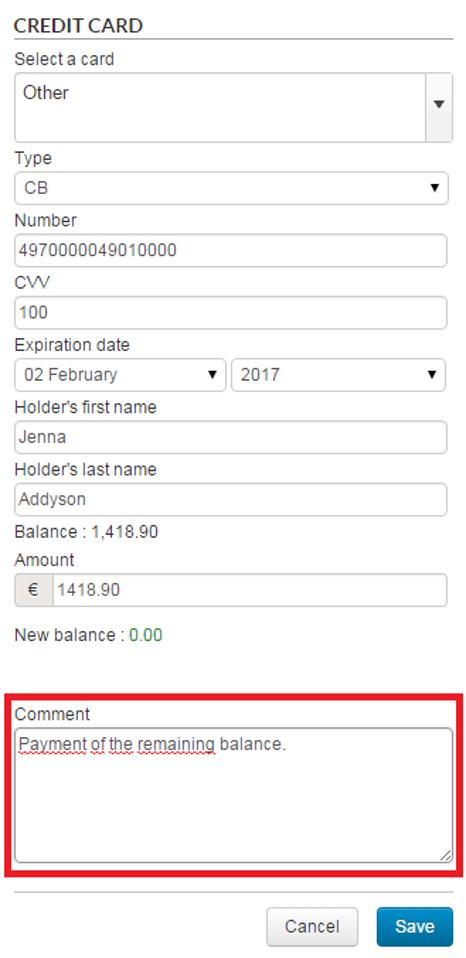
It is now possible to add a comment for any type of payment or reimbursement created in the Back Office.
For this purpose, a new “Comments” section has been added at the bottom of the payment creation/modification pop-in.
Option of entering a comment when creating a payment or a reimbursement
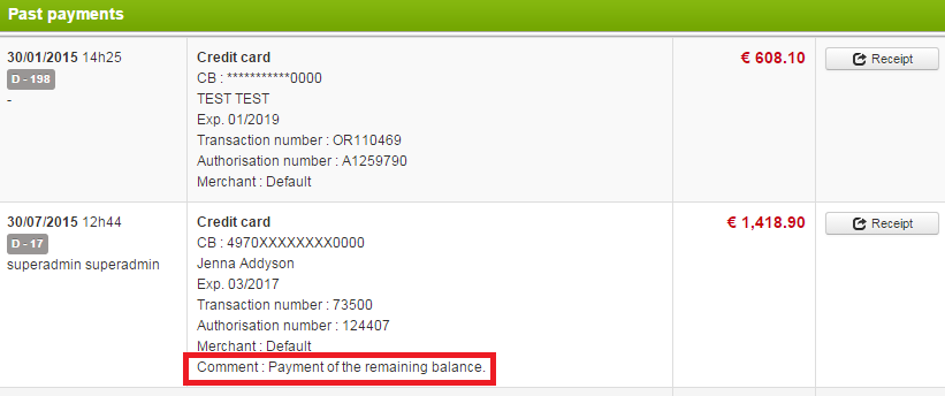
This comment will then be visible in the payments made table :
Display of comment linked to payment made
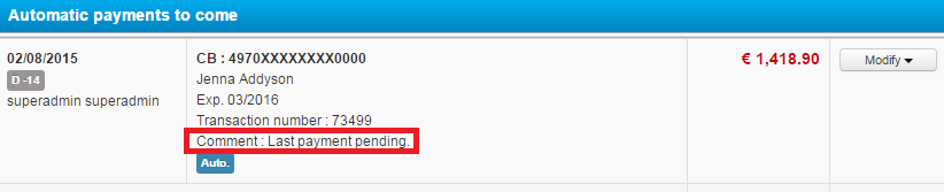
Automatic payments also have the option of these comments. These comments can be modified when editing an automatic payment.
Display of comment linked to pending automatic payment
Hotel quotes retrieval
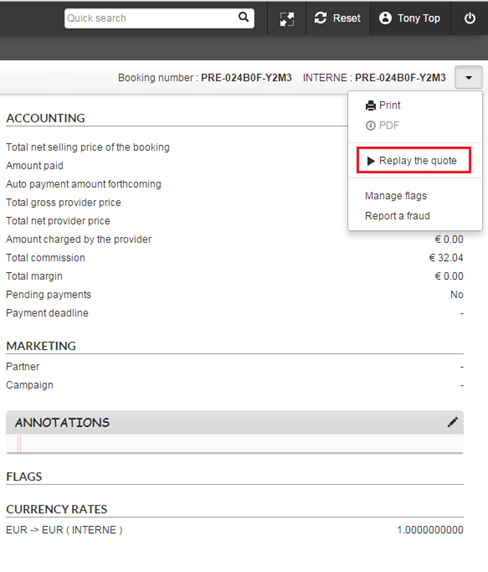
Just as for package quotes, hotel booking quotes can now be retrieved in Back Office for finalisation purposes.
Hotel quotes retrieval in Back Office
Optimised Jet tours production
Jet tours products without transport are now available on the Orchestra platform.