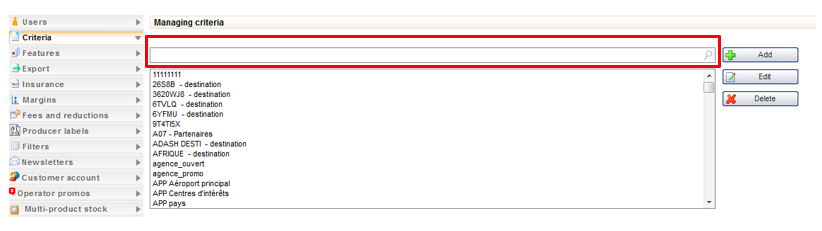
The review creation form now allows reviews to be assigned types with different values. To do this, multiple-choice select boxes can be added via a configuration. The content of these select boxes corresponds to distributor criteria (with no sub-levels) which must first be defined in the administration tool.
These review types can then be seen in the form of keywords in the text boxes for each review.
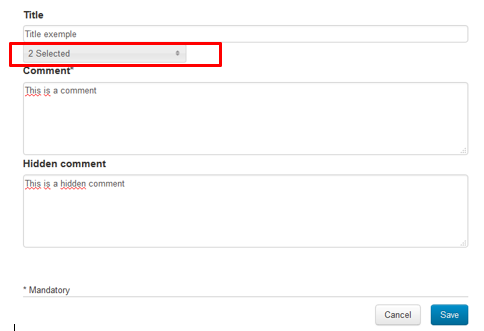
Entry of the types when creating a new review
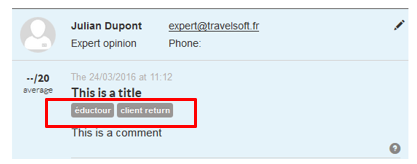
Display of the review types in the product record
Reviews Adding a hidden comment
The reviews of experts, which travel agents enter in a B2B solution, can now be completed with a new text field corresponding to a comment reserved for the agent.
Unlike traditional comments, these “hidden” comments will not immediately be visible in the list of reviews for the package. In each review text box, a pictogram indicates whether or not this type of comment exists. Simply click on this pictogram to open the “hidden comment”. This for example allows an agent to print or show the product record to their clients without needing to show this additional information.
Entry of the “hidden comment” when creating a new review
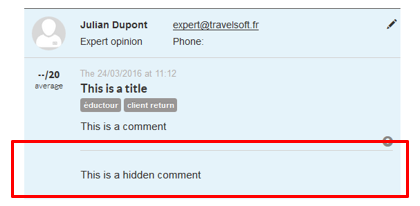
“Hidden comment” hidden by default in the product record
Display of the “hidden comment” in the product record
Adding criteria for reviews
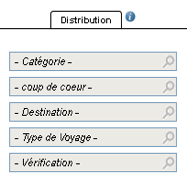
In the same way as for packages, hotels, stop-overs and transverse content, it is now possible to associate distributor criteria with internal reviews. The Reviews tab is enhanced with the “Distribution” column which contains the same criteria as in the other tabs.
New “Distribution” column in the “Reviews” tab
New Manage criteria action in the “Reviews” tab
Improvement to the “Link to a content” action
The ergonomics of the “Link to a content” popup have been improved. Like for the Manage criteria popup, fields are used to filter the values in order to easily find the category and the editorial content you wish to associate with the package.
New fields used to filter the editorial content when linking with the packages
Improvement to the lists in the “Configuration” tab
The various lists of elements managed in the “Configuration” tab have been improved. A filter is now available in order to quickly find a specific element. The height of the select boxes has also been increased to make them easier to read.
New fields used to filter the elements in the various sections of the “Configuration” tab
“Editorial overridded” search field
The “Main editorial source” search field is replaced with the “Main editorial overrided” field.
This is used to search all packages or hotels for which the editorials have been modified by the distributor.
Unlike the previous field, it is now possible to perform this search choosing the language of the editorial (if the administration tool has multiple languages).
New “Editorial overrided” search field
Improvement in sending of access details to users by email
The form used to send access details to users by email has been reviewed. The checkbox alongside the email field now opens a new section pre-completed with the user’s email address.
Clicking on the “Send” button sends the user’s login/code and password in two separate emails. The presentation of emails received has also been improved.
New form for sending user access details
Payment via Ogone
The Ogone payment system has been integrated into the Back Office. Payments are made in “server/server” mode and by bank card only. Here, it is possible to :
View the payments made,
Create a manual payment using
an alias or a new card,
Refund or cancel a payment if it
has not yet been processed by the bank,
Create an automatic payment
using an alias or a new card.
Creating a manual payment via Ogone
Updating of file searches
It is now possible to search for files specifying several Channel/Organisation/User triplets.
Searching for multiple “Channel” / “Organisation” / “User” triplets
Separation of payments with vouchers and through subsidies
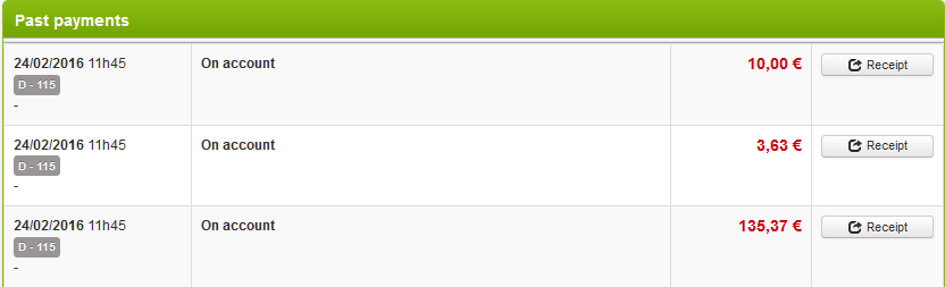
Payments made with vouchers and those made through subsidies no longer appear in the form of a single payment in the Back-Office.
These two types of payments are now considered as sub-categories of gift certificates, and therefore appear on two separate lines.
” Voucher” and “Subsidy” payment types on two separate lines
Registering of hotel vouchers in the travel documents
It is now possible to save “hotel vouchers” (“Voucher” type documents generated by the booking process) as travel documents attached to a file. These will then appear in the corresponding section and can be managed like the other travel documents of the file.
Pre-selecting categories and meal options
The integration of an adapted catalogue means it is now possible to pre-select the room categories or the meal options when entering the package booking process. There are two methods available :
Simple pre-selection. The other
choices remain available,
Pre-selection and filtering.
The other choices are no longer available.
Atos – 3DSecure mode can be activated depending on the departure date
You can now activate 3DSecure mode depending on the number of days between the booking date and the departure date for the Atos payment system.
Configuring the message if the booking is unsuccessful
Transverse content can now be configured in the administration tool in order to control the error messages to be displayed when a booking is unsuccessful.
A specific transverse content category has been added for this: “Specific book errors”. The message to be displayed can be chosen by product, via integration adapted to the catalogue level.
New transverse content dedicated to managing error messages when booking
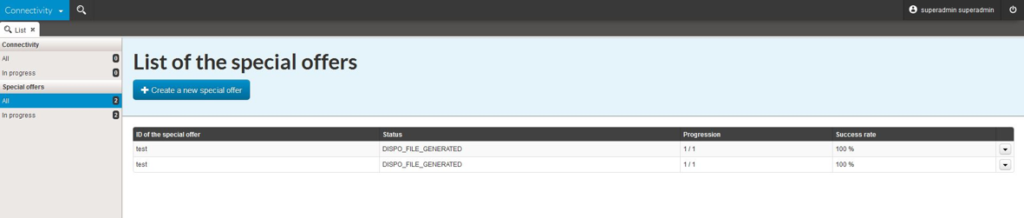
Managing special operations
The “Connectivity validation” domain is renamed as “Connectivity”.
It is enhanced with a new section, “Special offers”), intended for providers who do not have the possibility to generate a prices/availability cache including their special operations.
New Special operations section in the Connectivity domain
This module is used to recover the dates and prices of the special operation by querying the system of the compatible provider in real time. The usual prices/availability cache file will then be updated with the dates and the prices of the special operation, then imported for the distributor.
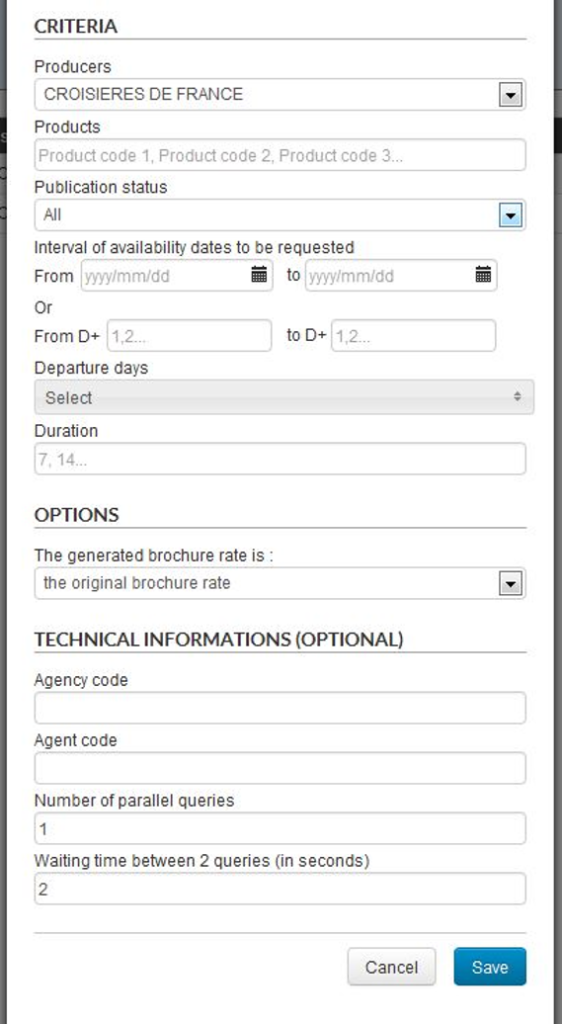
A form, which can be accessed via the “Create a new operation” button, is used to define a new special operation. The fields of this form are as follows :
Operation code,
This code identifies a special operation.
Task start and end dates/times,
Data fetching
times,
Determines the dates and times during which real-time queries will be made (at night, for example).
Operation start and end dates/times
The start date is used to trigger the importing for the distributor of the special operation prices/availability.
The end date is used to trigger a second import which will delete the special operation prices/availability.
Email addresses to which to
send the report,
Target
environment (Acceptance, Production),
Criteria of the products to be
queried (product codes, dates, durations, etc.),
Origin of the brochure price to
be retrieved
Either retain the original brochure price,
Or retain the previous sale price as the brochure price.
Optional technical information (Credentials, number of requests, etc.)
First part of the special operation creation form
Second part of the special operation creation form
Once the special operation is created, a status system is used to check the status of the task :
Pending launch,
In progress,
Paused,
Cancelled,
Stopped,
Calculation completed,
File generated,
File sent.
An email is sent to the provider to inform them that the special cache file has been generated. This file will then be sent automatically when the special operation starts. The prices/availability for the distributor will then be updated with the dates and tariffs of the special operation. When the special operation end date is reached, a new update will be triggered automatically in order to return to the usual dates and tariffs.
New provider
The Corsicatours provider is currently being certified on the Orchestra platform. They offer trips to Corsica, with and without transportation.
Provider developments
A new system for importing content and prices/availability has been implemented in order to maximise data freshness.
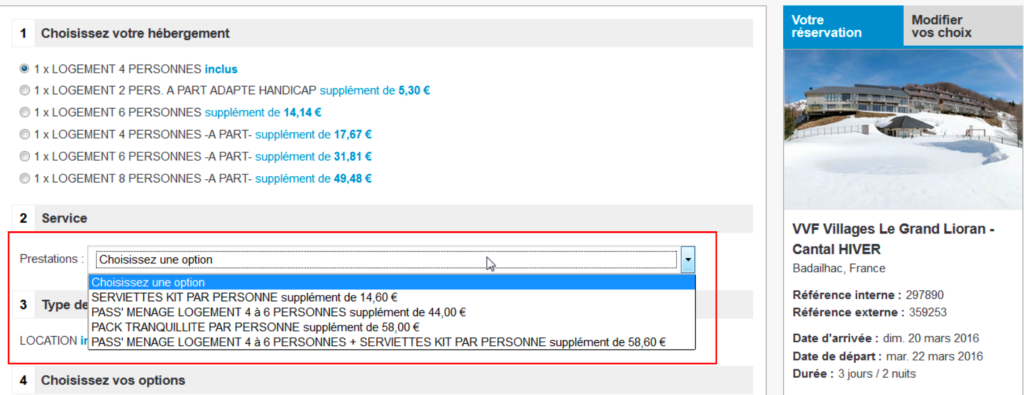
The management of optional services for this provider has been improved.
The following group of services can now be offered :
Updates to sources of transport
1/ Misterfly – Integration of a cache
The transport source Misterfly now allows a cache file of prices/availability to be used when generating prices and availability of pre-packages, thus speeding up the calculation of this data and allowing a greater number of possible departures to be managed.
2/ Azor Train – Display of the types of tariffs
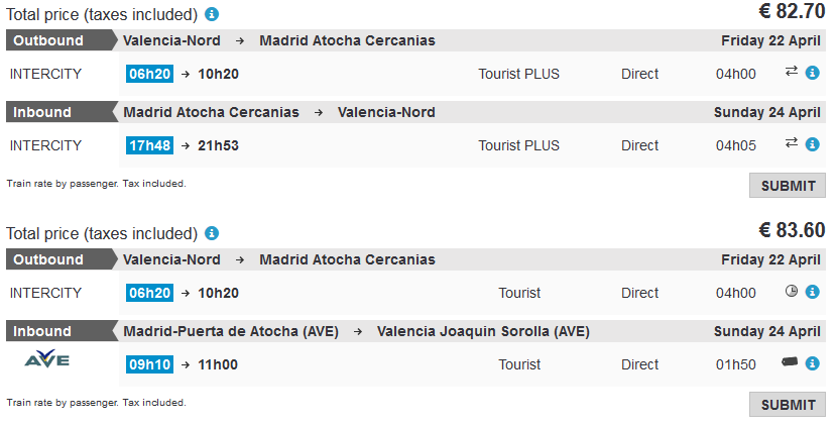
The integration of Azor Train now uses the new version of the online booking API of this system. It is now possible to display the information on the types of tariffs such as promotions, last minute offers, etc. These tariff types appear in the form of pictograms in the booking processes for transport and dynamic packages.
Displaying the transport tariff types for Azor Train
3/ Azor Flight – Managing the payment of issuing fees
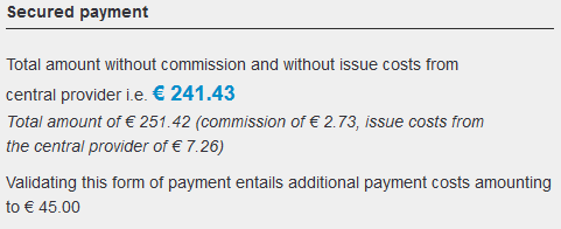
It is now possible to configure the payment in order to use different payment methods to pay for the various elements making up the Azor Flight price (to account for the commission and the issuing fees of the main office, by card for the rest). In the Back-Office, the commission, payment fees for the main office and the rest of the payment will then go to separate payment lines.
Detail of the commission and the issuing fees of the main office