Search field with multiple selections and auto-completion
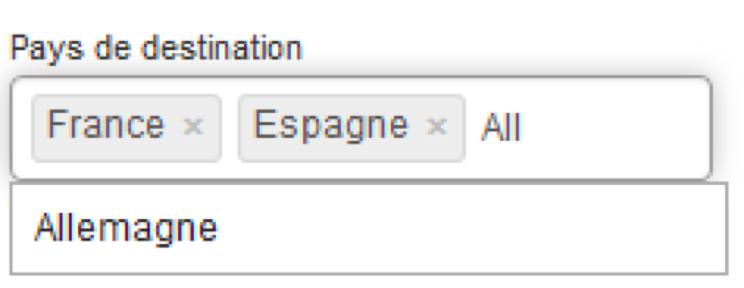
A new type of research field is now configurable. This select-box combines multiple selections with a values search using auto-completion.
New select-box with multiple selections and auto-completion
Criteria such as destination Countries/Cities, Cities of origin, Partners and Orchestra criteria are compatible with this new method.
Search by ratings
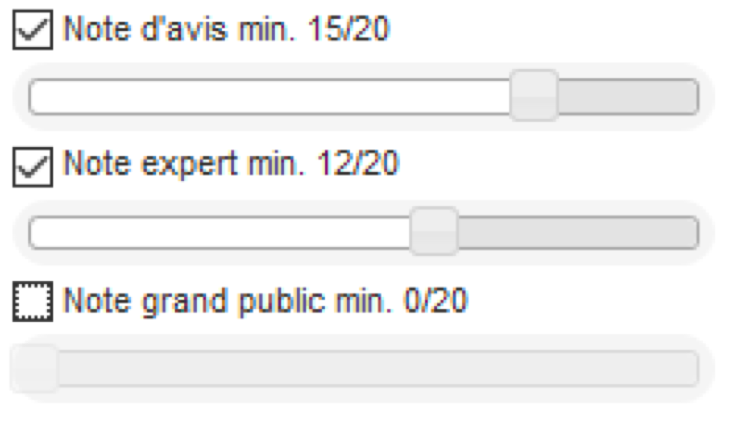
The packages search engine now offers a search by ratings. When packages are matched to opinions, it becomes possible to search according to :
The overall minimum rating,
The minimum rating by travel
agents (experts),
The minimum rating by the
general public.
These search fields take the form of sliders and can be activated or deactivated using checkboxes.
Search by minimum ratings using sliders
Multi-word rapid search
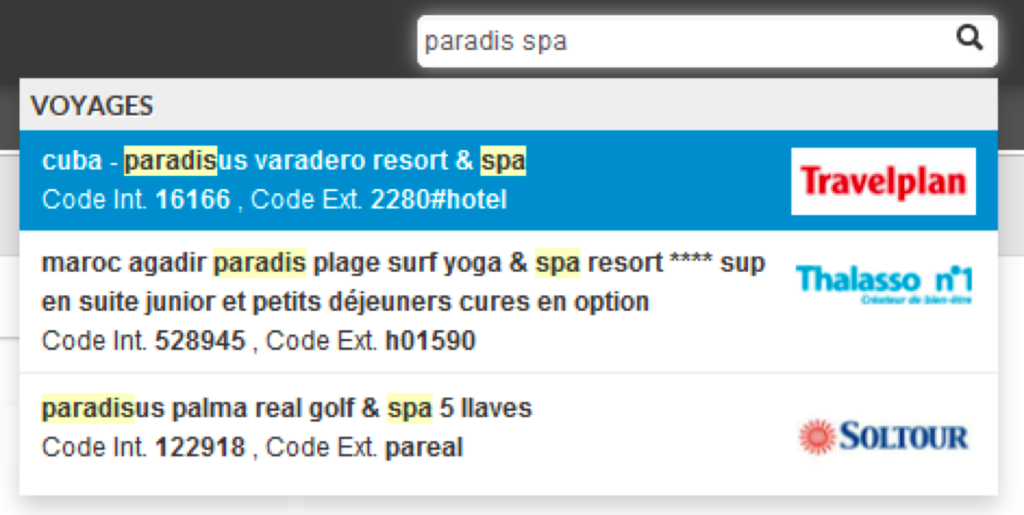
Rapid search now accepts searches using several searchwords. Names of products containing these words, in order of entry, will appear in the result.
Rapid search using several searchwords
Addition of the number of results and total amounts
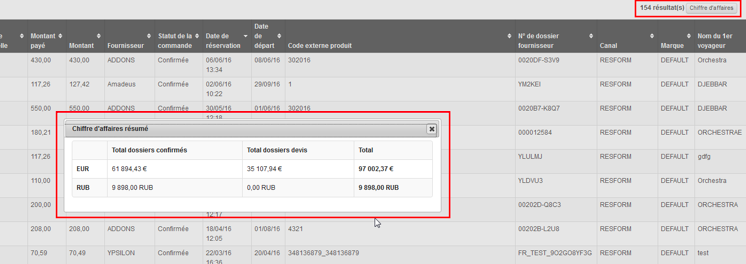
The Back-Office results lists are now preceded by the number of search results and by a button which displays the corresponding total amounts (revenue).
Clicking on the “revenue” button will display a table showing, for each configured currency, the total amount for each file category (confirmed, quote, option, on request) as well as the total amount of all types of files combined.
Number of results and details of revenue at Back-Office search level
Manual file creation
This function consists of manually creating files in Back-Office, with a view to managing orders from different booking systems in one single tool.
Different forms allow a file to be completed in stages, while ensuring consistency between different data.
1/ Creation popin
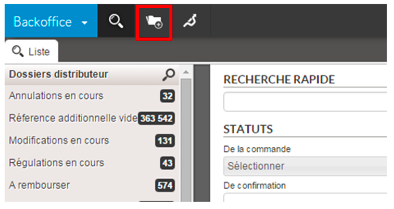
A new button in the main taskbar begins manual file creation.
Button for beginning manual file creation
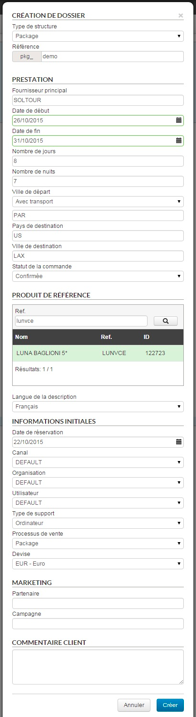
The data entered in this popin defines the structure of the file. Once confirmed, this data cannot be modified.
The “product reference” field only concerns package and pre-package type files. If the search returns no result, a product name and reference may be entered.
Popin for beginning manual file creation
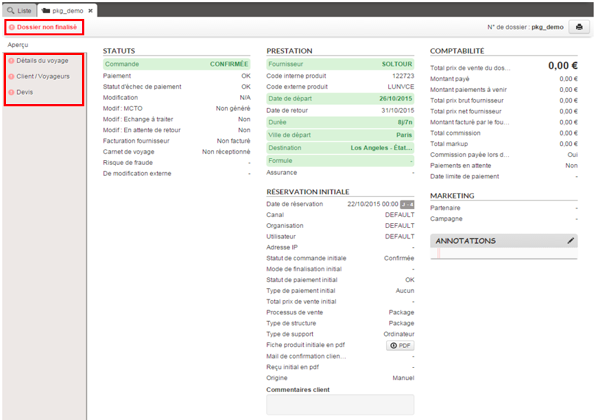
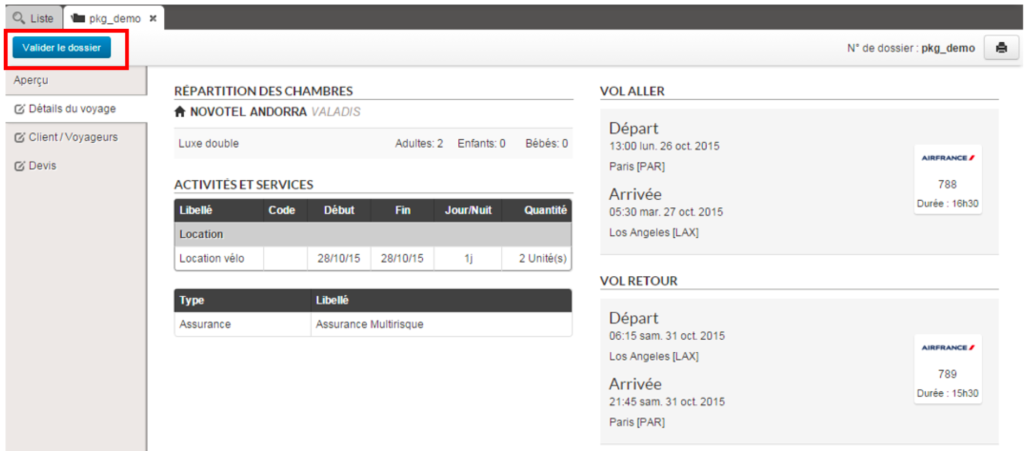
When the popin has been confirmed, the file preview page is displayed with a minimum of information. The “unfinished file” status appears at the top left of the preview page. The navigation bar on the right shows an icon (exclamation marks) indicating that the various sections have not yet been completed.
Preview of the non-finalised manual file
2/ “Trip details” section
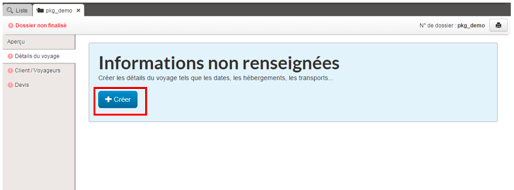
Once the first form has been validated, the remaining sections of the file can be filled in. In the “trip details” section, a “Create” button lets you continue the editing process by entering the details of each travel service.
“Create” button for completing trip details
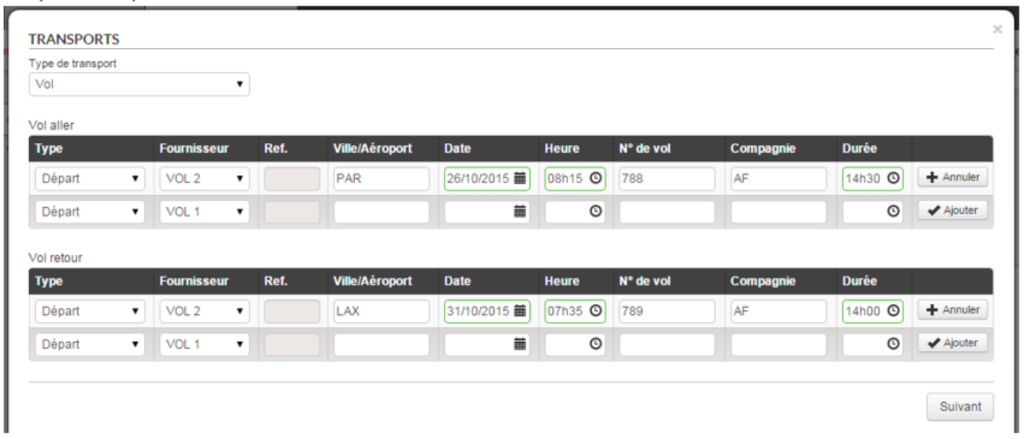
Travel method selection form
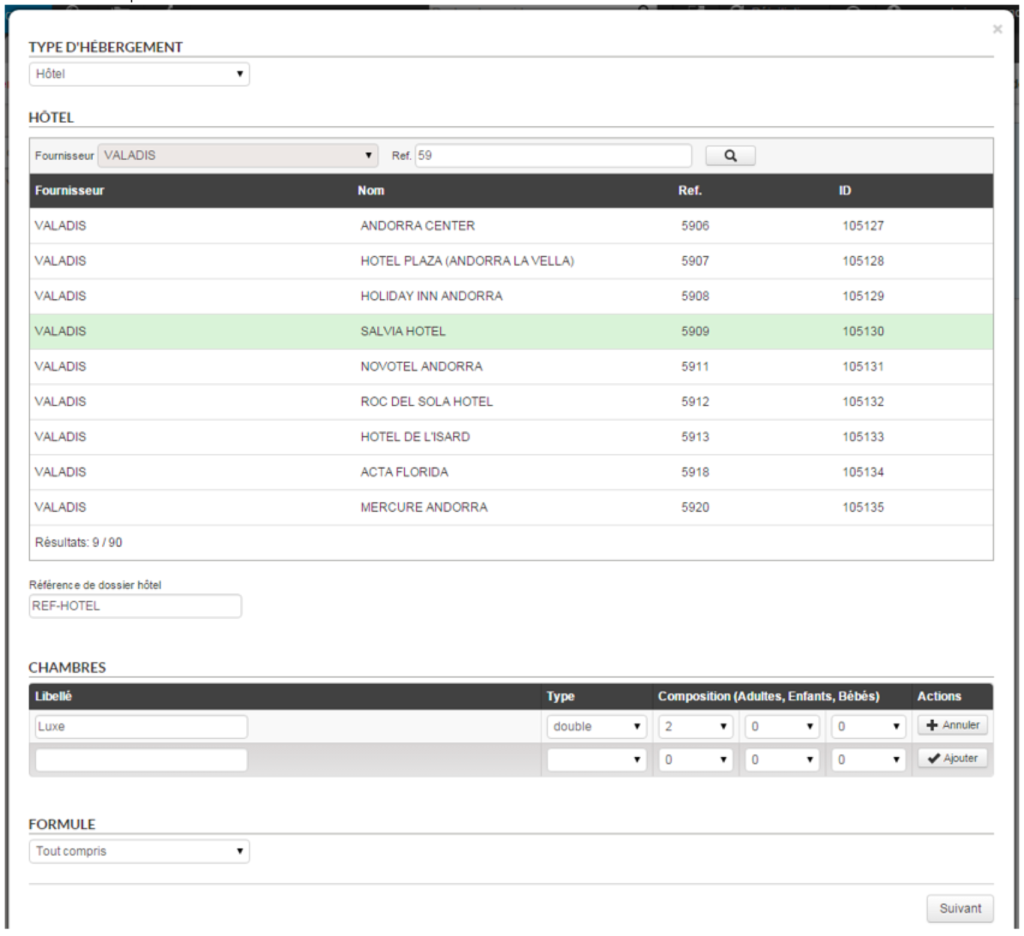
Accommodation selection form
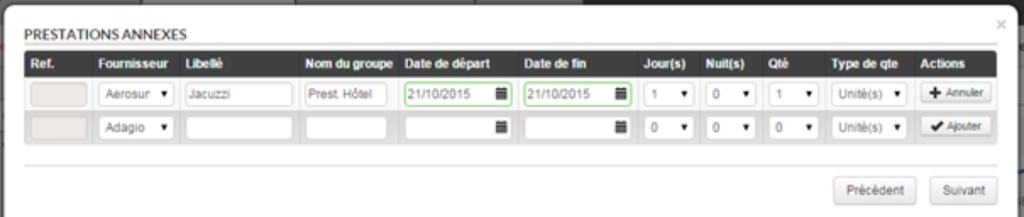
Additional services selection form
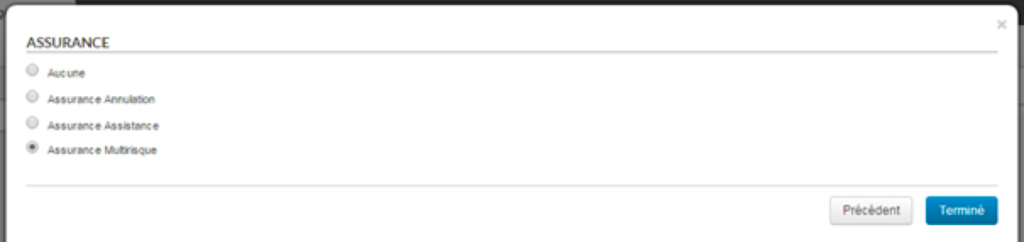
Insurance selection form
3/ “Customer/traveller” section
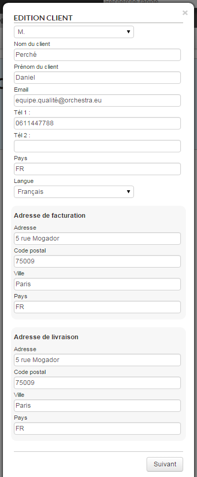
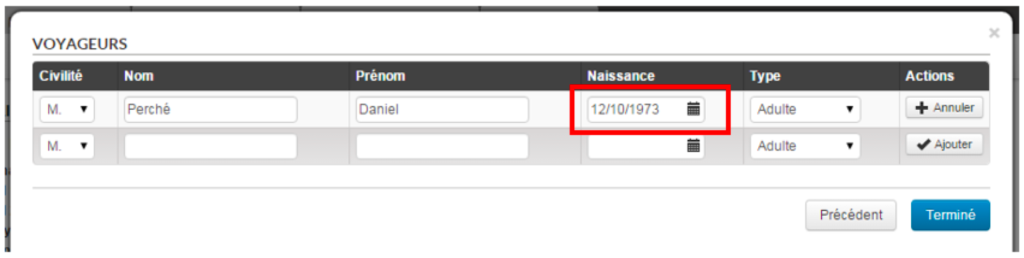
The “Customer/Traveller” section is for entering information regarding the customer and travellers. Note that a date of birth is required if the latter are children.
Customer detail form
Travellers form
4/ “Quote” section
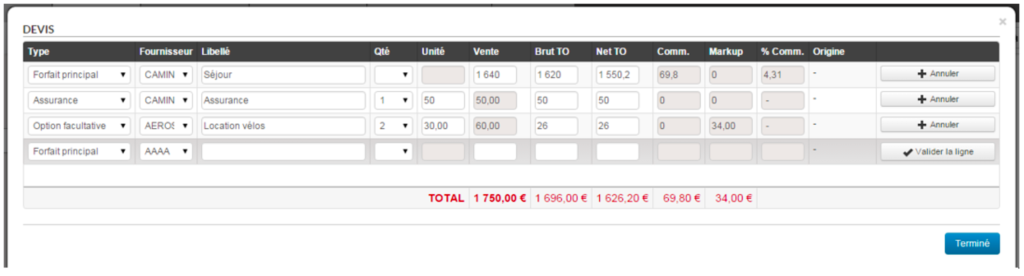
Finally the “Quote” section is for entering information regarding the file’s tariff lines.
Form for entering quotes
5/ Re-editing of information
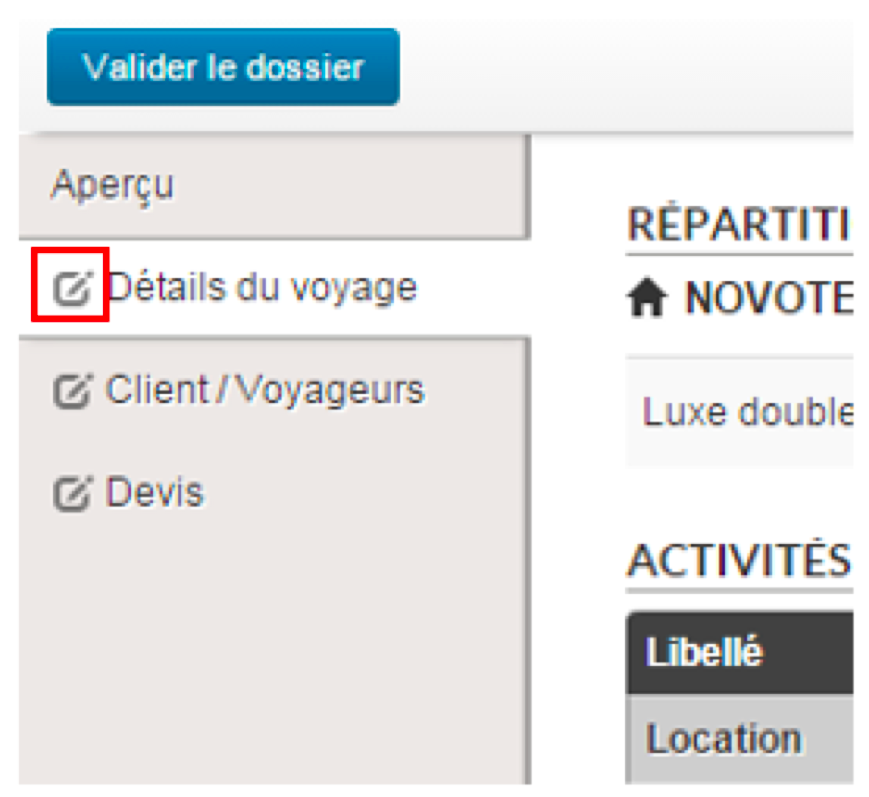
Once the information has been successfully entered, each of the sections may be re-edited if changes are required. To do so, simply click on the icon to the left of the text in each section.
Button for editing a previously completed section
6/ Confirming the file
Once all the information has been entered in the file, the “non-finalised file” status is replaced by a “Confirm the file” button.This button changes the status of a file from “Draft” to “Confirmed”.
“Confirm the file” button
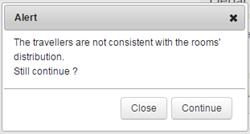
When the number, types of travellers and room allocation do not match exactly, a warning message appears in order to validate the consistency of the file.
Warning message when inconsistencies found
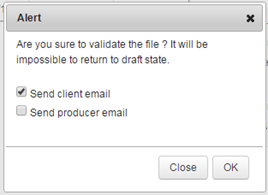
A final message gives final confirmation of the file. This popin can also send an email to the customer and/or provider. Note that a confirmed file cannot revert to draft status. The file will go to “Confirmed” mode and will appear as a typical file.
Final confirmation message
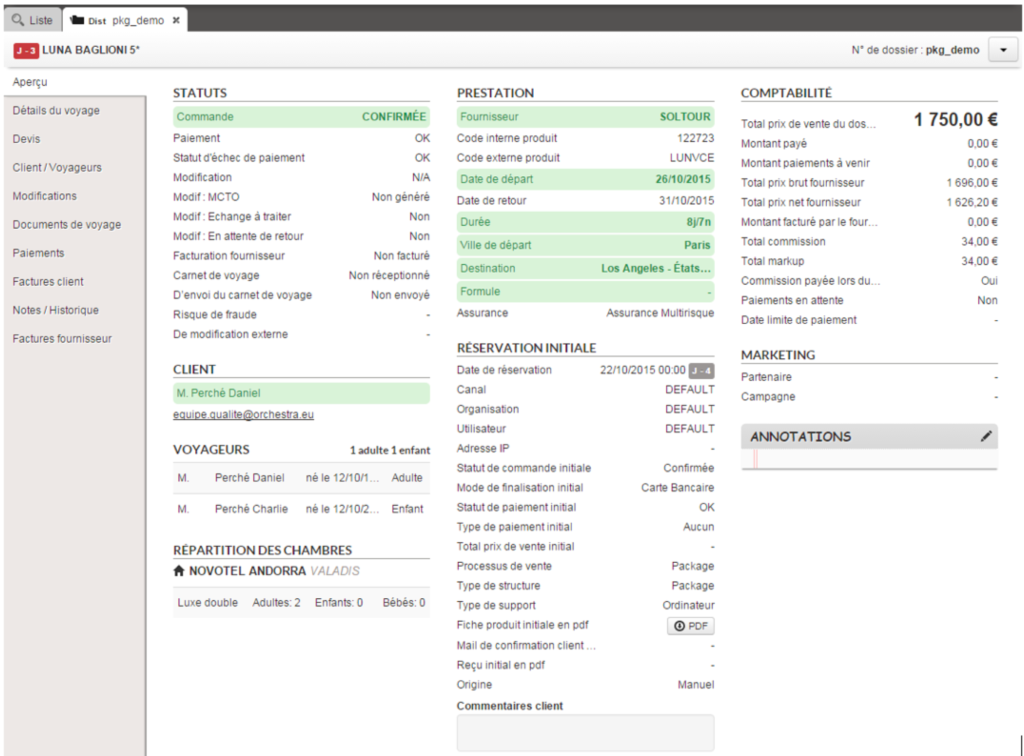
Preview of the finalised manual file
Integration of the Carts Guru system
Carts Guru is a targeting and multichannel stimulus solution for converting abandoned shopping baskets into sales.
In addition to the “tracking” email, it is now possible to send information entered by the customer on the contact details page to the Carts Guru system.
This function is compatible with the combined contact details/payments pages mode.
Confirmation of the customer’s identity documents on the contact details page
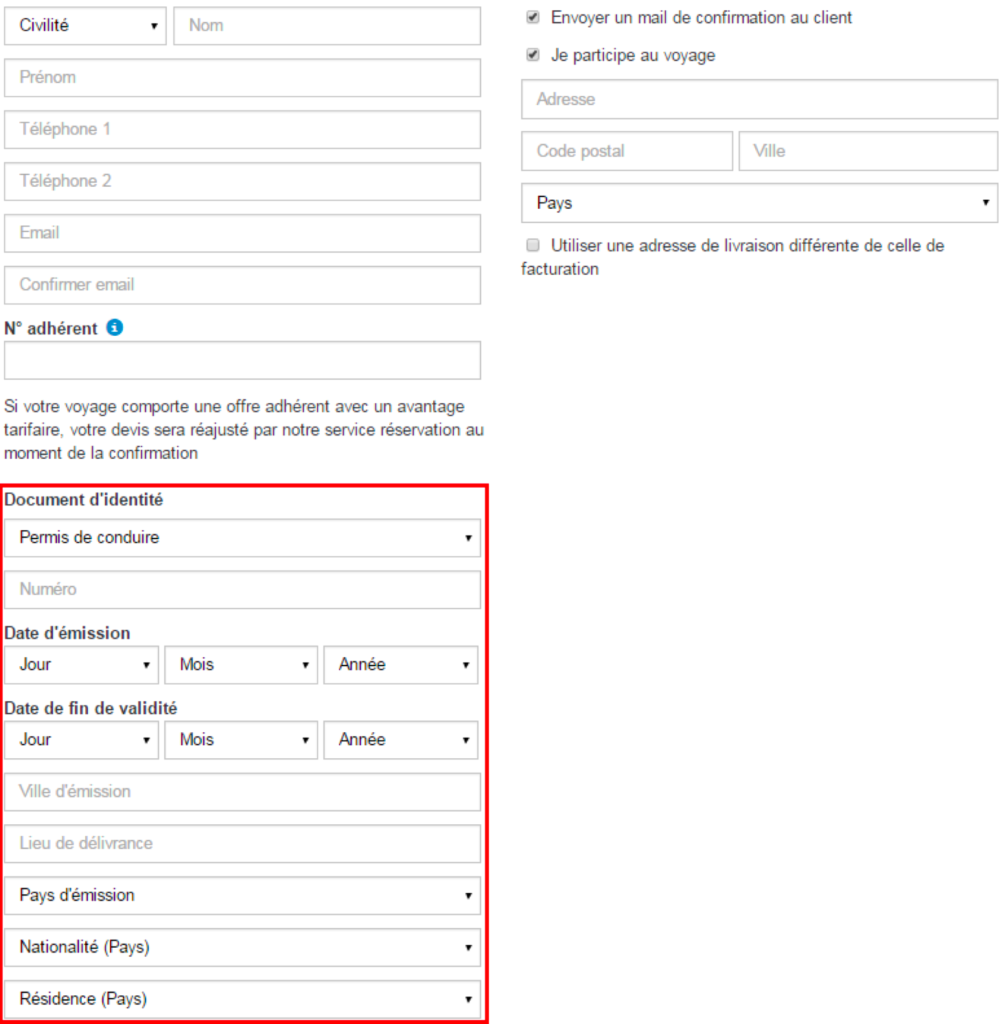
A configuration can now ask for identity documents in the “customer” area of the contact details form.
This block is identical to the passenger one and enables the use of validation algorithms on the numbers of the documents.
Customer data entry form with the “Identity document” block
Automatic promotions based on price/availability caches
Dates of price/availability caches from providers are now automatically marked as promotions when the sale price is lower than the brochure price.
However, this function can be disabled.
New provider
The Voyages Internationaux (International Trips) provider has received certification. It is available with version 13.3.
Provider developments
Passport information is no longer required. New informational messages are available at the quote stage of the booking.
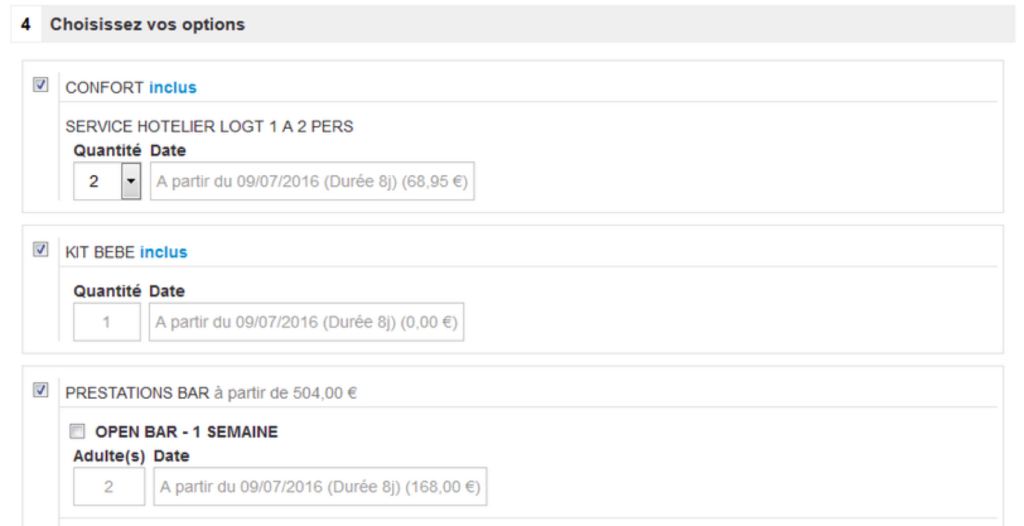
The “COMFORT” option has been updated and offers the service associated with basic accommodation. A new “OPEN BAR” service is now available.
“COMFORT” option and “OPEN BAR” option for Belambra
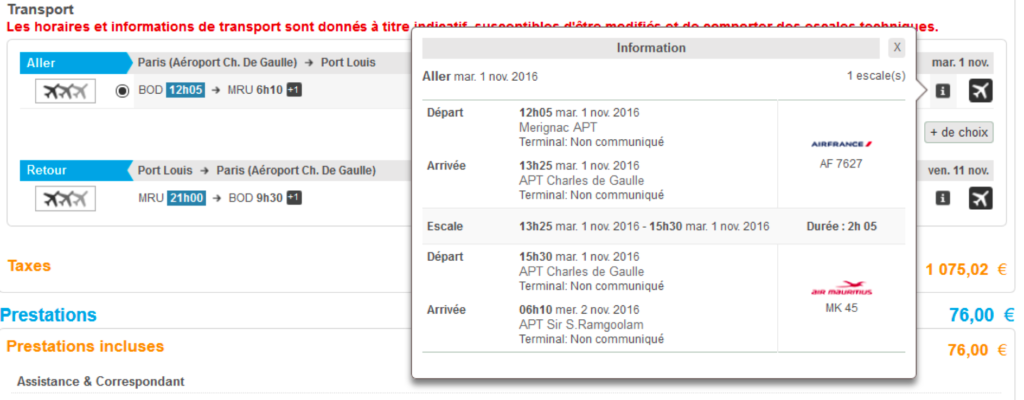
Beachcomber‘s connecting flights are now shown at the quote stage and in the confirmation e-mail.
Display of Beachcomber’s connecting flights
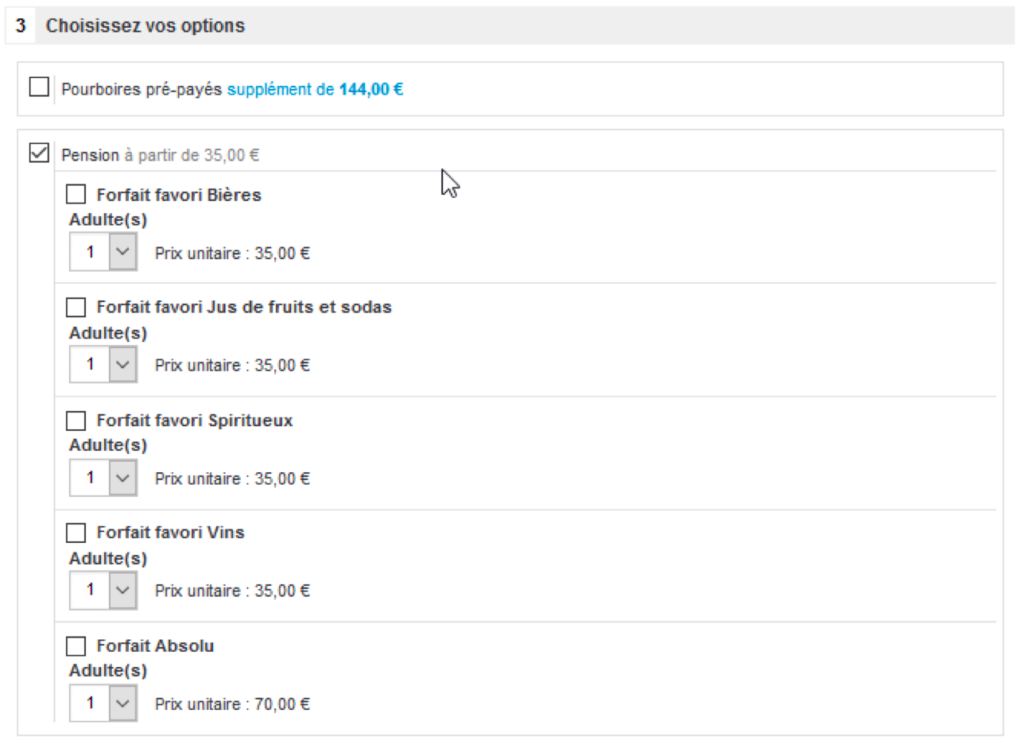
A new list of meal options is now available. Prepaid tips are also optional now.
Optional prepaid tips and new meal options from Croisières de France
Updates to transport sources
Improvements in baggage management have been brought into effect with a view to reducing response times.