Various changes were made to the B2B Solution to improve usability.
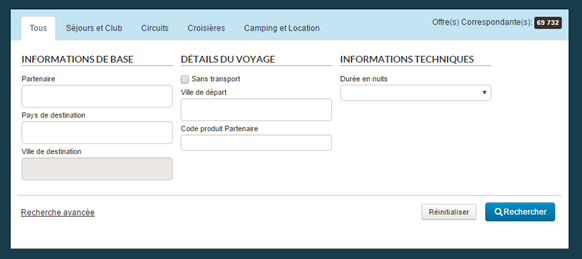
Search engine tabs should now be more easily distinguishable by a background colour.
Example of a blue background for the “Light form” tab
Depending on the user connected, the tabs can now be greyed out and deactivated if no matching product is visible for this profile.
Example with a “Stay and Club” tab deactivated
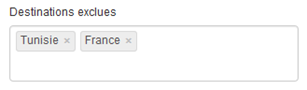
A new type of selection box now allows you to exclude a list of values for Destination-type fields and Orchestra criteria. This list applies to the first level of the hierarchy.
Example of excluding a list of destinations
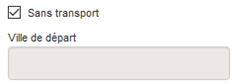
Searching for products without transport is now made by ticking a dedicated box that deactivates the “Departure city” field.
Tick box allowing for a search “Without transport”
Finally, it is now possible to configure a logo to be displayed in the upper right part of the main menu bar.
Example of a logo displayed in the main menu bar
New internal hotel rate and stock sheets
A new type of sheet in Excel format is now available on the platform. It allows schedule(s) and stocks related to an internal hotel to be imported. Loading this data through an Excel sheet helps greatly reduce the time needed to enter an internal hotel and thus to increase productivity.
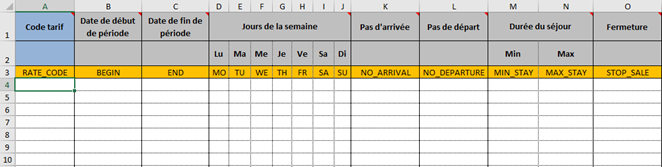
This new grid is comprised of “room category” sheets that define both the schedule (prices, dates, length, etc.) and stocks for the same room. This type of sheet can be duplicated as many times as necessary within the same Excel file, for each room in the same hotel.
New hotel grid with a sheet per room category
New hotel grid – Part 1
New hotel grid – Part 2
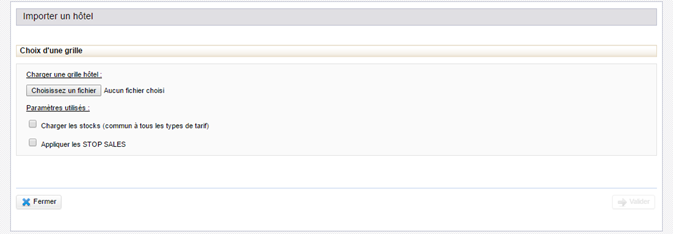
To upload a hotel grid, simply go to a hotel’s “schedule” section. The “menu” button to the right of the table will then allow you to “upload a new grid”. The following pop-up will then open :
Pop-up for loading a hotel grid
Two options are available when uploading a grid :
Load stocks :
This option, deactivated by default, takes into account the grid data related to stocks and replaces the previous data with data from the grid.
Apply “STOP SALES”:
This option, also deactivated by default, takes into account the grid data related to “STOP SALES” and to close dates for all types of rates for the selected dates.
Once the grid has been selected, it is analysed and goes through a validation process. Two types of errors are possible at this step :
Non-critical: certain lines in
error will be ignored, but the grid can still be uploaded
Critical: this type of error
prevents the process from continuing, a grid correction is needed to continue.
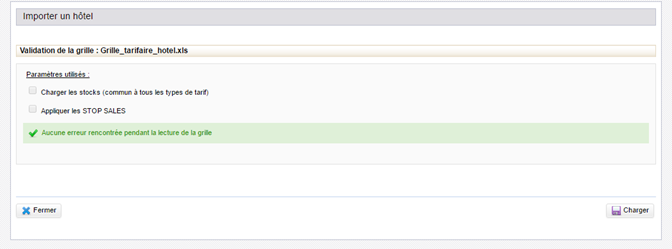
If no error is detected, a corresponding message is displayed and the user simply clicks on the “Upload” button to effectively upload the grid in the administration tool.
Example of a grid validated successfully
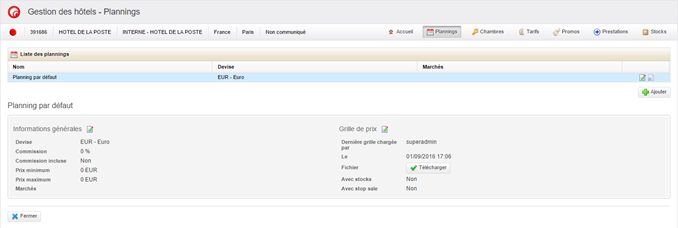
It is possible to download the last grid
applied to a hotel/schedule pair. For this, simply go to the “Hotel” tab,
select the desired hotel and go to the hotel’s schedule(s). The “Download”
button allows the user to retrieve the Excel file. The options selected, the
time, and the user who uploaded this grid are also displayed.
Button allowing for the last hotel grid to be downloaded
Updates to hotel stock
Several changes have been made to the hotel stock interface :
The “Maximum on request” column has been renamed “On request” and now includes two pieces of information: the initial quantity and the modified quantity. The initial quantity is equal to the value entered when the stock was created, and is not intended to be changed afterwards (it is possible to change it in the case where the initial value was entered incorrectly). The modified quantity is equal to the current quantity of authorised on request sales.
In the “Quantity” column, we now display the number of on request stock available (noted “Avail rq” in the interface) in parentheses after the amount available.
New search fields in the user search engine
It is now possible to modify the “quantity available” directly, as well as the “quantity on request available”for a stock if the user has the required rights (“HOTEL – Stocks – Modification of available quantities”). This also has the effect of modifying the “modified quantity” as well as the “modified quantity on request”.
New search fields in the user search engine
Updates to package/hotel links with services
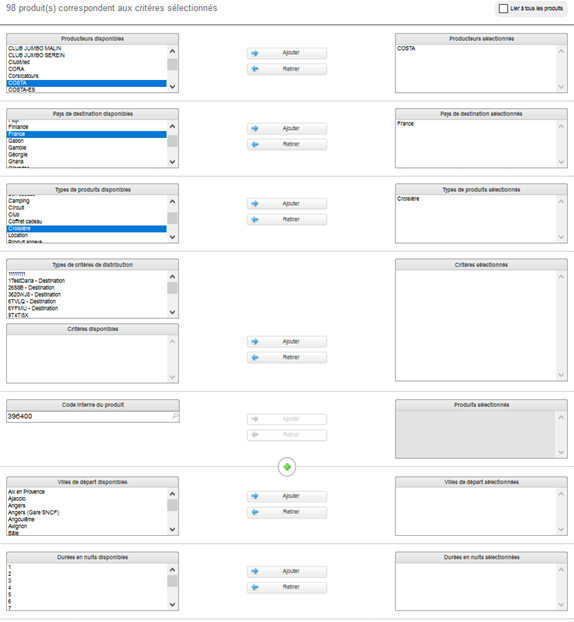
The page for matching optional services with packages and hotels (Services > Product, services link > Hotel link) has been reworked. There are now two levels of association between services and packages: products, then availabilities.
First, services are associated with packages, either by a list of product codes or by a set of criteria (destination, for example).
Secondly, services are associated with availabilities. The services will only be associated if the length and departure city being reserved match the criteria configured.
Furthermore, the layout of the form blocks has been lightly reworked: the criteria concerning package availability have now been grouped at the bottom of the page.
Form for linking packages and services
Updates to user management
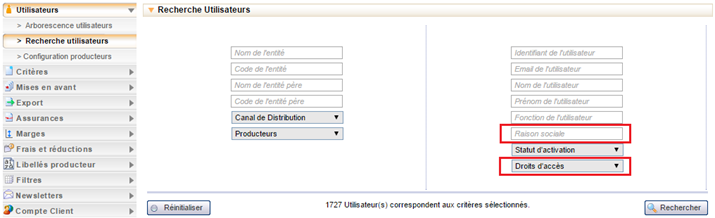
The user search interface includes new search options :
Search by company name
Search by access rights
New search fields in the user search engine
The search results table can now show more information. The following columns have been added :
Company name
Active (the user profile’s
activation status)
City
State
Telephone
Network
Agency code
“B2B Access” rights (the user
can or can’t access the B2B solution).
Displaying these columns and their order in the table can be configured. By default, the columns remain unchanged. To access a user profile more quickly, double click on a line in the table and the window for modifying the corresponding user will open directly.
New columns in the user results table
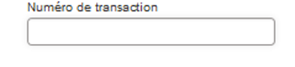
Quick search by payment transaction number
It is now possible to search by bank card payment transaction number. The corresponding field has been added to the back office search engine.
New transaction number search fields
Improvement of detailed booking exports
For each price element in the export, the detailed export now includes two new columns that specify :
The supplier of each price
line,
The date the price line was
created.
New Supplier and Creation Date columns in the detailed export
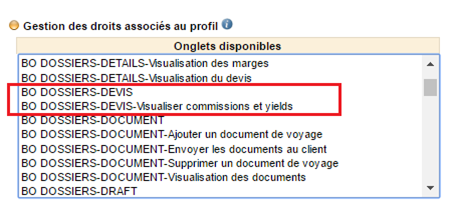
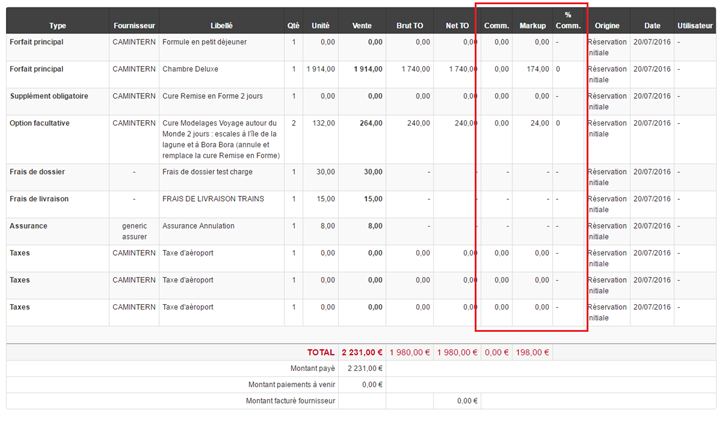
New right: display commissions/yields in the “Quote” section
A new back office right has been added to the administration interface in order to show the commissions and yields columns in the “Quote” section of the back office.
New right to view commissions and yields in the back office
Displaying new columns in a booking quote
Email history
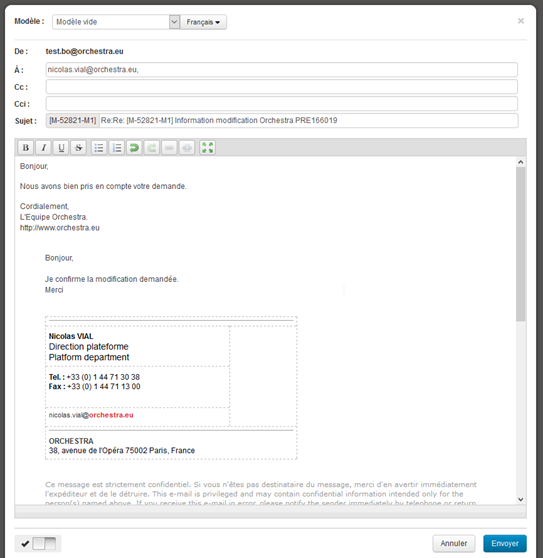
The email exchange management interface has been improved. When the user answers an email, the history of exchanges is displayed in the editing window.
Displaying email history when editing
Alphabetic sorting for users’ favourite searches
The list of favourite searches is now sorted alphabetically.
Warning message when cancelling a booking
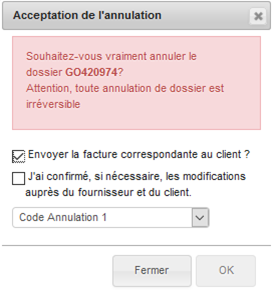
A warning message has been added to highlight more clearly the fact that cancelling a booking in the back-office is definitive.
Warning message when cancelling a booking
Refunds by cheque
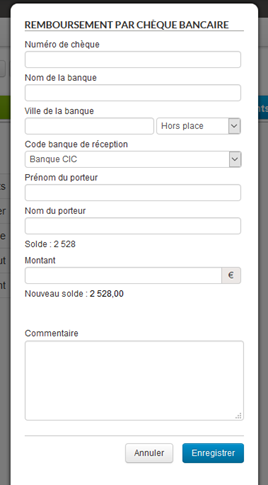
It is now possible to issue refunds by cheque in the section Payments > Back office refunds.
Refund by cheque form
New flight blocks
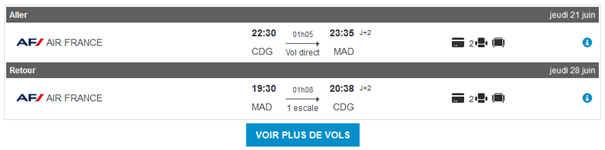
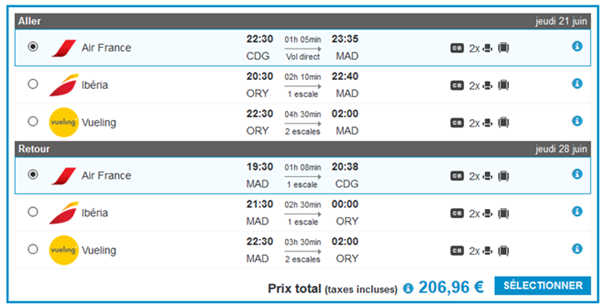
The flight blocks have been entirely redone throughout the reservation process. The main modifications are as follows :
New airline company logos and
company names displayed in text
The main flight information is
displayed much more visibly in the centre of the text box
The selected flight is
highlighted more clearly
New flight block where a flight is selected on the quote page
New flight block where a multi-choice flight is selected in the transport sales process
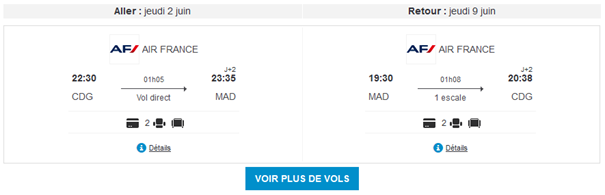
Additionally, a new way of displaying flight blocks is now available in the package sales process in order to present “return trips” in left/right mode instead of top/bottom.
New flight block display in left/right mode
This new display method can be chosen by configuring the package reservation process.
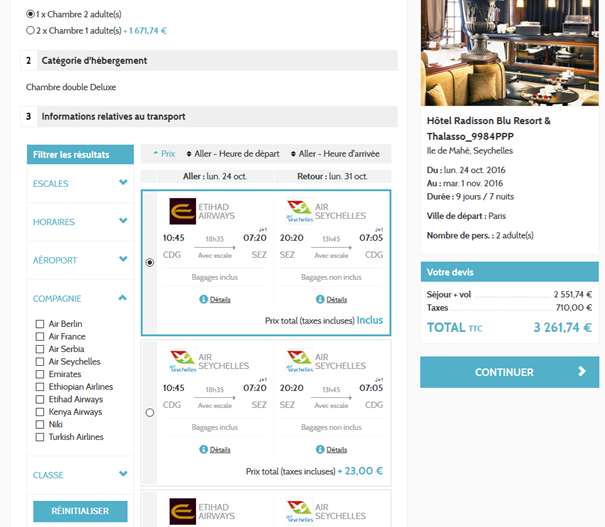
Choice of alternate flights included in the quote page
When alternate flights are suggested on the quote page in the package reservation process, the “See more flights” button on the quote page allows you to display, filter, and select alternate flights within a pop-in window.
It is now possible via configuration to include all associated alternate flights and filters directly within the quote page in the package reservation process. A limited number of flights is displayed by default, then a button can display “more flights” if needed, all within the transport box on the quote page.
Furthermore, this table’s headings and the horizontal filter bar have been reworked to improve overall visibility and usability. For example, it is now possible to choose the order in which the different filter bar sections are displayed, or to choose which sections are open/closed by default.
Choice of alternate flights included in the quote page
Updates to the package reservation process
The quote total and the confirmation button can now be displayed over the whole width at the bottom of the central box.
Total amount and confirmation button at the bottom of the central box
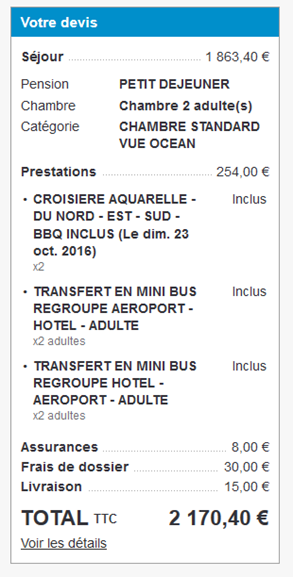
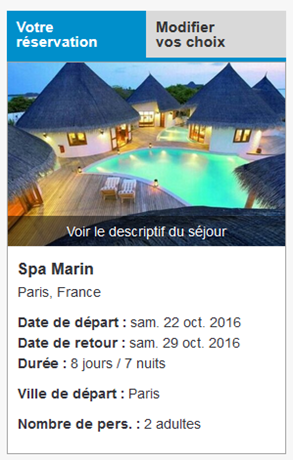
Furthermore, it is now possible to show part of the quote’s service details directly in the horizontal bar in the reservation process.
Detail of services in the horizontal bar
In the summary, the item order can now be modified in the settings.
Configurable summary item order
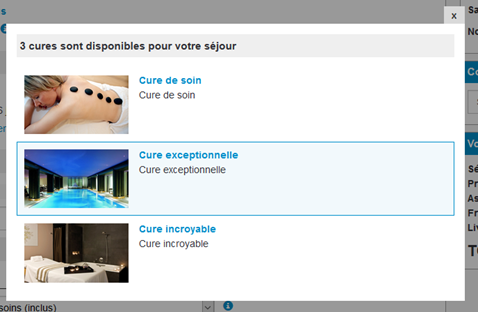
How tooltips for grouped options (spa treatments, for example) are displayed has been improved. The description for the selected option can now be highlighted in order to make it easier to compare with alternatives.
Description of the selected spa treatment is highlighted in the tooltip
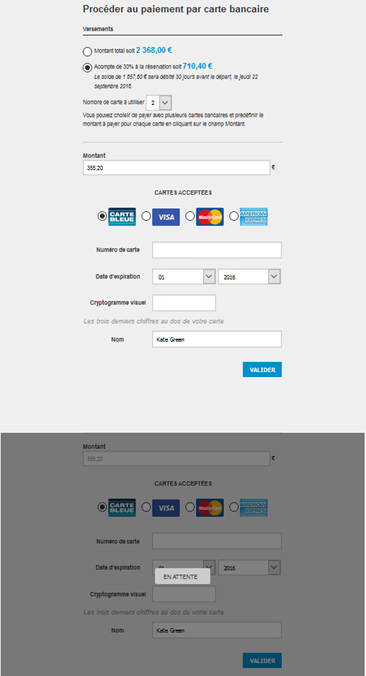
Be2Bill – Multi-card payment
It is now possible to use several bank cards to pay for an order with the Be2Bill payment system. In the same way as for other compatible payment systems, the reservation process will display two forms, the second greyed out as long as the first has not been validated.
Furthermore, Be2Bill’s 3-tier payment method has been changed in order to be directly integrated into Orchestra’s payment page, instead of directing the user to a new page.
Multi-card payment form with Be2Bill
Dynamic packages / Pre-packages – Personalised management of the reservation sequence
It is now possible to define rules for creating a booking and/or continuing the reservation when certain elements of the reservation have failed. Depending on the configuration, failure to reserve a service will be critical or non-critical, for example if the reservation began with hotel services, it is possible to continue reserving flights even if the hotel reservation failed.
In the case where a failure is not critical, the booking will be created in the back office in “Draft” mode in order to be able to add the missing references at a later time.
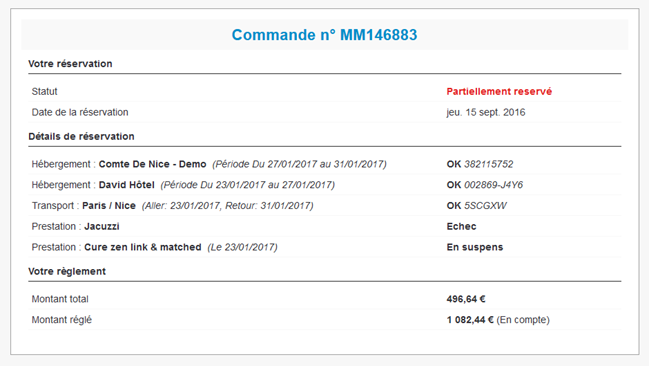
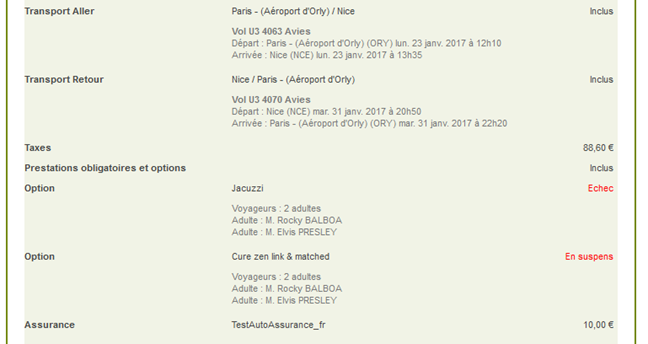
In a B2B context, the reservation confirmation page and email can display the reservation’s overall status as well as the detailed status for each service. For example, the screenshot below shows a trip that has been partially reserved since a service reservation failed.
Partial reservation confirmation page
Partial reservation confirmation email
Updates to providers
1/ Retrieving providers’ alternate rates has been improved
A new multiple request system has been developed in order to price a maximum number of alternative elements as possible.
This allows a greater number of alternative rooms, categories, meal options and flights to be offered on the quote page. This system is compatible with all producers whose API response times are sufficiently short.
2/ Gestour System
Producers using the Gestour, Solea, and Corsicatours system, among others, can now display all room and meal option alternatives on the quote page.
Furthermore, per-person options are also available, which lets you select certain services depending on the number of passengers.
3/ Partners
Updates have been made to the departure availability management system to more efficiently manage the French market.
Croisières de France is now available under the CDF-OP brand to send their negotiated rates to catalogues.
Retrieving flight status is now available and allows you to not receive all “on request” flights.
Production of Jet tours is changing with new product code formats which is currently being implemented.