Managing multiple currencies

The B2B solution now allows operations in multiple currencies.

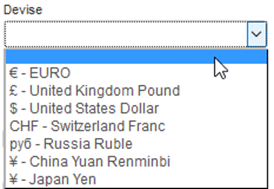
A new field is used to select the currency displayed in search engines for packages, hotels, transport and dynamic packages. The exchange rates are obtained automatically every day.

New “Currency” field in the search engines
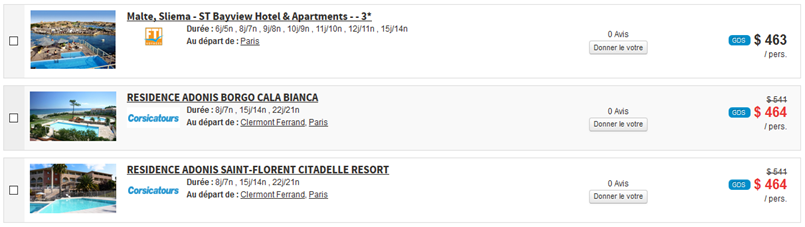
Prices displayed in the selected currency for the package engine results
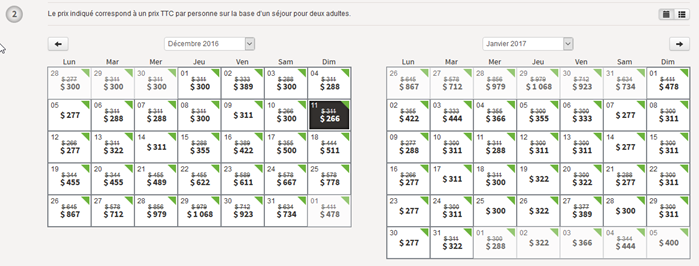
Prices displayed in the selected currency in the package calendars

The choice of currency has also been added to the list of search criteria for package catalogue services.

Changes to Tripadvisor reviews

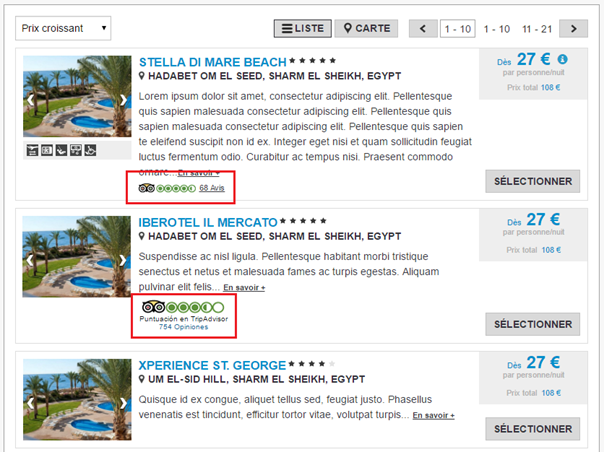
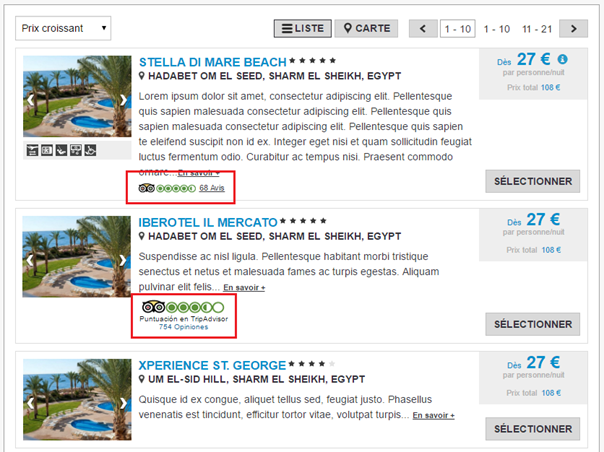
Tripadvisor reviews can now be displayed in the package search of the B2B solution. The rating appears in the package text box in the form of a widget or an image upon which the user can click (based on the agreement with Tripadvisor). The package data sheet also includes a new section, “Tripadvisor reviews”, displaying the detailed list of these ratings.

The display of these Tripadvisor ratings on the packages can be configured, with the condition that the packages must be associated with hotels which have a Tripadvisor rating.

Tripadvisor rating displayed in the form of a widget
Tripadvisor rating displayed in the form of an image
New display of the Tripadvisor rating in the hotel and dynamic packages sale process

Changes to the package types

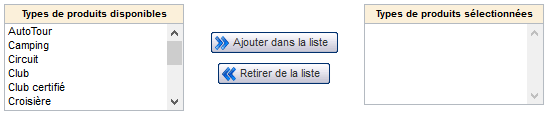
New package types have been added to the “Product type” field: Thalassotherapy and Amusement park. This field is intended to definitively replace the “Trip type” field in the entire administration tool.

It is therefore now possible to use the “Product type” field in all places in which the “Trip type” field is found.

The “Trip type” field will be disabled in future versions of the platform, so as to use only the “Product type” field, ensuring a better automatic classification of the products.

“Product type” field in the flow export configuration
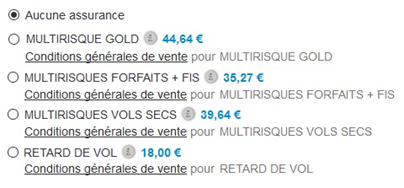
“Product type” field in the management of filters or internal insurance

Improvements to pre-packages

The process for creating and updating pre-package structures in the administration tool has been improved. The creation/update pop-up can now be validated instantly.

Managing multiple languages in the multi-product grid

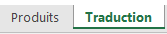
The titles entered in the multi-product grid can now be entered for all configured languages. To do this, a new tab for translation has been added to the corresponding Excel grid. The main tab of the Excel grid remains unchanged.

Excel file translation tab
Content of the translation tab of the Excel file

New “Company” parameter

A new “Company” parameter can now be sent during the booking.

This field is intended to be saved in the Back-Office files in order to distinguish between files which may come from different white labels. Agents will then, for example, be able to apply a different VAT rate based on this parameter.

Sub-types of payment to account

It is now possible to indicate the type of payment to account (transfer, cash, gift card, etc.) when entering a payment to an account in the Back-Office.

Changes to the invoice configuration

A configuration now allows the activation of invoices to be managed in greater detail. It is now possible to independently activate :

  • Invoices generated during a booking,
  • Invoices created during operations on the Back-Office files.

Automatic retrieval
of travel documents

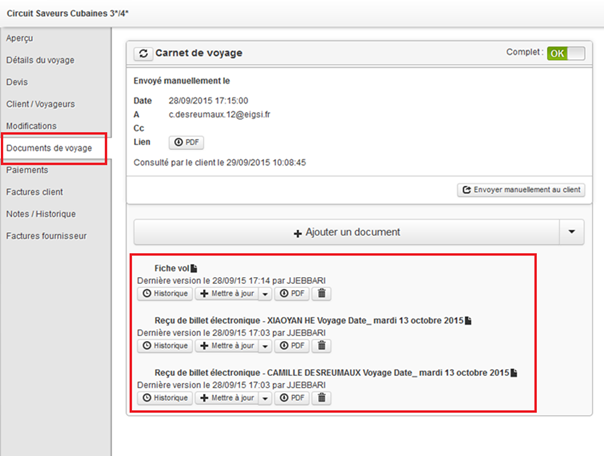
It is now possible to automatically generate and store travel documents from compatible sources (Amadeus e-ticket, Koedia voucher, etc.).

The documents retrieved can then be viewed in the “Travel documents” tab of the Back-Office files.

Display of retrieved documents in the “Travel documents” section

Multiple payment
methods in the “Payments” tab

It is now possible to activate several payment methods in the “Payments” tab of the files. Users can therefore choose the most suitable payment method from the list.

Inclusion of Casino payment in 4 instalments

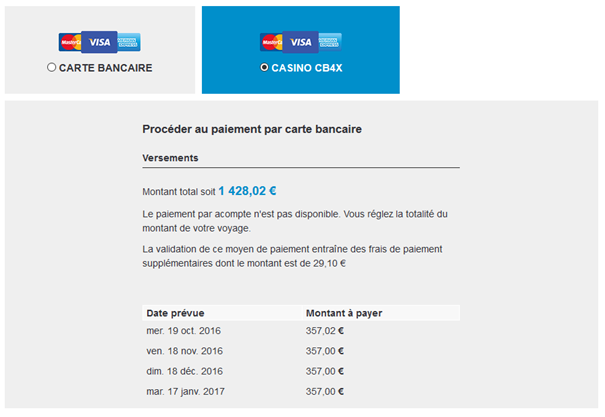
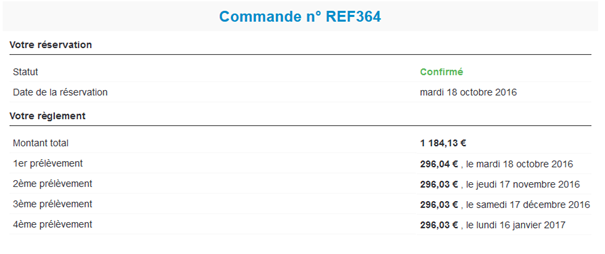
The option for Casino payment in 4 instalments is now available on the platform. With this new payment method, a table setting out the four payments due is displayed for the user.

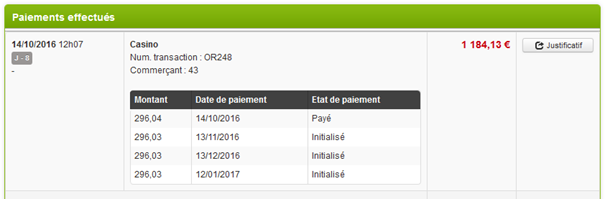
These payments due can also be seen in the confirmation email and in the “Payments” tab of the file in Back-Office.

“Casino 4 times” payment block with display of scheduled deadlines
Display of scheduled deadlines on the confirmation page
Display of due dates in the “Payments” section of the Back-Office

Pre-completing
the contact details page

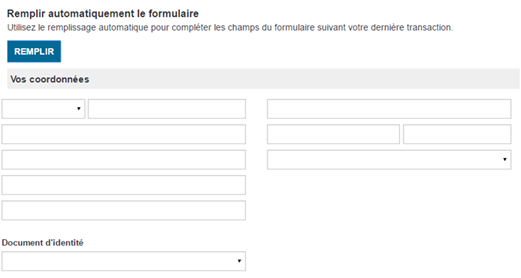
It is now possible to configure a “Complete” button on the contact details page of the booking process.

This button is used to pre-complete this form with the latest data saved in the session. This button is particularly useful for increasing the productivity of travel agents, who can then produce several quotes for the same client very quickly.

“Complete” button used to pre-complete the contact details form

Changes to flight display in left/right mode

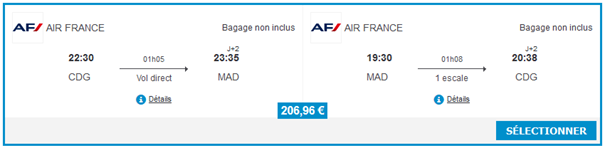
A new configuration provides a more compact version of the flight display in left/right mode.

In this mode, the airline is displayed in the top-left, and information on whether or not luggage is included is given in text form in the top-right. The price is centred at the bottom of the text box. In this mode, only the characteristics relating to luggage are displayed.

New flight display in left/right mode

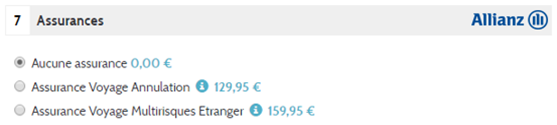
Insurance logo on the quote page

The “Insurance” section of the quote page can now include an insurance logo in the section title.

Insurance logo displayed in the section title

New display of Tripadvisor ratings

The display of Tripadvisor ratings in the hotel text boxes for the hotel and dynamic package booking processes has been modernised.

Based on the agreement with Tripadvisor, the ratings may be displayed using a new widget, or through an image incorporated into the page.

New display of the Tripadvisor rating in the hotel and dynamic packages sale process

Changes to insurance sources

  • New source April

April insurance is now available on the Orchestra platform. This can be a simple insurance, or enhanced with schemes and extensions.

  • Changes to the AON source

Changes have been made for the AON insurance source. It is now possible :

  • To display the insurance logos,
  • To configure the insurance based on the type of sales process and the destination,
  • To manage bookings with the “on request” status.

Changes to providers

1/ Addition of criteria for packages imported using advanced rules

It is now possible, through integration specific to the provider, to automatically add criteria for the products sent by the partner in accordance with rules based on the content of the imported file.

These rules must be defined taking into account the data included in the flows, and the existing distributor criteria in the administration tool.

2/ Changes to Jet Tours connectivity

New imports now allow the dynamic production and production without transport from Jet Tours to be retrieved. If several Jet Tours catalogues exist for the same availability, the one of most interest is calculated.

In addition, a new booking service is now available. This allows :

  • Management of products without transport,
  • Management of taxes,
  • Management of commission,
  • Improved calculation of the rate for rooms with children,
  • The displaying and booking of alternative flights.