Merge packages

It is now possible to merge similar packages so that they can be presented on a single product sheet in the catalogues.

Merged packages are managed the same way as standard packages. The availability of a merged package will be calculated based on the availability of the packages contained within it, and this will be regularly updated.

For example, this feature can be used to merge packages in the following cases :

  • Packages with the same duration or same departure town/city.
  • Winter / summer packages
  • Packages with different pricing conditions (i.e. packages and pre-packages)
  • etc …

In the administration tool, a new package structure is available: the merged package.

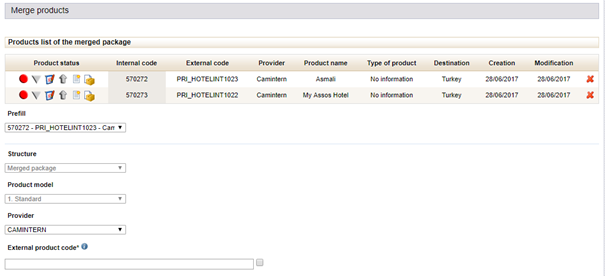
A basket system has been set up so that you can select the packages you want to merge.
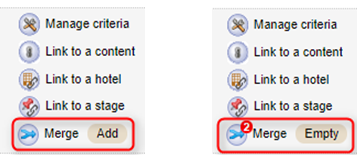
Adding products to the basket

The form to create a merged package is divided into two parts :

  • List of packages to merge in this product,
  • General package information.
Form to create a merged package

To simplify the creation of a merged package, the following functions are available in the creation form :

  • Pre-fill technical data based on one of the packages,
  • Duplicate editorial content from a reference package,
  • Unpublish all packages contained within the merged package.

Once the merged package has been created it can be managed in the administration tool, like any other package (create criteria, editorial management, promote, etc.). However, actions that affect pricing, like “yields” management, must still be done directly in the packages that make up the merged package.

In front office, merged packages will be clearly displayed the same way as any other package. Once a date is chosen the booking process begins: the internet user is automatically sent to one of the sub-products offering that date. The next stage of booking takes part in the package itself, and not in the merged package.

A specific catalogue upgrade makes it possible to use a dedicated display type for merged packages. This allows you to associate the merged package with editorial content based on a selected date for example, or give the internet user the choice between several pricing options for the same date.

Ergonomic improvements
to the product availability table

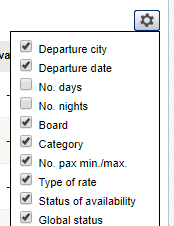
It is now possible to select the columns you want displayed in the table. This function is reached through the settings symbol (nut) on the top right of the availability table shown in the product sheet :

List of columns available to display

This change allows you to select just the pertinent information for your purposes.

In addition, paging is available in the table to improve the display generation time.

Paging in the availability table

Improvements in several performance areas

Improvements to the following user functions :

  • Delete criteria,
  • Edit administrative fee rules,
  • Edit filters.

Price management
for type of transport price

Pricing management rules can now be applied for the type of transport price.

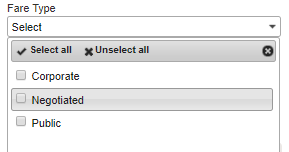
Drop-down list to select price type to be applied

This upgrade lets you adjust the pricing rules for transport.

Richer content
for packages thanks to Easyvoyage

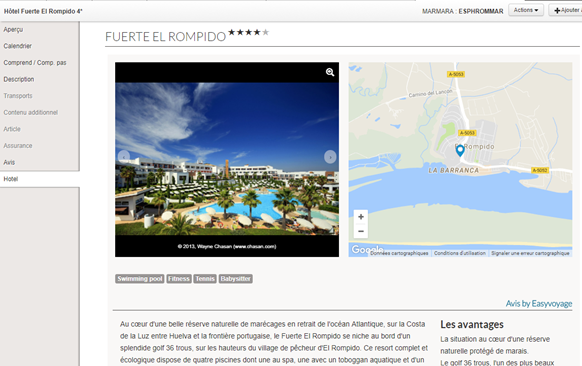
The aim of this integration is to enrich provider package content using written content and expert reviews from Easyvoyage.

Richer content from Easyvoyage includes :

  • An overall score
  • A hotel description
  • A standardised Easyvoyage certification level
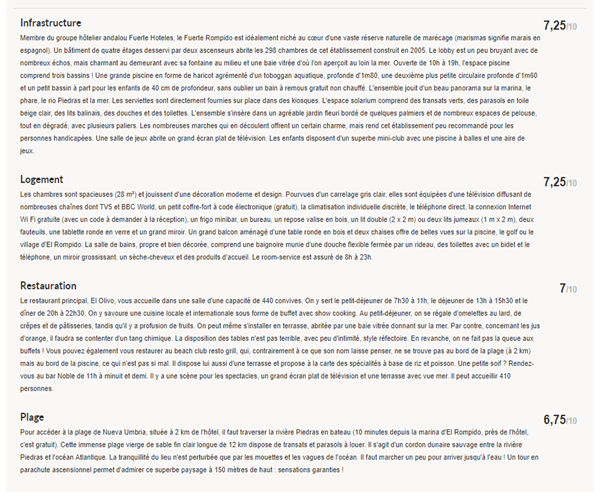
  • Richer content with detailed scores for services
  • The list of hotel facilities available
  • The geoposition of the hotel
  • An HD photo slideshow
Preview of Easyvoyage content available in the B2B Solution
Easyvoyage scoring details available in the package sheet of the B2B Solution

This information is shown in the hotel section of the package sheet in the B2B Solution and can also be displayed in the front office via the service catalogues.

There are many other additional functions available :

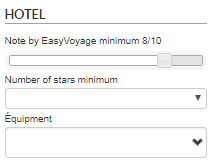
  • Filters for the Easyvoyage score, the number of stars attributed to the hotel and the list of facilities available in the B2B Solution.
Filter available in the B2B Solution for the Easyvoyage score and also scoring criteria
  • Sorting by Easyvoyage score in the search engine results table
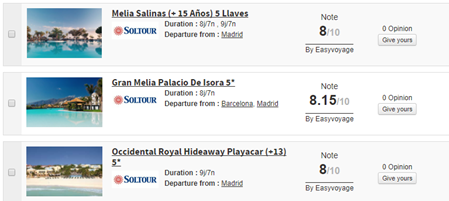
  • Display Easyvoyage score in the search engine results
List of packages with Easyvoyage scores in the B2B Solution
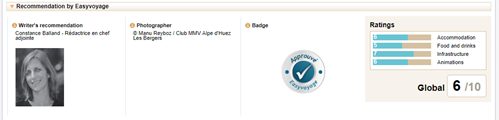
  • Overview of Easyvoyage expert scores
Easyvoyage recommendations in the hotel information sheet of the B2B Solution
Easyvoyage recommendations in the hotel form of the administration tool

This information allows you to pitch products using detailed content, improve your customer service and thereby target sales more effectively.

Town/city labels displayed below
airport codes

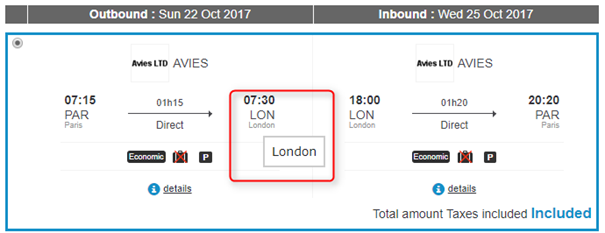
Town/city labels are now displayed below airport codes in the flight search results.

Flight search results in the V2 booking tunnel

Price difference between
catalogue price and quote price displayed

You can now display the price difference between the catalogue price and the price given on the quote page.

Message to indicate a change of price in relation to the catalogue price shown

You can also customise another message for when there is an increase or decrease in the price difference.

Management of a new transport class :
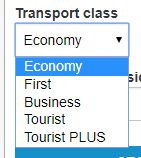
Eco Premium

The Eco Premium transport class is now available in the transport classes presented in Orchestra.

This new booking class can be displayed during the booking process, used as a flight search criteria or during pre-package creation, and also displayed in the back office.

Display of transport classes

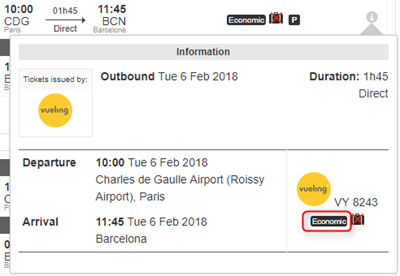
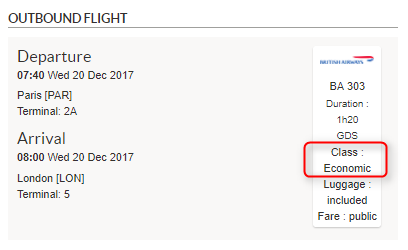
Transport classes can now be displayed in the booking tunnel.

Displayed in the flight overview
Displayed in the flight details
Class displayed in the back office

A filter for this class is also available in the land transport and dynamic packages booking processes when the flight search results are displayed.

Filter available in the booking tunnel

Filter available for baggage information

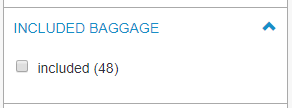
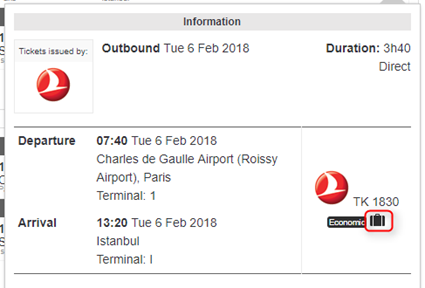
A filter for baggage information is available so that you can filter flight results shown in the transport booking process and on the quote page during the package booking process. It is possible to filter flights to only keep those that include at least one bag.

Filter for checked baggage

In addition, baggage information is now displayed in the flight overview.

Flight overview

A new payment method
is available using Adyen

It is now possible to make an imprint of a bank card using the Adyen payment system. This payment method can be used to book a holiday until the customer arrives.

Integration
of the payment system: Payline

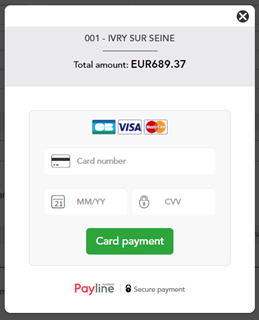
The Payline paymentsystem is now available on the platform. The payment is made in “3-tier” mode in the booking process. The payment appears in the form of a widget during the booking process.

Screen to enter bank details
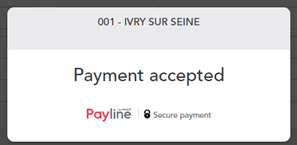
Payment accepted

In addition, payment methods can be customised for each point of sale.

Confirmation of options

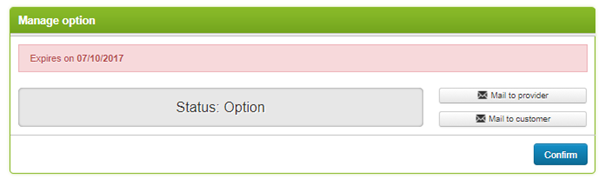
It is now possible to confirm or cancel a file with the status “option” in the “modify” section of a file. Confirmation and cancellation generate an email and update the status of the file. The confirmation and cancellation of an option can be performed while connected in certain cases, depending on the source associated with the Package file.

Option to confirm before 07/10/2017

Notification of distributor email during customer response

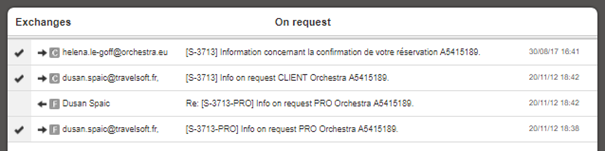
Back-office users are now notified when a customer answers a distributor email sent from back office in the “customer invoice” and “travel documents” section, in the same way seen currently seen in the file’s “modify” section. Email exchanges following the dispatch of a customer invoice also appear in the “exchanges” section of the “customer invoice” section.

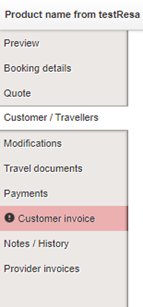
The tab is highlighted in red inside the file to notify the user.

Notification in the travel documents section

These notifications are available in the “travel documents” and “customer invoice” tabs.

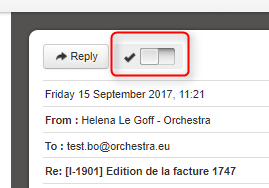
The user must then confirm they have read the email to delete the notification.

Button to confirm email has been read.

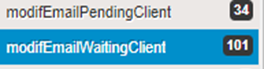
In addition, previous searches are available by default in the back office, in the same way as modifications :

  • Notification to manage – customer
  • Pending response – customer
Previous searches available on the home page
Email exchanges in the modification section

Changes to flight sources

TUI : Consult flight baggage information

TUI, Passion des Iles and Nouvelles Frontières can now have baggage added for certain flights.

New providers

  • Bravo Club

The provider, Alpitour France, a BRAVO CLUB Club de Vacances specialist for all-inclusive packages, French speaking activities and medium and long-haul destinations is available in Orchestra starting from version 14.8.

  • Kappa Viaggi & Kappa Viajes

Kappa Viaggi allows you to take advantage of Promoséjours offers in the Italian market and

Kappa Viajes in the Spanish market.

  • Spring Travel

The provider, Spring Travel, a Tunisian specialist, has been certified and is available in Orchestra starting from version 14.8.

Provider changes

  • Visiteurope : insurance has been integrated

Visiteurope insurance is now available directly via their Gestour producer system.

  • Jet tours : various upgrades

The product codes for Jet Tours have been standardised. Also, some of the optional services can now be de-activated.

  • Kuoni : booking options for new services

Kuoni now lets you book differently priced room categories as well as differently priced board options.

  • Thalasso n°1 : replace spa treatment

You can now change the spa option included by selecting an alternative spa option. This change may lead to an additional fee or reduced fee in comparison to the default spa option.