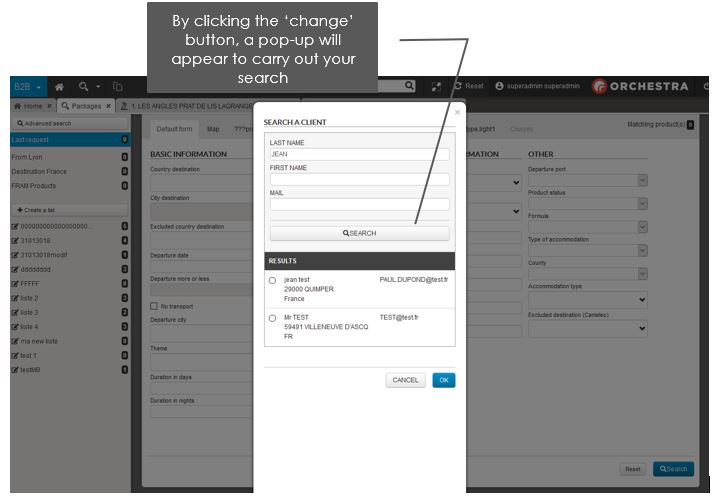
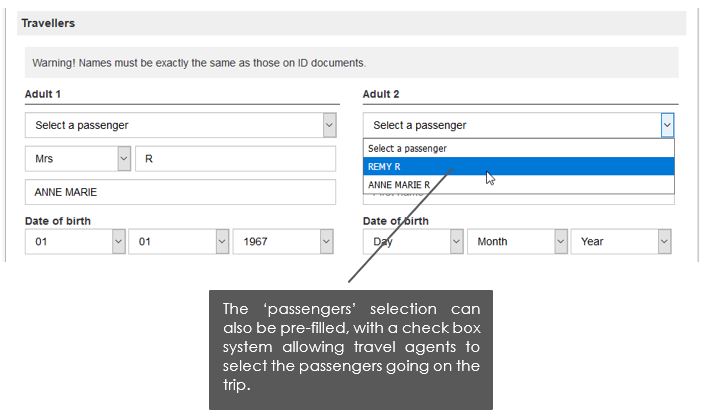
Managing content pages
Why ? To allow users to create various content and share it with travel agents who can then access their documents, sales help, special offers, etc.
Where ? Via tabs in B2B, just like for product sheets. They can be opened via links placed within text on the home page or within other content pages. Several tabs of the same type can be opened at once, and it’s possible to browse from content to content.
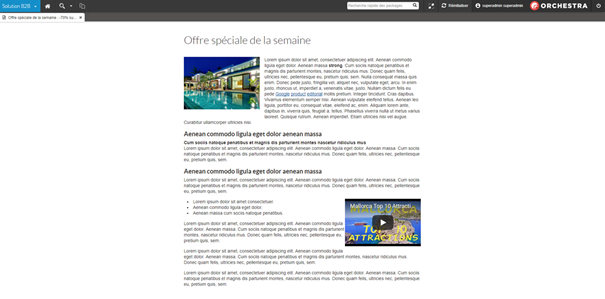
How ? In the administration tool, on the ‘editorial’ tab. Managing this content is done via a new dedicated editorial space, known as ‘editorial content for B2B’. It includes a unique wysiwyg zone (which stands for ‘what you see is what you get’), where it’s possible to incorporate:
- text
- images
- videos (via iframes),
- links to product sheets
- other content pages
- classic links
With this wysiwyg zone, text is not editable, but you can use the bold, italic, list and title functions.