Release note 16.6

Version 16.6 has brought productivity and performance enhancements to several modules while improving existing features and adding new ones.
In-depth improvements are also being made to improve the responsiveness of the interfaces of the professional tools and the systems that power the websites.

Interactive tutorials

To introduce new features to platform users, we have developed a tutorial feature to guide users through the interface, showing them interesting new features.
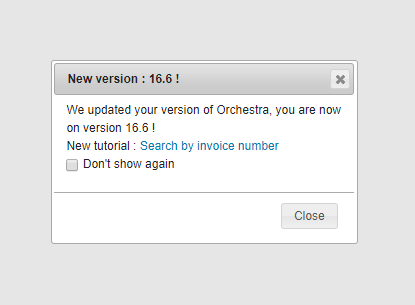
At present in the Back Office, once a new version of the platform has been released to the customer environment, users are alerted via a pop-in that a new version has been rolled out, and that new tutorials are available.

In 16.6, a tutorial is already available. It introduces the feature for searching by customer invoice number, and walks users step by step through to the search field, gives them an invoice number to search for and shows them where to find the result.
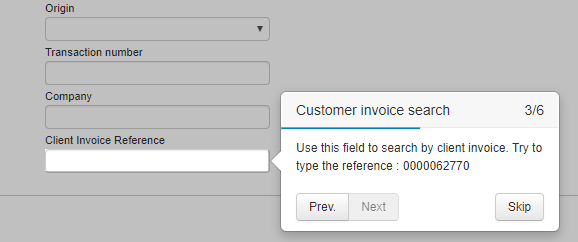
You can also find these tutorials in the help section accessible via the menu bar.
Adding fields in Back Office exports

We have added new configurable back-office record export fields :

  • The “Technical TO” and “Value of taxes” fields in the simple export.
  • The “Invoicing address” and “Town” fields in the detailed export.

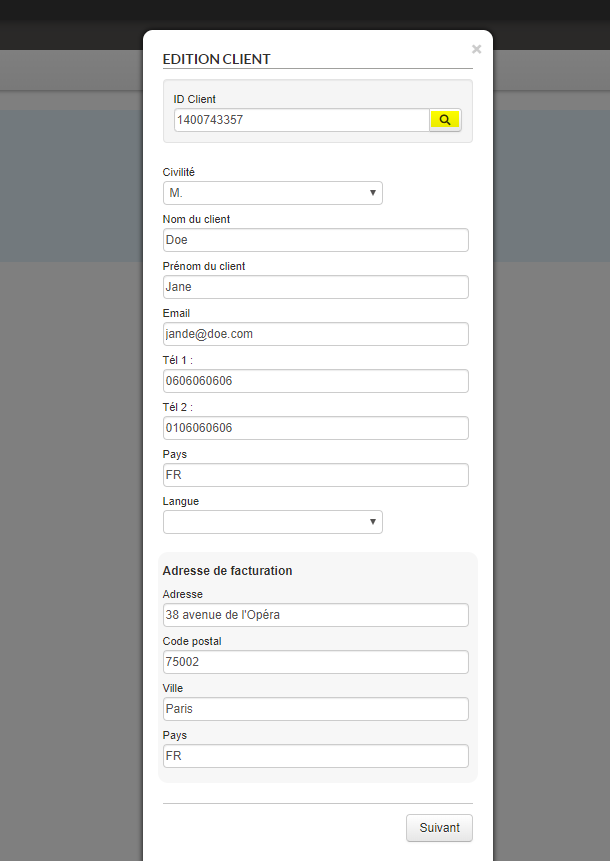
Auto-completion of customer information in the back office

Upon creating a customer or adding a customer to a manual record, it is now possible to connect an API that makes customer information available from its customer ID. The form is filled automatically, saving the agent considerable time.

The ERP system in marketplace mode

The ERP system can now be used in marketplace mode. This means that customer information is sent to the producer’s system, as it is the producer who takes responsibility for the sale and its tracking.

The customer’s information and information regarding payment, language and insurance are sent to the ERP system.

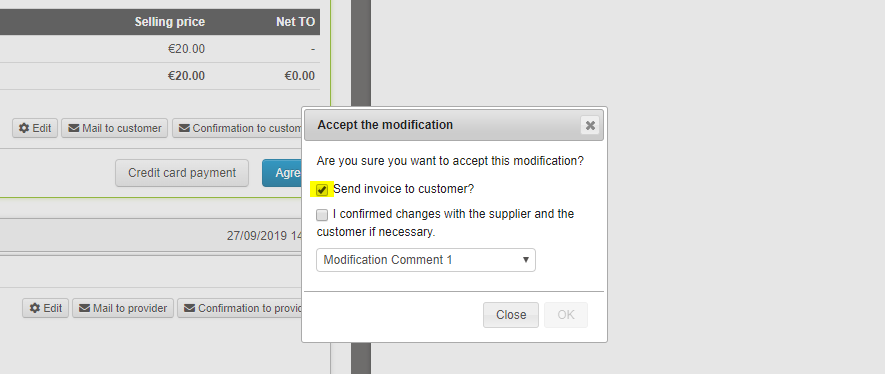
Choosing to pre-select sending of invoice to customer

When making changes to records, the checkbox to send the new invoice to the customer was checked by default. For some actions on the records, sending is not necessary. It is now possible to configure whether the box is checked by default or not, separately for editing or adjusting quotes, cancellation or regulation.

Integration of PayPal via Payline

Payments via PayPal are now available with the Payline PSP from the booking process and the back office.

Enhancement to
duplication of pre-packages

For configuration of pre-packages in the administration tool, when duplicating a pre-package, the editorial content associated with the original product can be associated with the new product. The system now also duplicates the settings for the pre-package’s periods and components.

This enhancement saves considerable time for production teams, who now simply need to edit the existing settings rather than configure the entire product from scratch.

Minimum deposit payment

Enhancements have been made to the calculation of the minimum amount of the deposit to be paid for a booking.

It is now possible to activate a partial payment with the minimum amount set as follows :

  • If only the fixed value of the partial payment is configured, it is used.
  • If only the percentage of the partial payment is configured, it is used.
  • If both settings are configured, the booking process uses the higher setting: the one which gives the highest amount to pay.

Improvement of the
Misterfly timeout management

In the reservation statistics of the administration tool, the error code TIMEOUT_ERR is now recorded when a timeout occurs regardless of the stage of the reservation process reached.

Integration of Homeresa source

The Homeresa seasonal accommodation rental source is now available.

Homeresa provides an application for estate agents, properties or booking centres which includes the entire chain from booking through to property and customer management.

Improving request
performance

Requests for displaying pensions on catalogues have been improved to allow greater responsiveness in B2B and B2C interfaces.

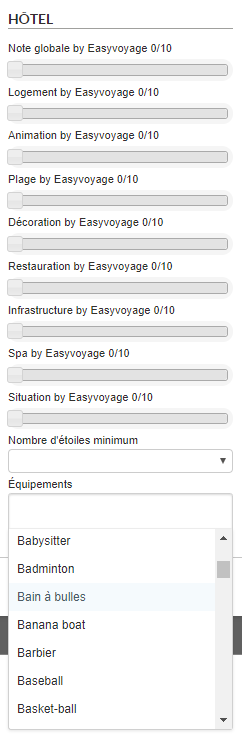
Searching using Easyvoyage notes and equipment

It is now possible to search for products using the “note” and “equipment” criteria taken from the Easyvoyage content provider.

Résultat de recherche d'images pour

This feature can be called up from all contexts :

  • Search engine
  • Refinement engine (to filter a product list obtained from a search engine result).
  • Display of the note in a search engine result cartridge.
  • Display of the note and equipment information in the product sheet’s description.

Sending of insurance documents

When a booking with insurance is made, it is possible to send an email with a dynamically-generated PDF document as an attachment.