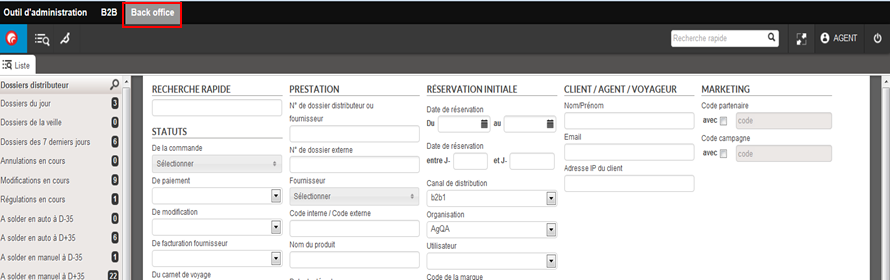
Back office

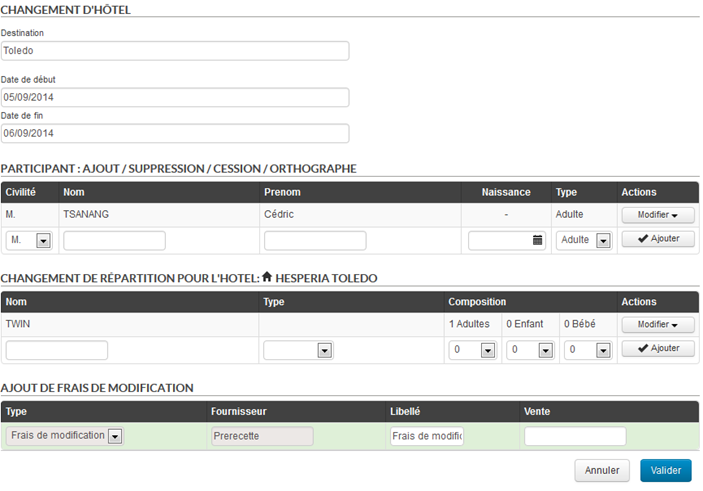
Differentiation between MRS and MS and between MR. and MSTR.

For more detailed file management, Orchestra allows you to differentiate between MS (young woman) and MSTR. (young man) and the titles MRS and MR. in reservations and in the Back Office. This update, which can be activated on request, improves the accuracy of your passenger data and your compliance with the specific requirements of certain markets.

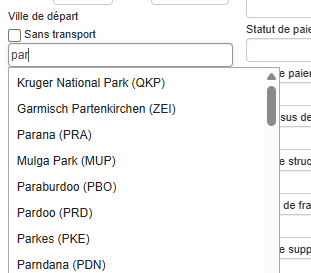
Redesign of origin and destination autocomplete

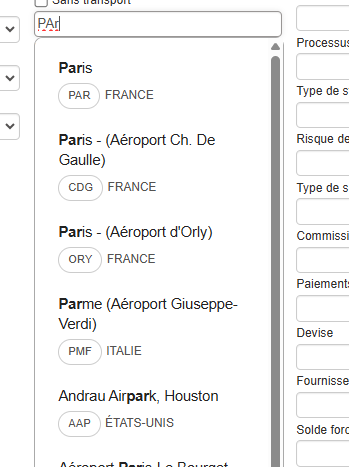
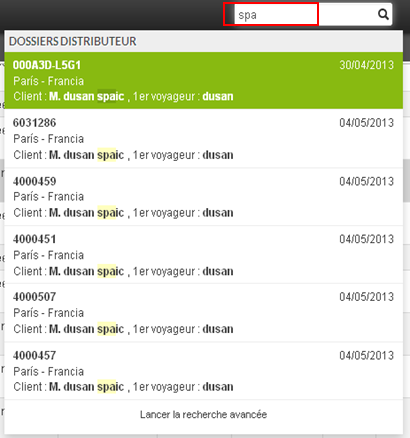
A graphic redesign has been carried out for the autocomplete feature for origin and destination cities/airports on the booking module and Back Office. This improves the fluidity and display of this tool.

Here is the new version:

Here is the former version:

Displaying the currency and country of the agency in the Capping module

The agency’s currency and country are now displayed in the capping interface. This information is configured in the administration tool. This means you no longer have to search in two places and improves readability in the Capping module.

Improved display of airline notifications

Orchestra has improved the management of flight changes (such as schedule changes or cancellations) from airlines. Once notifications are received from airlines, they are displayed in the “Changes” tab and in the Back Office search lists. Users can now identify, prioritize, and process these changes more quickly, ensuring more efficient and reliable management of your customers’ flight records.

Factoring of price lines in the Back Office

If a Back Office file contains many identical price lines, it is now possible to factor them for optimized display.

Always Sell – Client Consent Block

Agents require access to client recontact consents. Orchestra integrates this information in back-office. Searching concerned quotes becomes possible.

This evolution respects Always Sell requirements. Agents easily identify authorized prospects.

Astérix – Simplified Consumption-Based Billing

Consumption-based billing presented unnecessary complexity. Orchestra simplifies the process for cancelled files. One invoice remains: cancellation fees or insurance.

Absence of fare lines eliminates billing completely. This evolution lightens cancellation administrative management.

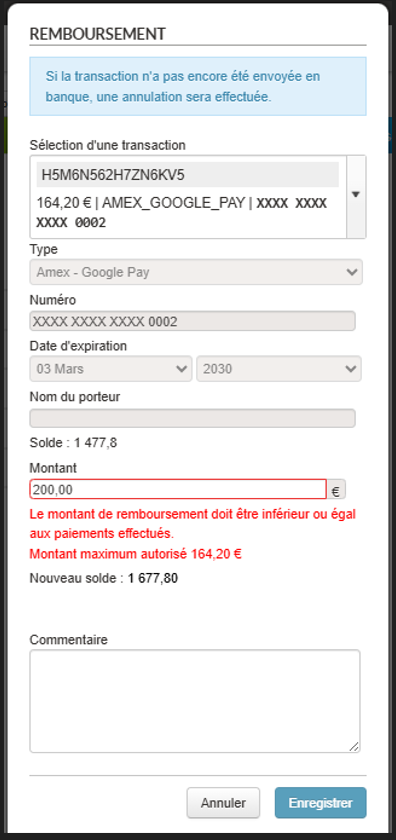
Back office – Refunds – Blocking refundable amount

In the payment section of a back office file, the refund process has been strengthened to offer a clearer, more reliable, and unambiguous user experience. It is no longer possible to enter an amount greater than the actually refundable amount, right from the refund request form. This improvement allows:

  • To avoid incorrect entries
  • To ensure data consistency in the payment history
  • To clarify the actual processing of requests for users

Astérix – HMS Restaurant Synchronization

Export to restaurant management system improves. Sends are more frequent and modifications correctly managed. Previous API version presented significant limitations.

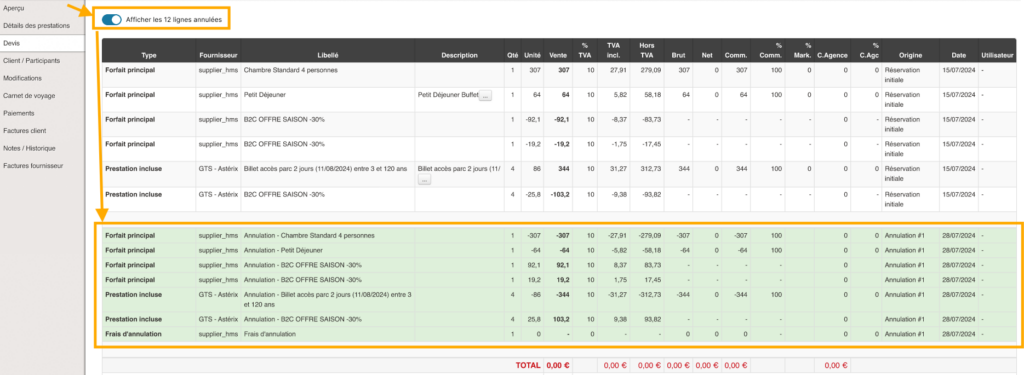
Back-Office – Cancelled Rate Lines Masking

Back-office quote tab lightens by default. Cancelled lines are masked to improve readability. A “Show all” button remains available if needed.

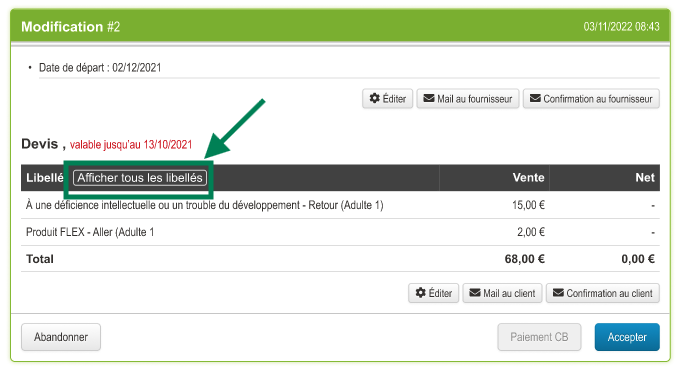
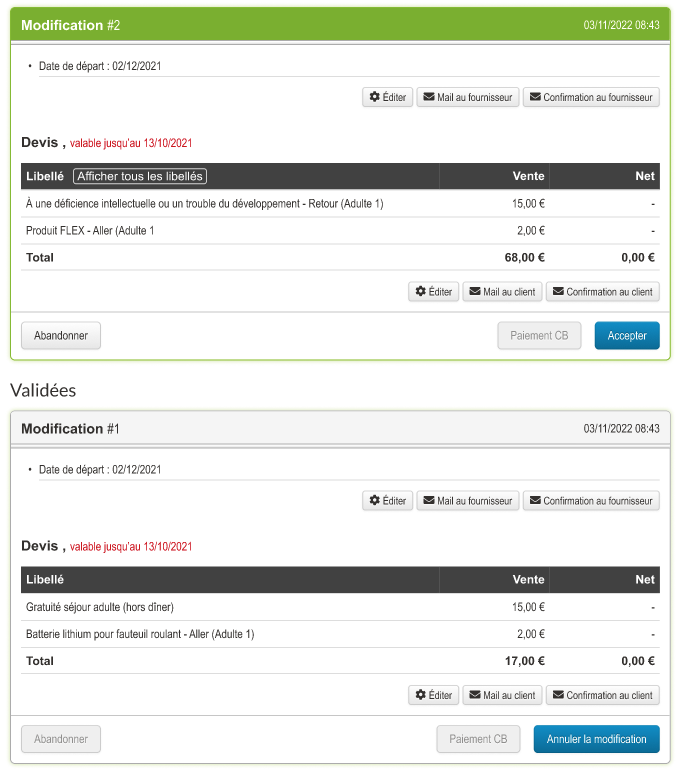
Modification Display Optimization

To improve navigation in files containing numerous fare lines, Orchestra integrates an optimized display system. Excess lines are hidden by default, with a “Show more” button providing access to complete information.

Fare Adjustment Modification Cancellation

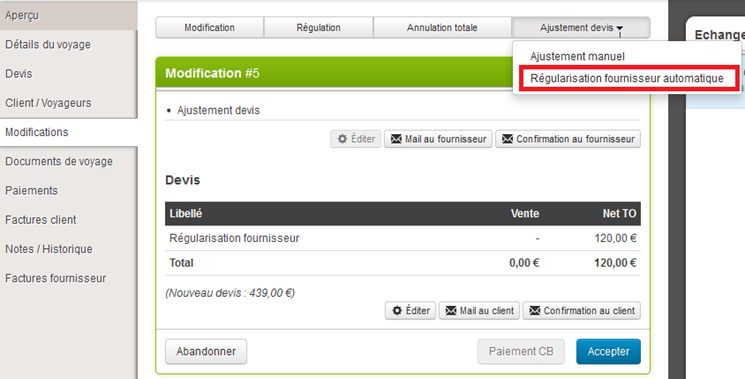
Orchestra now enables cancellation of fare adjustment type modifications from the back-office. This action automatically triggers cancellation of fare lines associated with the relevant modification.

Accounting – enhancing manual invoice exports

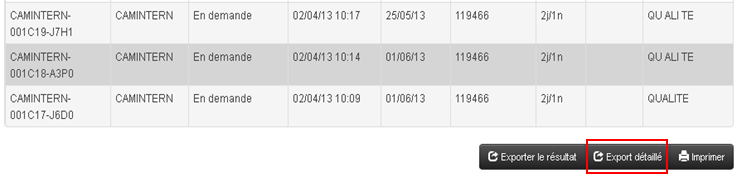
Manual export of customer invoices from the Accounting module has been enhanced. New columns have been added to facilitate data analysis: Return date, Invoice amount excl. tax, Agency commission incl. tax, Agency commission excl. tax, Net commission incl. tax, Net commission excl. tax.

This information is now available directly in CSV files exported from invoice search.

Improved Log Access

It is now possible to directly download the Tracer session from a file in the Back Office. A Single Sign-On (SSO) has also been added, allowing seamless access to the Tracer module with the session automatically prefilled for easier log consultation.

Enhanced Manual Exports for Price Line Items

The CSV export dedicated to price line items has been enriched with 15 additional configurable columns. These include details such as booking channel, room types, quantities, VAT-inclusive/exclusive amounts, and agency commissions.

Display of VAT-Exclusive Amounts in the Back Office

The VAT-exclusive amount is now visible in quotes within the Back Office. This amount is automatically calculated and included in price lines when a file is modified, adjusted, or corrected.

Non-VAT information in the Back-office files

Information on the amount exclusive of VAT is now visible in the file estimate from the Back-Office. This amount is automatically calculated and entered in the price lines added following a file modification, regularization or estimate adjustment.

Option Management for Pre-Packages

A hybrid booking mode has been introduced, allowing users to place an option on a pre-packaged product for a fee, without requiring an immediate reservation from the producer’s side.

Evolution of the “complete” status for travel documents automation

The travel documents automation function has been enhanced to enable more detailed management.

It is now possible to automatically set in the back office the transition of a travel journal to “complete” status according to the type of service and/or producer, thanks to an exclusion configuration. The “complete” status will then be applied as soon as a document is present for each source whose type, producer or both notions are not excluded.

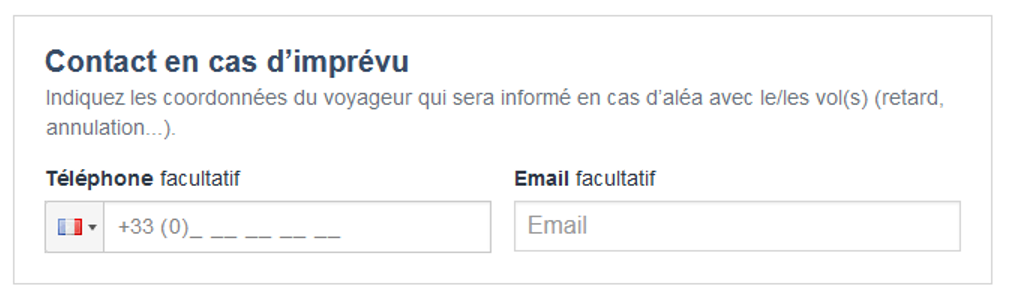
Evolution of emergency contact

The emergency contact function has been improved. In the booking process, it is now possible to ask the end customer only for their telephone number, instead of their telephone number and email address. This reduces the time required to enter data in the booking process.

Note: the agency’s email address can be entered by default as an emergency contact email address if required.

Sending of customer contact information in the event of unforeseen circumstances for the airline Jetstar and the producer Maeva / La France du Nord au Sud

The option of entering and sending contact details in the event of unforeseen circumstances is now available for all Jetstar airline flights and for all products from producer Maeva.com / La France du Nord au Sud.

New developments to improve productivity and the customer experience for indirect bookings

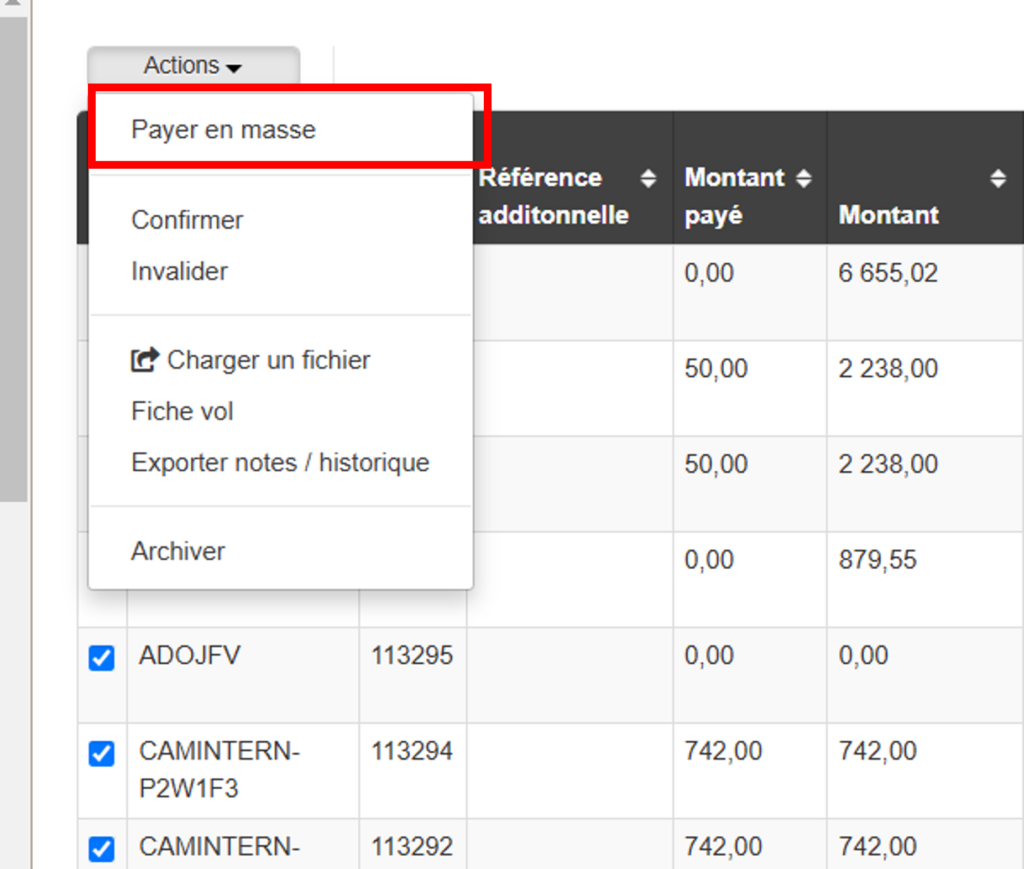
  • Mass payment by bank transfer and cheque

In the context of indirect reservations managed in the Orchestra platform, a producer will generally receive payment from the distributor for several bookings. It is now possible in the back office to mass soldering these bookings by adding a mass payment (only available for payments by bank transfer or cheque).

  • Management of services offered in the distributor’s reservation process

It will now be possible to filter, for each product, the related services that the producer wishes to offer in the booking process of the distributor. For example: not to purpose the “donation” type of service.

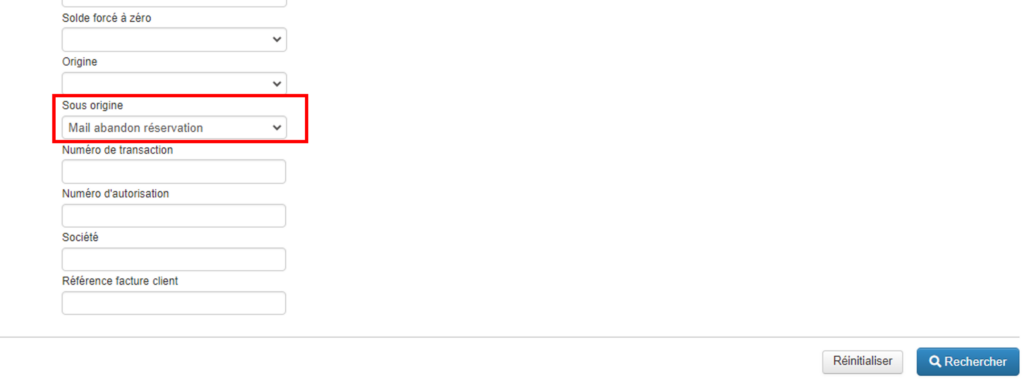
Information on the conversion origin of booking with retargeting emails

This evolution completes the retargeting email mechanism developed in 22.8, and enables distributors to be autonomous in ROI tracking of this mechanism.

It is now possible to search in the back office for a booking reserved by a customer following a click on this email. A “Sub-origin” field returning the value “mail abandon reservation” has been created in the back office search engine.

This value is also present in manual back office exports.

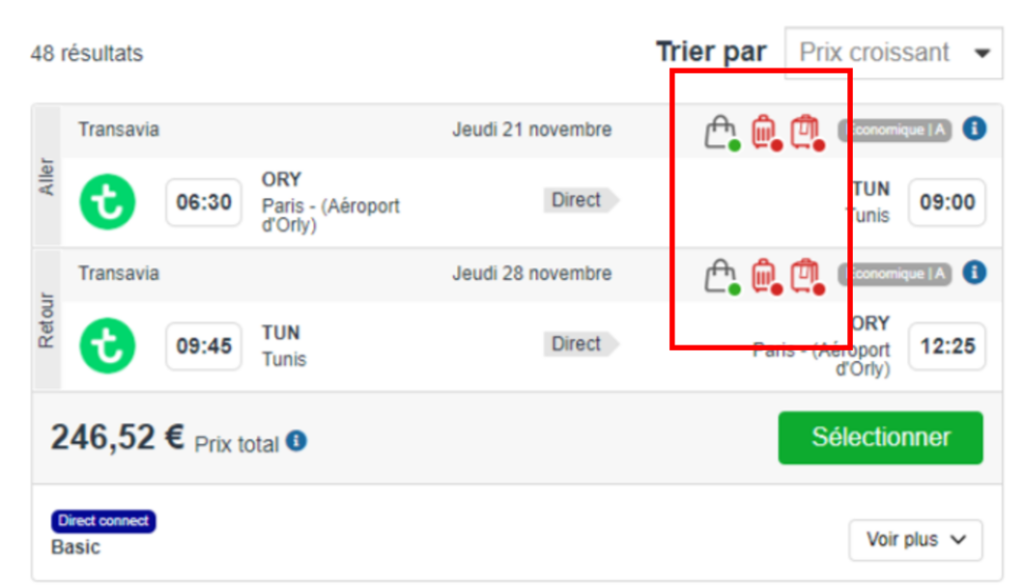
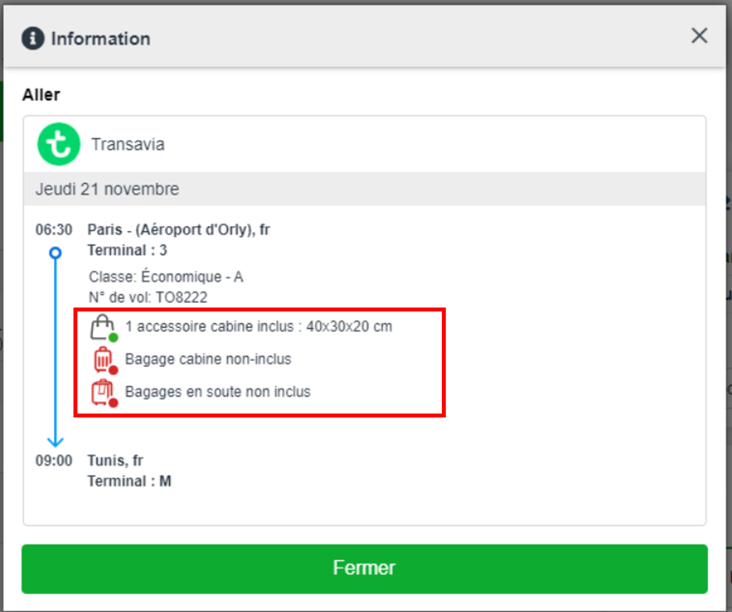
Addition of cabin baggage information

In the booking process, it is now easier to see whether or not cabin baggage is included in the transport being booked, as well as details of the size and weight of this cabin baggage. Pictograms have been added to make the information easier to read, and clicking on the “i” opens a tooltip showing the size/weight of the baggage included.

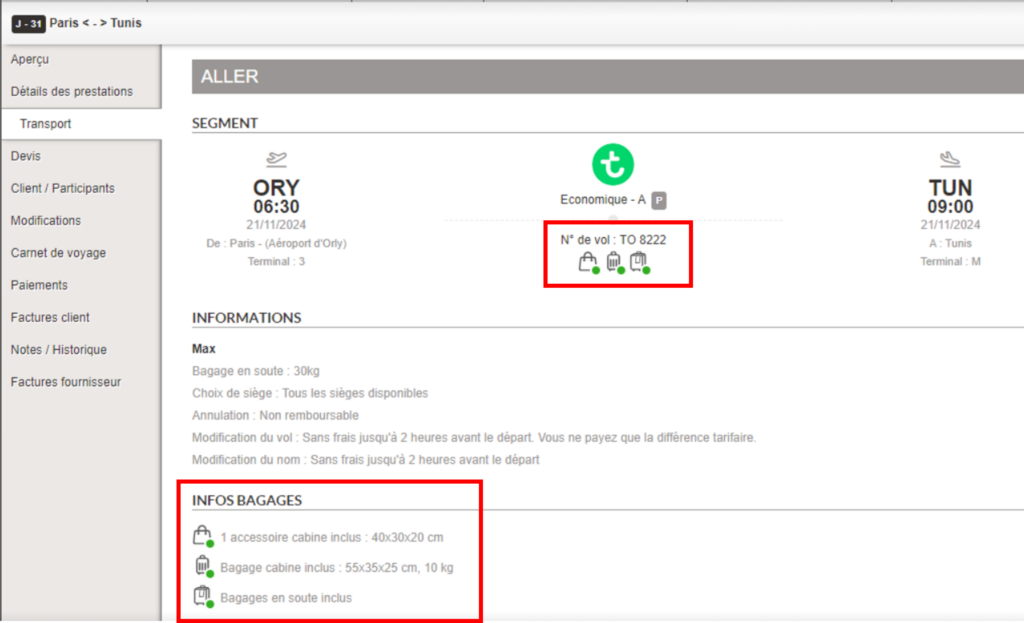
In the back office, information concerning cabin baggage and its detailed size and weight will be visible in the transport section of the booking. This will enable the travel agent to easily answer any questions the customer may have on this subject.

Opening a booking in the back office at the end of a reservation with flight

In a B2B context, when a travel agency books a flight, it can issue the tickets directly at the time of booking, or do so later from the Orchestra back office.

To simplify the two-step booking process, a link has been added to the confirmation page of the sales process, enabling agencies to access the corresponding file in the back office directly.

This feature can be activated via a configuration for all booking processes (Package, Transport-only, Hotel-only, Dynamic Package).

Modification of Pegasus Airlines tickets

The post-issuance ticket modification feature is now available for Pegasus Airlines flights, from the Orchestra back office.

Harmonization of rounding management for booking prices

We have implemented an evolution to harmonize the management of rounding of booking prices in the booking process and the back office.

Whereas in the past, the price of a booking could include more than two decimal places in the back office, particularly in the case of a booking in a foreign currency, this evolution eliminates potential price discrepancies in exports and invoices, both on the total price and on the price paid.

By default, rounding is set at the centime level, i.e. two decimal places after the decimal point.

Increased security of the applications

We have strengthened the security of our applications, and in particular:

  • Media library: by adding a whitelist of authorized extensions for file uploading.
  • Back office : improvements to prevent XSS vulnerabilities (cross-site scripting) and injections into CSV exports.

Improved automatic travel document retrieval mechanism

The automatic travel document retrieval mechanism has been improved to allow more refined management in cases where several emails contain similar booking references.

We have also added a report email in the event of a “too many files found” error, listing the bookings in question.

Optimized booking synchronization between Travel Compositor and Orchestra platforms

Booking synchronization between the Travel Compositor and Orchestra platforms has been improved.

Bookings are now automatically updated in the Orchestra Back office in the event of creation, modification or cancellation of a booking on the Travel Compositor platform.

Addition of the product type in the back office

Information on the type of product booked (package, tour, hotel…) is now available on the “Booking overview” page in the Back Office.

It is also possible to search for bookings by this criterion using the Back Office search engine.

Automatic dispatch of travel documents x days before departure

It is now possible to define that the travel documents are sent to the customer x days before the departure date. This only applies to complete travel books.

This feature must be activated via a configuration in the Back Office.

Limitation of booking update notifications

We have improved the notification mechanism for booking updates to filter out irrelevant changes. This makes it possible to notify customers only of important changes to bookings (e.g. cancellations, changes of time or reservation status).

This feature can be activated and configured via the configuration file in the Back Office.

ViaXeo booking reference sent to Tots for pre-package sales with ViaXoft connectivity

As part of the sale of pre-packages including ViaXeo accommodation and Tots flights, the ViaXeo booking reference is now sent to Tots at the time of booking.

This makes it easier to manage bookings containing services from these two ViaXoft group connectivities.

Addition of a read-only capability to booking labels

It is now possible to set customer booking characterization labels in “read-only” mode. A new “readOnly” attribute has been added to the label declaration in the Back office configuration.

By default, labels can be read-only or write-only.

Optimization of customer booking printing and sending actions

In the back office, we have made functional and graphic improvements to the actions an agent can perform on a customer booking.

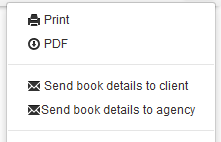
It is now possible to print a preview of the booking with the distributor’s logo, print the entire booking, and parameterize the information displayed in the PDF document sent to the customer.

Ability to target bookings without invoices

Following the implementation of pay-as-you-go billing functionality in a previous version, we have added the ability to set quick-search lists to bookings without invoices whose start date has passed.

It is now also possible to activate the search for bookings with or without invoices from the back office search engine.

This feature is deactivated by default.

Optimization of the “Always sell” functionality

The “Always sell” feature has been enhanced, making it possible to go beyond payment errors and product unavailability to confirm bookings and avoid losing virtually guaranteed sales.

It is now possible to exclude bookings by type and error code (abandonment, payment) in the back office search lists, in order to prioritize the bookings to be managed by agencies and enable them to concentrate on higher value-added bookings.

Updated email templates for automatic send of travel documents

In the back office, we have made a change to the email templates used to automatically send travel documents to customers.

In particular, it is now possible to use an email template with the subject “Cancels and replaces”, to inform customers when changes have been made to their booking, after they have already received an initial automatic email including their travel book.

Booking modification in connectivity: incremental reservation

Following the evolution enabling partial cancellation of a booking in connectivity, the incremental reservation functionality has been added to the back office.

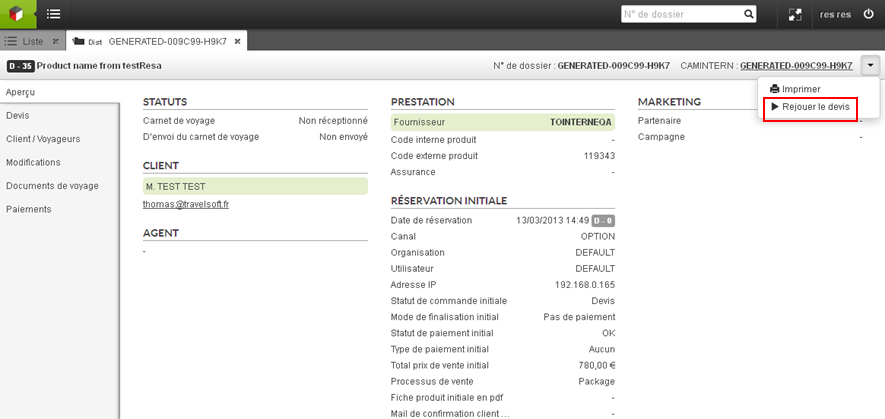
This functionality is accessible from the “Modification” section of the booking for users with the associated right. By launching the “Reservation of a new service” from a booking, the user is redirected to the B2B where he/she can make a reservation which will then be added to the initial booking.

Incremental booking is available for all services that do not include transport: hotels, activities, packages without transport.

This feature can be activated via a configuration in the back office.

Addition of the initial quotation number to detailed export

We have enhanced the detailed export of bookings in the back office, by adding a new column “Initial quotation number”.

Information on the initial quotation number now appears in the detailed export in the back office.

This information can be useful for business intelligence purposes based on detailed exports.

Partial cancellation of connectivity bookings

Partial cancellation of a booking in connectivity is now possible from the back office.

Certain elements of the booking or sub-booking can now be cancelled while keeping the main booking.

Payment and 3D Secure v2 with Travelsoft Pay

We have added 3D Secure v2 to secure online payments made with the payment provider Worldpay, partner of Travelsoft Pay.

Payment from the back office and payment by email with Travelsoft Pay have also been implemented in this evolution.

Optimization of the visualization of booking details in the back office

In the back office, an improvement has been made to enable better visualization of the details of a booking, particularly for pre-package bookings which contain numerous services.

Filtering of bookings in modification or cancellation status for the mailing of travel documents

We have added a filter criterion based on the status of the bookings, taking into account a potential modification or cancellation undergoing on the booking, for the automatic mailing of travel documents.

This evolution was made retroactively to version 21.4.

Automatic cancellation of activities for the GTS source

In the back office, we have added a feature to automate the cancellation of activities for the source GTS of the PMS Infor HMS.

Modification of agency and agent email addresses in the back office

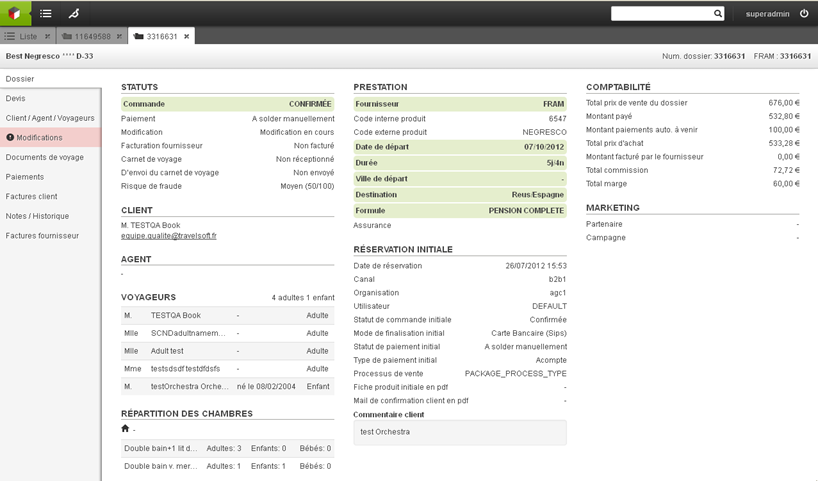
In the back office, details about the agency or agent’s ownership of a booking can now be modified manually in the booking overview:

This enables any potential errors in partner information to be resolved.

This feature is only available to authorized users.

Configuration to hide “agency fees” fields

We have added a configuration in the transport back office to show or hide the agency fees in the pop-ins of after-sale functions (issue, modify, cancel).

By default, these fields are now hidden.

Ability to save the booking confirmation email of the agency in the back office

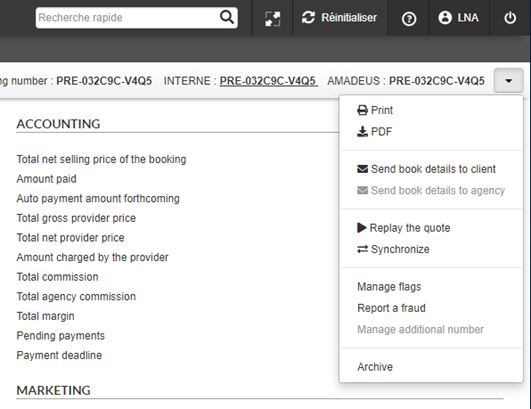
From now on, the booking confirmation e-mail of the agency can be saved in PDF in the overview of the booking in the back office.

This feature is useful for agencies willing to rapidly access the booking confirmation in the back office.

It can be activated through a configuration of the booking process.

Evolution of travel documents

This evolution enables a more detailed management of travel documents, in particular:

  • Define how documents are updated in the bookings: this can either be done by generating the PDF once, or by updating the travel documents for each modification of the booking.
  • Define the order of the documents (e.g. the hotel voucher first, then the activity voucher).

Management of “In demand” pre-package bookings

This evolution has been made in the context of pre-packaged sales containing an “In demand” accommodation and a low-cost flight, for which the ticket is issued automatically and cannot be cancelled.

In the past, an issue could occur when the accommodation was eventually not validated by the hotel manager. In this case, the agency ended up with a confirmed and non-refundable flight.

To avoid this issue, a mechanism for managing these particular bookings and quotations has been implemented in the platform. The booking of an “In demand” pre-package now generates of a quotation type of booking in the back office, enabling the agency to finalize the order manually and securely.

This mechanism can be activated via a configuration, and therefore can be managed specifically per booking channel.

Information enhancement in the back office for B2B or B2C bookings

To improve performance analysis capabilities, the origin of the bookings (in B2B or B2C) is now available in the back office.

As a reminder, a B2B booking is a booking created for a sale generated in a travel agency or a call center, whereas a B2C booking is a booking originated autonomously by a final customer on an e-commerce website.

Creation of manuel booking in the back office

It is now possible to add the brand during the manual creation of a booking.

A new selection field appears in the pop-in, allowing the choice of a brand in the drop-down list.

Backoffice folder types

To improve sales analysis capabilities, files are now typed “B2C” or “B2B” in the Backoffice.

Invoice issuing based on consumption

In some cases, the invoice may have to be generated on consumption of the customer’s stay, rather than when the sale is made (in the case of a distributor/producer, in particular the owner of the hotels or accommodation it distributes).

It is now possible to set up a process of this type which, for example, waits for (technical) confirmation of consumption of the stay before generating the invoice, with the option of sending it automatically by email.

Import automatique des documents de voyage

Une récupération automatiques des documents de voyage a été implémenté à partir des emails envoyés par les fournisseurs qui sont par la suite inséré dans le backoffice. C’est un processus souvent chronophage qui peut désormais être automatisé. Via cette évolution, il sera possible de réduire la charge de travail et les erreurs de saisie.

Description fonctionnelle

Le processus récupère de manière automatique les documents de voyage envoyés par les fournisseurs et les insére dans le Backoffice, dans le dossier correspondant. Le processus se déroule comme suit :

  • À une intervalle/horaire définie par le distributeur, le processus est lancé.
  • Une fois lancé, le processus se connecte à une ou plusieurs boîtes mails choisies par le client (ces boîtes mails doivent être dédiées)
  • Il lit tous les mails non lus de cette/ces boîtes email et en extraira les documents de voyage ainsi que les dossiers auxquels ils sont liés :
    • Si il n’est pas capable de trouver une pièce jointe (sous forme de pdf joint au mail ou de lien de téléchargement) ou s’il ne trouve pas le dossier auquel un document de voyage est lié, un mail d’alerte sera envoyé à la/les adresse mails choisies sous forme d’un rapport.
    • Si le document trouvé existe déjà au sein du dossier ciblé, il remplace celui déjà existant et le garde en historique.
  • Une fois que les documents de voyage sont récupérés, ils seront insérés dans les dossiers correspondant.
  • Si ce/ces documents sont les derniers requis pour compléter un dossier, alors celui-ci sera automatiquement complété (comportement activable via une configuration)

Search and export of the day’s payment booking list

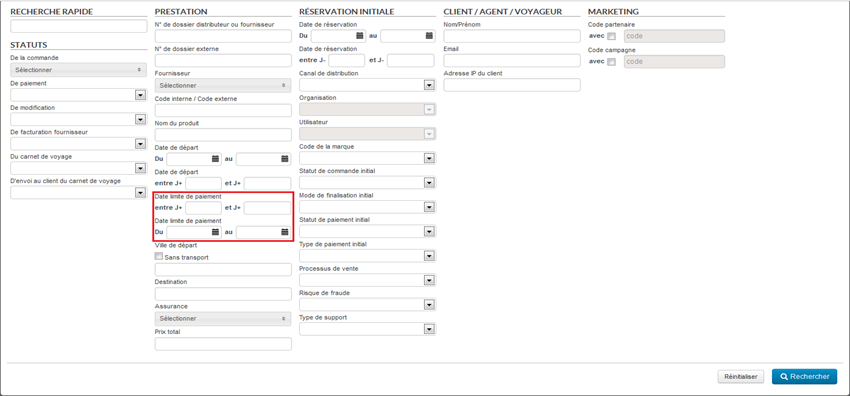
A search field has been added to the advanced search in the backoffice to search for files based on their payment date. This field is available by default.

An export according to a predefined format in configuration is also possible in order to use this export as a cash register closing for example.

Exporting files from the Backoffice

It is now possible to set up exports to send information from the backoffice files to an external system (on an sFTP server).

The exports are automatically triggered at regular intervals to keep an external database up to date. The format used is the internal “BOFile” format.

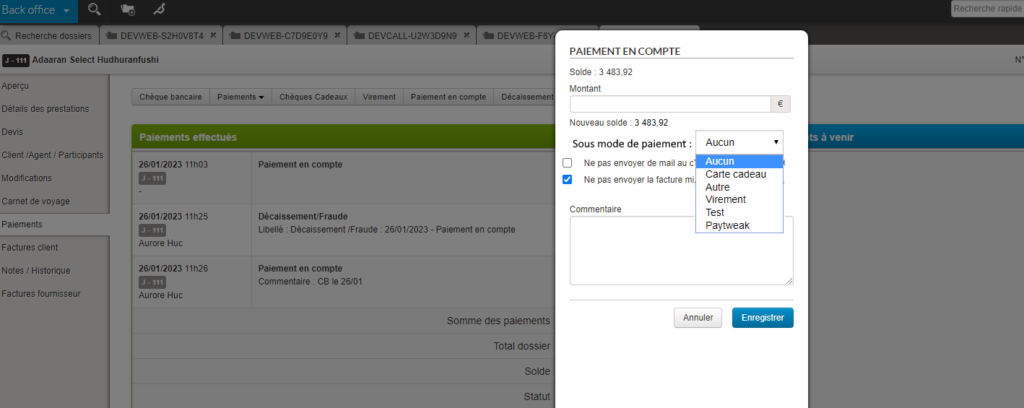
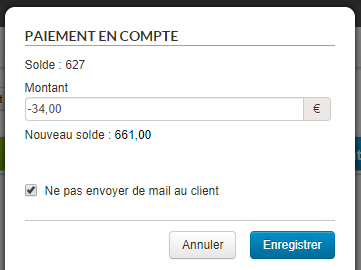
Type of payment “On account

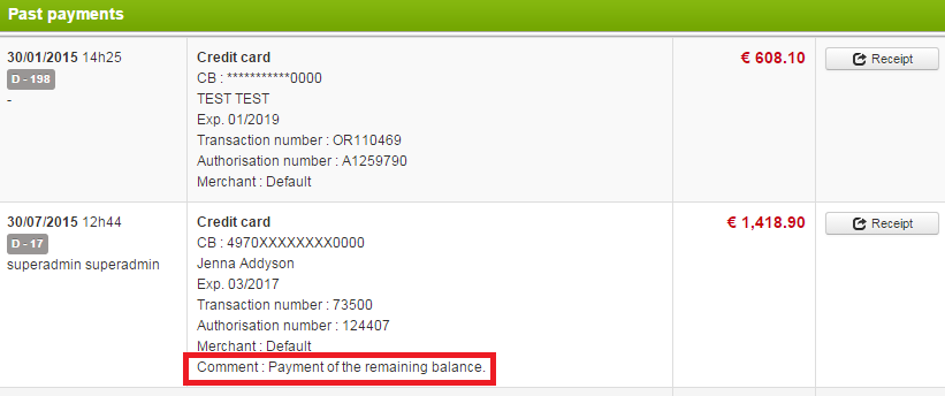
It is now possible to define in the backoffice “On account” payment types in order to indicate the payment method linked to the entered payments.

Improvement of the management of age groups

The evolution of the sales of activities and services makes it important to be able to sell the activities requiring a fine management of the age groups.

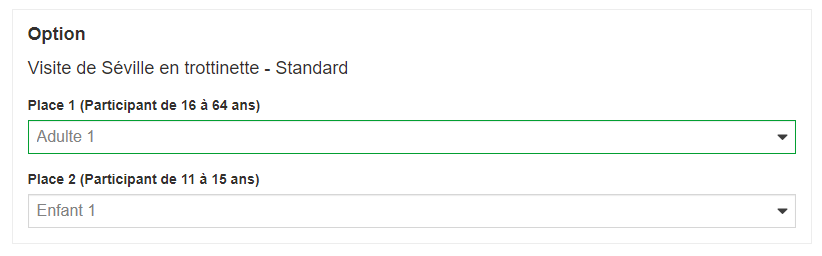
This means being able to import them into the database, send them to the reservation process, display them and be able to select and reserve them. Once the reservation is made, it is necessary to be able to consult in the back office the reservation with the age groups in question. It is therefore an important work that has been done and that has impacts at many levels and in many modules of the platform, from import to back office.

Import

In the price grid, prices can be entered by age group by duplicating as many groups as possible with their prices.

In this import, it is possible to specify the low and high limit of ALL the brackets (minimum and maximum age of the bracket).

The management of quantity constraints by band also follows this new operation.

Catalog services

The information of the slices and the prices per slice are connected via the catalog services. This is so that a website can use them.

Reservation process

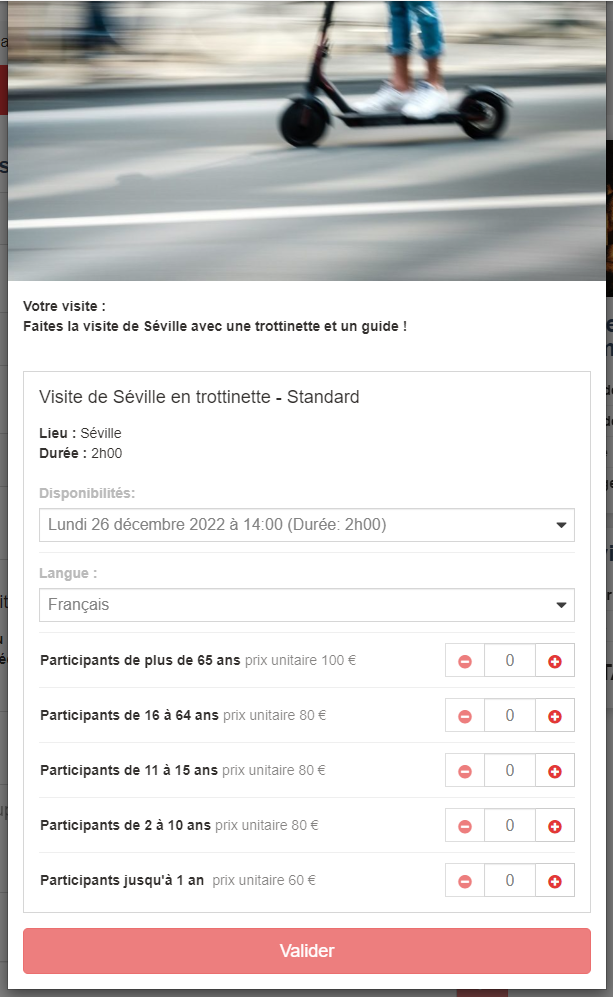
On the booking process, it is now proposed a selection menu by age group and not a selection by passenger one by one according to the booking form.

Here is the appearance of the selection of a service with the following age groups:

  • Senior [65-99]
  • Adult [16-64]
  • Teenager [11-15]
  • Children [2-10]
  • Infants [0-1]

Depending on the participants requested in the catalog, some choices will not be displayed.

The senior age group is always proposed if it exists because adults can be concerned (in fact, all the groups can concern an adult whose age is not known).

The automatic assignment between the reservation process and the connection takes into account these brackets.

Add the notion of reservation type on the navigation statistics in the reservation process

The navigation steps in the booking process are enriched in the statistics to take into account the information on the booking mode: firm, option, quote creation.

Also, the navigation steps of the booking process and Backoffice in the statistics now track the files (quotes here) created by the KO booking or KO payment mechanism.

Improved default refund email from the Backoffice

The text of the default refund email sent from the backoffice has been improved to be clearer:

Hello,
We are pleased to confirm your refund for a total amount of 73.5 EUR.
Sincerely,
The XXX team
This email is automatically generated please do not reply.

ESF: Improved display of dates in the booking process and the back office

Optimization of activities from the ESF partner to improve the display in the booking process and in the back office.

Receptive platform, generation of the summary PDF

Within the framework of the receptive platform, we wish to exploit the data of a file stored in the BO in order to display them to a customer whose reservation was carried out on the receptive platform.
By a synchronization, we recover the file in our Back-Office database and the editorial information on the reserved products.

The PDF document will be generated automatically and will be available for the travel agent in the Back-Office interface. He will be able to retrieve it and send it by email to the customer for example.

The final PDF will be composed of 3 sections:

  • A cover page (with agent’s data, main picture of the tour)
  • The body of the pdf
  • An end of document (with text on legal notices, terms of sale, etc)

Regarding the availability in the BO, there will be a difference between a quote and a book:


For a quote

  • The document will be generated in the pdf of the preview “Detail of the file”.

For a book

  • The document will be generated in the “Travel document” section and can be consulted in this section.
  • It will be possible for the travel agent to complete with other documents and to use the emails in the “Travel document” section.

Payment rights in the Backoffice

It is now possible to disable payment capabilities in the backoffice in order to separate “air fulfillment” payment actions from payment actions on files in general.

BO Control Producer” rights and search in the Back Office

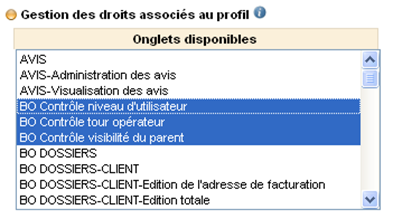
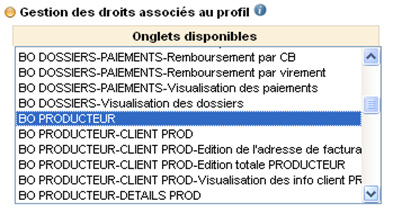
It is now possible to take into account the new rights of the connected user when searching for folders by Subfolder Provider. For a user with the right BO Control Producer:

  • The Supplier sub-folder selection option in the classic search therefore only offers suppliers that the user can access. It is differentiated by folder type: Package, Transport, Accommodation, Service
    • Package: those defined in Producers accessible from the logged in user.
    • Transport: those defined in Accessible transport sources of the logged in user.
    • Accommodation: those defined in Accessible Hotel Sources and Accessible Hotel Providers of the logged-in user.
    • Service: those defined in the Accessible Service Sources of the logged-in user.
  • This also applies by default in the classic search if no choice is made for the select Subfolder Provider.
  • And it also applies in the quick search.

Recording of editorial data attached to a file in the backoffice

It is now possible to store editorial data (rich text and images) on a folder saved in the back-office

This function allows you to store a product sheet attached to a folder or additional editorial information specific to the folder.

Ajout de nouvelles recherches favorites dans le backoffice

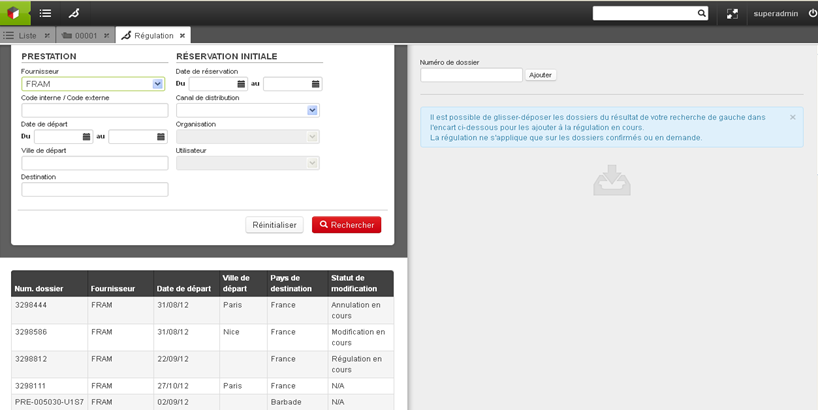
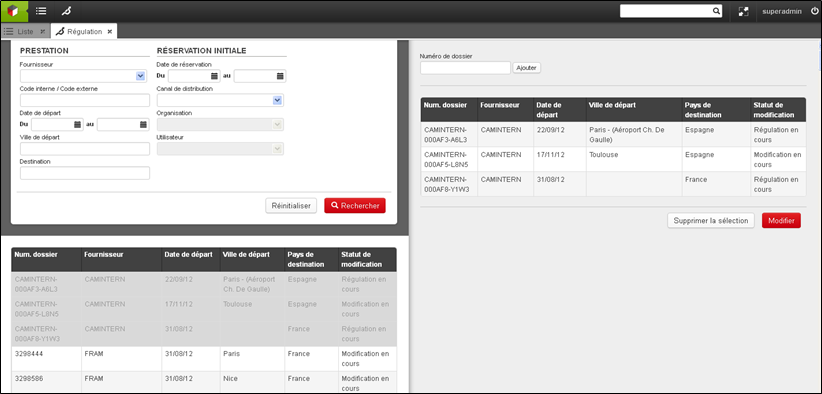
It is now possible to search for folders and add favorite searches by type of changes in order to obtain and result only in changes of a certain type.

Here are the details of the available searches by change type:

  • In progress – add-on modification
    • Includes all the folders with a modification in progress and the subject is “Service”
    • The file is removed from the recycle garbage can when the modification is invalidated or accepted (it is no longer in progress)
  • In progress – date modification
    • Includes all the folders with a modification in progress so the object is “Start date” or “Duration”
    • The file is removed from the basket when the modification is invalidated or accepted (it is no longer in progress)
  • In progress – participant modification
    • Includes all the files with an ongoing modification and the subject is “Participant” or “Distribution”
    • The file is removed from the basket when the modification is invalidated or accepted (it is no longer in progress)
  • In progress – modification
    • Includes all folders with a pending modification (unless it is one of the 3 cases above)
    • The file is removed from the basket when the modification is invalidated or accepted (it is no longer in progress)
  • In progress – service regulation
    • Includes all the files with a regulation in progress so the object is “Service”
    • The file is removed from the basket when the modification is invalidated or accepted (it is no longer in progress)
  • In progress – service regulation
    • Includes all the files with a modification in progress so the object is “Activities and services
    • The file is removed from the basket when the modification is invalidated or accepted (it is no longer in progress)
  • In progress – regulation
    • Includes all the files with a regulation in progress (except if it is one of the 2 cases above)
    • The file is removed from the basket when the regulation is invalidated or accepted (it is no longer in progress)

Deactivation of the refund in the back office

When a file is not in payment status “to be refunded” or “refund to be expected”, the “refunds” button can be disabled via a configuration.

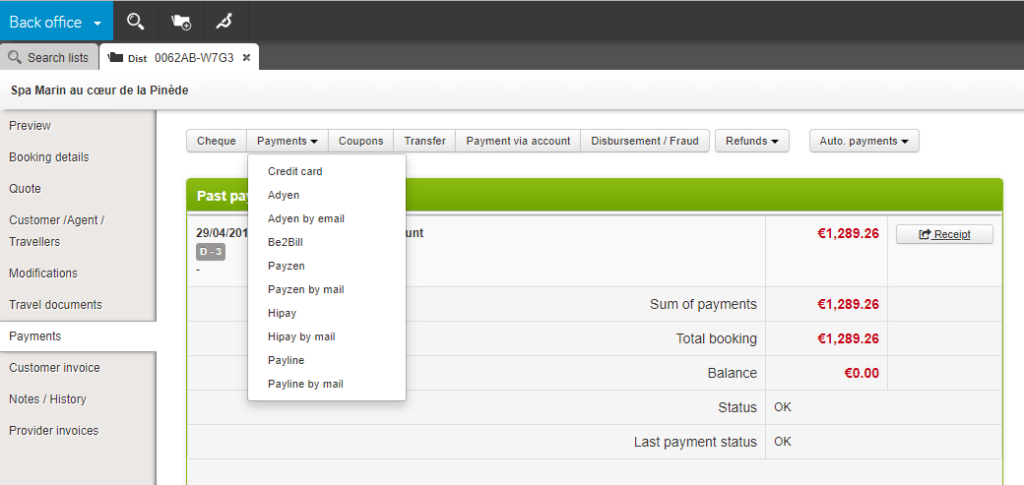
List of buttons in the Payment tab of the Back-office

New file search fields

In the back-office search engine, new fields have been added to allow searching by customer phone number and by payment authorization number.

Payment type by agency and producer in the back office

The payment methods available when managing the back office file can now be configured according to the Agency/Producer pair concerned.

This development is necessary in the case of payment arrangements between the producer and the distributor vary according to the agency.

Notification of near expiration of a transport file in the back office

Within the framework of a transport file in direct connectivity, an action by the travel agent may be necessary to issue the ticket and thus definitively validate the file.

An email notification can now be sent to the agency which will list all the files concerned by an upcoming expiration (whose deadline can be configured).

Automatic generation of travel documents for transport files

At the time of booking and possible modification of a transport file, the information necessary for the customer to take his/her flight is recorded in a travel document set up according to the distributor’s choices.

Favorite file searches by modification, regulation or cancellation

Favorite search folder lists now take into account all current changes, adjustments or cancellations, not just the last created action.

Sender registration of manual emails

For follow-up purposes, the name of the user who sent a manual email from the Back-office is saved in the “Notes / History” tab of the relevant folder.

Displaying the payment subtype in the back office

Already available for “classic” payments, the information of the payment subtype name used for a payment on account has been added to the payment summary page of the file in the Back office.

Customizable exports in the back office

Exports available from the results list of a folder search on the back office are now customizable via a configuration.

Thus, these exports can be adapted to specific needs by defining the format of the exported file, the information present, the order of the columns.

Recording of back office email drafts

In this evolution, the draft emails sent to customers and suppliers were saved for modifications, cancellations, payments and invoices. Very regularly in the course of drafting, a draft of the body content, addressees and subject of the e-mail is saved.

It allows the agent in the back office to close the email writing page to go, for example, to look for information on a product or a file in the back office, then to get back writing the email, at the point where it had stopped.

Post-booking price management rules

For a long time, tariff management rules did not need to be applied in post-booking (in the back office). These post-booking changes were governed by different processes.

Today, particularly within the framework of its direct connectivity functionalities with airlines and increasingly equipped with merchant functionalities requiring the possibility of applying rules defined in the tariff management module.

Automatic agency fees for back office changes

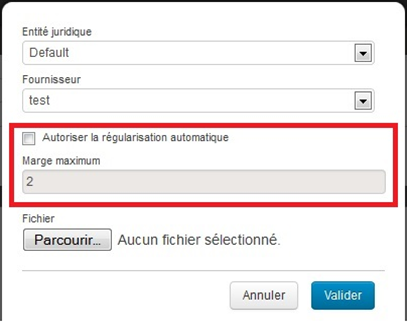
The Orchestra capping tool allows you to limit an agency’s account expenses within a tree structure.

  • Parent Agency
    • Agency A
    • Agency B – on account expenditure authorisation of 3 M€
      • Agence 1 – on account expenditure authorisation of 1 M€
      • Agence 2 – on account expenditure authorisation of 1 M€
    • Agency C

The tree structure thus makes it possible to delegate part of the parent agency’s authorization to a subsidiary agency and thus control the commitments of each of the agencies in order to secure expenditure.

This tool now also allows you to set up agency fees when a file is modified in the back office. In the same way, this setting applies to the entire subsidiary tree structure where it is applied, unless it is overloaded with a new value.

Transport Back office and direct connectivities

In this version, the transport Back office gains in functionality with new essential uses for selling transport with direct connectivity to airlines. In particular, with ticket issuing, the application of agency fees to modify the visibility of different fare lines for users, advanced rights management, a first step for adding ancillary services, and the management of virtual cards (for the payment of low-cost airlines).

Transport search engine in the Back office

Following the development of the new flight search results page, the same functionalities as the other search engines have been implemented, namely:

  • Maximum number of results (configurable)
  • The message “No result”
  • Save a search (by user)
  • The possibility to export the results (top and bottom of the page)

Transport Back office

For several versions, Orchestra teams have been working on very important evolutions of the Back office in order to allow end-to-end management of transports (especially transportation with direct connectivity with the companies) from this interface.

These evolutions allow, among others, to:

  • Increase the capacity of folders’ search engines to enable a more efficient searching of folders via transport information. These evolutions also include the addition of features to the quick search in the menu bar. A specific search engine from transportation is now available.
  • Improve the readability of the transport folders from the list of results of the search engine. A lot of information are available from the results list (airlines, emission status, name of passengers…).
  • Allow actions on folders from the list results or shortcuts to the interfaces allowing these actions.
  • Present the folders containing transport information in a precise and exhaustive way with improvements in the “Transport details” section.
  • Transmitting, modifying, paying the difference, cancelling tickets (and that these remain synchronized with the airline company whom modifications can also be made)
  • Modifying passengers, add ancillary products and services

… and all of these for the entire transport and companies sources in direct connectivity.

E-ticket number via Amadeus in the Back office and in MCTO

In some cases, especially in the case of low-cost bookings, the PNR is not a relevant information, this is the e-ticket number which is required. This information can now be displayed in the Back office or sent via MCTO.

Management of multiple currencies and foreign exchange

It is possible to configure the internal product currency in the mid office. In the case of an indirect booking, when exporting this product to another Orchestra customer, prices are converted from this currency into euros (according to the exchange rate of the day). This distributor will thus be able to sell in euros a product initially built in another currency.
The folders created include the currencies and the necessary information in each of the producer’s and distributor’s systems.

Direct connections to airlines

New use cases of direct connectivity to the AirFrance, Pegasus, British Airways and Nouvel Air airlines have been added, particularly on the possibilities of acting on files and tickets in the back office, after the booking process.

Display of the airport code in the Back office

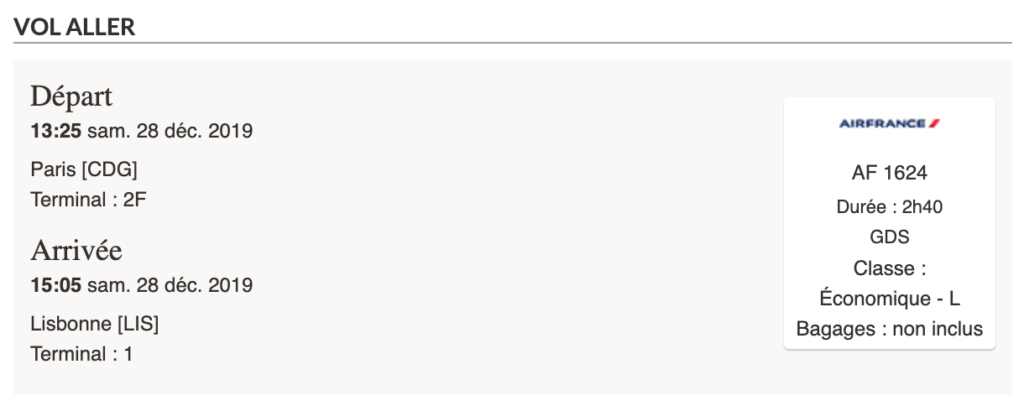
In the “Trip details” section in the Back office, in the transport section at the flight level, the code displayed was the city code. For more precision in the case of Metropolitain Areas, from now on the airport code will be displayed.

Alert at the reception of an email in the Travel Documents section

In order to improve teams’ reactivity dealing with files from the Back Office, it has been added the possibility to set up an alert at the reception of a new email in the Travel Documents section (as it already existed in other sections).

Via configuration, these files can now be displayed in a list of files “to be processed” that the teams in charge can unstack as a priority for an increase in these teams’ reactivity and thus customer satisfaction.

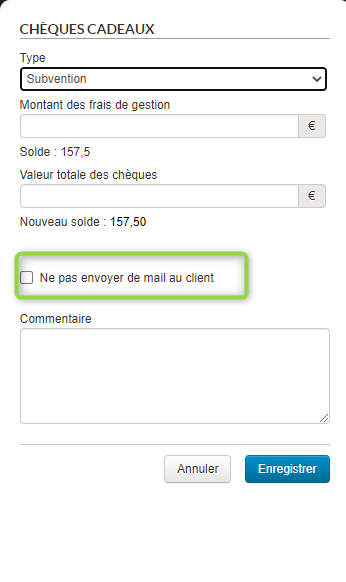
Disable customer notification in case of payment via gift voucher

In the Back Office, as well as in the case of an account payment, when making a gift voucher payment of grant type, it is now possible to not notify the customer by email by unchecking the checkbox.

The payment will thus be applied to the file without the client, whose email is registered in the file, receives any notification by email.

Addition of the travel diary link in the Back office Web Service

In order to enable rich interactions with customer interfaces or external systems, the travel diary can now be accessed from the Bac office Web Service.

This new feature allows, for instance, to make a customer’s travel diary available from his/her personal account on the distributor’s website.

Adding new search parameters for pre-defined lists

In the Orchestra back-office, the search engine allows access to files which meet these criteria.

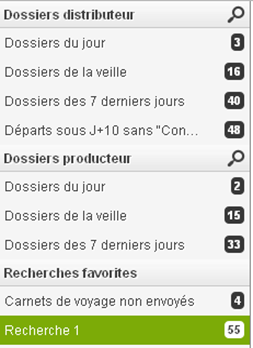
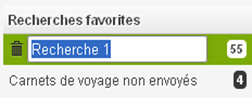
These searches can be saved as favourites, thus allowing the results of these searches to be accessed with a single click. You are free to manage these favourite searches based on your preferences.

List of pre-defined searches

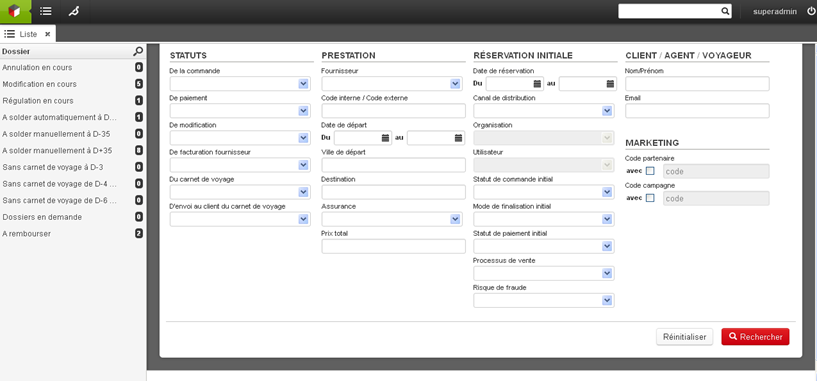
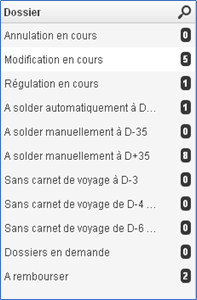
Certain business processes require specific attention to files with a specific status. In this case, searches can be defined (in collaboration with your project manager and through configuration), with these searches then appearing above your favourite lists, in the left-hand column of the interface.

New search criteria are now available for these lists as of version 17.2:

  • Files corresponding to one or more payment statuses
  • Files for which the amount remaining to be paid (total amount – amount paid) is lower than or equal to an amount.
  • Files for which the amount remaining to be paid is strictly greater than an amount.

All of these amounts may also be negative (a negative amount remaining to be paid may occur in certain cases).

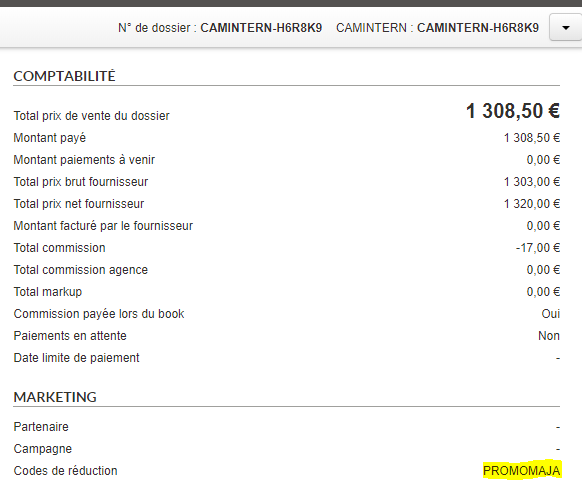
Discount codes in the Back Office

The discount codes used in the booking process are saved and displayed in the preview of the back office records.

The fact that a discount code has been used and specifically which code is also available in the booking exports.

Improvements to interface graphics

Significant improvements have been made to the graphics of the Administration interfaces.

The aim of these improvements is to make Orchestra more pleasant to use for current users, giving them a more modern interface while still being familiar and intuitive.

Separators between search sections and fonts of titles

These developments are also intended to bring Orchestra into line with the standards of use for applications accessible via a web browser to make it as easy and as natural as possible for new users to adopt the platform.

Simplification of horizontal separators, addition of selection checkboxes

A new menu with clearer titles helps users navigate between parts of the platform and the different tabs.

Navigation menu

Unrecognised emails transferred from Back Office

In the Back Office there is a function that automatically links incoming emails to the bookings concerned using a recognised code in the email from customers and providers, and thus simplifies the processing.

However, it sometimes happens that customers delete this code which will identify which booking the email concerns. These emails were then lost.

It is now possible to configure a generic address per distributor that groups all of these orphan emails together in order to reallocate them to the right booking and not lose the information they may contain.

Email receipt for payment on account

It is now possible to automatically send an email to the customer for a payment on account by default via the configuration.

Depending on use, it must be possible to activate or deactivate this function by default.

Yield in indirect booking

In an indirect booking, the distributor’s back-office used to receive all price lines including the yield potential entered by the producer.

Now, the price and yield policies for indirect bookings are solely a matter for the producer and the distributor receives in its back-office only the overall price of the package and its options without details on the price lines, which are grouped.

Cc and Bcc recipients
in back office emails and attachments

When sending emails from the back office, the Cc and Bcc recipients are now recorded in sent emails for information and traceability purposes.

We have also added a configuration-enabled function used to send and receive attachments from the back office.

A new “attach” button now appears in the email utility. Clicking this button opens a pop-up window used to select the attachments. It is possible to select several attachments.

Incoming emails with attachments can be identified by the “paper clip” icon, and attachments are available for displaying and downloading beneath the message.

If unauthorised attachments are included in the email, a notification message will be displayed.

Message displayed for unauthorised attachments.

It is possible to configure the allowable size and type of attachments.

Option expiry date
for manual booking files

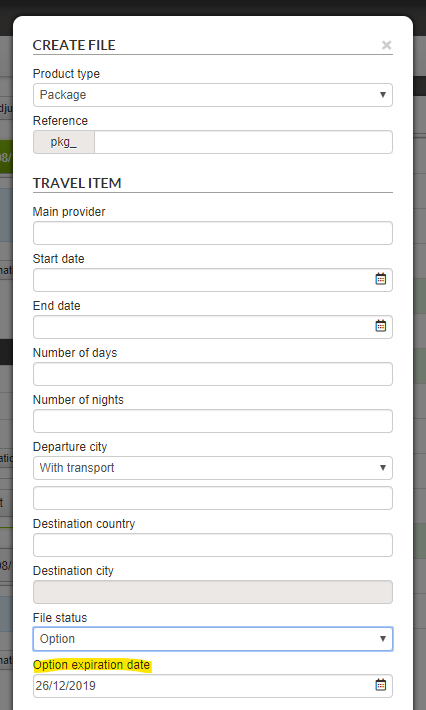
When creating a manual booking file, a new field appears for the “Option” file status where users can enter a validity end date (future dates only).

Modification to back office exports

In all the exports generated from the BO search engine results, the amounts were formatted with spaces as separators for groups of thousands. As such, “€10000.00” was displayed as “€10 000.00”.

These separators have now been removed for greater ease of processing and to make the exports more readily exploitable via MS Excel, for example.

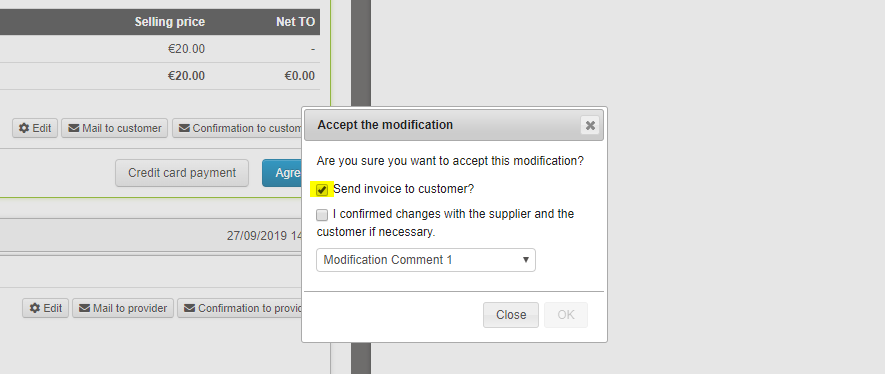
Choosing to pre-select sending of invoice to customer

When making changes to records, the checkbox to send the new invoice to the customer was checked by default. For some actions on the records, sending is not necessary. It is now possible to configure whether the box is checked by default or not, separately for editing or adjusting quotes, cancellation or regulation.

Interactive tutorials

To introduce new features to platform users, we have developed a tutorial feature to guide users through the interface, showing them interesting new features.

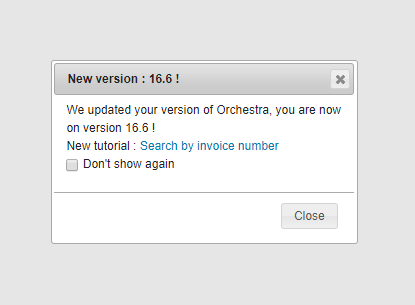
At present in the Back Office, once a new version of the platform has been released to the customer environment, users are alerted via a pop-in that a new version has been rolled out, and that new tutorials are available.

In 16.6, a tutorial is already available. It introduces the feature for searching by customer invoice number, and walks users step by step through to the search field, gives them an invoice number to search for and shows them where to find the result.

You can also find these tutorials in the help section accessible via the menu bar.

Adding fields in Back Office exports

We have added new configurable back-office record export fields :

  • The “Technical TO” and “Value of taxes” fields in the simple export.
  • The “Invoicing address” and “Town” fields in the detailed export.

Auto-completion of customer information in the back office

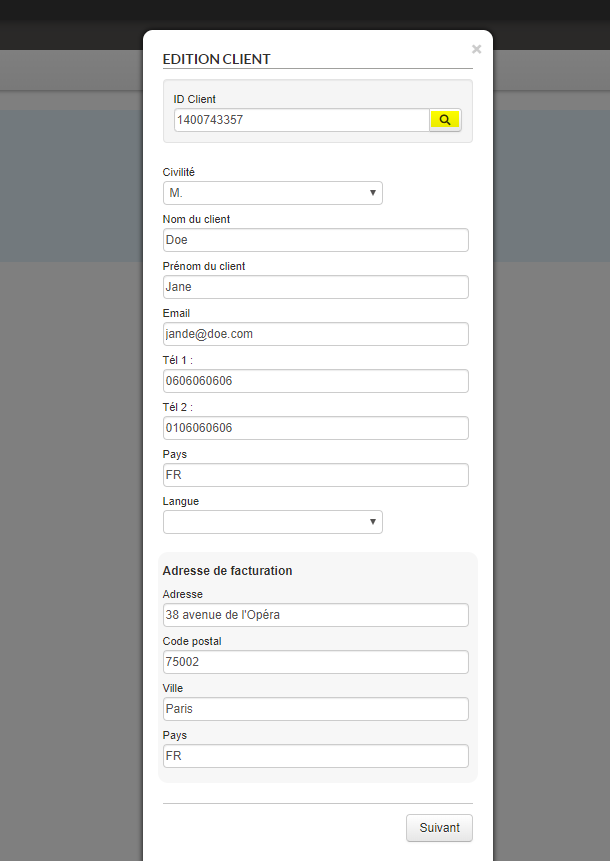
Upon creating a customer or adding a customer to a manual record, it is now possible to connect an API that makes customer information available from its customer ID. The form is filled automatically, saving the agent considerable time.

Luggage information messages for Amadeus

This enhancement complements messages and information about luggage when booking flights using the Amadeus GDS. In cases where the airline does not provide connectivity options for booking luggage, a message is displayed inviting the traveller to visit the company’s website or the airport to add luggage to their air ticket.

Messages may be of this type:

  • [Airline] does not allow you to book luggage on this site; check with the airline whether it is possible to add luggage items via the airline’s website or at the airport.
  • [Airline A] and [Airline B] do not allow you to book luggage on this site; check with each airline whether it is possible to add luggage items via the airline’s website or at the airport.
  • [Airline] does not allow you to book luggage for the outward leg of the flight on this site; check with the airline whether it is possible to add luggage items via the airline’s website or at the airport.
  • [Airline] does not allow you to book luggage for the outward leg of the flight on this site; check with the airline whether it is possible to add luggage items via the company website or at the airport.
  • [Airline] does not allow you to book additional luggage on this site; check with the airline whether it is possible to add extra luggage items via the airline’s website or at the airport.
  • [Airline A] and [Airline B] do not allow you to book additional luggage on this site; check with each airline whether it is possible to add extra luggage items via the airline’s website or at the airport.
  • [Airline] does not allow you to book additional luggage for the outward leg of the flight on this site; check with the airline whether it is possible to add extra luggage items via the airline’s website or at the airport.
  • [Airline] does not allow you to book luggage for the return leg of the flight on this site; check with the airline whether it is possible to add extra luggage items via the company website or at the airport.

The back office is now multi-PSP

In order to facilitate the transition from one payment system to another, including records in the process of being finalised, it is now possible to use multiple PSPs from the Back Office.

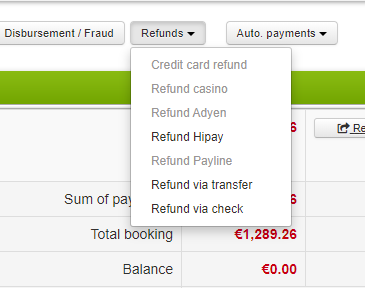
For example, a deposit for a record can be taken from one payment system, and the balance from another. This enhancement also handles issues with refunds. In this way, if a payment has been made with a specific PSP, the refund is offered via this PSP, with the others greyed out because they are unavailable for this record.

Tracking and limiting sales volumes by agency

As part of the inter-agency agreement implementation process, it can be important to set maximum turnovers per agency.

A non-IATA agency which cannot issue/book tickets must use a referring IATA agency for such transactions, requiring a payment guarantee mechanism (and therefore checks): non-IATA agencies must not be able to make limitless numbers of bookings, and must thus be limited to a threshold number.

It must be possible to change an agency’s threshold at any time, manually, via a parent “administrator” agency.

A responsibility tree could, for example, be defined on 3 levels: 

  • Parent agency (1..1)
    • Main agencies at country levels (1..N) (Morocco, Egypt, etc.)
      • Local agencies (IATA and non-IATA) (1..N)

Implementation in Orchestra

  • The concept of a “threshold” is unique to an agency, and does not depend on other agencies, or on the parent agency(ies). Checking the threshold for an agency is therefore simply a question of verifying the threshold for that agency.
  • An agency at level N can specify thresholds for lower-level agencies (N+1, N+2) without any notion of maximums/consistency with regard to its own threshold, if it has one.
    • For example, if agency A has a threshold of 100K, it can define a 200K threshold for any of its daughter agencies.
  • An agency has the following threshold information:
    • Initial threshold
    • Current threshold
    • Current consumption
    • Remaining consumption

Transactions on Business Volume

For each reservation made by an agency, the agency’s consumption is decreased by the value of the transaction.

This is the Total Business Volume (transport, accommodation, fees, insurance, etc.).

For each payment by the non-IATA agency to a (parent) IATA agency, its consumption is decreased by the same amount because, as the payment has been made, it is therefore possible to “re-credit” the account of the non-IATA agency. Because the payment system is not connected to this mechanism, the decrease/increase is performed manually by the parent agency(ies) by modifying the consumed turnover using an administration interface.

A non-specified turnover threshold means no limit to turnover.

Verification of thresholds

Option 1 – Alert as a background task

Email alerts are set up as background tasks (jobs) when an agency reaches a percentage of the threshold. This percentage is a configuration which is common to all agencies.

For example, it is possible to generate an alert once the agency has reached 90% of its threshold.

Senders, subjects and content are not configurable and are in English only. The recipient will be the agency that reaches the % of the threshold; the parent agency and the main contact for the account are copied into the alert.

Option 2 – As a service

1/ A remote service is also created to collect the threshold information for an agency.

  • This service may be called to collect the connected agency’s threshold information and display a warning message if the threshold is exceeded with the search engine; otherwise, the agency can book.
  • Checks on the thresholds are only made during calls and for these services, not during the platform’s booking process.
  • If the agency threshold is reached, the agency can neither search nor book.

2/ A service is created to update the agency consumption during a booking.

  • This service can update the current/remaining consumption.
  • It does not check thresholds, and therefore does not prevent searches or bookings.

Interface

A new interface has been created to view all this information on a per-agency basis.

It is possible for each agency at a level N to view consumption for the agencies it manages (level N-1, N-2). An agency cannot change its own ceiling.

Only agencies with a threshold appear in this interface.

Agency ceilings are changed on an agency-by-agency basis (no bulk changes).

E-ticket number for low-cost flights via Amadeus

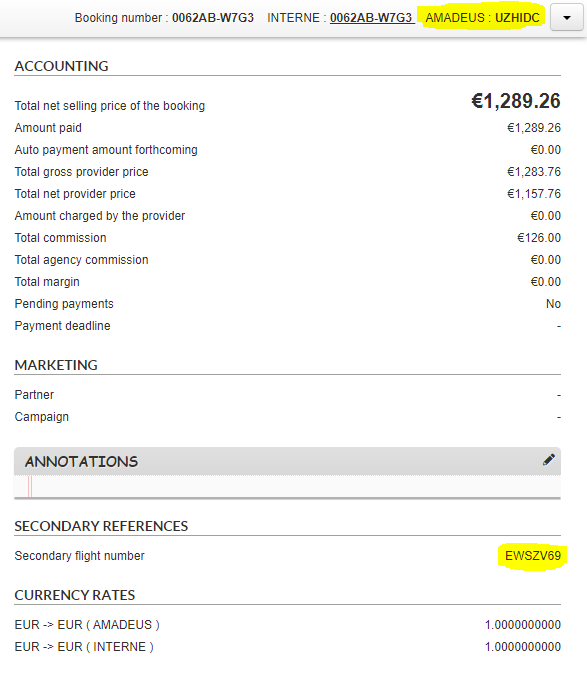
In the Back Office, the PNR was displayed alongside the flight source in the top bar of the record. Now, for low-cost flights via Amadeus, the e-ticket number is also displayed under the name “Secondary flight number” in the record overview tab. In cases where a return is operated by two separate low-cost airlines, both numbers are displayed. These numbers can be used for purposes such as checking into low-cost companies’ sites.

Automatic sending of travel documents

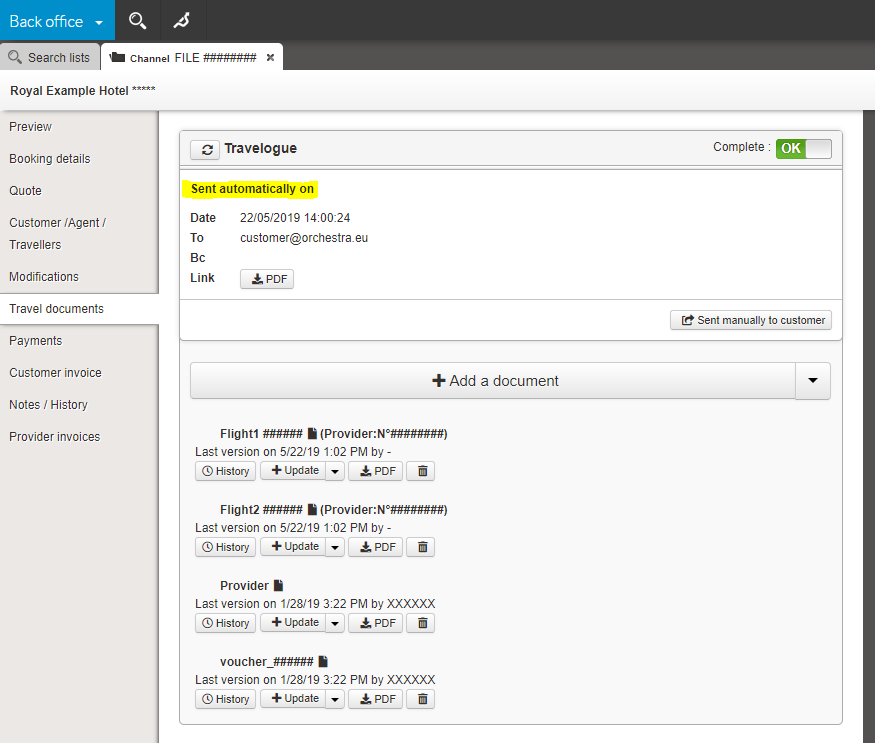
You now have the option of activating a function to automatically send all travel documents to your customer once a travel document exists for each Pre-Package source. At that point, the file can be automatically marked as “Complete”, and no longer requires manual confirmation.

Introduction of Payline and introduction of Oney via Payline and Payzen

The Oney multiple payment system is now available via the Payline and Payzen PSPs in the reservation process.

It is even possible to perform all payment transactions with Payline in the Back Office:

  • Card payment.
  • Payment by alias (tokenization).
  • Payment by email (bank card, PayPal).
  • Automatic payments.
  • Refunds.

Back Office improvements

Information from agencies is now available in new parts of Back Office files in order to simplify operations for producers or distributors with centralised file tracking.

We have improved the legibility of invoices and, in particular, titles which could be rendered in similar shades in some browsers. They are now more readable, with better contrast.

Back Office improvements

When creating a manual record, the travel agent has the option of choosing the record’s creation date. We have now added a second (technical and non-modifiable) creation date for the record which allows the effective creation date of the record to be stored in the database.

The back-office “Booking details” tab now shows the provider of secondary package sources (e.g. services or transfers).

Detailed display of a service for the back office:

Improvements to the back office

Optimised performance when displaying lists.

Optimised performance of fast searches.

Added field for searching for a distributor booking by customer invoice number.

Automatic sending of travel documents :

  • The ways of automatically sending travel documents are changing. You now have the option to enable status changes for bookings to ‘complete’ when updating or adding travel documents. As such, the process of sending travel documents is now 100% automatic.
  • You can also reserve approving the completeness of a booking until a manual intervention, which will trigger the documents being sent to the end customer.

Improvements to the back office

Added the option to apply processes to booking information before saving to the Orchestra back office or an external back office.

Added a feature to manually remove ‘Awaiting TO response’ and ‘Awaiting customer response’ statuses.

Optimised loading times for lists and favourite searches in the List tab.

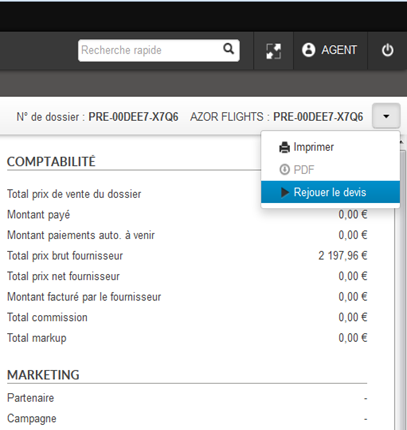
Replaying quotes

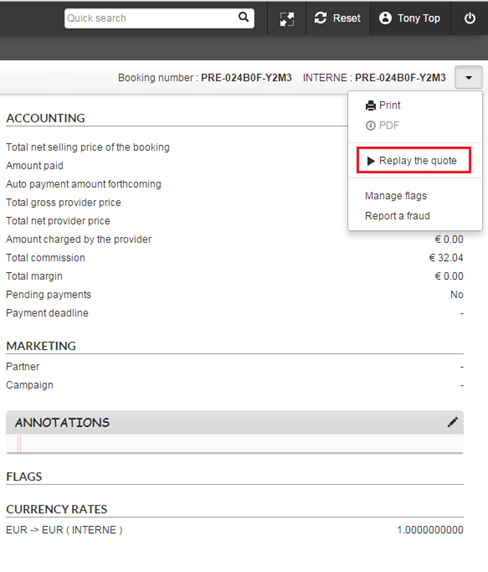
Just like Package and Hotel quotes, you can now replay flight-only and dynamic package quotes for your customers from the back office. As for your customers, they can continue their bookings from their quote confirmation email.

Neither your customers nor you will have to restart the entire process of searching and entering information from scratch. You’ll be redirected to the last step needed to make the booking based on the data saved on the quote. Any duplicate data entry or unnecessary clicking can now be avoided, helping you minimise the amount of time needed to convert a quote into a finalised booking.

Several improvements in the back office

  • Travel document retrieval improved for Misterfly flights.
  • Booking “Origin” field (reservation, manual, import) can now be included in Back Office booking exports.
  • Ergonomic improvements to manual bookings with as much information as possible pre-filled by default (hotel stay dates, currencies, agency information).

Printing of files

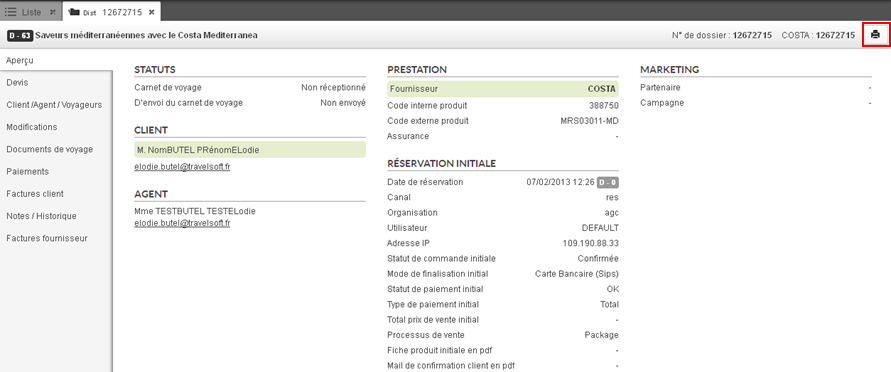
Several booking printing formats can be added (e.g. pro forma invoice, quote without agency commission, etc.).

Several improvements in the back office

  • Security strengthened to avoid a user accessing unauthorised files.
  • Possibility added of using SFTP accounts for file exports.
  • Improvement of the generation of numbers of invoices generated by the Back-Office to ensure they are unique and continuous under all circumstances.
  • Lors de la confirmation d’un dossier « en demande », ajout d’une case à cocher permettant de choisir d’envoyer ou non un mail au client. When confirming a file “on request”, tick box added to choose whether or not to send an email to the customer.

Automatic email for payment deadlines

Possibility of sending an email to the customer automatically to notify them of the next payment due date. This email is sent a few days before payment is made and is also stored in the Back-Office file.

Back-office:
payment method and autocompletion

  • For payments with the Be2bill system, possibility for the travel agent to ask for the payment to be activated in 3DS mode.
  • Improvement of auto-complete for the “Destination” field in order to take account of countries in addition to cities.

Several improvements for the back office

  • Improvements have been made to how tariff lines are displayed in the back-office when a provider only sends a global commission.
  • A new search criteria has been added allowing users to search folders by ‘internal payment code’.
  • There is now an option to add a label to all folders containing customer comments entered during the booking process. This means users can find them more easily.
  • New automatic exports of supplier invoices (in CSV format) have been introduced, meaning invoices can be exported monthly for the previous month, for example.
  • There is now an option to block the following features for quote-type folders:  travel documents, payments, customer invoices, supplier invoices.

Back-office export improvement

‘Total initial selling price’ information has been added to back‑office exports.

Automatic recovery of vouchers and e-tickets

  • Automatic recovery of vouchers from City Discovery activity and transfer sources is now available.
  • Automatic recovery of e-tickets from the Misterfly flight source is now available.

Improvement in the back office

Possibility of retrieving travel documents in the Back-Office with authentication.

Suppliers & Manual Records

Taking into account of activity suppliers and transfers when entering manual files, especially in the “Quotation” section.

Automatic file synchronisation mechanism

Why ? So that the distributors are able to group together the files booked on all their sales channels in their Orchestra Back-Office. This is of great interest for distributors that are also providers. This helps to simplify file management and, therefore, agents’ productivity.

Where ? The files from the different distribution channels are centralised in the distributor/provider’s Back-Office.

How ? An automatic file synchronisation mechanism has been created. This allows the files from other channels to be retrieved so that they can be viewed in the Orchestra Back-Office.

This synchronisation works for :

  • Creations,
  • Modifications,
  • Cancellations,
  • Placing of options,
  • Travel documents.

In partnership with Gestour, this synchronisation mechanism has been implemented between the Gestour Back-Office and the Orchestra Back-Office. It can also be adapted for other Back-Office systems.

Improvement in the Back Office

When entering text in a manual folder, in the ‘quotes’ section, it is now possible to define a maximum quantity (10, by default).

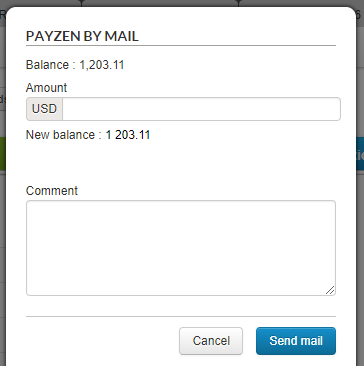
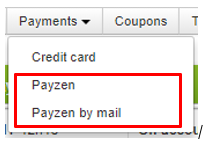
New payment methods with Payzen

Two new payment methods will now be available in the back office :

  • Three-tier payment: This payment method may be used for card transactions made over the phone.
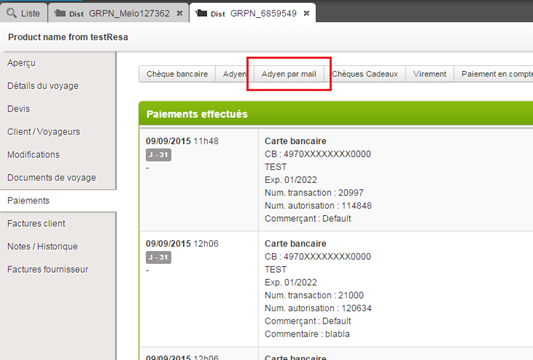
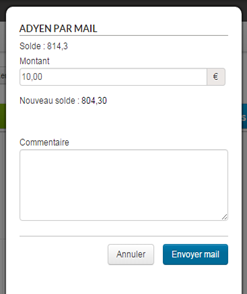
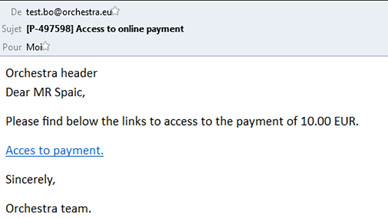
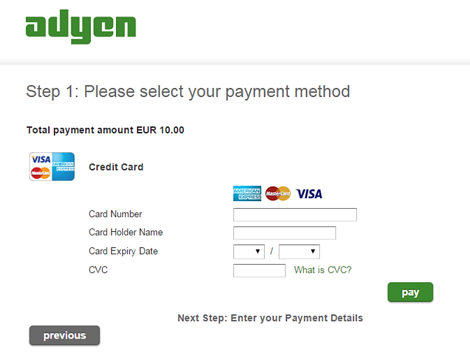
  • Payment via email: This payment method may be used for clients wishing to pay themselves.

Formulaire d’envoi du paiement par mail

These new payment methods are available in the ‘pay by card’ drop down menu.

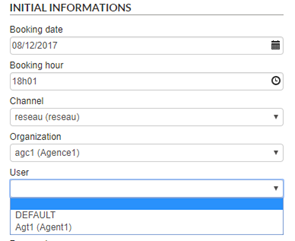
Adding user labels to the reservation channel lists

User labels are now also displayed in brackets on the reservation channel lists when a file is created.


Form to create a file

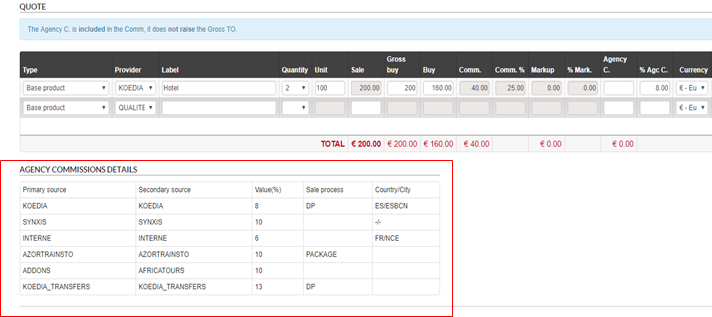
Displaying agency commissions in the quote section

A summary table of agency commissions is now available on the quote page for files created manually. Only applicable agency commissions within the file’s booking channel will be shown.


Form to create a quote with all agency commissions

Information on agency commissions helps agents understand all the commissions that should be applied manually to each part of the trip.

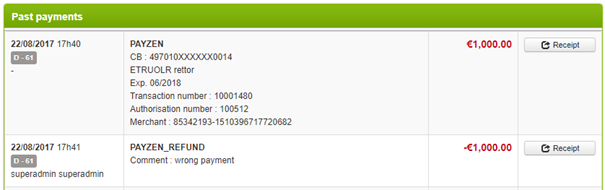
Payzen: reimbursement
available in the back office

Reimbursement of Payzen payments is now available directly from the back office.

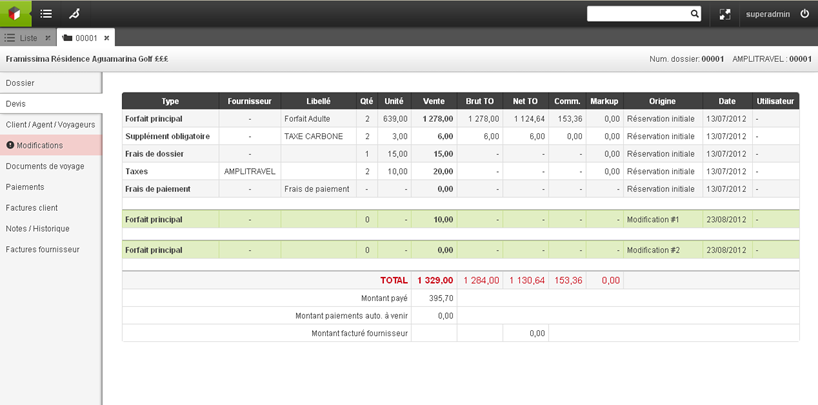
Cancellation of last payment from the back office.

Notification of distributor email during customer response

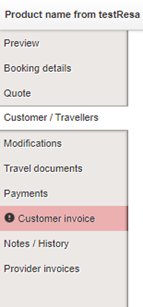
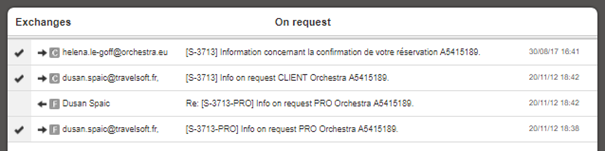
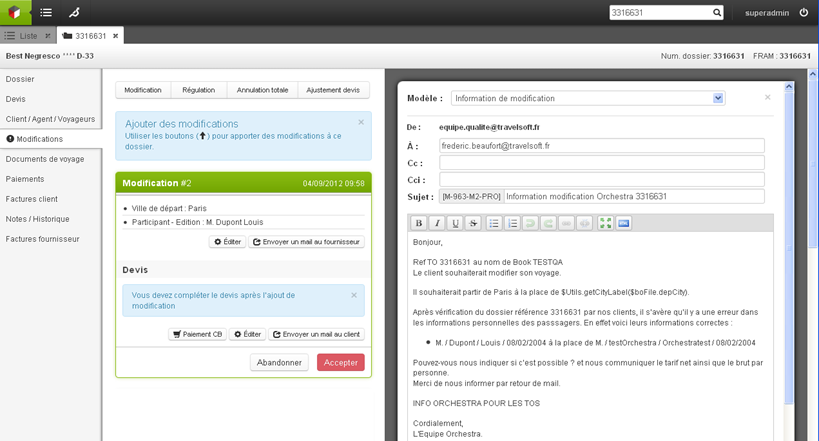
Back-office users are now notified when a customer answers a distributor email sent from back office in the “customer invoice” and “travel documents” section, in the same way seen currently seen in the file’s “modify” section. Email exchanges following the dispatch of a customer invoice also appear in the “exchanges” section of the “customer invoice” section.

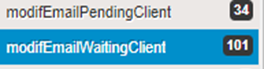
The tab is highlighted in red inside the file to notify the user.

Notification in the travel documents section

These notifications are available in the “travel documents” and “customer invoice” tabs.

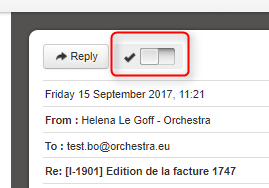
The user must then confirm they have read the email to delete the notification.

Button to confirm email has been read.

In addition, previous searches are available by default in the back office, in the same way as modifications :

  • Notification to manage – customer
  • Pending response – customer
Previous searches available on the home page
Email exchanges in the modification section

Confirmation of options

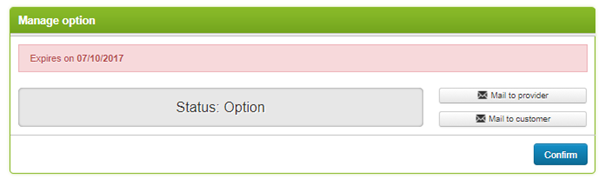
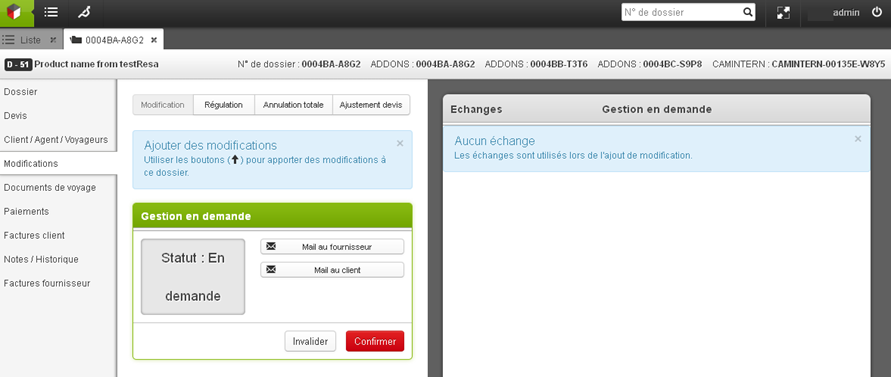
It is now possible to confirm or cancel a file with the status “option” in the “modify” section of a file. Confirmation and cancellation generate an email and update the status of the file. The confirmation and cancellation of an option can be performed while connected in certain cases, depending on the source associated with the Package file.

Option to confirm before 07/10/2017

New method
for calculation of agency commission

The agency commission is currently added to the sale price. It is now possible to calculate the agency commission based on the gross price in the back office.

To do this, simply enter either the value of the commission or the percentage of the commission relative to the gross price.

Make automatic payment
attempts every X days

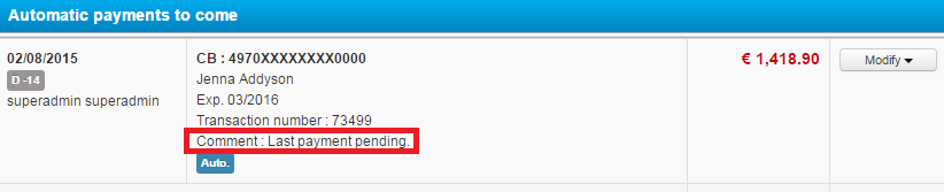
Payment attempts were previously automatically made every day during a defined period. A new configuration now allows users to choose either this method or to run attempts at specific intervals (every X days).

This new behaviour can be configured by the Orchestra teams in the back office configuration file.

Searching for and exporting
folders by modification date

It is now possible to search for and export folders by modification date.

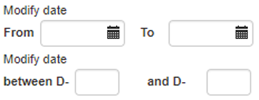
Various fields for filtering by modification date

Miscellaneous improvements

  • Creation of a price line without validation, title ‘’Error – Free entry’’ in the Quote section of a file,
  • Creation of buttons to send a quote in PDF format without displaying commission to customers, and displaying commission for agencies.

Access to this feature is to be defined in the user permissions.

Quote management

  • Multi-currency entry of price lines

The net prices can now be entered in the supplier’s currency by specifying the associated currency on each price line.

Price line in British Pounds Sterling
  • Calculation of selling price based on net price, commission and markup

It is now possible to enter the net price, the commission as a percentage and the markup as a percentage to obtain the selling price, whereas previously the commission was deduced from the gross price – net price formula.

Entry can be in the following order :

  1. Entry of the net price,
  2. Entry of the percentage (or value) of the commission leading to the calculation of the gross price, 
  3. Entry of the markup affecting the sale price. 
Awaiting the commission to calculate the gross price
The gross price calculated based on the commission as a %
The final selling price calculated based on the gross price and the markup as a %

This new input method can be configured from the back-office module.

Improvements
to the manual file creation

Below is a list of the improvements made :

  • Selecting a start date automatically opens the calendar for the selection of an end date,
  • Automatic calculation of the number of days and nights based on the start and end dates,
  • Pre-selection if the scroll-down list contains only one value in the forms,
  • Pre-completion of the agent information defined based on the information of the user connected to the customer/traveller creation form,
  • Simplification of the flight creation form.

Improved results display

1 / Permanent action bar

The ergonomic design of the engine results has been improved with the addition of a permanent action bar.

This bar, containing the number of results and the various actions applicable in mass to the files, is now permanently visible at the top of the page when the results are being scrolled.

Permanent action bar above the results

2/ New client-orientated view

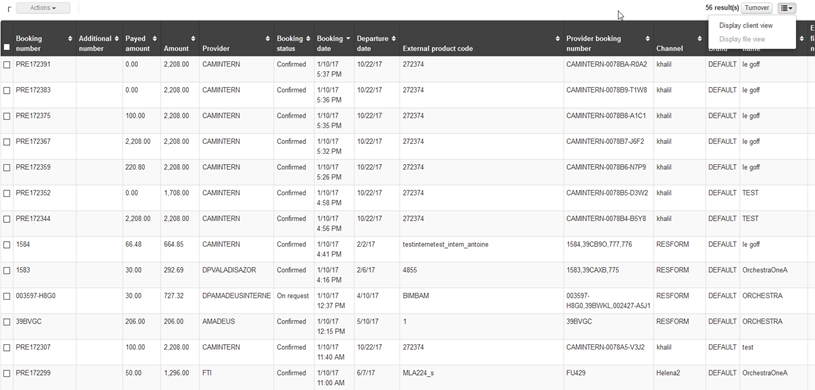
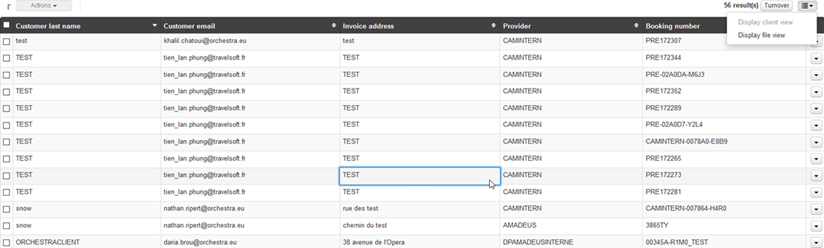
In addition to the classic display mode, the file search results list can now be displayed in a “client-orientated” view.

A new button to the right of the action bar lets you switch the search list display from file view to client view as required.

File view display
Client view display

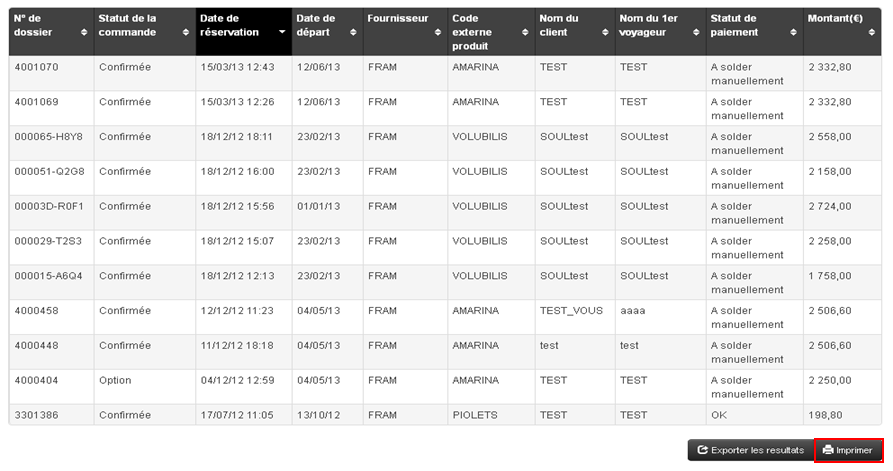
3/ Detailed export enrichment

Both the postal code of the billing address and the client’s IP have been added to the Back-Office’s export of detailed files.

Archiving of files

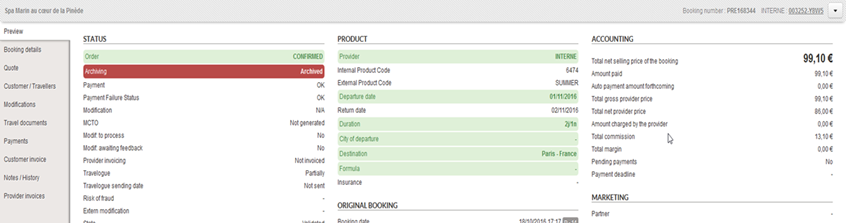
A new status now marks Back-Office files as “Archived”. By default, these archived files will no longer appear in search lists or in searches performed by the search engine.

However, a new field in the search engine can search for archived files, non-archived files or all files.

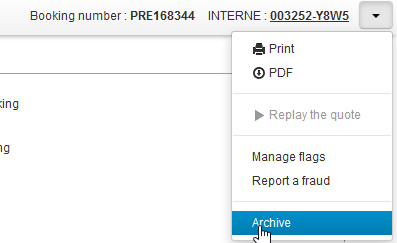
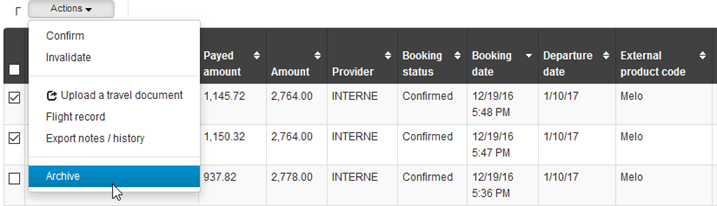
The option to archive a folder can be activated via a general configuration and via user permissions. It is then possible to both archive and dearchive files. Mass archiving is also possible using the search results action bar.

With proper configuration, it is also possible to automate archiving according to certain criteria, for example all files lapsed for more than a year can be archived.

New action for archiving a file
Indication of a file’s “archived” status
Action for dearchiving a file
Action for mass archiving files

Enhanced Web Services

Three new services have been added to the existing Back Office Web Services :

  • Search for files by specifying the file creation period, as well as the product name, client name, client email address, and sales process type,
  • Confirmation of files on request,
  • Cancellation of files on request.

Multiple payment
methods in the “Payments” tab

It is now possible to activate several payment methods in the “Payments” tab of the files. Users can therefore choose the most suitable payment method from the list.

Automatic retrieval
of travel documents

It is now possible to automatically generate and store travel documents from compatible sources (Amadeus e-ticket, Koedia voucher, etc.).

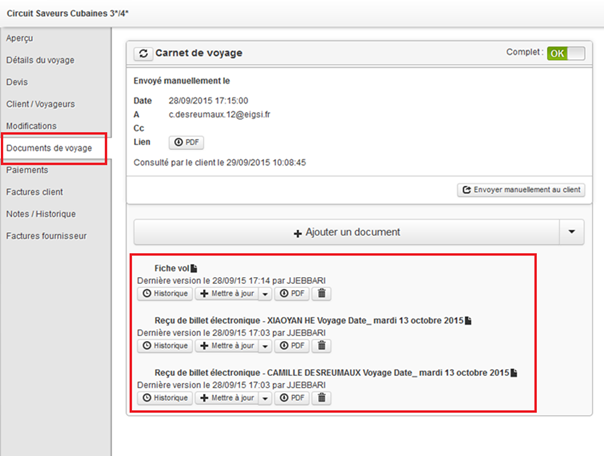
The documents retrieved can then be viewed in the “Travel documents” tab of the Back-Office files.

Display of retrieved documents in the “Travel documents” section

Changes to the invoice configuration

A configuration now allows the activation of invoices to be managed in greater detail. It is now possible to independently activate :

  • Invoices generated during a booking,
  • Invoices created during operations on the Back-Office files.

Sub-types of payment to account

It is now possible to indicate the type of payment to account (transfer, cash, gift card, etc.) when entering a payment to an account in the Back-Office.

New “Company” parameter

A new “Company” parameter can now be sent during the booking.

This field is intended to be saved in the Back-Office files in order to distinguish between files which may come from different white labels. Agents will then, for example, be able to apply a different VAT rate based on this parameter.

Detailed XLSX compatible exports

Detailed exports of Back Office files can now handle the Excel XLSX format, which means that you can export a much larger number of rate lines in a single file.

Create provider files for internal hotels

“Provider” type files can now be created for internal hotels.

Like provider files from other sources, these are associated with the distributor file for the corresponding booking.

The “Preview” section of the provider file for an internal hotel

The “Trip details” section of the provider file for an internal hotel
The “Quote” section of the provider file for an internal hotel

Search by
supplier in sub-files

A new search field is available in the Back Office search engine that allows you to search for bookings by supplier in the sub-files they contain.

New “Sub-file supplier” search field in Back Office search engine

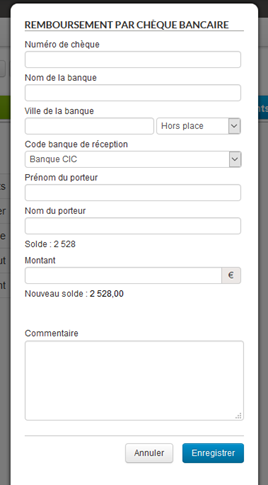
Refunds by cheque

It is now possible to issue refunds by cheque in the section Payments > Back office refunds.

Refund by cheque form

Email history

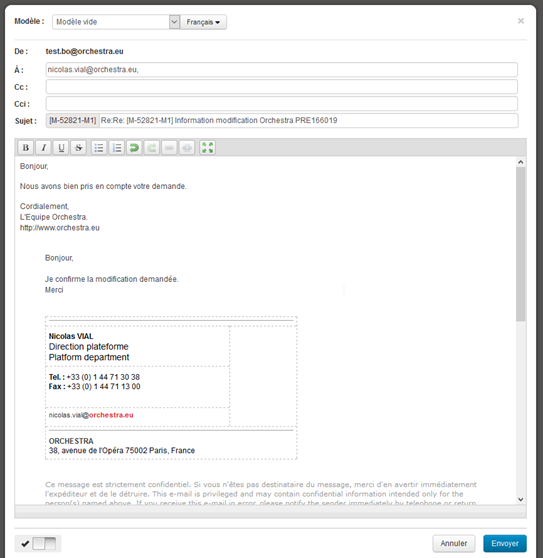
The email exchange management interface has been improved. When the user answers an email, the history of exchanges is displayed in the editing window.

Displaying email history when editing

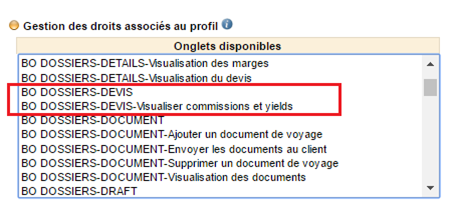
New right: display
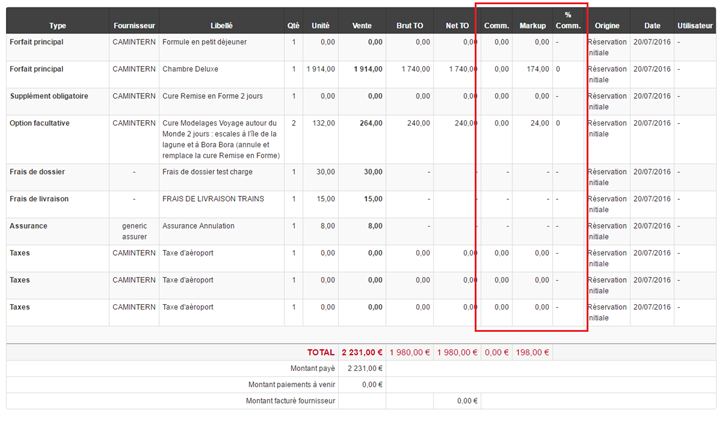
commissions/yields in the “Quote” section

A new back office right has been added to the administration interface in order to show the commissions and yields columns in the “Quote” section of the back office.

New right to view commissions and yields in the back office
Displaying new columns in a booking quote

Improvement
of detailed booking exports

For each price element in the export, the detailed export now includes two new columns that specify :

  • The supplier of each price line,
  • The date the price line was created.
New Supplier and Creation Date columns in the detailed export

Quick search by payment transaction number

It is now possible to search by bank card payment transaction number. The corresponding field has been added to the back office search engine.

New transaction number search fields

Display payment transaction type

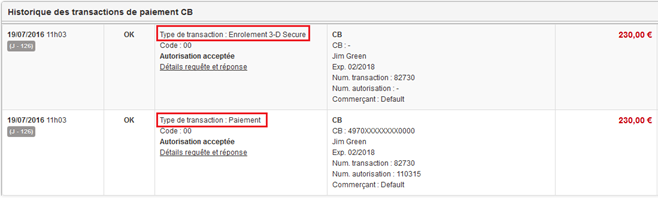
The entry “transaction type” has been added to the file payment history information. This is used to differentiate between operations involving authorisation, capture, 3D Secure, reimbursement and cancellation.

For example, when bookings have been made via a payment using 3DS verification, two very similar transactions are logged in the Back Office. The transaction type entry now makes it possible to differentiate between them.

Transaction type in the payment transactions history

New file
confirmation/invalidation web services

New Back Office web services are now available. They are used to confirm file requests, or equally to invalidate them.

Manual file creation

This function consists of manually creating files in Back-Office, with a view to managing orders from different booking systems in one single tool.

Different forms allow a file to be completed in stages, while ensuring consistency between different data.

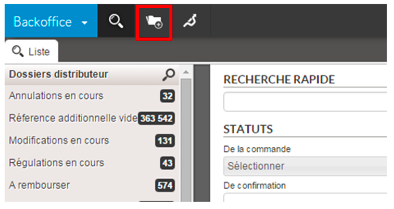
1/ Creation popin

A new button in the main taskbar begins manual file creation.

Button for beginning manual file creation

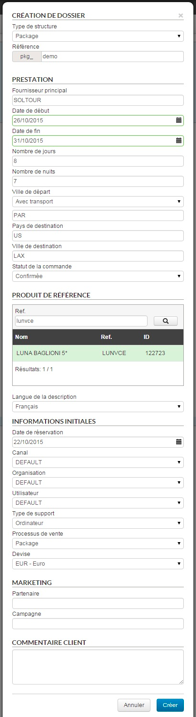
The data entered in this popin defines the structure of the file. Once confirmed, this data cannot be modified.

The “product reference” field only concerns package and pre-package type files. If the search returns no result, a product name and reference may be entered.

Popin for beginning manual file creation

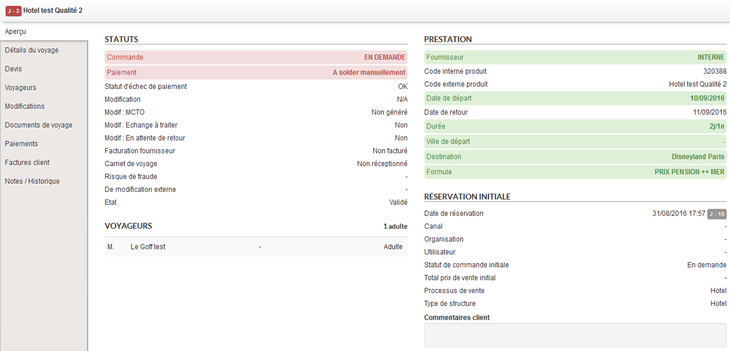
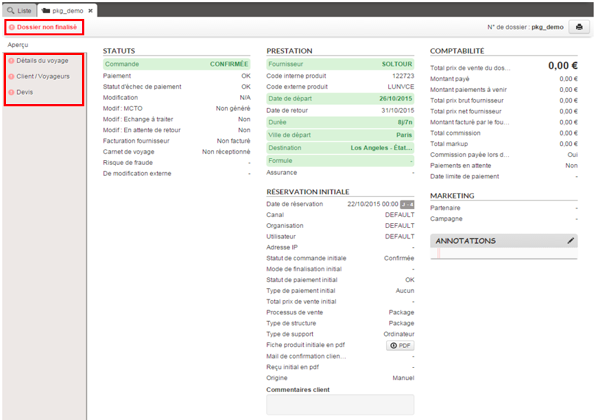
When the popin has been confirmed, the file preview page is displayed with a minimum of information. The “unfinished file” status appears at the top left of the preview page. The navigation bar on the right shows an icon (exclamation marks) indicating that the various sections have not yet been completed.

Preview of the non-finalised manual file

2/ “Trip details” section

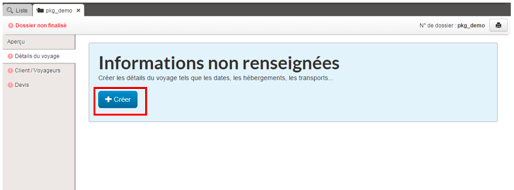
Once the first form has been validated, the remaining sections of the file can be filled in. In the “trip details” section, a “Create” button lets you continue the editing process by entering the details of each travel service.

“Create” button for completing trip details
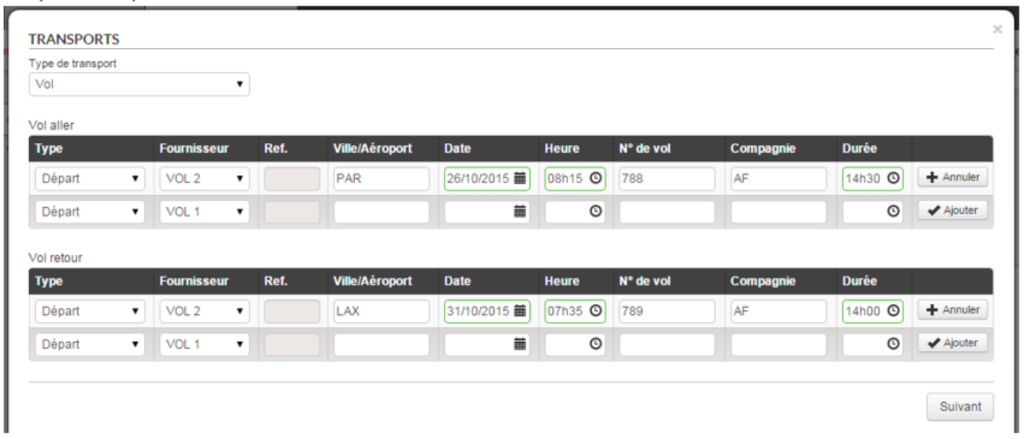
Travel method selection form
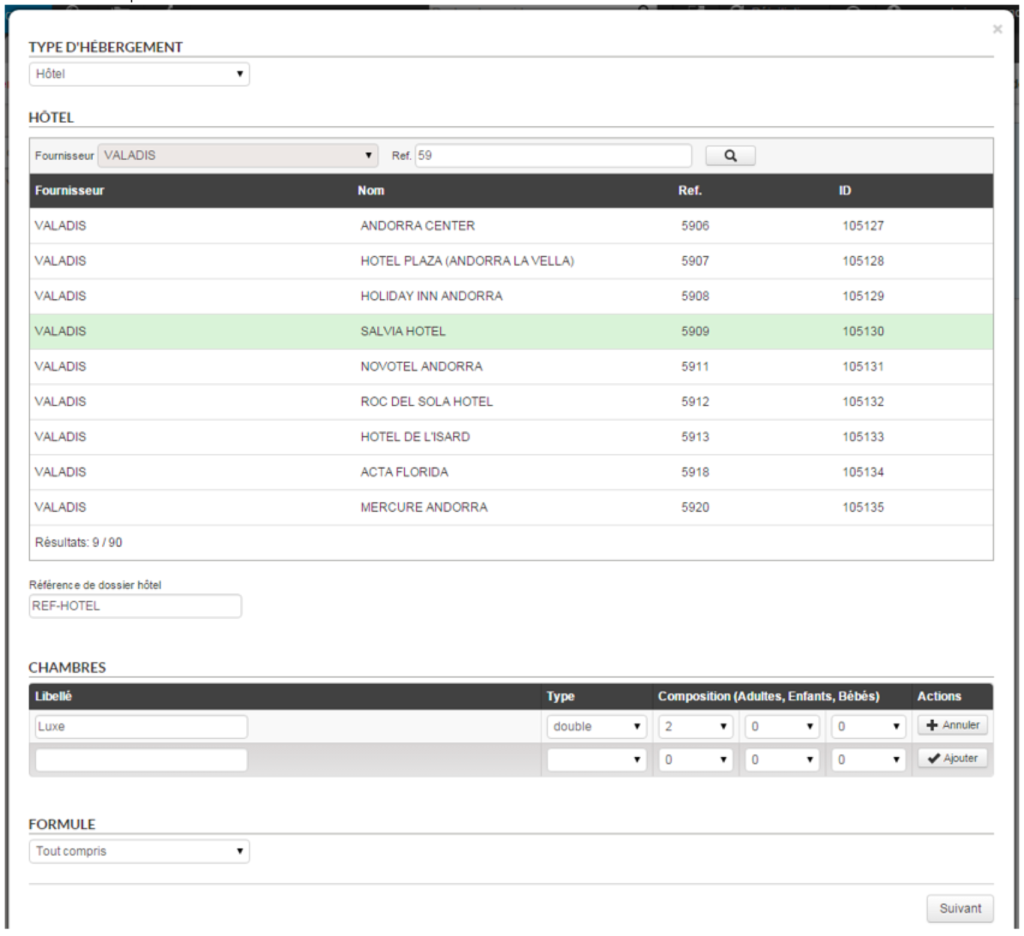
Accommodation selection form
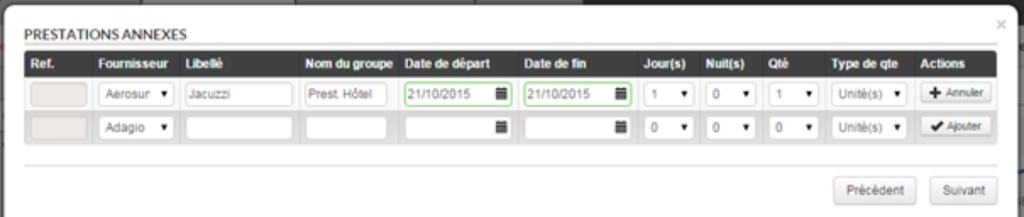
Additional services selection form
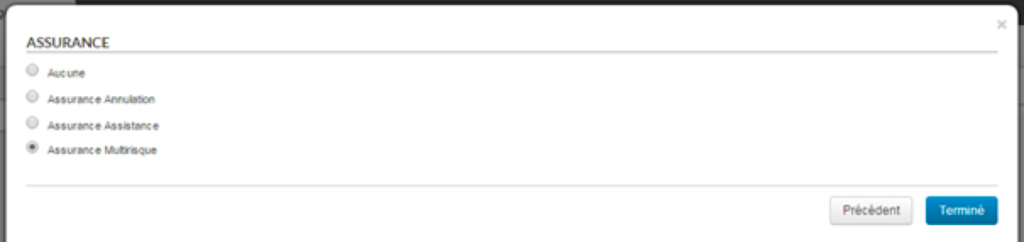
Insurance selection form

3/ “Customer/traveller” section

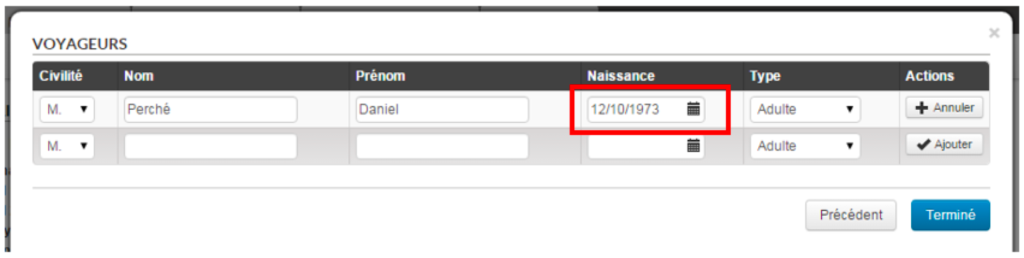
The “Customer/Traveller” section is for entering information regarding the customer and travellers. Note that a date of birth is required if the latter are children.

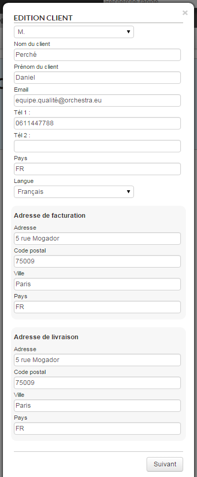
Customer detail form
Travellers form

4/ “Quote” section

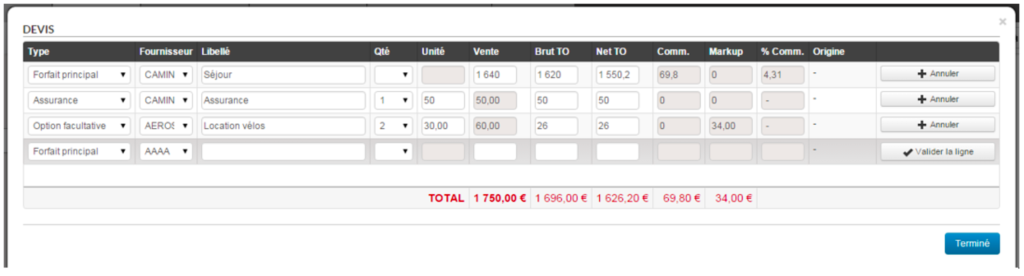
Finally the “Quote” section is for entering information regarding the file’s tariff lines.

Form for entering quotes

5/ Re-editing of information

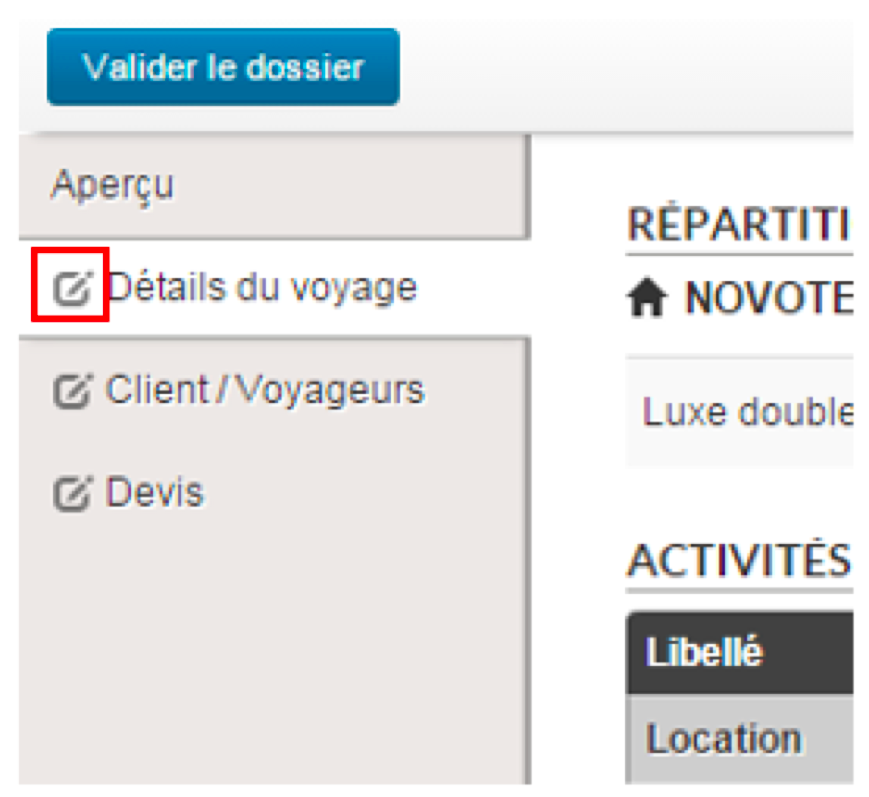
Once the information has been successfully entered, each of the sections may be re-edited if changes are required. To do so, simply click on the icon to the left of the text in each section.

Button for editing a previously completed section

6/ Confirming the file

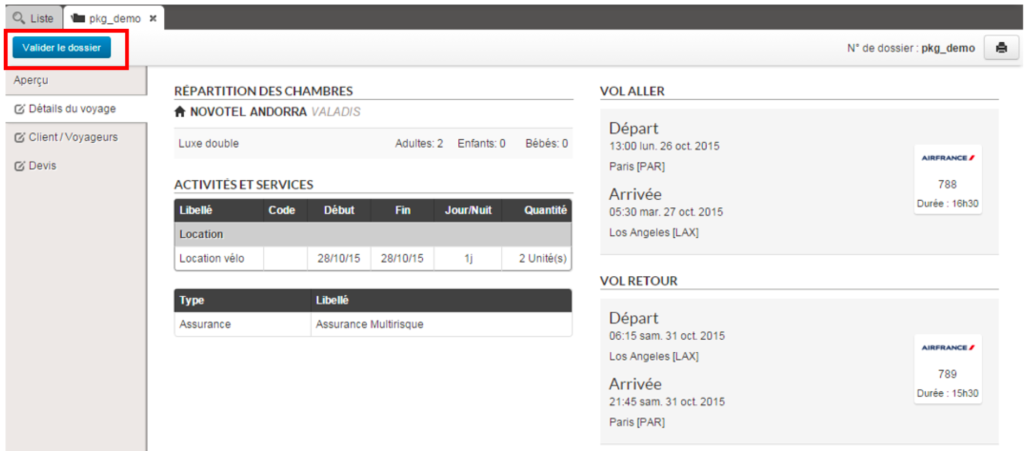
Once all the information has been entered in the file, the “non-finalised file” status is replaced by a “Confirm the file” button.This button changes the status of a file from “Draft” to “Confirmed”.

“Confirm the file” button

When the number, types of travellers and room allocation do not match exactly, a warning message appears in order to validate the consistency of the file.

Warning message when inconsistencies found

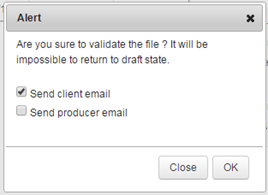
A final message gives final confirmation of the file. This popin can also send an email to the customer and/or provider. Note that a confirmed file cannot revert to draft status. The file will go to “Confirmed” mode and will appear as a typical file.

Final confirmation message
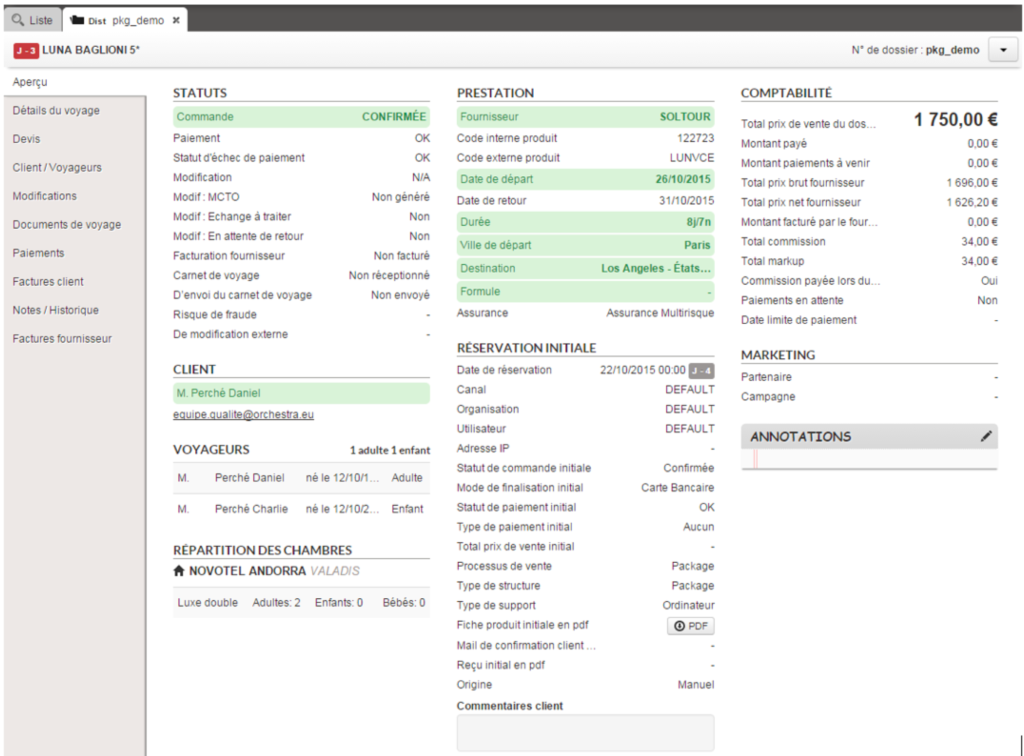
Preview of the finalised manual file

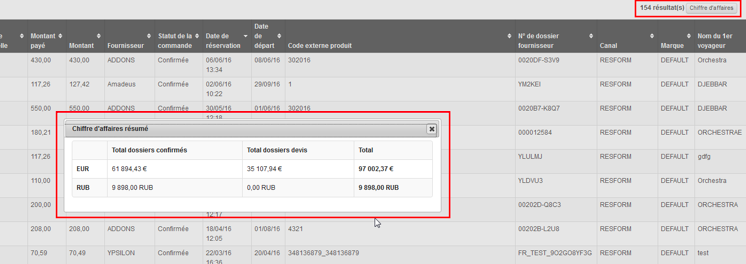
Addition of the number of results and total amounts

The Back-Office results lists are now preceded by the number of search results and by a button which displays the corresponding total amounts (revenue).

Clicking on the “revenue” button will display a table showing, for each configured currency, the total amount for each file category (confirmed, quote, option, on request) as well as the total amount of all types of files combined.

Number of results and details of revenue at Back-Office search level

File search
by exact email address

The Back Office Web Services can now be used to search for a customer’s exact email address.

This can be useful, for example, to call up a history of the reservations made by a customer using his customer account.

More flight types,
reservation types and tariff types added

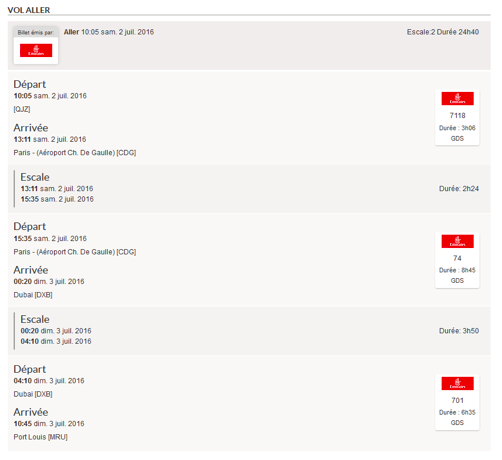
Information relating to the type of flight (low cost, GDS, allotted) has been added to the “Trip details” section.

Displaying the flight type in the “Trip details” section

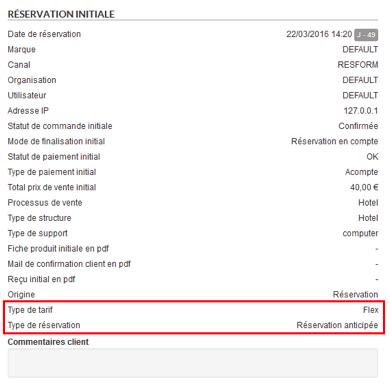
Also, information relating to the “reservation type” (standard or advance) and “tariff type” (standard or flexible) has been added to the preview.

Displaying the tariff type and reservation type in the file preview

Registering of hotel vouchers
in the travel documents

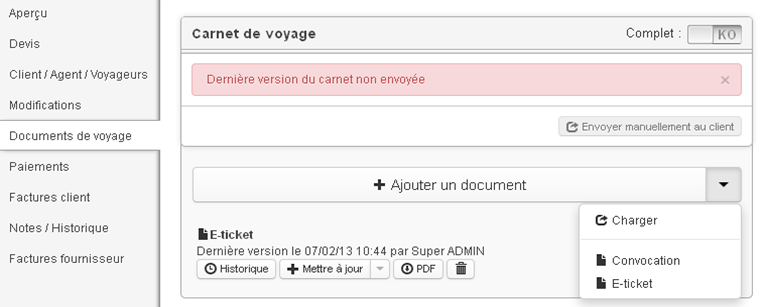
It is now possible to save “hotel vouchers” (“Voucher” type documents generated by the booking process) as travel documents attached to a file. These will then appear in the corresponding section and can be managed like the other travel documents of the file.

Separation of payments
with vouchers and through subsidies

Payments made with vouchers and those made through subsidies no longer appear in the form of a single payment in the Back-Office.

These two types of payments are now considered as sub-categories of gift certificates, and therefore appear on two separate lines.

” Voucher” and “Subsidy” payment types on two separate lines

Updating of file searches

It is now possible to search for files specifying several Channel/Organisation/User triplets.

Searching for multiple “Channel” / “Organisation” / “User” triplets

Payment via Ogone

The Ogone payment system has been integrated into the Back Office. Payments are made in “server/server” mode and by bank card only. Here, it is possible to :

  • View the payments made,
  • Create a manual payment using an alias or a new card,
  • Refund or cancel a payment if it has not yet been processed by the bank,
  • Create an automatic payment using an alias or a new card.
Creating a manual payment via Ogone

Loading multi-supplier invoices

Until now, only the main file in a multi-source file allowed for supplier invoices to be loaded.

You can now load invoices for each of the suppliers involved in a multi-supplier file.

This change leads to several functional modifications in the “Accounting” module. In general, all forms can now filter on the type of service that you’re searching for.

Choosing the type of service and supplier in the different forms

The list of suppliers is automatically updated according to the type.

1/ Uploading invoices

In the same way, the invoice upload pop-in window allows you to choose the type of service and supplier for which you wish to upload the invoice.

The results of invoice uploads is now displayed by supplier since the invoice status is no longer applicable to the whole multi-supplier file but applies to each supplier (billed/over-billed/not billed/partially billed).

Displaying invoices previously uploaded for the selected supplier

2/ Search lists

As for the main file, there are now lists that allow you to search for sub-files of a particular status. You can now define a list that shows all of the sub-files with the “unpaid” status, for example.

Search lists for files

3/ “Supplier invoices” section

The “Supplier invoices” section has been changed slightly to display the invoices uploaded for each of the main file’s suppliers (in the case of a pre-package, for example). Mono-supplier files are unchanged.

Displaying invoice details by supplier in a multi-supplier file

4/ Additional references

The notion of additional references has been modified to correctly manage multi-supplier files: you can now define an additional reference per supplier file.

Entering additional references per file for each supplier

Improving search results pages

The Back Office’s search forms now display the number of files that match the selected search criteria before confirming the search.

Also, once the search has been confirmed, the page will automatically be placed at the first files found.

Sending invoices during refunds

In the same way as for payments, you can now send the customer their invoice after a refund.

Modifying packages
in bulk regulation

The “Regulation” section in the Back Office now allows you to bulk modify references for packages associated with files. For this, select the files that came from the same reservation process and the same supplier, then click on “Modify”.

Modifying files in the “Regulation” section in the Back Office

A new field then allows you to select an alternative package. This change will apply to all of the files selected in the previous step.

Changing the package in the “Regulation” section in the Back Office

Adyen- Payment by email

A way to pay via email, compatible with the Adyen payment system, has been integrated into the Back-Office. This may be extended to other payment systems in the future.

This functionality allows the agent to send an email containing a direct link to a secure payment page. This email can also be sent automatically when an automatic payment has failed.

New method of payment via email with the Adyen system

Pop-up of email allowing secure payment

The client then receives an email to enter their bank details directly on the payment page, independently and securely, without having to share them with the agent.

The payment link is valid for a limited period. You can modify the time limit before it expires.

Example of an email allowing secure payment
Access to the Adyen payment form from an email link

After payment confirmation, it will appear in the list of upcoming payments until it is completely confirmed by Adyen.

Payment visible in the list of upcoming payments in the Back-Office

Search for files
paid in holiday cheques

A new ‘Paid with holiday cheques’ search criterion was added to the back office search engine. This makes it possible to find all the files for which payment was made (at least partially) in holiday cheques.

New ‘Paid with holiday cheques’ search criterion in back office

File tags when booking

The notion of back office tags can now be used to automatically assign default tags to files when booking.

These labels can be configured to define which tags should be associated with which channel. These tags will be visible in the back office search engine to find the matching files and in the file’s detailed notes.

Tags in the back office search engine
Tags in the detailed notes for a back office file

Improved flight display

Displaying flights in the “travel details” section now includes information on layovers, their length, terminals involved, etc.

Details of a trip’s flight layovers are displayed

Search performance optimisation

Back Office file searches were optimised, in particular for searches returning a large number of files.

Evolution of Web Services

New methods are now available in Back Office Web Services :

  • getBookings(String[] mails, String profile)

This web service returns the complete files (client/pro invoices, tariff lines, payments, etc.) for customers whose email addresses are given as a parameter.

  • getBookingFilesPerAgency(String agencyCode, String fileReference, String depDateStart, String depDateEnd, String commandStatus, String numberOfFiles)

This web service returns the partial files corresponding to the search criteria given as a parameter (the result list is limited thanks to the “numberOfFiles” parameter).

  • getBookingFilesPaginated(String agencyCode, String fileReference, String depDateStart, String depDateEnd, String[] commandStatus, String beginIndex, String endIndex)

In the same manner as “getBookingFilesPerAgency”, this web service returns partial files except in this case it is possible to input multiple statuses and the fields “beginIndex” and “endIndex” allow for management of result pagination.

  • completeBookingFile(String id)

This web service returns the complete files corresponding to the identifier given in the parameter.

Evolution
of the notes/history system

The user can now assign a type and a reason to a note. The values of these select-boxes are configurable.

New “Types” and “Reasons” fields during note creation.

A filter system has also been added to be able to filter by :

  • Method (automatic or manual notes)
  • Type
  • Reason
New notes filters by “Type”, “Reason” and “Method”.

Moreover, it is now possible to export the complete history (CSV) of one or more folders from the action list. This export will contain one line per folder and per note, and will consist of the following columns :

  • File distributor reference
  • Supplier of the file
  • Date/time of the note
  • Login associated with the note
  • Note method (automatic/manual)
  • Note type
  • Reason for the note
New export action for file notes/history .

Hotel quotes retrieval

Just as for package quotes, hotel booking quotes can now be retrieved in Back Office for finalisation purposes.

Hotel quotes retrieval in Back Office

Comments associated with payments

It is now possible to add a comment for any type of payment or reimbursement created in the Back Office.

For this purpose, a new “Comments” section has been added at the bottom of the payment creation/modification pop-in.

Option of entering a comment when creating a payment or a reimbursement

This comment will then be visible in the payments made table :

Display of comment linked to payment made

Automatic payments also have the option of these comments. These comments can be modified when editing an automatic payment.

Display of comment linked to pending automatic payment

“Reprocessing” hotel quotations

Quotations made via the hotel sale process can now be reprocessed in the back office so that the travel agents can finalise the booking.

When “reprocessing”, the details page is directly displayed and prefilled with the data entered during the quotation. This allows the booking to be quickly confirmed.

Managing supplier credit memos

A new type of pricing line has been added so that supplier credit memos can be entered.

This type allows you to enter negative amounts in the gross and net fields (field concerning the producer) and a zero value in the sales price (to not affect the customer’s bill).

“Supplier credit memo” pricing line

Creating commissions
for discount fees and booking fees

A commission percentage can now be defined for discount fees and booking fees. The values of these percentages can be configured.

Integrating a balance
into an upcoming payment after a bulk regulation

When a regulation is created on several files and does not require validation from the customer, it is now possible to directly transfer the amount to an existing automatic payment.

If no automatic payment has been defined, the status of the file will stay as “to pay manually”.

Improved multi-currency management

Multi-currency management was completed by the addition of currencies in the estimate, payment, estimate adjustment and invoice sections.

The notion of currency was also added to the accounting module, with the possibility of uploading supplier invoices in their own currency.

Multi-language emails

It is now possible to send emails in the customer’s language.

For automatic emails (emails which are not sent by choosing a “template” in the interface), the customer’s language is selected automatically. For emails sent manually, the language is selected via a select-box.

Choice of email language in the file modification section

Adyen payment system

The Adyen payment system is now available in the Back Office.

The “Payment” section of a file thus lets you perform transactions via this new payment method.

The transaction is performed in server-server mode if the card is the one used for the reservation, and in 3-tier mode if the card is a new one.

Adyen payment form in the “Payment” tab of a file

Addition of comments
when files are edited

It is now possible to add comments when performing the following actions on files :

  • Cancellation
  • Editing
  • Adjustment
  • Regulation

These comments may be selected from a predefined list (select box) or may be entered in free form. It is also possible to carry out file searches from the list of predefined comments, and export this data in the detailed export.

Entering a comment when editing a file
Displaying the comment in the editing block
New file search fields by comment

Sort by file changes date

It is now possible to sort file search results by their “age”, in other words, the length of time since the time/date that the file change was made and the search time/date.

Sorting takes into account all the types of file changes (customer change, supplier regulation, distributor quote adjustment, total cancellation). If several changes have been made to a file, sorting will be based on the most recent change.

Automatic producer reminder for
an incomplete travel document

This new function allows you to send a reminder email to the producer associated with a file when it is missing travel documents and the departure date is drawing near.

You can configure the date for when the reminder should be sent.

Reimbursement limit
for bank transfers and debit cards

Reimbursements made through the Back Office are now limited by a certain amount, by default :

  • For reimbursements by debit card: the maximum amount is the amount of the booking in question, or the amount that has already been paid (if it is smaller).
  • For reimbursements by bank transfer: the maximum amount is the amount that has already been paid.

It is possible for certain users to configure special rights to go above this limit.

Bank transfer reimbursement pop-in

Displaying passport information

Passport information entered in the contact details page during the booking process is now displayed in the Back Office, in the “Customers/Travellers” section. This information is also included in the producer email.

Passport information displayed in the “Customers/Travellers” section

Sending an email
to a customer after a payment failure

When there is an automatic payment by debit card and a card error occurs (or the payment limit is reached) you can now send an email to the customer.

The email you send is saved in Back Office in the section, Payments > History, and can be downloaded in PDF format.

Link to download the email sent to customer after a payment failure

Disabling degressive payments

When there is an automatic payment by debit card and a payment limit error occurs, it is now possible to disable the automatic payment attempts for a lesser amount.

Simulate supplier invoicing

The Orchestra compatibility module now offers a function that allows you to simulate supplier invoicing.

In simulation mode, loading supplier invoices will not immediately affect the corresponding files. This means you can download invoices in an iterative manner in order to correct invoice elements, then make all the files appear in the “Invoiced files” table before applying the changes.

Result of supplier invoicing simulation

Additional producer reference file

For internal products, the producer can now define their own file number in addition to the file number generated by Orchestra.

The producer is given access to the distributor’s Back Office so that they can enter their own file reference. It is possible to perform a quick search or an advanced search using this new field. This reference will also be available in exported files, as well as emails sent to suppliers.

“Manage additional reference” command
“Manage additional reference” pop-in
Additional reference shown in the file details

Agency copied
into the “proof of payment” email

Currently, the “Proof” button in the payment file section sends a proof of payment by email to the customer. A copy of this email can now be sent to the associated agency.

Last payment status

A new payment status has been added. It indicates if the last payment in Back Office was successful. This status helps distinguish “normal” payment failures (payment status = to pay manually) from payment failures generated by an error.

Last payment status in the file details

A search field for this status has also been added to help you to find these files.

“Last payment status” search field

This status is also visible in the “Payment” tab of the file.

“Last payment status” in the “Payment” tab

This criteria can be used in search lists in the left-hand side bar. For example, you can identify payment failure issues in the files.

Example of a search list shown by clicking on “Last payment status”

Advanced anti-fraud management

Up until now, fraud management was restricted to a risk level for each case in the form of three risk levels (low, average and high). Changes have been made to manage fraud in a more precise manner.

A new fraud risk status has been added. This status includes three values :

  • Non-fraudulent
  • Suspected
  • Confirmed

In addition, it is possible to specify the type of fraud :

  • Name
  • Email address
  • Email server
  • Destination country
  • Forbidden date
  • Bank card
  • Departure city
  • IP address

It is possible to manage the fraud status in Back Office. For example, a file with fraud “suspected” status, can be changed to “confirmed” fraud after being analysed. The available actions for a file can be restricted based on this fraud status. For example, if a file has a “confirmed” fraud status, you can forbid that changes be made to it.

“Signal fraud” command in Back Office
“Signal fraud” pop-in in Back Office
Fraud information preview in the file details
Note signalling a change of fraud status in Back Office

Affichage des listes en fonction des utilisateurs

Les liens de recherche rapide présents à gauche dans le Back-Office peuvent désormais être définis par utilisateur. Ceci permet de définir des listes de recherches personnalisées par niveau de responsabilité d’agent dans un call-center par exemple.

Utilisateur pouvant accéder à la liste
« Annulations en cours »
Utilisateur ne pouvant pas accéder à la liste
« Annulations en cours »

Chargement de fichiers
sur plusieurs dossiers (chargement en masse)

Il est désormais possible de charger des documents de voyage sur de multiples dossiers à la fois. Pour cela le bouton « Actions » présent sur les pages de retour moteur s’enrichit d’un lien permettant le chargement de documents de voyage.

Ceci permet par exemple de sélectionner tous les dossiers ayant la même date de départ, même destination, puis d’y adjoindre un document de voyage commun à tous ces dossiers. Un cas pratique concerne notamment le chargement d’une fiche vol sur tous les dossiers correspondant à un axe donné.

Génération de fiches
de vol à partir d’un formulaire

Il est désormais possible de générer un document de voyage de type « fiche de vol » à partir d’un formulaire permettant de renseigner les étapes du voyage.

Dans la section « Documents de voyage », un nouveau modèle de document peut être configuré. Une fois ce modèle sélectionné, il suffit de renseigner les champs du formulaire puis de l’enregistrer. Le fichier généré est alors enregistré dans le Back-Office comme n’importe quel document de voyage. Un clic sur le bouton « pdf » permet d’avoir un aperçu du fichier ou de le télécharger.

Choix du modèle de document « Fiche vol »
Formulaire « Fiche vol » permettant de générer un document de voyage
Exemple de document de voyage « Fiche vol » généré

Ajout de la gestion des étiquettes

Il est désormais possible d’ajouter des étiquettes à un dossier client. Ces étiquettes permettent de caractériser un dossier afin de les retrouver plus facilement.

Ils sont définis par le client (configuration à effectuer avec votre chef de projet) afin qu’ils correspondent aux besoins specifiques. Il est par exemple possible de définir des valeurs permettant d’étiqueter les dossiers liés à une crise naturelle (l’éruption d’un volcan par exemple), ou alors à des statuts de SAV client.

Affichage des étiquettes dans l’aperçu du dossier

Le moteur de recherche avancée de dossiers comporte les champs de recherche correspondant à ces étiquettes afin de pouvoir retrouver facilement les dossiers en question. Il est également possible de créer des listes de recherche prédéfinies s’appuyant sur ces étiquettes.

Recherche par étiquettes dans le moteur de recherche

Affichage du montant restant
à payer dans la devise de l’hôtel

1/ Affichage dans le processus de réservation

Il est maintenant possible d’afficher dans les processus de réservation le montant de l’hôtel restant à payer à la fois dans la devise du processus de réservation et dans la devise de l’hôtel.

Cette devise de l’hôtel est celle qui a été renseignée dans le planning de l’hôtel interne dans l’outil d’administration. Cette affichage est activable par configuration et nécessite au préalable d’activer la fonctionnalité de paiement partiel.

Une fois cela effectué, on peut voir que, sur la page de paiement, le montant restant à payer est exprimé dans la devise du tunnel de réservation mais aussi dans la devise de l’hôtel.

Affichage du montant restant à payer dans la devise de l’hôtel au niveau du paiement

2/ Gestion dans le Back-Office

Les dossiers visibles sur le Back-Office peuvent désormais afficher le montant restant à payer et la devise dans laquelle ce montant est exprimé.

Affichage du montant restant à payer dans la devise de l’hôtel dans le Back-Office

Ces nouvelles données sont également exportées dans des nouvelles colonnes « A régler à l’hôtel » et « Monnaie de l’hôtel ».

Export du montant et de sa devise restant à payer

Gestion du nombre
important d’onglets ouverts

Comme vu précédemment sur la solution B2B, les onglets dépassant la taille de l’écran sont maintenant accessibles via un système de menu déroulant à droite de la barre des onglets.

Bouton réinitialiser

Comme sur la solution B2B, un bouton “Réinitialiser” fait son apparition afin de remettre la session de l’utilisateur dans son état initial (fermeture de tous les onglets, réinitialisation des recherches).

Gestion
des modifications de dossier hôtel

Il est désormais possible de modifier une réservation d’hôtel externe depuis le Back-Office en relançant le processus de réservation directement depuis le Back-Office.

Cette opération provoque une annulation de l’ancien dossier et la création d’un nouveau dossier chez le producteur de façon transparente pour l’utilisateur. Il reste possible d’effectuer des modifications sans relancer le processus de réservation pour les hôtels internes et externes, sans impact sur les stocks.

Choix du type de modification (avec et sans relance du processus de réservation)

Lorsqu’on sélectionne la modification avec relance du processus de réservation, un formulaire permet à l’agent de :

  • Changer de destination,
  • Choisir une nouvelle date de début et/ou de fin de séjour,
  • Modifier le nom des voyageurs,
  • Ajouter des frais de modification supplémentaires.
Formulaire de modification

La validation permettra de lancer un nouveau processus de réservation d’hôtel avec les nouveaux paramètres renseignés. Les implications sur le dossier sont les suivantes:

  • Un nouveau dossier est créé chez le fournisseur,
  • L’ancien dossier auprès du fournisseur est annulé automatiquement,
  • Si l’annulation échoue, alors une annulation manuelle pourra être faite par l’agent,
  • Le dossier distributeur du back-office n’est pas supprimé, mais simplement mis à jour.

Affichage des devises

Les différentes devises sont également gérées dans l’outil de Back Office.

Nouvelle colonne ‘Devise’ ajoutée dans la liste des dossiers

Dans les listes de dossiers, une nouvelle colonne indique la devise dans laquelle le dossier a été réservé. Dans le détail du dossier et les exports, l’ensemble des prix seront affichés dans cette même devise.

Ajout d’informations sur les hôtels

Le fournisseur de l’hôtel est désormais visualisable dans le Back-Office, ainsi que les dates d’entrée et de sortie de l’hôtel.

Ces informations sont disponibles dans l’onglet « Détails du voyage ». 

Commentaires utilisateur et d’annulation

Il est désormais possible d’ajouter des commentaires sur les dossiers distributeurs et producteurs dans le Back-Office.

Le commentaire utilisateur peut être ajouté depuis la page aperçu d’un dossier. De nouveaux droits permettent d’autoriser ou non la saisie de commentaire. Lors de l’ouverture de la fenêtre d’édition du commentaire, la date et les informations de l’utilisateur qui est sur le point d’éditer le commentaire sont automatiquement ajoutées sur une nouvelle ligne.

Ajout de commentaire dans l’aperçu de dossier

Le commentaire d’annulation peut être ajouté au moment de la confirmation de l’annulation d’un dossier. Lors de l’export détaillé d’un dossier, les deux nouveaux commentaires seront présents dans les colonnes « Commentaires et remarques ».  Lors de l’impression d’un dossier, seul le commentaire utilisateur sera imprimé.

Ajout d’un commentaire lors de l’annulation
Commentaire enregistré lors de l’annulation de dossier

Accès au voucher hôtelier

Il est désormais possible d’accéder au voucher de la réservation d’un hôtel en format PDF, dans l’aperçu du dossier. Il est généré par la résa lors de la confirmation et stocké de la même manière que la fiche descriptive du produit.

Frais d’annulation des dossiers hôtel

La récupération des informations relatives aux conditions d’annulation a également évoluée : lorsqu’on clique sur le bouton “Annulation totale”, les conditions d’annulation vont être récupérées dans cet ordre :

  1. Récupération “classique” des règles d’annulation du Back-Office.
  2. Récupération des règles d’annulation stockées en base lors de la réservation.
  3. Si le producteur le permet et que les étapes précédentes n’ont rien retournées,  récupération des règles d’annulation directement en temps réel.

Si aucune de ces récupérations automatiques n’aboutit, l’agent pourra toujours saisir manuellement ces informations.

Date de limite de paiement d’un dossier hôtel

Il est désormais possible d’enregistrer la date limite de paiement lors de la réservation d’un hôtel. Il s’agit de la date la plus proche d’aujourd’hui entre :

  • La veille de la date de départ
  • La veille de la date à partir de laquelle s’appliquent les frais d’annulation.

Cette date limite de paiement est affichée dans l’aperçu du dossier.

Une recherche par défaut des dossiers dont la date limite de paiement est entre le jour J (aujourd’hui) et le jour J + 7 peut par exemple être ajoutée dans la barre de gauche.

Le moteur de recherches avancées hérite également d’un nouveau champ afin de rechercher les dossiers par date limite de paiement.

Régulation automatique
des factures fournisseurs

Il est désormais possible de configurer une régularisation des factures fournisseurs dans l’onglet Comptabilité. Celle-ci peut se faire :

  • soit automatiquement au chargement de la facture
  • soit manuellement par dossier.

Régularisation automatique :

Dans l’onglet Comptabilité, lors du chargement d’une facture, il est maintenant possible de décider d’un delta de régularisation. Si l’écart facture/montant fournisseur est inférieur à ce delta, une ligne tarifaire fictive correspondant à la différence sera ajoutée au dossier pour le comptabiliser comme facturé. Cet ajout est fait via une modification automatiquement validée, ce qui signifie que l’on peut le voir dans l’historique du dossier ainsi que dans la partie ‘Modifications’.

Régularisation manuelle :

Un nouveau droit « Régularisation d’un dossier » a été ajouté dans la gestion des droits du profil. Les utilisateurs qui possèdent ce droit voient dans la partie ‘Modifications’ d’un dossier un bouton de régularisation automatique. Ce bouton va créer une modification avec la différence entre le montant facturé et le montant total fournisseur. L’utilisateur peut ensuite décider ou non de la valider.

Rejeu du devis pour les produits
de type Vols, Hôtels, Vols + Hôtels

De la même manière que pour les produits Packages le rejeu de devis est maintenant disponible sur la page d’un dossier pour les produits Vols, Hôtels et  Vols + Hôtels.

Les onglets et
es champs flexibles dans le BO

Certaines parties du Back-Office peuvent être désactivées selon les besoins. Voici la liste :

  • L’intégralité du formulaire de recherche ‘Dossiers distributeur’
  • L’intégralité du formulaire de recherche ‘Dossiers producteur’
  • Dans l’onglet ‘Aperçu’ du dossier :
    • Tous les champs sauf Client, Agent, Voyageurs et Répartition des chambres
  • Dans l’onglet ‘Client ‘, ‘Agent’,  ‘Voyageurs’  du dossier :
    • Bloc “Adresse de facturation”
    • Bloc “Adresse de livraison”
  • Dans l’onglet ‘Devis’ du dossier :
    • Ligne “Solde du dossier”
    • Ligne “Montant paiements auto. à venir”

Le nouveau champ ‘Solde du dossier’ est désactivé par défaut.  Il est possible de l’afficher dans la partie Devis ainsi que dans la colonne Comptabilité de Aperçu. Ils correspondent à la différence (total – montant payé).

Nouveau critère de
visualisation des FNP dans la comptabilité

Les statuts de facturation peuvent désormais être recalculés à une date donnée antérieure à la date actuelle. L’état des dossiers est alors calculé par rapport aux factures et éléments de devis présents à la date de recalcul donnée dans l’onglet FNP. Ceci permet par exemple d’avoir une vue « comptable » des dossiers pour une semaine/mois précédent.

Traduction en espagnol

Comme pour le nouveau B2B il est désormais possible d’utiliser le module en espagnol en choisissant la langue ‘Espagnol’ lors de la connexion.

Ajout d’un lien SSO
vers l’outil d’administration

Un lien SSO vers l’outil d’administration apparaît dans la barre de liens du Back-Office. Cette barre de liens permet de naviguer entre les différents outils de la plate-forme.

Il est également possible, via une configuration, de masquer cette première barre de liens et de se servir du logo en haut à gauche pour changer d’outil.

Ajout de la notion
de « type de support » dans les dossiers

La nouvelle notion « type de support » est également enregistrée dans le module de gestion de dossiers. Cette information apparaît dans le moteur de recherche des dossiers et dans ses résultats.

Elle est aussi affichée dans le détail du dossier et est présente dans les exports.

Gestion automatique des paiements
lors de réservations « en demande »

Suite aux actions menées sur les dossiers en demande, le paiement peut désormais être géré automatiquement.

A la validation d’une réservation en demande, la transaction de paiement est automatiquement validée dans le système de SIPS ATOS.

Si la réservation est considérée comme « full » (annulée), la transaction de paiement est automatiquement annulée.

Annulation de transactions bancaires

Dans l’onglet “Paiements”, le bouton “Remboursement CB” effectue une annulation de tout ou partie d’une ou plusieurs transactions bancaires lorsque la transaction est en statut “A envoyer en banque”.

Dans le cas où la transaction est en statut “Envoyée en banque”, le bouton effectue un remboursement comme précédemment.

Forcer un canal
de réservation pour rejouer les devis

Il est désormais possible de rejouer un devis depuis le module de gestion des dossiers à partir d’un canal donné uniquement.

Par exemple, il est possible de ne pouvoir rejouer les devis qu’à partir du canal B2B.

Exports de résultat de recherche

Il est désormais possible de définir plusieurs exports de résultat de recherche spécifiques en plus des exports existant par défaut (« Export champs actuels » et « Export détaillé »).

Enrichissement des recherches de dossiers

Il est désormais possible de lancer des recherches en sélectionnant plusieurs fournisseurs à la fois dans les moteurs de recherche.

Multisélection des fournisseurs dans le moteur de recherche

De même, il est possible de lancer des recherches sur plusieurs statuts de dossier et/ou plusieurs assurances à la fois.

Multisélection de statuts de dossier

Il est également possible de lancer une recherche de dossiers sur la date de réservation et/ ou la date de départ relativement à la date du jour (de la recherche).

Recherche sur la date de réservation relativement à la date du jour
Recherche la date de départ relativement à la date du jour

De plus, le champ de recherche « Nom du produit » du moteur de recherche permet de rechercher les dossiers contenant un mot dans le nom du produit réservé qu’il soit en majuscules ou en minuscules.

Prévisualisation des documents de voyage

Lors de la génération de documents de voyage à partir d’un modèle, il est désormais possible de prévisualiser le document créé avant son enregistrement et son envoi au client. Le mode de prévisualisation permet également de modifier manuellement le document si nécessaire.

Choix du modèle de document à générer
Prévisualisation du document choisi pré-rempli avec les informations du dossier

Impression de dossier et rejeu
de devis depuis la liste de dossiers

L’impression de dossiers et le rejeu de devis sont des actions disponibles directement depuis les listes de dossiers.

Recherche rapide par nom de client

Il est désormais possible d’utiliser la recherche rapide pour rechercher des dossiers liés à un client donné.

Notion de marque et entité juridique

Il est désormais possible d’utiliser la notion de marque pour définir des listes de résultats et des exports comptables spécifiques. Cette notion permet également de faire des imports de factures fournisseurs par entité ainsi que l’utilisation de différents comptes SIPS ATOS pour le paiement.

La personnalisation des modèles de mails, de factures et de documents de voyage est également rendue possible par cette fonctionnalité.

Choix de l’entité juridique lors du chargement des factures fournisseurs

Export complet des dossiers

Il est désormais possible de faire un export détaillé du contenu de plusieurs dossiers correspondant à une recherche en plus de l’export des informations du résultat de recherche.

Export détaillé de dossiers

Gestion des droits utilisateurs

Des droits additionnels ont été ajoutés dans la gestion des droits afin de permettre un contrôle sur ce que peuvent voir les utilisateurs :

  • Le « contrôle niveau d’utilisateur » permet de définir que l’utilisateur n’a le droit de voir que les dossiers réalisés à son niveau.
  • Le « contrôle producteur » permet de définir que l’utilisateur voit uniquement les dossiers des producteurs auxquels il a accès.
  • Le « contrôle visibilité du parent » permet de définir que l’utilisateur voit ses dossiers et les dossiers de son parent dans l’arborescence des utilisateurs. Cela permet par exemple de donner l’accès à tous les dossiers d’une agence à un agent.
Droits de contrôle de visibilité des dossiers de l’outil de gestion des dossiers

Ajout de la notion de dossiers producteurs

Les dossiers producteurs sont désormais accessibles dans l’outil de gestion de dossiers. Ils permettent d’avoir une vision « producteur » des dossiers réservés sur des produits internes : packages, vols, hôtels.

Liste des dossiers producteur

Il est possible de paramétrer des listes de recherche spécifiques à ce type de dossiers.

Un nouveau droit « BO PRODUCTEUR » permet de donner accès à ce type de dossiers dans l’outil d’administration.

Droit d’accès aux dossiers producteurs

Pour ce type de dossier, le détail des prestations vols, pensions, type et catégories d’hébergements réservés est enregistré. Le détail s’affiche dans un onglet additionnel du dossier.

Détail des prestations d’un dossier

Sur ces dossiers, il est possible de faire des modifications ou des annulations.

En cas d’annulation sur des produits internes (packages, vols ou prestations), les stocks sont automatiquement ré-incrémentés sur les produits concernés au niveau de la gestion des stocks internes dans l’outil d’administration.

Il est également possible de configurer la génération automatique d’un fichier MCTO en cas de modification, annulation, régulation sur les dossiers producteurs.

Rejouer un devis

Lorsque le mode de finalisation « demande de devis » est disponible dans le tunnel de réservation, les devis correspondants sont désormais enregistrés dans l’outil de gestion des dossiers. Il est ainsi possible de les rejouer pour obtenir une réservation ferme.

Recherche des devis

Le rejeu de devis implique l’ouverture du tunnel de réservation avec les informations du devis initiale enregistrées pour une finalisation rapide de la réservation et la création d’un dossier ferme.

Gestion des recherches favorites

Il est désormais possible d’enregistrer des recherches favorites par utilisateur.

Une fonction de sauvegarde est ajoutée en dessous du résultat de recherche qui permet de sauvegarder la recherche effectuée.

Par défaut la recherche est enregistrée à gauche de l’écran dans les recherches favorites avec un titre de type « Recherche 1 ». Ce titre est modifiable au double-clic.

Sauvegarde de la recherche dans les recherches favorites
Edition du titre de la recherche suite au double-clic

Export des dossiers arrivés à rétrocession

Il est désormais possible de mettre en place un export par fournisseur des dossiers portant sur des offres arrivées à la date de rétrocession. 

Il est possible de définir la fréquence de l’export ainsi que le ftp de destination pour le dépôt des fichiers exportés.

Enrichissement de
la gestion des documents de voyages

Il est désormais possible de récupérer dynamiquement à la génération des documents de voyages des informations concernant les prestations réservées. Les informations qui peuvent être utilisées sont les suivantes :

  • le nom du produit
  • la ville de départ
  • la date de début et de fin de séjour
  • le nombre de participants
  • les types d’hébergements réservés ainsi que les quantités
  • les prestations complémentaires réservées ainsi que les quantités
  • les pensions réservées

Ces éléments peuvent être ajoutés au modèle de document de voyages pour être récupérés au moment de la création pour chaque client.

Impression de dossiers

Il est désormais possible d’imprimer les informations contenues dans l’aperçu et le détail des prestations d’un dossier.

Il est également possible d’imprimer la liste de résultat de dossiers.

Gestion des dossiers en « En demande »

Il est désormais possible de gérer les dossiers en demande dans l’outil de gestion des dossiers.

Dans la partie « Modifications », il est notamment possible de contacter le client et/ou le fournisseur et de confirmer ou d’invalider le dossier en fonction de la réponse du fournisseur et du client. Il est également possible de définir des modèles de mail spécifique pour la gestion du « En demande ».

Lors de la confirmation du dossier, la facture client est envoyée automatiquement.

Si le dossier est « Full » (invalidé), un message spécifique peut être envoyé automatiquement au client et toutes les lignes tarifaires du devis sont annulées.

 Un droit utilisateur spécifique a été ajouté pour la gestion du « En demande » dans l’outil d’administration afin de pouvoir autoriser ces actions à certains agents uniquement.

Les dossiers « En demande » ne sont pas exportés vers les outils de comptabilité.

Modification de dossier « En demande »
Changement du statut du dossier à « Full » et passage du statut de paiement à « A rembourser »

Gestion de la notion
de marque pour les fournisseurs

Lorsqu’un producteur possède 2 marques ou plusieurs noms (par exemple, Lagrange et Lagrange-Coprod), il est désormais possible de regrouper l’ensemble des dossiers sous une seule marque.

Gestion des modèles de document pour
la génération de documents de voyages

Il est désormais possible de définir des modèles de documents de voyage pour une génération automatique à partir des informations contenues dans les dossiers.

Chargement de document de voyage ou génération du document à partir d’un modèle prédéfini

Validation des dates
de naissances et répartition

Lors d’une modification de participant, une validation de la date de naissance des voyageurs en fonction du type (adulte/enfant/bébé) est désormais effectuée.

Lors d’une modification de répartition, une validation de la composition des chambres en fonction du nombre de voyageurs est également effectuée.

Sauvegarde de la dernière recherche

Les cookies sont désormais utilisés pour sauvegarder les onglets ouverts et la dernière recherche pendant 7 jours sur un poste, par utilisateur.

Modification de prestation :
association produit n’étant pas dans la base

Lors de la modification ou régulation de prestation sur un dossier, il est possible de lancer la recherche sur un produit précis. Même si le produit n’existe pas dans la base Orchestra, il est possible de l’associer au dossier manuellement.

Nouvel outil de gestion back-office

Un outil de gestion back-office est désormais disponible sur la plateforme Orchestra en complément des autres modules. L’outil permet notamment d’effectuer les actions décrites ci-dessous.

De manière générale, une gestion des droits utilisateurs permet de gérer l’accès aux différentes fonctions (par exemple : remboursement, régulation massives, etc.).

Pour plus d’informations, n’hésitez pas contacter votre Chef de projets.

1/ Recherche sur les dossiers clients

Dans l’espace « Liste », il est possible de rechercher les dossiers clients en fonction des différents critères d’un dossier :

Cet espace permet également d’accéder à des raccourcis paramétrables permettant aux agents de voir rapidement les dossiers à traiter :

2/ Consultation des dossiers clients

Il est possible de consulter tout le détail d’un dossier en double-cliquant sur l’un d’eux dans le résultat de recherche :

Un dossier se compose des différentes rubriques suivantes :

3/ Gestion des prix de vente / prix d’achat

La rubrique « Devis » permet de visualiser les lignes tarifaires de la réservation initiale ainsi que toutes les lignes tarifaires ajoutées après la réservation lors de modifications, régulations ou ajustements tarifaires :

4/ Gestion des modifications et annulation de dossier

Dans la rubrique « Modifications », il est possible d’enregistrer et valider les demandes de modification client avec suivi d’un processus de validation (envoi de mail au client et au fournisseur) :

5/ Gestion des régulations fournisseurs

Il est possible de gérer les régulations demandées par les fournisseurs dossier par dossier (en procédant comme pour les demandes de modification client) ou plus massivement en faisant une recherche sur les dossiers souhaités ou en indiquant une liste de numéros de dossiers.

6/ Gestion des documents de voyage

Il est possible de charger plusieurs documents de voyage. L’agent peut indiquer si le carnet de voyage est complet et ainsi déclencher l’envoi manuel ou automatique du carnet au client par mail. Il est possible de mettre à jour les documents, dans ce cas un historique des différentes versions est enregistré et une nouvelle version du carnet est envoyée au client.

7/ Gestion des soldes automatiques, des remboursements et des paiements manuels

Dans la rubrique « Paiements » est enregistré le récapitulatif des paiements effectués et des paiements automatiques à venir. Il est possible d’ajouter manuellement des paiements de différents types (Chèques cadeaux, virement, CB…) et d’effectuer des remboursements.

8/ Gestion des factures clients / factures fournisseurs (réconciliation)

Dans la rubrique « Factures client » sont enregistrées l’ensemble des factures et avoirs envoyés au client.

Dans la rubrique « Factures Fournisseurs » sont affichées les factures fournisseurs enregistrées sur un dossier donné avec le statut de facturation (facturé partiellement, surfacturé, facturé ou non facturé).

9/ Espace dédié pour la comptabilité et la réconciliation de factures fournisseurs

Dans l’espace « Comptabilité », il est possible de configurer des listes de recherche de dossier spécifiques :

Il est également possible de procéder à l’enregistrement et la réconciliation de factures fournisseurs :

10 / Exports vers la comptabilité

Toutes informations concernant un dossier et notamment les informations de facturation clients et fournisseurs sont exportables automatiquement et de façon journalière vers un outils de comptabilité spécifique.

Evolutions sur la transmission post réservation

  • La notion de catégorie d’hébergement est désormais envoyée dans les fichiers MCTO.
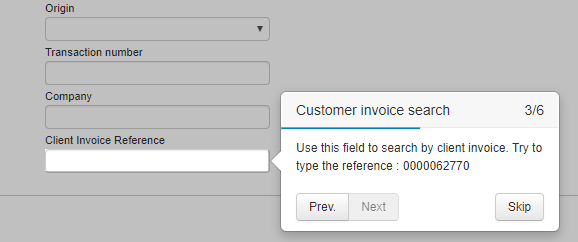
  • Par ailleurs les caractères spéciaux sont filtrés lors de la création du MCTO pour éviter tout problème d’intégration dans les systèmes externes.
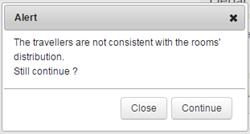
Evolutions sur la transmission post réservation

Le type de transport ‘Train’ est désormais envoyé au back-office Gestour dans les dossiers.

Evolutions sur la transmission post réservation

Possibilité de transmettre les informations agence et agent à Gestour.

Modifications GESTOUR

  • Envoi du type d’hébergement dans les flux commandes.

Modifications MCTO

  • Ajout des commissions
  • Ajout des informations nécessaires à Paybox.
  • Possibilité d’envoyer tous les critères (couples clé, valeur) qui sont envoyés du catalogue au module de réservation.

Evolutions sur la transmission post réservation

  • Mise à jour du dossier de post réservation en cas d’annulation ou confirmation d’option

Lors d’une annulation ou d’une confirmation d’option, le dossier de post-réservation MCTO est mis à jour avec le statut du dossier et celui-ci peut être renvoyé directement à votre outil de back-office pour mise à jour. Merci de contacter votre chef de projet afin d’avoir plus d’informations sur les modifications à faire pour l’interprétation de la mise à jour du dossier.

Evolutions sur la transmission post réservation

Il est désormais possible de paramétrer l’envoi de dossier à Gestour en fonction du canal de vente et du producteur.

Envoi dans Gestour

Envoi des champs statistiques dans le cas des produits simples.

Possibilité d’envoyer des plages de numéros de commande différentes en fonction du canal / organisation / user.

Envoi du MCTO

Envoi de la répartition des passagers dans les chambres et des options par passager lorsque ces informations sont disponibles.

Envoi des nouvelles référentielles destinations INSEE et ONU.

Envoi possible d’un MCTO pour les devis

Consulter votre chef de projet pour connaitre le format du flux contenant ces informations.

MCTO

  • Transmission du mode paiement et du mode de crédit utilisé
  • Transmission de la catégorie de chambre pour les produits internes packagés

Post Résa Gestour

  • Envoi d’une alerte à la suite de la création d’une commande dans Gestour
  • La valeur du domaine Gestour est paramétrable par mode de paiement et canal de distribution

Gestour

Possibilité de paramétrer la date en demande

Acompte

Configuration du montant coché par défaut au niveau de l’acompte

Mail fournisseur

Enrichissement du mail fournisseur : ajout du nom du produit et du code externe

Fonction de booking web services

Enregistrement du dossier (accessible via l’outil d’administration) et envoi du dossier externe